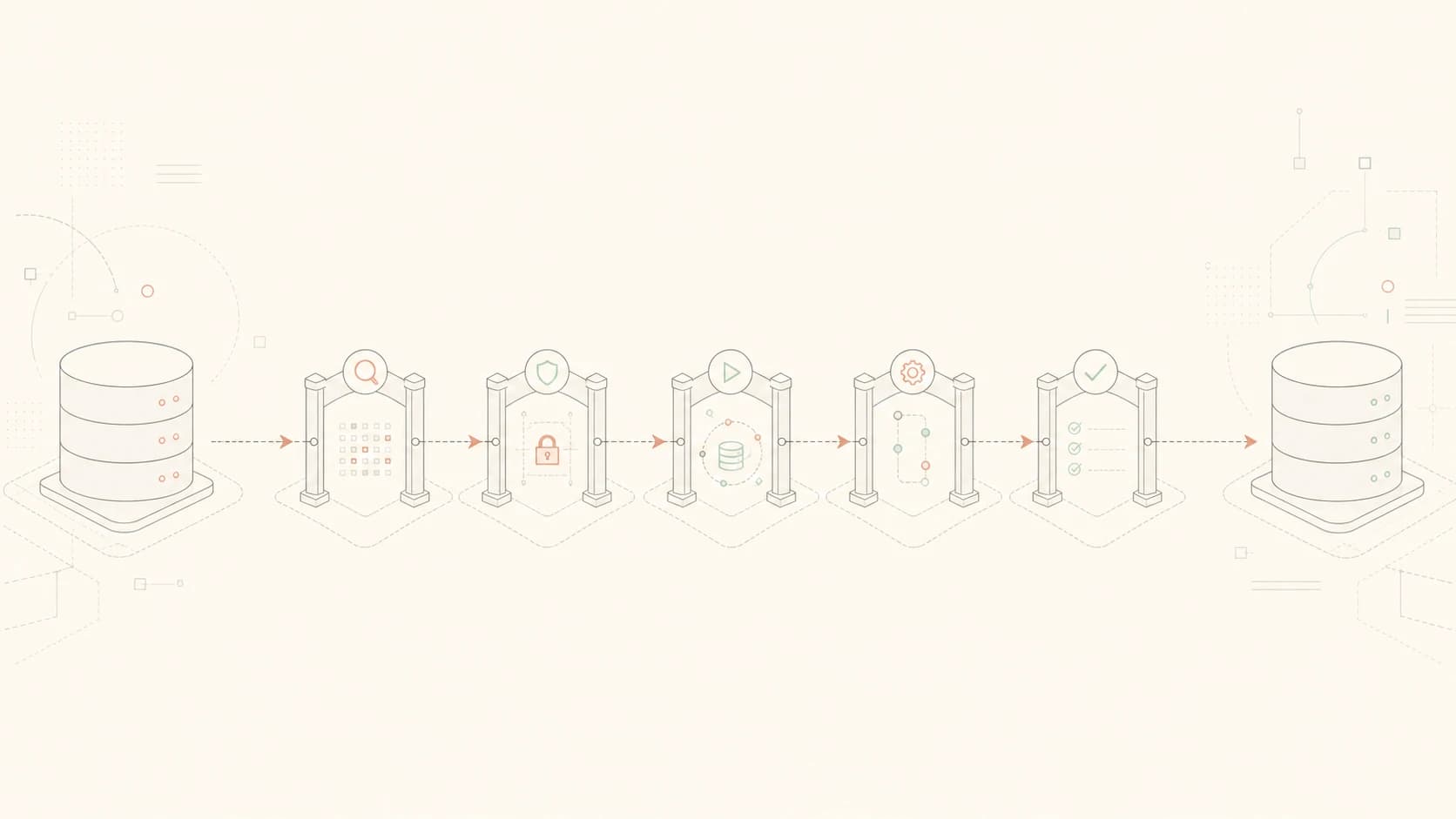

Quick reference
SQL Server upgrade checklist at a glance
| Step | Check |
|---|---|
| 1 | Confirm the source, target, edition, and supported upgrade path. |
| 2 | Choose an in-place, side-by-side, or rolling upgrade method. |
| 3 | Inventory databases, instance objects, SQL features, and applications. |
| 4 | Run Upgrade Assessment and check database integrity. |
| 5 | Capture the current configuration and normal workload. |
| 6 | Test backups, keys, and the rollback procedure. |
| 7 | Rehearse the complete upgrade and application tests. |
| 8 | Run the production change from the tested runbook. |
| 9 | Validate databases, applications, operations, and performance. |
| 10 | Monitor a normal business cycle before closing the change. |
Before the SQL Server upgrade
Confirm the supported path
Start with the exact source and target. Save the SQL Server build, edition, Windows version, architecture, installed features, and database compatibility levels. Check the target version's supported upgrade matrix, hardware and software requirements, release notes, and known issues.
This query reads server properties and does not change the instance.
Check the current SQL Server version and edition
T-SQL · 7 lines
EngineEdition is a numeric code. Use Edition for the readable edition name. Compare ProductVersion with the current Microsoft build documentation before choosing the target path.
Verify the exact route before scheduling SQL Server Setup.
- Record
ProductVersion,Edition, andEngineEditionfrom the query above. Use SQL Server Installation Center → Tools → Installed SQL Server features discovery report to inventory the features on the server. - Use the SQL Server upgrade path checker, then open Microsoft's linked matrix for the target release. Match the source major version, required service pack, source edition, and target edition to an explicitly supported row.
- Check the target release's hardware and software requirements against the Windows version, processor architecture, disk space, and installed features.
- Run the SSMS Upgrade Assessment described below. It finds database compatibility problems, but it does not replace the supported Setup matrix.
If the exact direct route is not listed, plan a supported intermediate upgrade or a side-by-side migration to a new instance. Document that route, rehearse it, and keep the existing server available for fallback.
SQL Server 2025 note, checked July 2026: Microsoft currently documents an upgrade failure when Data Quality Services is installed. Check the current SQL Server 2025 known issues before using the workaround because this guidance can change.
Choose the upgrade method
Choose the method before writing the runbook. An in-place upgrade changes the existing installation. A side-by-side upgrade builds another instance and moves the databases and everything around them.
| Method | What changes | Main tradeoff |
|---|---|---|
| In-place | Setup replaces the existing SQL Server installation. | Simpler build work, but a longer and more difficult fallback. |
| Side-by-side | Build a new instance, then move databases and dependencies. | More preparation, parallel testing, and a clearer fallback to the old server. |
| Rolling | Upgrade replicas or related instances in a supported order. | Used for AGs, FCIs, replication, mirroring, log shipping, and other multi-instance designs. |
Follow Microsoft's topology-specific procedure for availability groups, failover cluster instances, replication, mirroring, and log shipping. Use the upgrade-planning guide for a fuller method and rollback comparison.
Inventory what must survive the upgrade
- List each database, its state, recovery model, compatibility level, collation, files, owner, size, and encryption state.
- List TDE, FILESTREAM, memory-optimized tables, replication, CDC, Service Broker, CLR, full-text search, and HA/DR.
- Export logins with SIDs, server roles, permissions, jobs, operators, proxies, linked servers, Database Mail, credentials, certificates, endpoints, startup parameters, ports, and trace flags.
- Map applications, drivers, providers, connection strings, DNS aliases, SSIS, SSRS, monitoring, backup software, file shares, and scheduled tasks.
- Name the person who will test each critical application after the upgrade. Give them an exact login, read, write, report, or integration test.
Run from master. This query reads sys.databases and does not change any database.
List database state and compatibility settings
T-SQL · 9 lines
is_encrypted identifies databases protected by TDE. Back up the required certificate and private key before moving them. This result does not include instance objects such as logins, jobs, or linked servers.
Assess compatibility and database health
Run Upgrade Assessment from the current SSMS migration component. It checks database objects for breaking changes, behavior changes, and deprecated features. Microsoft's current workflow requires the migration workload in SSMS and a login with sysadmin permissions. Fix each reported problem, test the proposed change, or accept the specific risk before production.
DBCC CHECKDB before the rehearsal and production change. It can use substantial CPU, memory, I/O, tempdb space, and time on a large database. Schedule it for the actual database size and production load. A known corruption problem belongs in a separate recovery plan.Capture the current workload
A useful baseline shows how the server behaves when the business is doing normal work. Collect enough time to include the busiest period, common reports, imports, maintenance, and other scheduled jobs. Save the collection time and workload context with the numbers. CPU at 70 percent means little if nobody knows whether it came from the normal morning peak or an unusual data load.
- Save sp_configure values, database settings, SQL Server and SQL Agent error logs, failed jobs, and current backup status.
- Capture Query Store data, duration and CPU for important queries, waits, blocking, and application response during the busiest normal workload.
- Include overnight jobs, month-end work, imports, reports, or other scheduled activity that could be missed during a short daytime sample.
- List failures that already exist so they are not blamed on the new SQL Server version after cutover.
Test backup and rollback
Rollback depends on the upgrade method. An in-place upgrade changes the existing instance, so recovery may require restoring the old server or rebuilding it. A side-by-side upgrade can often redirect applications to the old instance, but only while the old databases remain usable and data written after cutover can be handled. Test that exact path. A generic restore estimate is not enough.
- Verify recent backups of every user database and the system databases needed by the recovery plan.
- Restore a suitable backup on another instance and run the planned integrity and application checks.
- Save TDE certificates, SSRS encryption keys, and other required keys through the company's approved secret-storage process.
- Script or export the instance objects needed for a side-by-side upgrade and test them on the target.
- Define the last safe rollback point, how long rollback takes, and which failures trigger it.
Use the backup guide and recovery guide if the restore sequence or timing has not been tested.
Test the SQL Server upgrade before production
Ideally, test the upgrade on a separate development, test, or acceptance server before touching production. Restore a recent production database copy there and match the target SQL Server version, Windows version, installed features, configuration, and important integrations as closely as practical. Protect or mask sensitive data according to the non-production data policy. Follow the same scripts, service order, application redirection, and validation planned for production.
- Time preparation, backup or restore, Setup, database startup, application testing, and rollback separately.
- Test logins, jobs, linked servers, reports, integrations, monitoring, backup software, and critical read/write workflows.
- Write each runbook step with the action, target server, expected result, duration, person responsible, and next step.
- Add every manual fix and missed dependency to the runbook before production.
- Repeat the failed or materially changed part of the rehearsal.
Run the production upgrade
- 1Confirm approvals, participants, stop conditions, and who can call rollback.
- 2Freeze changes and stop or redirect application writes as rehearsed.
- 3Run the final backup, database-health, disk-space, restart, and prerequisite checks.
- 4Save the source build, database state, last backup times, and official start time.
- 5Follow the tested upgrade procedure without adding unrelated configuration changes.
- 6Save SQL Server Setup logs, warnings, errors, and actual timings.
- 7Pause at each agreed go or rollback point.
- 8Start the tested rollback when a trigger is reached.
SQL Server post-upgrade checklist
SQL Server Setup can finish successfully while an application, job, report, or backup process is still broken. Validate the instance in layers. Start with the engine and databases, then test the surrounding services and real application paths. Performance comparison comes after the normal workload returns.
Database Engine and databases
- Verify the target version, edition, build, services, service accounts, startup parameters, ports, database state, configuration, permissions, and error logs.
- Run the planned integrity check and take a new full backup.
- Verify SQL Agent jobs, maintenance tasks, backup schedules, operators, and notifications.
Applications and operations
- Test authentication and every critical read/write workflow.
- Test linked servers, SSIS, SSRS, reports, imports, exports, queues, and vendor integrations.
- Check monitoring, alert delivery, backup software, deployment tools, and HA/DR behavior.
Performance
- Compare Query Store, important query duration and CPU, waits, blocking, I/O, timeouts, and application response with the baseline.
- Investigate material differences before declaring the upgrade complete.
Compatibility level
- Keep the previous user-database compatibility level when it remains supported and the plan calls for a staged change.
- Capture the normal workload at the old level, change compatibility level as a separate tested step, then capture the same workload again.
- Review regressed plans in Query Store. Query Tuning Assistant can help with this workflow, but it does not generate the workload or restore every previous plan automatically.
The Database Engine version and database compatibility level control different parts of the upgrade. Moving the engine first provides the new SQL Server version while a supported older compatibility level can keep the previous optimizer behavior. That separation gives Query Store time to capture a baseline before the optimizer changes. When the compatibility level changes, compare the same business workload and deal with regressed plans individually. Reverting the compatibility level is a fallback for optimizer behavior, not a way to downgrade the database files.
The first two statements can run from master. Run the Query Store statement inside each user database that uses Query Store.
Check the upgraded instance and databases
T-SQL · 17 lines
This query only reads version, database, and Query Store state. A database can be ONLINE while an application, job, login, or integration is still broken.
Watch the first normal business cycle
Monitor until the upgraded server has handled its normal busy period and scheduled work. Review failed jobs, backups, alerts, error logs, Query Store regressions, waits, blocking, and application incidents. Keep rollback assets until the agreed retention point. Update the runbook and inventory with the final build and assign any remaining work before closing the change.
Common SQL Server upgrade mistakes
- Treating completed Setup as completed application validation.
- Changing database compatibility level without a workload baseline.
- Keeping backups without testing the restore procedure and required keys.
- Forgetting logins, jobs, linked servers, reports, drivers, or monitoring.
- Using an old support matrix instead of the current Microsoft page.
- Rehearsing the technical steps without the real application tests.
- Combining the upgrade with unrelated configuration changes and performance tuning.
Do you need help with a SQL Server upgrade?
If you are unsure how to plan and carry out a SQL Server upgrade safely, I can provide SQL Server upgrade support for your environment. The service can cover upgrade planning, testing, production delivery, and post-upgrade validation.
Next step
Use the SQL Server upgrade-planning guide for method, compatibility-level, and rollback decisions.
Use the upgrade support service when the plan needs external review or hands-on delivery.
Microsoft sources used for this checklist
- Supported version and edition upgrades
- SQL Server hardware and software requirements
- Installed SQL Server features discovery report
- Choose a Database Engine upgrade method
- Upgrade SQL Server using the SSMS migration component
- Complete the Database Engine upgrade
- Change compatibility level and use Query Store
- Query Store usage scenarios