
sql server hub / ssms release
SSMS 22.7.0 changes
SSMS 22.7.0 added SQL formatting, schema compare, Copilot Agent Mode, Copilot execution context, Database DevOps updates, and several bug fixes.
Microsoft released 22.7.0 on June 9, 2026, then followed with 22.7.1 on June 16 to fix a query editor memory issue with large scripts.
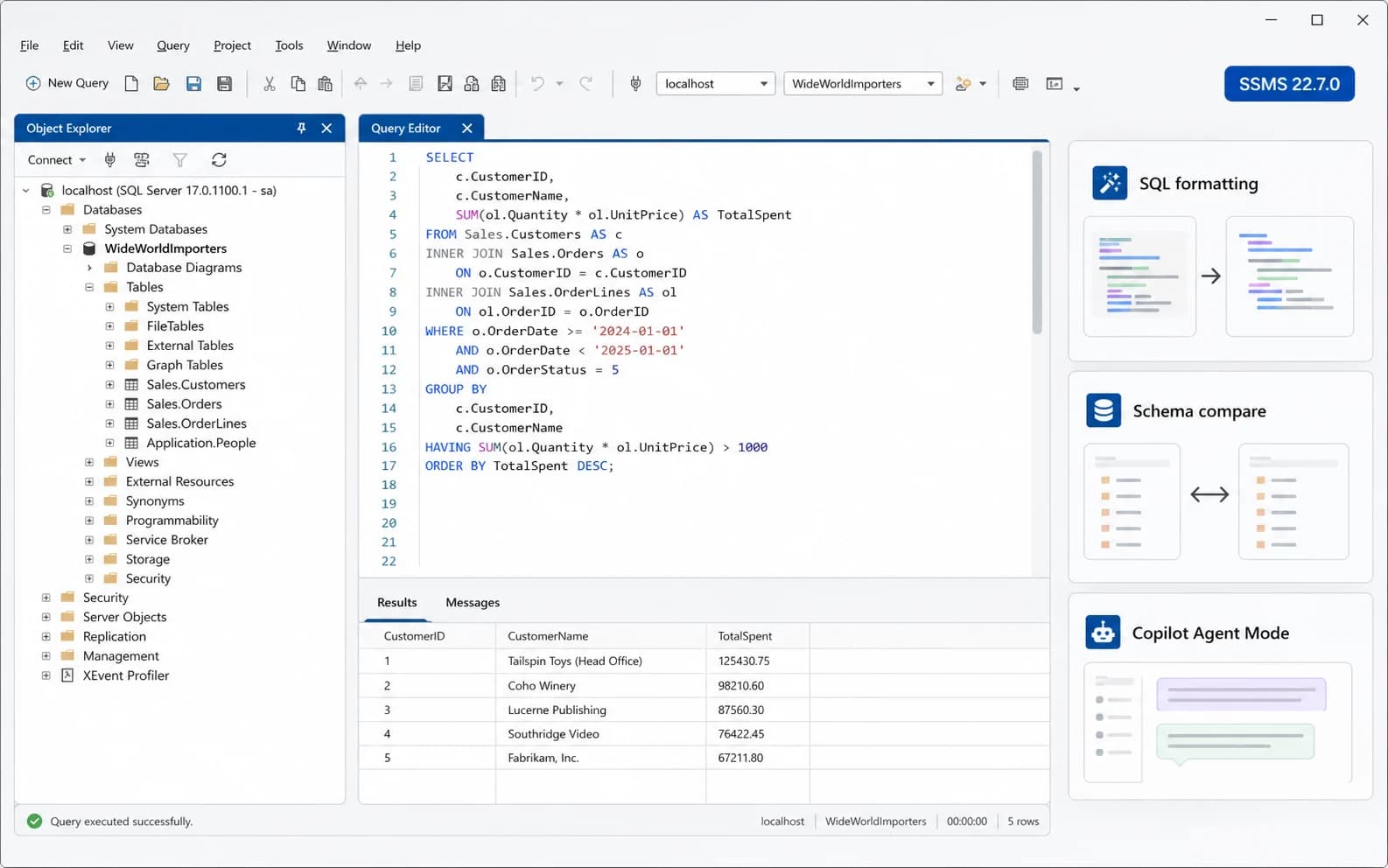
What changed in SSMS 22.7.0
The headline changes are SQL formatting preview, schema compare preview, GitHub Copilot Agent Mode preview, database-level Copilot execution context, and more Database DevOps work.
Microsoft also added a small in-product What's New page, support for creating a Windows account on Azure SQL Managed Instance, Microsoft.Data.SqlClient 6.1.5, and the Visual Studio 18.7.0 shell update.
SSMS 22.7.1 is now the current SSMS 22 build. It is a follow-up fix for large scripts in the query editor, not a second feature release.
Changes worth testing first
Three items deserve a quick test before broad use: SQL formatting, schema compare, and Copilot Agent Mode. They are useful changes, but they touch code layout, deployment comparison, and query execution.
The rest is more straightforward: Database DevOps improvements, connection and Object Explorer fixes, results grid export fixes, dependency updates, and the 22.7.1 query editor fix.
| Change | Practical meaning |
|---|---|
| What's New page | A short in-product release summary appears after updating. |
| SQL formatting preview | Format T-SQL from the editor context menu, with options for casing, indentation, semicolons, clauses, and lists. |
| Schema compare preview | Compare databases, SQL projects, and .dacpac files, with saved .scmp comparisons for repeat checks. |
| GitHub Copilot Agent Mode preview | Copilot can work through multi-step database tasks and ask before running queries or commands. |
| Copilot execution context | CONSTITUTION.md can set agentExecuteAsUser so Copilot uses a specific database user or SQL login. |
| Database DevOps workload | SQL project creation, target platform selection, SQLCMD variables, publishing, and properties editor updates. |
| Azure SQL Managed Instance | Support for creating a Windows account on Azure SQL Managed Instance. |
| Dependencies | Microsoft.Data.SqlClient is updated to 6.1.5 and the Visual Studio base moves to 18.7.0 [11903.348]. |
SQL formatting preview
The formatter is available from the right-click menu in a T-SQL editor window. It can handle keyword casing, indentation, semicolons, clause breaks, alignment, and multi-line lists.
Before using it on shared scripts, try it on code people actually maintain: a stored procedure, a deployment script, and a report query. If the result is harder to review, leave it off for now.
Formatting can make review easier. It does not check the query, the plan, the locking behavior, or whether the script belongs in a release.
Schema compare preview
Schema compare can compare databases, SQL projects, and .dacpac files. It is useful when a live database may have drifted from the project or deployment package.
Saved .scmp files can store source and target connections, comparison options, and excluded object types. That makes repeat comparisons less manual.
Treat the output as a review list. Check drops, permissions, indexes, vendor objects, replication objects, and hand-applied changes before generating or applying anything from the comparison.
Copilot Agent Mode and execution context
Agent Mode is a preview for GitHub Copilot in SSMS. It can work through multi-step prompts, use the local SQL tools integration, and ask for approval before running queries or commands.
Microsoft's security wording is worth keeping plain: approval prompts are not the security boundary. SQL Server permissions are the boundary. By default, Agent Mode is configured as READ_ONLY.
SSMS 22.7.0 also adds database-level execution context through CONSTITUTION.md. The important setting is agentExecuteAsUser, which can make Copilot use a specific database user or SQL login.
Use a low-privilege account if you configure it. Do not point Copilot at sa, dbo, or a broad admin login just because it is convenient.
Database DevOps workload
The Database DevOps workload keeps moving toward normal SQL project work inside SSMS. Version 22.7.0 adds target database platform selection in the new SQL project dialog, Create project from database in Solution Explorer, SQLCMD variable support in the Publish dialog, and a refreshed SQL project Properties editor.
This matters most for DBAs and database developers already using SQL projects, source control, and repeatable publish settings. If your database changes are still manual scripts and shared folders, this is probably not the first feature you will test.
Bug fixes in 22.7.0 and 22.7.1
SSMS 22.7.1 is a small follow-up release, but the fix is not trivial if you work with large scripts. It addresses excessive query editor memory use, hangs, and related performance issues.
The 22.7.0 fixes are mostly daily-use rough edges: startup connection behavior, Activity Monitor, Object Explorer rename warnings, Copilot model selection, result-grid export, and settings noise.
| Fix | Why it matters |
|---|---|
| 22.7.1 query editor | Large scripts no longer cause excessive memory use, hangs, or other query editor performance issues. |
| Command-line startup | The Connect to Server dialog is no longer shown when -S and -d are supplied with a filename. |
| Activity Monitor | Opening Activity Monitor without an Object Explorer connection no longer falls back to the legacy connection dialog. |
| Copilot model list | GPT-5 models are restored for GitHub Copilot chat. |
| Object Explorer rename | Schema-qualified objects no longer warn about unsaved name changes when F2 is pressed without changing the name. |
| Results grid export | Save Results As no longer filters All files as *.txt. |
| Settings/output noise | Debug-only settings errors are no longer displayed in the Output window. |
Download and install
Use Microsoft's SSMS install page for the current SSMS 22 installer, or use the SSMS downloads reference here for the local version table.
SSMS 22 setup uses vs_SSMS.exe and Visual Studio Installer. Microsoft documents that SSMS 22 can be installed side by side with other SSMS versions.
SSMS 22.7.0 FAQ
Is SSMS 22.7.0 still the latest version?
+
No. Microsoft now lists SSMS 22.7.1 as the current SSMS 22 release, released on June 16, 2026. SSMS 22.7.0 is still the feature release that added formatting, schema compare, Agent Mode, and the Database DevOps changes covered here.
Is SQL formatting in SSMS 22.7.0 generally available?
+
No. Microsoft lists SQL formatting as preview. Test it against real scripts before making it the default formatter for shared code.
Does SSMS 22.7.0 include schema compare?
+
Yes. It includes schema compare preview support for databases, SQL projects, and .dacpac files. Saved .scmp files can make repeat comparisons easier.
Do I need Copilot to use SSMS 22.7.0?
+
No. The Copilot features require the AI Assistance workload and Copilot access. The rest of SSMS works without them.
Where do I download SSMS 22.7.0?
+
Use Microsoft's SSMS install page for the current SSMS 22 installer, or the SSMS downloads page on this site for the local version table. SSMS 22 setup uses vs_SSMS.exe and Visual Studio Installer.
Can I install SSMS 22 side by side with another SSMS version?
+
Yes. Microsoft documents that SSMS 22 can be installed side by side with other versions. Test managed workstations anyway if you depend on extensions, saved connections, or packaged desktop images.
Should preview features be used in production workflows?
+
Use them carefully. SQL formatting is low risk if output is reviewed. Schema compare and Agent Mode should stay behind normal code review, permissions, and deployment checks.
Next step
Need the installer table? Use SSMS downloads for the current Microsoft-listed SSMS versions.
If SSMS is part of a wider workstation or database project rollout, test extensions, saved connections, authentication paths, and packaging first.