

For a Linux application, the first questions are where the driver runs and how it reaches SQL Server. A direct driver opens a connection from the application host. A multi-tier driver or gateway routes the request through another service. Microsoft ODBC Driver 18 and FreeTDS give a baseline against which to judge what a commercial connector adds.
The buying decision often comes down to a supported combination of distribution, architecture, driver manager, SQL Server version and authentication method. Drivers that all return the same simple query can behave differently with encrypted connections, Unicode, parameter types and bulk operations. A commercial support contract is most valuable when it covers the exact stack that will be deployed.
SQL Server ODBC drivers for Linux at a glance
Check Linux packaging and exact connection behavior before testing throughput. Some options connect directly and others add a supported intermediary.
| Tool | Connection path | Deployment check | Trial evidence |
|---|---|---|---|
| Devart ODBC Driver for SQL Server | Direct Devart SQL Server ODBC driver | Supported Linux and driver manager, plan and TLS settings | Correct SQL instance and parameterized query |
| Progress DataDirect SQL Server Wire Protocol | Direct commercial wire protocol driver | Supported platform, version and authentication | TLS, auth scheme and predictable application results |
| Easysoft SQL Server ODBC Driver | Direct supported Easysoft ODBC driver | Deployed OS, licensing and driver registration | Successful query and failure diagnostics |
| CData ODBC Driver for SQL Server | Supported CData SQL Server ODBC path | Driver build, bundled requirements and exact options | Client query, types and identity |
| OpenLink SQL Server ODBC | Selected OpenLink deployment variant | Driver or intermediary requirements and license | Supported client, TLS and records |
| Simba SQL Server ODBC Driver | Supported Simba SQL Server driver | Actual available package and Linux target | TLS and tested client behavior |
| Progress DataDirect Hybrid Data Pipeline | Linux ODBC connection through supported pipeline | Client driver plus service and on-premises route | Proxy and SQL identities and query result |
| Microsoft ODBC Driver 18 | Microsoft direct baseline | Supported Linux package, encryption and credential model | Verified hostname, auth and correct data |
| FreeTDS ODBC | Open source ODBC/TDS baseline | FreeTDS version, driver manager and config | Compatible SQL query and deployed behavior |
Devart ODBC Driver for SQL Server
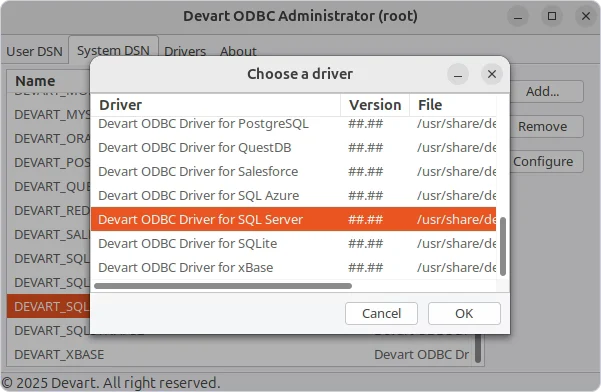
Devart's SQL Server ODBC driver connects ODBC applications directly to SQL Server. Its Linux installation includes a driver activation step and supports application configuration through a DSN or connection string. That lets an existing reporting or integration tool retain its ODBC interface.
It is a practical candidate when the application needs a commercial support route and a driver that can be distributed across several platforms. The activation and available package format matter for unattended deployments, and authentication and bulk behavior still depend on the client and server configuration.
Use the documented Linux installation and check the driver manager and local library paths under the application's actual identity. Record the exact Devart driver build and supported client options.
Verify certificates, SQL authentication and the marker query on the approved endpoint. Compare the actual bound value and error message when the lab trust path is invalid.
- Compatibility
- Linux packages for supported architectures and distributions, plus other vendor-supported hosts.
- License and trial
- Commercial Devart driver with a time-limited trial.
Progress DataDirect SQL Server Wire Protocol
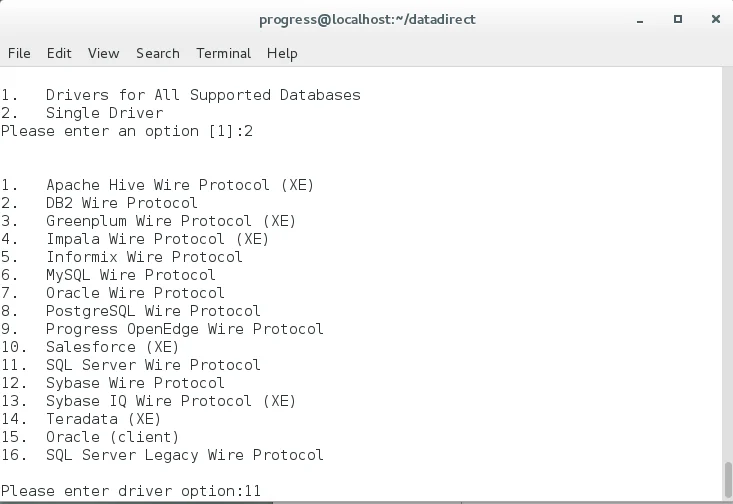
Progress DataDirect SQL Server Wire Protocol is a direct ODBC driver for SQL Server. The vendor publishes platform-specific downloads and connection documentation. An ODBC application uses it to establish a database connection without installing Microsoft client libraries for that path.
It fits teams that standardize on DataDirect across integration workloads and need commercial support for a defined Linux build. A deployment can only rely on options documented for its exact driver release. TLS settings, authentication modes and how numeric or Unicode values bind are worth validating with the application.
Confirm the exact SQL Server Wire Protocol driver, package and supported platform. Establish the documented TLS and authentication settings before comparing application behavior.
Test the production-equivalent process and certificate store in the lab. Record connection and query results separately and verify what a service operator sees for a trust or auth failure.
- Compatibility
- Supported Linux and UNIX packages listed by Progress for the wire-protocol driver.
- License and trial
- Commercial DataDirect licensing and vendor evaluation downloads.
Easysoft SQL Server ODBC Driver
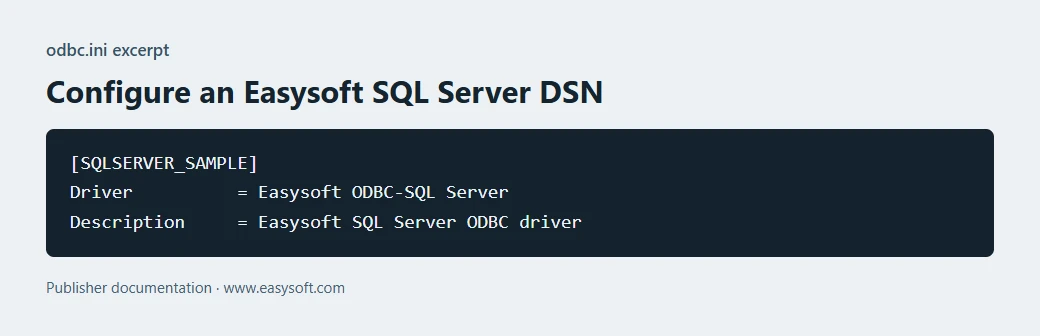
Easysoft provides a SQL Server ODBC driver with a Linux setup guide and a vendor support route. It gives a Unix application an ODBC path to SQL Server without requiring the application to change its database interface. The guide covers data source configuration and connection testing.
It is a candidate for long-lived UNIX or Linux software whose existing ODBC integration is difficult to replace. The support matrix for the target host and SQL Server version matters more than the presence of a generic Linux package. Packaging and activation also affect how a change can be rolled back.
Review supported distributions, library architecture and the Easysoft driver manager registration. Keep the driver build and configured connection options in the trial manifest.
Open a connection from the test application, validate the expected SQL Server and compare the returned types. Inspect whether connectivity messages identify the relevant troubleshooting layer.
- Compatibility
- Linux and other platforms where Easysoft publishes a matching package.
- License and trial
- Commercial Easysoft licensing with an evaluation license available.
CData ODBC Driver for SQL Server
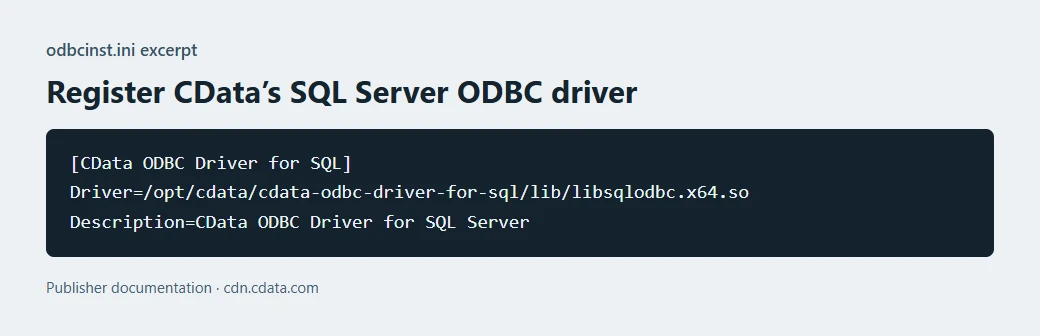
CData's SQL Server ODBC driver exposes a SQL Server connection to ODBC-compatible tools. Its documentation covers a Linux unixODBC installation, connection properties and authentication options. It belongs to a broader driver family that teams may already deploy for other sources.
It fits teams that want a consistent vendor and support route across several connectors. An existing SQL Server workload still depends on the SQL Server driver's own type handling and authentication properties. The most revealing test is the application that owns the parameter binding and result conversion.
Verify the documented SQL Server ODBC build and required dependencies under the intended Linux release. Configure the application to use the named test data source.
Run the same simple bound parameter and connection probe. Compare type handling, exact amount and TLS and authentication failures before relying on the distributed client setup.
- Compatibility
- SQL Server through CData packages for supported Linux hosts and driver managers.
- License and trial
- Commercial CData connector with vendor trial and licensing terms.
OpenLink SQL Server ODBC
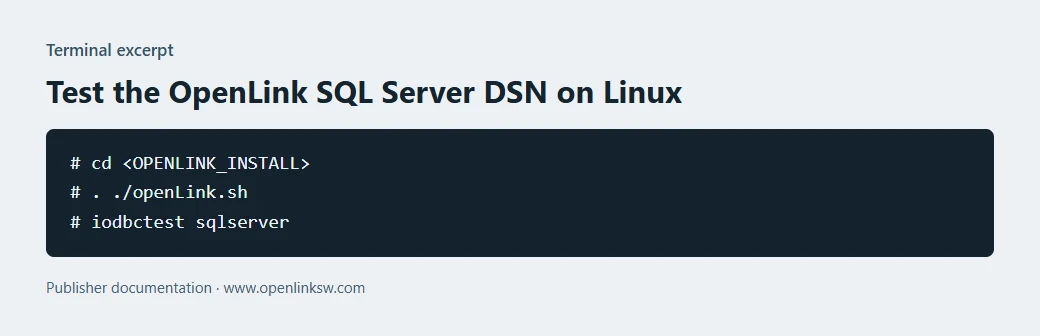
OpenLink offers two SQL Server ODBC architectures. Its Linux single-tier driver connects from the client host. The multi-tier option uses a client and a companion server-side component, adding a place to manage how database connections are reached.
The single-tier driver fits hosts with direct database access. The multi-tier architecture is relevant when a separate machine must handle database access for the clients. That choice changes what must be installed, patched and monitored, as well as which license applies.
Choose the suitable OpenLink driver or client/service variant and confirm the documented Linux platform and deployment requirements. Record which component connects to SQL Server.
Check the TLS and identity at each relevant connection and verify the expected data. Test one intentionally invalid lab connection to see how the client and intermediary report it.
- Compatibility
- OpenLink publishes SQL Server setup for both single-tier and multi-tier Linux deployments.
- License and trial
- Commercial OpenLink license varies by product edition and architecture.
Simba SQL Server ODBC
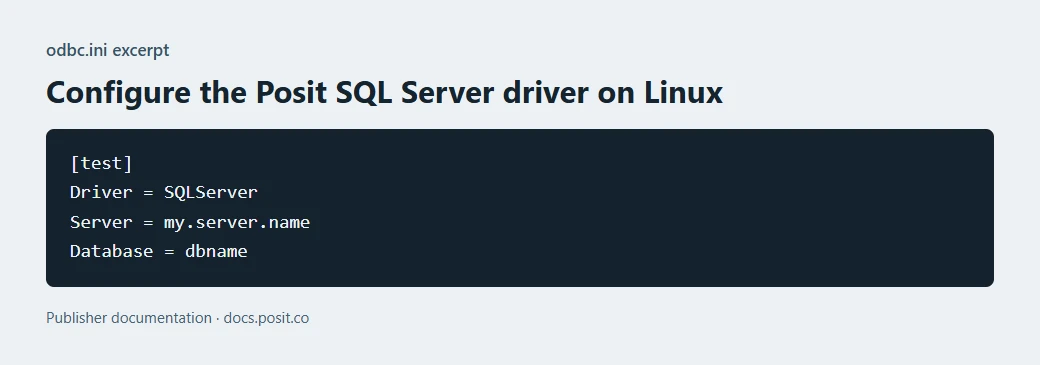
Simba is an OEM connectivity product family. For SQL Server on Linux, Posit publishes driver release notes and Linux distribution instructions for the drivers that ship through its commercial stack. Those notes give a way to identify the specific SQL Server driver used by that application.
This is a sensible candidate when a commercial host already supplies and supports the connector. Its platform and download entitlement follow the host's documentation or the vendor's agreement. The Posit distribution has its own documented Linux installation and support path.
Confirm the actual Simba SQL Server driver package available for the deployed Linux environment and the supported authentication model. Review driver manager and process configuration.
Use the intended application to test connection and data types, including parameter binding. Record diagnostic evidence from correct hostname and intentional trust-error cases.
- Compatibility
- Linux availability is documented for the Posit distribution. Other OEM builds have their own support matrices.
- License and trial
- Commercial OEM or host-product terms determine access and support.
Progress DataDirect Hybrid Data Pipeline
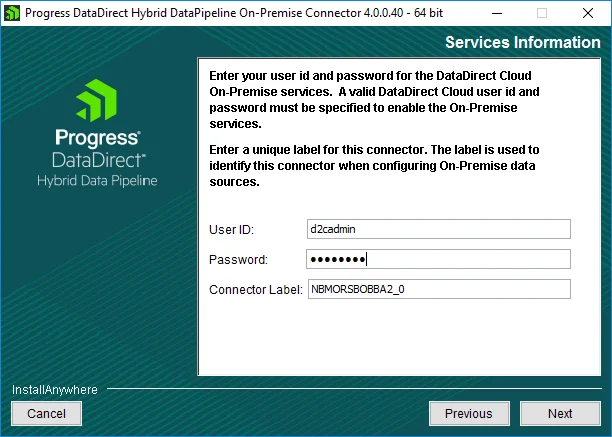
Progress DataDirect Hybrid Data Pipeline can accept ODBC requests from a configured Linux client and send them to a SQL Server data source through the pipeline service. The client requires its own data source configuration. The SQL Server connection is managed on the gateway side.
It suits organizations that already need a centrally managed access path between consumers and a private data source. The extra service changes latency and failure handling compared with a direct database connection. Its client license, gateway and source permissions need to fit the same deployment.
Configure the documented Hybrid Data Pipeline ODBC source on Linux. Identify the pipeline service, its network reachability and the identity it uses to reach SQL Server.
Verify authentication and connection diagnostics at both layers. Check that the final SQL result maps to the expected destination and that a failed pipeline connection is distinguishable.
- Compatibility
- Linux ODBC client uses a supported Hybrid Data Pipeline service and SQL Server data source.
- License and trial
- Commercial gateway and client access terms from Progress.
Microsoft ODBC Driver 18
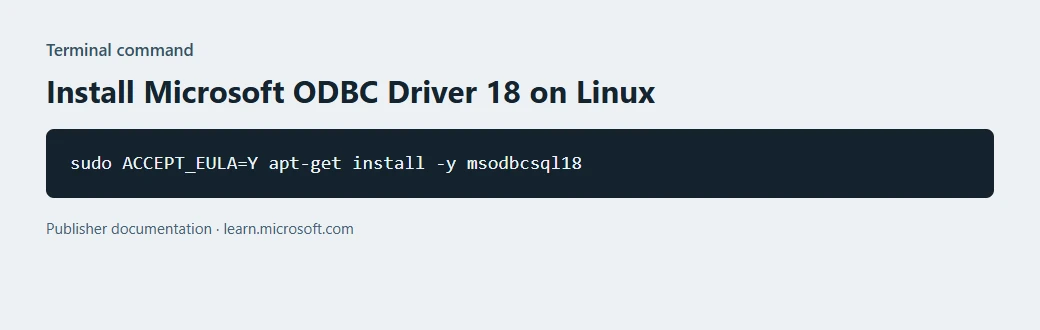
Microsoft ODBC Driver 18 is the standard direct baseline for SQL Server on supported Linux distributions. It provides Microsoft-documented connection properties and authentication modes. The driver defaults to encrypted connections, which makes hostname and certificate trust part of the installation.
It fits a conventional SQL Server deployment when the operating system, architecture and authentication requirements sit in Microsoft's support matrix. An upgrade from an older driver can expose existing certificate problems. Testing against a realistic certificate and hostname makes the outcome more useful than a successful localhost connection.
Use the current supported Microsoft Driver 18 package and the documented Linux DSN keys. Test encrypted connectivity with certificate validation under the same service account and trust store as the deployment.
Verify actual instance, auth scheme and expected value through the reference query. Repeat in the lab with the wrong endpoint name or missing CA and check the expected trust failure.
- Compatibility
- Microsoft-supported packages for specific Linux distributions and architectures.
- License and trial
- Microsoft driver download with its own terms, separate from SQL Server licensing.
FreeTDS ODBC
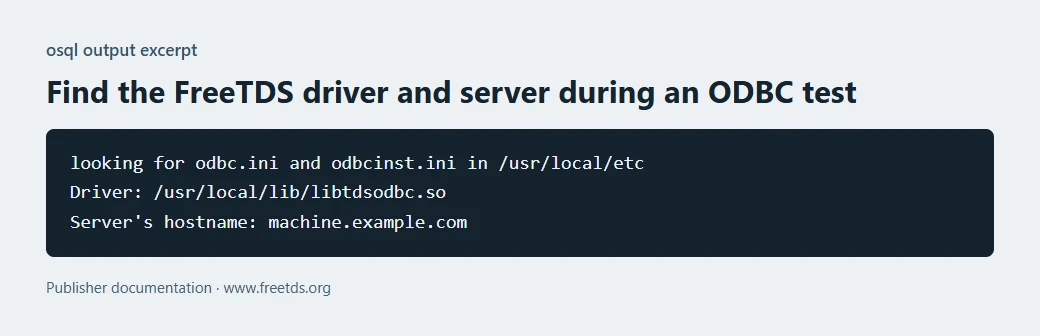
FreeTDS provides an open-source SQL Server client and ODBC driver for Unix-like systems. It implements TDS and can be configured through a driver manager and its own connection settings. Its supported protocol version and compiled features affect the available connection methods.
It fits environments that already package FreeTDS and can maintain its settings themselves. Encryption and integrated authentication depend on the build, client libraries and server setup. It provides a useful baseline when the team needs to establish what a paid support arrangement or proprietary driver would add.
Check the FreeTDS release, protocol settings and driver-manager entries against the actual client requirements. Record the application connection string and freetds.conf scope without retaining credentials.
Run the same encrypted and parameterized connection exercise. Compare authentication, type handling and failure diagnostics with the supported app and SQL Server versions.
- Compatibility
- FreeTDS ODBC with a supported Linux build and driver manager.
- License and trial
- Open-source FreeTDS licensing and community support.
Which Linux ODBC option should you test?
| What you need | Tools to shortlist | What to verify |
|---|---|---|
| Pay for a direct SQL Server driver | Check the supported Linux distro, architecture, SQL Server release, authentication and application distribution terms. | |
| Connect Linux clients through a gateway | Verify the authenticated connection on each leg, and run the application’s real SQL and type checks. | |
| Establish a baseline before buying | Record the build, trusted certificate outcome and exact ODBC result through the intended application. |
Verify the driver manager, SQL Server authentication and certificate trust
Record Linux distribution, architecture, application user, driver and driver manager. Check the intended supported authentication mode, such as SQL authentication or Kerberos where available. A connector that runs as a service can also have a different network and certificate path from the client.
Use documented encryption and hostname validation settings. Test a valid connection and a controlled failed trust case in the lab. The example DSN is for Microsoft ODBC Driver 18. Use each commercial driver's own documented option names.
The app cannot find the ODBC driver
Check package, architecture and registration
Confirm the client identity sees the intended driver manager and DSN.
The TCP endpoint responds but login fails
Check TLS and authentication separately
Verify hostname, trust chain and credential or identity.
The connection opens with unexpected data
Run a parameterized SQL proof
Check instance, database, role and correct returned type.
Run the same connection and parameter probe with each driver
Use the real client and driver manager inside the intended Linux environment. Configure a disposable DSN with a certificate-valid lab host. Keep credentials outside the DSN. Repeat with each vendor's explicitly documented settings.
Run the SQL reference and an app query with bound ItemId 11. Expect decimal 123.45 and the expected Unicode text. Record the reported SQL Server instance and authentication scheme, then run an authorized certificate-failure check in a separate lab profile.
| Test | Expected | Evidence |
|---|---|---|
| Driver discovery | Expected build and driver manager entry | Package, user and DSN name |
| Validated TLS | Valid hostname succeeds and invalid trust fails | Documented options and client error |
| SQL-level identity | Expected host, database and authentication scheme | Independently captured probe results |
| Bound query | Expected decimal and text for ItemId 11 | Actual client parameter binding and type |
[SqlOdbcTrial]
Driver=ODBC Driver 18 for SQL Server
Server=tcp:lab-sql.example.invalid,1433
Database=OdbcDriverTrial
Encrypt=yes
TrustServerCertificate=noHow to compare these tools
Use the exact Linux distribution, driver manager and application. Verify TLS, an intentionally rejected certificate, supported login and the Unicode, decimal and nullable values the application receives. Sources checked .
Check the driver from the Linux application
Use the existing disposable OdbcDriverTrial database and set up the approved SQL client credentials. Run the read-only probe through the real client, then bind ItemId in the matching test statement through the application library.
Inspect SQL identity and a typed response from the Linux ODBC client
T-SQL · 13 lines
- Register the driver and test the approved DSN from the actual deployed Linux user. Record driver build, certificate requirements and expected SQL Server instance.
- Run the identity and parameter proof and compare the resulting data types. Use a separately configured invalid trust case to verify connection diagnostics.
- Repeat under every shortlisted driver and record relevant support, packaging and performance observations. Verify licensing and delivery using the documented deployment.
Conclusion
Buy the driver that passes the application test and fills a specific deployment or support need. Confirm which releases and hosts the license covers before rolling it out.
Frequently asked questions
What commercial ODBC drivers can connect Linux applications to SQL Server?
Devart, Progress DataDirect, Easysoft, CData, OpenLink and Simba document direct Linux SQL Server ODBC options. OpenLink also offers a middleware edition, and Progress has a separate Hybrid Data Pipeline gateway. Check the current package and support terms for the exact workload.
When should I pay for a SQL Server ODBC driver on Linux?
Compare a paid option when you need a different supported platform or SQL Server version, vendor support, application redistribution rights or a gateway. Test the requirement against Microsoft ODBC Driver 18 first.
How do I verify which SQL Server ODBC driver a Linux application loads?
Start from the running application and record the ODBC driver name and version it reports. Check the DSN, driver manager paths and shared library for that process. A DSN test from a different account can use different settings.
How should I test certificate validation for a Linux ODBC driver?
Use a lab SQL Server endpoint with a trusted certificate and the intended hostname. Repeat with a controlled hostname or certificate the client should reject, keeping validation enabled. A successful encrypted session alone establishes encryption. The rejected case tests the identity check.
Can an ODBC gateway replace a direct SQL Server driver?
It can serve workloads that need a centralized connectivity service. Test the application-to-gateway and gateway-to-database paths, including authentication, certificate validation, SQL dialect and returned data types.
Do all Linux SQL Server ODBC drivers use the same connection keywords?
Use each driver's current documentation for DSN options, TLS and authentication. The supplied example uses Microsoft's ODBC Driver 18 options.
What does a SQL Server auth scheme query verify?
It reports how the current SQL connection authenticated. Test certificate validation separately through the actual client and approved trust configuration.