

Thales CipherTrust CAKM and Fortanix DSM both let SQL Server use a key managed outside the database for Transparent Data Encryption. The provider and key manager are part of the SQL Server recovery path. A backup encrypted under the previous protector still needs that key, and a secondary or replacement server has to be able to open it.
The practical comparison is the work required before, during and after rotation. The tools use different provider identities, service endpoints and key management procedures. A meaningful evaluation includes a restore of a backup created before rotation and a test on the intended failover or recovery host. Provider support for the real SQL Server topology matters as much as how the key is stored.
Thales CipherTrust vs Fortanix DSM at a glance
Compare the two vendor-specific operations first. The alternatives are useful when your estate already uses another key service or device.
| Provider | External dependency | First configuration to verify | Rotation evidence to keep |
|---|---|---|---|
| Thales CipherTrust CAKM for Microsoft SQL Server EKM | CipherTrust Manager with CAKM provider | Client/key access and compatible provider version at each instance | Old and new protectors, CipherTrust key records and recovered backups |
| Fortanix Data Security Manager | DSM identity, security objects and SQL provider | Per-instance app access and relevant AG or standalone topology | DSM object or version IDs and SQL thumbprints before and after |
| SQL Server Connector for Azure Key Vault | Supported connector and Azure key service | Recovery identity, vault permissions and prior key versions | Documented rotation steps and current and historical backup restores |
| Entrust nShield SQL EKM Provider | nShield HSM and Security World | Recovery host configuration and same key availability | Protector mapping and HSM reachability across replicas |
| HashiCorp Vault EKM Provider | Vault-backed SQL Server EKM integration | Supported provider, Vault version and licensing | Prior key recoverability and service identity |
| Utimaco SQL Server EKM Provider | Compatible Utimaco device and client setup | Partition, device reachability and provider registration | Prior protector access from target instance |
| Futurex KMES Series 3 with Futurex EKM | KMES service and SQL provider | Supported provider and redundant service path | Key identifier evidence and recovery after a service interruption |
| Eviden Key Management System with Cosmian EKM | Eviden KMS and deployed EKM module | Client identity and supported SQL and OS versions | Kept historical key access and restored marker |
Thales CipherTrust CAKM for Microsoft SQL Server EKM
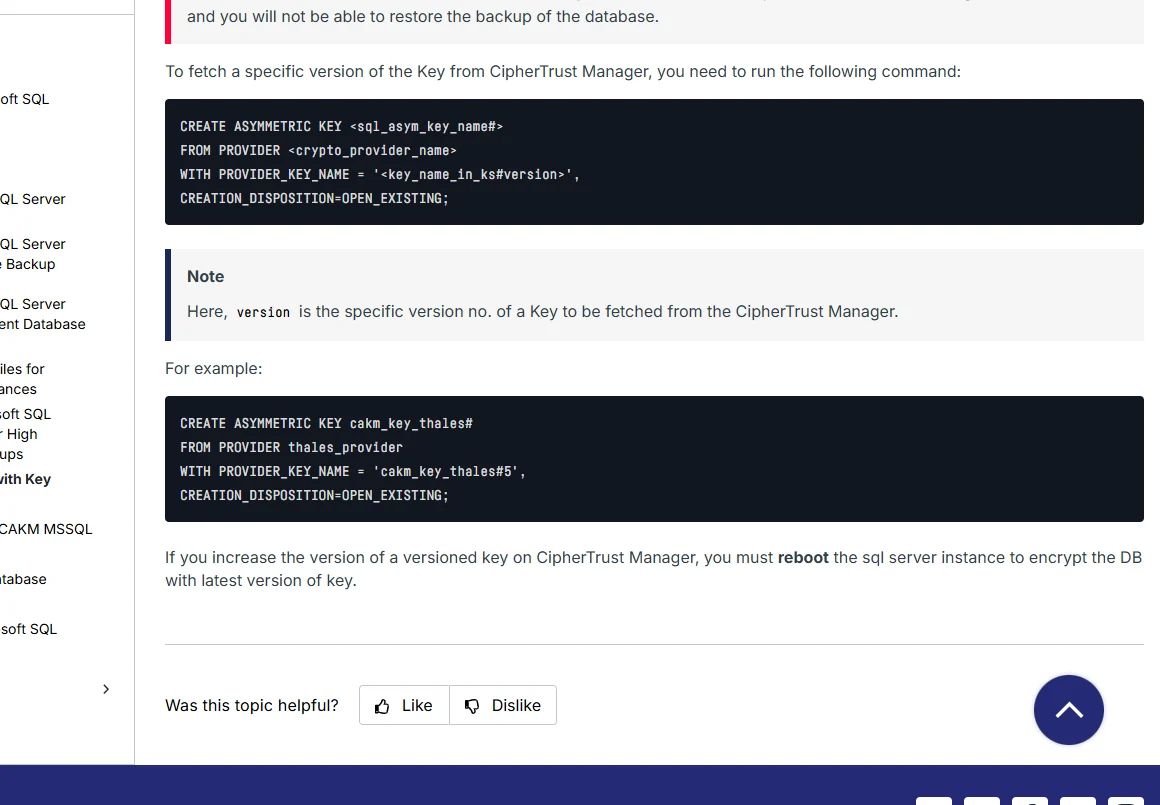
Thales CipherTrust CAKM connects a supported SQL Server installation to CipherTrust-managed key operations for EKM. It is useful where the enterprise already administers encryption keys through CipherTrust and wants SQL Server TDE to use the same key custody and access workflow.
Its practical fit depends on the supported provider and CipherTrust versions and the ability to configure other SQL Server nodes as needed. Comparing the supported rekey path and restoring an older backup on a clean target are useful because every recovery host must be able to authenticate and resolve the correct key.
Build the CAKM provider and CipherTrust client relationship on both lab instances before encryption. Pin the CAKM release, CipherTrust version and supported SQL Server version, then record what the recovery identity can do to the intended keys.
Document each SQL protector and its corresponding CipherTrust key record. Restore a backup taken under the old protector on the second host, then repeat with a newer backup and verify role scope and elapsed time.
- Compatibility
- CipherTrust Manager, a supported CAKM EKM provider and compatible SQL Server hosts.
- License and trial
- Commercial Thales terms.
Fortanix Data Security Manager
Fortanix DSM’s SQL Server EKM integration has documented key rotation scenarios for standalone servers and Always On availability groups. It also documents backup and restore on another server. Those workflows are useful when an infrastructure team needs specific procedures for moving a protected database or changing its protector.
The advantage is explicit support for evaluating more than the first SQL Server host. SQL Server credentials and key access need to be in place on the participating nodes for the chosen topology. Restoration also depends on preserving the applicable key and being able to authenticate using the provider on the destination.
Fortanix documents protector rotation and a two-server availability group deployment separately. Set up the DSM app and key access under the specific target workflow and verify each SQL Server instance has the correct mapping.
Rehearse the order of the documented change on the lab topology. Save the old and new DSM object references, SQL protector thumbprints and both restore results before accepting the key retirement plan.
- Compatibility
- Fortanix DSM with the supported Windows SQL Server EKM provider, applicable credentials and documented topology.
- License and trial
- Commercial Fortanix licensing.
SQL Server Connector for Azure Key Vault
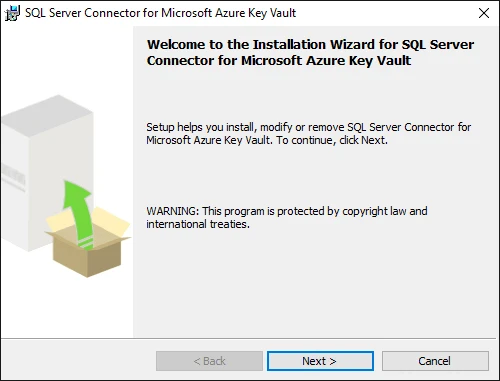
The SQL Server Connector for Azure Key Vault uses an asymmetric key in Key Vault as the TDE protector on supported SQL Server deployments. Microsoft documents manual protector rotation with either a versioned or versionless key reference. It is useful when a team wants a cloud-managed key lifecycle around its SQL Server backups.
The version and access requirements have a concrete recovery effect. Rotating the key in the vault and changing the SQL Server protector are distinct operations. Earlier versions may still be needed for retained backups or logs, and the recovery instance needs a supported identity and access to the correct key.
Check the Microsoft connector version and supported identity model. Record Azure vault identity and key version access in the source and intended recovery environments before rotating any lab protector.
Restore both protected backups on the recovery host and compare its required prior key access with the documented connector rotation. Confirm which permissions and network path remain available independently of the source.
- Compatibility
- Supported SQL Server and Key Vault EKM setup. Authentication and operating-system requirements vary by release and platform.
- License and trial
- Microsoft connector with Azure and applicable SQL Server charges.
Entrust nShield SQL EKM Provider
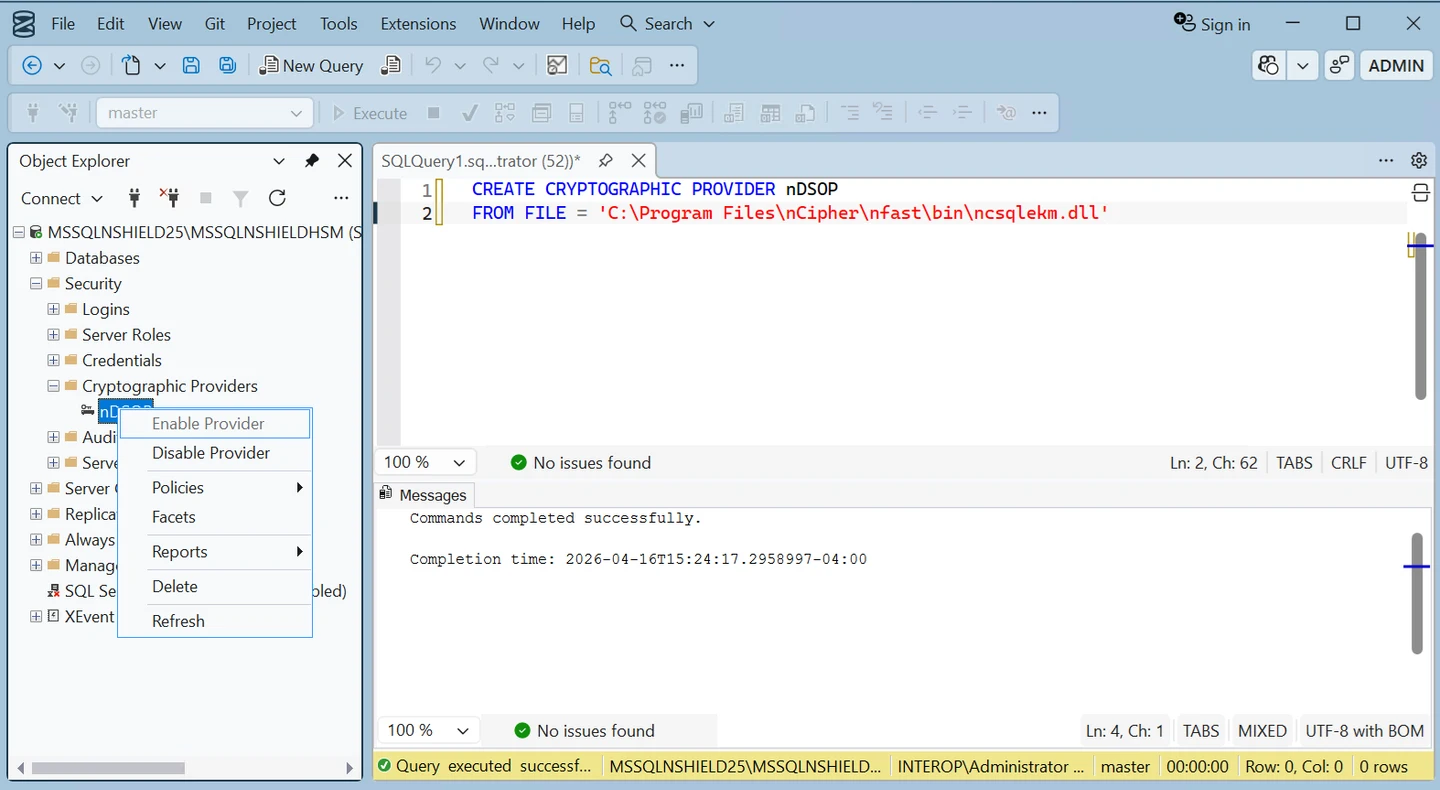
Entrust’s nShield SQL EKM integration protects SQL Server TDE through the nShield HSM and its supporting software. It is useful where an organization has chosen hardware custody and already manages cryptographic keys and authorized hosts through the nShield Security World.
The key question for recovery is whether a replacement SQL Server can join the supported environment and use the required key. HSM availability, host enrollment and access policy affect that result. Application failover and cryptographic recovery need to be exercised together.
Set up the supported nShield SQL provider and Security World configuration on the pilot hosts. Keep key recovery authority and required credential scope linked to the relevant deployment procedure.
Use an authorized recovery host to demonstrate that a previous protector remains available and usable. Record what happens if the initially preferred hardware path is unavailable in the lab.
- Compatibility
- Supported Entrust nShield environment, SQL EKM provider and compatible SQL Server version.
- License and trial
- Commercial HSM, integration and support terms.
HashiCorp Vault EKM Provider
HashiCorp Vault’s EKM provider can use an asymmetric key in Vault Transit to protect a SQL Server database encryption key. It is useful when an organization already runs Vault Enterprise and wants the SQL Server key to be managed under its existing key policies.
The strength is extending the same key service to SQL Server. A rotation and recovery plan must account for provider compatibility, Vault credentials and historical key access. Existing Vault infrastructure helps only when the recovery SQL Server can still reach the right service and use the correct key.
Use the dedicated SQL Server EKM provider documentation to verify Vault, SQL Server and operating-system support. Confirm how SQL Server's provider identity reaches the relevant key and what the license makes available.
Preserve information about older protectors and their rotation state. A current key working on the primary does not demonstrate that the provider can use an older protector on the recovery host.
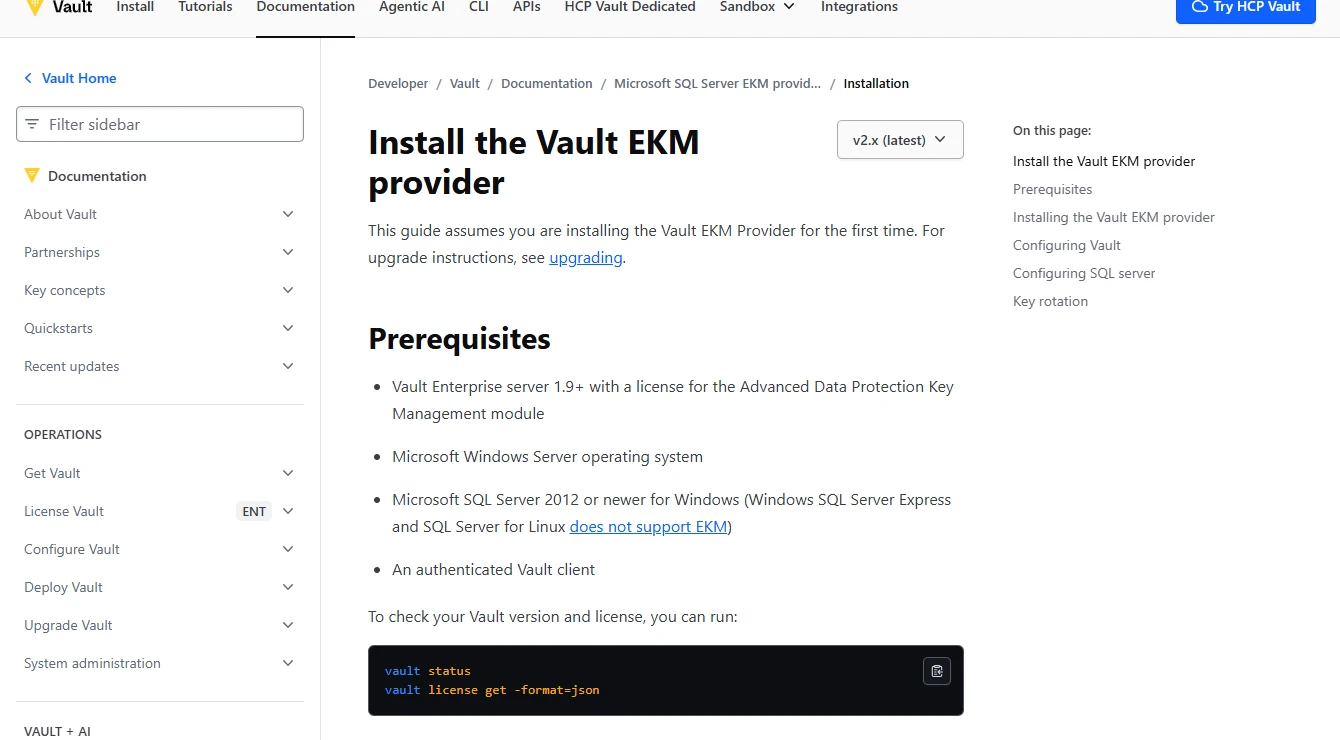
- Compatibility
- Vault Enterprise with the required Key Management module and compatible SQL Server EKM provider.
- License and trial
- Commercial Vault Enterprise entitlement and applicable Advanced Data Protection terms.
Utimaco SQL Server EKM Provider with u.trust GP HSM
Utimaco’s SQL Server EKM integration uses its u.trust GP HSM to support TDE and includes documented clustering guidance. It is useful for teams that want their SQL Server protector in a hardware-managed environment and need to consider access from more than one node.
The clustering documentation is relevant when failover moves SQL Server to a different host. Compatible provider software, HSM connectivity and access are all needed on the nodes involved. A planned failover and a restore of an older backup reveal different parts of the recovery path.
Check client/provider and device configuration on each SQL Server host while the old lab protector remains available. Verify how the appropriate recovery identity gets to the intended key in the supported HSM deployment.
Record the exact mapping used for both snapshots and time how long it takes to rebuild the path on another host. Match the restored state and marker with the original test records.
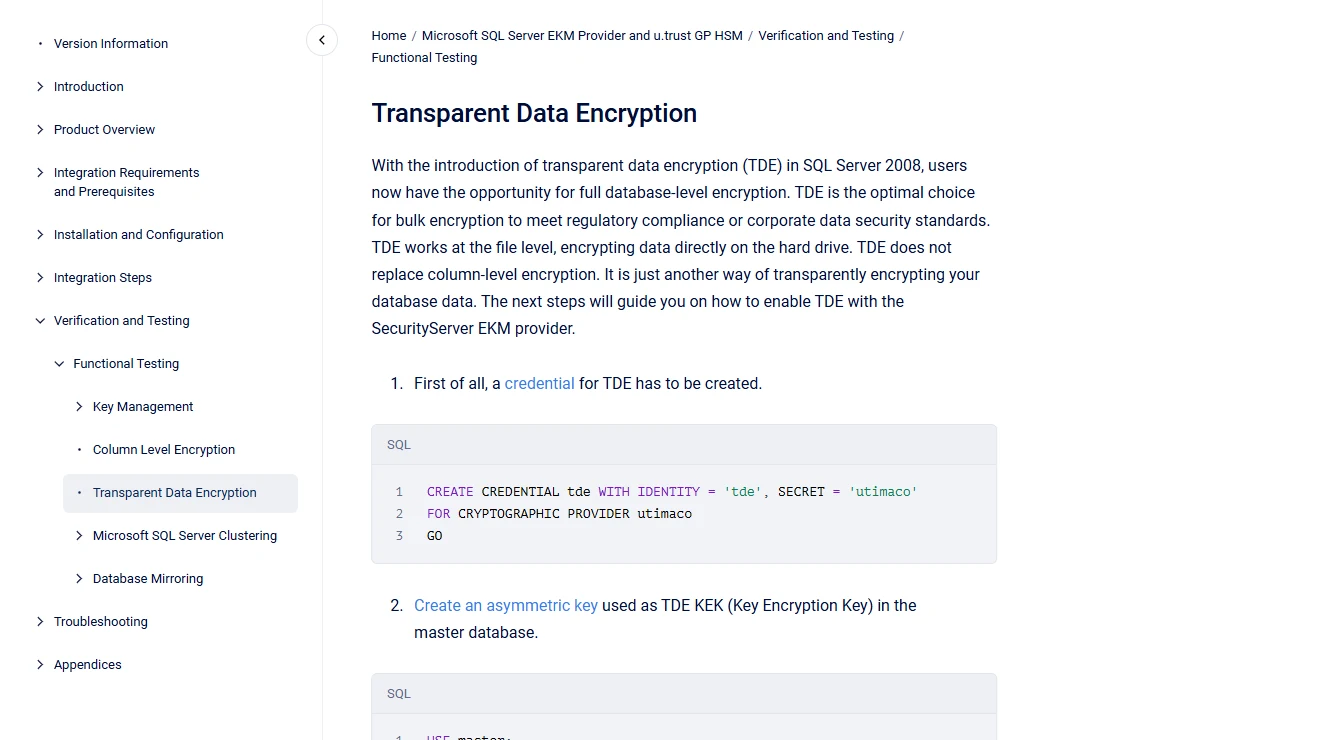
- Compatibility
- Supported u.trust GP HSM, Utimaco EKM provider and SQL Server architecture.
- License and trial
- Commercial Utimaco hardware and software terms.
Futurex KMES Series 3 with Futurex EKM
Futurex’s SQL Server TDE integration uses its EKM provider with the KMES Series 3 key management platform. It fits organizations that already use Futurex to govern key access and want SQL Server to participate in that environment.
The useful comparison is how the Futurex provider will be deployed and authorized on the hosts that could restore the database. Key retention and availability need to survive a change in host or service credentials. Supported SQL Server versions and key management features depend on the selected components.
Check which Futurex EKM and KMES versions support the intended SQL Server build and recovery topology. Confirm the process for authorizing a recovery host against a replicated or secondary key service.
Test the key service and SQL Server as separate dependencies. Keep a successful marker read for both backups and compare provider behavior during a temporary lab connection failure.
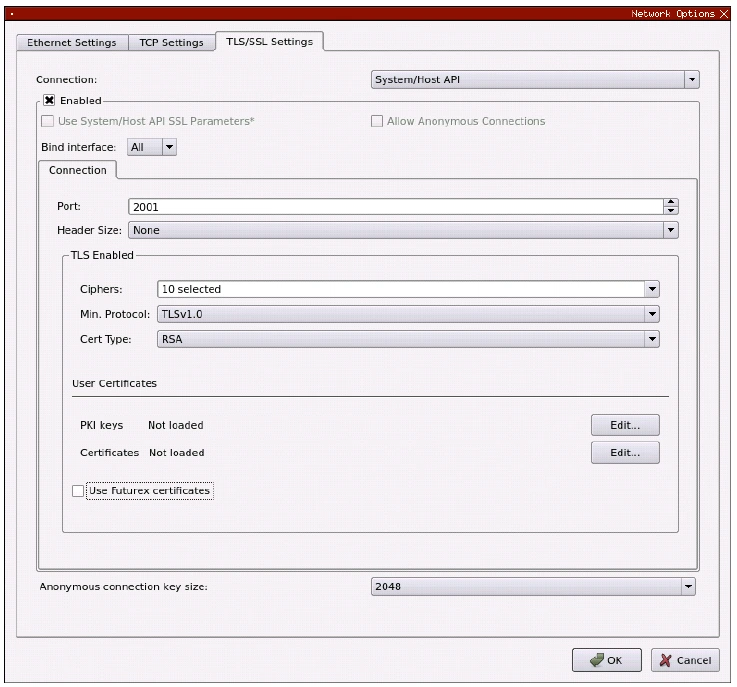
- Compatibility
- Supported Futurex KMES Series 3 deployment, EKM provider and SQL Server host.
- License and trial
- Commercial Futurex hardware, provider and service terms.
Eviden Key Management System with Cosmian EKM
Eviden KMS integrates with SQL Server through a Windows EKM DLL that uses mutual TLS. It is useful when an organization wants a separately managed key service and can operate the certificate and network prerequisites of the Eviden and Cosmian workflow.
The recovery path includes that mutual TLS identity, provider version and access to the original protector. A new server with the SQL backup is only one part of the setup. The key service and its authorization must remain available through restore, failover and certificate renewal.
Use the module and platform versions listed for the selected Eviden KMS SQL Server integration. Confirm how the client is identified and which prior keys remain accessible from the planned recovery host.
Rehearse a restore with the expected historical protector and verify the marker after bringing the target online. Keep the measured deployment prerequisites with the restore record.
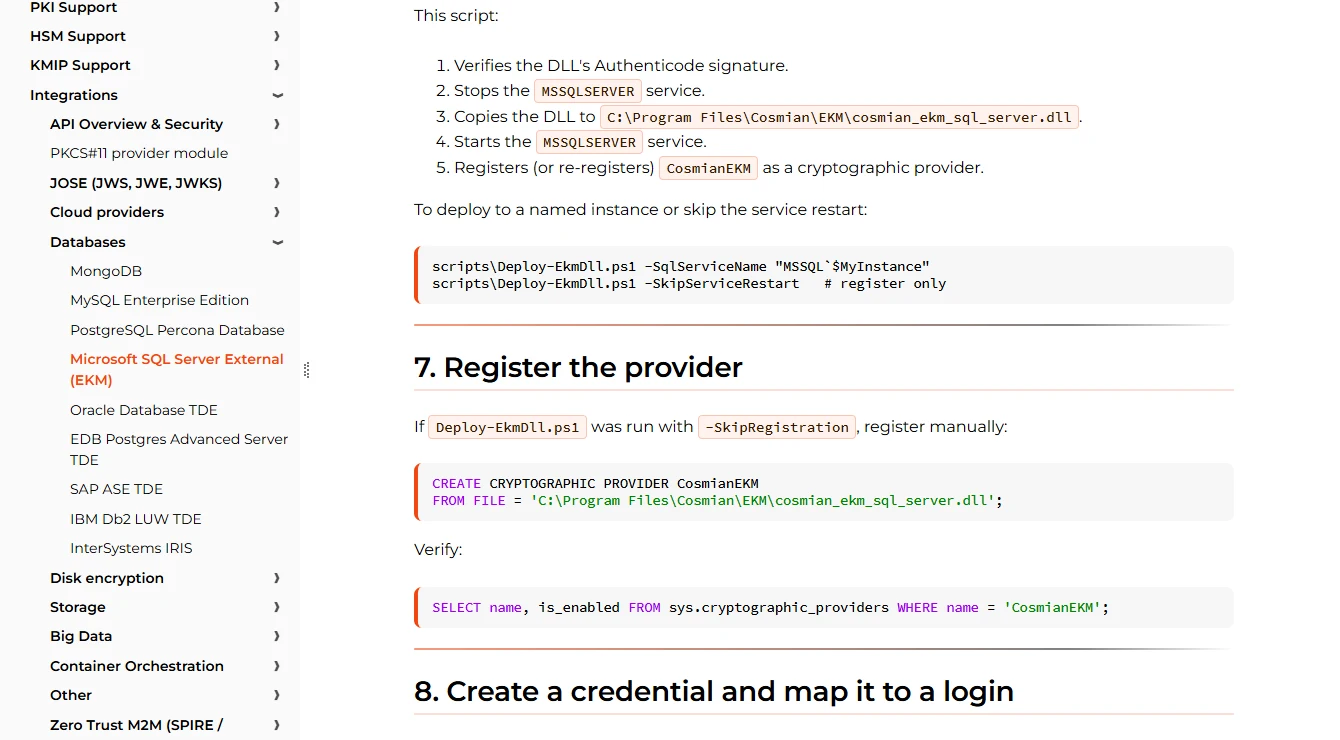
- Compatibility
- Windows SQL Server with the documented DLL, compatible Eviden KMS and mutual TLS configuration.
- License and trial
- Commercial or applicable deployment terms depend on the selected KMS and integration.
CipherTrust CAKM and Fortanix DSM side by side
| Feature | Thales CipherTrust CAKM for Microsoft SQL Server EKM | Fortanix Data Security Manager |
|---|---|---|
| Protector selection | Thales documents a version-enabled asymmetric key and a provider key name that can reference a specific version. | Fortanix documents opening or creating the provider key in SQL Server, creating the associated login and changing the TDE protector. |
| What changes after rotation | The CAKM 8.8.0 instructions call for restarting the SQL Server instance to use the newer version in the documented versioned-key workflow. | The SQL Server rotation guide switches the database encryption key to the new asymmetric key. Its example tracks the new key identifier in SQL Server. |
| Availability Group procedure | Verify the versioned-key procedure and restart sequence for your CAKM release and replicas. Repeat the backup restore test from the recovery instance. | Fortanix documents its procedure for a standalone server and an Availability Group. It lists replica prerequisites and applies the change on the primary. |
| Backups from before the change | Identify the required version, keep it accessible and verify that a separate restore instance can open it. | The restore guide requires the destination instance to reference the same provider key used by the source backup. Preserve the older key for that test. |
| What to save with the restore runbook | Record the SQL key name, CipherTrust key and version, CAKM release and the restore instance’s provider setup. | Record the SQL key alias, DSM identifier, provider build and the credentials and permissions that the restore instance needs. |
Choose a provider around the recovery path
| What you need | Tools to shortlist | What to verify |
|---|---|---|
| Compare two dedicated SQL Server EKM integrations | Match the key identifier and version to the backup. Check the documented rotation order and any required restart. | |
| Use a key manager already in operation | Verify historical-key access, identity and permissions from a recovery instance. | |
| Use an appliance-backed EKM deployment | Verify the HSM or key appliance prerequisites and the procedure to reopen an existing key after a move or rebuild. |
Compare the operator work for Thales and Fortanix on your topology
Thales documents the CAKM and CipherTrust Manager setup and a separate workflow for explicit backup encryption. Fortanix documents DSM, standalone SQL Server, availability groups and protector rotation. This trial uses backups of a TDE-protected database. Discuss explicit BACKUP encryption separately if you also use it.
Record the provider, service versions and supported SQL Server platform. On every approved host, validate both application or client identity and access to the configured protector. For replicas, verify prerequisites and complete an isolated lab failover according to the provider and SQL Server instructions.
CipherTrust already manages database keys
Trial Thales CAKM with a rebuilt recovery host
Verify client registration, key policy and access to historical protectors.
DSM is the preferred service and AG is required
Trial Fortanix with its documented replica path
Verify each replica and check the rotation order with both backups.
There is no current provider for this workload
Collect the same rotation and restore evidence for both
Compare owner, required roles, recovery steps and measured time.
Preserve pre-rotation and post-rotation recovery evidence
For a synthetic TDE database, record protector A and take backup A. Follow the vendor-supported change to protector B and take backup B after the database is in the expected encryption state. Keep both protectors available to the intended recovery roles while the lab backups require them.
Restore each backup on an independent authorized lab instance where the provider is correctly installed. Use two sequential restore exercises with the same disposable database name on the recovery instance. Record key-provider and SQL outcomes separately. Do not disable or delete required protectors.
| Phase | Record | Expected evidence |
|---|---|---|
| Baseline | Protector A thumbprint, key record and backup A | Encryption state and correct synthetic marker |
| After approved rotation | Protector B thumbprint, new key record and backup B | Expected new protector and stable encrypted state |
| Backup A on recovery host | Provider version and historical key access | Recovery succeeds with the required historical protector |
| Backup B on recovery host | Provider version and new key access | Recovery succeeds with the required current protector |
How to compare these tools
Install the supported EKM provider on the lab hosts. Check authentication, the key identity and recovery when a replica or restore target needs the original encryption key. Sources checked .
Restore one backup from each side of the protector change
Use a dedicated TdeRotationTrial database with a synthetic table dbo.TdeRotationTrialRows containing RowId and Marker columns. Use a distinct marker value for backup A and backup B. Run this SQL before and after rotation and after each separate restore with the published permission for your SQL Server version.
Record TDE protector state and identify each recovered lab backup
T-SQL · 15 lines
- Capture the source state and take backup A. Perform the supported lab rotation, set the second fixture marker, confirm the expected state and take backup B.
- Prepare a separate SQL Server instance and documented provider connection. Recover backup A and backup B as independent operations. Confirm which protector, state and marker each read reports.
- Compare evidence and recovery time for both products. If failover is also a requirement, test the approved replica sequence separately and retain key access for all lab backups until their retirement.
Conclusion
Choose an EKM integration you can recover with from a clean SQL Server instance. Document the key reference and permissions for each backup. Compare how the providers handle a version change and how they make the older key available during the restore test.
Frequently asked questions
What is the main difference between Thales CipherTrust and Fortanix DSM for SQL Server TDE?
Thales CAKM documents version-enabled provider keys and opening a specific version. Fortanix documents a SQL Server workflow that switches the database encryption key protection to the new asymmetric key. Verify the operation and restore steps for the provider release you run.
Does changing a TDE protector regenerate the database encryption key?
SQL Server exposes a protector change and key regeneration as separate options in ALTER DATABASE ENCRYPTION KEY. Follow the vendor’s SQL Server instructions for the operation you intend to perform.
Which key is needed to restore a backup taken before a TDE protector change?
Prepare the restore instance to access the key that protected that backup. Keep the original key or required version in the provider and verify the restore before retiring it.
Can I verify the provider key version from the SQL Server thumbprint alone?
Record the SQL Server thumbprint together with the provider’s identifier and version. Follow the provider’s documentation to interpret the relationship for its SQL Server integration.
Can I test both encrypted backups on a separate SQL Server?
Yes. Use a disposable destination with a compatible EKM provider, the required permissions and access to the keys for both backups. Restore under separate names and verify the data in each database.
Does changing the TDE protector let us retire the old provider key?
Keep the required old protector available while an earlier backup or replica depends on it. Test recovery of media taken before rotation using the planned recovery identity.
Is explicit SQL backup encryption the same test as restoring a backup of a TDE database?
They are different operations. This trial follows a TDE database protector and restores its backups. If your policy also uses explicit backup encryption, test its configured encryptor and restore procedure separately.