

Password rotation changes the credential on an existing SQL Server account. A dynamic secret creates a credential for a particular task and removes it after a lease. These workflows solve different problems. Rotation is useful for applications that expect a stable login, while leased credentials fit consumers that can request a fresh login and reconnect as needed.
The database change is only half of either workflow. The application must get the valid credential, pick it up in time and retire old connections as appropriate. Alternating users can provide an overlap, and a managed identity can remove the SQL password entirely on supported targets. Compare tools by how they handle the handoff, a partial failure and the definition of expiry.
SQL Server password rotation tools at a glance
Single-account rotation, alternating principals and leased users have different handoff and expiry behavior. Use the scope column to identify which products can manage the SQL identity you actually use.
| Tool | SQL credential model | Deployment boundary | Failure case to test |
|---|---|---|---|
| HashiCorp Vault | MSSQL static roles or leased dynamic credentials | Vault plugin, SQL statements and app integration | Lease or rotation succeeds in Vault but SQL-side change fails |
| Infisical | Alternating designated SQL Server users | SQL connection, rotated secret and application refresh | One principal has drifted permissions or the app holds an older version |
| Akeyless | Database rotated secret | Configured database target and delivery path | Secret version and database password become inconsistent |
| Delinea Secret Server | Managed SQL login with remote password changing | SQL Server RPC configuration and managed secret | SQL credential update or subsequent heartbeat fails |
| BeyondTrust Password Safe | Rotation for a managed SQL Server account | Platform support, password policy and consumer path | Dependent consumer reads a stale password |
| Azure Key Vault with Azure Functions | Secret versions plus a function that changes SQL credentials | Custom function, network and managed identity | New version appears before SQL accepts it |
| AWS Secrets Manager | RDS-managed master password on supported Amazon RDS | RDS integration for the master identity; other users need a separate workflow | Application references a stale secret stage or wrong account |
| Doppler | AWS-backed rotation integration | Documented AWS integration and Lambda scope | Secret propagation or refresh after the rotation callback fails |
HashiCorp Vault
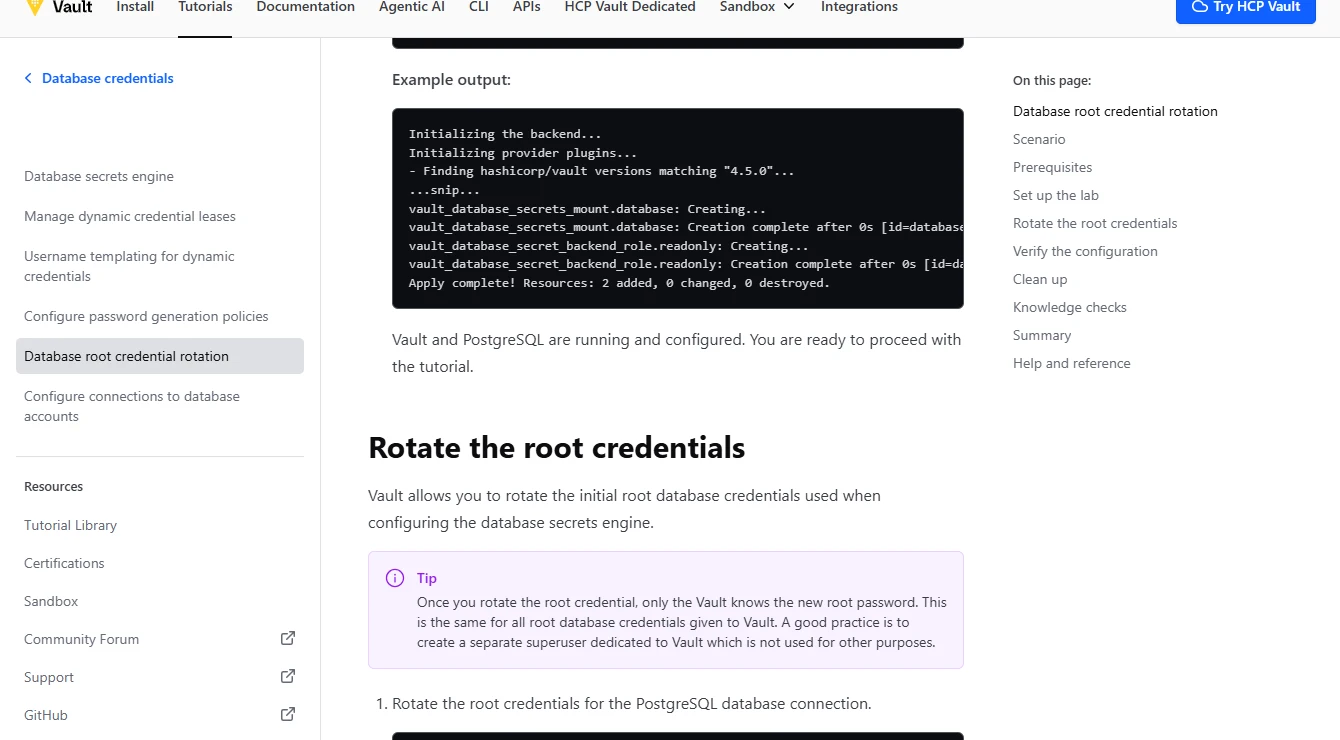
HashiCorp Vault’s MSSQL secrets engine can create a login or user from role-specific SQL statements and return credentials with a lease. It can also manage supported static or root rotation workflows. This is useful where service identities can get credentials on demand and the database grants need to be defined in code.
Its strength is putting the lease and role in a central service. The SQL statements and available privileges still determine whether revocation works. Server-level logins are local to replicas in an availability group, so Vault documents separate considerations for rotating a connection account across replicas.
Choose static roles if the same SQL login must remain. Choose dynamic credentials if the client can accept leased users. Verify the plugin's exact SQL creation, rotation and revocation statements and which identity executes them.
In a lab, exercise a denied backend change and a failed revocation. Save the Vault event and fresh SQL connection result. Verify that expired credentials and old sessions follow the actual configured behavior.
- Compatibility
- Vault with the compatible MSSQL database secrets plugin and target permissions.
- License and trial
- Vault edition and deployment terms depend on the selected capabilities.
Infisical
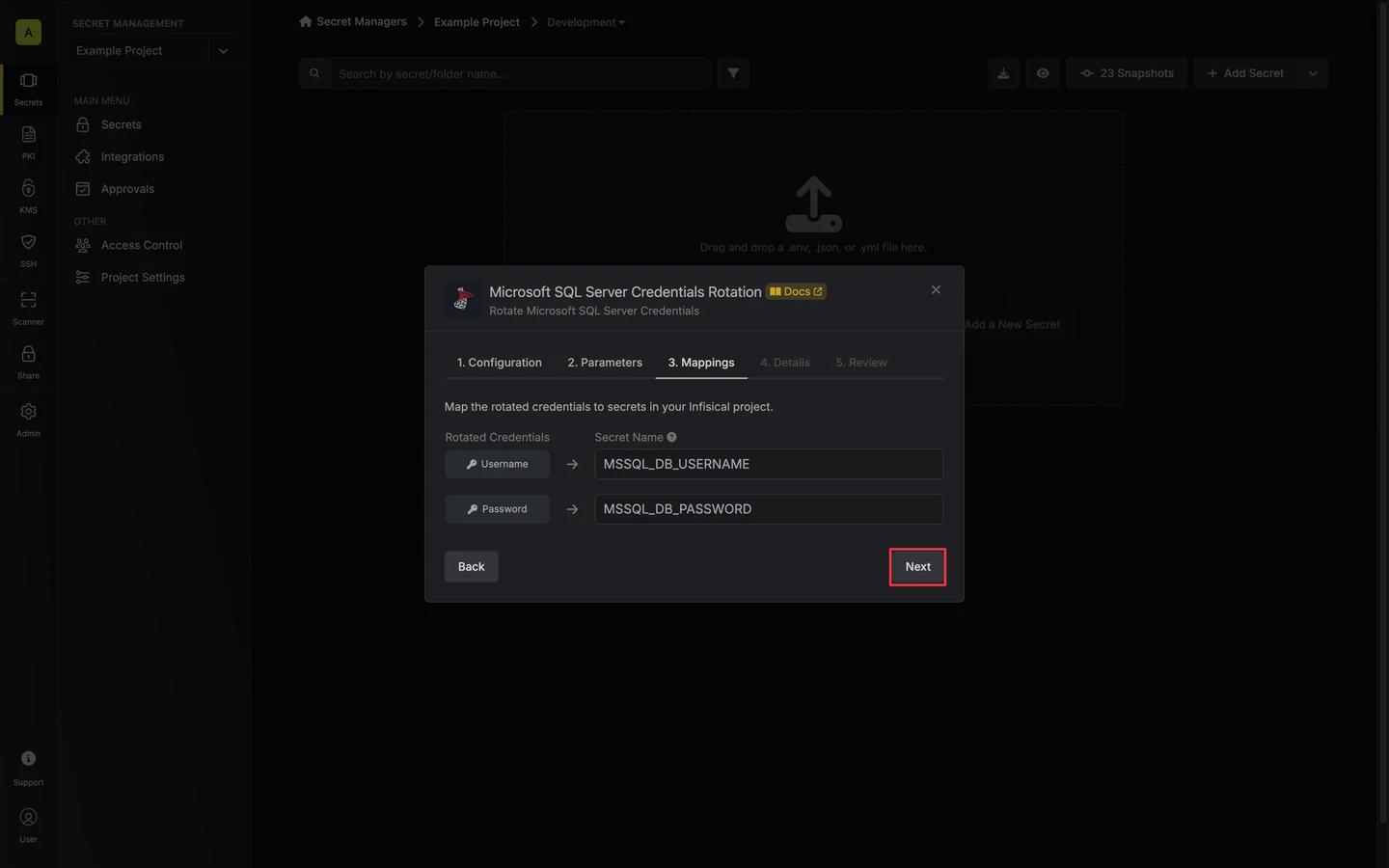
Infisical offers both SQL Server password rotation and dynamic SQL credentials. Its documented rotation setup alternates between two SQL Server users so a consumer can pick up the new active credential while another account remains valid. Dynamic credentials are useful when a consumer can request role-specific access on demand.
Two users make it possible to coordinate a handoff without changing both passwords together. They still need equivalent application privileges and a controlled way for consumers to refresh the secret. Dynamic roles also need SQL-side creation and cleanup behavior that matches the configured lease.
The documented SQL Server integration alternates two designated users. Give them the same narrowly scoped database roles and compare the effective permission query on both before the first rotation.
Run two rotations in the lab. Sample consumers after the first switch and before the next rotation, when an older password could be overwritten. Confirm the intended overlap and record which secret version each consumer actually used.
- Compatibility
- Infisical with an MSSQL connection authorized for the chosen rotation or dynamic workflow.
- License and trial
- Applicable Infisical plan or self-managed licensing.
Akeyless
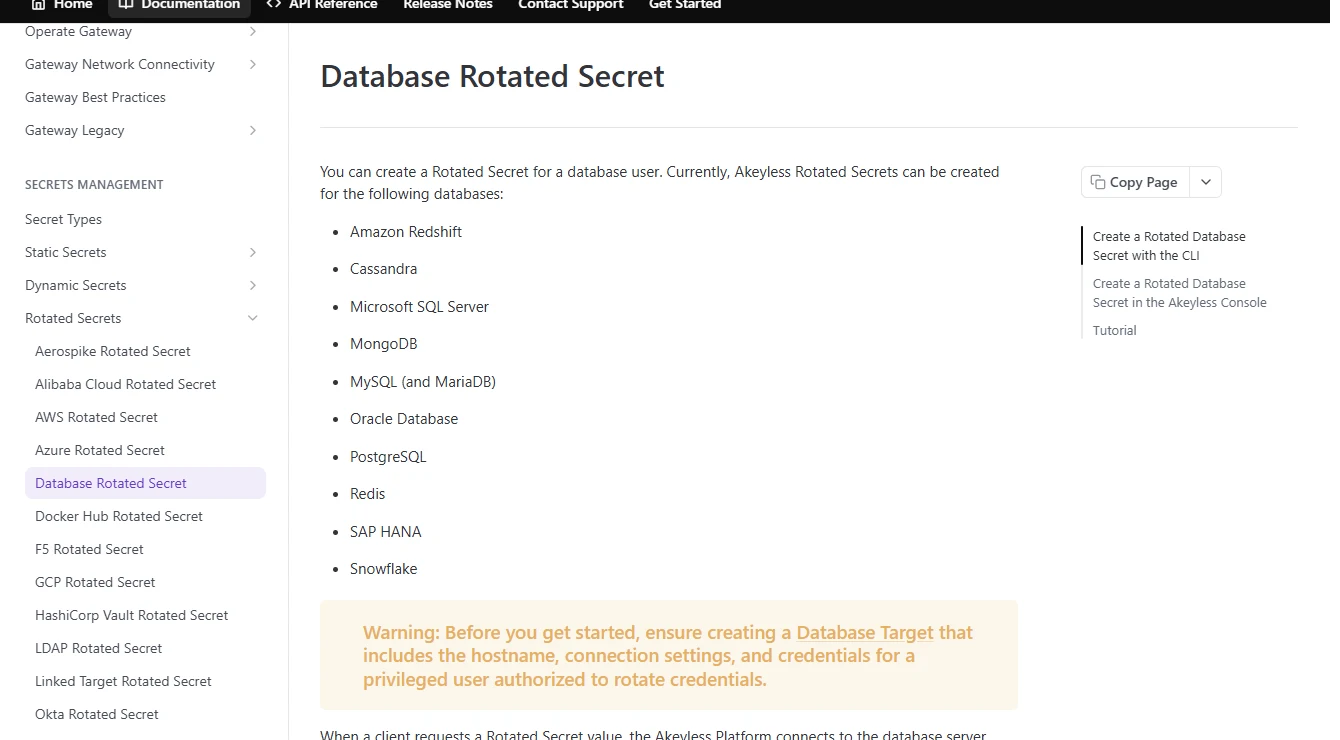
Akeyless supports rotating existing database passwords through its Gateway and defines a separate dynamic secret workflow for Microsoft SQL Server. Dynamic roles can use explicit creation and revocation statements. This is useful when a team wants both patterns available through a common secret service.
Its strength is allowing the target connection and lifecycle policy to be managed in a central configuration. The Gateway needs network access and privileges to act on the database. Supported options vary by SQL Server topology, and the application still needs a way to retrieve new values reliably.
Record the Akeyless target, where the management connection originates and which single SQL credential the rotated secret represents. Compare the active secret version with the login that a fresh connection reaches.
Test a blocked connection to the target and a client that fails to refresh. Confirm what event identifies the failed stage, and check who can restore a working credential without widening the application's rights.
- Compatibility
- Akeyless Gateway and a supported SQL Server target or variant.
- License and trial
- Commercial Akeyless service and applicable feature terms.
Delinea Secret Server
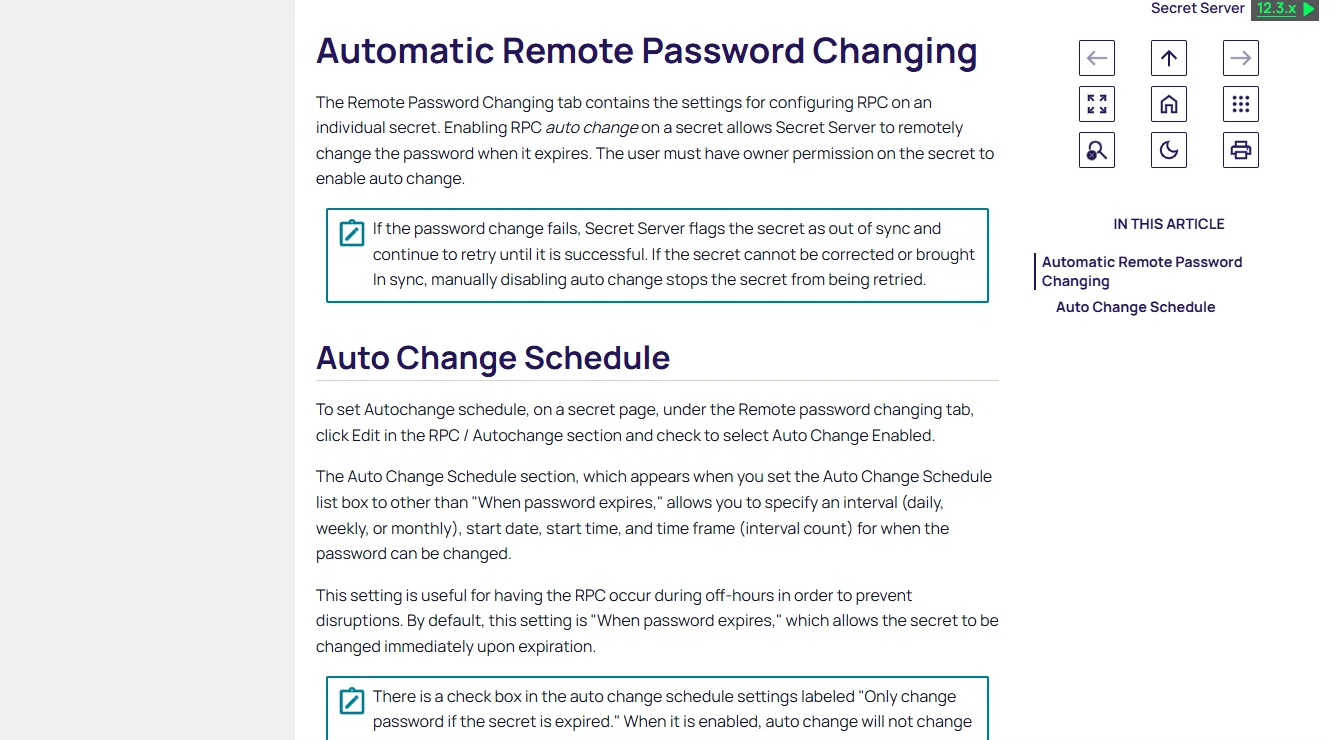
Delinea Secret Server’s SQL Server remote password changer manages the credential attached to a supported secret. Automatic password changing and heartbeat can help a team maintain an existing account and detect when the stored value and the account no longer agree.
It fits privileged accounts that the organization already manages in Secret Server. The managed account and the identity that rotates it need appropriate permissions. An automated password change still depends on any applications or scripts that cache the secret and must use the updated value.
Use the SQL Server remote password changing configuration for one test login. If a privileged account performs the change, review that account's SQL grants and the permissions on the managed application's secret.
Save the RPC and heartbeat results around a rotation. A vault-level success can precede application refresh, so test fresh connectivity and the marker query from the actual client path.
- Compatibility
- Secret Server with a supported SQL Server template and remote password changer.
- License and trial
- Commercial Delinea license.
BeyondTrust Password Safe
BeyondTrust Password Safe can onboard SQL Server databases and manage supported privileged account credentials through its configured platform. This is useful when password discovery, rotation and checkout are part of one operations process for DBAs or security staff.
The main benefit is managing an inventory of persistent accounts centrally. Discovery and managed-account rules affect which identities enter that workflow. Any service account consumers still need a coordinated refresh and a plan for when the updated password fails its validation.
Onboard one supported SQL Server managed account and identify all clients that consume the credential. Verify rotation and release policy separately, especially where some clients retrieve a copy and others use a brokered path.
Open a retained connection and run new authenticated reads before and after the change. Match the management event and a credential version identifier with the consumer's real access, using no secret values in the run report.
- Compatibility
- Password Safe and a supported SQL Server platform with the required functional account.
- License and trial
- Commercial BeyondTrust licensing.
Azure Key Vault with Azure Functions
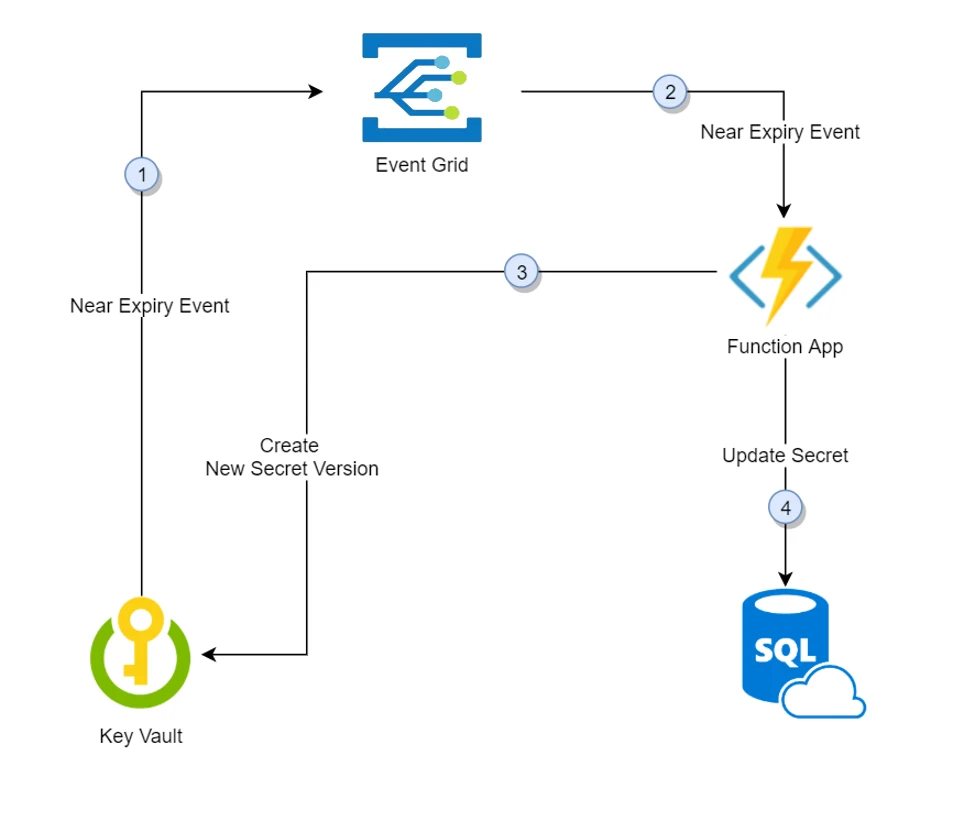
Azure Key Vault can store a SQL password, and Microsoft documents an Event Grid and Azure Functions workflow that changes the password in SQL Server. It is useful when a team already operates Azure infrastructure and needs a tailored rotation process for a dependency that still uses SQL authentication.
The function owns the coordination and recovery. In Microsoft’s single-credential example, the vault value can change before SQL Server accepts it. An overlap or managed identity uses a different design and can avoid that particular handoff window when the application and platform support it.
The Microsoft tutorial connects Key Vault events to a function that changes the SQL password. Review the function identity, deployment permissions and network route to the exact SQL Server environment.
Rehearse the documented mismatch window between secret publication and the SQL password update. Scope retries to deterministic input, define how to recover after a partial update and prove fresh client connectivity rather than relying on the secret version alone.
- Compatibility
- Azure Key Vault, Event Grid, a function with network access, and the appropriate SQL Server permissions.
- License and trial
- Azure service and hosting charges depend on configuration.
AWS Secrets Manager
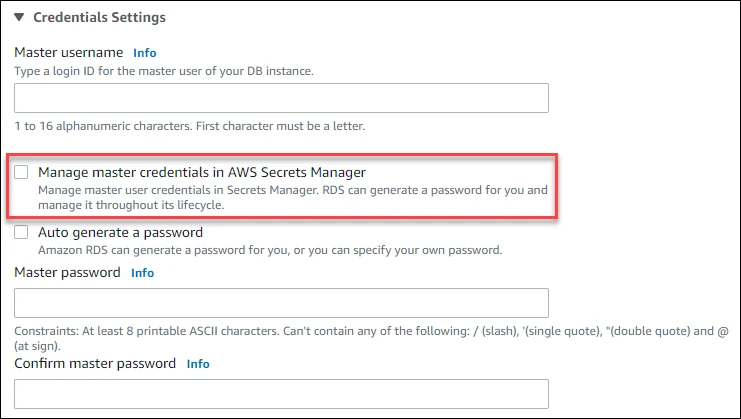
AWS Secrets Manager can manage supported RDS master credentials and provides rotation templates for SQL Server application credentials. The supported rotation method can update one user or alternate users where available. It is useful when SQL Server and its consumers are already managed inside AWS.
The advantage is an AWS-native lifecycle and integration with RDS. Master credential management and application account rotation are different workflows. The selected template, role and network access must support the deployment, and consumers still need to pick up the active secret after rotation.
For supported RDS SQL Server configurations, start from the documented managed master user scope. Avoid assigning that privileged identity to an application just to reuse the managed feature. Design and test ordinary application-login rotation separately.
Record the secret version stage and target DB instance for each lab check. Confirm behavior when a client caches an older version and when its connecting role cannot retrieve the staged credential.
- Compatibility
- Supported SQL Server or RDS target and applicable Secrets Manager or Lambda configuration.
- License and trial
- AWS Secrets Manager and any related execution or infrastructure charges apply.
Doppler
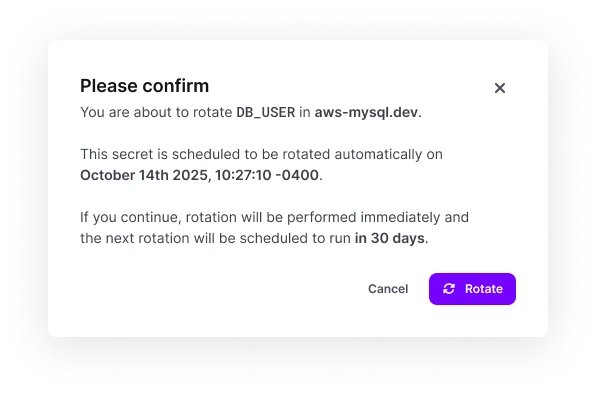
Doppler centralizes secrets and supports rotation integrations for documented services, including private AWS workflows that use a Lambda proxy. For a SQL Server project, its useful role is distributing a password managed by a separate SQL Server rotation process unless the chosen integration explicitly covers that workload.
It fits teams that already deliver application configuration through Doppler. A secret appearing in the application store is only one stage. The SQL-side password change, overlap and rollback still need an owner, and Doppler’s published rotator list should define which steps can run natively.
The Doppler documentation covers an AWS rotation integration and Lambda flow. Check support for your particular SQL Server platform and intended credential rather than assuming that every self-managed login is covered.
Test secret publication and application refresh end to end under the correct AWS permissions. Save workflow IDs and timestamps and confirm that a new SQL connection can use the resulting version.
- Compatibility
- Doppler project with a supported secret distribution or integration configuration and a SQL-side rotation mechanism where required.
- License and trial
- Commercial and other plan terms depend on the selected deployment and features.
Choose a rotation method the application can use
| What you need | Tools to shortlist | What to verify |
|---|---|---|
| Rotate existing SQL Server service accounts | Confirm which account changes the password, which consumers receive it and how the tool reports a failed verification. | |
| Keep a second SQL identity available during cutover | Verify how the product creates or uses the two identities. Compare their effective permissions and watch a stale consumer across two rotation cycles. | |
| Issue credentials for individual jobs or workloads | Check which SQL permissions the generated account receives and whether the product removes the login and database user when the lease expires. | |
| Run a rotation workflow inside Azure or AWS | Check the exact cloud and SQL deployment, who owns the rotation code and how the operator sees a failed change. |
Choose how SQL credentials change and how clients reconnect
A static rotation updates the password for an existing principal. Alternating users give clients time to pick up a new principal but require permission parity. Leased credentials add per-consumer lifetimes and cleanup work. In each case the broker or vault and SQL Server can disagree temporarily if an operation fails partway.
List every consumer, its reload mechanism and its pool lifetime. An old connection can keep working because it already authenticated. Use a fresh process or explicitly cleared pool to measure whether the client can authenticate with the intended secret version.
A fixed SQL username and a refreshed password
Trial static rotation
Check write order, recovery from mismatch and application reconnect.
Either of two equivalent low-privilege accounts
Trial an alternating-user rotation
Verify both roles, client uptake and the next cycle that retires the older credential.
A fresh credential on demand with a short lease
Trial dynamic SQL users
Verify issuance, expiry, revocation and the lifetime of existing sessions.
Measure a password rollover from an application's fresh connection
Run the trial on a disposable application account with one read-only permission. Configure a synthetic marker table dbo.RotationTrialRows with RowId and Marker columns in RotationTrial. Save the secret version or lease identifier and UTC observations, leaving passwords out of command lines and investigation records.
Use the same real SQL driver and credential retrieval method the application uses. Record a fresh connection, a separate existing session, the resulting query and an intentional failed rotation confined to the lab. For an alternating setup, match the sequence to the approved overlap and next rotation.
| Case | Expected evidence | Pass condition |
|---|---|---|
| Before rotation | Current version connects and reads the marker | Actual login and database match the test manifest |
| After rotation | New secret or lease is published and usable | Fresh client reads marker under the expected low-privilege principal |
| Past old credential cutoff | Fresh attempt with the previous credential | Denial occurs by the stated policy time |
| Open connection | Earlier session runs or disconnects | Observed behavior matches the session policy |
| Partial failure | Lab-only administration or refresh step fails | Alert identifies the stage; recovery restores a fresh app connection |
How to compare these tools
Rotate a test login while the application reconnects. Verify who can read the new secret, when the old secret stops working and how the application recovers if one step fails. Sources checked .
Test a real reconnect after a SQL Server credential changes
Have a lab administrator prepare the disposable table and grant SELECT to the test principal or alternating pair. Execute this script from a brand-new client before rotation and for each credential version afterward. Keep one separate connection open to measure the live-session result. Record secret version IDs outside SQL.
Verify SQL identity and read access from a fresh app connection
T-SQL · 12 lines
- Record the baseline UTC time, actual SQL identity and a successful marker read from a fresh client. Save the version ID or lease outside the SQL result.
- Rotate the disposable identity through the chosen system. Verify a fresh connection with the published credential, then check the old credential at its documented cutoff and compare a retained connection separately.
- Trigger a controlled partial failure on the disposable configuration. Check the incident and recovery steps, and finish with a verified fresh connection using the current secret.
Conclusion
Shortlist two tools that support your SQL deployment and the way your application loads secrets. A payroll job that reads credentials at startup has a different cutover from an API that keeps a warm connection pool. Use the fresh connection check to measure how long each client takes to recover and which SQL identity it actually uses. Keep that result with the runbook for the next rotation.
Frequently asked questions
Can SQL Server passwords rotate without application downtime?
Applications can keep serving requests if they keep usable connections or switch to another valid credential in time. Test newly opened connections during the change. Alternating identities can help when the application can use either login and both have equivalent database permissions.
What is the difference between automatic rotation and dynamic SQL Server credentials?
Scheduled rotation changes the password for a managed account or rotates between accounts. A dynamic credentials engine can issue a temporary SQL user or login when a workload requests it, then revoke it using the configured lease and cleanup rules.
What happens to open connections when a SQL Server password changes?
A connected session can keep running after a password change. Fresh connections must authenticate with a usable credential. Test both sessions, and include a fresh process or a connection with pooling disabled if you use a driver connection pool.
Can Azure Key Vault rotate an Azure SQL password automatically?
Microsoft documents a Key Vault, Event Grid and Azure Function workflow for Azure SQL Database. The function updates the SQL credential and creates a secret version. Measure the order of those changes and the interval when an application may retrieve a password that the database cannot yet accept.
How do I check that a rotated SQL Server credential works?
Fetch the version your application will use, open a fresh physical connection and run a permitted query. Record the SQL login, database name, timestamp and secret version alongside the rotation job result.
Does an Amazon RDS managed master password rotation cover application logins?
The RDS-managed integration covers the supported instance's master user password. Choose and test a separate rotation mechanism for an ordinary application account.
Can a pooled connection prove that a newly rotated password works?
Use a new connection that authenticates with the rotated value. A connection already in a pool can stay authenticated with no new password exchange.
Related guides
- Compare SQL Server EKM providers for transparent data encryption
- Compare just-in-time access tools for SQL Server operators
- Check SQL Server connectivity from the application host
- Compare database activity monitoring tools for login and access records
- Review SQL Server hardening and service account access