

Database activity monitoring starts with deciding which events need to be visible. SQL Server Audit records engine actions selected in server and database specifications. External platforms can collect SQL Server’s own audit output, observe activity through an agent or proxy, or combine collection methods. The source matters because the same connection, procedure or privileged action can be represented differently.
Native audit is a useful baseline for a SQL Server estate. A separate platform becomes relevant when several database engines share a SOC workflow, when auditors need independent retention, or when abnormal activity needs an alert. A comparison should follow one expected action from the database through collection, alerting and export, including paths that use encrypted connections or local administration.
SQL Server database activity monitoring tools at a glance
Ask where the event originates and which audience can access it. The trial checks two permission outcomes on one synthetic table and tests how each collector reports a gap.
| Tool | Capture or collection path | Useful for | Test before buying |
|---|---|---|---|
| SQL Server Audit | Database Engine audit specifications and targets | A native source for selected SQL actions | Action coverage, audit storage and reader access |
| Imperva Data Security Fabric | Database activity collection within the configured deployment | Centralized database security monitoring | Host-local versus remote path coverage |
| IBM Guardium Data Protection | SQL activity collection through supported deployment modes | Database security policies across platforms | Exact SQL Server, host and capture-mode support |
| Oracle Audit Vault and Database Firewall | SQL Server audit trails via supported AVDF target setup | Consolidated audit collection and reporting | Cluster and version restrictions for selected collection mode |
| DataSunrise | Database activity auditing through supported capture modes | SQL activity rules and alerting | Direct paths and encrypted connection visibility |
| Quest Change Auditor for SQL Server | Change Auditor SQL Server auditing configuration | SQL-related changes and configured activity events | Action filters, actor identity and edition support |
| Netwrix Access Analyzer | SQL_Activity job consumes audit-specification data | Central reporting on configured SQL activity | Coverage, poll delay and cleared file history |
| ManageEngine EventLog Analyzer | Ingestion and analysis of configured database audit data | SQL audit reporting alongside other logs | Input format, retained fields and ingest latency |
SQL Server Audit
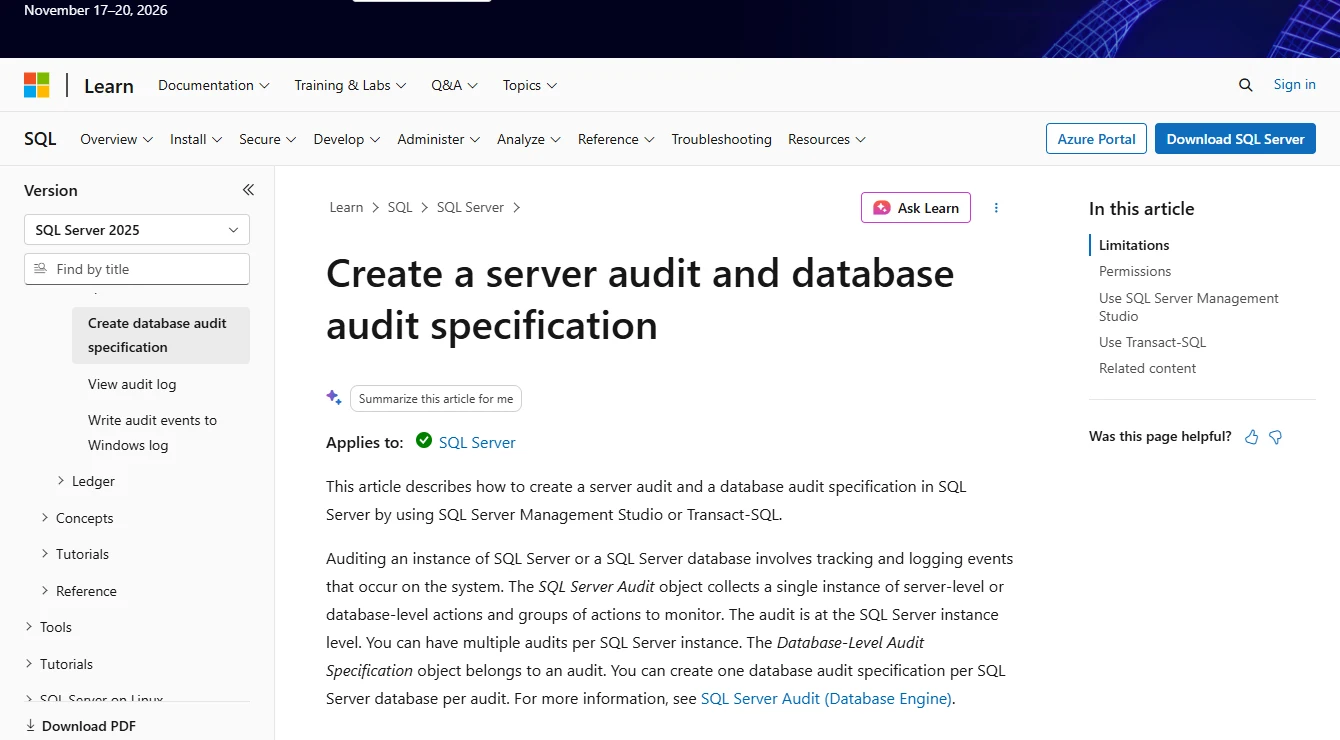
SQL Server Audit records selected server and database actions to a configured file or other supported target. It is useful when a DBA needs direct evidence of activity such as permission changes or configured object access from the engine that handled it.
Its strength is explicit control over covered actions. The specification, filters and target determine what reaches the record. An organization that needs separation from database administrators can collect the output into independently controlled storage and monitor whether audit collection stays active.
Scope a database audit specification to the synthetic object and check that the audit target is healthy. Read the raw record for both identities after their attempts and save a small event sample for comparison.
Document the action ID, effective and session principals, UTC timestamp and record's outcome semantics. For a SELECT permission check, confirm that the application or client result agrees with the native record.
- Compatibility
- SQL Server Audit on supported engine versions and deployments. Available action groups and targets vary.
- License and trial
- Built into supported SQL Server products.
Imperva Data Security Fabric
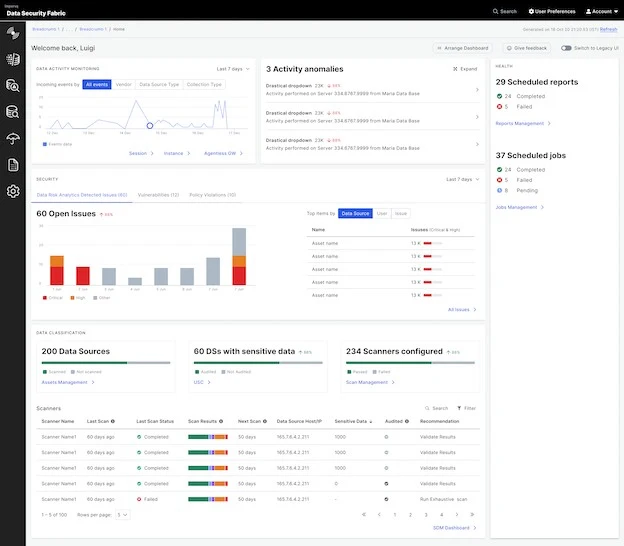
Imperva Data Security Fabric provides centralized data activity monitoring and allows agent and agentless collection for supported database targets. That is useful when a security team wants SQL Server activity alongside other data stores and wants to manage detection or response in a shared environment.
The collection mode defines the visibility. Direct, local and encrypted connections can need different handling from traffic that crosses a dedicated inspection path. Policies and available blocking or alerting capabilities depend on the selected integration and how clients reach the database.
Have the vendor map the lab's remote connections, host-local connections and TLS route to a supported collection method. Run the same read from each approved path and label the results before combining them.
Export the lab events with effective identity and object details. Check how collection and policy changes appear in the audit administration history and what happens if the chosen sensor stops receiving traffic.
- Compatibility
- Supported Imperva SQL Server integration and collector mode.
- License and trial
- Commercial data security licensing.
IBM Guardium Data Protection
IBM Guardium Data Protection can collect database activity from supported SQL Server deployments and apply central security policies with Guardium collectors and applicable S-TAP components. It is useful when activities from several databases need to be available for audit and security operations.
Its advantage is central visibility over a heterogeneous estate. Agent deployment, encryption handling and database connection topology determine what is seen. An engine event absent from the selected collection path still needs its own evidence source.
Verify the supported capture mode for the exact SQL Server host and protocol combination, including the deployment and any relevant agent requirements. Test at least one encrypted connection on the actual path your applications use.
Compare event normalization against the native audit record and check that the central export retains source, instance and principal distinctions. Recheck collection coverage after the lab connection is moved to a second endpoint.
- Compatibility
- Guardium and supported SQL Server collector or S-TAP topology.
- License and trial
- Commercial IBM Guardium terms.
Oracle Audit Vault and Database Firewall
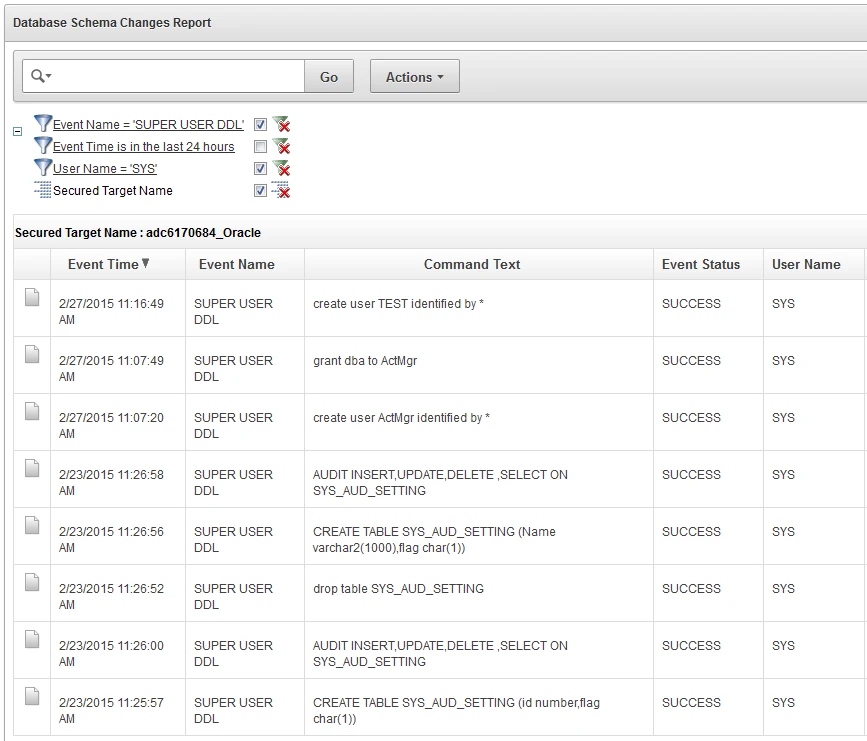
Oracle Audit Vault and Database Firewall can collect supported Microsoft SQL Server audit trails. Its SQL Server coverage includes directory-based audit files through documented collection paths, and Oracle documents a GoldenGate option for transaction log audit data. That is useful when a security team already centralizes audit records in AVDF.
Audit trails, firewall monitoring points and transaction log data are distinct inputs with different prerequisites. An AVDF installation needs the collection mode, source privileges and supported SQL Server configuration appropriate to the evidence required. Firewall enforcement depends on where and how traffic is monitored.
Create a test SQL Server target with a documented audit trail type. Verify that the configured collector follows new files through rollover and test its permissions on the file directory or other approved collection path.
Review the current release's agentless and remote collection prerequisites before using that mode for a clustered target. Capture a stopped-collector interval and compare the audit files with what reached the central report.
- Compatibility
- Compatible Oracle AVDF version and supported Microsoft SQL Server audit source or monitoring point.
- License and trial
- Commercial Oracle licensing. Additional components can apply.
DataSunrise
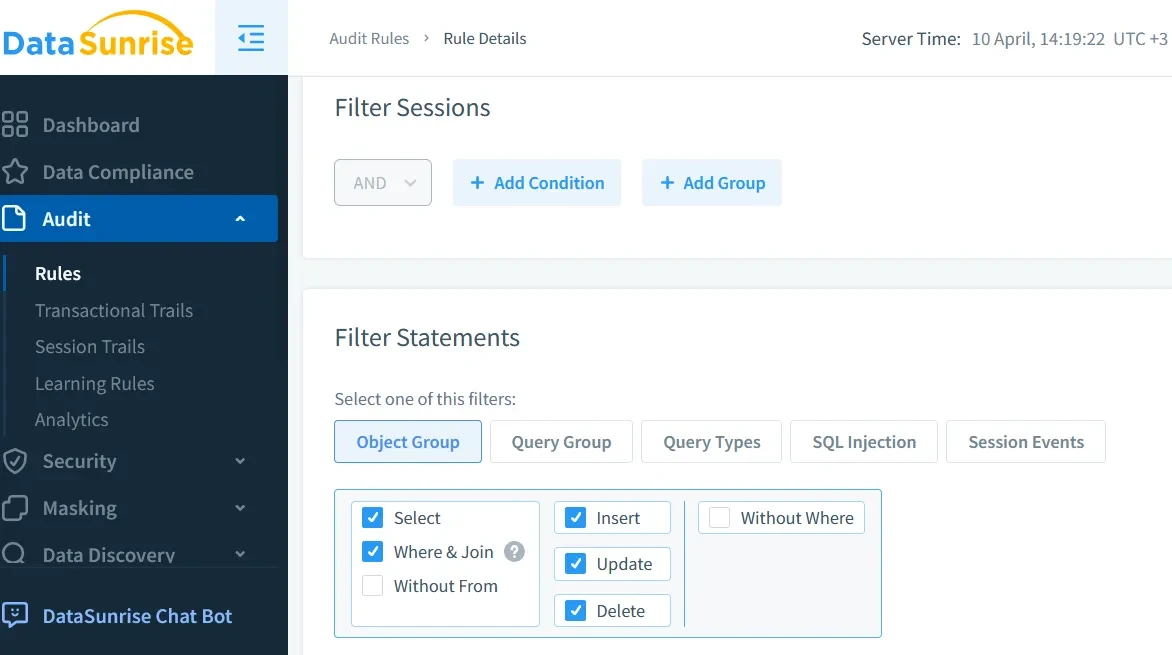
DataSunrise offers auditing and database activity monitoring for SQL Server with supported deployment methods. Its documentation also describes SQL Server Agent audit support in applicable releases. It is useful when security staff want rule-based investigation and reporting around SQL Server and other data stores.
It fits deployments that can define what activity crosses the monitored path and how audit rules are applied. An agent, proxy or database-native source can see different events. Network topology, client connection paths and product edition determine which SQL Server actions are captured.
Select the supported capture mode that matches how the application connects. In a proxy-based deployment, test the proxy route with normal TLS and separately check whether the intended direct or host-local paths are covered.
Inspect the event payload and identity fields for two principals with different permissions. Verify filters or redaction on the synthetic records, and confirm where the raw text is stored and who can export it.
- Compatibility
- DataSunrise with a supported Microsoft SQL Server deployment and collection method.
- License and trial
- Commercial product and feature terms.
Quest Change Auditor for SQL Server
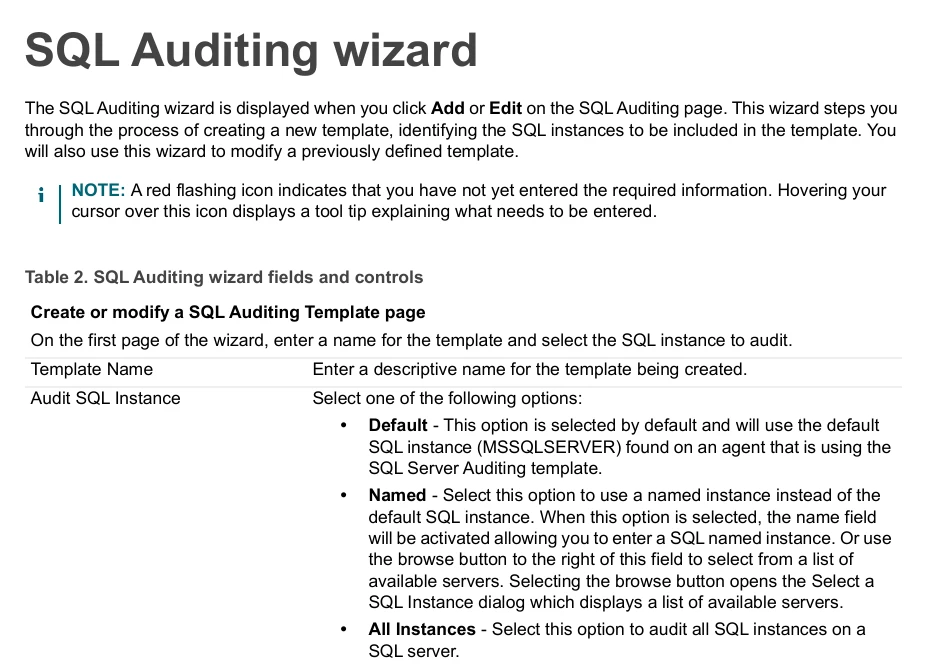
Quest Change Auditor for SQL Server records selected changes and activity using auditing definitions and publishes results through the Change Auditor environment. It is useful when a security team wants audit reporting and alerts alongside Change Auditor records from other supported systems.
Its strength is a structured view of configured events and reports. The template and target determine which actions are recorded. A team evaluating workload activity needs to verify the details available for the exact SQL action, because a security configuration change and a read of a specific row require different evidence.
Build a narrow SQL Server auditing template for the test and validate that the specific SELECT attempt is within its configured event scope. Have the operator identify the SQL Server agent and target instance responsible for collection.
Compare Quest's purpose-built change reports and available activity details with the evidence required for the use case. Test a denied attempt separately and keep the event selection and timestamp alongside the export.
- Compatibility
- Change Auditor for SQL Server with supported agents, coordinator and templates.
- License and trial
- Commercial Quest licensing.
Netwrix Access Analyzer
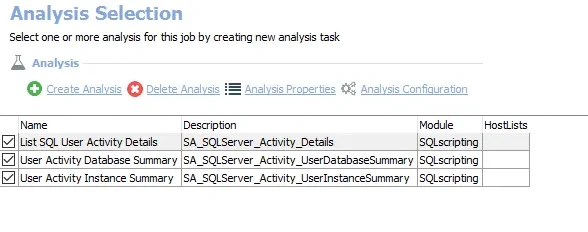
Netwrix Access Analyzer has a SQL Activity job and a SQL Data Collector. This is useful when audit activity needs to be reviewed alongside questions about which principals can reach databases and their objects. The tool produces analysis and reports from the configured sources.
Its strength is adding database activity to an access review workflow. The collection schedule, sources and permissions determine which activity is available. An access report and a complete stream of SQL events serve different purposes and should be assessed independently.
The SQL_Activity job relies on data produced by SQL Server Audit Specification settings. Save the source specification's scope and audit files alongside the resulting report so missing activity can be traced to the right layer.
Compare the raw event and imported row for each role. Test a small rollover or lab collector interruption and document how polling lag and deleted source history affect the job's visible results.
- Compatibility
- Netwrix Access Analyzer with configured SQL jobs and authorized connections.
- License and trial
- Commercial Netwrix licensing.
ManageEngine EventLog Analyzer
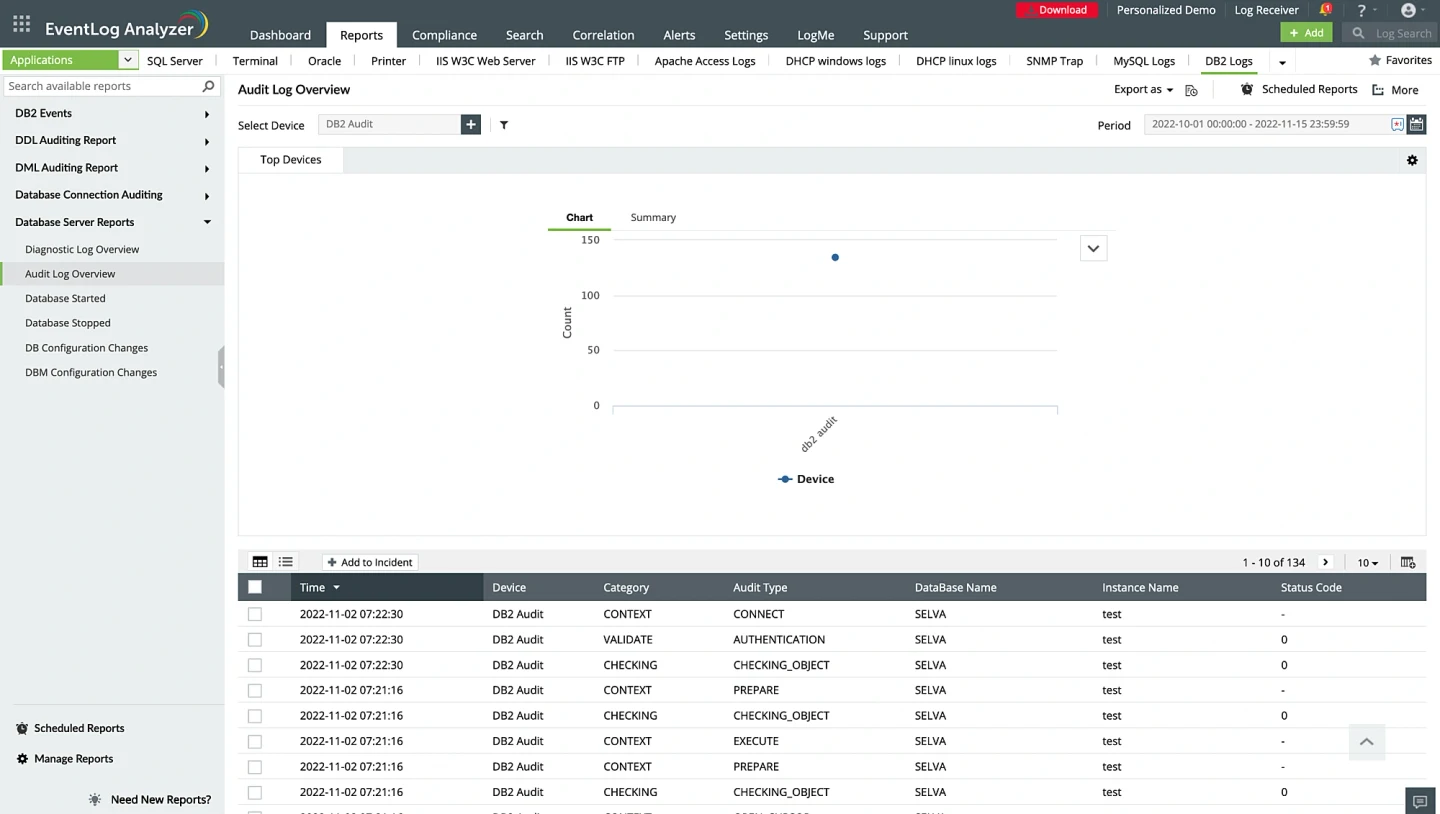
ManageEngine EventLog Analyzer collects and reports on supported SQL Server audit events as part of a broader log management service. This is useful when security operations wants database records available with host and network events for searching and alerting.
The value is correlating signals across systems through one pipeline. The SQL Server audit configuration and event ingestion path determine the data it can index. Time stamps, transport and retention need to remain reliable for the audit period.
Document which SQL Server audit output is forwarded to the collector and what parsing happens on arrival. Use one real event from the approved lab file or logging route to verify each expected field.
Use the timestamp on the source event and the collected event to derive ingestion delay with synchronized clocks. Verify if a stalled input is visible to operations and whether it can recover the two test records after restart.
- Compatibility
- EventLog Analyzer with a supported SQL Server auditing and forwarding configuration.
- License and trial
- Commercial ManageEngine options and applicable data limits.
Choose a tool for the SQL activity you need to see
| What you need | Tools to shortlist | What to verify |
|---|---|---|
| Record selected SQL Server access or administration actions | Confirm which audit actions or collector records cover your test. Verify denied permissions, off-host delivery and operator access. | |
| Apply monitoring policies across a database estate | Map each SQL connection path to the supported collection method. Confirm where an action is visible, when an alert arrives and which enforcement modes apply. |
Choose the activity capture path and check where it can miss events
Native engine audit sees configured actions at SQL Server. An agent or downstream collector may ship or summarize those events. A sensor or proxy sees traffic that passes through its configured path. Draw the application, administrative and local connection routes, then mark what source sees each action.
A central report inherits gaps from its sources. Verify supported SQL Server editions, version and topology for the proposed capture method. Check who can change audit policy, which users can read raw statements and how collection failures reach an operator.
One instance needs a defensible record for specific objects
Start with a scoped SQL Server Audit baseline
Verify the target, action and permissions before sending records elsewhere.
Many engines need central policy and reporting
Trial an enterprise activity monitor
Map agent or sensor coverage and normalize identities without losing the source record.
Existing audit files need reporting and retention
Trial audit-trail collection
Verify ingestion offsets, rollover, reader access and gaps during interruptions.
Compare allowed and denied reads with a known audit scope
Create a synthetic table in an empty AuditCaptureTrial database. Configure a lab audit specification for SELECT on that table with the principal scope covering both test users. Give one dedicated lab login access and explicitly deny the other SELECT on the table. Keep both identities able to connect to the database. If you use a file target, verify the service can write it and that the audit reader can access it.
Run the same read as both users. Audit records use UTC event time. Microsoft documents that the succeeded field on non-login events reports the permission check. Keep each SQL client's outcome as separate evidence. Use read-only audit access for review and restrict raw query-text exposure to authorized roles.
| Test case | Client-side observation | Audit-side check |
|---|---|---|
| Allowed SELECT | Returns the synthetic row | Action, principal, object and passed permission check |
| Denied SELECT | SQL error 229 for a controlled object denial | Action, principal, object and failed permission check |
| Alternate approved route | Same SQL action through a second documented path | Verify that collector sees required direct or local traffic |
| Collector paused | SQL Server baseline continues in the lab | Alert or health signal, recovered range and any lost events |
How to compare these tools
Run the same authorized read, denied read and administrator action. Verify which events reach the audit console, how they identify the user, and how long records remain retrievable. Sources checked .
Check a granted and denied read on the same lab object
Open a fresh admin connection to the disposable AuditCaptureTrial database and run Setup once. Add the two authorized lab identities and the audit specification using the instructions above. In each test connection switch @Step to Read and execute as that connection's actual lab login.
Test a scoped allowed and denied SELECT against a synthetic table
T-SQL · 26 lines
- Use separate lab connections for the allowed and denied read. Save UTC timestamp, principal and object name with the successful row or SQL client error. Check the SQL Server audit target for both events under an authorized reader.
- Locate both events in each product and compare action, UTC timestamp, principal, source and object. Measure how long the events take to reach the query or export view.
- Pause only the lab collection path and run the allowed read again. Verify gap detection and any backfill after the collector resumes. Save the native lab events and anonymized product export for comparison.
Conclusion
Buy the collection method that covers the SQL Server paths you need to observe. Verify that an operator can identify the action, target object and effective user, and can recognize when collection has stopped. Check the policy engine’s documented behavior separately if your team needs enforcement.
Frequently asked questions
What is database activity monitoring for SQL Server?
It records selected database actions such as login attempts, data reads, changes or privilege use, depending on the configured source. A platform can collect and search that activity across servers and alert on matching policies.
Can SQL Server Audit monitor SELECT statements?
Yes. A database audit specification can record SELECT on a chosen object and principal. Choose the destination and read back actual events after a granted and denied test.
Does a successful SQL Server audit record prove the query completed?
For most events, succeeded records the permission check outcome. Verify execution or commit with the application or transaction evidence appropriate to the incident.
Will an audit record identify an application user behind a connection pool?
It records the SQL session identity and other available fields. To attribute the action to an individual, use the application’s own user and request records and verify how they correlate with database activity.
Can a database activity monitor block SQL queries?
Documented enforcement depends on the product, its deployment mode and the path taken by the connection. Test policy behavior and expected collection for all approved paths within the lab.
Does succeeded in SQL Server Audit prove that a statement completed?
For non-login events the field records the outcome of the permission check. Keep an application or SQL client result if the investigation also requires proof of the operation's result.
Can a proxy-only setup see a direct SQL Server connection?
Verify the exact capture placement. If a required connection bypasses the proxy, use native audit or another supported collection path for that activity and test it in the lab.