

SQL Server auditing starts with the event the reviewer needs to find. A failed login, a grant to a database role and an update to a sensitive table are different questions. SQL Server Audit can capture selected engine events at the source. A reporting tool makes those records easier to search and share, but it needs both the right events from SQL Server and permission to collect them.
The products tackle different parts of that work. Netwrix, IDERA and Lepide give reviewers a SQL Server audit workflow. Redgate Monitor puts selected permission activity alongside instance monitoring. ManageEngine and SolarWinds can bring native events into an existing log console. DataSunrise, Oracle Audit Vault and IBM Guardium are candidates when several databases need a common policy or repository. For any of them, the fields retained and the events missed during an outage determine how useful the report will be.
SQL Server audit tools compared by evidence path
Compare where the event originates and where it is reviewed. An actor, a statement, a permission result and the values before or after an update are distinct pieces of evidence.
| Tool | Collection path | Reviewer output | What to validate | Commercial scope |
|---|---|---|---|---|
| Microsoft SQL Server Audit | Native server and database audit specifications. | Audit files or supported event log destinations. | Select the action, destination and failure policy. | Included with SQL Server. Storage and reporting are separate. |
| Netwrix Auditor | Configured SQL Server event collection. | Audit searches, reporting and archive workflows. | Supported objects, login rules and collection account. | Commercial plan and retention terms. |
| IDERA SQL Compliance Manager | SQL Server-specific audit collection and policies. | Audit reports and configured data-change detail. | Verify targeted before-and-after capture and repository needs. | Commercial edition and deployment terms. |
| Redgate Monitor SQL Audit | Supported native SQL Audit ingestion. | Audit review inside the monitoring platform. | Documented SQL Server deployment and covered events. | Redgate Monitor Enterprise feature. |
| Lepide Data Security Platform | Configured SQL Server auditing integration. | Alerts and SQL Server activity or change reports. | Check capture scope and the reviewer account. | Commercial plan and retention terms. |
| ManageEngine EventLog Analyzer | Windows Application log path for documented SQL Server Audit. | Central search, rules and reports. | Confirm SQL Server writes to the channel collected. | Commercial log-management terms. |
| SolarWinds Security Event Manager | Supported SQL Server log connectors. | Central events, alerts and exports. | Validate channel and parsed actor, object and action fields. | Commercial deployment and capacity terms. |
| DataSunrise Database Audit | Supported database activity and policy path. | Activity and session auditing. | Verify SQL Server mode, filters and recorded payload. | Commercial scope depends on capture and retention. |
| Oracle Audit Vault and Database Firewall | Documented native trail collection for supported SQL Server versions. | Vault search, alerting and reports. | Verify trail, collector and high availability requirements. | Enterprise product terms. |
| IBM Guardium Data Protection | Documented on-premises MSSQL Universal Connector via JDBC. | Centralized policy and audit activity. | Check source permissions, fields and availability for the deployment. | Enterprise platform and integration terms. |
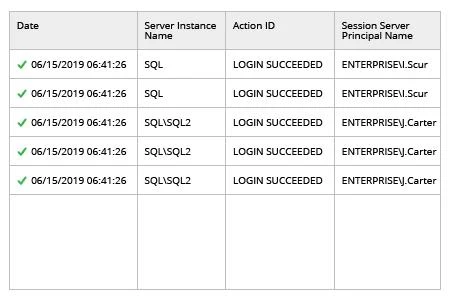
Microsoft SQL Server Audit
SQL Server Audit records selected events directly in the Database Engine. The audit specification controls which server or database actions are observed. A DBA can, for example, send failed login attempts and permission changes to an audit file while using a database specification to track actions against a sensitive table.
It is the baseline because the engine generates the events and can scope them close to the object involved. Storage, rollover, access and collection remain part of the design. The configured failure action governs what SQL Server does if it cannot write the record, which is a separate issue from a downstream reporting service going offline.
Use SQL Server Audit as the engine baseline. A server audit defines the destination and failure action. Server or database specifications define which activity SQL Server records. Configure narrowly enough to answer the task and to keep protected values out of broad exports.
Start with one audit file and a clear UTC window. Match the login, database and object before you test a collector. Record SQL Server version and destination when you check read permissions and expected event payload. Central retention starts from this original event.
- Compatibility
- Built into the SQL Server Database Engine. Supported actions and destinations vary with the deployment.
- License and trial
- Included with SQL Server. Storage, reporting and operational support are separate costs.
Netwrix Auditor
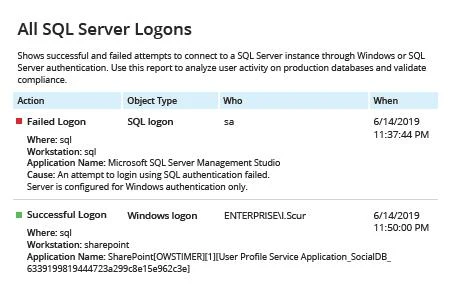
Netwrix Auditor reads SQL Server activity using the native logs and the audit settings required by its collection plan. Reviewers can search or export saved activity, which is useful when a failed login or permission change needs to be retrieved by somebody without an administrator session.
The fit depends on whether its reports carry the details the reviewer will ask for. Before-and-after values for SQL Server data changes require a primary key or a unique column according to Netwrix. Collection permissions and the underlying SQL audit settings are part of what determines coverage.
Netwrix fits operators who want SQL Server activity in a central audit and reporting workflow. Verify that the event type you need is covered by the documented audit configuration for your SQL Server version. Consumer reports depend on what the source path feeds the product.
Test one role membership change and one failed login under a planned ID. Review the reported actor, target and timestamp, then retrace the original event after export. Match retention and collector access to the audit team that will use the report.
- Compatibility
- SQL Server collection depends on Netwrix’s documented audit settings and permissions. Instance and availability-group coverage varies by setup.
- License and trial
- Commercial. SQL Server monitoring, archiving and reporting depend on the chosen plan.
IDERA SQL Compliance Manager
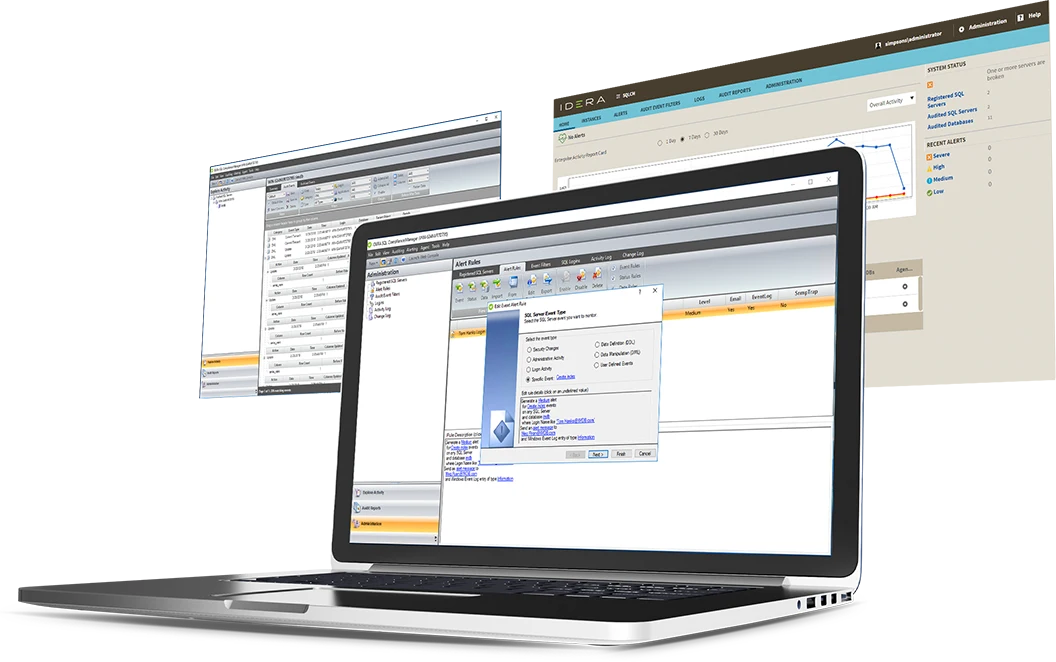
IDERA SQL Compliance Manager provides a dedicated SQL Server audit workflow with filters, event reporting and selected before-and-after data. A reviewer investigating a change to a sensitive record can use the configured report to see a changed value alongside the time and account.
That row-level context is useful when policy requires more than a statement or login event. It also means the audit repository can contain sensitive data from the database itself. The captured columns, filtered users and access to older reports matter as much as the collection itself.
IDERA fits a SQL Server-focused audit program that needs to review access and selected changes through a dedicated console. The vendor differentiates general activity from more detailed data-change reporting. Confirm where the particular before-and-after feature is licensed and configured.
Define a short tracked table and verify the expected event and value fields under each audited action. The table's stored state, a statement record and a captured prior value answer different questions. Compare storage and data handling for the fields you enable.
- Compatibility
- IDERA documents server and database audit options and data-change reporting. Platforms and agent requirements depend on release and tier.
- License and trial
- Commercial. Before-and-after, reporting and repository options depend on the edition.
Redgate Monitor SQL Audit
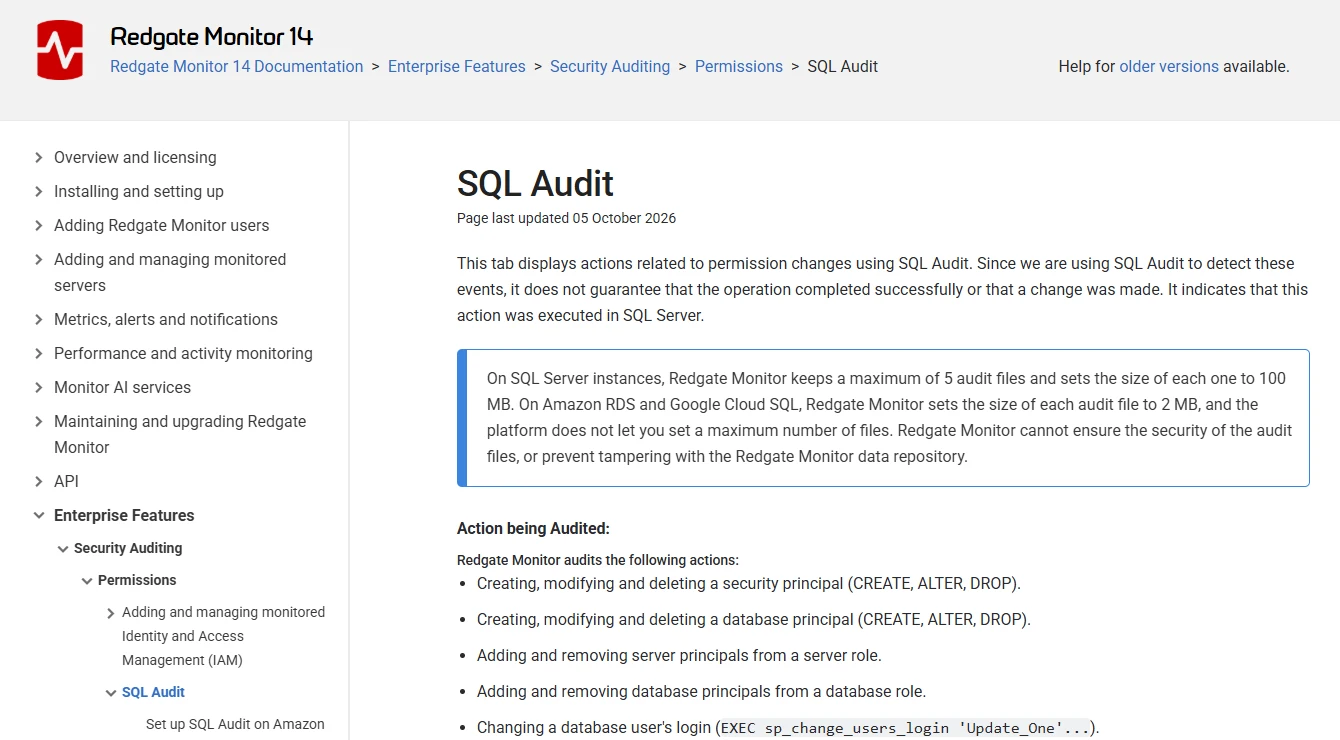
The SQL Audit tab in Redgate Monitor puts selected permission activity beside the usual instance views. For a DBA already working in Redgate Monitor, that can make it easier to place a suspicious grant or attempted operation in the same time window as other changes to the server.
The documented permission-check result describes whether the principal had permission for the action. It has a narrower meaning than whether an entire request completed. Redgate’s supported events and sampling setup define the scope of the tab. A broader audit pipeline may be needed for login or table access requirements outside that scope.
Redgate Monitor is a useful candidate when a company already uses its monitoring console and wants covered SQL Audit events available to the same team. The documented setup differs across supported deployments. Decide where the audited output originates and who can see it.
Look for the exact audit fields and filters required by the reviewer. Compare a SQL Server health alert with the SQL Audit record for a permission change, and confirm which edition includes the audit workflow. Verify role restrictions even if both features share a product.
- Compatibility
- Redgate documents SQL Audit setup separately for SQL Server, Amazon RDS and Google Cloud SQL.
- License and trial
- Redgate lists security auditing with Enterprise. Coverage depends on the deployment.
Lepide Data Security Platform
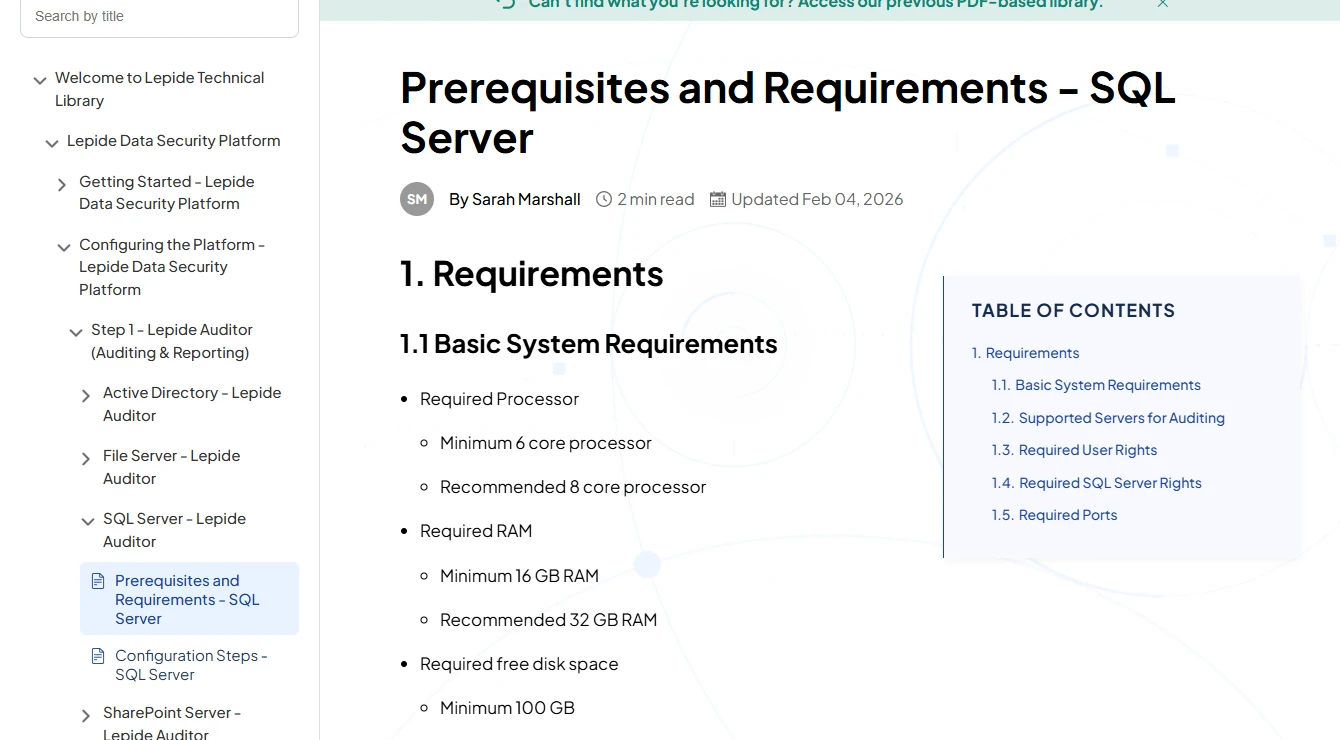
Lepide Data Security Platform includes a SQL Server collection workflow. With the documented settings in place, security reviewers can look for database and server activity alongside the other systems they follow. That is useful when investigations start from a central user or asset view.
The value depends on which events arrive with the server, database and user details the reviewer needs. The source’s audit setup and the collection account control part of that coverage. A collecting identity that loses access after a credential change leaves a gap even while the SQL Server workload continues normally.
Lepide fits a wider data-security review that includes SQL Server configuration and relevant activity. Check its SQL Server setup guidance for the actual source categories, runtime identity and required permissions. A change report should identify the operator's action and target clearly enough for follow-up.
Use a database role change and a failed login as separate pilot events. Ask how each event is retained, who can update the monitoring rule and which report exports serve the existing evidence process.
- Compatibility
- Lepide provides a SQL Server setup guide and configuration prerequisites. Event support depends on the installation.
- License and trial
- Commercial. SQL Server source, reporting and retention entitlements depend on the contract.
ManageEngine EventLog Analyzer
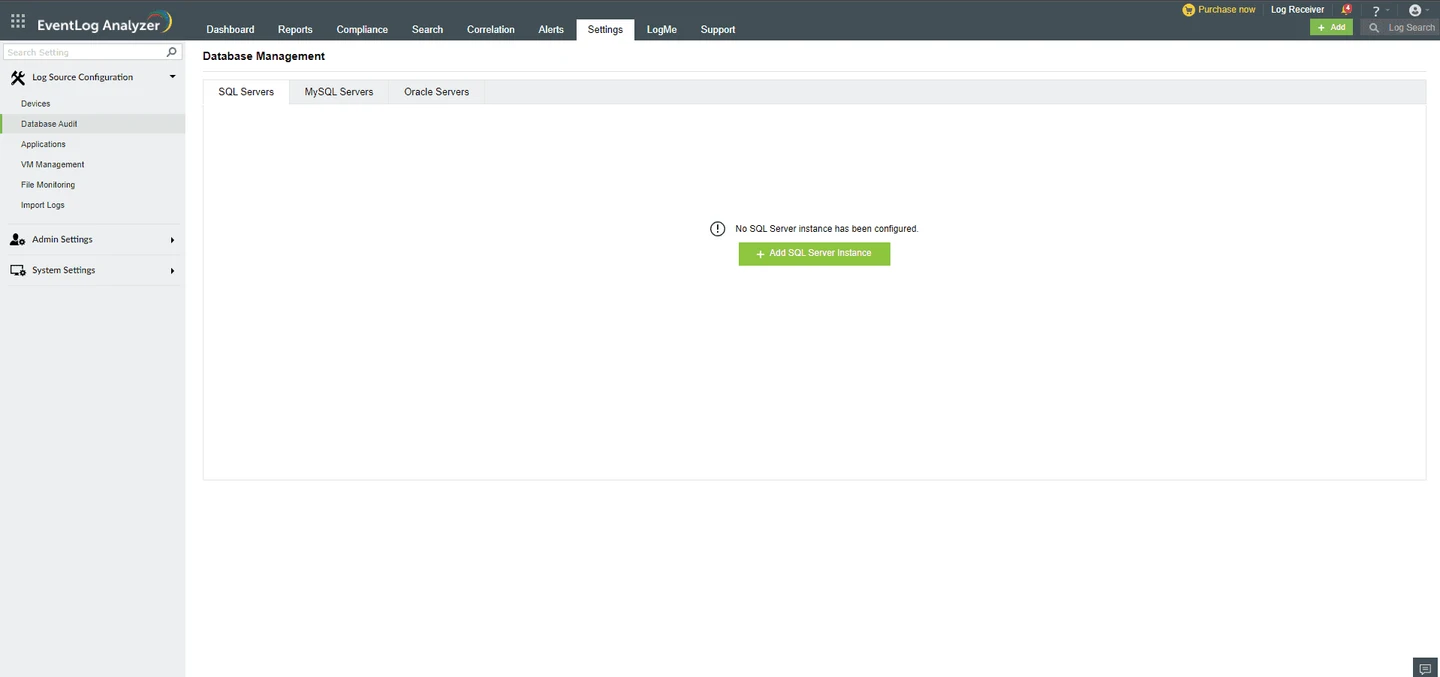
ManageEngine EventLog Analyzer can collect SQL Server Audit events written to the Windows Application log. A security operator can search parsed database events in the same console used for other Windows logs. That is useful for investigations that start with a login or host event.
The Application log is an important boundary. SQL Server must emit the event to that destination, and the original entry has to remain available long enough for the collector to get it. If the local log rotates during an outage, retention in the central console only helps for records that were already collected.
EventLog Analyzer is relevant when SQL Server Audit events are deliberately written to a supported Windows event channel. The database and Windows configuration determines which events enter that path. Verify the scope on the actual host before reviewing central filters.
Compare one native channel record with its parsed fields in the central console. Inspect timestamp, principal, instance and action mapping. Test what happens when log capacity or a collector pause changes how long an event is available.
- Compatibility
- ManageEngine documents a Windows Application log path for Microsoft SQL Server Audit events.
- License and trial
- Commercial log management. License metrics, retention and archive options vary by plan.
SolarWinds Security Event Manager
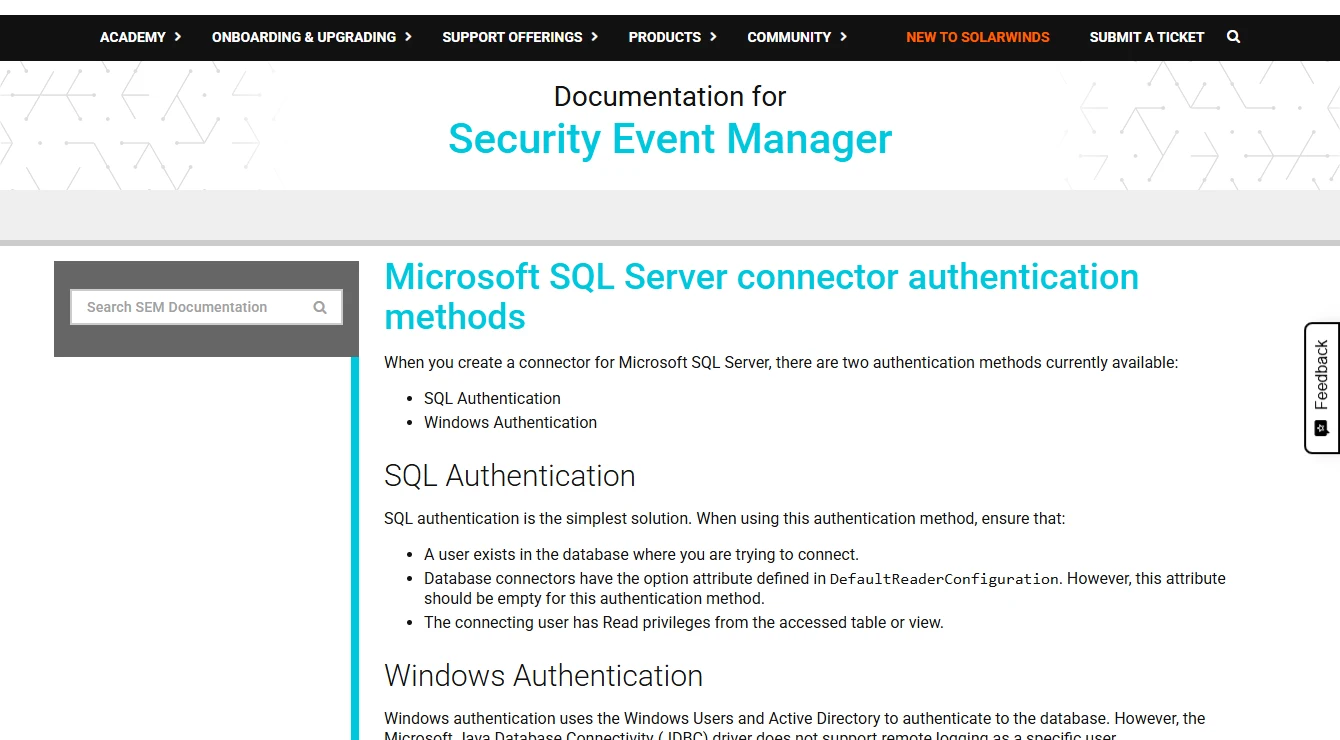
SolarWinds Security Event Manager collects SQL Server security events through documented connectors and can use them in alert rules. A failed-login pattern can appear with host and identity context in the same console as other security events.
This is a natural fit when the security team already investigates activity in SEM. A rule is only as useful as the event fields feeding it. For a table-specific action or row change, the SQL Server audit policy and connector parsing determine whether the operator will see the required object, principal and statement.
Security Event Manager fits a security team that already reviews operational activity in a central event system. The SQL Server connector is part of the collection path. Verify the event channels and supported authentication on the servers you intend to monitor.
Review raw and parsed copies of the same event. Correlation and alert rules only help when the original actor, instance and action survive. Compare the license and retention impact of collecting a narrowly filtered source and a larger audit stream.
- Compatibility
- SolarWinds documents SQL Server connectors and authentication choices. Supported channels and event parsing depend on the installed connector.
- License and trial
- Commercial security event management. Capacity and retention depend on the license.
DataSunrise Database Audit
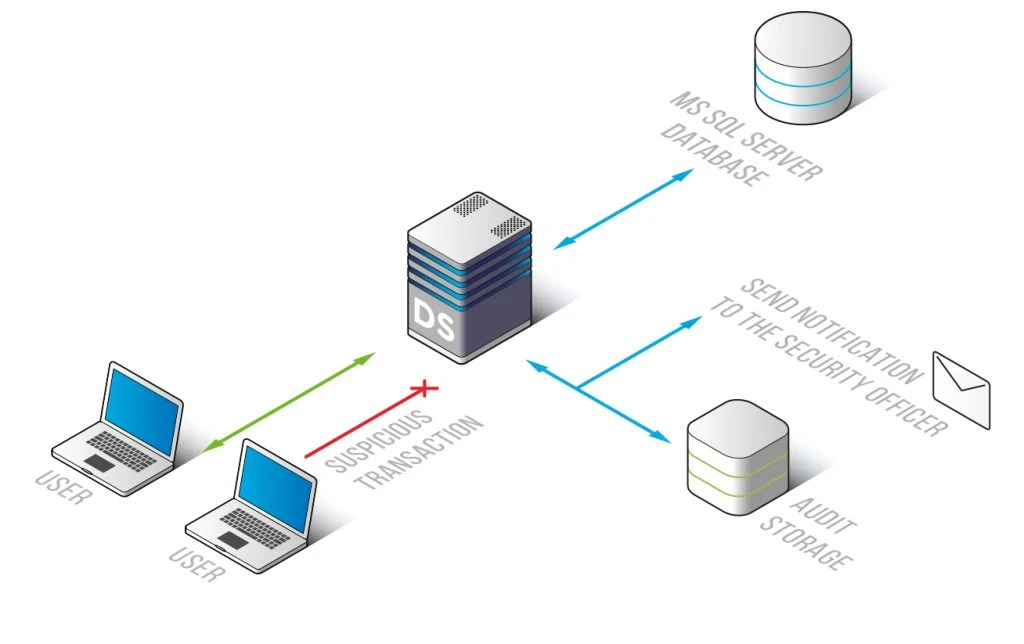
DataSunrise Database Audit collects activity such as SQL requests, sessions and database responses under configurable policies. A policy can focus attention on a protected database or object. That gives an organization a common place to review activity across deployments where the selected capture path is available.
Capture topology is central to the comparison. A policy may cover one application route while administrators or failover clients reach SQL Server another way. Encryption and the capture method affect what is visible. Full statement capture can also require tighter access and retention rules because the text may include sensitive values.
DataSunrise is worth evaluating when the database team needs a SQL Server activity policy and the security team wants a broader platform. Identify the documented collection or traffic path for the selected deployment before relying on any user or query details.
Test allowed and denied traffic from the same low-privilege account. Determine which record keeps the query, the authenticated actor and the outcome. Compare these fields with a direct engine log and establish who can access the retained data.
- Compatibility
- DataSunrise documents SQL Server activity and session auditing. Available capture methods depend on the deployment.
- License and trial
- Commercial platform. Capture modes, activity policies and retention options depend on the license.
Oracle Audit Vault and Database Firewall
Oracle Audit Vault and Database Firewall can collect SQL Server directory audit trails and centralize them in an Audit Vault. That is useful when a security department already reviews Oracle and Microsoft activity in one repository and wants SQL Server to follow the same retention and access process.
Collection depends on the type and location of the source file. Oracle documents agentless support for selected SQL Server audit and Extended Events files, with separate version and topology restrictions. Clustered environments and local file rollover can materially change how the trail needs to be configured.
Oracle AVDF fits an organization that wants a central audit vault across database platforms and can operate the supported SQL Server trail path. It still needs a source configuration that produces the intended events. Verify compatible versions and trail handling.
Pause the collector in a lab while SQL Server continues writing the selected audit destination. Then resume it and verify recovery with the same audit window. Check whether cleanup or rollover could remove an event before the vault retains it.

- Compatibility
- Oracle documents directory trails and agentless collection for supported SQL Server configurations. Cluster and cleanup limits apply.
- License and trial
- Commercial enterprise product. Target count, collection design and vault capacity affect the scope.
IBM Guardium Data Protection
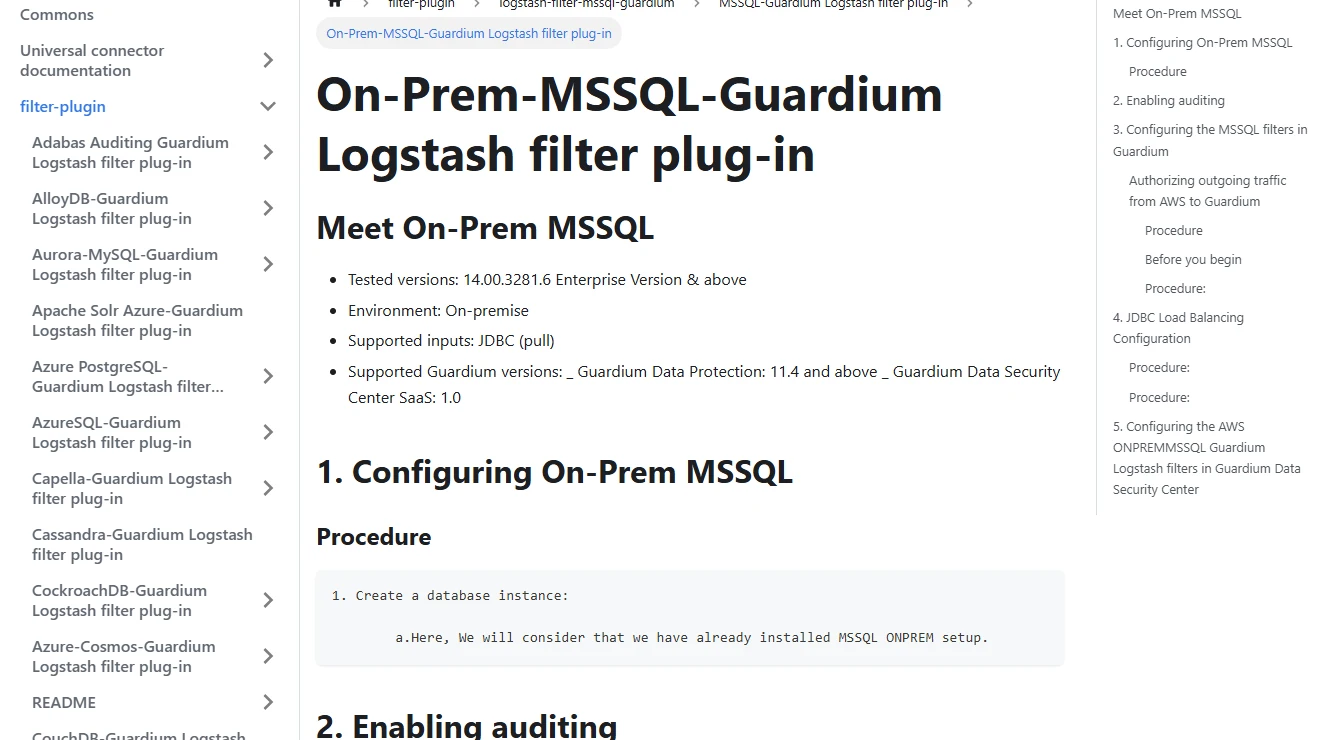
IBM Guardium Data Protection provides a SQL Server Universal Connector that uses JDBC to collect records from SQL Server’s native audit setup. It can bring server events into an existing Guardium workflow for analysis or export. That is useful when SQL Server coverage needs to join a policy program already run through Guardium.
This connector inherits the scope of the native audit specification collecting the events. JDBC access and the collector have their own failure modes as well. The key comparison is whether the fields and event history reach the Guardium report after ordinary operations such as audit file rollover.
Guardium fits a multi-database security program that can use an approved SQL Server integration. For the documented Universal Connector path, verify native audit setup, the connector's SQL Server access and deployment prerequisites together.
Test a known actor and a protected table through the selected connector and reviewer role. Check field mapping and filters, then repeat with a temporarily paused collection path. Verify which inputs the chosen architecture can recover after restarting.
- Compatibility
- IBM documents a JDBC-based Universal Connector for on-premises Microsoft SQL Server using native audit data.
- License and trial
- Commercial enterprise platform. Connector and policy availability depend on the Guardium deployment.
SQL Server audit tools by job
| What you need | Tools to shortlist | What to verify |
|---|---|---|
| Define and verify the original SQL Server events | Produce a failed login, a role change and a protected-table read. Check the configured target and native records. | |
| Give SQL Server auditors searchable evidence | Use a read-only reviewer role to find and export the required records. Check data-change fields against a known update. | |
| Review permission changes while monitoring the estate | Confirm the grid includes the documented action and that the platform and permissions support collection. | |
| Collect audit events in an existing log console | Trace an event through its Windows or SQL Server source to the central console. Test parsing, rollover and retention. | |
| Retain audit evidence across several database engines | Verify the connector or inspection path, covered endpoint and recovery after a collector outage. |
Choose the tool that owns the missing audit step
Declaring an audit action in SQL Server, keeping the emitted record and giving a reviewer searchable evidence are distinct tasks. A central collector can only preserve events and fields its source makes available.
Plan for two separate interruptions. If the collector stops, SQL Server may still write local events that can be picked up later. If the destination itself fails, the configured SQL Server audit failure policy governs what happens at the instance.
The engine has no matching event
Configure capture
Define the required server or database action and verify it using the original SQL Server audit record.
The source has events that age out
Add collection and retention
Check rollover, backlog and who can modify the repository or retention rules.
Reviewers can’t reconstruct the action
Improve review and export
Check actor, object, action, time and outcome after parsing. Test a read-only reviewer role.
Compare three SQL Server audit events end to end
Use synthetic accounts and a protected test object. Set a tight UTC window, run each action once and compare the native audit file with the collected record. Only a controlled sample can show whether a field or event was lost in transit.
The succeeded field in a native audit record has scope-specific meaning. Outside login events it indicates the permission check, so confirm any claimed transaction or row change separately. For file-based reviews, verify permissions for your SQL Server version.
| Action | Capture scope | Verify in the source and report |
|---|---|---|
| Failed SQL login | Server-level FAILED_LOGIN_GROUP. | The login attempt, time and failure outcome survive parsing. |
| Add a test user to a database role | DATABASE_ROLE_MEMBER_CHANGE_GROUP in a matching database audit. | The role, affected user and actor can be identified. |
| Read a protected test table | SELECT action scoped to the intended object and principals. | The SQL Server database, object, principal and permission outcome are present. |
| Collector paused | A source event produced while collection is paused. | The audit destination retains it and the restarted collector makes it searchable. |
| Reviewer export | Read-only access for the expected time window. | Output fields and time boundaries meet the evidence requirement. |
How to compare these tools
Generate the same permission change and access attempts in each lab. Check the event on SQL Server, in the collector and in the reviewer’s report. Verify retention and the access needed to read the records. Sources checked .
Test the audit from event to evidence export
Use an isolated test instance and configure the native actions in the table above. Point the read-only query to the resulting lab files and set the UTC bounds. Compare the same three source events with the collector and reviewer outputs.
Read the native SQL Server audit records for the lab window
T-SQL · 12 lines
- Create one failed login with a test account, add a test principal to a role, then read a protected test table. Record the expected instance, principal, database, object and timestamp.
- Compare the native event with the collected record. Check which source and identity fields survive parsing, including the difference between the original login and an impersonated principal when relevant.
- Pause collection in the lab while SQL Server continues writing to its audit target. Generate another event, restart collection and look for the backlog. Inspect which files or event log entries still exist.
- Test a separate audit destination failure using a disposable copy and record the configured engine behavior. Keep fail-closed settings away from production trials and test any workload impact before approval.
- From a read-only reviewer account, find and export the reported event set. Verify the time range, retention, intended exclusions and who can change the audit settings.
Conclusion
Choose the smallest tool that covers the event set and the people who need to review it. Native SQL Server Audit establishes what the source writes. A collector adds search and retention when it can retrieve those records reliably. A compliance tool earns its place when the reviewer can export the expected evidence and see a collection gap in time to act.
Frequently asked questions
Does SQL Server have built-in auditing?
Yes. SQL Server Audit can write server and database audit events to documented destinations. Create the audit, configure server or database audit specifications for the relevant actions, and verify where the records appear.
How can I audit SQL Server failed logins?
Use the failed-login action group in the server audit specification. Generate a login failure in a disposable instance, check the SQL Server audit record, and confirm the expected login and time in the collection tool.
Can I audit SELECT statements against one SQL Server table?
A database audit specification can include SELECT against a particular securable and principal. Confirm the event under the relevant test account. Begin with the required objects and actions so the volume stays manageable.
How do I know whether the collector lost SQL Server audit events?
Check SQL Server's destination and the collector's saved position separately. Produce a known test event during a controlled collection pause, then verify that it arrives after restart and before the source rolls over.
Can audit reports show the values before and after a SQL Server update?
Some tools offer this under documented conditions. Test a representative table, the required data-change settings and the chosen edition. Confirm the captured columns and permissions before retaining any values.
Does a SIEM create SQL Server Audit events?
A log platform can collect, parse and retain a supported SQL Server event source. Configure the required audit actions and destination in SQL Server first, then verify which records and fields the collector actually receives.
What is the difference between audit capture and permission reporting?
Audit capture records selected activity, including some permission changes. A permission report describes current or stored access state. Use both when a reviewer needs to know who could perform an action and whether it occurred.
Related guides
- Compare Netwrix Auditor and IDERA SQL Compliance Manager for SQL Server
- Compare SQL Server database activity monitoring tools
- Compare SQL Server masking tools for developer and test copies
- Review SQL Server hardening and audit configuration
- Compare SQL Server monitoring tools
- Get help reviewing SQL Server risks and controls