

Netwrix Auditor and IDERA SQL Compliance Manager both produce evidence for SQL Server audits. Netwrix is useful when an auditor wants changes and user activity in a broader reporting program that includes other systems. IDERA focuses on configuring and collecting SQL Server audit activity, including more detailed object and sensitive-column options in supported deployments.
A report showing what changed, an event showing that someone tried an operation and a record of access to a sensitive column answer different questions. The right comparison starts with the specific evidence the organization needs. Collection methods, coverage of each SQL action, storage and administrative access affect how dependable the resulting audit record is.
Netwrix Auditor vs IDERA SQL Compliance Manager at a glance
Start with the before-and-after data change requirement. Check whether the relevant feature is enabled for the chosen version and table, then compare storage and report access.
| Tool | Primary workflow | Detail option to verify | Evidence owner |
|---|---|---|---|
| Netwrix Auditor | Cross-system audit and SQL Server monitoring plans | Plan-specific SELECT rules and detailed trigger-based data changes | Netwrix collector, audit storage and reviewer roles |
| IDERA SQL Compliance Manager | Dedicated SQL Server audit policy and alerting | Scoped before-and-after data and sensitive columns | IDERA collection, processed history and safe export |
| Microsoft SQL Server Audit | Native object and action specifications | Audit action, principal, object and optional statement context | Database Engine and designated audit reader |
| Quest Change Auditor for SQL Server | SQL activity and change tracking templates | Configured event coverage and details | Change Auditor agent and central repository |
| Redgate Monitor SQL Audit | SQL Server audit features within monitoring platform | Edition, platform and event collection scope | Redgate audit storage and access controls |
| ManageEngine EventLog Analyzer | Centralized database audit log analysis | Parsed fields and reports from enabled source | Source audit setup and EventLog collector |
| DataSunrise Database Audit | Activity capture and auditing rules | Selected capture method and identity context | DataSunrise policy and output path |
| IBM Guardium Data Protection | Database activity monitoring and policy | Supported SQL Server configuration and collector method | Guardium collection and audit management |
Netwrix Auditor
Netwrix Auditor for SQL Server can track relevant changes and activity and produce consolidated audit reports. Netwrix documents state snapshots and additional attribution or content auditing paths. It is useful when SQL Server evidence should be reviewed alongside changes in other managed systems.
Its strength is a reporting workflow centered on changes and responsible accounts. The depth depends on the collection mode, and the documented content-auditing option can add triggers to monitored tables. Broad read auditing and detailed change capture should be validated against the event requirements.
Create a narrowly scoped SQL Server monitoring plan and record whether the evaluation uses the standard or detailed data-change mode for the selected test table. The documented detailed mode uses triggers and has configuration and data-type considerations.
Compare the separately configured SELECT and data-change rules against the fixture. Verify the actual selected columns, transaction limits and report permissions, then reopen the same activity after the alert has gone quiet.
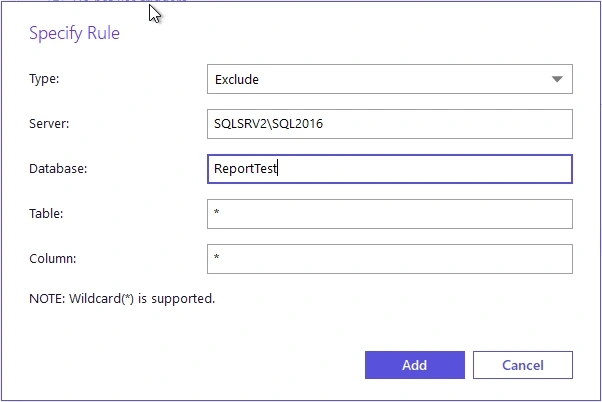
- Compatibility
- Netwrix Auditor monitoring plan with a supported SQL Server collection configuration.
- License and trial
- Commercial Netwrix license.
IDERA SQL Compliance Manager
IDERA SQL Compliance Manager gives administrators SQL Server audit configuration, collection and reporting. It can apply more detailed options such as sensitive-column auditing to eligible objects. This is useful when SQL Server audit policies need to be scoped and maintained across several instances.
It fits an audit program that needs a detailed answer about where data-access evidence came from. Sensitive-column and before-and-after capabilities depend on supported data, action and configuration. Higher detail can add collection and storage cost, making the selection of events part of the plan.
Select the documented before-and-after data change scope for one lab table and column. Record which event settings and collector are in use so the row evidence can be compared with the general audit events.
Compare captured values, identity, alert delivery and export permissions using the known change. Confirm what happens to retention and audit volume when before-and-after collection is enabled for more than the trial object.
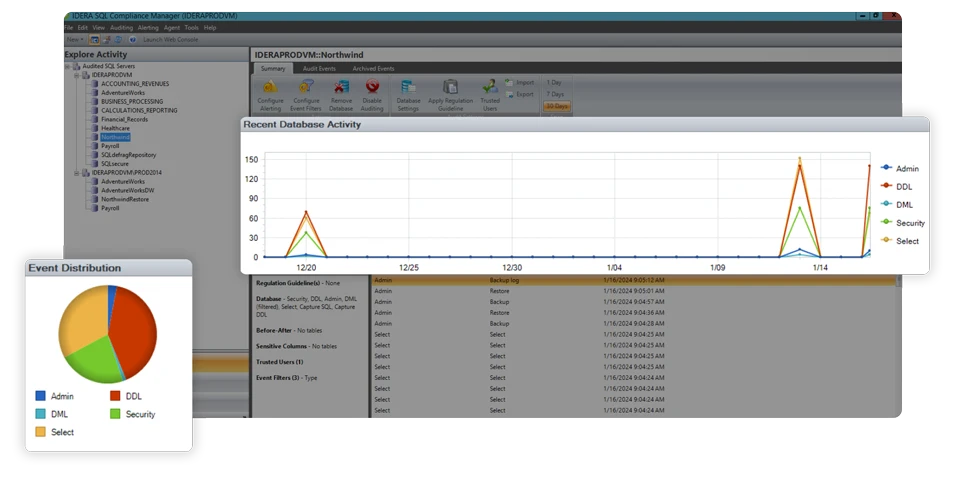
- Compatibility
- SQL Compliance Manager with supported SQL Server audit agents and target configuration.
- License and trial
- Commercial IDERA licensing.
Microsoft SQL Server Audit
Microsoft SQL Server Audit can capture selected server and database actions into a supported target. It is useful when a DBA needs engine-native evidence and already has a way to collect and retain the resulting audit files. Specifications let the team choose which actions are in scope.
Its advantage is direct control over what SQL Server records. The audit target, privileges and selected groups define the evidence available. A program needing independent retention, searching and regular audit reports needs the supporting storage and reporting process.
Configure a narrow database audit specification on the trial table with an authorized lab audit administrator. Open the native files for an independently timestamped record of the actor, operation and object.
Compare event metadata and statement text with the before-and-after requirement. The native audit record can show the operation and associated fields. Use the reader's fixture result to verify actual row values separately.
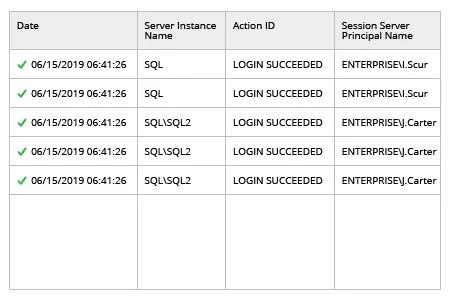
- Compatibility
- Supported SQL Server Audit configuration, permissions and output target.
- License and trial
- Built into eligible SQL Server editions and deployments.
Quest Change Auditor for SQL Server
Quest Change Auditor for SQL Server captures selected SQL Server audit events through configured agent templates and presents them in the Change Auditor console. That is useful for teams that already report changes across Windows, directory and database environments through Quest.
The benefit depends on how the template maps to the requested activity. A permission change, a statement and updated values are different types of evidence. The configured operations and targets determine which details make it into the retained report.
Review the current SQL Server auditing template and choose only documented events that apply to the test table. Make a record of the SQL agent's identity and collection scope before running any SQL statements.
Match the before-and-after fixture and separate SELECT to the Quest activity report. Confirm captured fields, actor mapping, retention and any information the auditor needs to obtain from another source.
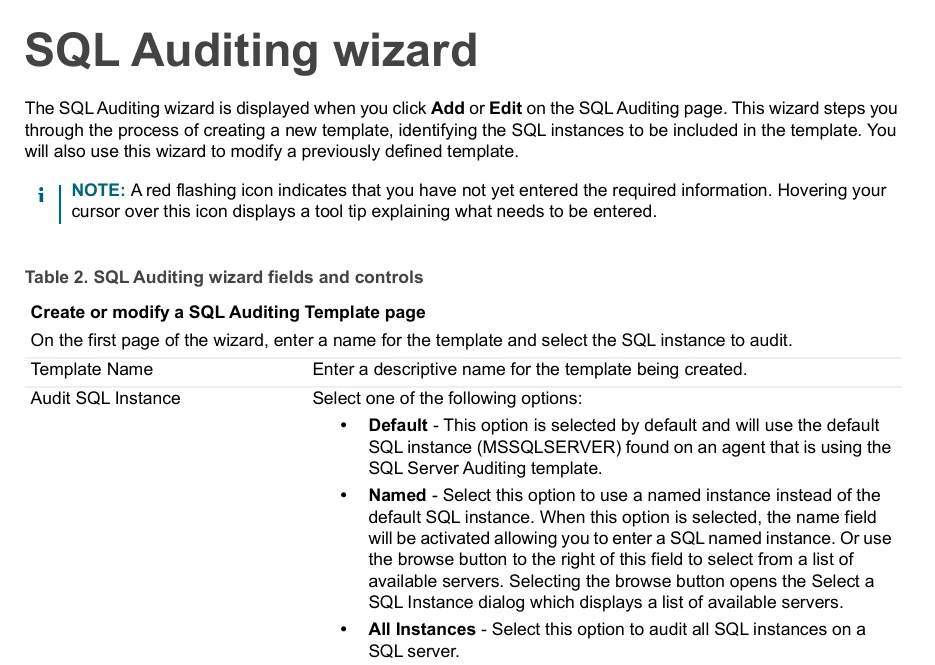
- Compatibility
- Change Auditor for SQL Server with compatible agents, supported SQL Server instance and assigned templates.
- License and trial
- Commercial Quest license.
Redgate Monitor SQL Audit
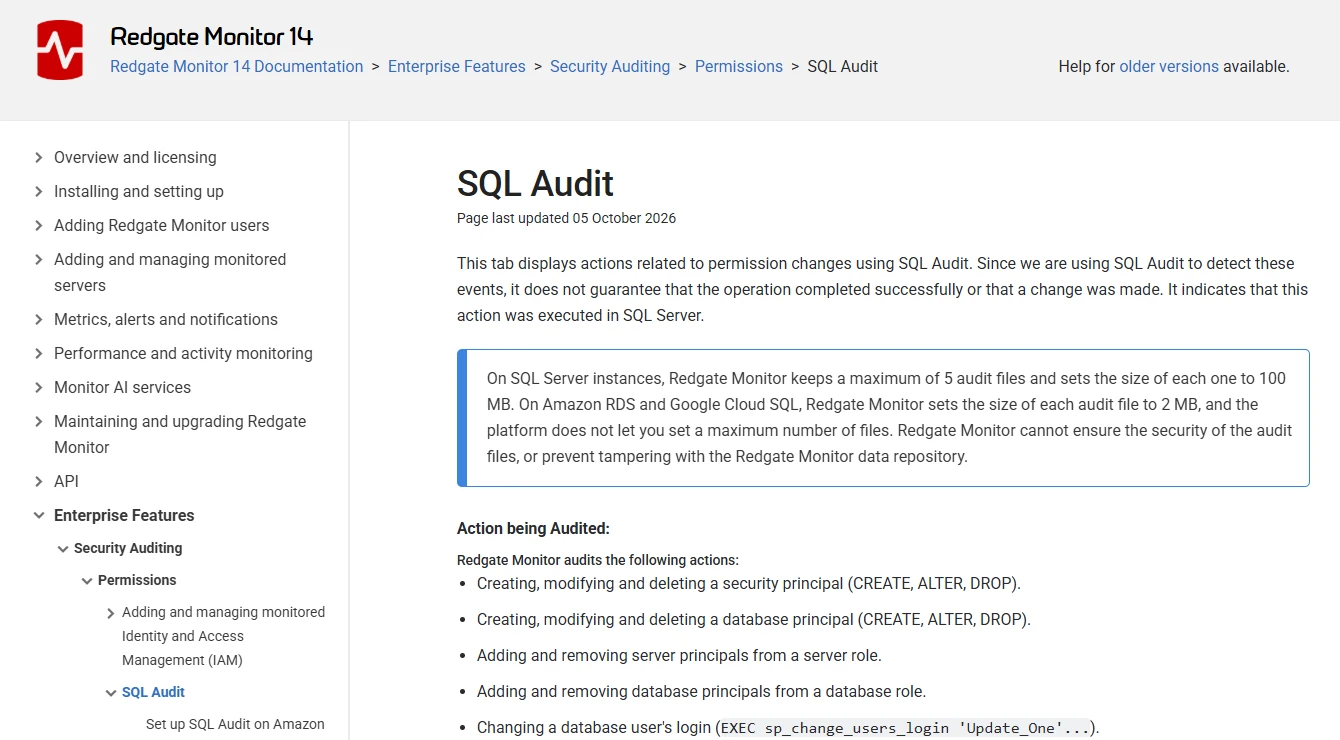
Redgate Monitor’s SQL Audit tab presents actions related to SQL Server permission changes for supported deployments. It is useful when a DBA wants to connect an observed permission event with the wider monitor’s time line and server evidence. The events are linked to the monitored deployment.
Its focused scope is useful for operational change review. Redgate notes that SQL Audit can capture an action as an attempted operation as well as a completed one. Confirmed effective access or detailed audit of application data requires a corresponding source of evidence.
Verify whether SQL Audit is available under the chosen Redgate Monitor version, plan and monitored SQL Server platform. Select the minimal audit scope that can exercise the change trial.
Open the processed event with the same user role that would investigate an incident. Check actual identity, statement and time fields and note if before-and-after values require another collection mechanism.
- Compatibility
- Supported Redgate Monitor SQL Audit deployment and required SQL Server permissions.
- License and trial
- SQL Audit is subject to applicable commercial Monitor edition terms.
ManageEngine EventLog Analyzer
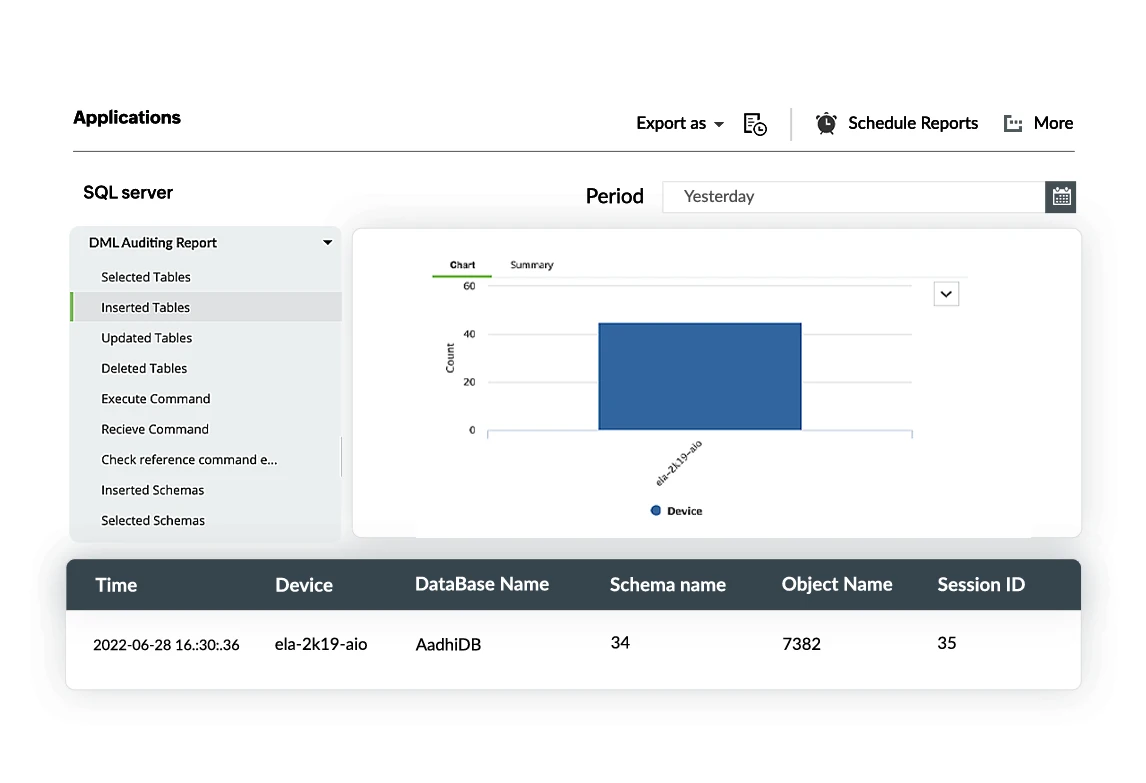
ManageEngine EventLog Analyzer collects supported SQL Server audit and log events and can include them in broader log searches, reports and alerts. It is useful when security operations wants SQL Server activity in the same environment as other infrastructure logs.
Its strength is correlating different audit sources. What SQL Server emits and what the collector forwards determine how specific the report can be. A compliance program needs to confirm that retention, time stamps and actor information meet the evidence requirements.
Record the database audit source that is forwarded and which ManageEngine parser receives it. Match a local audit event to its central report and verify the audit path remains consistent through the trial.
Check event latency and how the receiver handles access gaps. Confirm the report can show SQL instance, object and actor even when a default parser has to be scoped or adjusted.
- Compatibility
- EventLog Analyzer and a supported SQL Server audit and ingestion setup.
- License and trial
- Commercial licensing and volume terms depend on deployment.
DataSunrise Database Audit
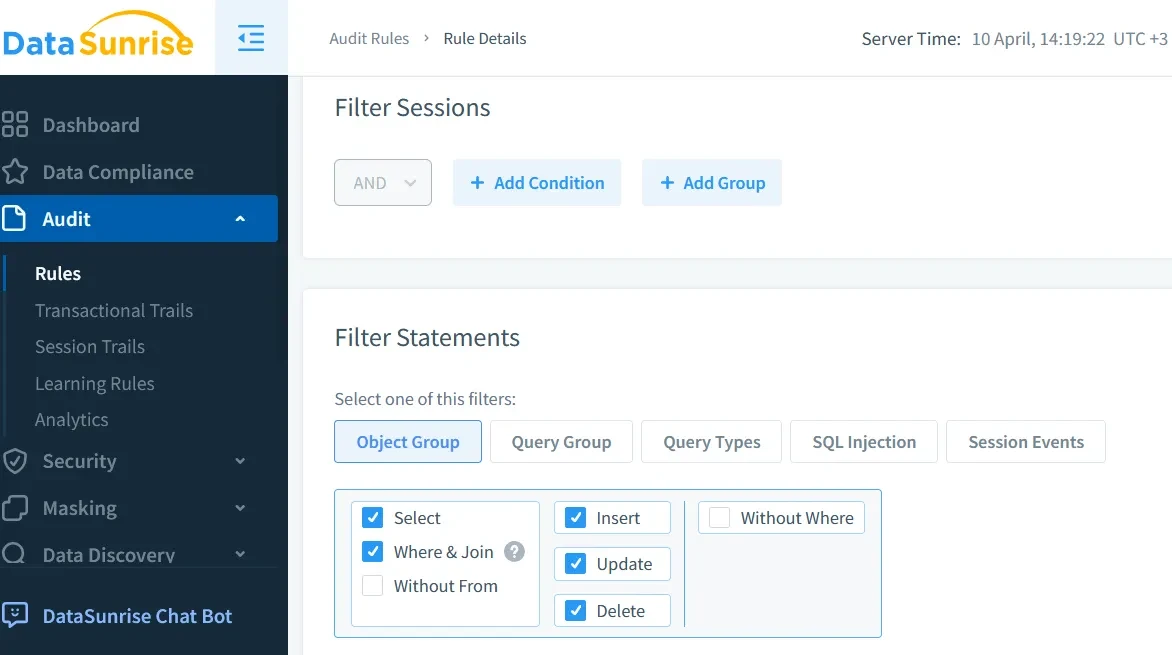
DataSunrise Database Audit can record SQL Server activity using supported collection methods and audit rules. It is useful where an organization wants database activity evidence across several databases and can choose which users, objects or events the audit should cover.
The collection method is crucial. A proxy, native events and agent-based monitoring can observe different traffic and actions. Its value depends on matching the documented collection mode to client paths and maintaining a useful history of the configured events.
Document whether the test deployment observes engine events, activity through a sensor or a proxy connection. Confirm the required authentication and capture route before choosing the policy.
Compare the synthetic change and separate SELECT in the report. Evaluate fields, role-based export and the potential exposure of row or statement details from normal policy settings.
- Compatibility
- DataSunrise with relevant SQL Server access and audit collection configuration.
- License and trial
- Commercial DataSunrise license.
IBM Guardium Data Protection
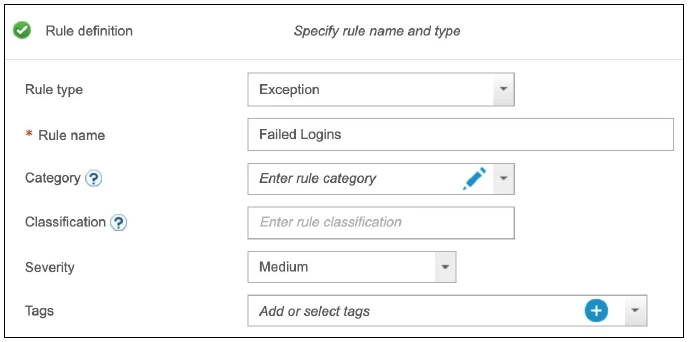
IBM Guardium Data Protection provides database activity monitoring and reporting for supported SQL Server targets. It is useful when enterprise security teams need centralized database audit policies across different engines and already operate an independent collection and retention environment.
Its advantage is managing that evidence at estate scale. The available SQL Server events depend on the collector, encryption path and audit policy. Activity identified by the platform still needs enough source and target detail to answer the intended audit question.
Verify the supported SQL Server version, host and deployment mode, then define an activity rule around one controlled object. Keep the test policy alongside each exported event.
Compare SQL actor, timestamp, statement detail and central report mapping against the native audit. Check what is retained when an authorized collector is temporarily interrupted.
- Compatibility
- Guardium with supported SQL Server collection and applicable agent or collector setup.
- License and trial
- Commercial IBM Guardium terms.
Netwrix Auditor vs IDERA at a glance
| Feature | Netwrix Auditor | IDERA SQL Compliance Manager |
|---|---|---|
| Collection and scope | Netwrix Auditor 10.9 documents a trace-based data collection mode and a detailed trigger mode. Configure data monitoring for the intended instance. | Register the SQL Server instance and select the audit activities and collection settings. Check the documented requirements for the target build. |
| Before-and-after values | Check detailed database content monitoring and its prerequisites. Run a change against a selected table and inspect the returned values. | IDERA documents comparing before-and-after data for inserts, updates and deletes. Verify the selected tables, columns and data types in the report. |
| Availability Groups | Netwrix Auditor 10.9 specifies its triggerless mode for SQL Server Availability Groups. Test the event detail available in that mode. | Check the supported configuration for the installed release. Verify the exact before-and-after feature on a replica after a lab failover. |
| Reviewing a finding | Use the activity record and related reports to inspect the actor, object and action. Record the collection mode with the evidence. | Use the audit activity and before-and-after reporting views. Check the row identifier, table and available values against the SQL result. |
| Event retention and export | Confirm the audit database and report export settings. Reopen the report for the same scope after a new collection cycle. | Confirm the collection and archive settings, then export the report for the relevant database and time range. |
Choose the record you need for a review
| What you need | Tools to shortlist | What to verify |
|---|---|---|
| Review DML and selected row values | Verify the before-and-after capture requirements and check whether the collection mode supports the actual SQL topology. | |
| Collect native audit events and verify access outcomes | Choose the SQL actions to audit and compare the report with the underlying SQL audit event. | |
| Extend an existing monitoring or change-audit installation | Confirm supported versions, edition and exact SQL event types before treating a report as a complete record. | |
| Audit activity across several database platforms | Validate SQL Server connection coverage, event details and how the tool correlates the event with the database and login. |
Choose between cross-system change reporting and dedicated SQL auditing
Netwrix packages SQL Server into monitoring plans alongside other monitored systems. IDERA offers dedicated SQL Server audit configuration and documented scoped before-and-after data. Both have deployment and configuration choices that determine what appears for a specific table or selected columns.
Scope the trial to one synthetic table and run the same two operations against each. A statement may identify the intent and the object. A requirement to produce old and new row values calls for a capture mode that records them and access controls that protect them.
SQL changes alongside other infrastructure activity
Trial the Netwrix monitoring plan
Check source coverage and compare basic with detailed data-change mode.
SQL-specific activity and scoped before-and-after row values
Trial IDERA and the equivalent Netwrix scope
Verify both capture modes, supported columns and export permissions.
Only configured SQL actions and actor identity
Check the native SQL Server Audit baseline
Compare exact actions, central reporting and retention costs.
Verify a committed change, a separate SELECT and retained evidence
Audit one synthetic column, ChangeValue, in dbo.AuditCompareTrialRows. Configure the exact required events and before-and-after features in each product. Record the design and timestamp of the change along with the SQL login and the SQL Server instance. Keep the separate read as a distinct observation.
Run the fixture on a disposable SQL Server database with autocommit enabled. Confirm Before and After in separate reads and confirm what each product can export. For high-volume tables, limit or filter the trial coverage and measure actual data volume and collection latency.
| Test | Known database result | Product evidence to save |
|---|---|---|
| Before read | The row contains ChangeValue 10 | Configured SELECT event and SQL identity where required |
| Committed UPDATE | ChangeValue moves from 10 to 20 | Actor, scope, action, timestamp and actual before-and-after fields if configured |
| After read | The row contains ChangeValue 20 | Read capture or independent proof of restored report context |
| Restricted reviewer | Authorized user can reopen the incident | Policy-compliant export under the designated role |
How to compare these tools
Use the same SQL Server events and retention requirements. Confirm whether login, permission and DML records retain the right user, time and object, and whether before-and-after values are available for the required columns. Sources checked .
Compare a committed update, a rollback and a denied read
Create an empty disposable AuditCompareTrial database. Run Setup once in a fresh authorized connection, configure both products and the native audit in the test environment, then run Read, Change and Read as the lab identity using separate executions. Ensure implicit transactions are disabled.
Change one synthetic SQL Server row and verify committed values
T-SQL · 35 lines
- Set up the one-row fixture and configure both products with the same table and event intent. Prepare the authorized test login and identify where the tool collects each event.
- Record the initial value, run Change once, then run Read from another dedicated test connection. Match both reads and the UPDATE to the separate timestamps and SQL identities.
- Open the evidence with the assigned reviewer role. Compare actual captured values, retention and export. Keep any unavailable data or filtered event recorded as a separate outcome.
Conclusion
Pick the tool that can return the records your review needs from the SQL Server topology you run. If before-and-after values matter, test the relevant table and capture mode before buying. Keep the persisted row beside the audit report so a reviewer can distinguish an attempted change from a committed one.
Frequently asked questions
What is the main difference between Netwrix Auditor and IDERA SQL Compliance Manager?
Netwrix Auditor documents trace-based and detailed trigger-based collection modes in its SQL Server monitoring plan. IDERA SQL Compliance Manager is dedicated to SQL Server auditing and documents before-and-after reporting for selected DML changes. Compare the capture requirements and report fields for the deployment you need.
Can Netwrix Auditor use data-change triggers on a SQL Server Availability Group?
The Netwrix Auditor 10.9 documentation specifies its triggerless collection mode for Availability Groups. Run the test through the topology and check the report details that mode can provide.
Can a SQL Server audit event show that an update committed?
Check the event type and transaction fields supported by the provider. SQL Server Audit’s succeeded field records the permission result for non-login actions. Read the final SQL row or obtain a documented transaction outcome when commit matters.
Does IDERA SQL Compliance Manager show before-and-after values for data changes?
IDERA documents before-and-after data reporting for inserts, updates and deletes. Configure capture for the target and verify the affected row and values in a lab before relying on the report.
Can native SQL Server Audit support the same proof of concept?
Yes. A native SQL Server Audit can provide a baseline for selected DML and access events. Compare its records and separately read the persisted row to verify the result.
Does a captured UPDATE statement show the old value of the row?
An UPDATE statement shows the operation and can include the new expression. Verify before-and-after values in a mode that records the old and new data for the configured scope.
Can the products use the same SQL audit collection methods?
Their modes and scope depend on version and configuration. Compare the desired action types, selected objects, data changes, retention and output from each documented deployment.