

SQL Server security configuration assessment can compare an instance against a published benchmark, a vendor’s vulnerability rules or a team’s own policy. These are different baselines. A scanner can spot a risky setting and produce evidence for an audit, while a scripted check can explain why an instance deviates from the rules the operations team agreed to enforce.
The important comparison is which controls the tool can actually evaluate with its credentials. An unreadable setting should be distinguishable from a passing control. Scan results also need context about the SQL Server version, managed platforms and intentional exceptions. A useful report identifies the affected instance or database, the rule and the evidence behind its result.
SQL Server security configuration assessment tools at a glance
Compare the rule source and how the tool gets evidence. Check coverage for your build and require an explicit state for scan errors or unknown values.
| Tool | Assessment style | Where rules come from | Evidence to verify |
|---|---|---|---|
| Microsoft Defender for SQL Servers on Machines | Connected SQL resource vulnerability assessment | Microsoft rule set for supported resources | Rule ID, remediation and approved baseline record |
| CIS-CAT Pro Assessor | Benchmark assessment for supported target | CIS benchmark version and profile | Control ID, observed data and applicability |
| Tenable Nessus | Credentialed SQL database compliance check | Microsoft SQL .audit check content | Check text, query privilege and report result |
| Rapid7 InsightVM Policy Manager | Policy assessment and reporting | Applicable Rapid7 or custom policy | Scanner access, status and exception record |
| Qualys Policy Compliance | Database assessment for supported releases | Qualys policy and database controls | Authentication status alongside control evidence |
| IBM Guardium Vulnerability Assessment | Platform-specific database assessment | Guardium tests and configuration | SQL data source, raw test status and retest |
| Microsoft SQL Assessment API | Rule-based diagnostics callable through tooling | Built-in rules plus custom configuration | Applied rule ID, version and reproducible result |
| dbachecks | Pester-based SQL environment checks | Module checks and local configuration | Runnable check, expected state and exported output |
Microsoft Defender for SQL Servers on Machines
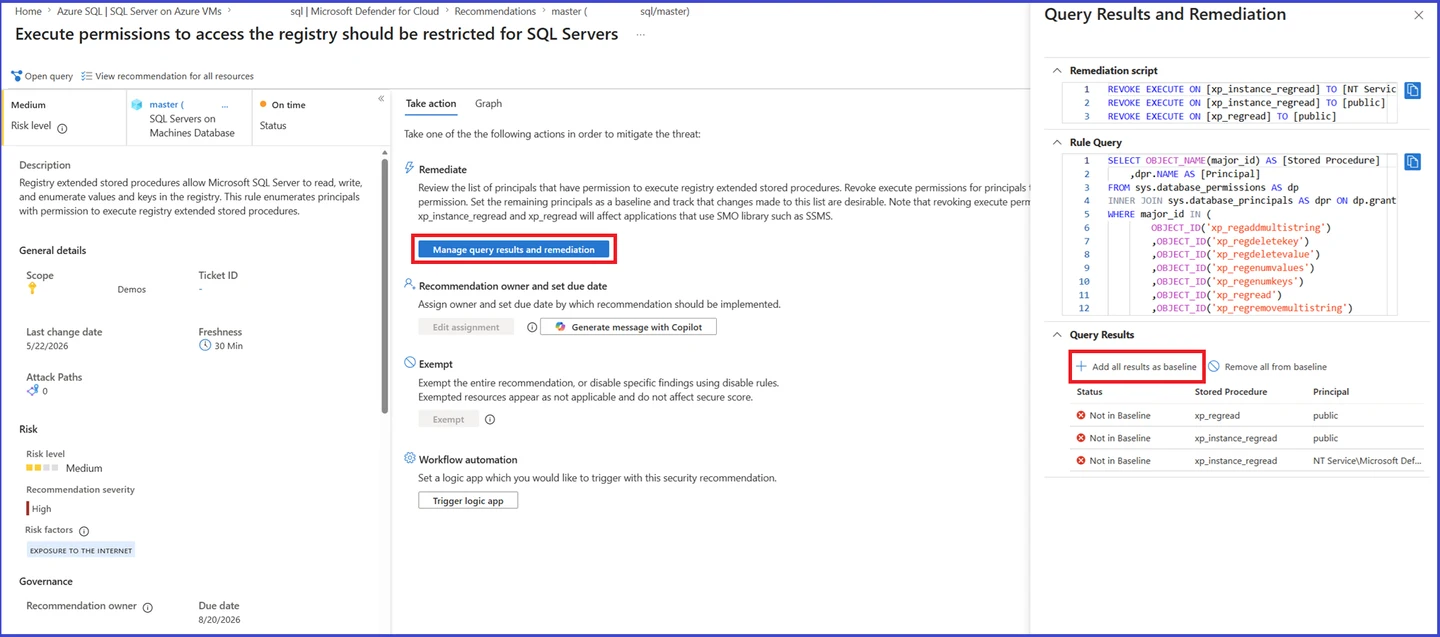
Microsoft Defender for SQL Servers on Machines offers vulnerability assessment for eligible SQL Server deployments covered by Defender for Cloud. Its rules can flag security configuration and permission findings and surface them with remediation guidance. It is useful where the organization already works from Microsoft’s cloud security recommendations.
It fits security teams that want SQL Server findings in the Defender workflow. The target’s onboarding and the rule version influence coverage. An assessment is a snapshot of available evidence, and accepted exceptions and follow-up scans need to be managed in the applicable platform workflow.
Start with a supported connected SQL Server resource and confirm which assessment rules ran. Save the rule identifier and evidence for a finding before changing its baseline or accepting a known exception.
Compare a controlled setting in the lab with the latest assessment timestamp. Check reading rights, scope and where the console shows unreachable or unassessed targets after an interruption.
- Compatibility
- Supported SQL Server target enrolled in the applicable Defender for Cloud configuration.
- License and trial
- Commercial Defender for Cloud entitlement and platform requirements.
CIS-CAT Pro Assessor
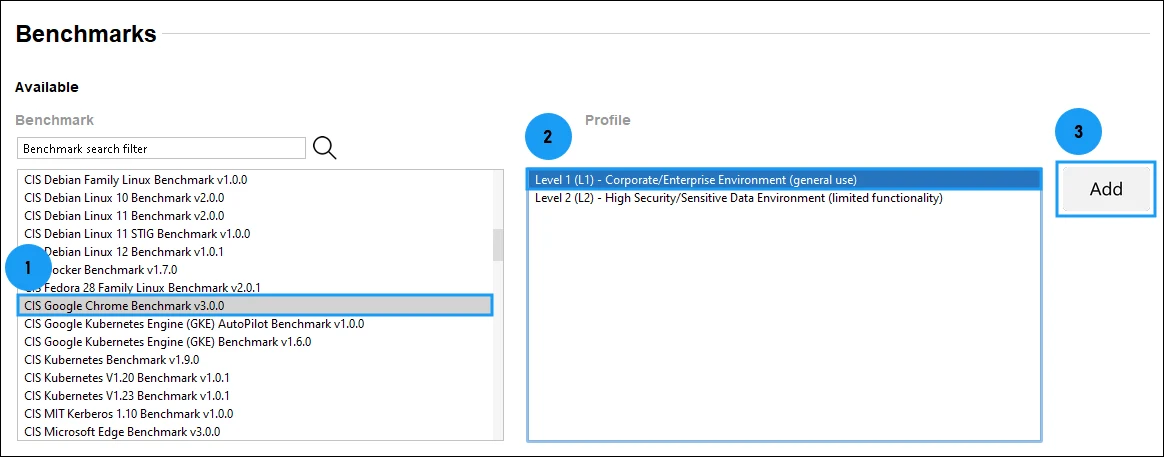
CIS-CAT Pro Assessor can run supported CIS Microsoft SQL Server benchmarks and generate reports against the selected profile. It is useful when an organization specifically needs an assessment aligned to CIS controls and wants a repeatable artifact for comparing instances or review dates.
The main advantage is a published baseline with identifiable controls and profiles. The selected SQL benchmark must match the engine and scope, and the scanner needs enough access to evaluate each setting. Policy exceptions still need to be documented and reassessed when the benchmark changes.
Select the exact SQL Server benchmark version and applicable profile. Record exemptions and checks that require manual review separately from automated observations. Availability of a benchmark depends on the release and subscribed tool.
Export detailed results and independently verify one control with the catalog query below. Check how the report identifies scanner errors and whether proof can be reopened after a new benchmark version.
- Compatibility
- CIS-CAT Pro with a supported SQL Server benchmark and scanner configuration.
- License and trial
- CIS SecureSuite access for applicable Pro tooling and content.
Tenable Nessus
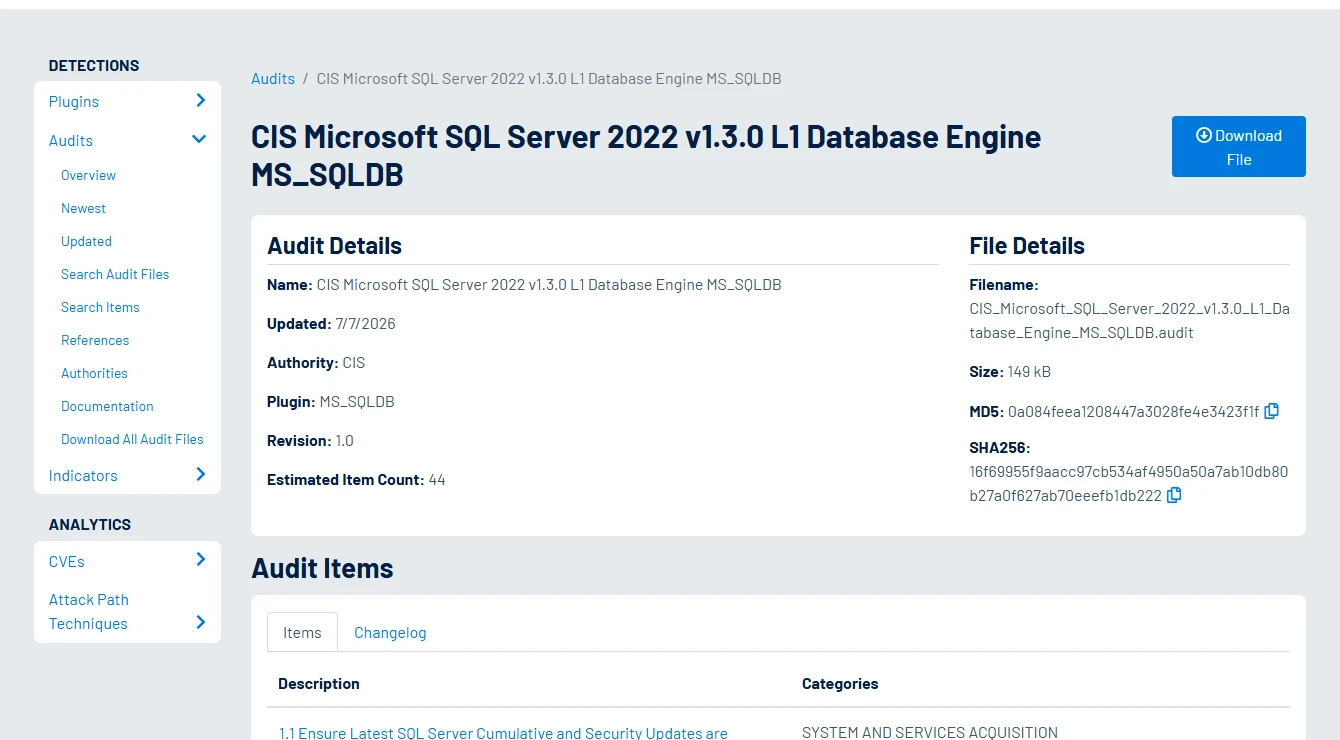
Tenable Nessus supports Microsoft SQL Server compliance checks and curated audit policies, including applicable CIS policies. The database credentials let the scan inspect engine settings and permissions that an ordinary network assessment cannot see. This is useful for shops that already review compliance in Tenable.
It fits a wider scan program where SQL Server needs a documented database policy of its own. Policy version, SQL permissions and target connectivity determine the result. An inaccessible or unsupported check should be examined before treating a compliance score as evidence.
Review the applicable Microsoft SQL compliance check and expected value in the policy content. Use a lab scanner credential with the documented rights for the selected checks and prove the resource identity.
Save the plugin and policy versions along with the actual evidence on a failed or unknown item. Re-run the same scope to check remediation and keep a second example of failed authentication.
- Compatibility
- Tenable Nessus with supported compliance scanning and SQL Server credentials.
- License and trial
- Commercial Tenable entitlement for applicable policies and workflows.
Rapid7 InsightVM Policy Manager
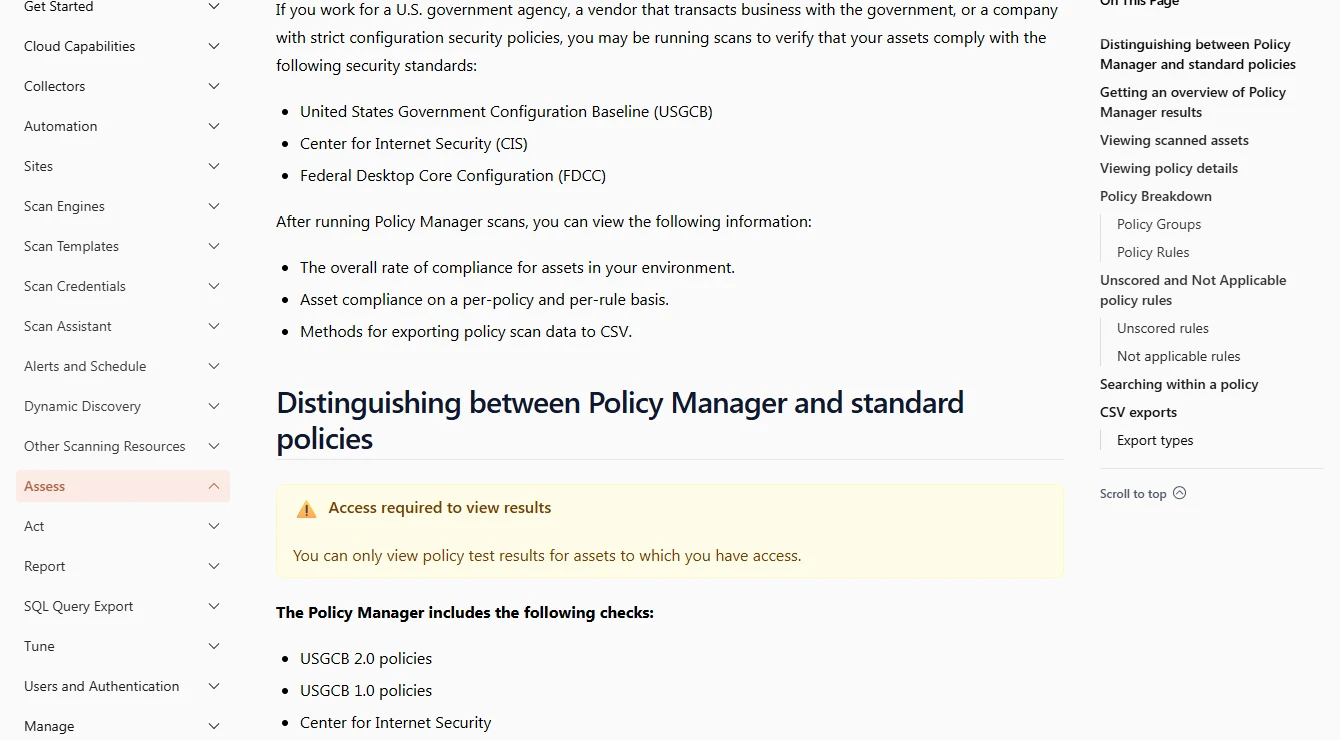
Rapid7 InsightVM Policy Manager can assess supported SQL Server policies using configured database credentials and can organize the results in existing scan workflows. It is useful when an organization wants SQL configuration evidence in the same operations process as other vulnerability and policy findings.
Its database policy results depend on reachability, permissions and the settings included in the policy. A host scan and authenticated SQL policy scan cover different controls. The buyer should account for report history and how the workflow represents failures to evaluate a check.
Use a supported SQL database policy and document the credential and scan engine used. Check the current platform documentation for availability and requirements on the edition and build you plan to assess.
Open Policy Manager with one compliant, one failing and one unreachable target. Compare how each outcome appears in reports, including whether a documented exception can be tracked without erasing the original evidence.
- Compatibility
- InsightVM Policy Manager with compatible SQL Server policy and database scan access.
- License and trial
- Commercial Rapid7 licensing.
Qualys Policy Compliance
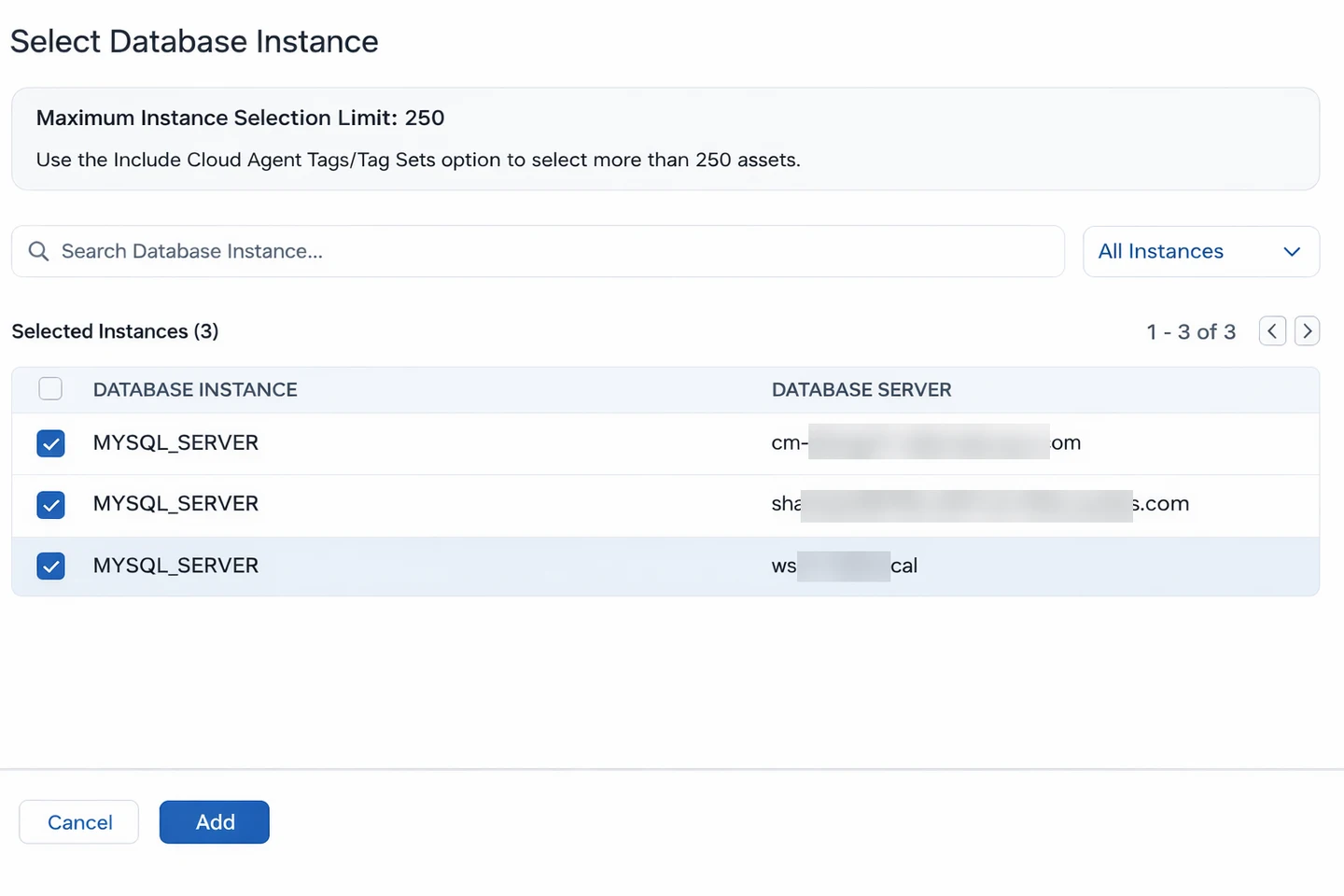
Qualys documents a database assessment support matrix and prerequisites for inspecting supported SQL Server systems. This fits organizations that already use Qualys to assess configuration against security policy and want SQL Server results alongside other asset and compliance evidence.
The benefit is central policy and reporting. The platform, version and assessment identity determine which checks can read the required SQL Server state. A useful rollout keeps authentication problems visible so a missing result cannot be mistaken for a compliant setting.
Use the database support matrix to decide which SQL Server product and version can be scanned. Record the actual authentication and policy scope before interpreting coverage across multiple hosts.
Sample one SQL configuration control from the report and compare it to the running value. Check how the chosen scanner and subscription represent failed authentication, approved exceptions and control evidence.
- Compatibility
- Applicable Qualys database assessment deployment and supported SQL Server host and credentials.
- License and trial
- Commercial Qualys license and database assessment entitlement.
IBM Guardium Vulnerability Assessment
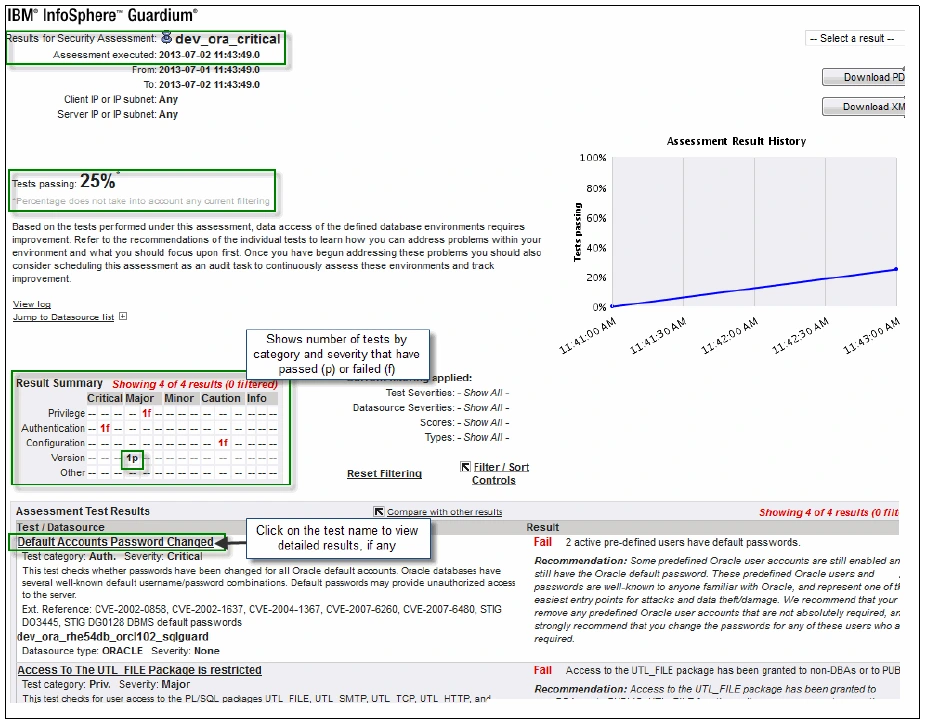
IBM Guardium Vulnerability Assessment can evaluate supported databases against configured security tests. It is useful for a Guardium customer that wants to review SQL Server configuration and permissions together with assessment results from other database engines under one program.
Its useful scope depends on the configured tests and the database privileges granted to the assessment account. Activity monitoring and vulnerability assessment use different collection methods, even within Guardium. The team should judge findings against the versions and exceptions that apply to each target.
Create a supported SQL Server data source in the assessment environment and confirm which audit and metadata checks the identity can run. Record the assessment test version alongside the SQL Server version.
Compare a flagged lab control with the raw catalogue observation. Re-run after an approved lab remediation and verify the treatment of skipped, inapplicable or inaccessible checks in the export.
- Compatibility
- Guardium Data Protection with supported SQL Server assessment access and rule coverage.
- License and trial
- Commercial IBM licensing and applicable assessment entitlement.
Microsoft SQL Assessment API
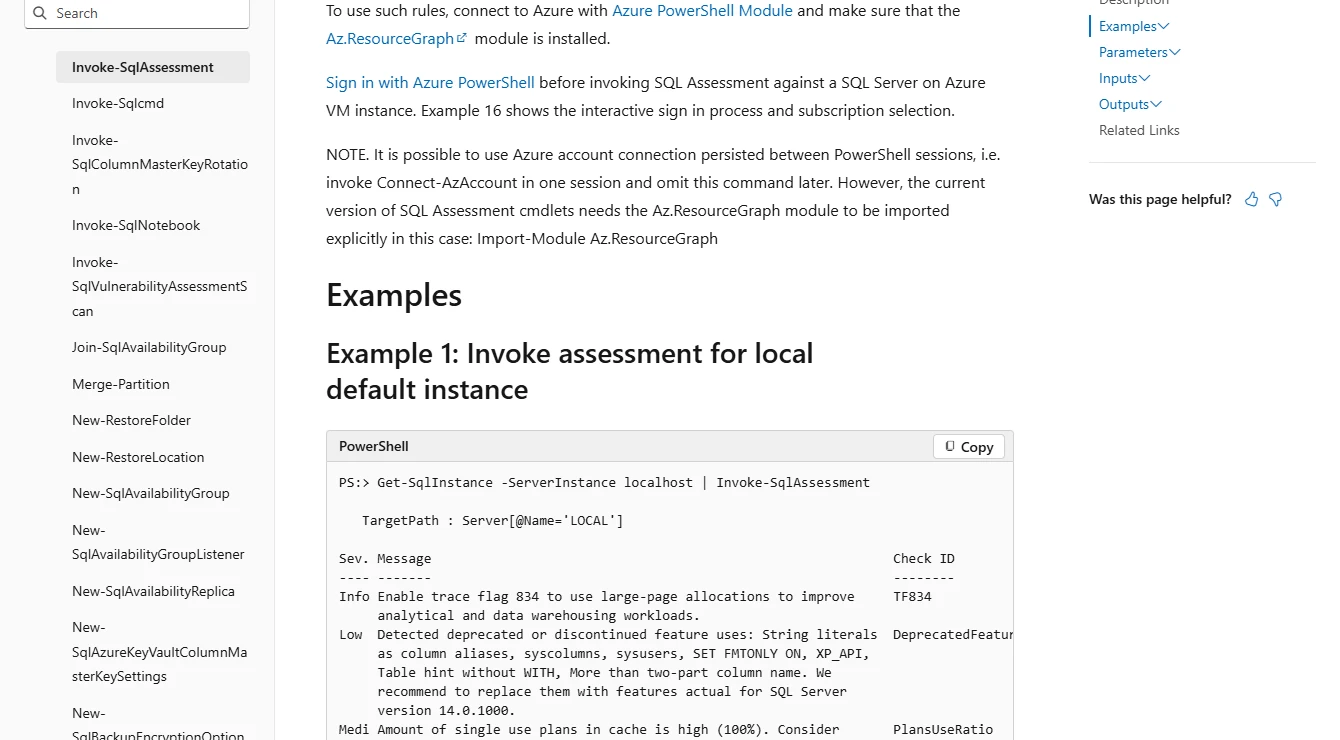
Microsoft’s SQL Assessment API evaluates SQL Server settings against documented rules and can be used through PowerShell. It is useful for a DBA who wants a repeatable baseline of instance and database conditions and needs output that can be included in existing administration scripts.
Its strength is a customizable assessment that the team can run with its own schedule and controls. The rule set includes operational checks as well as security-related checks. Mapping results to a formal compliance framework and retaining prior evidence remain separate tasks.
Pin the ruleset and execution tooling when incorporating SQL Assessment API into a build or audit workflow. Select a rule that applies to the target SQL version and confirm how any customization changes the expected value.
Keep the source rule and its output next to the independently observed setting. If a script collects multiple targets, report rule applicability and connection failures alongside passed and failed checks.
- Compatibility
- Supported SQL Assessment API or SqlServer PowerShell module, plus sufficient SQL Server access.
- License and trial
- Free Microsoft assessment tooling.
dbachecks
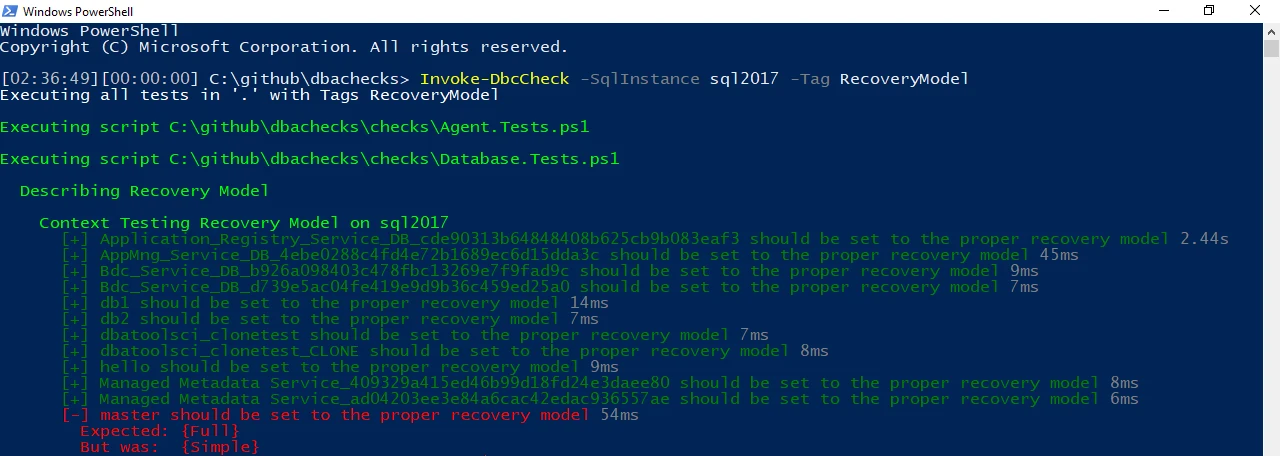
dbachecks provides PowerShell-based validation for SQL Server environments. Its checks can be configured for expected instance and database settings and run repeatedly as part of administration or CI. This is useful when a DBA team wants to express its own baseline in source control.
The framework fits teams that can maintain the checks and connect them to remediation. Configured policy determines which conditions count as failures. Some checks test operational reliability as well as security, so a result needs a clear relationship to the organization’s chosen controls.
Select a small set of module checks and keep the explicit configuration and module version in the lab evidence. Confirm that the targeted SQL scope and exception policy match the ones used by the commercial candidates.
Use repeatable Pester output to check before and after a controlled change. Record failed authentication and module errors separately from failed checks so a clean result has a known coverage denominator.
- Compatibility
- PowerShell, dbachecks and its supported dependencies, with SQL Server access.
- License and trial
- Free, open-source project.
Pick the assessment you need to repeat
| What you need | Tools to shortlist | What to verify |
|---|---|---|
| Review managed security findings across enrolled SQL Server hosts | Confirm host enrollment, coverage, scan freshness and how the platform records a finding accepted into the baseline. | |
| Run a named CIS or compliance benchmark | Use the published profile for your SQL version and scope. Record the benchmark revision and the checks that need host access or manual review. | |
| Assess database settings within an existing scanning program | Verify supported SQL releases, the collection path, credential delivery and permissions for the exact controls you need. | |
| Schedule repeatable checks from DBA automation | Save the rule IDs, module version, expected values and exclusions alongside each result. |
Check the policy version and scanner reach before interpreting a score
Benchmark tools, vulnerability assessments and programmable checks can cover different configuration settings. Match the SQL Server edition, build and operating system to a documented ruleset before comparing results. Compare exact rule IDs and include the list of checks the scanner could not evaluate.
Server options can hold a configured value that differs from the value in use. Collect both. If a setting is exception-approved, link its rationale, owner and review date to the finding and preserve the underlying evidence.
Audit against a named and versioned benchmark
Trial benchmark or policy scanners
Compare profile, applicability, control IDs and reproducible evidence.
Triage settings across an existing cloud or security platform
Trial the connected assessment
Verify credentials, asset inventory and failed collection states.
Enforce the team's settings in a repeatable SQL workflow
Trial SQL Assessment API or dbachecks
Keep the ruleset and result handling under version control.
Verify configured values against the running SQL Server settings
Use this worksheet to calibrate one scan against a read-only catalog query. The example policy expects xp_cmdshell and remote admin connections to have zero as both configured and running values. Substitute only the values in your approved lab baseline. Review operational requirements separately for a real instance.
Record the scan time and baseline version. Some discrepancies may be waiting for reconfiguration or restart. A collector that lacks access or cannot find a value needs its own result. Read a fresh scan after any approved lab remediation and match its timing to the retest.
| Observation | Sample case | Record in the report |
|---|---|---|
| Configured and running match baseline | Both values are 0 in this example | Pass with observed values and UTC timestamp |
| Configured differs from running | Configured is 0 while running is 1 | Mismatch and change or restart dependency |
| Running differs from baseline | Both values are 1 where approved value is 0 | Finding, applicable rule and evidence |
| Missing value or login failure | Query cannot read some settings | Unknown or failed collection with scope |
| Exception approved | Setting is approved for a documented operational dependency | Preserve actual value and link the time-limited exception |
How to compare these tools
Run the same checks on a test instance with known settings and a scoped scan account. Compare the benchmark version, failing settings, exemptions and what a second scan reports after a fix. Sources checked .
Run the same SQL Server checks with two scan identities
Use an existing disposable ConfigAssessmentTrial database on a lab instance. Adapt the two example expected values to the trial policy and run with the assessment identity. Keep the results even if the scanner errors or an option is absent. The query reads instance configuration and makes no changes.
Check an example policy against configured and running values
T-SQL · 24 lines
- Record the target, exact policy version and effective scanner identity. Collect a sample from the native query and match it to the same instance in the assessment tool.
- Compare one control's expected value and source with catalog observations. Test collection failure using only a disposable identity and verify that missing evidence stays visible.
- After an approved isolated lab change or use of a second lab configuration, run the same check again. Save both scans and account for any setting whose configured value differs from its running value.
Conclusion
Pick a tool that can rerun the exact checks you need after a SQL Server upgrade or configuration change. Compare two reports for the same instance and confirm you can trace each important finding back to the actual SQL setting. Keep the benchmark revision and scan account with the report so someone else can repeat the assessment.
Frequently asked questions
What is a SQL Server configuration assessment?
It compares observed server and database settings with a rule or baseline. For example, a tool might read whether xp_cmdshell is enabled or whether TRUSTWORTHY is on and judge the value against the selected policy.
Which tools scan SQL Server against a CIS Benchmark?
CIS-CAT Pro lists supported Microsoft SQL Server benchmarks. Tenable publishes SQL Server CIS audit files by release and profile. Confirm the SQL release, benchmark version and whether the package covers database, instance and host controls.
Why does a scanner skip a SQL Server configuration check?
The check may be inapplicable to the SQL release, disabled in the policy, or unable to read a setting under the scanner’s account. Look for the check status and the reason. Compare a rerun under the documented permissions.
How do I handle a required SQL Server configuration exception?
Record the specific instance or database, control, actual value, owner and expiry date. Apply the approved exception where your workflow supports it and rerun the scan so the finding and its approval can be reviewed together.
How can I verify a SQL Server configuration finding manually?
Use sys.configurations for configured and in-use server settings and sys.databases for database properties such as TRUSTWORTHY. Compare the setting with the relevant rule and use a login that can see the target.
Why does a SQL configuration scan show two values for one option?
SQL Server exposes the configured value and the one currently in use. Review both and check whether the option is dynamic before deciding what remediation or verification is required.
Should a scanner report missing SQL results as passing?
Use an explicit unknown or collection failure state. Keep successful coverage, rule applicability and report errors visible to the reviewer.