

A SQL Server permission report can list explicit grants, show role memberships or check what a particular login can do. Each result answers a different question. A grant might come through a role, group or higher scope. Fixed database role permissions are implicit, and ownership or execution context can change what a principal can do at runtime.
Native catalog views and scripts are useful for collecting a transparent inventory. Dedicated tools can keep snapshots, compare states and help show how access was granted. For a disputed permission, testing the applicable SQL context is still useful. The report should make its scope, collection identity and treatment of inherited permissions clear.
SQL Server permission reporting tools at a glance
Separate permission inventory, access paths and runtime verification. Use the trial to see whether each output explains a grant through a role and an object-level deny.
| Tool | Starting evidence | Best use to evaluate | Reconciliation check |
|---|---|---|---|
| SQL Server catalog views and permission functions | Database principals, roles and permission rows | Independent evidence and context-specific verification | Check visibility, fixed roles and actual statement access |
| dbatools Get-DbaUserPermission | PowerShell report of SQL access evidence | Repeatable inventory across multiple instances | Compare object grant, deny and role membership fields |
| SQL Server Permissions Scripts by Kenneth Fisher | SQL permission inventory and scripts | Readable, reusable DBA investigation | Review generated output and whether nested role paths are included |
| IDERA SQL Secure | Collected security snapshot of SQL Server | Central assessment and historical access review | Reconcile latest snapshot with both users' statement access |
| Netwrix Access Analyzer | Permissions job and access analysis | Central permissions reviews | Test which data sources determine a reported access path |
| Quest Enterprise Reporter for SQL Server | Inventory and permissions reports | Report-driven collection across selected instances | Confirm collector scope and queryable membership detail |
| Netwrix Auditor State-In-Time Reports | Historical permissions and means granted reports | Baseline review and privilege attribution | Reconcile report time and scan coverage |
| IDERA SQL Permissions Extractor | Extracted permissions and related definitions | Point-in-time permissions export | Check grant, deny and membership completeness before reuse |
SQL Server catalog views and permission functions
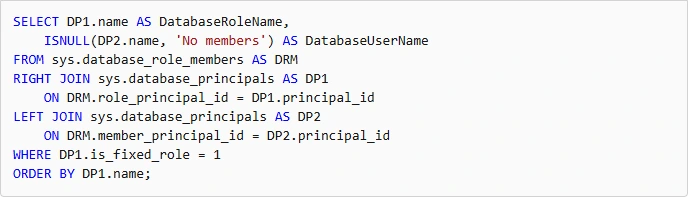
SQL Server catalog views expose principals, role memberships and explicitly recorded permissions. Functions such as fn_my_permissions can report what is available in a particular execution context. They are useful when a DBA needs to trace a permission directly on the SQL Server that enforces it.
The useful distinction is inventory versus effective access. Catalog visibility depends on the collector’s permissions, and some rights from fixed roles are implicit. Effective access can also depend on role membership and execution context, so a raw list of granted rows only covers part of the answer.
Use sys.database_permissions alongside sys.database_role_members and the principal views. Microsoft documents that fixed database role privileges do not appear as ordinary grant rows in sys.database_permissions, so capture the relevant memberships too.
Use the actual requester context or a strictly scoped lab impersonation to check whether a statement succeeds. Record database, object, principal and UTC time together for reproducibility.
- Compatibility
- Supported SQL Server catalog views and permission functions with appropriate visibility.
- License and trial
- Built-in SQL Server features.
dbatools Get-DbaUserPermission
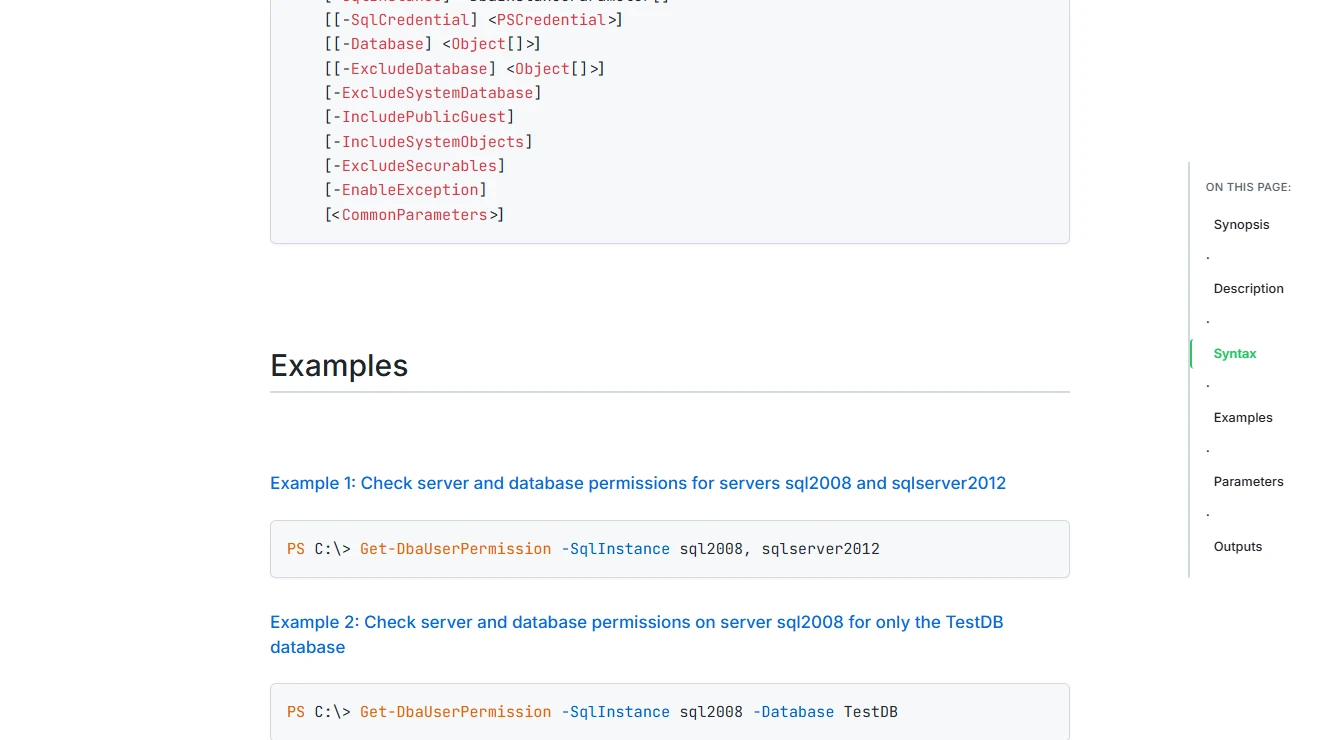
Get-DbaUserPermission collects items such as server logins, database users, roles and object permissions across SQL Server targets. The PowerShell output is useful when a DBA wants comparable inventories across instances or needs to export them to an existing review workflow.
The command’s scope and defaults affect the report. It can include public and guest permissions or system objects when those subjects matter. The inventory helps find grants and memberships, while testing an effective permission still depends on the relevant SQL execution context.
Run Get-DbaUserPermission against one exact lab instance and save the module version and collection identity. Compare rows for the shared role and the principal receiving the direct deny.
Review the report before flattening permissions into a matrix. Preserve inheritance and deny details in exports. Use the native statement to settle the question if output does not fully explain the effective result.
- Compatibility
- PowerShell with dbatools and appropriate SQL Server metadata access.
- License and trial
- Free, open-source module.
SQL Server Permissions Scripts by Kenneth Fisher
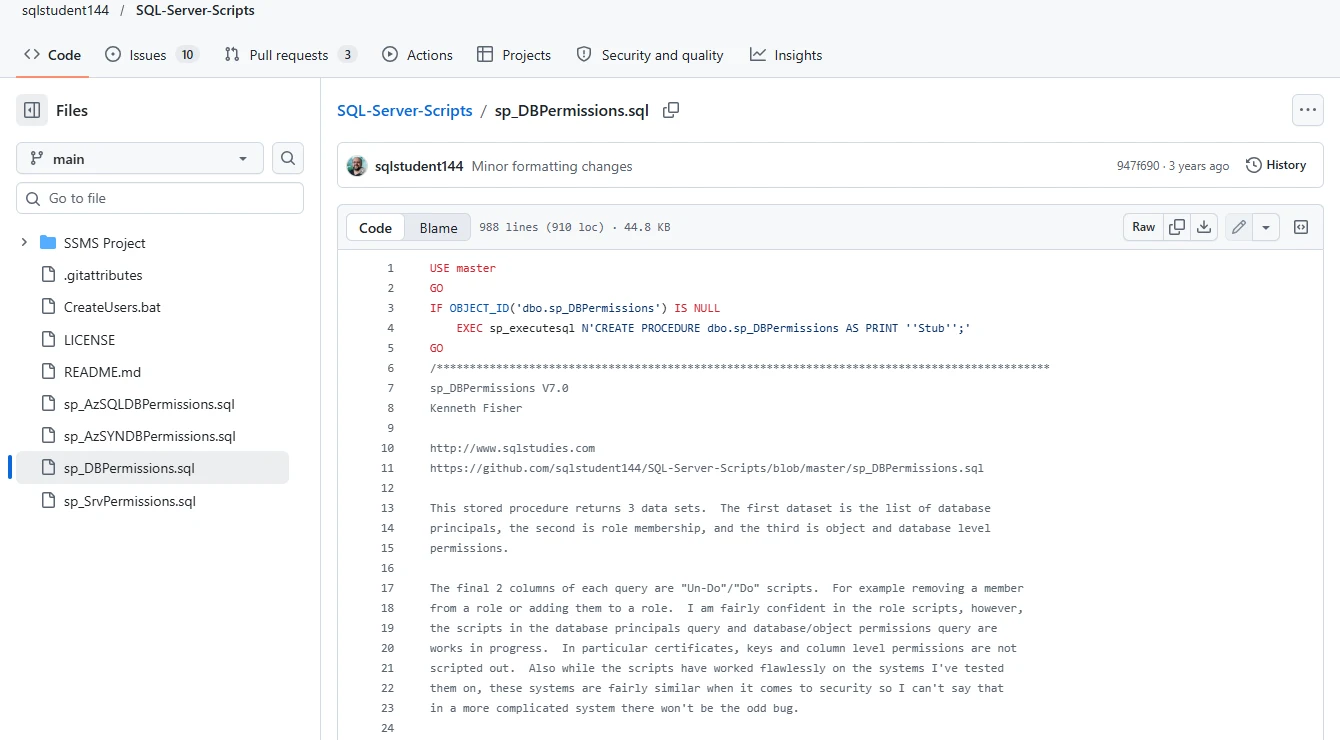
Kenneth Fisher’s SQL Server permissions scripts report on individual databases and servers. They are useful for a DBA who wants the collection logic in plain T-SQL and needs to inspect what is counted or filter the output for an investigation.
Their strength is visibility into the SQL that produces the inventory. Running and retaining results across a whole estate requires the team’s own automation. Catalog visibility, external group membership and implicit rights still need consideration when interpreting the report.
Check Kenneth Fisher's script version and return modes before running a lab inventory. Keep the role-membership output alongside explicit object permissions rather than interpreting each row in isolation.
Review generated scripts before using them elsewhere. Compare source and target database mappings and any manually scoped access in a test environment, then check actual access under a selected principal.
- Compatibility
- Supported SQL Server version and sufficient rights to inspect the relevant principals and objects.
- License and trial
- Public source scripts. Maintenance and execution remain with the team.
IDERA SQL Secure
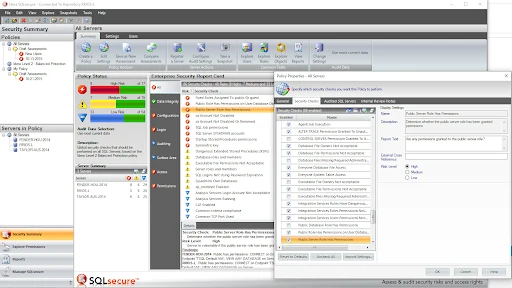
IDERA SQL Secure collects SQL Server security information and uses snapshots and reports to analyze permissions. This is useful when a DBA or auditor wants to see access over time and review security settings across multiple servers through a managed product.
Its advantage is retained evidence and an established reporting workflow. Each snapshot covers the SQL Server and identity information the product could collect. Directory group expansion and the representation of effective access depend on the supported configuration and privileges.
Collect a SQL Secure snapshot after the disposable users and role exist. Open the report for a named object and account and check how the product distinguishes membership, direct assignment and effective access evidence.
Repeat through a separate snapshot after the lab change if permitted. Confirm which data the product retains and which findings relate to a collector permission, a missing identity mapping or a permission change.
- Compatibility
- SQL Secure with supported SQL Server targets and applicable collection identities.
- License and trial
- Commercial IDERA licensing.
Netwrix Access Analyzer
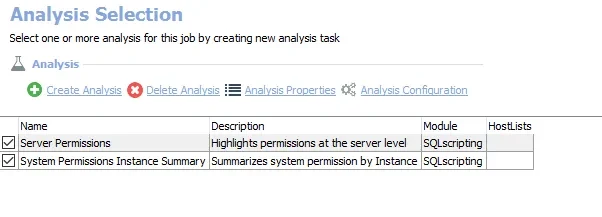
Netwrix Access Analyzer uses SQL permissions jobs to inventory rights on SQL Server. It is useful when database permissions should be part of a wider access review that includes other sources and when reviewers want to trace permissions to relevant principals or groups.
The benefit is bringing permission paths into a repeatable review. SQL and directory collection must cover the identities needed for that analysis. Results can be affected by collection schedules and the scope of the jobs, especially when membership changes between reviews.
Use the documented permissions job with the SQL Server scope and supporting identity data appropriate for the lab. Record the exact collector account so any metadata visibility gap can be investigated.
Trace the accessible and denied users back to their roles and securables. Compare the exported access path to the baseline query and make sure a restricted report reviewer can see enough evidence to explain it.
- Compatibility
- Netwrix Access Analyzer with configured SQL permission jobs and required access.
- License and trial
- Commercial Netwrix licensing.
Quest Enterprise Reporter for SQL Server
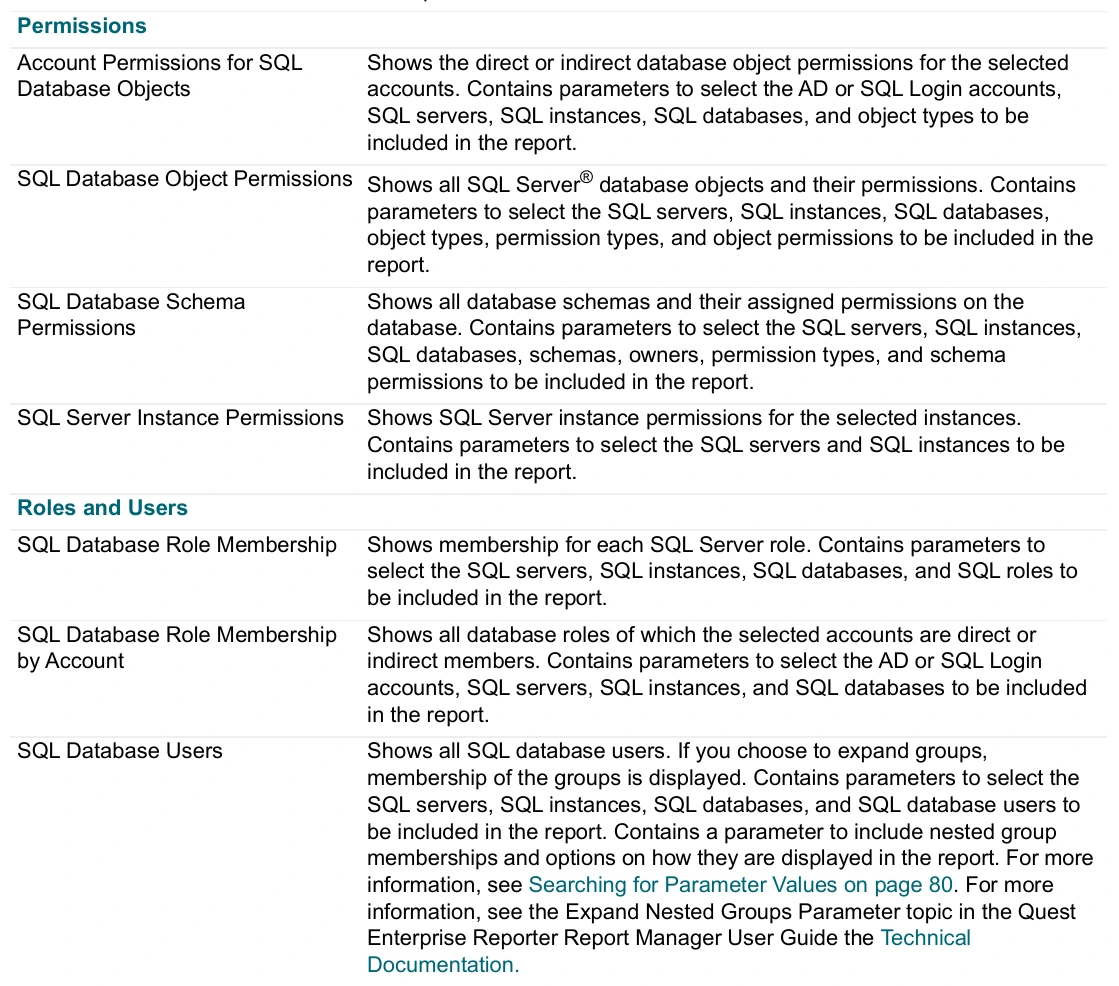
Quest Enterprise Reporter can collect information from SQL Server and produce reports on database objects and permissions, including documented direct or indirect permission views. It fits organizations that already use Enterprise Reporter to allocate periodic discovery and reporting across infrastructure.
Its strength is reporting on a defined and retained discovery scope. The collection identity needs access to the server and databases included, and its permissions determine what can be reported. Effective operations still depend on SQL Server context at the time they are attempted.
Use the current SQL Server report library to select an inventory that includes both principals and relevant role or permission evidence. Confirm which targets are successfully discovered by the collector.
Save a report snapshot with its collection time, then compare both test users. Test focused reporting on one database and how the tool represents an inaccessible instance or missing permissions.
- Compatibility
- Quest Enterprise Reporter with SQL Server discoveries, supported targets and reporting permissions.
- License and trial
- Commercial Quest license.
Netwrix Auditor State-In-Time Reports
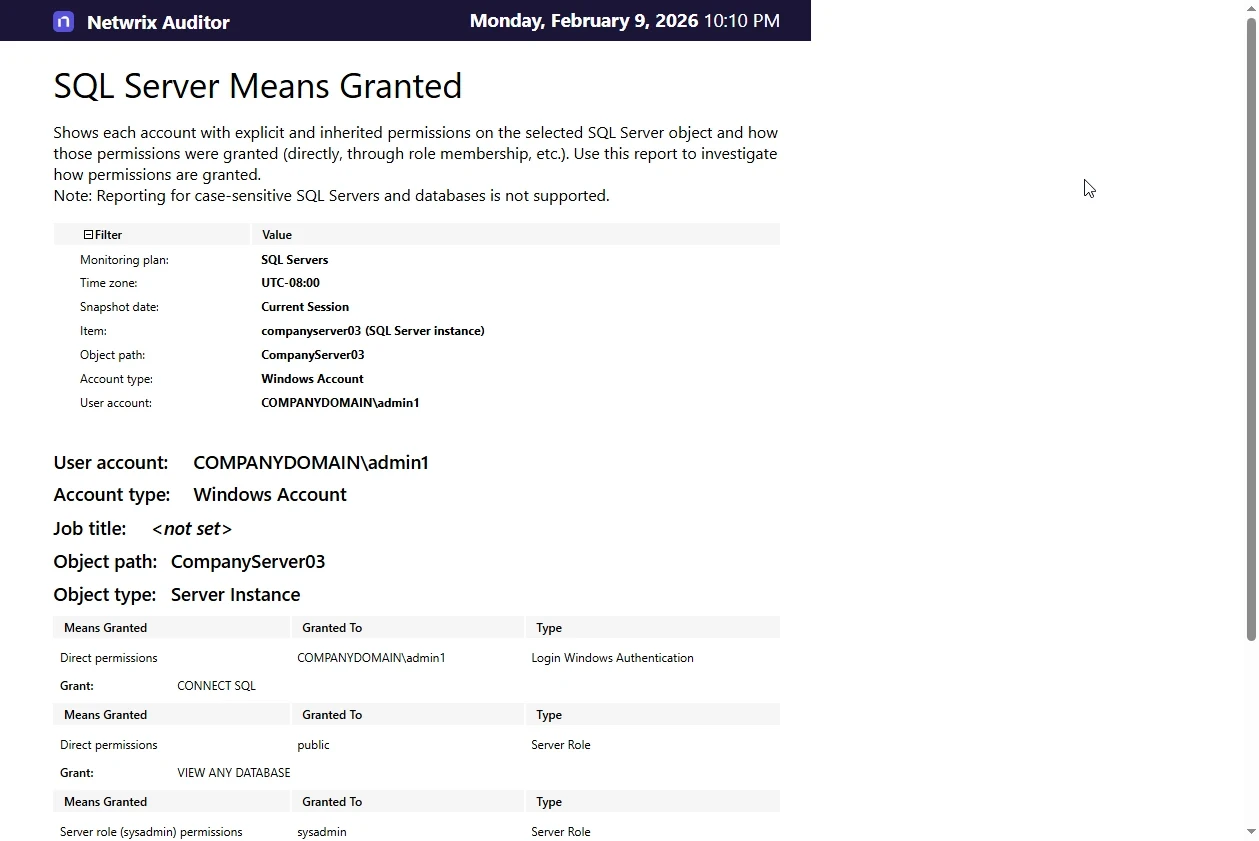
Netwrix Auditor State-In-Time reports can show the collected SQL Server permission state at a point in time. A Means Granted report helps review how access was assigned. This is useful when an audit asks what access existed or how a principal came to have it.
The useful boundary is the snapshot date and what it collected. Permission changes between snapshots and credentials outside the collected scope require other evidence. The report is strongest when reviewers know which servers and databases were included in that monitoring plan.
Use the SQL Server Means Granted report for the relevant point-in-time evidence and verify the collected SQL Server, principal and permission. Keep the report time distinct from the timestamp of the native query.
Check whether the table-level deny and shared role both appear, and which report gives the analyst access to each fact. Validate the user with a direct SQL statement after reviewing the report.
- Compatibility
- Netwrix Auditor with a supported SQL Server monitoring plan and State-In-Time data.
- License and trial
- Commercial Netwrix licensing.
IDERA SQL Permissions Extractor
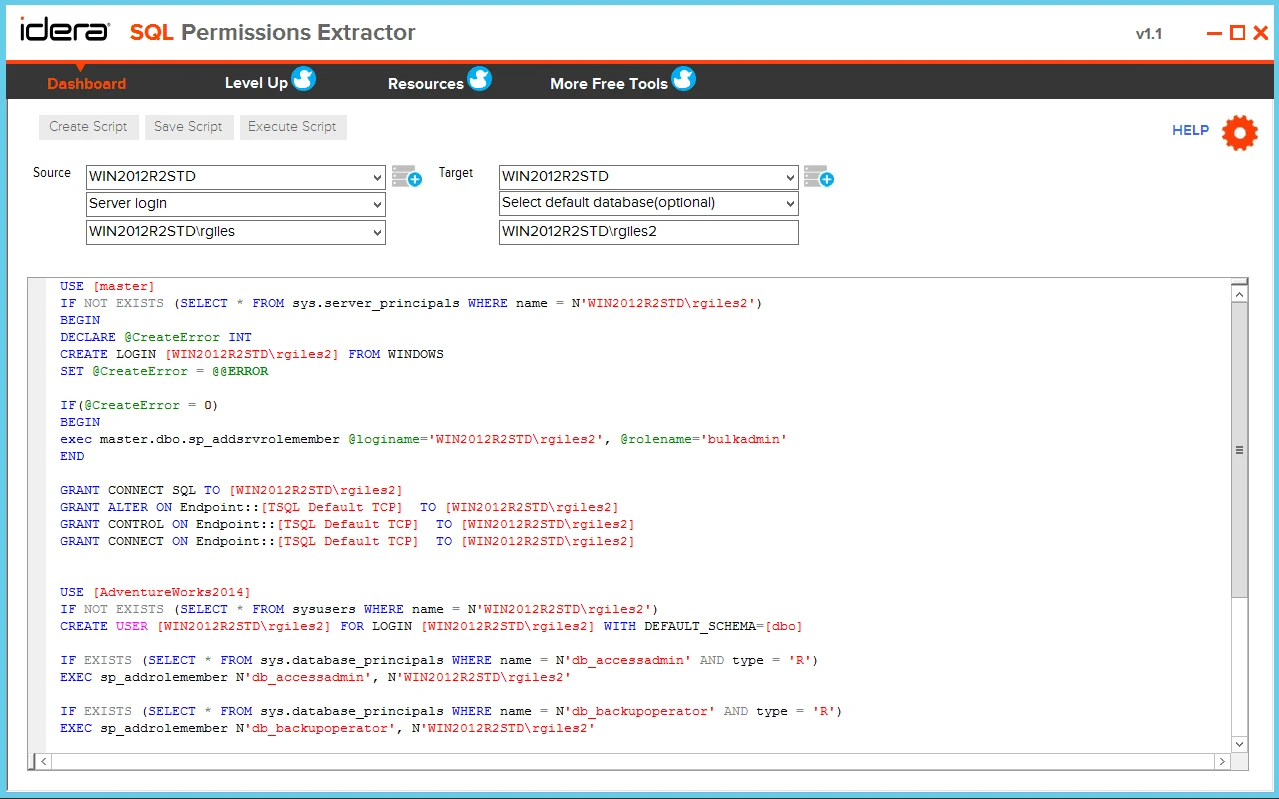
IDERA SQL Permissions Extractor can extract SQL Server permissions into a readable or scriptable form. It is useful when a DBA needs a focused look at assigned permissions or wants an artifact to review before reproducing selected grants on another instance.
Its scope is practical for export and review. An extracted grant script records the permissions the tool found, while effective access can also depend on role memberships and ownership. Applying any exported grant is a separate operation with its own target and review.
Scope the tool to the disposable database and export the fixture. Check whether the artifact includes the user, role membership, grant and deny required to reproduce the lab policy.
Keep the extraction separate from execution. If you evaluate migration, review the output first, apply approved changes in an independent disposable target and rerun the same effective read check.
- Compatibility
- Supported Windows utility and SQL Server connection.
- License and trial
- Free IDERA utility under applicable publisher terms.
Choose the report your access reviewer needs
| What you need | Tools to shortlist | What to verify |
|---|---|---|
| Verify current effective access in a specific database | Export explicit permissions and memberships. Test the action separately under the intended security context. | |
| Collect recurring reports across SQL Server instances | Compare which principals, roles and objects are included and how exceptions or unresolved groups are reported. | |
| Review existing permission snapshots or extract a portable inventory | Record the snapshot timestamp or extraction scope. Retain the source and selected principals with the review. |
Trace recorded grants to an actual SQL Server access decision
Role memberships, grants, denies and metadata visibility affect what a permissions inventory can show. An object-level deny can block an otherwise inherited grant. SQL Server also documents a column-level exception to the table-level deny behavior, so record column grants when they are in scope.
Use a native query alongside a report for one narrowly scoped test. Keep evidence of the collector's rights and the intended requester's session. Database-only impersonation in the fixture tests one local object and does not reproduce server login or external group behavior.
How current users and roles are configured
Compare inventory and membership output
Keep separate principal, role and permission evidence.
Why a named user can or cannot read a table
Trace the access path and check the statement
Inspect grants, denies, and actual execution under the intended context.
What changed between two points in time
Use an attributable series of snapshots
Keep collector identity, UTC time and scope with each finding.
Test two users with one shared SQL Server role
The fixture creates two users without logins inside an empty PermissionsTrial database, one user-defined role and one synthetic table. Both users inherit SELECT on the table. One also receives a direct object-level DENY. Execute the check as the authorized lab administrator and use the two specified impersonation steps.
The expected report shows a grant for the role and a deny for the restricted user. The effective access check should return the row for the permitted user and report error 229 for the restricted user. Verify that a reporting product exposes the path even if it has no built-in runtime check.
| Evidence | Expected | Comparison |
|---|---|---|
| Role membership | Both trial users are in TrialSharedRead | Export the link from each user to the role |
| Object permissions | GRANT to role and DENY to restricted user | Retain both permission states in reports |
| Permitted user check | The SELECT returns the marker | Match access to the role grant |
| Restricted user check | SELECT raises permission error 229 | Match denial to the direct object permission |
How to compare these tools
Compare reports with an access check run as the user. Include direct grants, group membership, nested roles and a deny. Confirm how the report identifies which grant made the access possible. Sources checked .
Trace a nested role grant and confirm a direct deny
Create an empty disposable PermissionsTrial database and use an administrator authorized to create test users, roles and a table. Run Setup once. Run Allow and Deny separately after the scanner collects the inventory. Both test users are local to the database and have no logins.
Reconcile catalog grants and an object deny with a live SELECT
T-SQL · 52 lines
- Use Setup to create the users and grant path. Compare the product output for the role, two members and direct deny under an authorized report collector.
- Run Allow and Deny to check runtime access. Expect marker 42 for Allow and error 229 for Deny. Record SQL Server version, database, tool collection time and known query results.
- Compare whether the selected permission report can explain both outcomes. Also verify what it shows when a scanner account cannot see the relevant object or membership.
Conclusion
Choose a report that shows enough detail to explain an access decision. Keep the explicit permission, role path, principal, target and collection time together. When the decision depends on a real operation or current group membership, verify it from the user’s actual SQL context.
Frequently asked questions
What is the difference between an explicit SQL Server permission and effective access?
An explicit permission is a grant, deny or related permission entry assigned to a principal. Effective access also depends on the applicable role memberships, identity, securable and SQL Server’s permission rules. Verify the action under the intended security context.
Why can a user read a SQL Server table without a direct SELECT grant?
The user may inherit SELECT through a role, a group, or permissions on a containing schema or database. Trace the membership and grant path. Check the actual object under the user’s SQL context.
Does sys.database_permissions show every SQL Server permission?
It reports database permission entries and has metadata visibility rules. Built-in permissions from fixed database roles can require separate membership and role analysis. Use role catalogs and effective permission checks for the required scope.
Does DENY always override GRANT in SQL Server?
SQL Server generally applies an explicit deny over a grant in the relevant context. Exceptions include certain owner and sysadmin contexts and the documented column-level GRANT behavior for a table-level DENY. Verify the exact securable and action.
What should a SQL Server access review export include?
Record the principal, database or instance, object, operation, grant source, role path or group source, collection time and review decision. Keep the relevant effective-access test when the report is used to decide whether an action is allowed.
Why can a role grant and a direct deny appear for the same SQL table?
The records apply to different principals. This fixture gives both users a role grant and applies an object-level deny to one. Check the full permission path and actual access before drawing a conclusion.
Can database impersonation verify a Windows group login?
Use a fresh connection as the intended Windows principal. The fixture checks permissions for a local database user. Verify server authentication and group mappings separately.