

Sensitive data discovery can start from names and metadata or inspect values for patterns. A name-based rule is fast and can flag a column called email or passport number. A value scan is more useful when the schema uses generic names, but the scan then handles actual data. A classification system turns those findings into labels that people can review and use later.
SSMS can record labels directly in a SQL Server database. Catalog tools build an inventory across many sources and apply a shared taxonomy. Security and data preparation products can connect discovery to policy, masking or audit work. The useful comparison is how the tool found the data, where the label lives and how a reviewer corrects false positives or missed fields.
SQL Server sensitive data discovery tools at a glance
Start with metadata-only recommendations and sampling options. Use the trial to check what is seen in the database and where accepted labels remain visible.
| Tool | Starting point | Where evidence is managed | Trial concern |
|---|---|---|---|
| SQL Server Data Discovery and Classification in SSMS | Native column-name recommendations and manual review | Labels on the SQL Server database | Test an opaque column name and save an accepted label |
| Redgate SQL Data Catalog | Catalog with optional column samples | Redgate catalog inventory and review workflow | Compare sample disabled and enabled for the same target |
| Microsoft Purview Data Map | SQL Server connector, runtime and scan rules | Purview catalog and classifications | Check runtime access, sampled data limits and rule selection |
| Informatica Cloud Data Governance and Catalog | SQL Server catalog source and supported profiling | Informatica catalog and stewardship workflow | Verify profiling coverage and available evidence in the edition |
| IBM Guardium Discover and Classify | Discovery and classification across selected sources | Guardium platform for sensitive data inventory | Verify connector, scan policy and reviewer visibility |
| Netwrix Data Classification | SQL Server data source and configured classification | Netwrix classification index and reports | Scope connection and review sampled content access |
| DataSunrise Sensitive Data Discovery | Discovery rules for configured SQL Server connection | DataSunrise report and classification workflow | Measure false positives and allow review without exposing payloads |
| IRI Workbench Data Discovery | Configured database profiling and discovery | Workbench results and rule configuration | Verify pattern and threshold settings and repeatable output |
SQL Server Data Discovery and Classification in SSMS
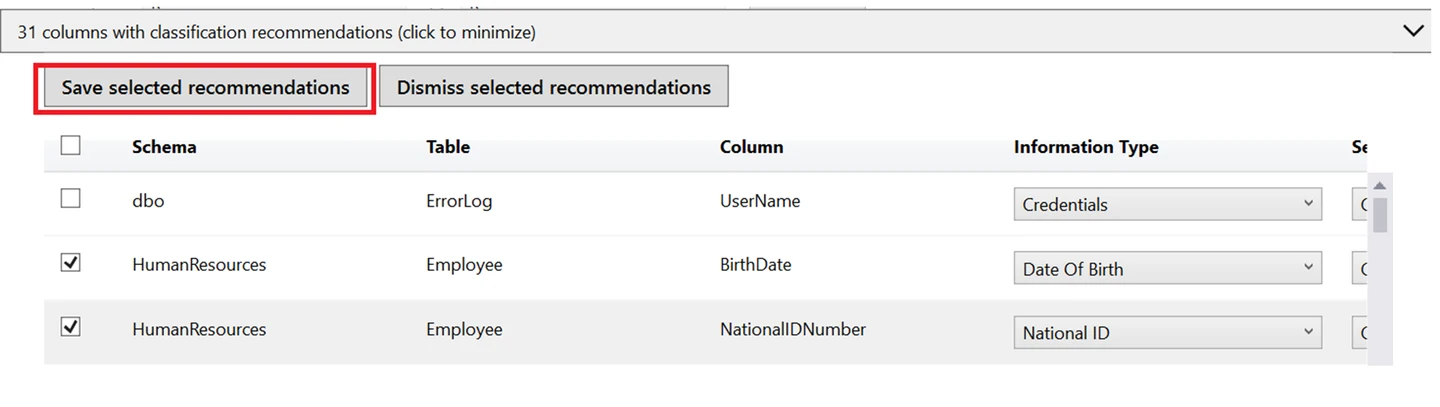
SQL Server Data Discovery and Classification in SSMS suggests classifications from column names and lets a user record information types and sensitivity labels on columns. This is useful when a DBA needs an inventory inside the database and wants the labels available to other SQL Server workflows.
Its strength is persistent database metadata with a simple review workflow. Name-based suggestions can miss sensitive content in generic columns, so the catalog benefits from a deliberate review. The labels describe data and can support auditing, while access permissions still follow the database’s security configuration.
Run the built-in recommendations and capture the suggested names before applying classifications. Microsoft documents that the recommendation engine considers column names. The synthetic opaque legacy column provides a separate test of manual tagging.
Apply one approved label in the lab and reopen it through the same SQL connection. Compare database-side visibility and export options with the central catalog tools before asking reviewers to manage several instances.
- Compatibility
- Supported SQL Server version and SSMS with appropriate classification permissions.
- License and trial
- Built into supported SQL Server and free SSMS.
Redgate SQL Data Catalog
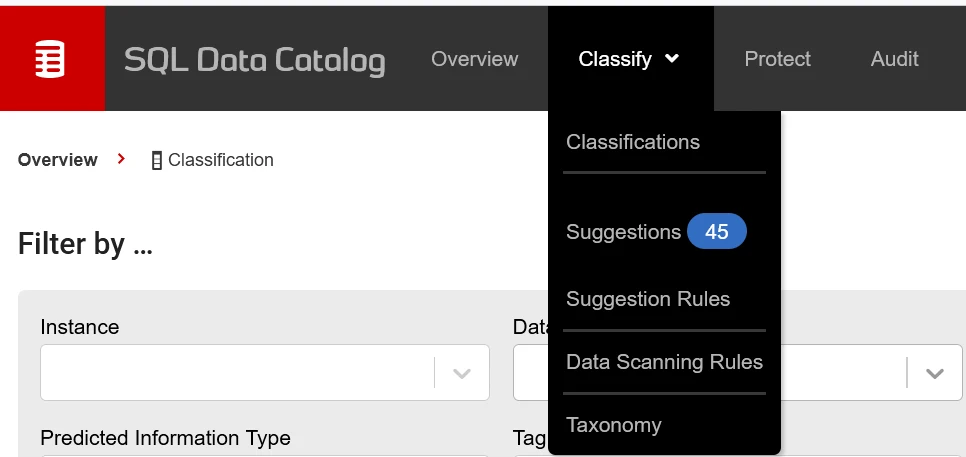
Redgate SQL Data Catalog can inventory SQL Server columns, suggest tags and apply rules from a shared taxonomy. Its data scanning features can inspect values in supported workflows. This is useful when a DBA team wants consistent classifications across several SQL Server databases.
The central catalog makes it easier to review and revisit classifications. Sampling, rules and accessible columns determine what can be found. The team also needs to decide where catalog tags are published and how newly added tables enter the review process.
Start with sampling off to establish the recommendations from the metadata workflow. Enable data scanning on the dedicated test instance and compare the suggested information type for the opaque legacy column.
Inspect where sample results and approved classifications appear. Record what the scanner identity can read and which level of evidence reaches a reviewer who should see taxonomy and decisions without raw values.
- Compatibility
- SQL Data Catalog with supported SQL Server connectivity and applicable scanning permissions.
- License and trial
- Commercial Redgate licensing.
Microsoft Purview Data Map
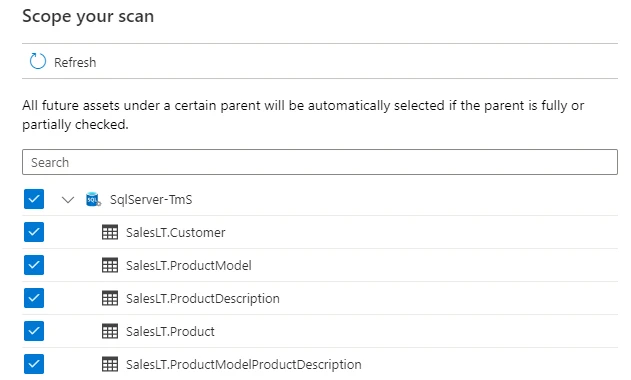
Microsoft Purview Data Map can scan supported SQL Server sources and apply classifications in a central catalog. A registered source can use the supported runtime and network path for scanning on-premises SQL Server. This fits organizations that need a searchable inventory across different platforms.
Its benefit is aligning SQL Server discovery with a wider governance catalog. Scan permissions, rules and connectivity determine which metadata and classifications are available. A central catalog classification and a SQL Server column label can have different publication and maintenance workflows.
Register the correct on-premises SQL Server source and record the selected supported runtime. Check that the scan account can reach the instance and read only the expected test schema before applying scan rules.
Open the asset report after the scan and compare actual classification, timestamp and skipped columns with the fixture. Check whether a fresh scan updates the label after the approved rule or glossary changes.
- Compatibility
- Microsoft Purview Data Map with an eligible SQL Server scan configuration and access path.
- License and trial
- Microsoft Purview usage and infrastructure charges depend on deployment.
Informatica Cloud Data Governance and Catalog
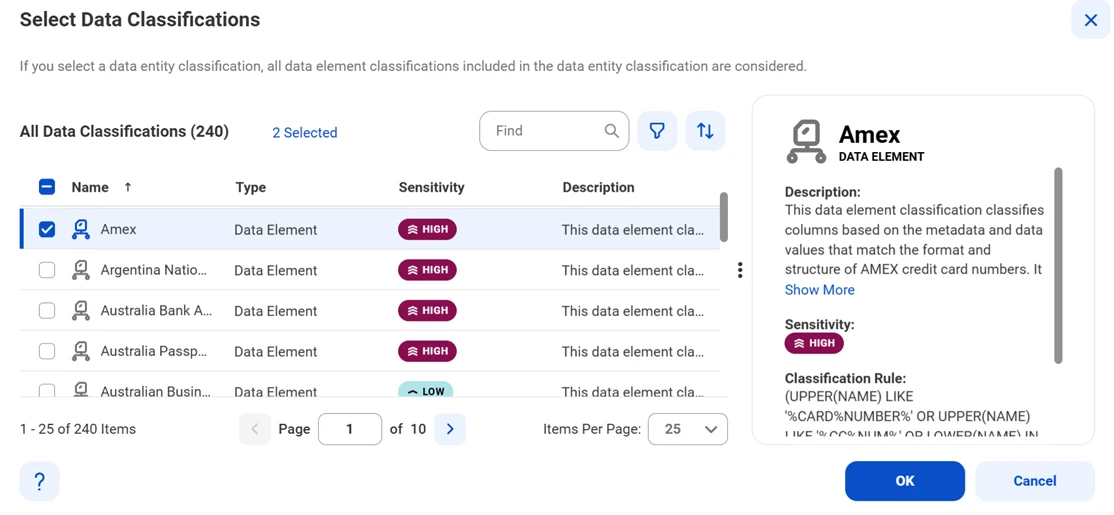
Informatica Cloud Data Governance and Catalog can ingest asset metadata for supported SQL Server sources and add classification and profiling in eligible workflows. That is useful when SQL Server is one part of an enterprise data inventory and the organization wants similar review and stewardship across sources.
Its strength is tying a classification to a wider catalog asset and governance workflow. Metadata extraction, content profiling and mapping into a business taxonomy have different prerequisites. The configuration and applicable connector determine which columns can be scanned and what can be reported.
Configure a catalog source for the intended SQL Server connector and note whether the evaluation includes profiling as well as metadata extraction. Save the scope and rule set with the report.
Send the synthetic legacy field and a generic non-personal text field into the stewardship workflow. Verify whether accepted and rejected classifications persist across a scan and whether stewards can review the original rule evidence.
- Compatibility
- Supported Informatica catalog deployment and SQL Server source configuration.
- License and trial
- Commercial Informatica service and connector terms.
IBM Guardium Discover and Classify
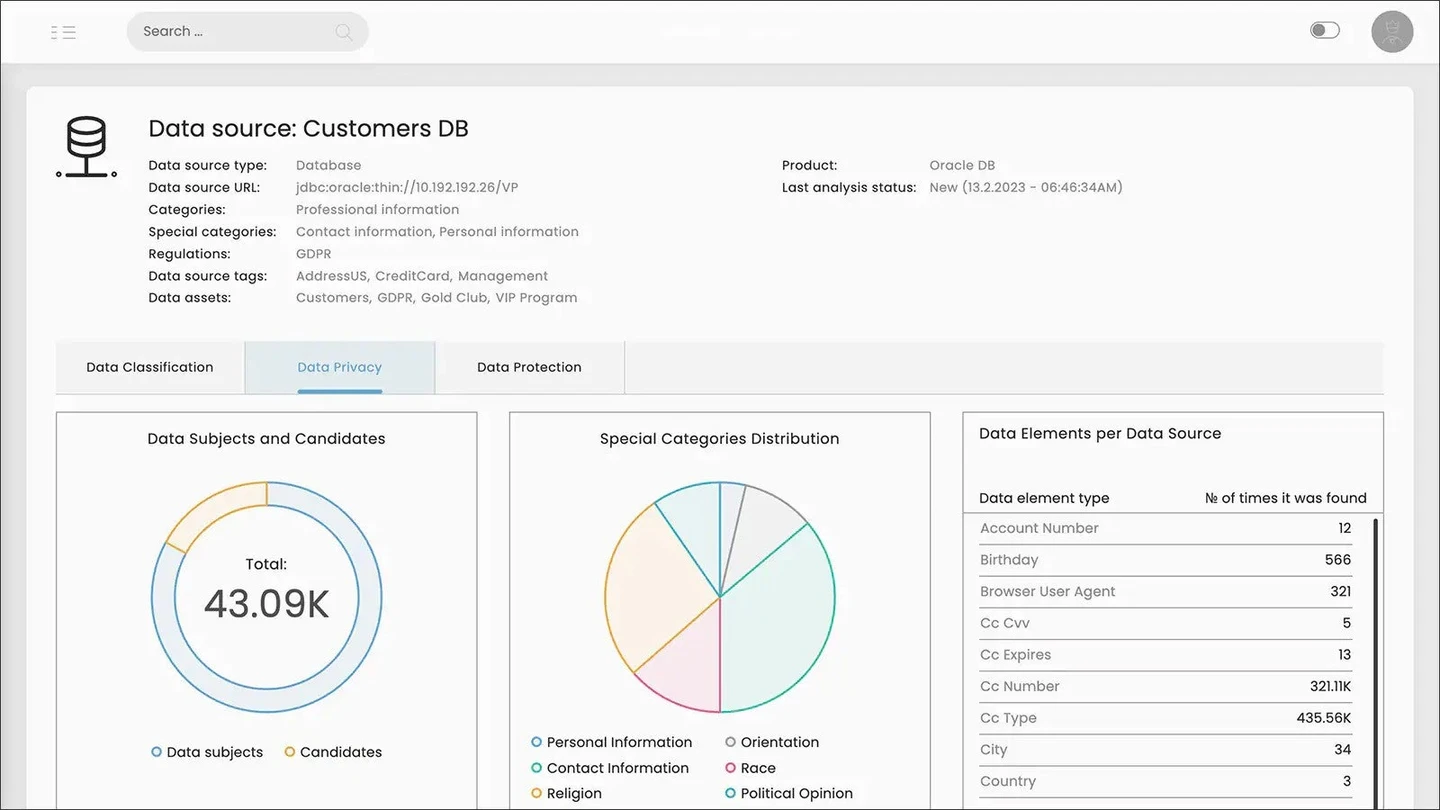
IBM Guardium Discover and Classify can discover and classify sensitive information across supported data sources, including documented SQL Server connections. It is useful for a security team that wants to locate regulated data and connect the results with other Guardium or security workflows.
Its broad inventory can help prioritize sources that merit investigation. Classification models, privileges and sampling affect the matches. A source that is registered or connected can still need more specific permissions or scan configuration before its content contributes to the inventory.
Scope the proof of concept to the supported SQL Server source and check whether required sample and taxonomy options are available in your deployment. Use the same ground truth as for the native baseline.
Compare what the platform reports for an opaque field with sparse values and for a fake address in service text. Check how a steward can record exceptions or corrections and what gets logged across rescans.
- Compatibility
- Supported Guardium Discover and Classify SQL Server connector and access.
- License and trial
- Commercial IBM licensing.
Netwrix Data Classification
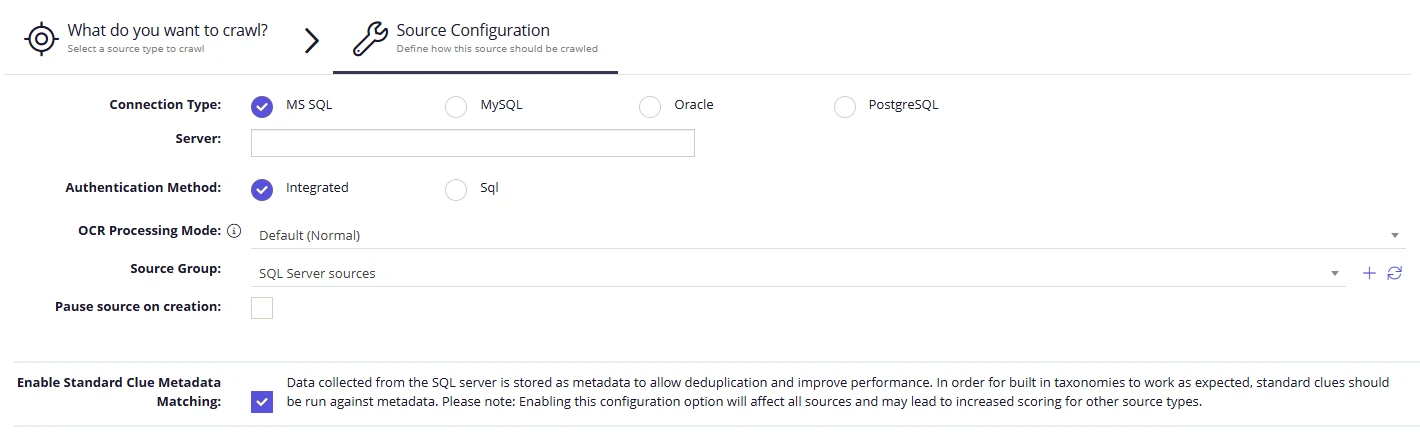
Netwrix Data Classification can crawl and classify content in configured Microsoft SQL Server sources. It is useful when an organization wants sensitive content in relational databases to be searched and reviewed with data from other repositories. The selected source configuration determines which content is included.
Its advantage is a common data classification workflow across sources. The crawler’s account and table configuration affect coverage. Results are strongest when the team can trace a matched classification back to a specific source and review a false match without granting broad database access to catalog readers.
Create a narrowly scoped SQL Server source and record which engine and account do the collection. Compare the scanned object list and reported exclusions with the source policy.
Test the expected taxonomy labels before deciding whether a precision improvement or another scan rule would help. Confirm which roles see evidence and whether reporting can filter unreviewed and rejected suggestions separately.
- Compatibility
- Netwrix Data Classification with a configured SQL Server source and crawler access.
- License and trial
- Commercial Netwrix license.
DataSunrise Sensitive Data Discovery
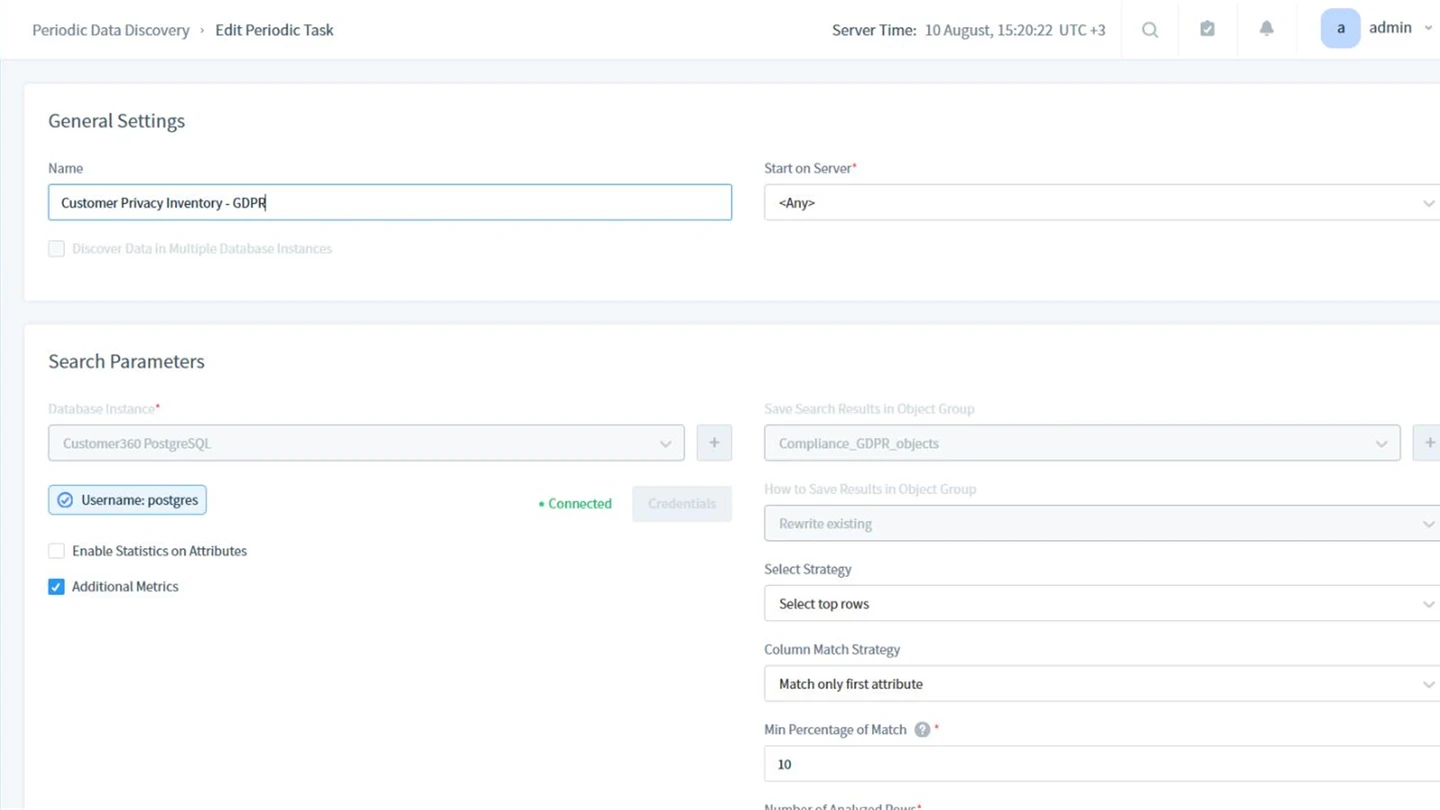
DataSunrise Sensitive Data Discovery can search supported SQL Server objects for defined categories such as personal or financial information. It is useful when a team wants findings to inform related DataSunrise audit or masking policies, with a record of which locations matched a classification.
Its benefit is organizing discovered data for follow-up in the same security environment. Results depend on the selected patterns, databases and scan permissions. A classification and any resulting masking or audit rule are separate changes, each with its own scope.
Use the smallest relevant SQL Server discovery rule set and one test schema. Compare a syntactically email-like service identifier with a true customer-contact column so a broad pattern does not determine the policy by itself.
Save the original rule and review outcome, then rescan after changing the deliberately ambiguous field. Check operational scan load and whether report roles can review without opening underlying database values.
- Compatibility
- DataSunrise with supported SQL Server connectivity and discovery task permissions.
- License and trial
- Commercial DataSunrise plan and feature terms.
IRI Workbench Data Discovery
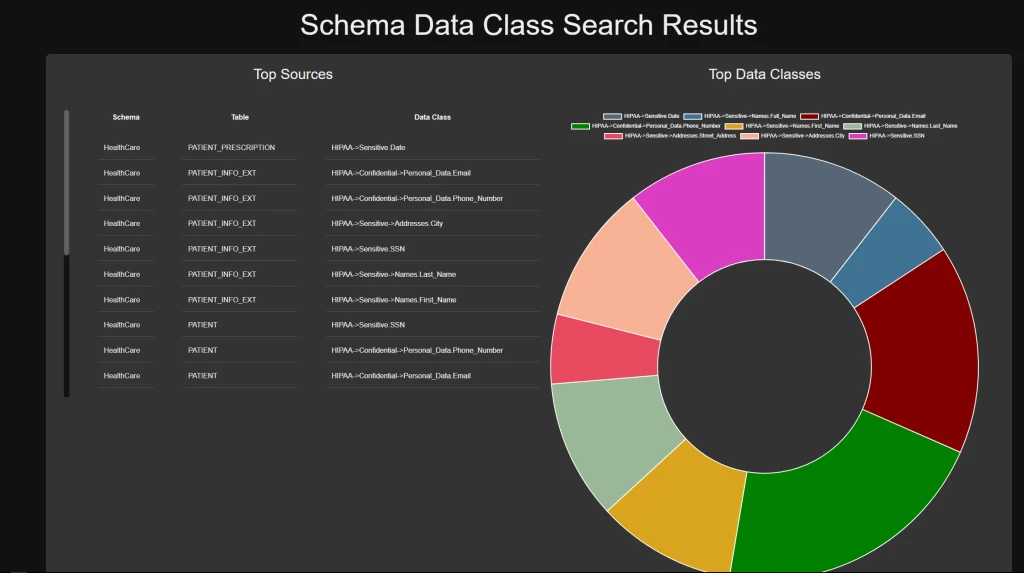
IRI Workbench provides scanning, profiling and classification workflows over connected sources such as SQL Server. It is useful when data discovery feeds a technical job, such as selecting columns for masking or documenting a test-data pipeline. The results can help define reusable field metadata.
It fits a team that owns the data processing jobs and wants classifications near those jobs. Driver access, patterns and profiling limits determine which values are inspected. A scanner result still needs review before it is used as the basis for a masking transformation.
Set up the documented relational discovery workflow with a narrow connection and match rules for the fixture. Record the expressions and thresholds so a second operator can reproduce the classification report.
Compare opaque names, row sampling and review results before applying masking or downstream policy. Keep approval decisions and observations separate from the discovery expressions and repeat the same configuration after change.
- Compatibility
- IRI Workbench and supported SQL Server interfaces and product components.
- License and trial
- Commercial IRI licensing for applicable platform modules.
Choose how the scan should find and record sensitive data
| What you need | Tools to shortlist | What to verify |
|---|---|---|
| Apply reviewed labels directly in SQL Server | Compare the recommendations with the actual column contents. Verify where the accepted classification is stored and who can change it. | |
| Manage a SQL Server estate from a dedicated catalog | Check the source permissions, whether value scanning or content mapping is enabled, and how a reviewer handles a wrong classification. | |
| Connect classification results to an enterprise catalog | Confirm the exact SQL Server source, scan runtime, available classifiers and review path for sampled data. | |
| Run a configurable scan for selected patterns | Choose a narrow database and data type scope. Check scan statistics and confirm the report can identify the schema, table and column. |
Choose which evidence the SQL Server scanner can use
Metadata recommendations are a useful first pass for descriptive column names. A content sample can find likely values in opaque names but may miss sparse entries or flag harmless lookalikes. A reviewer needs enough context to confirm whether a field stores the information type that matters to the policy.
Write down the deployment's rule set, sampling policy, scanner permissions and output location. Check if an accepted label is stored in SQL Server, the catalog or both. Verify what an analyst can read without exposing real data values.
Names are descriptive and SQL Server labels are the goal
Trial the native SSMS workflow
Measure the recommendations and review effort on known columns.
Legacy columns hide sensitive information
Trial scoped value sampling
Check sparse positives, false positives and sample access.
Multiple systems need one reviewed taxonomy
Trial a central catalog or discovery platform
Verify source coverage, stewardship and rescan behavior.
Score the same synthetic fixture before comparing discovery rates
The examples use reserved example.test values and locally defined ground truth. Treat EmailAddress and LegacyValue as customer contact fields. Treat BuildLabel and ServiceText as operational fields. ServiceText contains an address-shaped synthetic service identifier to test whether the rule uses business context.
Export the four column-level outcomes and a separate list of unscanned columns or failed access. Count true positives, false positives and false negatives among scanned columns. Compare recall as true positives divided by true positives plus false negatives. Inspect coverage separately so skipped columns stay visible.
| Column | Ground truth | What it tests |
|---|---|---|
| EmailAddress | Customer contact data | Descriptive name plus recognizable synthetic values |
| LegacyValue | Customer contact data | Opaque name and sparse synthetic value |
| BuildLabel | Operational label | Ordinary negative control |
| ServiceText | Operational text | Email-shaped lookalike and human review |
How to compare these tools
Give each scanner known sensitive values, harmless lookalikes and a column that needs a manual label. Check accuracy, scan permissions, and where the resulting labels are stored. Sources checked .
Test a neutral column name and a misleading email field
Run Setup as a lab administrator on an empty DataDiscoveryTrial database. Use an authorized scanner identity and scope the scan to the fixture. Switch to Check to confirm the row count and sparse field before comparing published classifications. The lab uses only synthetic data.
Create a four-column SQL Server discovery fixture
T-SQL · 30 lines
- Write down the four ground-truth labels and confirm the SQL fixture has three rows and one non-null LegacyValue. Run the metadata or default scan and record the configured scope.
- Where supported, repeat with value sampling and record the actual classification, skipped fields and any permitted evidence. Compare field-level decisions and review the service-text lookalike.
- Approve or reject test labels under a steward role and rerun the scan. Verify whether the decision survives, where it is visible and whether the scanner reports evidence for an inaccessible test source.
Conclusion
Choose the tool that can find sensitive values under neutral names, show what it scanned and give the reviewer a way to correct the result. A SQL Server label may be enough for one database. An estate-wide inventory also needs coverage reports, known exclusions and a way to confirm which classification changed after a rescan.
Frequently asked questions
Can SQL Server find sensitive columns without external software?
Yes. SQL Server Management Studio can suggest classifications from column names and apply labels to SQL Server columns. This is useful for a first pass. Check the contents of fields with generic names separately.
How can I find PII in SQL Server columns with generic names?
Use a tool that can scan or sample data values and configure a rule suited to the data you need to find. Use a table with known values in a generically named column to check whether the rule identifies it.
Does an external data catalog write classifications back to SQL Server?
That depends on the product and setup. Check where the accepted label is stored. On supported SQL Server versions, inspect sys.sensitivity_classifications if you expect an engine-side label.
How do I measure a false positive in a discovery trial?
Include a field that sounds sensitive and fill it with clearly non-sensitive values. Record whether the product flags it, which rule made the decision, and whether a reviewer can dismiss it and retain that decision.
Can I compare two tools that sample different numbers of rows?
Record the configured sample and use known test values at several positions in a small table. Compare coverage and repeatability before treating different finding counts as differences in classifier quality.
Why can SSMS miss a sensitive value in a legacy column?
The documented built-in recommendation considers column names. Review an opaque column manually or compare against a supported scanner that inspects a sample of values.
How do I compare two discovery tools when one skipped columns?
Report how many target columns each tool actually scanned. Compare detections on the same observed fields and track skipped, inaccessible and unscanned fields separately.