

Database documentation can be a deliverable or a reference that changes with the database. A document generator gives a project team a snapshot of tables, routines and relationships for a handoff. A modeling tool can add diagrams and notes from its schema project. A catalog is more useful when definitions and ownership need to remain accessible through several releases.
SQL Doc and dbForge Documenter are geared toward a generated reference. DbSchema, dbdocs and the command-line tools fit workflows where a project or build produces the documentation. Dataedo, OpenMetadata and Atlan keep metadata in a catalog. Purview Data Map is a consideration for existing users planning their transition. The decision depends on who owns the descriptions, how readers reach them, and how a schema change makes its way into the next version.
SQL Server documentation tools at a glance
Start with the output and ownership model. The refresh test shows what to verify with a changed column description and a new view before committing to a tool.
| Tool | Best use | What it publishes | What to check on refresh |
|---|---|---|---|
| Redgate SQL Doc | SQL Server release handoff | Generated documentation from a selected project | Changed extended property, new view, and exported format |
| dbForge Documenter | Deliverable for a specific database release | HTML, PDF or Markdown report | Object filters and description appear in the regenerated report |
| Dataedo | Curated descriptions and relational documentation | Repository catalog, with publish and writeback options | First import from SQL Server, then survival of a curated value |
| DbSchema | Diagram-oriented technical handoff | Model-based HTML5, PDF or Markdown documentation | Refresh live metadata and verify diagrams, model notes and paths |
| SchemaSpy | Static browser reference from a repeatable run | HTML schema pages with relationship diagrams | Confirm JDBC scope, descriptive values and inferred links |
| SchemaCrawler | Reviewable snapshots and before-and-after reports | Command-line schema output or diff report | Keep flags stable and distinguish real changes from scope changes |
| dbdocs | Version-controlled diagrams and descriptions | Hosted documentation from DBML | Review SQL import changes against hand-maintained model notes |
| Microsoft Purview | SQL Server discovery in an existing Microsoft catalog | Data Map assets from registered scans | Scan identity, runtime, scope and version-specific catalog policy |
| OpenMetadata | Shared catalog with a self-managed option | MSSQL connector assets and configured metadata tasks | Check view discovery, account permissions, and refresh behavior |
| Atlan | Shared asset discovery and ownership | SQL Server objects from scheduled crawls | Match asset types to connector coverage and verify manual context |
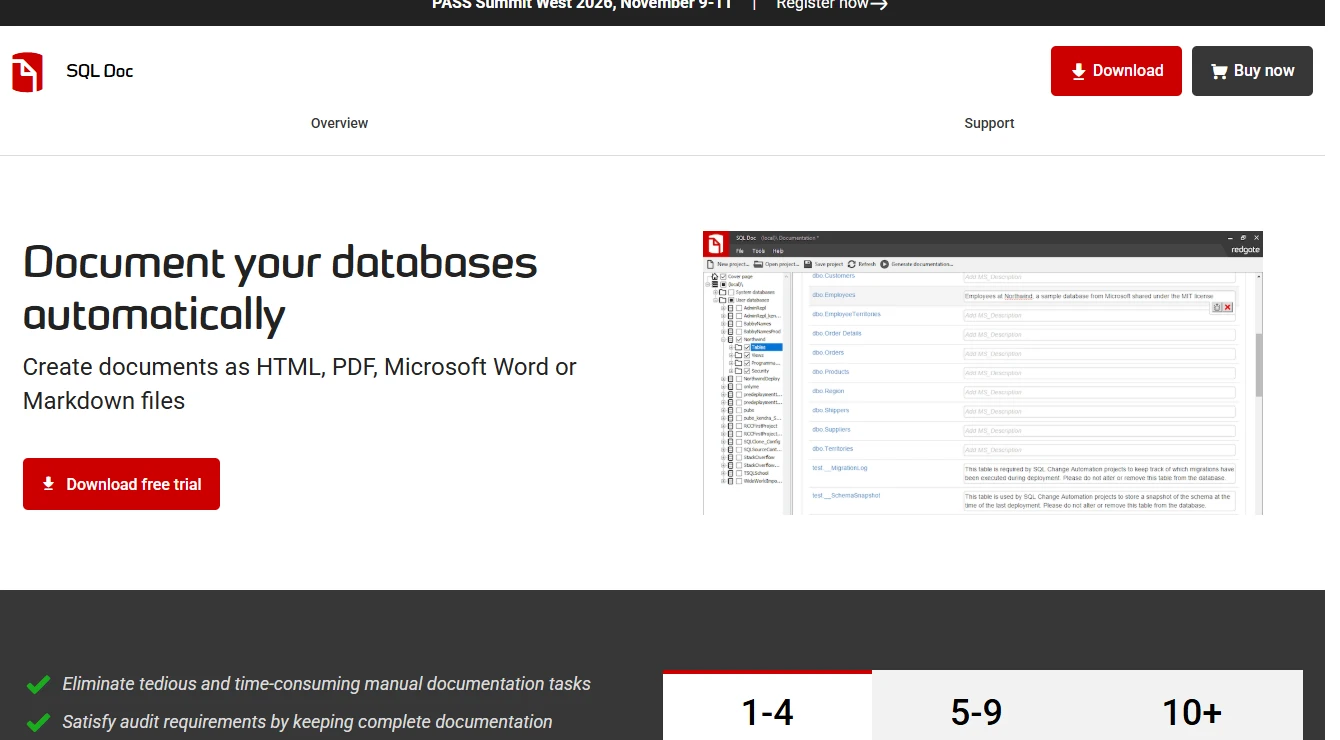
Redgate SQL Doc
Redgate SQL Doc reads SQL Server object definitions and produces database documentation from a configurable project. A developer can include the tables, views and routines relevant to an application and reuse descriptions already stored in the database. This makes it a practical way to deliver a reference with a release.
It is strongest when the recipient needs a generated document and the team has a defined database version to generate it from. A document describes the state visible to the account at the time it was made. An object added later, or hidden from the documentation login, will require another generation or a scope change.
Store the SQL Doc project that defines the included databases and objects alongside the release pipeline when that fits the team. Its command-line interface accepts an existing project. Run it after a schema deployment and attach the output to the release identifier so readers can find the applicable snapshot.
Use the same scoped SQL Server login on the first and second generation. Check the changed column description on the table page and whether the report picked up the new view. Capture the scope in the output so anyone comparing snapshots can explain a missing schema.
- Compatibility
- Redgate documents supported SQL Server objects, project options and publishing formats.
- License and trial
- Commercial. SQL Doc entitlement depends on the product license or bundle.
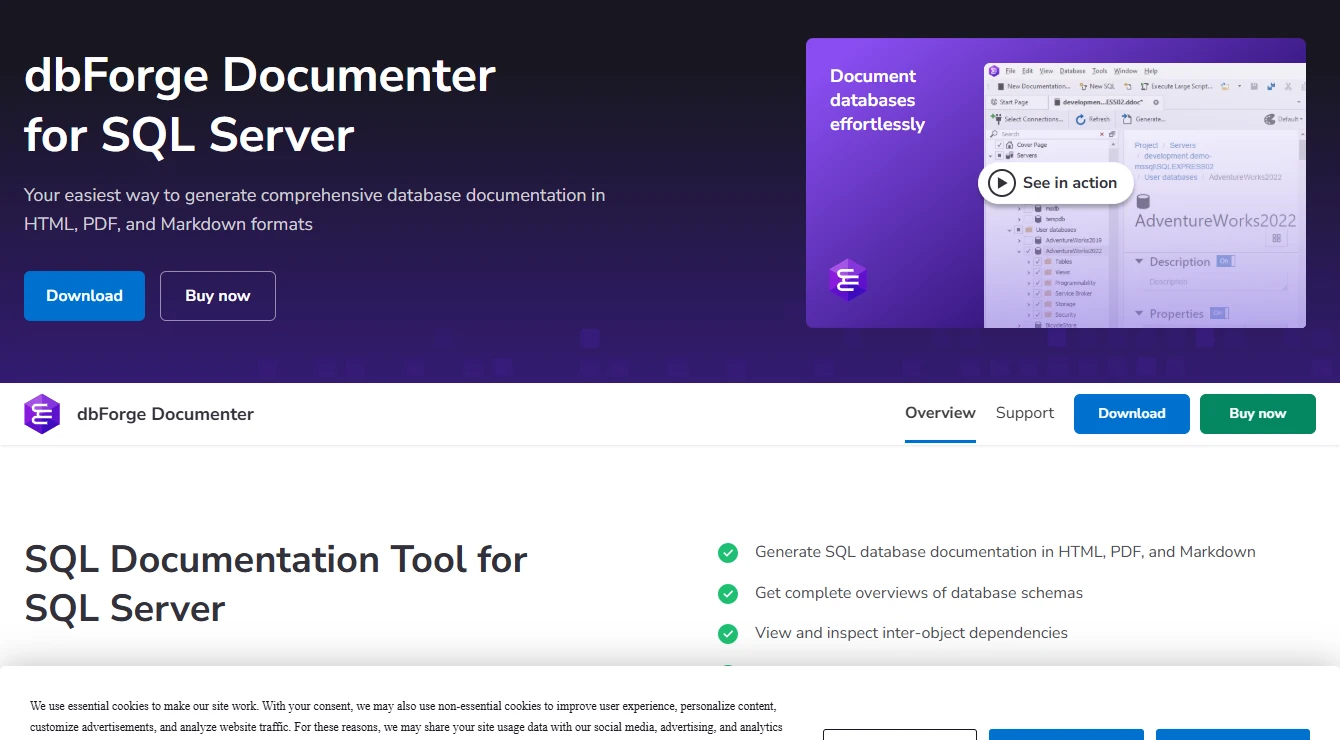
Devart dbForge Documenter for SQL Server
Devart dbForge Documenter generates database documentation for SQL Server from selected schema objects. Its report settings let a team choose which object types and descriptions go into the output. A scoped report can give the next engineer the columns, keys and routine definitions involved in a handoff.
It fits a deliverable with a known audience and database version. The format and categories matter because a useful application handoff may need only a subset of a large database. A rerun from a different deployment should be tied to that deployment so readers can tell which schema the report describes.
Devart documents HTML, PDF and Markdown output. Pick a format a reader can open after delivery and include only the objects relevant to the handoff. A small Markdown export can be compared in review, while a PDF can be distributed as a dated release artifact.
Generate two reports with identical object selection and format. Add a view to the source after the first run and check whether the selection updates or whether that view must be added explicitly. Open the output links from an account without access to the Documenter workstation.
- Compatibility
- Devart documents SQL Server object coverage and report options. Available output formats depend on the tool release.
- License and trial
- Commercial. Standalone and bundle entitlements depend on the selected edition.
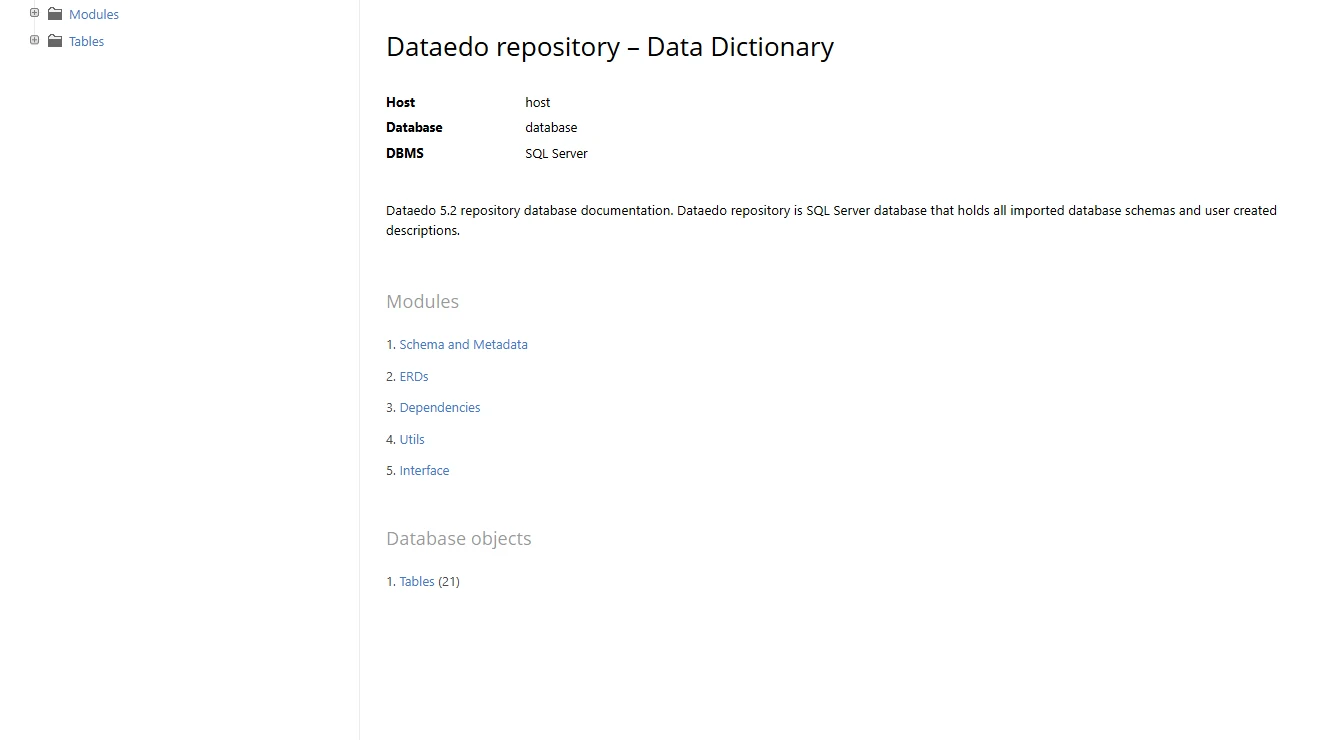
Dataedo
Dataedo imports SQL Server metadata into a catalog that can also hold business descriptions. It can read source descriptions stored in extended properties for applicable objects. Adding a definition to a field gives readers context that a schema listing alone cannot provide.
It is most useful when a team expects descriptions to be maintained after the initial import. A reimport affects how source updates and catalog edits meet. If descriptions are also written back to SQL Server, deciding which system owns them helps avoid one copy replacing useful edits made in the other.
Use the first import to capture a column's SQL Server description. Dataedo documents that an existing nonblank repository description takes precedence on subsequent imports. To test that behavior, edit the description in the catalog, change the source property separately, and see which value each reader sees.
Export is a separate workflow with separate database permissions. If the team wants to write curated descriptions back to SQL Server, document who approves the change and which tables the mapping covers. Run ingestion with its ordinary account and test writeback under a dedicated role only where needed.
- Compatibility
- Dataedo documents SQL Server metadata import, descriptions and additional connector capabilities.
- License and trial
- Commercial. Connectors, catalog modules and users affect the license.
DbSchema
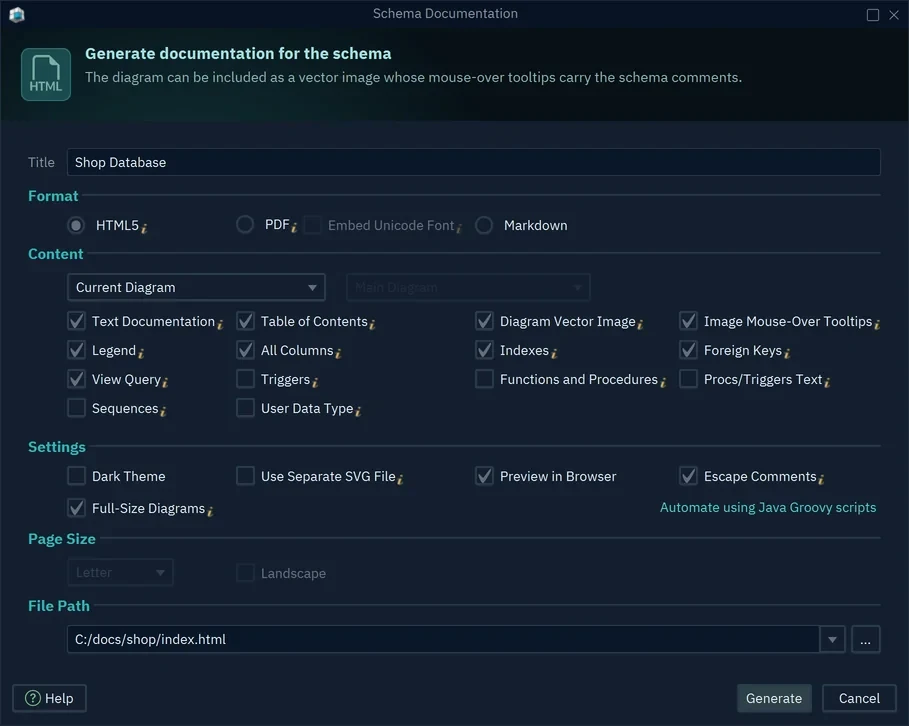
DbSchema can reverse-engineer selected SQL Server objects into a model and generate schema documentation from that model. The project can include diagrams and notes alongside definitions. This suits a technical handoff where the relationships are easier to explain visually than through an object list alone.
The reason to choose it is that the project can carry diagram context across generations. The documentation describes the model, which may be newer or older than the deployed database. How the project refreshes after a change therefore matters when readers use the result to understand a live schema.
DbSchema generates documentation from a diagram and model. The Markdown option includes the diagram as a separate image, so move the image with the exported Markdown when publishing it. Compare the handoff as a reader and confirm it includes both the diagram and the column descriptions.
After a schema refresh, verify a changed object that appears on more than one diagram. Keep the project notes you want to persist under review, and verify how the model handles an object missing from the connected database. The project should identify the database and schema version it represents.
- Compatibility
- DbSchema documents SQL Server JDBC connectivity and project-based schema documentation. Export options depend on edition.
- License and trial
- Commercial options vary by edition and documentation format.
SchemaSpy
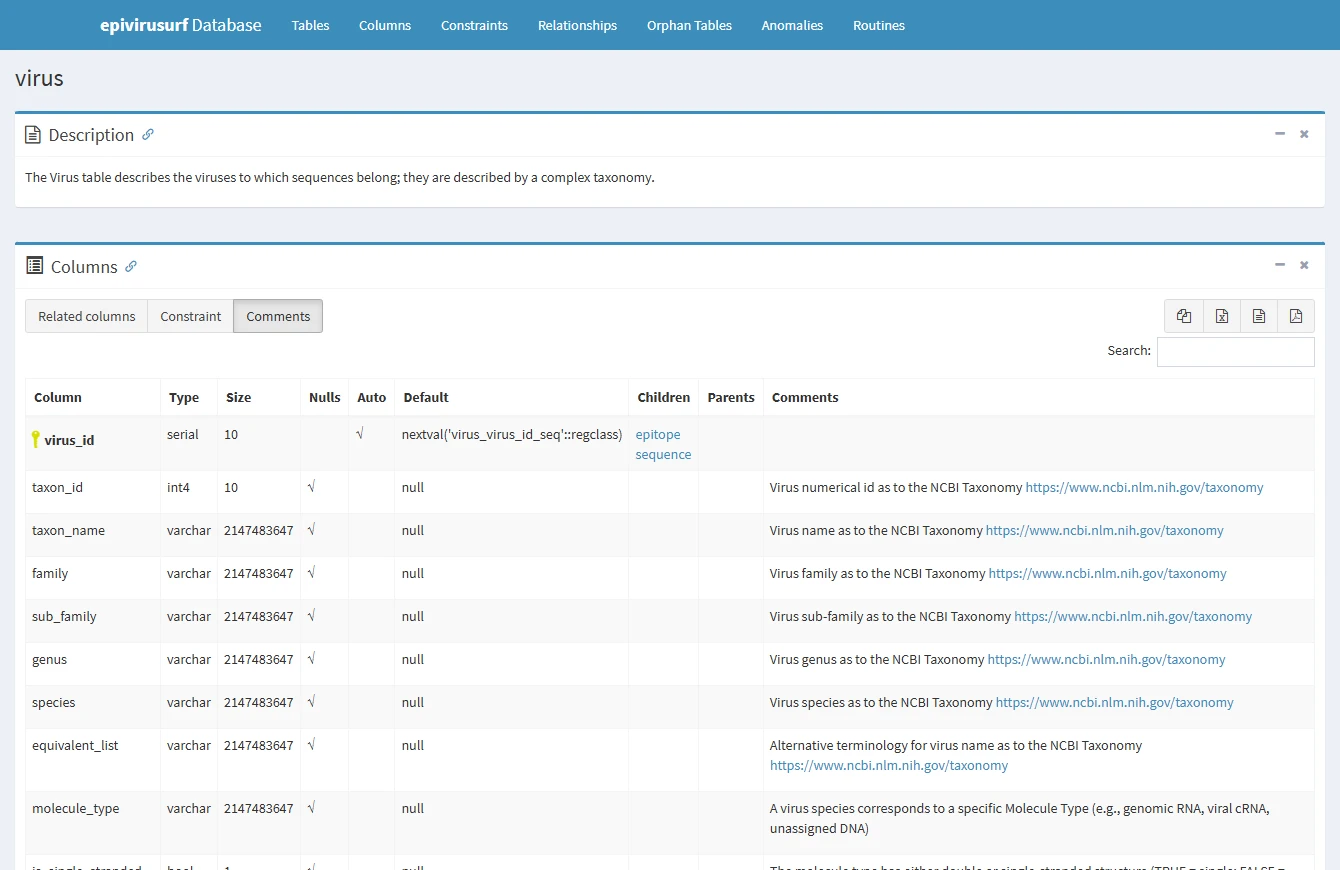
SchemaSpy connects to a database and builds browsable static schema documentation. For SQL Server, the reader gets a map of discovered tables and relationships that can be hosted without a separate catalog application. This is useful for publishing a reference from a scheduled job.
It suits a team that wants a reproducible snapshot and can own the runtime and static hosting. A missing object can reflect login scope, and a relationship diagram can include links inferred from metadata. Readers need enough context to tell what the database explicitly enforces.
Keep the JDBC driver version, database type and schema selection in the documentation job's configuration. Run the job under the same metadata permissions as the protected production route. It should publish the expected table, field and relationship pages without depending on the operator's SQL Server account.
Open the rendered HTML as a reader and compare any implied relationship with an explicit foreign key. Generate the fixture again after changing a description and compare the rendered text. Decide where operational notes live so they stay linked after the next static site generation.
- Compatibility
- SchemaSpy documents JDBC setup and database type configuration. SQL Server driver and metadata permissions determine the accessible scope.
- License and trial
- Open source. Runtime, graph rendering and documentation hosting are owned by the team.
SchemaCrawler
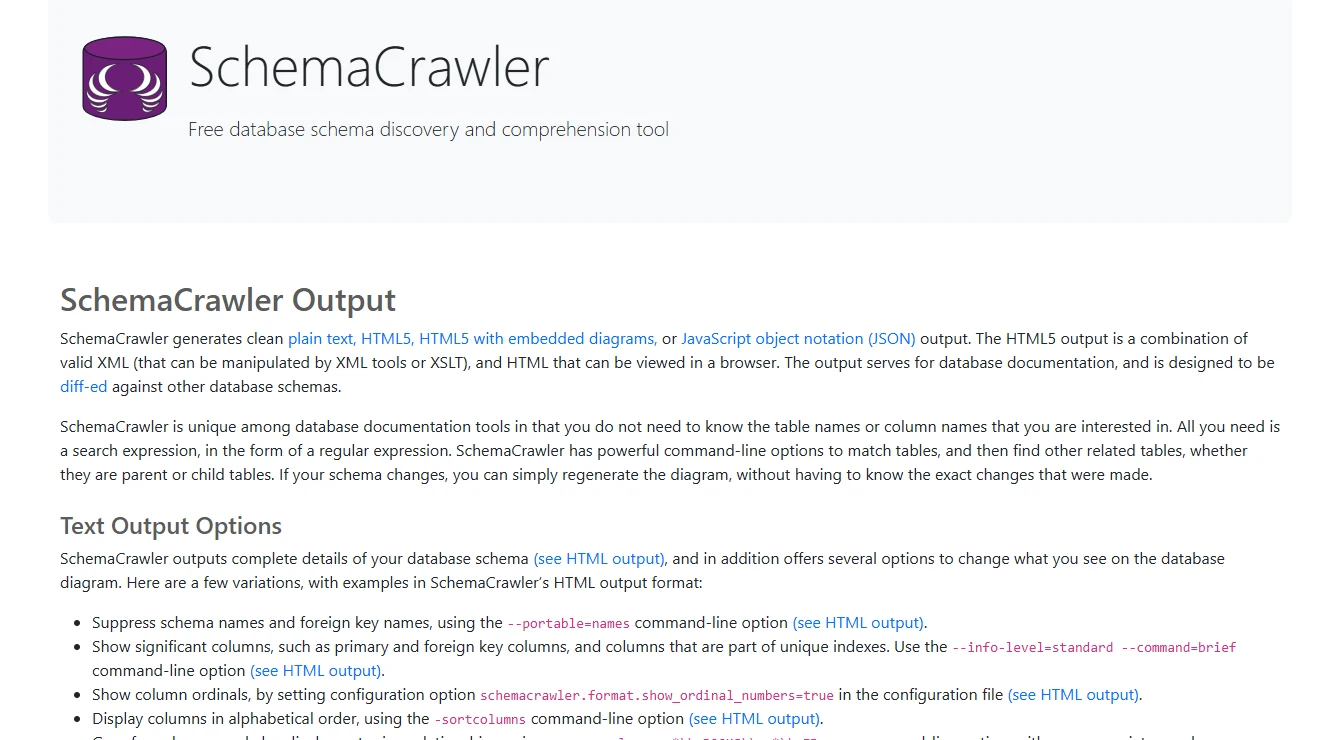
SchemaCrawler uses database metadata to generate reports from a command-line workflow. Its SQL Server configuration can target a particular database and schema. The same settings can be used to produce reports before and after a change, so differences in the output are easier to attribute to the actual database.
It fits engineering teams that prefer reviewable configuration and repeatable runs over a desktop project. A report only reflects the schemas and objects available through the chosen connection. Stable output options matter when the report is also used to spot changes.
SchemaCrawler's changes report workflow can pair a previous schema snapshot with a current one. Stabilize catalog, schema and table selection before relying on differences for review. Changing the account or discovery depth between two reports can look like a large deployment even if nothing meaningful changed.
Use the output intended for review and identify the actual changes you expect in it. For documentation, check the new view and comments as well as keys and constraints. For deployment safety, send resulting differences through the same approval process as any generated change script.
- Compatibility
- SchemaCrawler documents SQL Server support through JDBC and schema scope settings.
- License and trial
- Open source. The team owns configuration, scheduling and distribution.
dbdocs with DBML
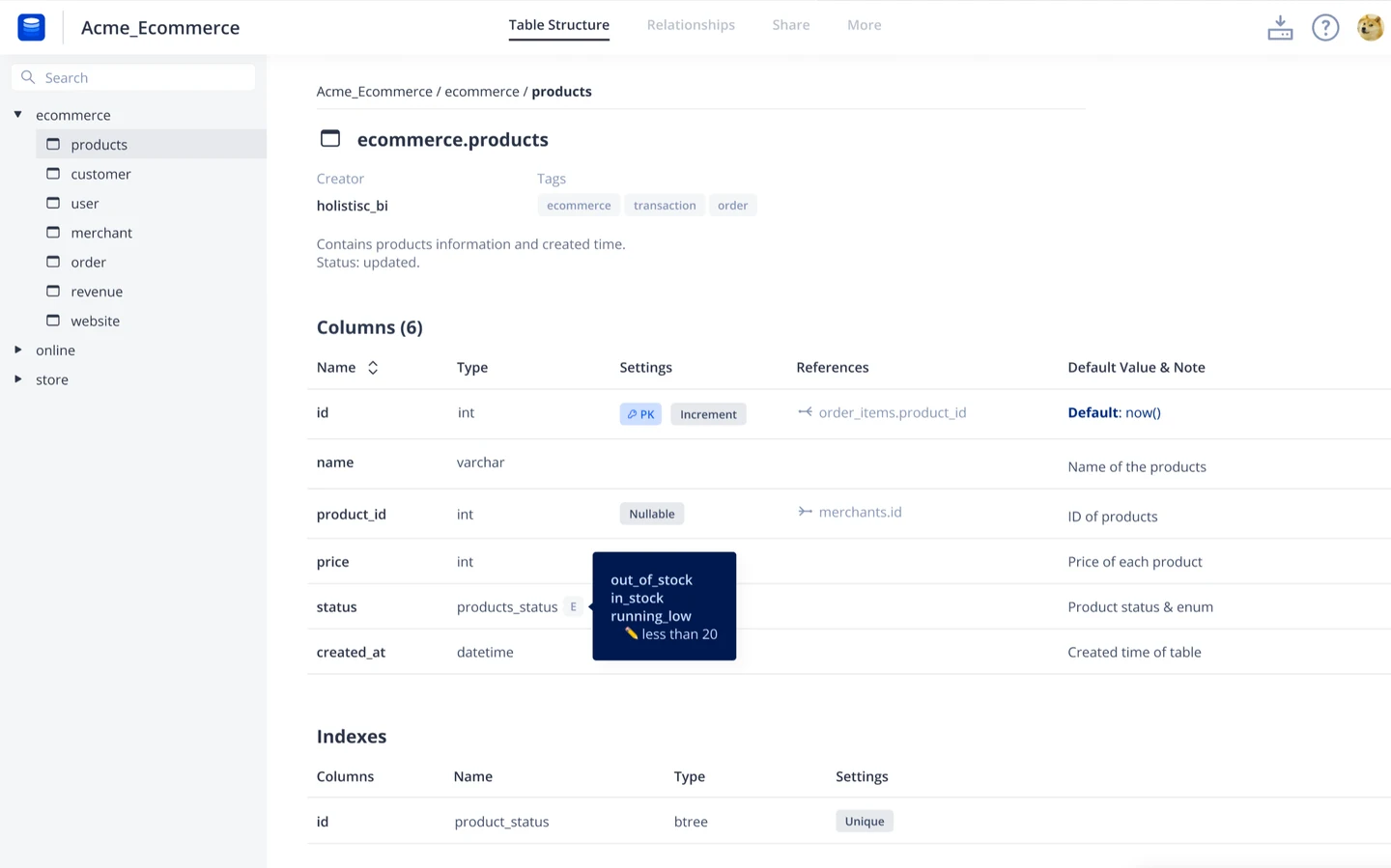
dbdocs publishes database documentation from DBML. A team can keep the model and its notes in version control, then publish a browsable reference after review. The DBML CLI also documents an import path for Microsoft SQL Server.
This works well when the published reference should follow a curated model rather than a particular live database connection. Import coverage determines which SQL Server-specific constructs appear in DBML. A regenerated model can also overwrite local additions if the project has not decided how to combine the imported schema with hand-written context.
The DBML tooling supports converting SQL Server DDL or starting from a SQL Server connection. Keep imported DBML and reviewer-authored notes in a controlled workflow. Review the diff rather than silently overwriting a model that contains business context and custom relationships.
Take a table with a SQL Server-specific feature and inspect what the DBML import represents. Give readers a link to the real DDL where details live outside the model. Publish after validating the generated view against the reviewed source version and check who can access it.
- Compatibility
- DBML documents SQL Server import and CLI generation. Model coverage depends on the supported constructs.
- License and trial
- The dbdocs plan determines access and sharing options. Generation also uses the DBML tooling.
Microsoft Purview Data Map
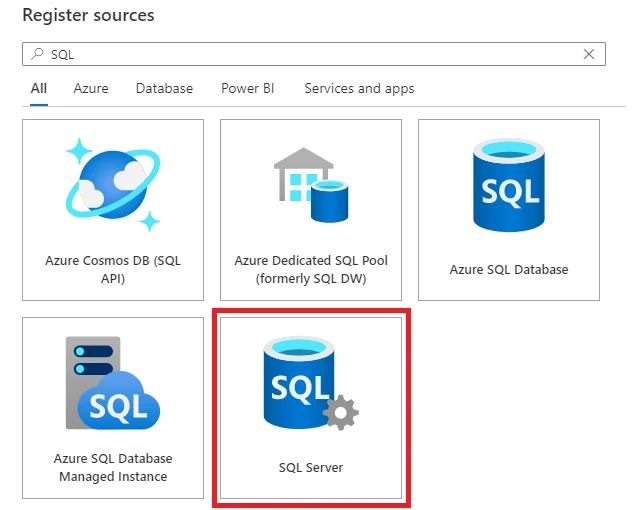
Microsoft Purview Data Map can scan on-premises SQL Server sources to collect metadata into an existing governance environment. Readers can use the catalog to discover objects without browsing each server directly. It matters most when teams already rely on the registered sources and scan results.
The product decision now includes Microsoft’s move to Fabric. Microsoft says existing classic governance capabilities remain in maintenance mode through November 12, 2027. For an existing installation, the scan configuration, reader access and metadata used downstream are part of the eventual transition work.
Use the on-premises scanner setup documentation to identify where connectivity, credentials and the integration runtime must be available. Register one source with a deliberate scope and compare the first scan with an object inventory from that same database. Keep catalog access separate from source access.
Test scan freshness and who can discover assets after a view is added to SQL Server. Record which catalog or governance environment owns that process today, including any planned Microsoft migration. Source metadata, classifications and business labels can have different permissions and maintenance workflows.
- Compatibility
- Microsoft documents on-premises SQL Server scanning and the required runtime. Connector capabilities depend on configuration.
- License and trial
- Existing accounts only. Microsoft lists maintenance mode through November 12, 2027.
OpenMetadata
OpenMetadata ingests SQL Server metadata through an MSSQL connector into a shared catalog. Its database, schema and table records give readers a reference that stays connected to the ingestion workflow. This is useful when the same platform serves several databases or data systems.
It is a good candidate for organizations that want an open metadata platform and can operate ingestion and access control. Scan completion and freshness are important. Catalog edits and source descriptions may have different owners, so the useful comparison is how the deployed version reconciles those values after a refresh.
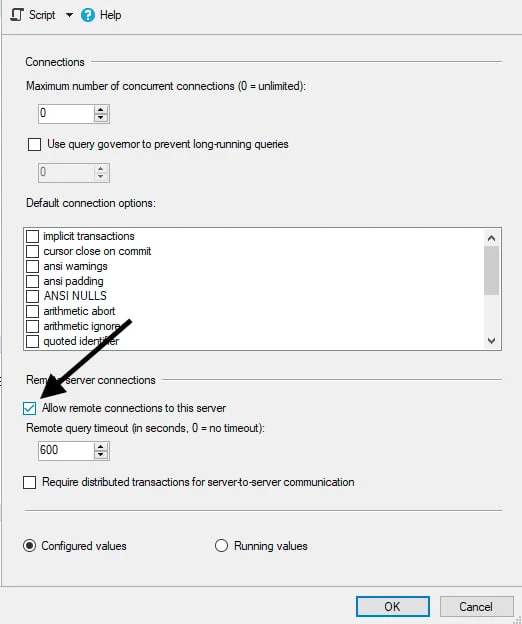
Use the MSSQL guide for the catalog release you actually deploy. Set the database and schema filters before testing so missing objects can be traced to scope, account visibility or connector capability. Store the ingestion configuration with a record of which workflows the catalog runs.
Inspect the imported view, column description and ownership separately. Re-run the same ingestion after adding a SQL Server object and editing a description in the catalog. Collect the scan status and outputs so the team can explain which edits were preserved and which changed.
- Compatibility
- OpenMetadata documents MSSQL ingestion, permissions and connector capabilities by version.
- License and trial
- Open-source and managed deployment options. Platform and connector operations still need ownership.
Atlan
Atlan’s SQL Server connector crawls supported object types into a catalog used by the data team. Readers can find database assets and add organizational context where the workflow supports it. The catalog is useful when people need to discover the right asset across several systems before asking its owner.
It fits a company that already wants a shared catalog with ownership and search. A SQL Server crawl has a defined scope. Coverage depends on the selected databases, supported asset types and permissions. After a rename or new object, the scan schedule determines how quickly readers see the change.
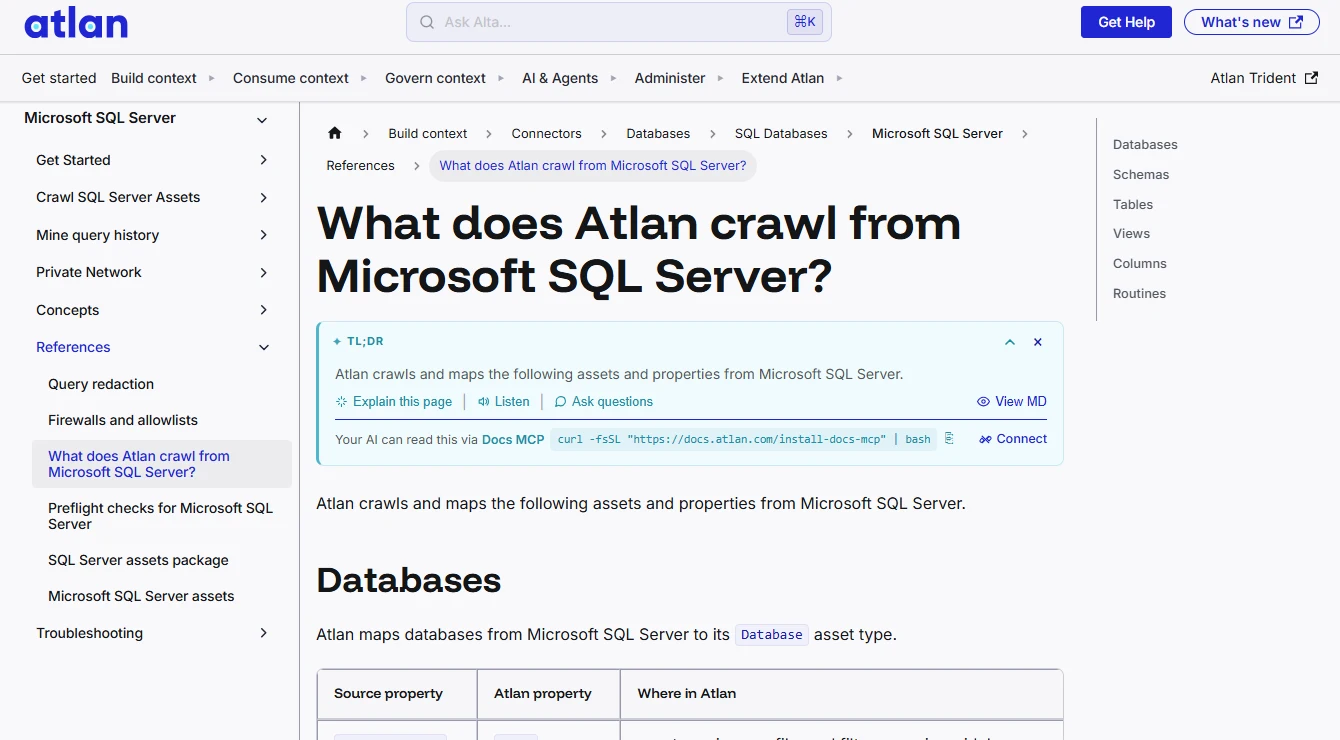
Atlan publishes a list of crawled SQL Server asset types. Use it as the inventory for the pilot and check what connected users see in the catalog. Where query history is relevant, verify the separate workflow and permissions instead of treating it as part of a basic asset crawl.
Assign an owner or a description in the platform, then rename or add an object in the disposable SQL Server schema. After the next crawl, check the catalog entry, last refresh and manual context. Use the result to decide who reconciles renamed or retired assets.
- Compatibility
- Atlan documents the SQL Server crawler, configuration and supported asset types.
- License and trial
- Commercial catalog. Connector entitlement, implementation and access terms depend on the plan.
SQL Server documentation tools by workflow
| What you need | Tools to shortlist | What to verify |
|---|---|---|
| Create a scoped handoff or release reference | Generate a sample in the recipient’s format. Verify descriptions, keys and scope. | |
| Generate documentation from a scheduled job | Regenerate after a schema change and confirm the output, source artifact and access controls. | |
| Maintain SQL Server business descriptions in a catalog | Import source descriptions, add catalog context and refresh after a change. | |
| Discover SQL Server assets within a governed catalog | Confirm the connector’s asset coverage, scan cadence and what a normal reader can find. |
Choose how readers will use the documentation
Pick the output based on the maintainer and the audience. A deployment team and an analyst can use the same SQL Server metadata through different delivery paths.
A team receiving a release or support handoff
Generate a dated schema export
Save the output with its database and deployment version.
Developers maintaining diagrams and field notes in review
Keep a versioned schema model
Diff imported metadata and retain curated text as part of the project.
Several teams browsing and assigning ownership
Evaluate a recurring catalog
Compare asset scope, freshness, annotations and access control.
Compare metadata coverage and description ownership
Use a scoped account to test object visibility. SQL Server metadata visibility follows permissions, and source scans can require connector-specific grants. Confirm which object definitions and properties are visible before requesting broader access.
Pick an owner for each type of description. A generated snapshot can reread the database on every run, while a catalog may preserve a manual entry even after the source text changes. Use the tool's documented rules to interpret the difference.
| Check | Initial scan | Refresh or direct SQL expectation |
|---|---|---|
| Table and new view | One table. No reporting view. | Both objects appear, and a supported dependency view shows that the new view reads the table. |
| Column description | Gross receipt amount. | Settled gross receipt amount in SQL Server. A nonblank curated description may take precedence in a catalog. |
| Business note | Add a note to the model or catalog after the first scan. | Verify the note stays on the object after refresh or is retained in source control. |
| Reader scope | Run with intended metadata permissions. | The same scope sees both objects. Object visibility follows granted permissions. |
How to compare these tools
Give each tool the same schema and permissions. Change a column description and a relationship, regenerate the output and check what a reader can find in the exported reference. Sources checked .
Refresh a real schema and see which context survives
Run the following setup in a disposable SQL Server database, generate the initial documentation, then run it again with the refresh flag set to 1. Use the same tool configuration and account for both scans.
Create a two-phase SQL Server documentation refresh fixture
T-SQL · 52 lines
- Generate the first snapshot with the proposed scanner identity. Record the visible objects and add a clearly marked business note to the model or catalog if the tool supports it.
- Change the fixture's @ApplyRefresh flag to 1 and rerun. The source gets a revised column description and a new view. Refresh the documentation using the same scan scope.
- Compare a direct SQL metadata read with both outputs. Check the new view and its dependency, the active source description, and the retained note. Repeat using the intended deployment account if you initially used a DBA account.
Conclusion
Choose a format and an update process readers can rely on. A file works for a handoff, a scheduled report works for release-by-release changes, and a catalog works for shared ownership and discovery. Validate the output against SQL Server and assign someone to maintain the descriptions.
Frequently asked questions
What should SQL Server database documentation include?
Start with the schemas, tables, columns, keys, constraints, views and routines people need to use the database. Add readable descriptions and ownership where they answer a real question. Publish the collection scope and refresh date.
Can a documentation tool read MS_Description values in SQL Server?
Some tools import extended properties or database descriptions. Check the connector, permissions and selected output. Add a known table or column description and verify the generated result.
What is the difference between a database documentation file and a data catalog?
A documentation file records an export for a particular handoff or release. A catalog adds searchable assets, metadata ingestion and collaboration in supported workflows. Verify who owns descriptions and how each result is refreshed.
Why can a documentation tool miss SQL Server objects?
The selected database and schemas, visible metadata and connector capabilities all affect the result. Compare the output with the account’s SQL Server permissions and a known reference schema.
How do I keep SQL Server documentation current?
Automate generation or scans at a useful cadence, usually around database changes. Test how manual descriptions survive refresh and assign an owner who reviews changes and fixes gaps.
Why does a refreshed catalog still show the old column description?
Some tools make a previously entered catalog description authoritative after import. Compare the current SQL Server MS_Description value with the catalog value, then review the connector's import rules before changing either copy.