

An SSIS package can tell you that data moves from one system to another. Column lineage goes further. It tries to show which input produced a warehouse column, which transformations were involved, and what else could change if the original field moves. That is useful for impact analysis, but only when the package and the SQL Server objects are recognized as the same assets.
Some tools focus on reading packages, while others incorporate the result into an enterprise catalog. Both depend on the actual deployment format and the transformations in use. A static connection string is much easier to resolve than a table name assembled at runtime. A useful map shows the links the scanner could establish and leaves room for a DBA to verify dynamic or custom paths.
SQL Server and SSIS lineage tools at a glance
Match the package format, parser and downstream report connector before starting a pilot. Record the product version and distinguish detail proven from artifacts from behavior seen in a run.
| Tool | How to supply SSIS metadata | Lineage to inspect | Boundary to verify |
|---|---|---|---|
| Dataedo | DTSX, ISPAC or supported SSIS server connection | Supported SQL Server and SSIS mappings linked to catalog assets | Execute SQL Tasks, variable-driven addresses and Script Component results |
| Cloudera Data Lineage | File, Integration Services, Catalog, or Azure metadata source | Path across database, packages and supported BI tools | Choose documented acquisition method and verify execution version and report coverage |
| Collibra Data Lineage | Supported artifacts and connection settings in Edge | Parser mappings for supported transforms and catalog assets | Unresolved connection strings, dynamic SQL and unsupported scripts |
| Atlan | Supported SSIS artifacts and connected data assets | Package and data-flow mappings combined with crawled SQL Server objects | Dynamic steps, artifact freshness and separate report connector |
| IBM Manta Data Lineage | SSIS catalog or exported project or package files | Detailed transformation and technical dependency graph | Unsupported components, variable resolution and deployed metadata scope |
| Solidatus | SSIS package files plus separate database integration | SQL objects and package references stitched in a model | Confirm SQL Server asset mapping, package version and report ingestion |
| Informatica Enterprise Data Catalog | Advanced Scanner and configured SSIS resource | Supported SQL tasks, procedure calls, control flow and data flow | Compatible EDC and scanner release, parameters and source connections |
| MetaKarta | Parser bridge for supplied package and SQL artifacts | Stitched SQL Server, packages and supported downstream BI models | Supported bridge, dynamic source choice and published report mapping |
Dataedo
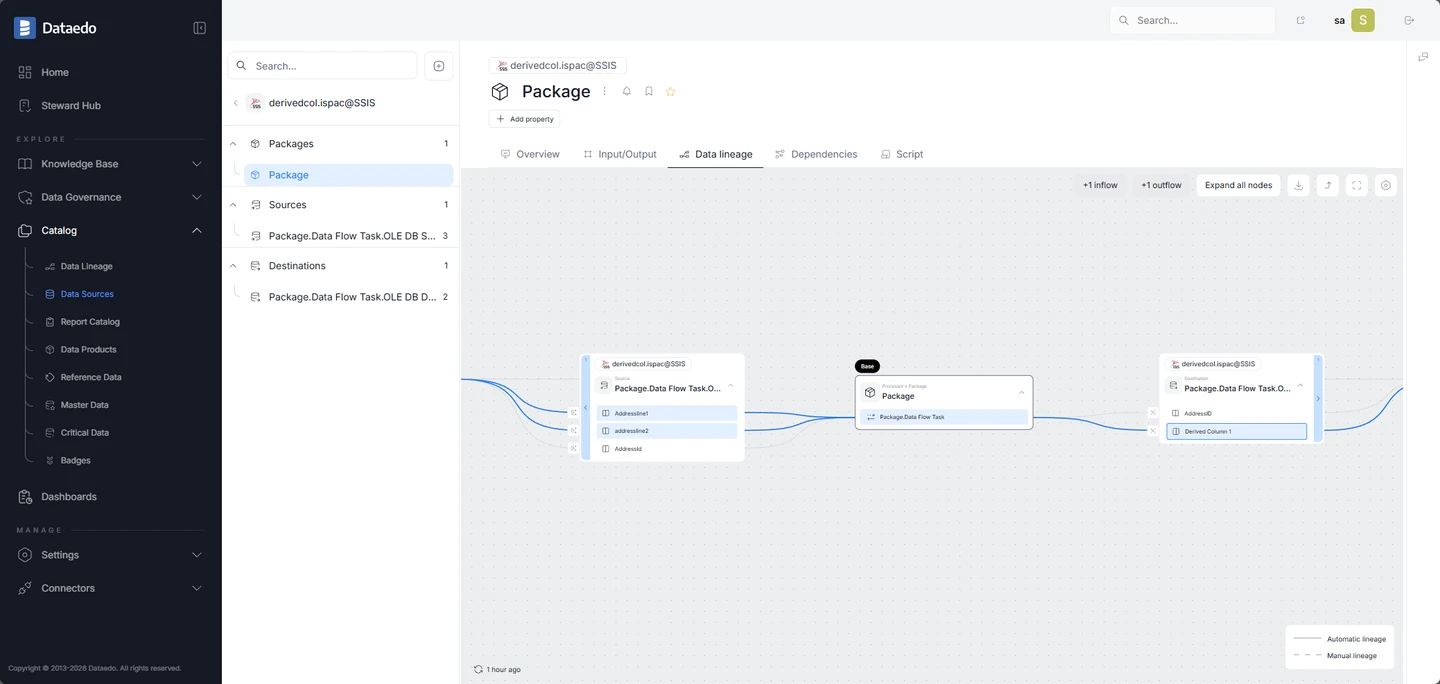
Dataedo imports SSIS packages and can document column-level mappings through supported transformations such as Lookup and Derived Column. It can connect those package references to cataloged sources or destinations when the linked source is matched. That lets a team follow a field from the SSIS model into the SQL Server schema already documented in Dataedo.
The fit is strongest when the team wants database documentation and package lineage in the same catalog and its main flows use supported components. Dataedo documents limits around variable-driven addresses, Execute SQL Tasks and some Script Component outputs. Those gaps matter if stored routines or dynamically chosen sources do most of the work.
Import the SQL Server schemas on both sides before loading a deployment project. Match the linked source names to the database instance and schema behind the package connection. Then open a supported Derived Column or Lookup and compare the input fields with the graphic.
The published transformation guide distinguishes mapped inputs from newly created output columns for components like Script Component. Put that case beside a standard Derived Column in the pilot. A catalog can accurately show a package call while leaving the computation or runtime destination unresolved.
- Compatibility
- Supports documented DTSX and ISPAC inputs and SSIS server connections. Linked sources and destinations must be identified.
- License and trial
- Commercial catalog. SSIS scanning and lineage capabilities depend on the selected plan.
Cloudera Data Lineage (formerly Octopai)
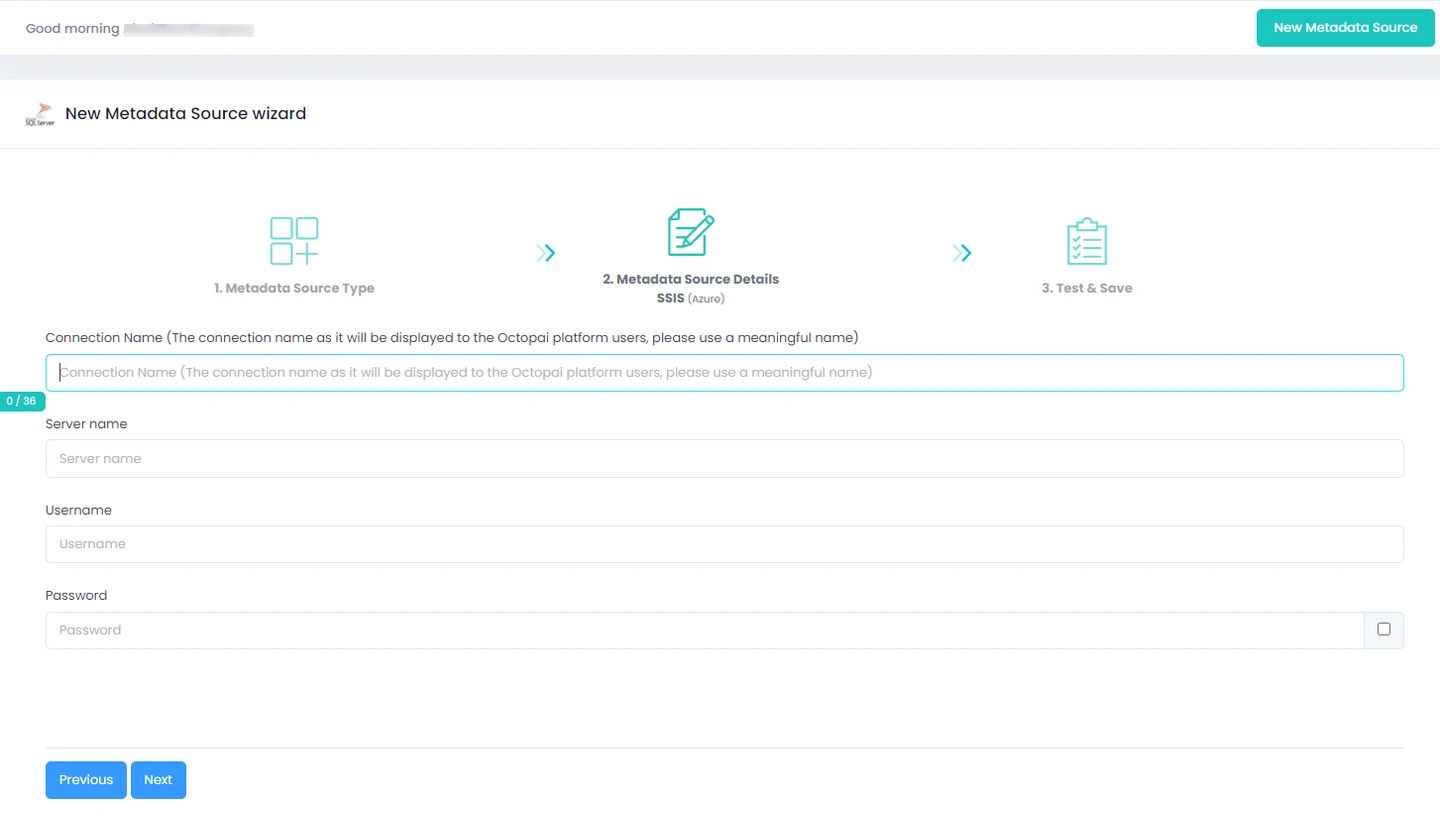
Cloudera Data Lineage, formerly Octopai, documents extraction from SSIS files, integration services and catalog deployments. Its end-to-end view can expand an upstream or downstream path from a column. This is useful when a reviewer needs to trace the effect of changing one field across jobs and databases.
The extraction method is a central part of the fit. Packages stored as files, in MSDB or in SSISDB are reached through different routes and permissions. A graph built from incomplete extraction can miss a dependency, especially after an SSIS environment reference changes. The refresh has to match the deployment used to run the job.
Choose the acquisition method for where the package actually lives. The SSIS guide lists distinct file, Integration Services, Catalog and Azure inputs, with a version-specific SQL Server matrix. A read credential for a folder will not provide the metadata needed by a Catalog extractor.
Scan the same package release and surrounding systems that generated the report. Check whether a catalog deployment on a different environment appears as a separate source. For a cross-system trace, open the last package step and verify it joins the warehouse and BI objects you mean.
- Compatibility
- Cloudera documents SSIS files, Integration Services, SSIS Catalog and Azure inputs. The cited SSIS guide lists SQL Server 2012–2022.
- License and trial
- Commercial. Collection and reader entitlements depend on the contract.
Collibra Data Lineage
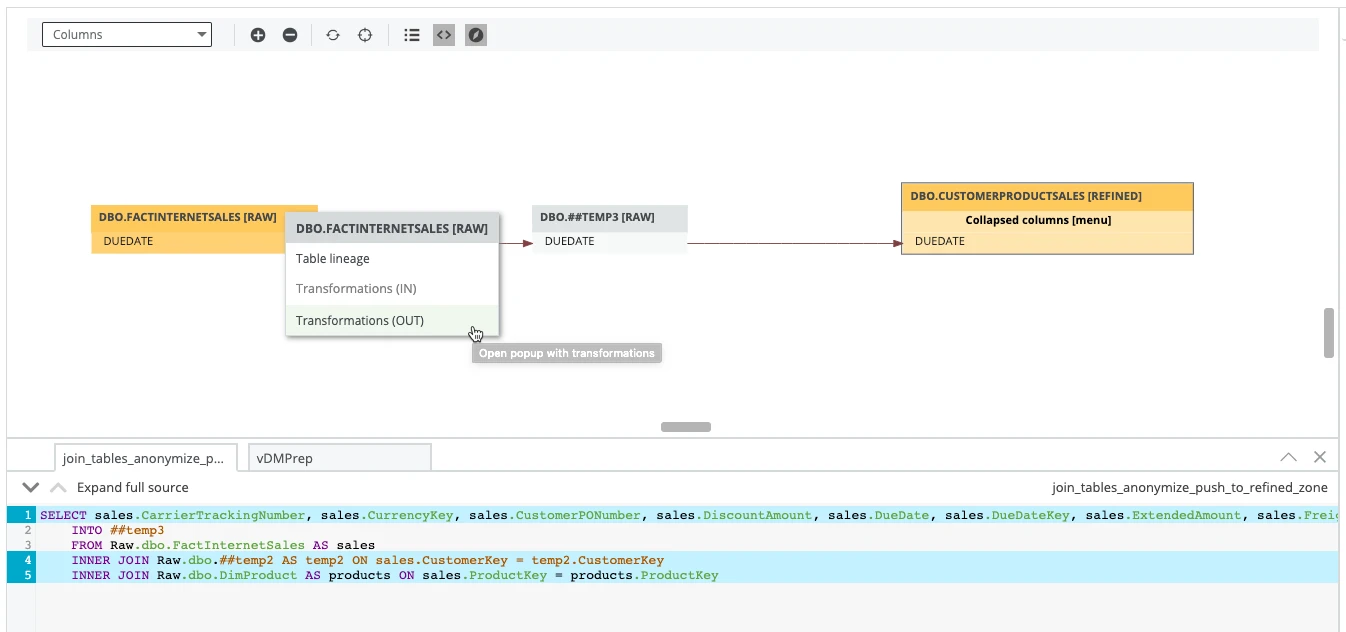
Collibra Data Lineage can read supported SSIS artifacts through its Edge workflow and link technical lineage to catalog assets. Its documentation lists common transformations, including Lookup, Merge Join and Derived Column, alongside selected third-party components. A catalog user can use those links to trace where a field came from without opening each package.
This approach fits an existing Collibra installation that needs detailed SQL Server and SSIS relationships. Connection mapping is part of the setup. A parser can understand a transformation yet leave its source unresolved if the connection name or string cannot be tied to the correct catalog system. Version and component coverage matter for that reason.
The SSIS documentation lists supported transformation types such as Derived Column, and describes manual source mapping when connection names resolve to placeholders. Search for those placeholders after the first scan. Map them to the relevant SQL Server instance before judging the end-to-end path.
Try a normal column transformation alongside a runtime-built query or embedded script. Check which edges are tied to a supported parser artifact and which need a separate mapping. Review the associated BI connector before promising that the graph ends at a report field.
- Compatibility
- Requires the applicable Collibra Edge setup and supported packages, connection-manager files and parameters.
- License and trial
- Commercial Collibra deployment. Edge and technical lineage entitlement depend on the plan.
Atlan
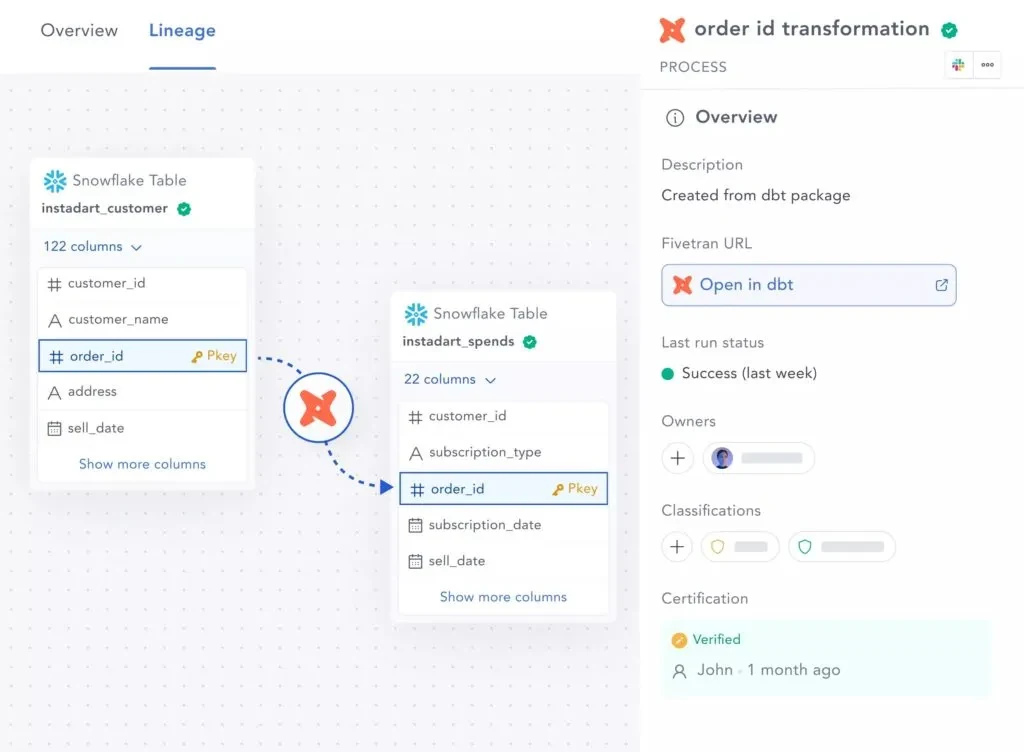
Atlan’s SSIS connector can extract supported packages and identify source-to-destination paths and column mappings in supported data flows. It can join those findings to SQL Server assets already crawled into the workspace. That gives catalog readers a path from a warehouse field back to the package that moves it.
It works best when catalog coverage includes both ends and the package references can be resolved from its metadata. The docs distinguish between recognizing a task and resolving references in it. Dynamic SQL, runtime variables and custom transformations can leave gaps even when the surrounding package appears in the catalog.
Collect the SSIS artifacts for a dated build, and run the SQL Server crawler for both source and destination. Verify that the package asset resolves to the expected physical table and catalog identifier. If a mapping stops at an unrecognized name, record the unresolved connection.
Check one output field across the two packages and then across the report connector. A successful package extraction is useful evidence from the artifact, while the report mapping and any runtime source choice need their own. Compare the graph before and after replacing one package build.
- Compatibility
- Uses supported SSIS artifacts in object storage. Crawls of related source and target systems help resolve asset references.
- License and trial
- Commercial. Connector and storage options depend on the Atlan workspace and entitlement.
IBM Manta Data Lineage
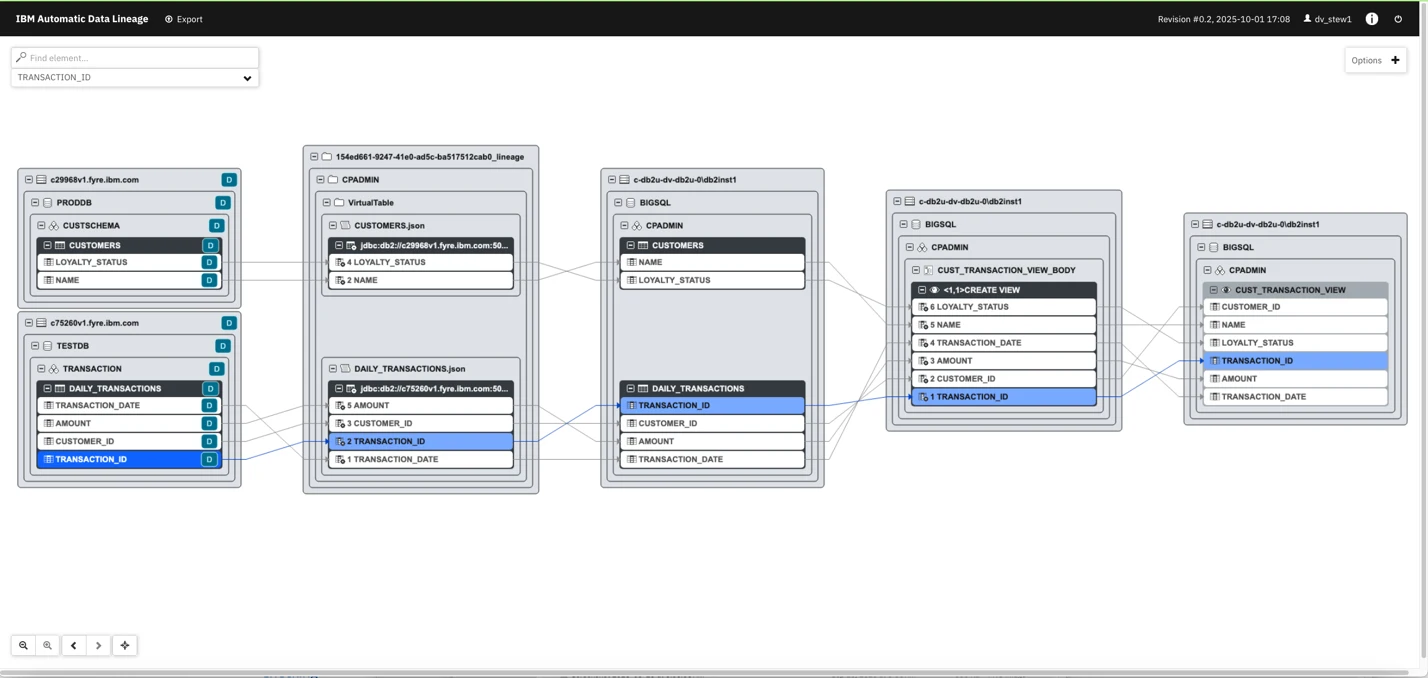
IBM Manta Data Lineage scans SSIS artifacts and accounts for different ways teams deploy packages. The documentation covers both project and package deployment models and exported files. This gives a data team several ways to analyze existing flows alongside the SQL Server objects involved.
The value is detailed dependency analysis where the packages and required source metadata can be collected. Extraction permissions vary by deployment model. An unsupported component may produce a generic connection, which can help locate a flow while providing less detail about how an output column was calculated.
IBM's scanner guide describes catalog extraction and the placement of exported ISPAC or DTSX artifacts for filesystem or version-control input. Choose the right deployment model and archive the source artifacts along with the scan configuration used for the test.
Use the detailed graph to identify where a supported transformation maps a field. For a generic link around a script or unknown component, open that artifact and use a captured run to confirm the actual input. Keep the runtime evidence with the manual mapping if you document one.
- Compatibility
- IBM documents SSIS integration and scanner requirements separately by deployment model.
- License and trial
- Commercial IBM offering. Scanner access and supported deployment options depend on entitlement.
Solidatus
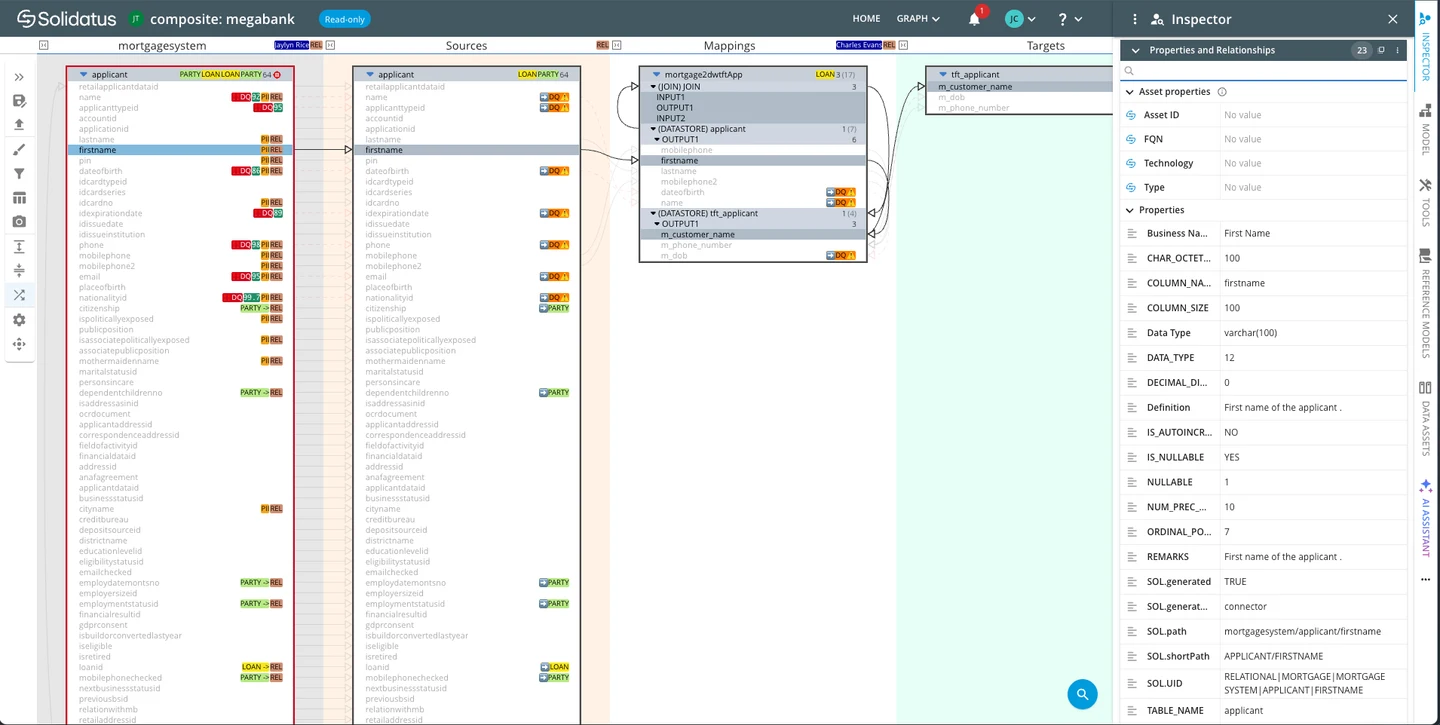
Solidatus documents an SSIS integration that reads package files and a SQL Server integration that can extract database metadata and parse views and procedures. Using both gives a data owner a place to connect package movements with transformations that happen inside the database.
This is useful for modeled impact analysis across a mix of technologies. The practical question is how accurately the two connectors stitch a database or field reference to the same asset. The graph is most helpful when it shows enough transformation detail to tell whether a column is copied, derived or simply referenced.
Solidatus documents a package-file integration and a separate SQL Server integration. Import the matching snapshots and reconcile connection aliases before joining the package to the database objects. The same schema name in two databases should resolve to two distinct assets.
Ask a reviewer to follow an activity that changes the value, then a later step that simply hands it off. Require a stable identifier to the package or SQL artifact for both. Refresh after a change to one source expression and check whether the reviewer can see what changed.
- Compatibility
- The SSIS integration reads package files. Database-side parsing uses the separate Microsoft SQL Server integration.
- License and trial
- Commercial. Connector access and model review entitlements depend on the deployment.
Informatica Enterprise Data Catalog
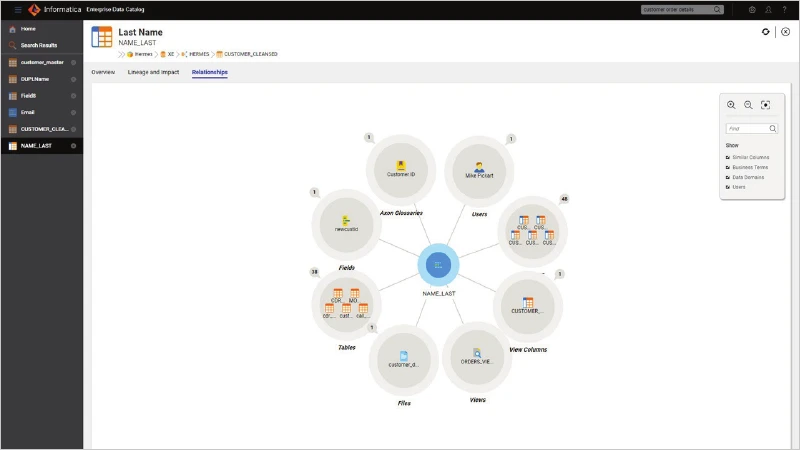
Informatica Enterprise Data Catalog provides an Advanced Scanner pathway for SSIS. The documented workflow includes data flow and control flow and can follow supported SQL tasks and stored procedure calls. That is useful when important transformations live in routines referenced by a package as well as in its data flow.
It fits an existing EDC estate that can run the scanner project and link the resulting metadata to its database sources and destinations. The scanner and package configuration determine which route the graph can establish. Parameter resolution and unsupported operations can still affect whether the lineage is specific enough for an impact decision.
The cited EDC scanner guide documents data flow, control flow and supported SQL task and stored procedure metadata. Check prerequisites for the deployed EDC and Advanced Scanner version, including the SSIS connector entitlement, before planning the pilot.
Use the pilot to see how the scanner records the call to a stored procedure and how far it follows the procedure's SQL. Resolve one parameter and leave a dynamic source choice unknown in the artifacts. Compare how the tool presents those two cases to readers.
- Compatibility
- Informatica documents EDC 10.5.0.1 or later for the cited Advanced SSIS Scanner workflow. Scanner and source support are version-specific.
- License and trial
- Commercial. The documented setup requires SSIS_CONNECTOR entitlement.
MetaKarta
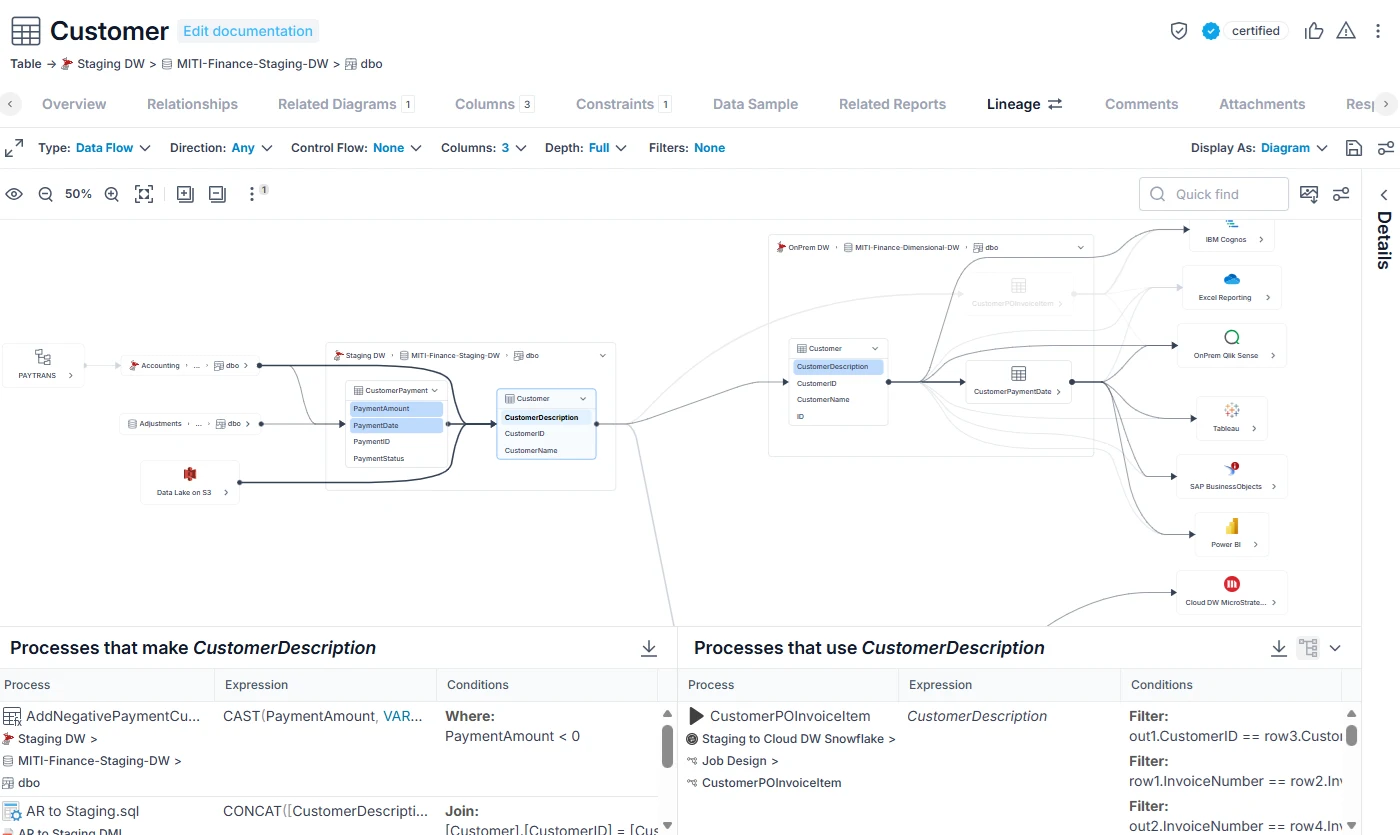
MetaKarta can build lineage from artifacts including SSIS packages, SQL scripts and stored procedures. Its data-flow views help trace upstream and downstream fields through intermediate processes. This is useful when a change starts in a database routine and affects a package or report someone else owns.
It is a candidate when metadata from several systems needs to be joined into one impact view. The scanner used for the package and the way it resolves the connected database both matter. An object name that exists in development and production needs enough connection context to associate the relationship with the right database.
The publisher describes parser-based acquisition across packages, SQL definitions and supported BI models. Pick the exact bridges for all three and prepare the artifacts as a single versioned input. Check whether derived fields reach the intended report rather than ending at a warehouse table.
Inspect whether two eligible dynamic branches are both shown or whether one link is marked unresolved. Compare that design output with the branch actually chosen in the lab. The combination lets a reviewer distinguish a possible dependency from evidence associated with that run.
- Compatibility
- MetaKarta documents SSIS and SQL artifact inputs. Available import bridges depend on the product release and repository.
- License and trial
- Commercial. Connector and metadata collection entitlements depend on the setup.
SQL Server and SSIS lineage tools by workflow
| What you need | Tools to shortlist | What to verify |
|---|---|---|
| Trace existing SSIS packages with documented source and target systems | Import a package and both databases, then trace a derived target column back to its inputs. | |
| Link SSIS package metadata to an enterprise catalog | Resolve connection names, catalog identities and separate environments before trusting downstream impact. | |
| Review an ETL change across systems and teams | Check how the tool captures transformation evidence and handles unresolved links. | |
| Add SSIS lineage to an Informatica EDC installation | Verify the Advanced Scanner release and SSIS entitlement before choosing a pilot. |
Identify how each relationship is known
An SSIS lineage graph can combine a SQL Server catalog relationship, a parsed package or query, and a mapping supplied by a person. An observed execution can confirm which of several paths a run followed. Keep the kind of evidence visible as the graph moves across systems.
A SQL view explicitly names a table
Check the database definition and metadata
Compare the referenced object and selected columns with the scanned version.
A package transforms or copies a field
Check the parsed package and connection
Verify the component, input columns, expression and destination.
A variable selects the source during execution
Capture the chosen path for a controlled run
Pair the SSIS execution with the resolved query or a lab log. Mark unobserved branches explicitly.
- Dataedo SSIS input types
- Dataedo SSIS automatic lineage and limits
- Cloudera SSIS metadata acquisition
- Collibra SSIS supported transformations
- Atlan SSIS lineage coverage
- IBM Manta SSIS scanner guide
- Solidatus SSIS metadata integration
- Informatica Advanced Scanner for SSIS
- MetaKarta parser-based lineage
- Microsoft SQL Server expression dependencies
- Microsoft SSISDB catalog.executions
Trace NetAmount across SQL, SSIS and the report
For the normal route, package A reads GrossAmount and DiscountAmount from the pricing view and derives NetAmount by subtraction. Package B copies the staging field into the report's data source. The override route uses a procedure to choose an alternate table after execution begins.
Capture the deployed package versions and an execution ID. An SSISDB execution record tells you which package ran. Pair it with the actual lab query or instrumentation before calling the physical source confirmed. Repeat with the alternate input and keep the report output with the evidence.
| Step | Upstream → downstream | Evidence to capture | Expected result |
|---|---|---|---|
| SQL view | LineageTrialOrder.GrossAmount and DiscountAmount → LineageTrialPriceInput | SQL source metadata and view definition | Order 101 has input amounts 120.00 and 20.00 |
| SSIS package A | Price input fields → staging NetAmount | Deployed Derived Column expression and connection | Normal NetAmount is 100.00 |
| SSIS package B and report | Staging NetAmount → report data source → report field | Package mapping and report dataset, or a recorded missing boundary | Report shows 100.00 on the normal run |
| Dynamic route | LineageTrialOverride fields → procedure result → staging NetAmount | Resolved query or controlled run with override enabled | Override inputs are 130.00 and 5.00. Report shows 125.00. |
| Limit of the run | Normal or override output → one execution record | Execution ID and captured source selection | Describe the path observed and any other branch the scanner inferred |
How to compare these tools
Scan the same SSIS packages and SQL Server objects. Verify source-to-target column mappings, transformation details and which links need manual resolution. Sources checked .
Trace one SQL Server column through two packages
Build a small lab source with fixed input amounts, a static view and a procedure that builds its table reference at runtime. The two package steps and report can then be checked against SQL Server's expected output.
Create static and dynamically selected SQL Server lineage sources
T-SQL · 42 lines
- Run the fixture in a disposable database. In package A, read the view's amounts for the normal route, derive NetAmount as GrossAmount minus DiscountAmount and write it to a test staging table. In package B, load that field into the test report source.
- For the override run, call the procedure with @UseOverride = 1 for the package A source. In both runs, clear the lab staging and report rows or use a distinct RunId. Capture the chosen query and exact deployed package artifacts.
- Scan the two artifacts and available reporting source. Compare the edges, report amount and evidence from both runs. Mark any unresolved source and confirm it independently before using the graph as an impact decision.
Conclusion
Choose the lineage tool that can explain a real column change and show the source artifact behind the answer. Start with the package formats, databases and components your team actually runs. Record dynamic and unsupported edges so an impact review knows where it needs manual evidence.
Frequently asked questions
What is the difference between SSIS package documentation and data lineage?
Package documentation records what a project contains and how it is configured. Data lineage connects source and destination assets and shows how a value moves or changes between them. A column-level graph adds the mappings used to construct a field.
Do I need to scan both SSIS and SQL Server to build lineage?
Often, yes. The SSIS scanner can identify package references, and the database scan helps resolve those references to actual SQL Server objects. A deployment alias, an environment variable or a duplicate database name can prevent an automatic match.
Can technical lineage resolve dynamic SQL in an SSIS package?
That depends on how the SQL and its inputs are available to the scanner. Static parsers may resolve literals or known parameter values. A query constructed only at runtime can require execution evidence, an explicit mapping or manual review.
Can Microsoft Purview trace SSIS packages?
Microsoft documents source-to-destination lineage for supported packages running on Azure Data Factory’s SSIS integration runtime. The documented integration covers table or view endpoints and excludes in-package transformations and on-premises extraction. New Purview Data Governance accounts are closed, and existing capabilities are in maintenance through November 12, 2027.
What is column-level lineage used for?
Column-level lineage helps find what feeds a specific field and which downstream fields could be affected if a source or transformation changes. Trace one known field end to end and compare the graph with the package and SQL before using it to approve a migration.
Does an SSISDB execution record prove a downstream column mapping?
An execution record identifies a package run and its status. Confirm a column mapping with the deployed package and its SQL or transformation. Pair them with execution-specific input or output evidence when a runtime choice changes the source.