

A cross-engine move is several jobs that happen to share a destination. A conversion tool can translate a table definition and still leave an application procedure with different behavior. A data loader can copy the rows while the team handles types, sequences and dependencies. For a busy source, a replication tool can keep the target close to current after the first load.
Direction narrows the choices. SSMA is a Microsoft route into SQL Server from supported engines. AWS and Google provide workflows out of SQL Server into particular managed PostgreSQL destinations. Ispirer and SQLines are worth looking at when code conversion drives the effort. DBConvert, pgloader and EDB Migration Toolkit address more specific loading workflows. HVR is a candidate when the target schema is already prepared and the move needs ongoing changes until cutover.
SQL Server migration tools at a glance
Start with the direction you need. The table separates what generates database definitions from what moves rows and applies changes after an initial copy.
| Tool | Documented direction to evaluate | Assessment and conversion | Data transfer and licensing |
|---|---|---|---|
| Microsoft SQL Server Migration Assistant | Supported Oracle, MySQL and other sources into SQL Server or supported Azure targets | Assessment by source variant, T-SQL conversion and issue reports | Data migration in supported variants. Microsoft tooling with separate remediation and platform costs. |
| AWS DMS Schema Conversion and AWS DMS | SQL Server to Amazon RDS or Aurora PostgreSQL | Conversion report and generated target objects with manual work items | Separate DMS full load and eligible CDC. AWS service charges apply. |
| Google Cloud Database Migration Service | Supported SQL Server sources to Cloud SQL for PostgreSQL | Conversion workspace and issue review | One-time or continuous migration where supported. Google Cloud service charges apply. |
| Ispirer Migration Toolkit | Documented pairs including SQL Server to PostgreSQL | Object and stored-code conversion, command line or wizard workflows | Toolkit can load supported objects and data. Commercial scope depends on pair and code volume. |
| SQLines Tools | Documented pairs including SQL Server to PostgreSQL | SQL Converter generates translated scripts | Separate Data tool for bulk transfer and validation. Check terms for both tools. |
| DBConvert Studio | SQL Server and PostgreSQL in both directions for supported setups | Visual table mapping and generated target definitions where supported | Initial copy and scheduled synchronization. Confirm the commercial product and matching key requirements. |
| pgloader | SQL Server to PostgreSQL | Schema discovery, type casting, keys and indexes | Command-line bulk loader. Open source and self-managed. |
| EDB Migration Toolkit | Supported SQL Server releases to PostgreSQL or EDB Postgres Advanced Server | Tables, views, keys and indexes within the source matrix | Command-line load. Check EDB licensing and the installed toolkit's source matrix. |
| Fivetran HVR | SQL Server and PostgreSQL as supported HVR endpoints | Prepare application schema and routines separately | Initial refresh and supported replication modes. Commercial and environment-dependent. |
Microsoft SQL Server Migration Assistant
SQL Server Migration Assistant is a family of Microsoft utilities for moving supported source engines into SQL Server and certain Azure destinations. The assessment report is often the most useful first artifact. It separates objects that can be converted from routines, types or dependencies that still need engineering work.
SSMA is a strong fit when SQL Server is the destination and Microsoft provides a variant for the existing engine. The converted schema can reduce manual work, but successful conversion is different from equivalent application behavior. Procedures with important implicit conversions or transaction assumptions still need a comparison against the source.
Run the assessment on representative schemas before estimating the move. Break out conversion findings by object and statement type so the team can assign the work to an owner. Give priority to routines and constraints that enforce application rules, even when they are a small fraction of the complete inventory.
The generated T-SQL is useful as a review artifact. Test the translated procedure against source inputs and compare output rows, return values and the error seen by the application. The exact source variant also controls the destination choices and any required extension pack, so check both together.
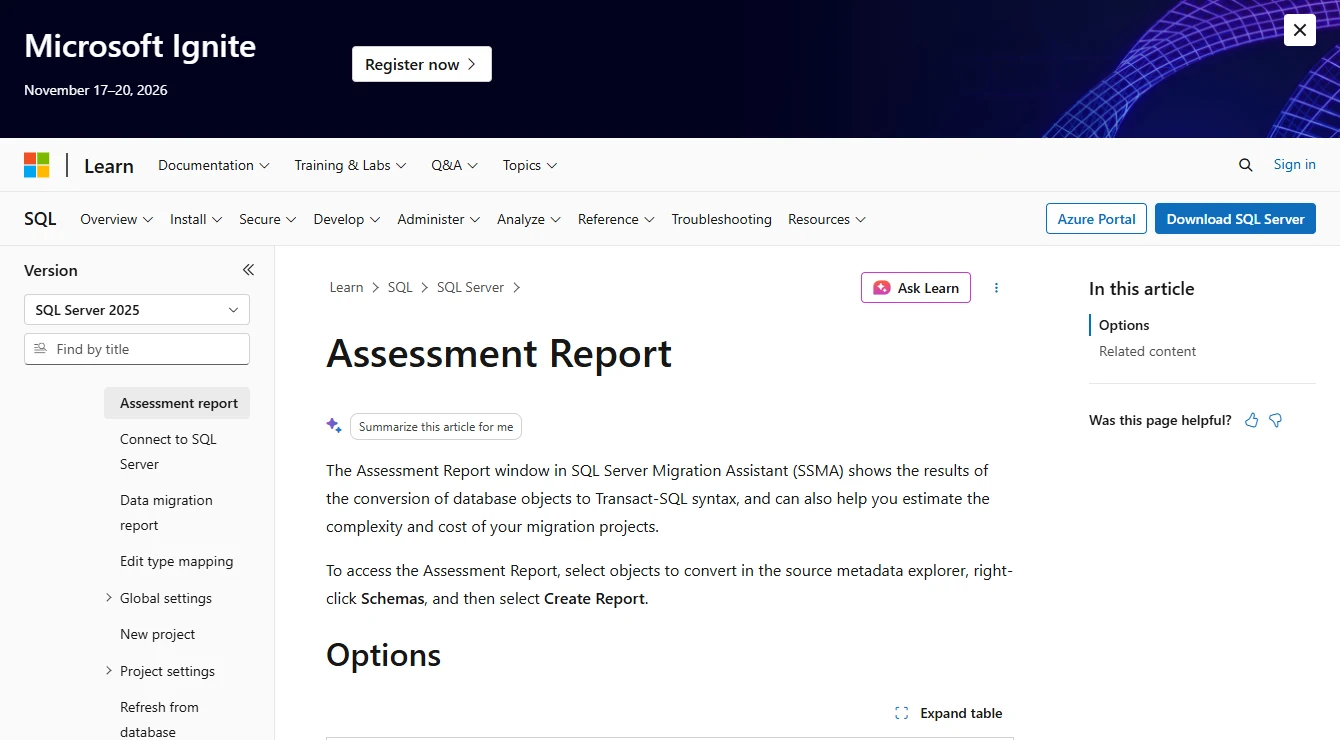
- Compatibility
- Microsoft publishes source-specific variants, supported destinations and extension requirements.
- License and trial
- Microsoft migration tooling. Assessment, manual remediation, target licenses and testing are separate costs.
AWS DMS Schema Conversion and AWS DMS
AWS DMS Schema Conversion assesses and translates database objects for supported migration paths, such as SQL Server to Aurora PostgreSQL. AWS DMS moves the data after the target has been prepared. The workflow gives a team separate artifacts for conversion findings and for loading or replicating the rows.
It makes particular sense when the destination is an AWS-managed database and the project needs both an assessment and a cutover rehearsal. Unsupported objects or PostgreSQL extensions can add manual work. DMS validation helps with reconciliation, while translated routines still need to behave correctly for the application.
Review assessment actions and converted definitions before opening the data task. AWS documents that the SQL Server source endpoint does not carry the identity property into target columns through data migration. Check the generated PostgreSQL definition and confirm the target can allocate the next key after importing existing IDs.
For the DMS task, rehearse a full load and eligible CDC with a small set of representative tables. If you enable validation, inspect mismatches and budget for the reads on both endpoints. Trigger behavior and application writes are separate tests that belong after target conversion.
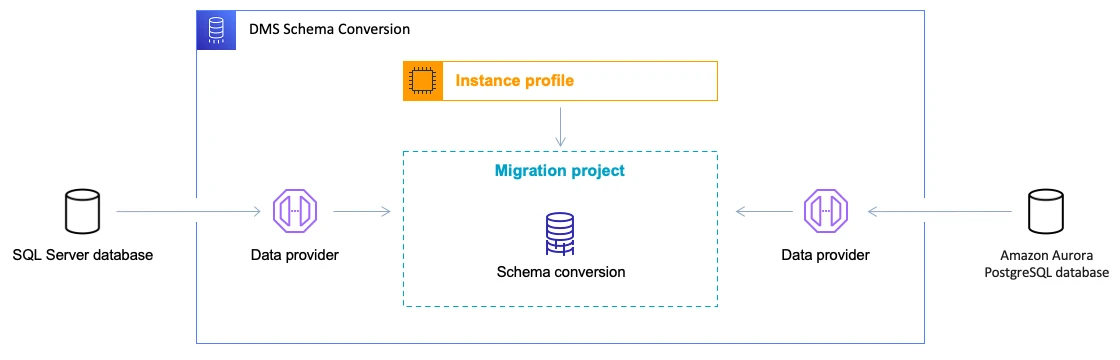
- Compatibility
- AWS documents supported SQL Server source and PostgreSQL target paths, plus separate migration and validation settings.
- License and trial
- AWS service charges vary with replication resources, validation and the duration of the rehearsal and cutover.
Google Cloud Database Migration Service
Google Cloud Database Migration Service provides a conversion workspace for supported SQL Server sources moving into Cloud SQL for PostgreSQL. The workspace gives a team a place to see the generated PostgreSQL definitions and deal with issues before loading the data. The service supports one-time and continuous migration workflows for the documented scenarios.
The fit is strongest when Cloud SQL is already the destination and the source qualifies for the chosen mode. Continuous replication can reduce the volume of changes left for cutover after the initial dump. Source edition, network access and conversion limitations still determine whether that path is available.
Use the conversion workspace to resolve definitions before applying them to Cloud SQL. Check tables and modules against the SQL Server limitations. Examples include unsupported temporal tables and modules with particular dependencies, which can change the migration plan even if the bulk of the schema converts.
Google documents keeping destination sequence values aligned at the end of the move because source values may continue advancing. Set a late source write during the rehearsal and verify its destination row before running a representative insert against the promoted target. Record the CDC prerequisites and freeze point.
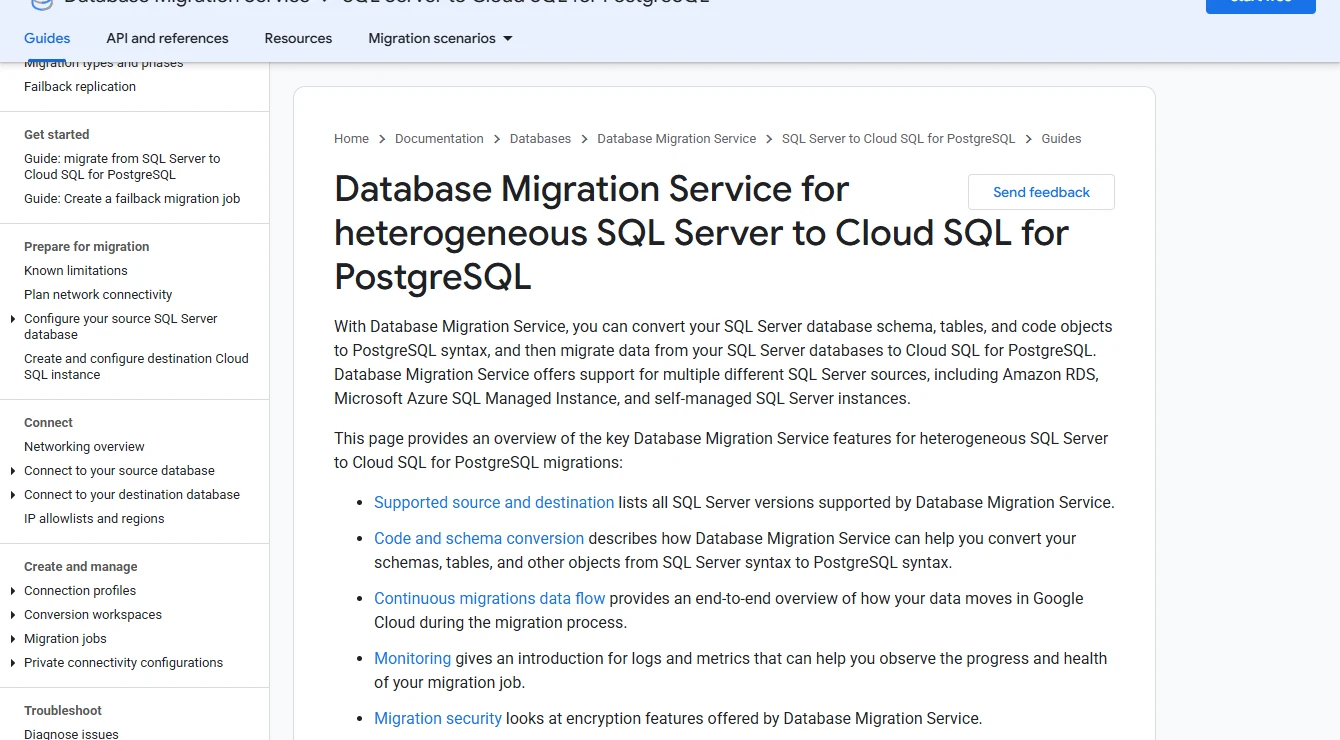
- Compatibility
- Google publishes SQL Server source, target and mode restrictions. The destination for this heterogeneous path is Cloud SQL for PostgreSQL.
- License and trial
- Managed Google Cloud service. Charges depend on the configured migration and destination resources.
Ispirer Migration Toolkit
Ispirer Migration Toolkit converts schema definitions and database code for documented engine pairs. The SQL Server to PostgreSQL workflow is useful when the hard part of the project is translating stored procedures and other database logic, alongside the tables and data.
The reason to shortlist it is the amount of editable output it can give the team for a difficult code base. Conversion coverage depends on the source constructs. Semantics such as date arithmetic, errors and transaction boundaries can require focused changes even when a routine converts cleanly.
Ispirer documents the SQLWays Wizard for retrieving source objects and loading converted output using native utilities. It also offers script conversion through Studio and Commander. Use the script workflow to keep a sample routine and its converted version together in review before applying the changes.
Include an unusual routine from your schema in the trial. A procedure that updates a row and then handles a missing reference exposes conversion assumptions about exceptions and transactions. Ask whether the evaluation and commercial scope cover companion triggers, synonyms and user-defined types that routine calls.
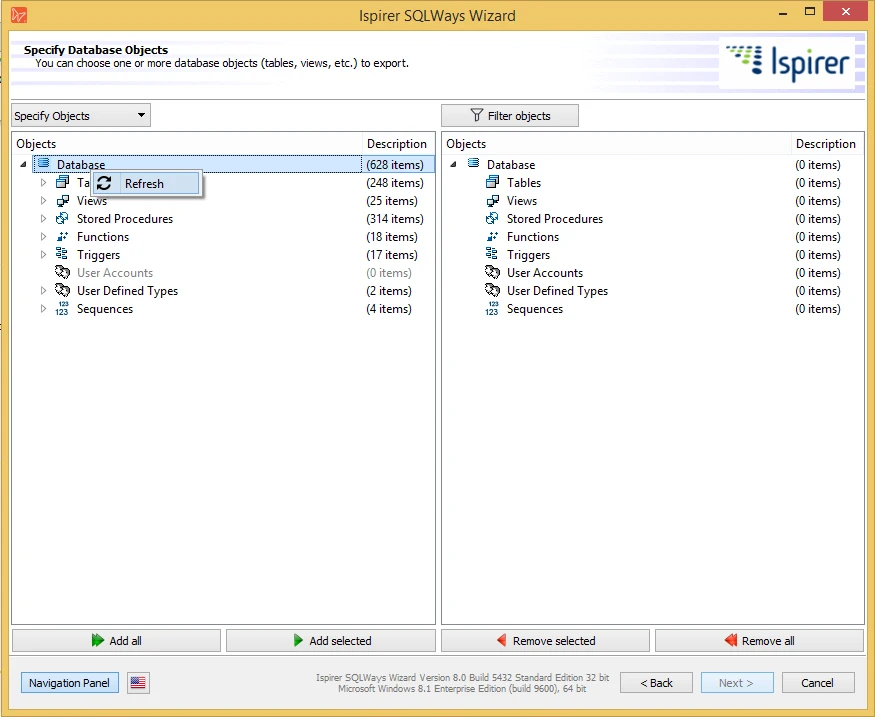
- Compatibility
- Ispirer documents SQL Server to PostgreSQL and other specific source and target pairs. Object coverage depends on the selected workflow.
- License and trial
- Commercial. License and conversion support depend on the engine pair and code scope.
SQLines Tools
SQLines provides a SQL Converter for rewriting source SQL and a separate Data tool for moving rows. For a SQL Server to PostgreSQL project, this separates review of translated scripts from connection and data-load configuration. It suits a team that wants to inspect both stages directly.
The useful fit is a migration where engineers expect to own the manual changes themselves. Converted scripts provide a starting point, and the data loader handles its supported transfer path. Cross-engine behavior, precision and object support can still require explicit fixes in either stage.
Run SQL Converter on a small script bundle, then run SQLines Data against the resulting disposable target using a separate connection configuration. This gives the team both editable DDL and a repeatable data phase. Check precision and leading or trailing spaces against the original rows.
Keep the converter output in source control and record the options used for the data transfer. Re-run the job on a prepared target and verify what happens to the rows already present. If an application stays online after the initial copy, decide how you will capture and reconcile intervening writes.
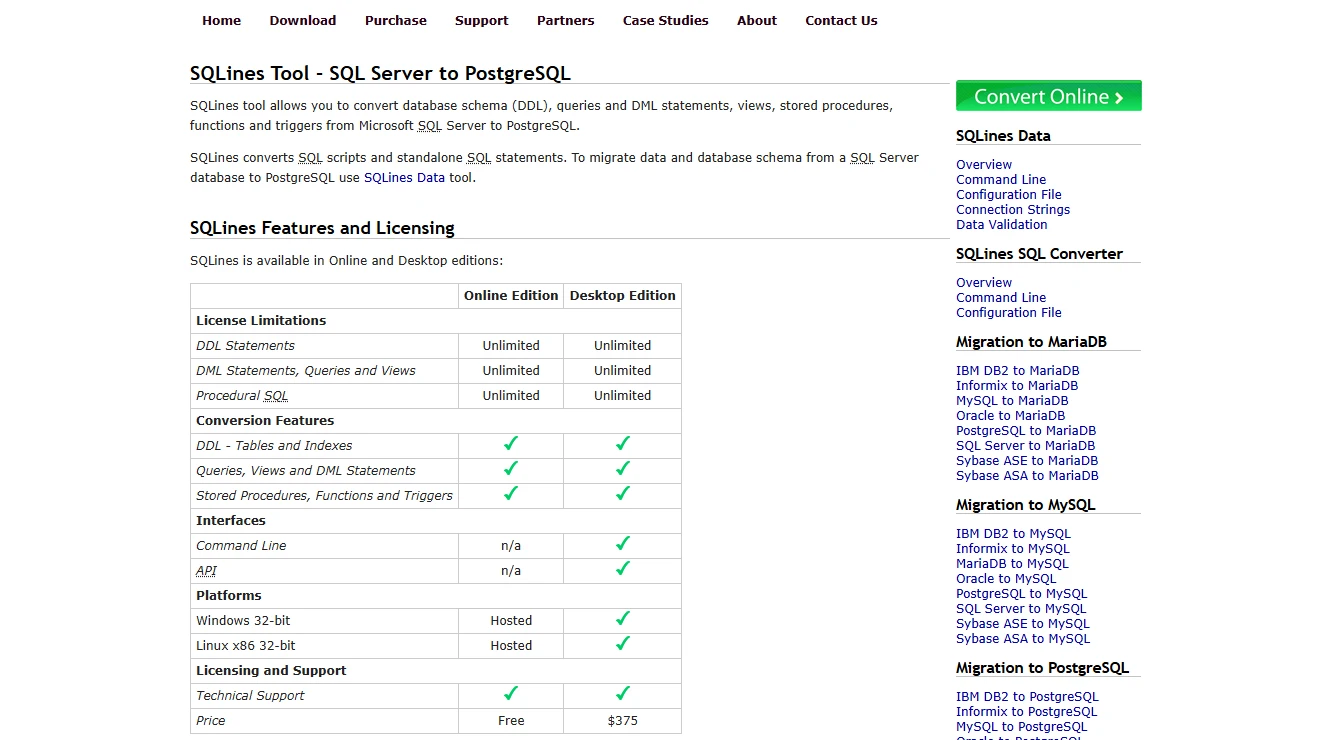
- Compatibility
- SQLines documents SQL conversion and a separate data transfer workflow for SQL Server to PostgreSQL.
- License and trial
- License and use terms for SQL Converter and the Data tool depend on the selected versions.
DBConvert Studio
DBConvert Studio provides a project-based workflow for moving or synchronizing data between supported databases. Its published paths include SQL Server to PostgreSQL and the reverse direction. A project gives an operator a single place to map source tables and decide how they should appear at the destination.
It is useful for an operator who needs a visual setup and wants to rehearse the same transfer more than once. The important distinction is how the job treats existing tables and records. A successful initial load does not show what a repeat run will do with data already written to the target.
The publisher's pair guide distinguishes a full copy from scheduled synchronization. Check what the selected profile uses to match rows. The documented synchronization workflow calls for a primary key or qualifying unique index, which can affect how a legacy table without a key moves.
During the pilot, update an existing source row and delete a second one before repeating the job. Record what the exact mode does on the target, including how it treats target-only records. The publisher lists a separate log-based Streams product for continuous replication, so identify the SKU in the comparison.
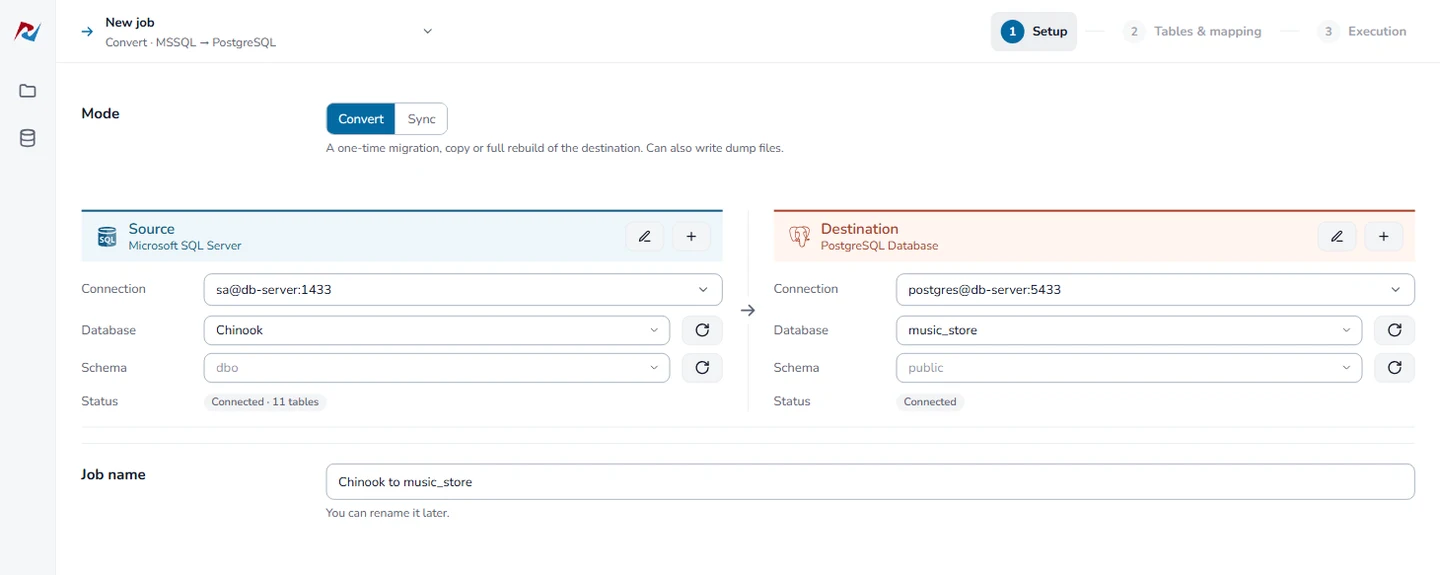
- Compatibility
- DBConvert documents both directions between SQL Server and PostgreSQL. Supported pairs, conversion and synchronization depend on the setup.
- License and trial
- Commercial. Engine pair and recurring synchronization needs determine the applicable license.
pgloader
pgloader is an open-source command-line loader into PostgreSQL with documented Microsoft SQL Server input. It can apply casting rules during the transfer. Putting the load configuration under review makes a repeat run more predictable when SQL Server column types need a specific PostgreSQL representation.
It fits a migration where the team wants an executable load specification and plans to handle stored code separately. The result is only as suitable as the type choices and generated schema. Defaults, keys and index definitions still matter once application writes start on the target.
The documented SQL Server path can discover tables, build indexes, and reconstruct primary and foreign keys. Use a load command file to make the selected tables and casts visible in review. A first pass over a handful of representative tables can expose PostgreSQL naming or type changes early.
Inspect any schema preparation statements in the load file before execution. Test unique constraints, text and numeric values, defaults and a generated key on an isolated target. A stored procedure conversion and a low-downtime replication plan remain separate deliverables for this workflow.
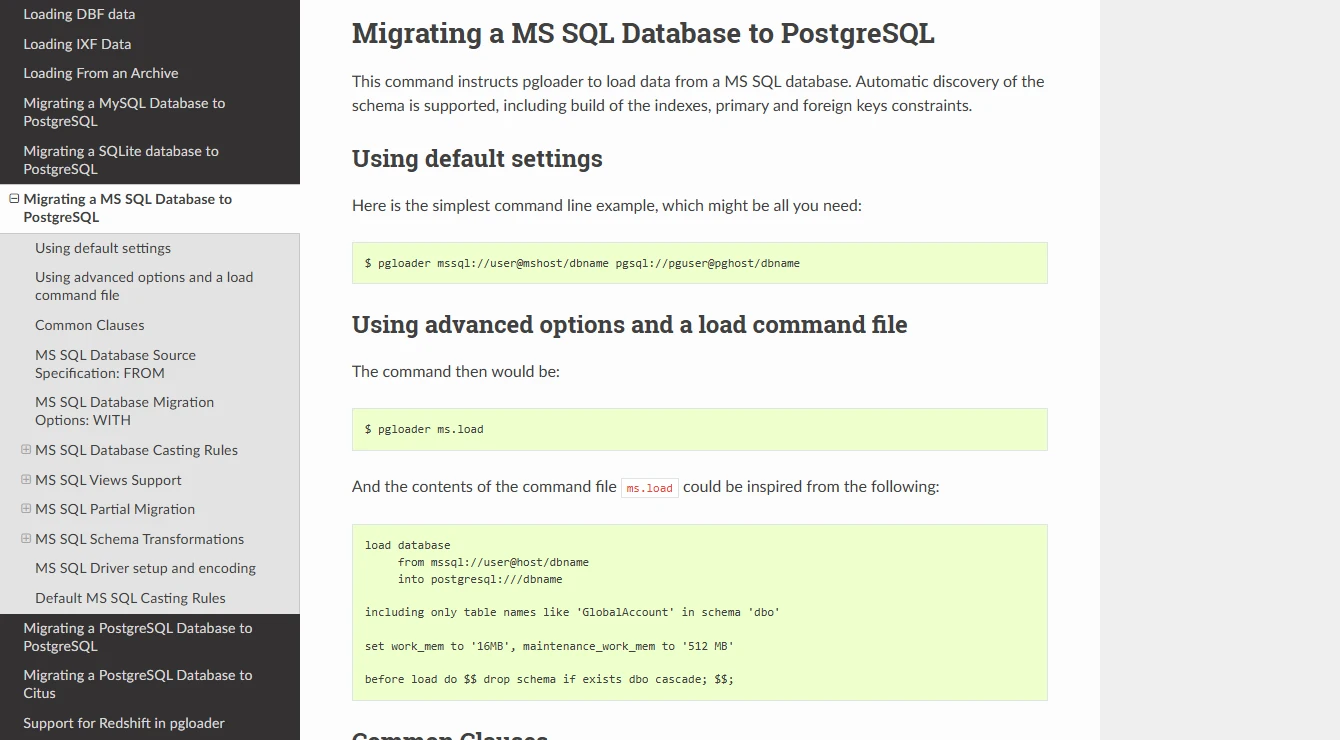
- Compatibility
- Documented SQL Server input and PostgreSQL destination with configurable casting and load options.
- License and trial
- Open source. The migration team owns the load runner, schema review and operational support.
EDB Migration Toolkit
EDB Migration Toolkit provides a command-line migration path from supported SQL Server releases into supported EDB targets. That can be useful for a repeatable move of documented schema and table objects when the destination is already part of the EDB stack.
The support matrix is one of the main reasons to choose or rule out this route. A source release beyond the listed versions may need another migration tool. The supported objects and JDBC configuration also affect how much can move under one command and which code belongs in a separate conversion project.
EDB's source-specific object table lists SQL Server tables, constraints, indexes, table data and views. Its entries for procedures and functions refer to other source engines. For an application that depends on T-SQL routines, budget separately for translating and testing those routines.
Record the toolkit version, source JDBC connection and the options handed to the command line. Trial a selected schema and a repeatable type mapping with data large enough to encounter normal batch behavior. Compare row totals and inspect how the team would resume after a connection interruption.
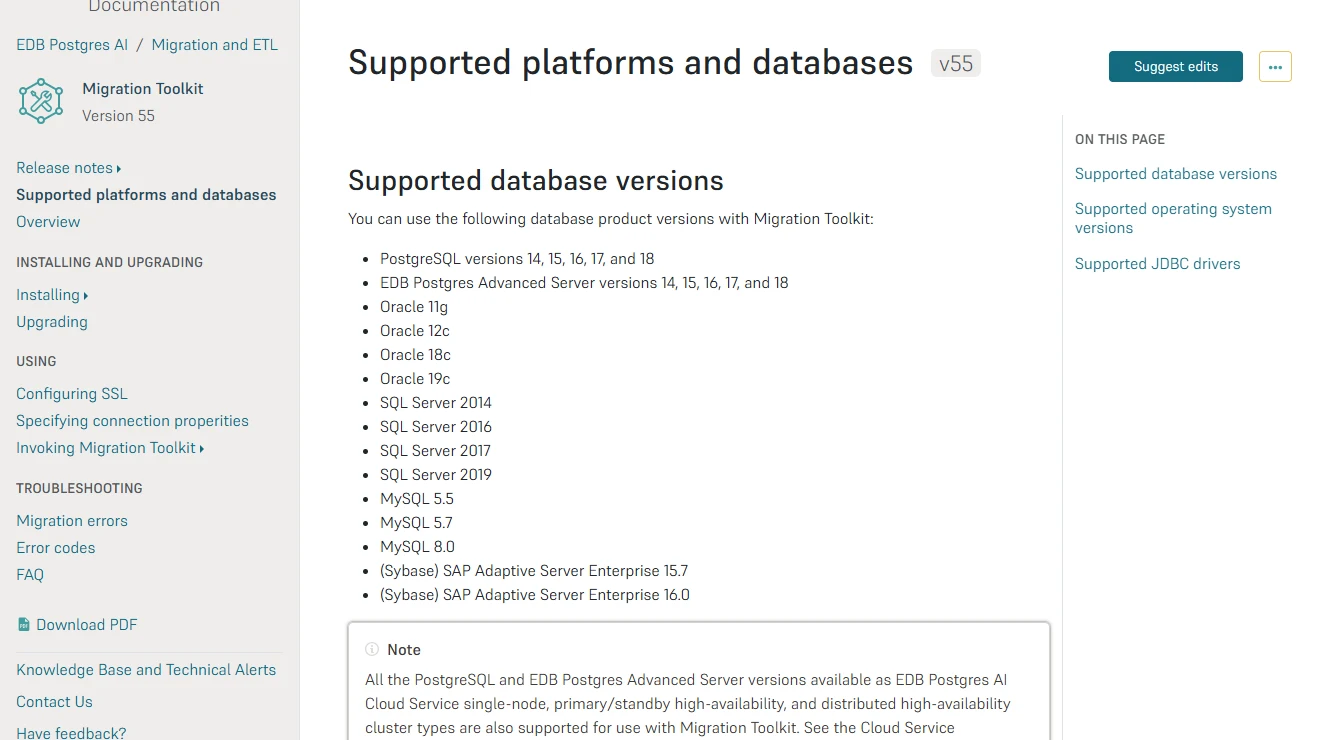
- Compatibility
- EDB’s version 55 documentation lists SQL Server 2014, 2016, 2017 and 2019 as supported sources. Target and object support vary.
- License and trial
- Toolkit access, target licensing and support follow the applicable EDB product terms.
Fivetran HVR
Fivetran HVR is a replication system that documents both a SQL Server source and a PostgreSQL target. It can keep a prepared target updated after an initial load. That is valuable when the source stays online until cutover and there is a small window in which to finish applying changes.
Its role depends on the target schema already being ready for replication. Capture permissions, available source changes and target integration determine whether it can catch up. A checkpoint and row reconciliation near cutover are more useful for deciding when to switch writes than the fact that the replication process is running.
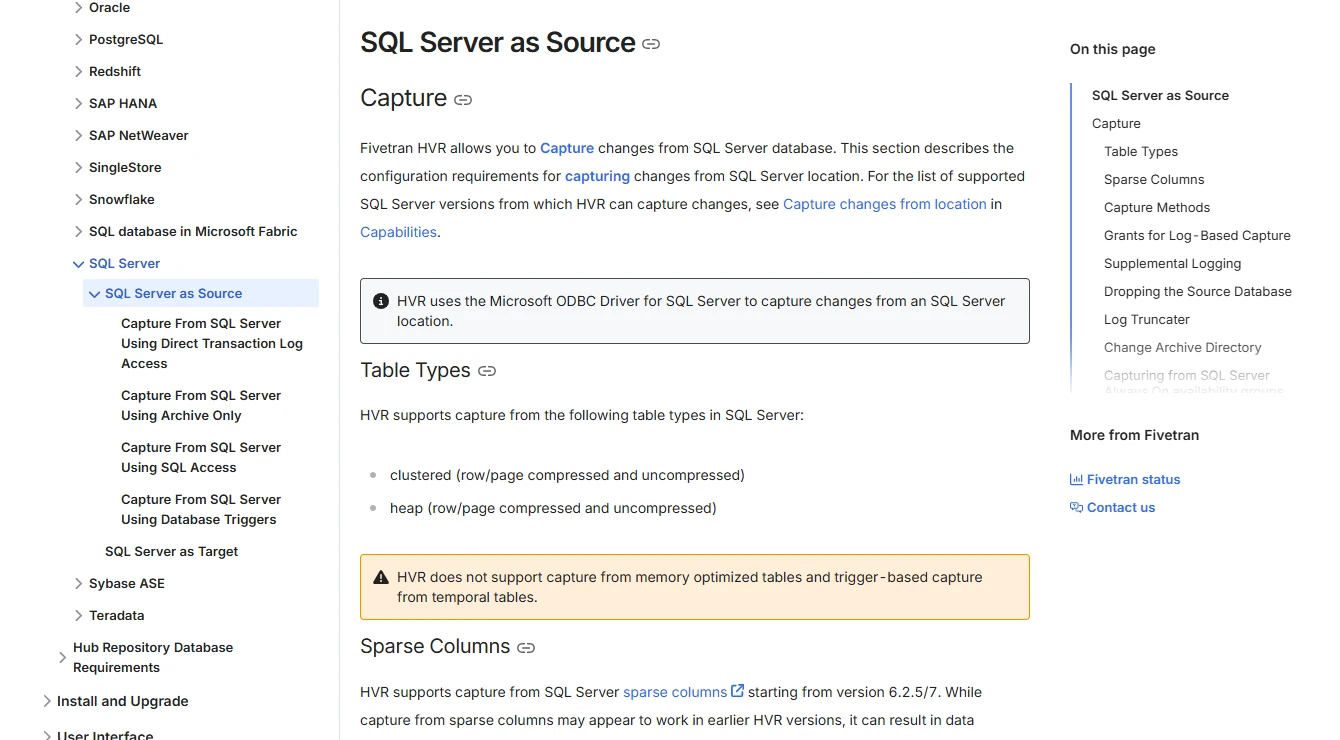
HVR separates the initial refresh from ongoing integration and documents several SQL Server capture and connection options. Review the source edition, network path, driver and capture permissions as a unit. The SQL Server requirements page distinguishes RDS refresh from log-based capture, which matters for managed sources.
Before the cutover test, agree on a reconciliation checkpoint. Add a committed insert, update and delete after the initial refresh, then verify that each appears in the prepared target. Keep that evidence beside the last applied position and confirm the application can use the new database.
- Compatibility
- HVR documents separate SQL Server source and PostgreSQL target requirements and modes.
- License and trial
- Commercial. Licensing, endpoints and support depend on the replication topology.
SQL Server migration tools by direction and workload
| What you need | Tools to shortlist | What to verify |
|---|---|---|
| Move from a supported engine into SQL Server | Confirm the source pair. Assess objects, keys, stored code and the exact target platform. | |
| Move SQL Server to a managed PostgreSQL service | Check the exact cloud destination, conversion workspace, initial load and replication restrictions. | |
| Review SQL Server code and schema conversion | Convert a difficult procedure and one application flow, then compare semantics in the target. | |
| Load a supported PostgreSQL or EDB target | Verify type casts, identity behavior, constraints and the source database version. | |
| Replicate changes into a prepared target | Rehearse the full load, ongoing changes and reconciliation after stopping writes. |
Choose the tool by direction and cutover window
Use the database engine direction to rule out incompatible tools. Then decide how much work is in stored code, how many rows need to move, and how long the application can pause writes.
A supported source is moving into SQL Server
Start with the matching SSMA variant
Use its assessment as the inventory for hand conversion, transfer validation and application testing.
SQL Server is moving to PostgreSQL during a write freeze
Compare a converter and a bulk load
Test the resulting schema, import time and the first generated key on the target.
SQL Server must keep accepting writes until cutover
Prepare the target, then rehearse CDC
Check the exact source and target pair, capture prerequisites, lag and the final write freeze.
- Microsoft SQL Server Migration Assistant
- AWS SQL Server to PostgreSQL conversion rules
- Google DMS SQL Server to Cloud SQL limitations
- Ispirer SQL Server to PostgreSQL toolkit workflow
- SQLines SQL Server to PostgreSQL data transfer
- DBConvert SQL Server to PostgreSQL conversion and synchronization
- pgloader SQL Server source options
- EDB Migration Toolkit supported objects
- Fivetran HVR SQL Server requirements
- Fivetran HVR PostgreSQL requirements
Collect evidence at each migration stage
A conversion assessment describes the DDL and code it could translate. A data task establishes which rows arrived. Keep those artifacts together with the smoke test from the destination application so the cutover team can see which checks have passed.
| Stage | Save | Check |
|---|---|---|
| Assess | Inventory and action items | Every required table, routine, trigger and external job has an owner |
| Convert | Reviewed target DDL and routine changes | Type precision, constraints, case rules, error handling and transaction behavior |
| Load | Data task report and source/target aggregates | Matching row count, sums and boundary values by business key |
| Catch up | Checkpoint, lag and sample changes | A committed insert, update and delete written after the load all appear |
| Switch writes | Smoke test, generated ID and rollback decision point | Target accepts a transaction and uses a free key; operators know where writes go |
Check generated keys and routine behavior before the first target write
Copying existing key values and preparing the next generated key are separate steps. For a PostgreSQL target, inspect the identity or sequence associated with the column after the final copy. Execute a safe insert in the disposable target and record its ID. Test the translated routine with the same inputs and compare the posted-only totals.
If your move keeps the source writable during the transfer, record the write-freeze checkpoint. Tests run at an earlier point use a different data set, so repeat the data and generated-key checks on the final cutover system.
| Reader test | Source result or condition | Destination pass condition |
|---|---|---|
| Inventory | One table, one stored procedure, a primary key and a default | Both related objects and their behaviors are accounted for |
| Initial data | 4 rows, MAX invoice ID 103, total 105.25 | Same values by currency and primary key |
| Posted-only procedure | USD 75.30 and EUR 24.70 | Translated routine returns the same values for both inputs |
| First generated ID | Source imported IDs are 100–103 | A target insert omitting the key receives an unused ID above 103 |
How to compare these tools
Check schema conversion, data transfer and change replication separately. Test a procedure that needs rewriting and compare the results and row counts before planning the cutover. Sources checked .
Rehearse conversion, data movement and cutover
Set up this small source in an empty, disposable SQL Server database. It contains an identity key, a default, exact decimal amounts and a routine with a filtered result. Move the fixture using the tool you are evaluating, then compare its output and test a target write.
Build a cross-engine migration source fixture
T-SQL · 40 lines
- Run the fixture as one batch in an empty disposable SQL Server database. Save the two totals from the source procedure and the row count and max key from the table query.
- Apply the reviewed target schema, move the rows and run the converted procedure with USD and EUR. For CDC, apply a separate set of post-load source changes and reconcile those too.
- At the target, configure the generated key for the final imported IDs. Make a disposable application-style insert without supplying the key, capture the returned ID and check that it is above 103 for the initial seed.
Conclusion
Choose tools by engine pair and migration workstream. Use the assessment to make manual work visible, and select the data move and cutover method separately. The result of the rehearsal should include a reconciled target, a working application transaction and an explicit write switch.
Frequently asked questions
Which tool migrates Oracle or MySQL into SQL Server?
Microsoft publishes SSMA variants for supported sources, including Oracle and MySQL. Confirm the source and target versions and run the relevant assessment before committing to a conversion plan.
Which tool migrates SQL Server to PostgreSQL?
The choices depend on the PostgreSQL target and the amount of conversion work. AWS and Google document specific managed destinations. Ispirer, SQLines, DBConvert and pgloader publish other relevant workflows. Confirm the exact engine pair and covered objects.
Do database migration tools automatically rewrite stored procedures?
Some tools convert supported syntax and list action items. Review the generated routine and test transactions, errors and data semantics. Estimate manual work using the actual source code.
When does a migration need change replication?
Change replication can help when the application must continue writing during a long initial load. Verify the source capture requirements and rehearse how the target catches up and is validated at cutover.
How do I validate data after a cross-engine migration?
Check row sets by stable key, relevant aggregates and fields with different type or collation semantics. Test constraints, generated keys and a representative application transaction in addition to the migration tool’s validation report.
How do I prevent a duplicate key on the first PostgreSQL insert?
After the final load, verify the identity or sequence the column will use and align it with the imported values. In a disposable target, insert a row without an explicit ID and confirm that the generated key is available.
Which tool should I use to move SQL Server to another SQL Server?
A same-engine move has a separate workflow for database restore or replication, logins, jobs and instance configuration. Use the Windows instance migration comparison or the SQL Server upgrade and migration guide for that path.