

A data comparison matches rows and finds changes in the selected columns. It answers a different question from schema compare, which looks at object definitions. The matching key makes or breaks a row comparison. If the key identifies different records on the two sides, even a clean-looking result can produce the wrong update or delete.
Redgate and dbForge give you a reviewed path from a difference to a synchronization script. tablediff is useful when a replication investigation already points to one table. xSQL, EMS and SQL Delta suit repeated work over known databases. Navicat and DataGrip fit someone already in those clients who needs to inspect a narrower set of rows. A source being updated while the comparison runs can change the result in any of these tools.
SQL Server data comparison and synchronization tools
A data comparison matches stored rows. Decide which columns identify a row, which database is authoritative for those rows and what a proposed write can touch.
| Tool | Comparison scope | Before writing | Execution path | License |
|---|---|---|---|---|
| Redgate SQL Data Compare | SQL Server tables, configured keys and filters. | Review selected differences and the generated SQL. | Desktop or licensed automation path. | Paid subscription and trial. |
| Devart dbForge Data Compare for SQL Server | SQL Server data with table and column mappings. | Select rows and actions and inspect synchronization SQL. | Desktop and edition-specific automation. | Commercial with trial. |
| Microsoft tablediff | A configured source and target table, subject to documented key and schema rules. | Write a difference report or supported correction script. | Replication tooling command line. | SQL Server tooling. |
| xSQL Data Compare for SQL Server | Supported SQL Server or Azure SQL data comparisons. | Review the target correction and selected scope. | Check version, edition and unattended mode. | Paid and limited edition terms. |
| EMS Data Comparer for SQL Server | Saved SQL Server data comparison project. | Filter or choose differences and inspect the sync output. | Desktop workflow. Verify unattended terms. | Commercial and trial. |
| SQL Delta for SQL Server | SQL Server data compare project and selected objects. | Review the generated reconciliation script. | Use the supported project and deployment path. | Commercial. |
| Navicat for SQL Server Data Synchronization | Mapped SQL Server sources and targets. | Review the result, direction and operation choices. | Desktop or supported scheduling workflow by edition. | Commercial edition. |
| JetBrains DataGrip Compare Data | SQL Server objects or query results within the chosen scope. | Inspect row differences in the IDE. | Developer comparison and reviewed separate SQL where needed. | JetBrains license terms. |
Redgate SQL Data Compare
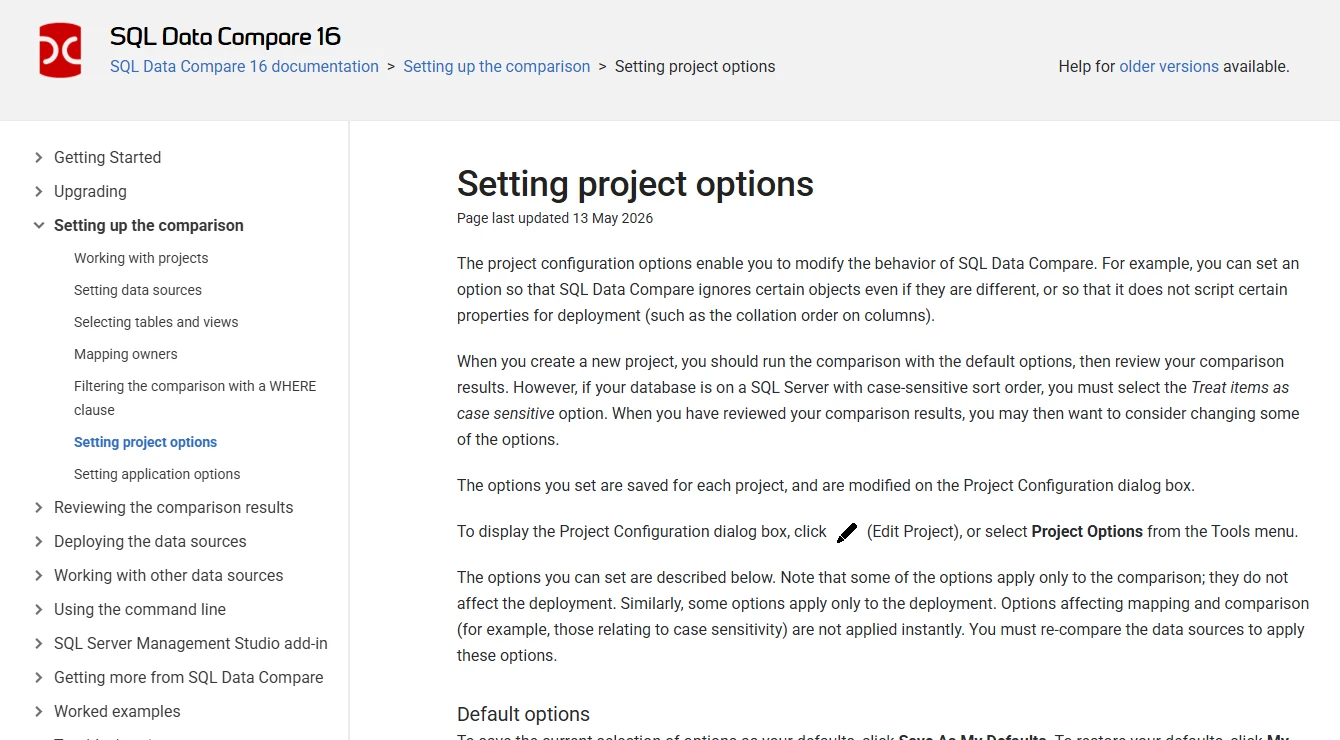
Redgate SQL Data Compare matches rows between SQL Server data sources and shows the values that differ. A reviewer can select which changes to deploy and inspect the SQL first. It is useful for correcting reference data where some target-only rows are legitimate and only the selected differences should move.
Its main advantage is the review from matched row to proposed change. That requires a key that really identifies the same record on both sides, and consistent source and target data. Application writes between the comparison and deployment can make an approved result stale.
Use Redgate when SQL Server differences need an operator to select and review individual changes. Configure a stable comparison key and test tenant filtering before interpreting the difference counts. A table can have a useful key for the application and still need explicit setup for the comparison.
Before an update, open the synchronization script and separate inserts, updates and target-only deletions. Compare the edition's available automation and input types. Retain the result and key selection for anyone reviewing the change later.
- Compatibility
- Supports SQL Server data comparison and deployment. Matching keys, source types and automation depend on the version.
- License and trial
- Commercial. SQL Data Compare and automation entitlements depend on the product or Toolbelt plan.
Devart dbForge Data Compare for SQL Server
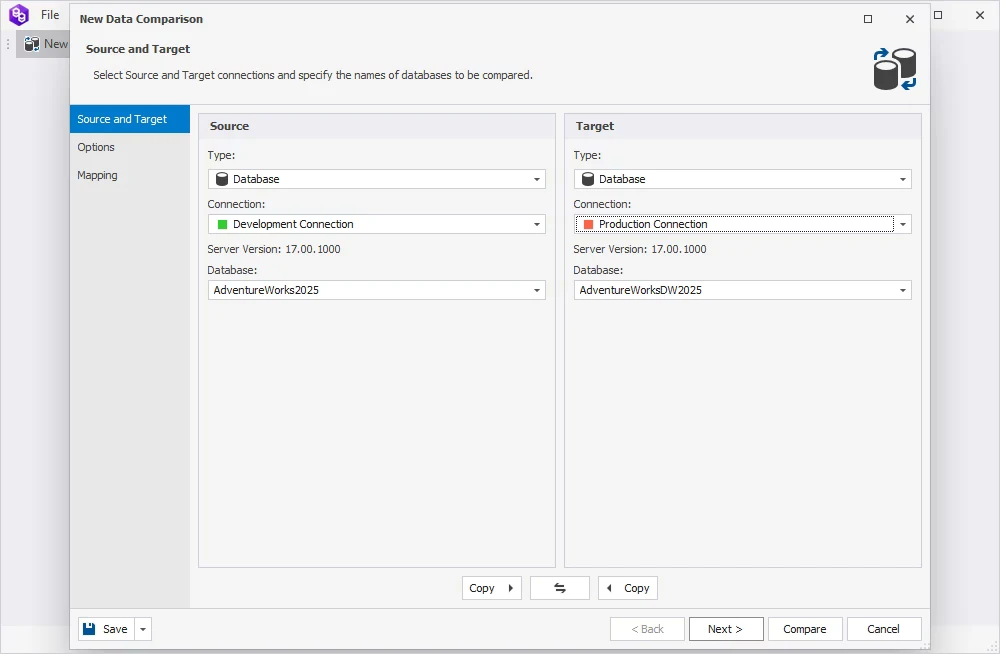
Devart dbForge Data Compare compares and synchronizes SQL Server data with configurable mapping and support for custom queries. A comparison can focus on a specific tenant or a subset of rows. The selected differences become the input for synchronization instead of automatically moving every row.
That scope control is valuable when the rest of the database should stay outside a correction. How comparison settings handle NULL, case and whitespace can affect which changes are selected. The generated script is the place to see whether those choices translate to the intended updates.
Devart's mapping is useful when table or column names differ across the databases. Explicitly record the match columns, which table is authoritative and which changes are selected. A match key that omits the tenant can produce a result that appears to reconcile rows from different customers.
Review which operations the synchronization project is set to apply. Test a target-only record that must remain and compare it after the change. Keep the chosen row filter, expected types and generated SQL together.
- Compatibility
- Supports SQL Server data comparison, configurable mappings and selected synchronization. Column types and source support depend on the version.
- License and trial
- Commercial standalone or bundle licensing with a trial.
Microsoft tablediff
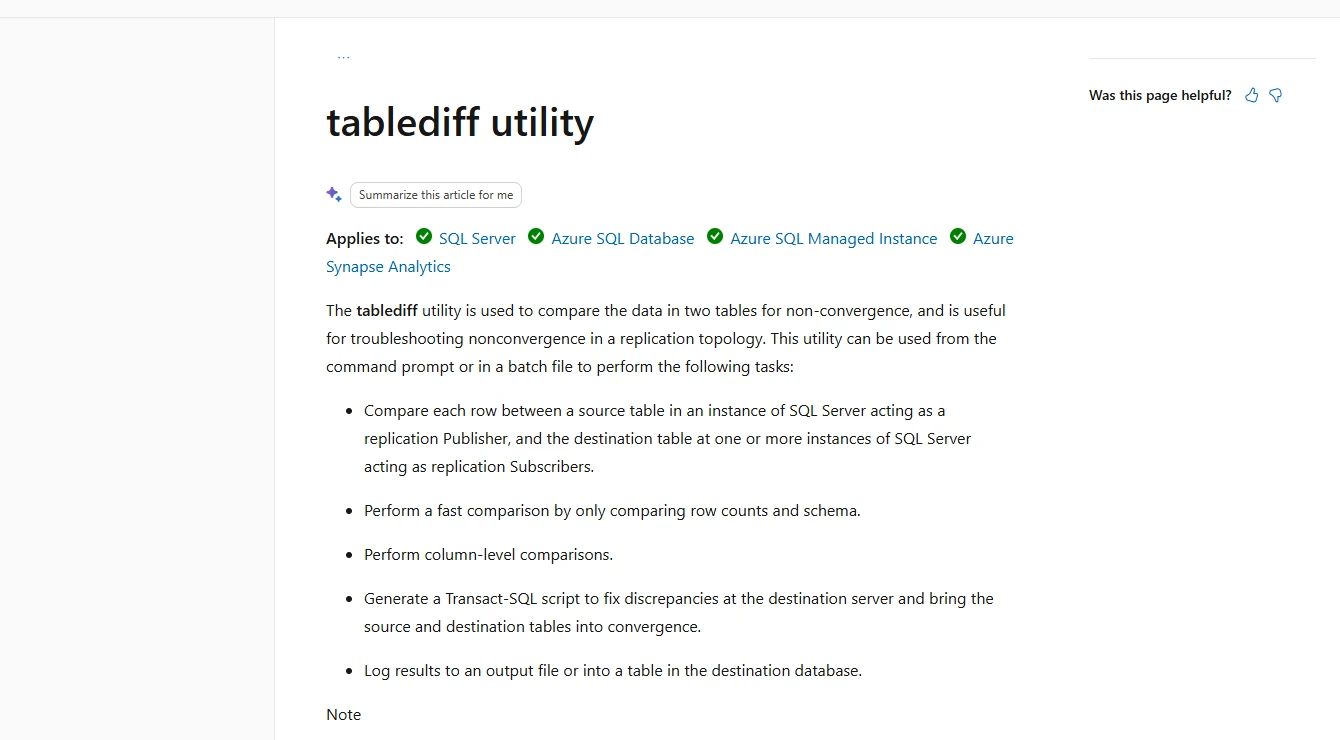
Microsoft tablediff is a command-line tool that compares two versions of a table and can generate a reconciliation script. For a replication investigation that has already isolated a table, the tool provides row differences and an exit status that can be collected by a batch job.
It is a practical baseline for a scripted check of one table with a stable key. Microsoft requires the source to have a primary key, identity or ROWGUID. Strict mode adds a target requirement and the generated correction omits certain data types. That limits automatic synchronization even if the differences are useful.
tablediff fits a narrow verification where the tables meet its documented source and target requirements. It can give a quick difference or correction artifact as part of a DBA-run check. Review supported column types, keys and schema assumptions before using the result.
Use it to compare well-defined table inputs. When the intended tenant scope needs filtering, prepare eligible objects or use a tool with the documented filter support. Treat any generated correction as an input to review.
- Compatibility
- Distributed with SQL Server Replication tools. Source keys and generated SQL have documented limitations.
- License and trial
- Included with the Microsoft tooling. An unattended run needs the Replication tools and a configured batch environment.
xSQL Data Compare for SQL Server
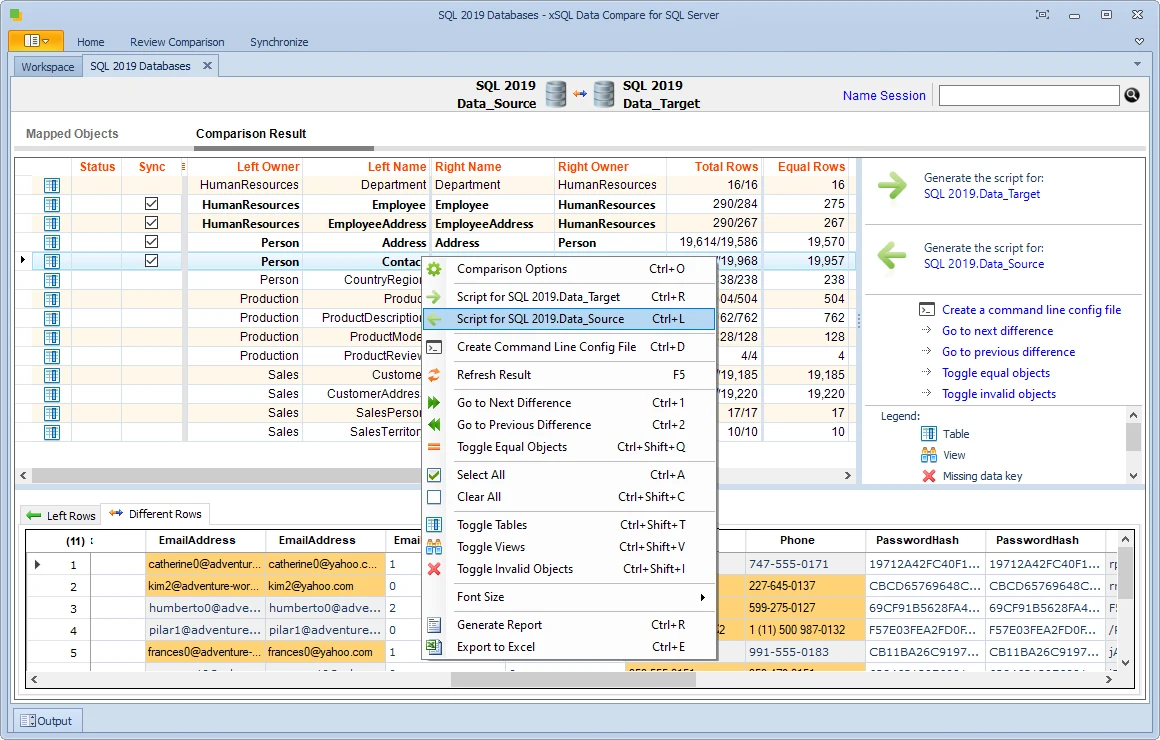
xSQL Data Compare compares data on SQL Server and supported Azure SQL endpoints. It combines a desktop project with a command-line route, which makes a repeated reconciliation possible without rebuilding the job each time.
It is a candidate when a support team needs both a manual review and scheduled output. Different collations and types can still affect what counts as equal. The Lite restrictions also matter when a comparison that worked on small or Express instances needs to run against a larger target.
xSQL can be useful for repeatable data comparisons across compatible SQL Server targets. Record where the input rows come from and whether the selected edition can compare the objects and volumes you need.
Use a known target-only row and a matching key with one changed attribute. Review which operations the chosen workflow emits and how a scheduled comparison surfaces any failure.
- Compatibility
- xSQL documents SQL Server and Azure comparisons. Version, edition and object-count limits apply.
- License and trial
- Commercial subscription and Lite mode with different terms for Express and other SQL Server editions.
EMS Data Comparer for SQL Server
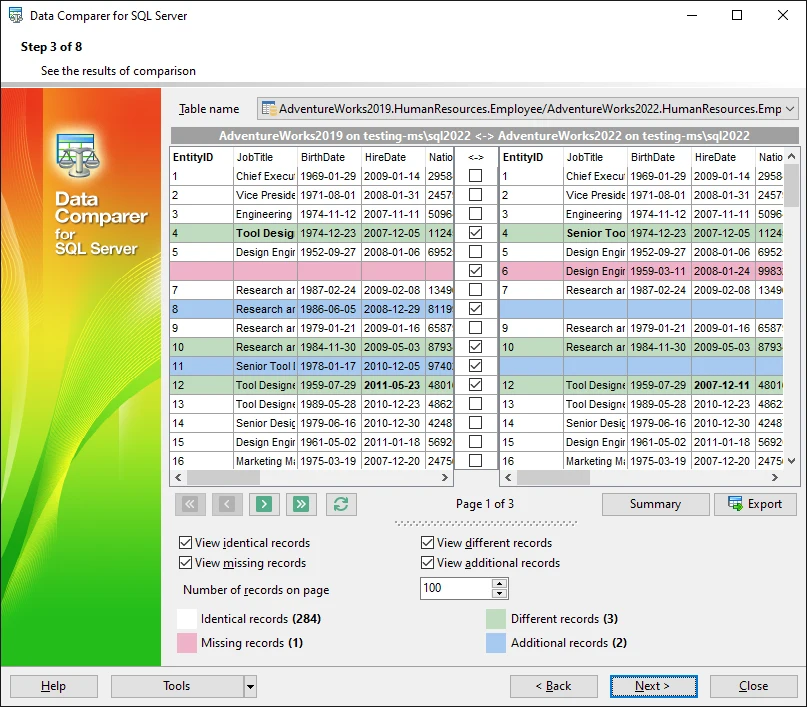
EMS Data Comparer compares selected rows and tables across SQL Server databases and can generate synchronization SQL. The project holds the object selection and comparison settings. That gives another operator a repeatable starting point after the same reconciliation turns into a regular job.
It suits a workflow that starts with a known set of tables. Inserts, updates and deletes only make sense relative to the chosen matching key and direction. The value is the ability to inspect and retain those settings alongside the script someone is expected to approve.
EMS suits teams that want a reusable data compare project for SQL Server. Check what the project stores about the key, source, filters and target. Use the same project on a clean copy before trusting it against a different database.
Keep the list of missing, changed and target-only records with the review. Compare the selected actions in the client against the final SQL script, especially after reloading a project with several tables.
- Compatibility
- Documents SQL Server data comparison, synchronization and project settings. Supported SQL Server versions depend on release.
- License and trial
- Commercial tool. Desktop and unattended terms depend on the selected license.
SQL Delta for SQL Server
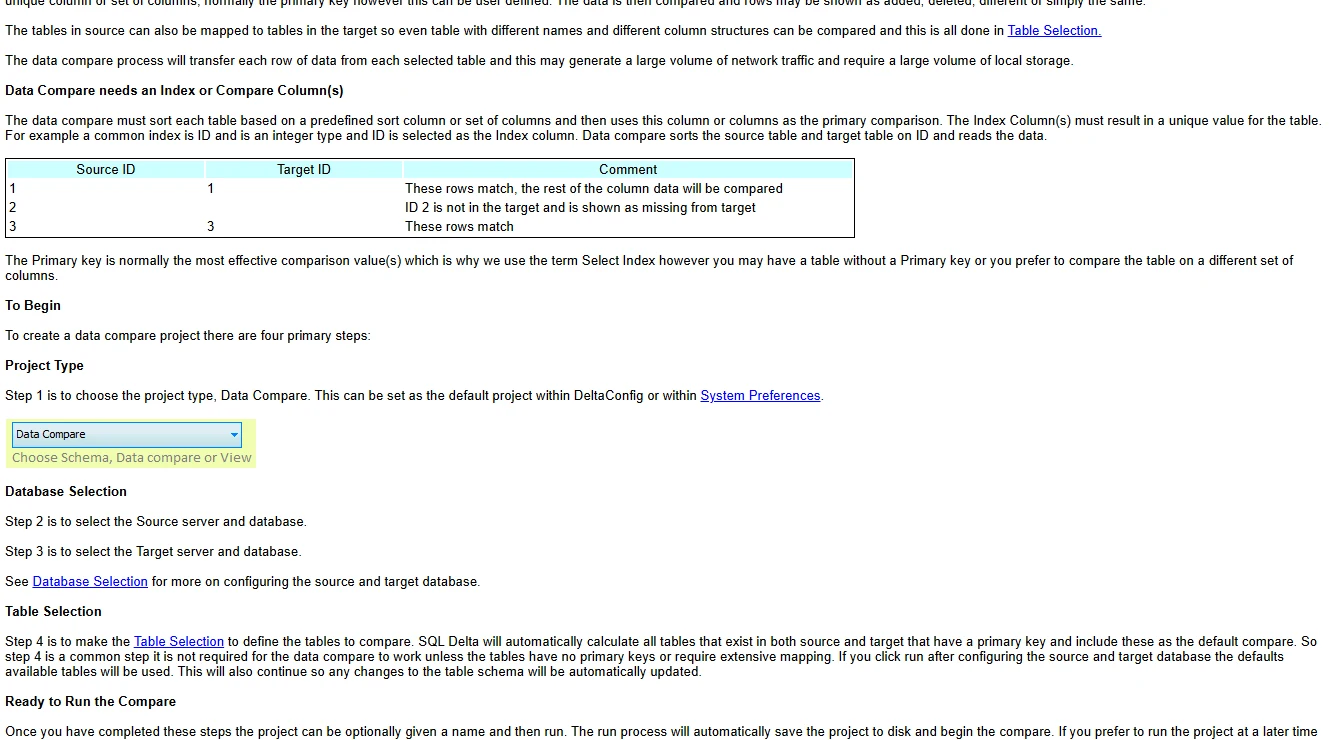
SQL Delta uses a data comparison project to match selected SQL Server rows and produce a change script. A small correction can be reviewed by looking at individual row differences and their selected actions. The results and script give the release reviewer two ways to understand the same change.
This fits a DBA who repeats a known comparison and needs to decide which target-only rows should remain. A project can carry scope and filter settings forward. The results describe one run, so a repeat after the repair is what shows whether the intended data now matches.
SQL Delta can keep schema and data work available in one SQL Server client. For a data release, scope a data comparison project and identify the row differences separately from any object changes the same databases need.
Preserve generated SQL alongside review evidence. A second reconciliation after execution should report only the differences your policy intentionally retained. Compare the stored project settings against the SQL that was actually applied.
- Compatibility
- Documents SQL Server data comparison projects and deployment scripts. Permissions and server version determine applicable coverage.
- License and trial
- Commercial SQL Delta product. Entitlements depend on the edition.
Navicat for SQL Server Data Synchronization
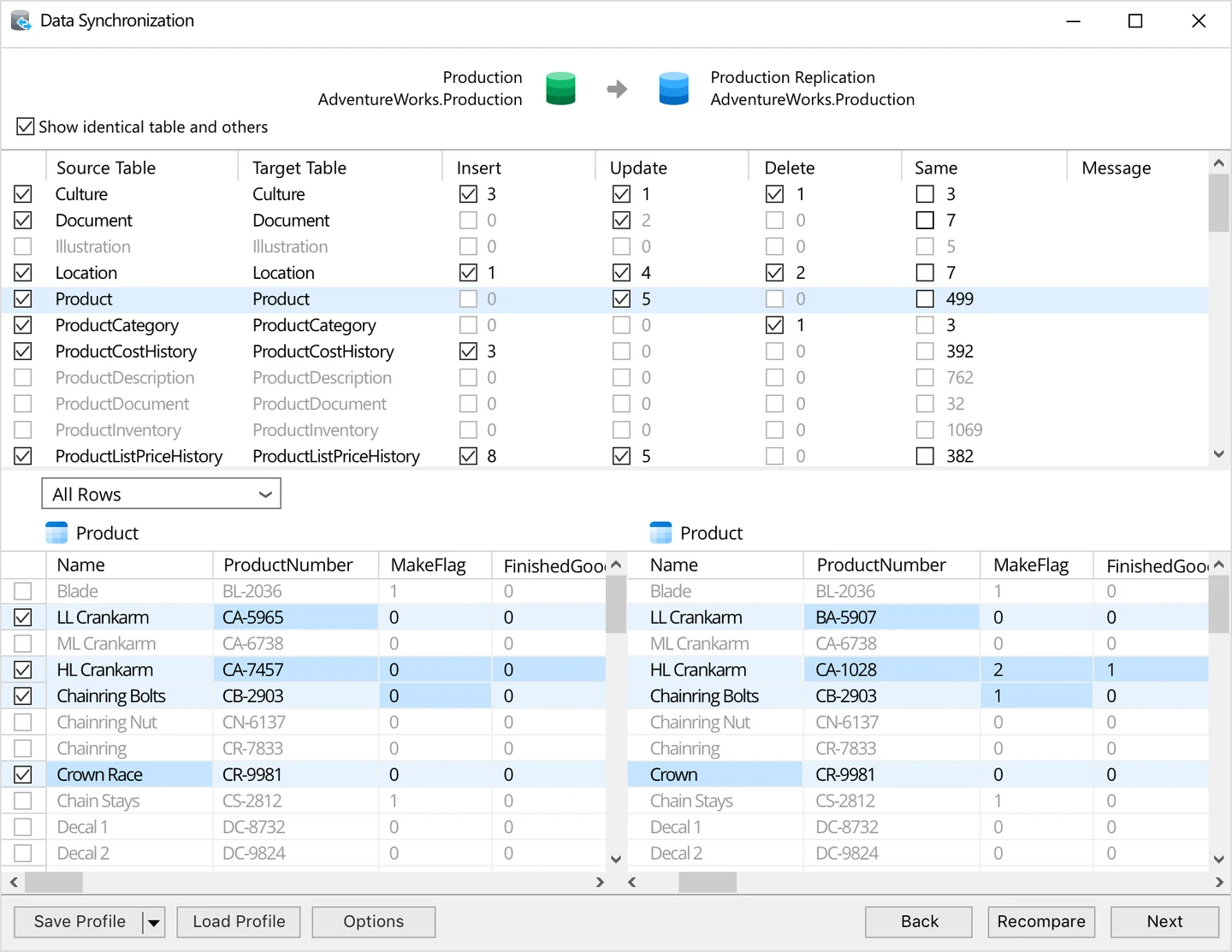
Navicat for SQL Server provides data synchronization in the editions that list it. A database developer can compare tables and preview the target SQL inside a client they may already use for browsing and querying the same instances.
It is a good fit for a focused comparison without another desktop utility. The wizard still depends on a clear direction, correct table mappings and an agreed row scope. An exported or saved statement set is useful when the release reviewer works outside Navicat.
Navicat is a candidate for users who already work in its client and need to align small, mapped SQL Server datasets. Verify edition support and how the source and target are chosen before relying on a saved synchronization.
Select an example with an unrelated target row and compare the generated or previewed action against the intended tenant. Confirm whether any automated use can retain a trustworthy change artifact.
- Compatibility
- Data synchronization availability, mappings and target coverage depend on the Navicat for SQL Server edition.
- License and trial
- Commercial desktop client. Entitlement is published in the feature matrix.
JetBrains DataGrip Compare Data
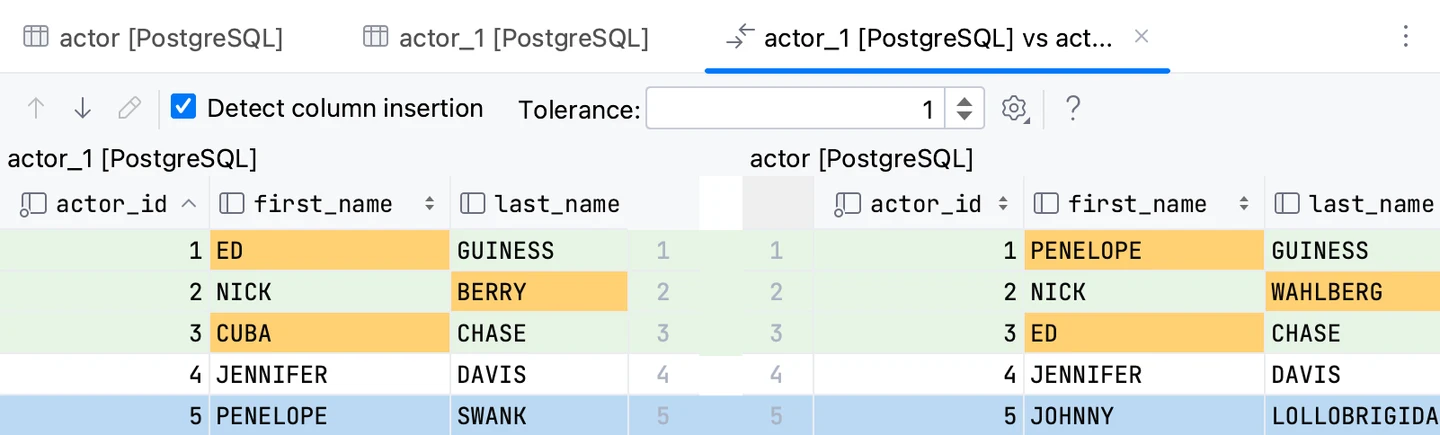
DataGrip can compare table contents or two result sets. That makes it useful when a developer has two SQL queries with the same shape and needs to see where the returned values diverge. A filtered result is often enough for checking a scoped run of a migration.
The amount of data supplied to the comparison matters. DataGrip documents a default result page size of 500 rows, so the viewed rows and the intended population can differ. It is most useful as an interactive check within the client. A recurring large reconciliation can need a separately scheduled tool or job.
DataGrip is useful when the immediate question is which SQL Server rows or query results differ. It lets a developer inspect a limited result set alongside other work in the IDE. Keep the query, filters and row limits consistent on both connections.
For deployment, use a reviewed correction built for the intended keys and scope. Follow up with a fresh comparison. A similar-looking result grid is much stronger evidence when the query selects the same rows in the source and target.
- Compatibility
- Supports SQL Server connections and data comparison of objects and results. Result scope depends on the client settings.
- License and trial
- Commercial for business use. Other licensing terms depend on eligibility.
SQL Server data comparison tools by job
| What you need | Tools to shortlist | What to verify |
|---|---|---|
| Prepare a reviewed correction | Match a composite key and export selected updates. Verify which destination-only rows the script preserves. | |
| Check one table from a batch job | Record the exit result and output. Check supported data types and what the runner returns for a failed connection. | |
| Build a repeatable comparison project | Save the comparison settings. Reopen the project and confirm what the generated SQL would insert, update or delete. | |
| Inspect selected data in an existing client | Use a predictable query and check that both sides return the full intended row range before reviewing matching rows. |
Decide which rows belong in the comparison
Use a key that represents the same entity in both SQL Server databases. Include tenant or partition identifiers when the same business key can appear more than once. Agree which rows and values the source governs, then label the narrower target policy.
An explanation of unexpected rows
Review a read-only difference
Define comparable source and target views of the dataset and keep a mismatch report.
A reviewed correction
Export and inspect SQL
Map keys, limit the target and verify insert, update and delete decisions before execution.
A repeatable test
Store the comparison setup
Use versioned inputs, clear output and an explicit exception for intentionally retained records.
Check a tenant-scoped sync before applying SQL
Compare tenant 7. It has the same count in both databases before the change, but one record is changed and the two missing keys compensate for each other. A scoped update and insert should keep the target-only record and every record for tenant 8.
| Key | Before comparison | Expected after review |
|---|---|---|
| Tenant 7 / Theme | Source is Dark. Target is Light. | Update to Dark. |
| Tenant 7 / DateFormat | Only the source has ISO. | Insert ISO. |
| Tenant 7 / ShowTips | Only the target has Yes. | Keep under the preserve-target-only policy. |
| Tenant 8 / Theme | Target has Amber. | Leave unchanged. |
How to compare these tools
Use the same match key, column list and filters for each run. Check missing rows, null values and duplicates, and read the generated SQL before applying changes to the target. Sources checked .
Verify the diff and synchronize only the intended rows
Use two empty lab databases named DataCompareSourceLab and DataCompareTargetLab. Run prepare in both. Enter the comparison for tenant 7 and match on TenantId plus SettingName. Retain target-only rows, then run check on the target after applying reviewed SQL.
SQL Server data comparison fixture with equal tenant row counts
T-SQL · 38 lines
- Run prepare in each lab. Record both tenant 7 row counts. The matching counts should still contain three meaningful differences.
- Compare tenant 7 on TenantId and SettingName. Review the inferred match columns and SQL Server types.
- Select only the Theme update and DateFormat insert. Export and verify the target SQL and its scope. Check that the ShowTips delete is excluded.
- Apply to the disposable target and run check. Verify Theme, DateFormat and retained ShowTips for tenant 7. Confirm tenant 8 still has Amber.
- Compare again with the same settings and confirm only the expected target-only row remains.
Conclusion
Pick the tool that makes the matching key, selected rows and planned SQL easy to verify. A dedicated tool suits a production correction with a reviewer. A command-line utility suits a narrow repeatable check. For an investigation in a database client, check the result scope and use a separate reviewed deployment step for the final changes.
Frequently asked questions
How can I compare data between two SQL Server databases?
Select a source and target, define a key that identifies each corresponding row and compare the columns that matter. Scope the same rows on both sides. Review the changes before allowing the tool to write to the destination.
Can I compare SQL Server data without a primary key?
Some comparison tools allow a custom key or a qualifying identity or ROWGUID column. Verify that the selected columns uniquely identify rows on both sides. For duplicate or ambiguous rows, define the intended reconciliation before generating updates.
Does a data comparison tool delete extra rows in the target?
It can when configured to bring the target into convergence with the source. Check the selected differences and the generated SQL. Test a destination-only row that you expect to preserve.
What is the difference between schema comparison and data comparison?
Schema comparison checks definitions such as columns, indexes and procedures. Data comparison checks the rows and their values. Confirm schemas are compatible before trying to synchronize data.
How do I compare tables with active production writes?
Use consistent copies, a supported snapshot-based workflow or an agreed read window. Retain the exact time and scope of the comparison. Verify the current destination again before applying a reviewed correction.
Can equal SQL Server row counts hide differences?
Yes. One missing source row can cancel out one extra target row, and values can change in place. Compare the same scope using a stable key and check both source-only and target-only records.
Related guides
- Compare SQL Server table and object restore tools
- Compare Redgate SQL Data Compare with dbForge Data Compare
- Compare SQL Server schema definitions and deployment scripts
- Compare SQL Server tools for reviewed CI/CD releases
- Compare tools for updating SQL Server rows from Excel
- Plan data validation in the SQL Server migration checklist
- Get help planning a SQL Server migration or upgrade