

A schema comparison shows how two SQL Server definitions differ. A deployment script takes the next step and changes the target. This matters when a column was renamed, a view depends on it, or a target-only object is intentionally present. A tidy list of differences can still produce a release that drops data or rebuilds a table.
Dedicated products such as Redgate SQL Compare and dbForge Schema Compare suit a review where someone needs to trace each generated statement back to an object. Microsoft Schema Compare connects that review to a SQL project or a DACPAC. Liquibase and command-line tools fit an automated drift check, while saved projects and snapshots help when the baseline is an earlier release instead of a second live database.
SQL Server schema compare tools at a glance
Pick the inputs you already have and the output your release process accepts. A live comparison, a saved snapshot and a built database project represent different baselines.
| Tool | Common comparison inputs | Review output | Automation | License |
|---|---|---|---|---|
| Redgate SQL Compare | Live SQL Server and selected files, snapshots or projects by edition. | Object and script review before synchronization. | Check CLI and source entitlements. | Paid subscription and trial. |
| Devart dbForge Schema Compare for SQL Server | SQL Server schemas with supported sources and object mapping. | Diff grid and deployment script preview. | Verify standalone or bundle edition. | Commercial with trial. |
| Microsoft Schema Compare and SqlPackage | Database and SQL project or DACPAC paths as documented by client. | Schema compare changes, SqlPackage Script and DeployReport. | SqlPackage and a release runner. | Microsoft tooling. |
| Liquibase Diff | Reference and target endpoints with SQL Server support. | Structured differences. Review generated change artifacts separately. | CLI. Advanced object coverage varies by edition. | Community and commercial Secure. |
| xSQL Schema Compare for SQL Server | Live SQL Server or Azure SQL, with documented snapshot options. | Diff and generated synchronization SQL. | Check edition and unattended license. | Commercial with limited Lite mode. |
| IDERA DB Change Manager | Supported database endpoints and saved comparison baselines. | Object comparison and reviewed sync output. | Check version, scheduler and project support. | Commercial or bundle. |
| EMS DB Comparer for SQL Server | SQL Server database schemas. | Object filters and a generated sync script. | Documented console and GUI workflow by license. | Commercial with trial terms. |
| SQL Delta for SQL Server | Database schema comparison with snapshot options. | Comparison results and SQL deployment script. | Review batch or scheduled tool version. | Commercial. |
| Navicat for SQL Server Structure Synchronization | SQL Server connections and supported schema objects. | Structure changes and SQL review in the client. | Check Navicat edition and deployment workflow. | Commercial client. |
| Datanamic SchemaDiff | SQL Server and other documented databases. | Comparison and generated update script. | Verify automation in the release you choose. | Commercial with evaluation terms. |
Redgate SQL Compare
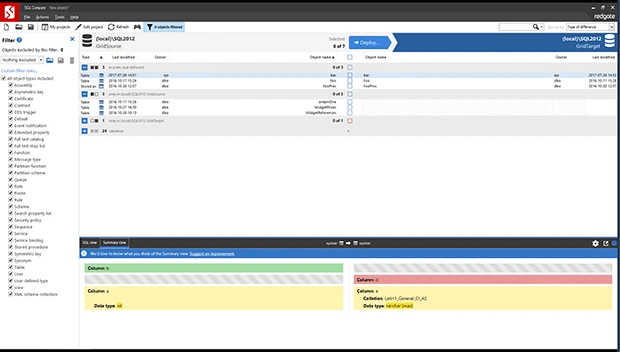
Redgate SQL Compare compares SQL Server definitions and turns selected differences into a deployment preview. A reviewer can inspect the changed objects, see which dependencies are involved and open the resulting script before the target is modified. The source can come from a live database or from a supported saved baseline.
That makes it a good fit for reviewing a production release whose SQL statements need approval. A table change can still generate a rebuild, with corresponding locks and log usage. Renames deserve particular attention because the intended change may be to keep existing values under a new name.
Redgate is a useful starting point when the deployment review depends on grouping differences and controlling the synchronization. Compare an untouched target with live and approved offline inputs when the proposed edition supports both. Check default exclusions before saving the result.
The generated script decides whether a data-bearing column will be preserved. Inspect the statements for a mapped rename, table rebuild or drop. Use a populated copy and a before-and-after count to sign off the result before reusing the same options for another environment.
- Compatibility
- SQL Server schema comparison and deployment. Supported databases, projects, scripts and snapshots depend on the version and license.
- License and trial
- Commercial subscription with evaluation trial. Automation and Toolbelt entitlements vary by plan.
Devart dbForge Schema Compare for SQL Server
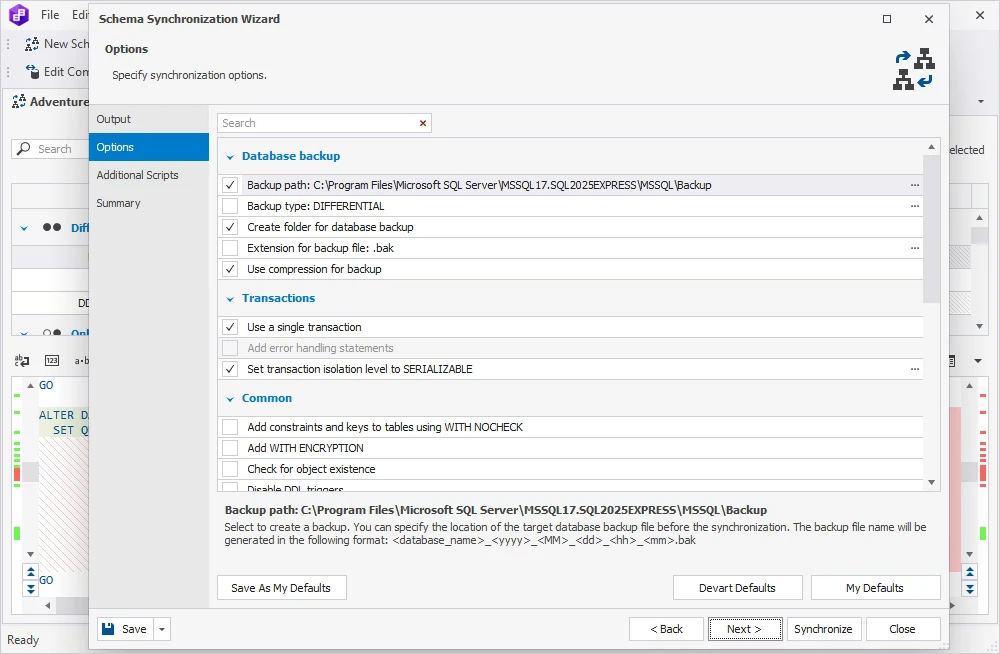
dbForge Schema Compare compares SQL Server object definitions, with options to map tables and columns whose names differ. Mapping a renamed column tells the tool that the source and target fields represent the same data. The synchronization wizard can then produce a script for review.
Explicit mapping is useful when a release renames objects and the intended change needs to be visible in the SQL. Saved settings help recurring comparisons, but an ignore rule may hide a permission or index change someone needs to approve. The direction of synchronization also matters when the target has legitimate extra objects.
dbForge is a strong candidate when source and target object names require explicit mapping. Include the renamed column and the dependent index in one run with, and one run without, the intended mapping. The output gives a direct estimate of how much manual script work will remain.
Confirm how the standalone product or bundle exports a script and whether the required source type is supported. A graphical mapping is only useful when the resolved definition appears in the actual T-SQL that a release reviewer will execute.
- Compatibility
- Supports SQL Server schema comparison, custom object mapping and deployment-script review. Available source types depend on edition.
- License and trial
- Commercial dbForge product with a trial. Standalone and bundle entitlements differ.
Microsoft Schema Compare and SqlPackage
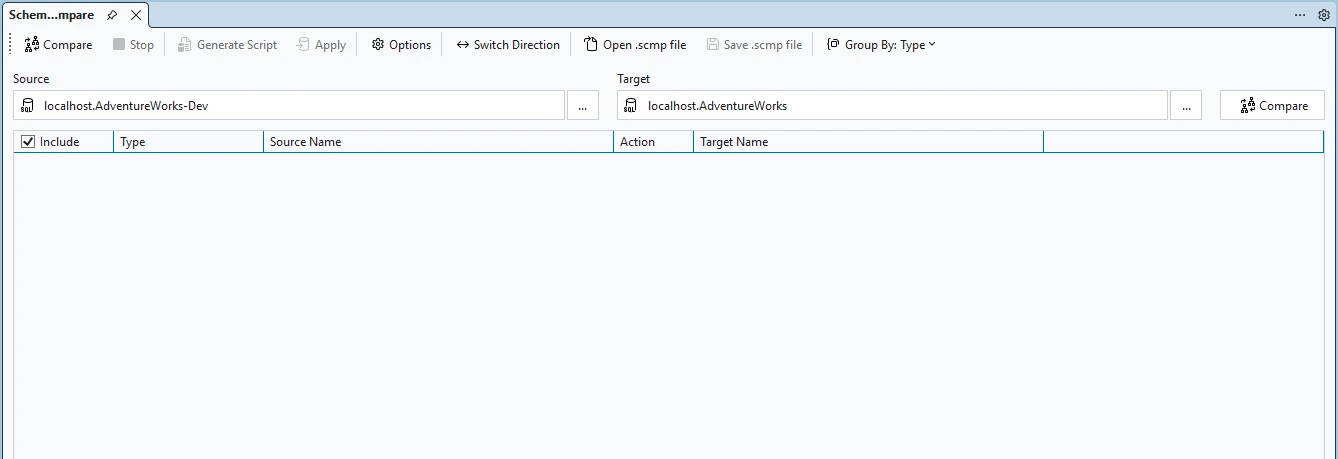
Microsoft Schema Compare can compare connected SQL Server databases, SQL database projects and DACPACs. SqlPackage takes the compiled database model and can generate a deployment report or script using the same profile as the pipeline.
This is the natural pairing when a database release starts with a versioned SQL project. A developer can review the difference interactively while CI works from the exact artifact. Settings such as the data-loss check and the policy for target-only objects affect what the release will do, so the publish profile belongs with the code review.
Microsoft's SSMS, SQL project tooling and SqlPackage are useful when the approved baseline can be represented as a database or DACPAC. Match compare features to the client and check the documented version. Use SqlPackage Script or DeployReport when the release needs a reviewable artifact.
A project rename can have a refactor record. An ordinary text edit gives the comparison a different input. Review the report for potential data loss and make any target-only object policy explicit. Validate the result against deployment options and the local source schema.
- Compatibility
- Microsoft documents separate interfaces by client and version. SqlPackage supports script and report output through DacFx.
- License and trial
- Available through Microsoft’s database tooling. Review and approval still depend on the surrounding release pipeline.
Liquibase Diff
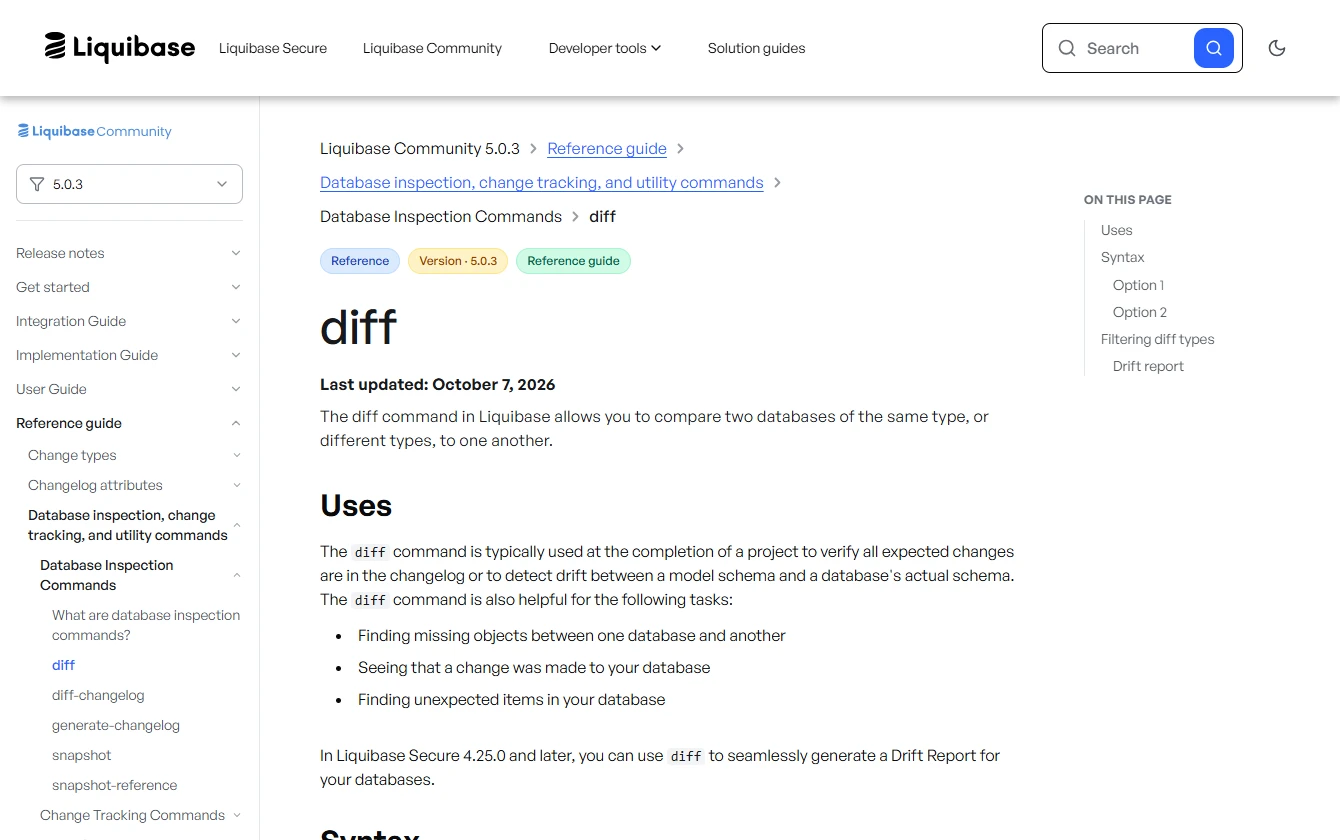
Liquibase Diff compares a reference database with a target and reports missing, unexpected and changed objects. When migrations already run through Liquibase, the diff can be retained with a staging or drift-check job. It gives the operator a record of where the deployed database differs from the intended baseline.
It is a useful fit for repeatable drift checks. Generating a changelog from differences is a further step, and the order and direction of those changes affect whether the result is safe to deploy. Stored procedures and other stored logic can have different coverage by edition.
Liquibase fits a team already tracking SQL Server changes in a changelog. Use Diff for a structured list of unexpected differences, then decide whether a generated or authored changelog is the release. Applying the correct changes still needs a review of the artifact and its intended target.
Stored logic, object types and output methods can have different edition entitlements. Include one view and routine in the trial. Confirm both appear in the difference report and that the approved change preserves the table data.
- Compatibility
- Liquibase documents a SQL Server integration. Diff coverage varies by object type, edition and installed extensions.
- License and trial
- Community and commercial Secure editions. Stored logic and some reporting workflows have separate entitlements.
xSQL Schema Compare for SQL Server
xSQL Schema Compare compares SQL Server schema changes through a GUI, with snapshots and a command-line option for repeated runs. A saved snapshot is useful when the original release database is gone and the reviewer needs a definition to compare with the current target.
The same product can suit an engineer doing a one-off review and an operator checking for recurring drift. Lite has source, edition or object-count limits, so success on a small development database may not translate to a large target. Schema permissions also determine what the comparison account can see.
xSQL fits work that recurs across databases or saved schema baselines. Record where the source comes from and which objects matter on each run. A saved baseline is useful when the team needs to explain the actual database definition a script was compared against.
Review the generated SQL with the planned target connection and license. A compare that omits target-only objects by default may suit a reviewed release, while an unattended job needs its own source, filters and exit behavior pinned down.
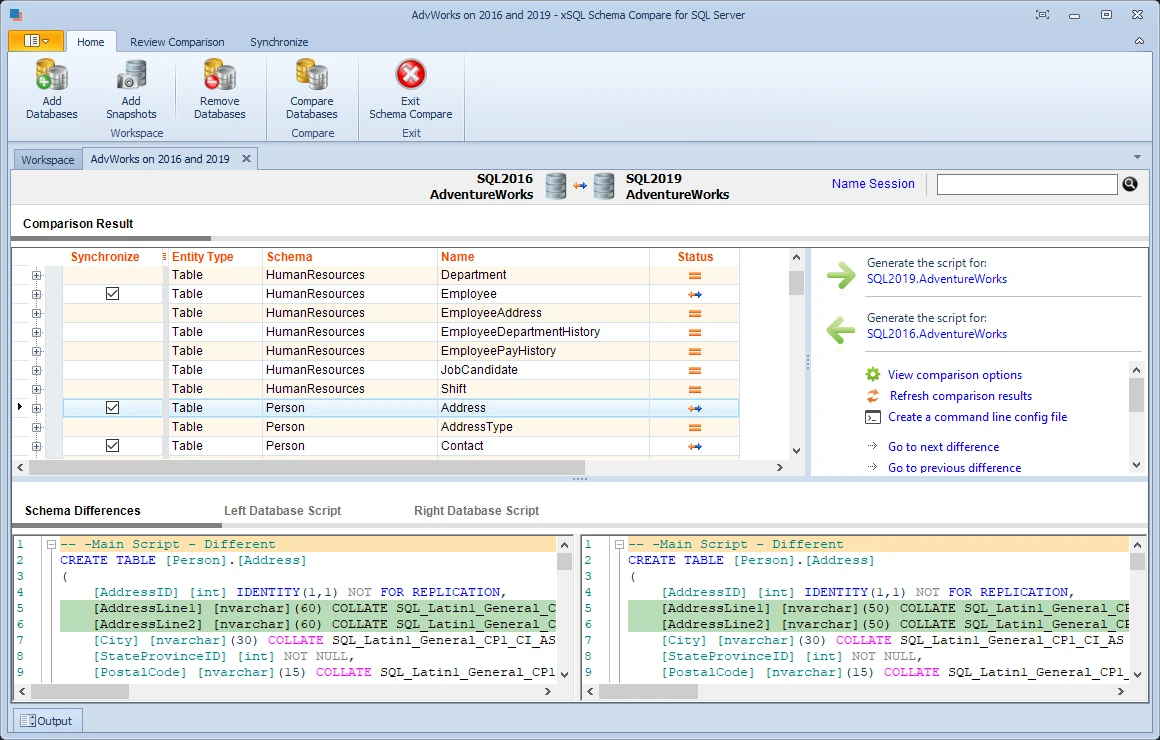
- Compatibility
- Publisher documentation lists SQL Server and Azure SQL databases, with snapshot and automation options.
- License and trial
- Paid licenses and a limited Lite mode. Publisher terms describe the treatment of SQL Server Express and other editions.
IDERA DB Change Manager
IDERA DB Change Manager supports schema comparisons as part of a broader database change-management suite. It can compare an instance with a saved schema archive and produce a detail report. That makes it possible to identify changes made since a selected point without maintaining a parallel database.
It fits a mixed estate where schema drift and configuration changes are already reviewed together. An archive gives the reviewer a useful reference for a change made outside the release process. The objects included and the permissions available to the comparison login determine how much an empty report can tell the DBA.
Change Manager fits a wider database estate that needs repeatable comparisons and history. Test one narrow SQL Server project and check how the tool records the source definition, filter options and changes found in the target.
For a build or maintenance window, verify the exact driver, host and license support and how the sync script is exported. A multi-engine license can simplify procurement while the SQL Server deployment still needs a SQL Server-aware reviewer.
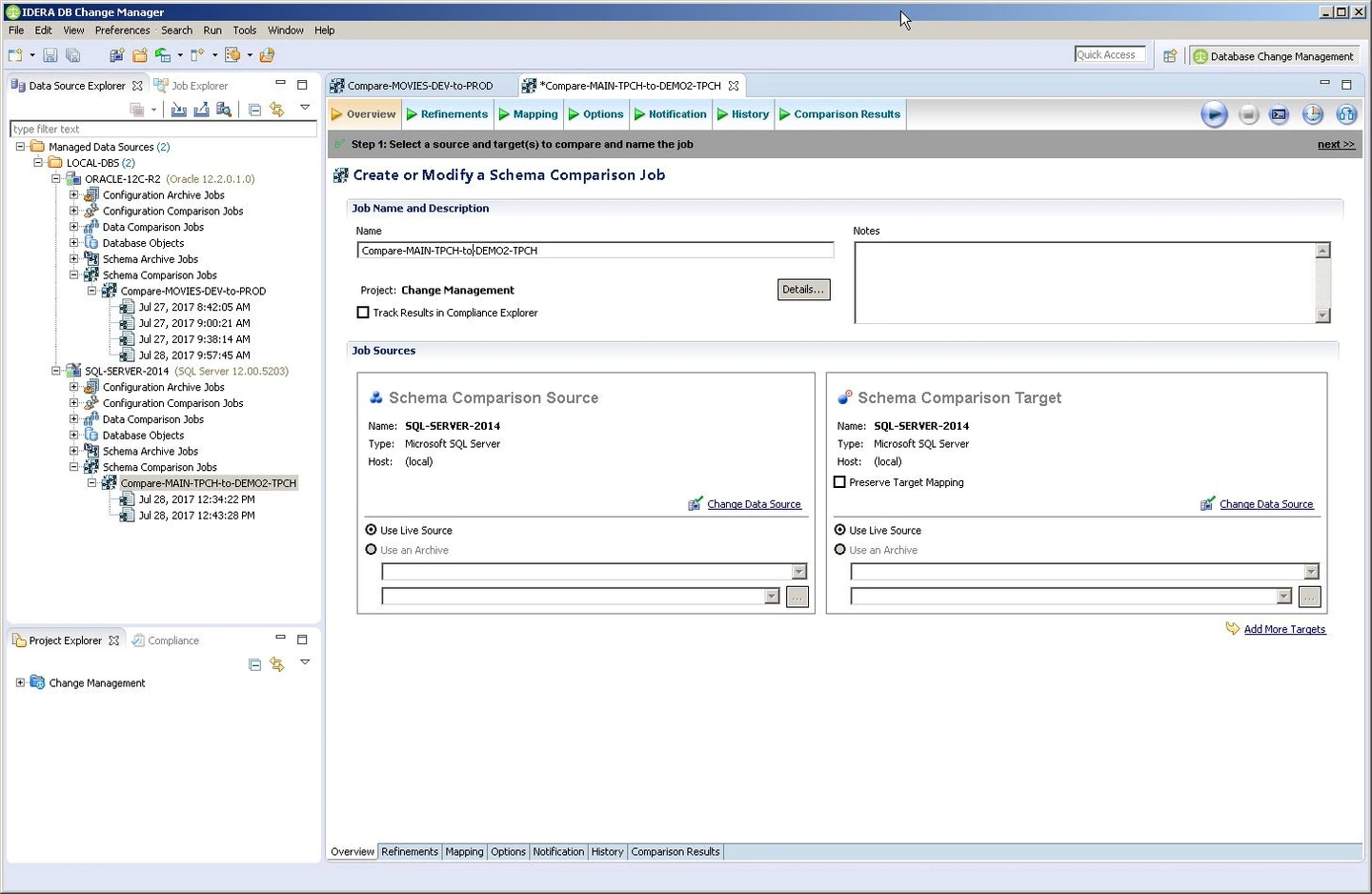
- Compatibility
- IDERA documents SQL Server and other DBMS targets. Server release and authentication support depend on product version.
- License and trial
- Commercial DB Change Manager product in the DB PowerStudio range. Bundle contents depend on the license.
EMS DB Comparer for SQL Server
EMS DB Comparer compares SQL Server database structures and generates synchronization SQL. Saved projects allow the comparison parameters to be reused, and a console option can run comparisons outside the interactive tool. This suits recurring review between the same types of environments.
The useful distinction is between a report of structural differences and SQL approved to bring a target in line. A saved project can keep filters consistent across runs, although a constraint, dependent object or intentionally different permission can still require manual review. The same settings matter if another operator has to reproduce the result.
EMS suits a team that wants a focused desktop comparison with an option to reuse settings in a console flow. Test a table, linked view and target-only support object. The output needs enough context for someone to approve exclusions without rerunning the comparison themselves.
Save the filter and script alongside the target and original source revision. Confirm the console path and how failures surface in the intended license and deployment before using it unattended.
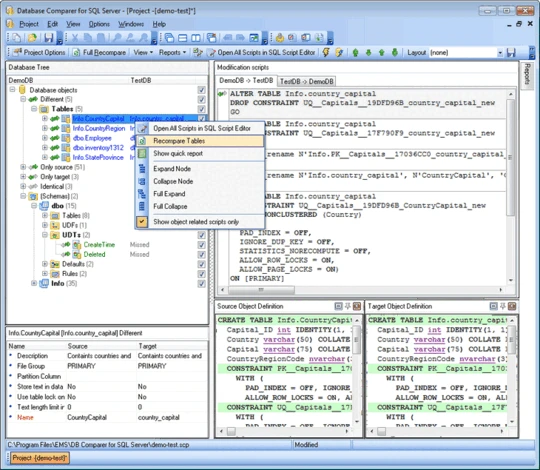
- Compatibility
- SQL Server schema comparison and synchronization with a documented GUI and console workflow. Version support depends on the release.
- License and trial
- Commercial utility. GUI, unattended execution and trial terms depend on the offered license.
SQL Delta for SQL Server
SQL Delta shows SQL Server schema differences in a project and can generate a target synchronization script. Its results view also supports reports and snapshots. That gives a reviewer both a readable list of changed definitions and a script tied to a known source and target.
It fits straightforward comparisons where the same team needs to repeat the exercise and retain the result. A saved result describes the schemas as loaded during that run. If someone changes either database afterward, a fresh comparison is what makes the results and generated script current again.
SQL Delta is a candidate when tools are chosen around live comparison, saved snapshots and closely reviewed synchronization scripts. Test a snapshot of an approved version so you can distinguish expected changes from drift in the active source.
Inspect the dependency order, target-only changes and SQL for the column rename. If your team stores its own release artifacts, decide whether the repeatable input should be the saved comparison settings or a versioned SQL Server project.
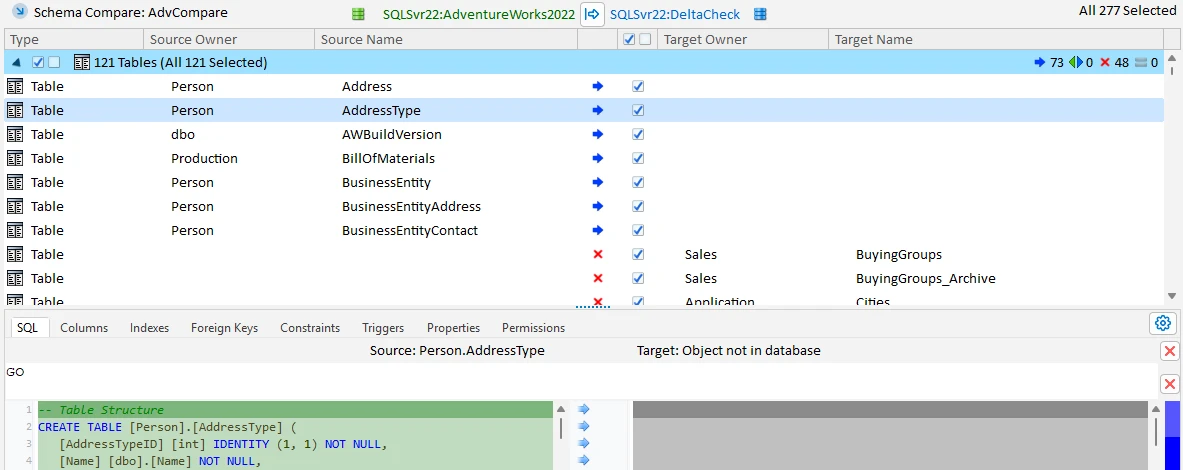
- Compatibility
- SQL Delta documents SQL Server comparison, schema snapshots and deployment-script output for its SQL Server product.
- License and trial
- Commercial product. Licensing and support depend on the selected terms.
Navicat for SQL Server Structure Synchronization
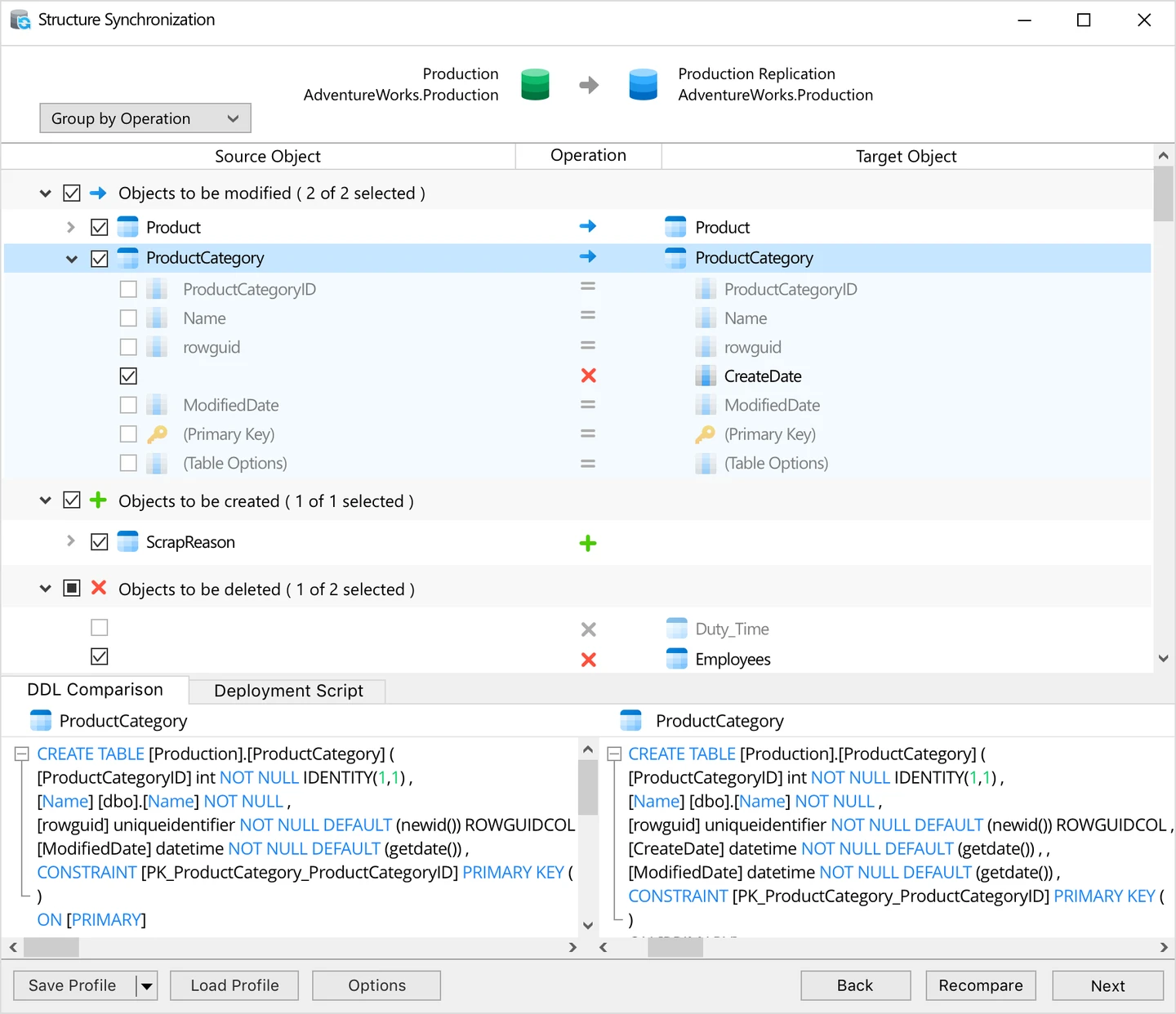
Navicat for SQL Server includes structure synchronization in editions listed in its feature matrix. The feature compares object definitions and prepares changes from within the database client, alongside the object browser and query editor.
It makes the most sense for a developer who already uses Navicat and occasionally needs to compare a column or index without another desktop tool. Data synchronization is a separate capability for row differences. A team using several clients can still review the generated SQL without needing the original graphical project.
Navicat can be adequate for an engineer already using the client to inspect and synchronize a small set of structure changes. Verify that the chosen edition exposes the structure synchronization workflow and the comparison for your target engine and object types.
Review generated SQL before applying a broader change. A visual comparison is useful during development. A release that another person must reproduce also needs a retained script, options and a known database version.
- Compatibility
- Availability of structure synchronization and supported platforms depends on the Navicat for SQL Server edition.
- License and trial
- Commercial desktop client. Structure synchronization entitlement is published in the edition matrix.
Datanamic SchemaDiff
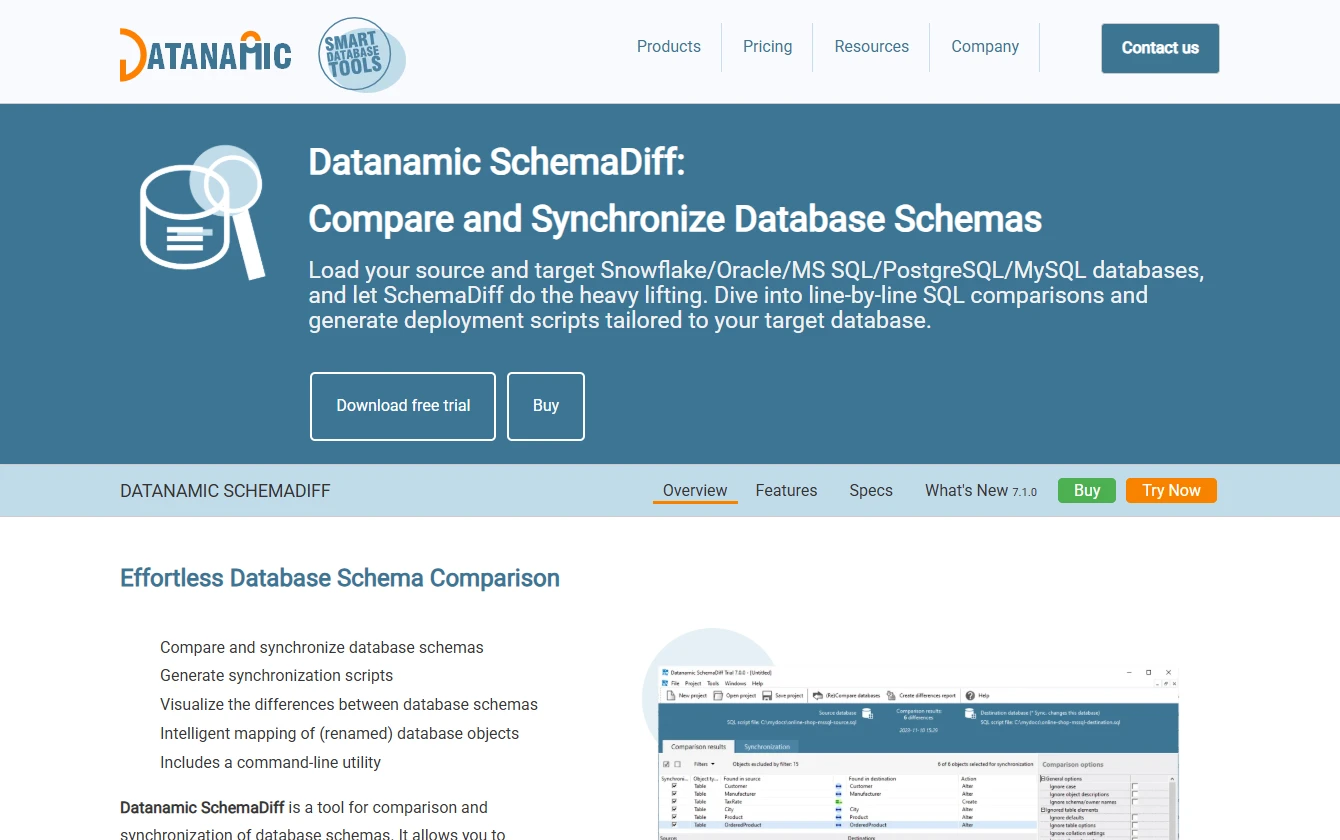
Datanamic SchemaDiff compares database definitions across several supported engine families, including SQL Server. It uses engine-specific comparison and generates scripts for the target platform. A developer can review both definitions in a common interface while keeping the actual SQL Server deployment script available.
It is most useful for a mixed estate that wants one comparison utility for several same-engine workflows. SQL Server and PostgreSQL still have different object models and alter syntax. A migration between engines involves separate conversion work and depends on the supported source and target pair.
Datanamic fits teams that compare database schemas across more than one engine and want to use a familiar tool. Start with its reported SQL Server version support and compare the same object set as with the native baseline.
Check script quality for SQL Server-specific objects. INCLUDE columns, dependencies and object naming are good examples. Confirm that the new server can reproduce the same definitions and that any retained target-only object is intentional.
- Compatibility
- SQL Server is a supported engine. Datanamic publishes version-specific additions and platform coverage.
- License and trial
- Commercial comparison tool. Trial and support terms depend on the current edition.
SQL Server schema compare shortlist by job
| What you need | Tools to shortlist | What to verify |
|---|---|---|
| Review a production database change | Inspect a column rename, a rebuilt index and a changed procedure. Confirm the script preserves the old values. | |
| Compare from a project or CI pipeline | Use the versioned artifact and saved options. Check which differences the job reports before deployment. | |
| Compare live databases or saved baselines | Add a target-only object and check how filters and object selections affect the report and script. | |
| Use a developer client or work across several engines | Verify the edition, source and target engine support. Review the generated SQL using an actual target database. |
Choose the right input for the comparison
A live development database shows the definitions it has now. A committed project or deployed snapshot gives you a named baseline for an approval or a drift check. Save the SQL or report separately from the tool settings so the reviewer can see what will be applied.
A database that contains the intended schema
Compare two live schemas
Review target-only differences, ignored definitions and connected identities. Save the script.
A committed SQL project
Compare a DACPAC or project
Build the known revision. Use supported refactoring metadata and document the publish options.
An older deployment baseline
Compare to a saved snapshot
Identify drift first. Then decide which differences belong in a reviewed migration.
Check generated SQL for a column rename
The same visual difference can produce a rename, a copied data migration or a drop followed by an add. Before running the script, identify which path it takes and how it handles dependencies and rows already present in the target.
In SqlPackage, review BlockOnPossibleDataLoss and DropObjectsNotInSource for the intended workflow and target policy. A refactor record can give project deployments knowledge of certain renames. Keep schema and data validation together when applying a reviewed change.
| Object | Expected change | Verification |
|---|---|---|
| InvoiceLab | The target column becomes IssuedAt. | Rows 101 and 102 still have dates 2026-01-10 and 2026-01-11 and their existing amounts. |
| View and procedure | Both reference IssuedAt. | The view and procedure return the same two invoice IDs and dates. |
| IX_InvoiceLab_ReportDate | The renamed key and included NetAmount are present. | Inspect key and include metadata. |
| LocalSupportLab | Target-only support object remains. | The target check returns 1 for the table's presence. |
How to compare these tools
Compare the same source and target with the same permissions and object filters. Inspect the generated T-SQL for renames, drops and dependencies, then apply it to a disposable target. Sources checked .
Check the generated change on a disposable copy
Create empty databases named SchemaCompareSourceLab and SchemaCompareTargetLab. Run prepare in both. Run change only in the source. Compare the source to the populated target, review the generated script, then run check in the target after applying the reviewed change.
SQL Server schema compare and rename fixture
T-SQL · 80 lines
- In the source, rename InvoiceDate to IssuedAt, adjust the view and procedure, and change an index that uses the column. Leave several invoice rows populated in the target. Keep one intentionally different support object only in the target.
- Compare the source to the target using the intended SQL login. Record which objects appear and which options control target-only objects, dependencies and ignored differences.
- Export the SQL or the tool’s deployment plan. Review whether the rename retains existing values, and find any DROP, column recreation or data copy. Confirm that the dependent view and procedure reference the correct column.
- Apply the reviewed script to a disposable copy. Compare row counts and sample values, run the dependent procedure, inspect the index and confirm the intended target-only object still exists.
- Repeat with the real deployment artifact. Save the before and after diff alongside the script, source revision, tool version and options.
Conclusion
Pick the comparison tool that fits the source you deploy from and the review your team actually does. Redgate and dbForge are good first trials for dedicated SQL Server schema comparison. Microsoft’s tools fit a DACPAC workflow. Use the output to review the migration, then run it against a copy with realistic data before approving the release.
Frequently asked questions
How do I compare two SQL Server database schemas?
Choose a source and a target in a schema comparison tool, review the changed objects and export the script or report. Verify the comparison direction and drop policy before running a generated script on a copy of the target.
Does SSMS have a built-in schema comparison tool?
Microsoft documents schema comparison in supported SSMS releases. Check the installed build and feature status. Microsoft also documents Schema Compare for SQL database projects and SqlPackage for scripted deployments and deployment reports.
Can a schema compare tool find renamed SQL Server columns?
The result depends on the tool, its project metadata and the comparison options. A rename can be represented as a mapping, a recorded refactor or separate add and drop actions. Test that the resulting SQL retains the old values and updates dependent objects.
What is the difference between comparing schema and comparing data?
Schema comparison checks definitions such as tables, indexes, views and procedures. Data comparison checks rows and values. A deployment that changes the schema should still run row and value checks where it can affect existing data.
Can I use a generated schema synchronization script in production?
Review the script first and run it on a representative copy. Check possible data loss, locking, table rebuilds, transaction behavior and what happens to objects that exist only in production.
Can SSMS compare SQL Server schemas?
Current SSMS versions document a Schema Compare workflow. Check the supported client release and available input types. SqlPackage and SQL project tooling provide related comparison or publish paths for a DACPAC release.
How can schema compare preserve values during a rename?
Review how the tool maps the original and new names and what SQL the export contains. The trial should include existing data and dependent objects. Verify the same values and intended objects after applying the script to a copy.
Related guides
- Compare tools for documenting the SQL Server schema and its descriptions
- Compare SQL Server tools for checking and synchronizing table data
- Compare Redgate SQL Compare with dbForge Schema Compare
- Compare SQL Server deployment tools for CI/CD
- Check the installed Management Studio build against the release history
- Plan the wider SQL Server migration
- Use the SQL Server migration checklist for validation and cutover
- Get help reviewing a SQL Server change or upgrade