

SQL Compare and dbForge Schema Compare both show differences between SQL Server definitions and can produce a synchronization script. The script is the important part when a team is deciding how to deploy. Two objects with similar names could represent a rename, a new object or an accidental deletion. Mapping choices, object filters and dependency handling affect what the generated SQL will do.
An ordinary database-to-database comparison is useful for investigating drift. Comparing a project or snapshot to a live target gives a team a different baseline. Redgate and Devart support graphical inspection and automation in applicable editions. Microsoft’s DacFx-based tools fit project and DACPAC workflows, while other products can help with repeatable comparisons across an estate. Each still needs a review of any data movement or object replacement in the script.
SQL Compare vs dbForge Schema Compare at a glance
Pick the precise source type and target SQL Server release, then compare what is generated before any synchronization runs.
| Tool | Useful starting point | What to verify | Licensing or setup |
|---|---|---|---|
| Redgate SQL Compare | Compare SQL Server object structure and prepare a deployment | Source type, rename map, dependency settings and generated SQL | Pro features and separately documented automated change delivery terms |
| dbForge Schema Compare | Compare SQL schema from a database, snapshot or eligible backup or revision | Explicit mapping, action plan and exported sync script | Standalone Professional for CLI and additional inputs |
| Microsoft Schema Compare and SqlPackage | SQL projects, DACPACs and database schema comparison | Project build, generated change plan and target state | Use supported SQL project tools and review Publish parameters |
| Quest Toad for SQL Server | SQL Server comparison within a larger SQL Server client | One-to-one versus one-to-many and script review | Check current edition matrix |
| SQL Delta for SQL Server | Saved SQL Server compare project | Filters, script, scope and required automation | Commercial. Verify selected version. |
| IDERA DB Change Manager | Compare controlled schema baselines and drift | Snapshot and schema comparison evidence | Commercial. Match SQL Server release, license and snapshot options. |
| DBeaver Enterprise and Ultimate | Schema comparison within an existing data client | Native SQL Server DDL, preview and execution rights | Publisher documents full Schema Compare in these desktop editions |
| SQLTreeo Compare | SQL Server team compare workflow | Object diff and how generated output handles target-only objects | Check actual product entitlement and execution path |
Redgate SQL Compare
Redgate SQL Compare compares SQL Server schemas from supported sources including live databases, backups and snapshots. It can map tables and columns when the names differ and generate a synchronization script. That makes it useful when a DBA needs to see how an environment diverged and decide which differences should be deployed.
Its appeal is a SQL Server-specific comparison workflow with detailed object diffs and configurable mapping. A matched column and a safe data transformation are separate decisions. The output needs review for moves, table rebuilds and execution order, and automated use depends on the license.
Begin with a compare that uses the exact inputs your teams retain. Compare a live pair first, then try the licensed snapshot, folder or backup workflow you intend to use. Check documented limits for the backup's format and object type.
Add an explicit map for the intended rename and inspect the SQL before applying. Redgate documents mapped renames using SQL Server rename operations in relevant cases. Check dependencies, data movement and warnings. Verify automated change delivery separately from CLI activation.
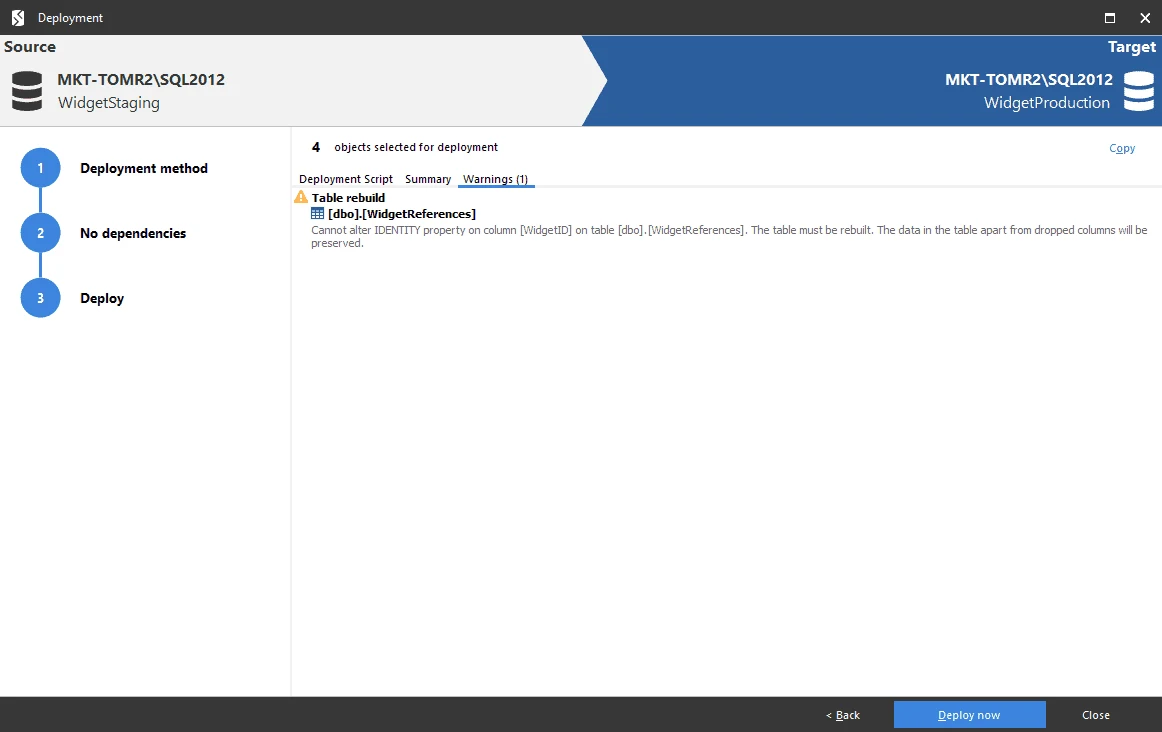
- Compatibility
- Windows SQL Compare client and applicable CLI. Supported SQL Server and comparison source types follow Redgate’s requirements.
- License and trial
- Commercial editions. Command-line and other operations depend on license entitlement.
dbForge Schema Compare for SQL Server
dbForge Schema Compare displays differences between SQL Server schemas, lets the user map differently named tables or columns, and creates a synchronization script. The comparison project can keep options for recurring source and target pairs. It fits a DBA who often needs to repeat the same comparison across environments.
The choice is useful when teams want a GUI review and a CI workflow that uses saved settings. Edition features differ, especially for automation. A recurring project still depends on the baseline, filters and renames being correct, and a script that compares cleanly can contain operations that move or rebuild data.
Set the desired source and current target explicitly, then inspect how dbForge maps objects and filters differences. Try native backups or source-control input only in the supported standalone edition. Save settings with the report so another developer can rerun it.
Review the synchronization plan and produce a script before any apply action. Inspect a mapped and an unmapped comparison of the same populated table. For automation, use the documented standalone command line and record the chosen profile, script output and license.
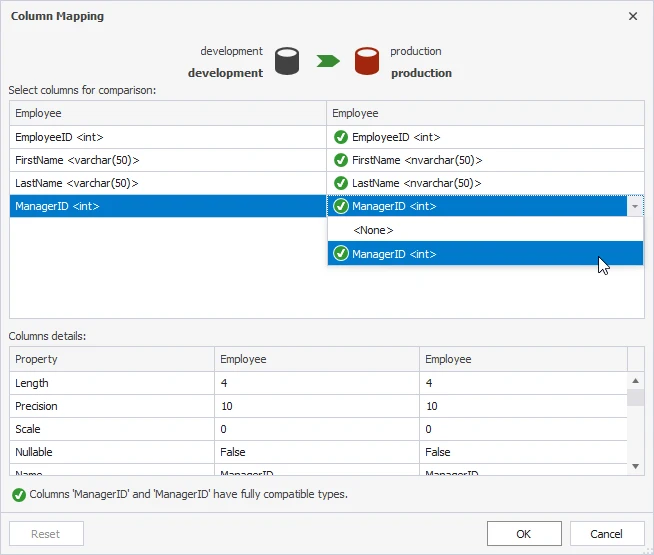
- Compatibility
- Windows tool for supported SQL Server schemas. Source types depend on release and edition.
- License and trial
- Commercial Standard and Professional editions with different automation and comparison features.
Microsoft Schema Compare and SqlPackage
Microsoft Schema Compare can compare connected databases, SQL database projects or DACPACs. SqlPackage can also script an incremental change from a supported source to a target. This is useful when a team’s preferred baseline is the same project artifact used to build and deploy its database.
It fits a DacFx workflow where target and publish options are kept with the release process. A state-based diff is affected by the chosen schema model and profile settings. It can represent a structural change while leaving decisions such as a data backfill or refactoring to the project and deployment script.
Build the project or extract the agreed DACPAC, then compare it with a disposable database. Capture the report and SQL separately. Review the intended target platform and the publish settings before accepting a data movement operation.
Represent an intentional rename in the workflow with the appropriate refactor history or an explicit migration. Compare the deployed rows and procedure result with the baseline. Record how a future fresh build will represent the same change.
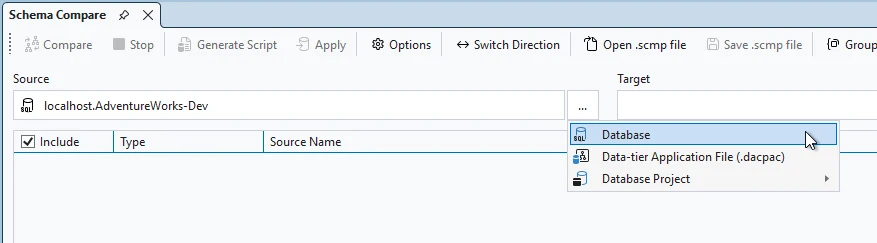
- Compatibility
- Schema Compare in supported Microsoft hosts. SqlPackage CLI is available on supported desktop and build platforms.
- License and trial
- Free Microsoft tooling.
Quest Toad for SQL Server
Quest Toad for SQL Server includes schema comparison and synchronization capabilities in applicable editions. The tool connects schema review with the same Windows client many teams use for query work. That is useful when operators want to inspect differences and generate the next script without switching products.
Its strongest case is an existing Toad workflow. Edition, driver and authentication support matter when comparing across environments. A generated synchronization script still needs a DBA to confirm the object selection and whether a structural change will affect existing data.
Use the documented edition level for the relevant comparison scope. Reproduce a save and rerun of the same compare and check the artifact offered for review before applying an object change.
Add a dependent stored procedure and confirm whether the generated proposal includes it. Compare what the result screen shows with what actually reaches the disposable target. Record any companion client used for execution.
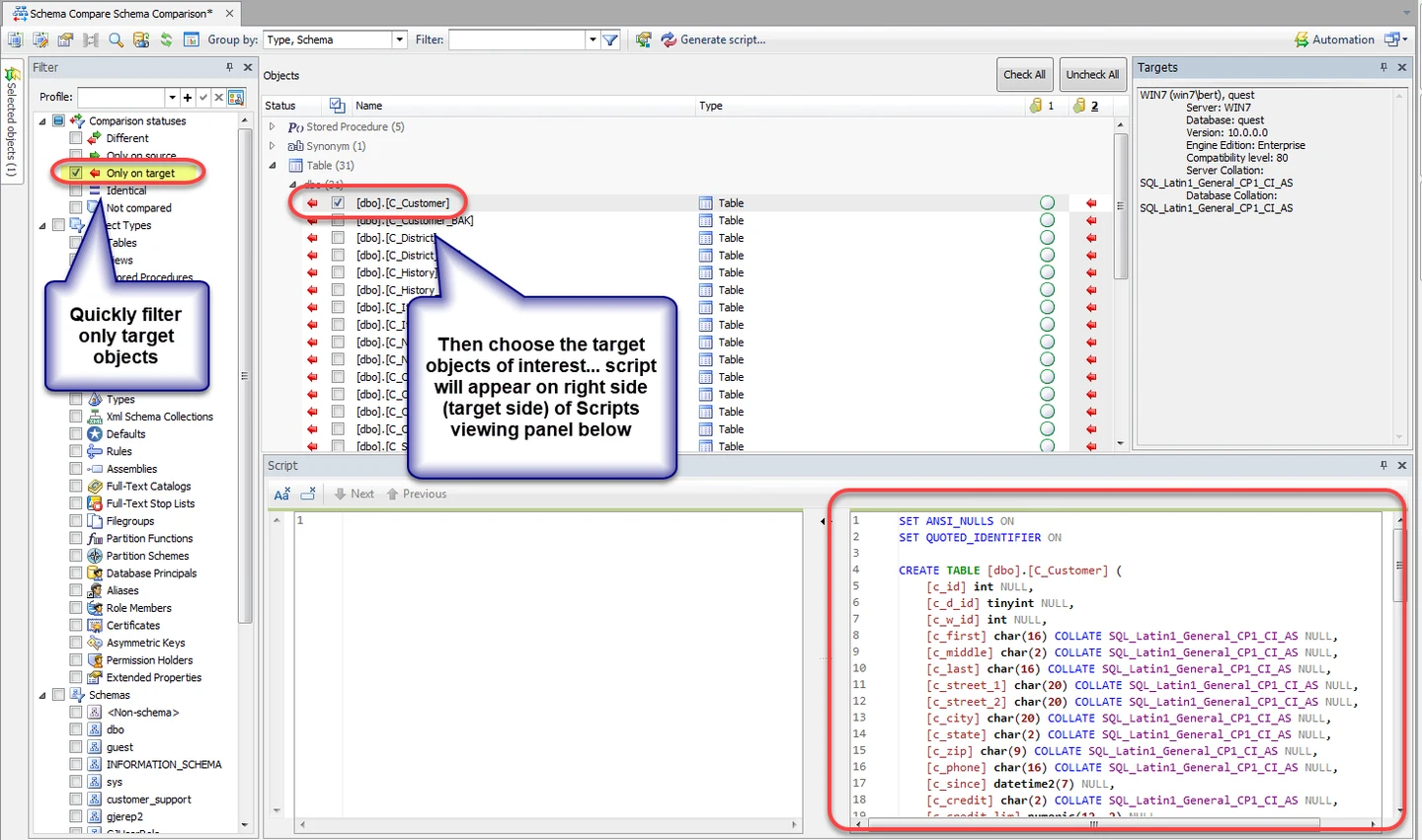
- Compatibility
- Windows Toad for SQL Server and supported source and target connections.
- License and trial
- Commercial. Compare and synchronization coverage depends on the edition.
SQL Delta for SQL Server
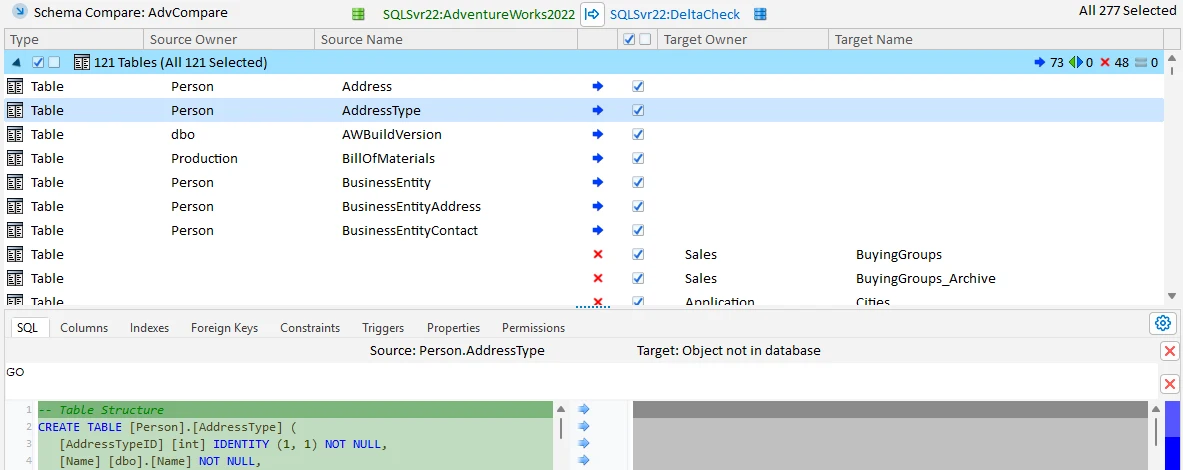
SQL Delta keeps schema comparisons as projects, presents object differences and can produce a synchronization script or an HTML report. It is useful when a DBA repeatedly compares the same pair of environments and wants to keep a portable record for review.
The saved project helps the team rerun the comparison with consistent filters and options. SQL Delta also documents command-line workflows. A recurring drift report is separate from permission to run the script, and the results depend on which object types and comparison rules the project includes.
Create a saved comparison project with the intended direction and object filters. Verify the revision that was compared and capture an output file from the trial. Scope the work to the SQL Server release in use.
Generate a change for an added index and a renamed table. Review the dependency handling and verify private rows on the target after applying the approved script. Test the workflow that schedules or repeats the review.
- Compatibility
- Windows SQL Delta for supported SQL Server targets. Options depend on project type.
- License and trial
- Commercial desktop product.
IDERA DB Change Manager
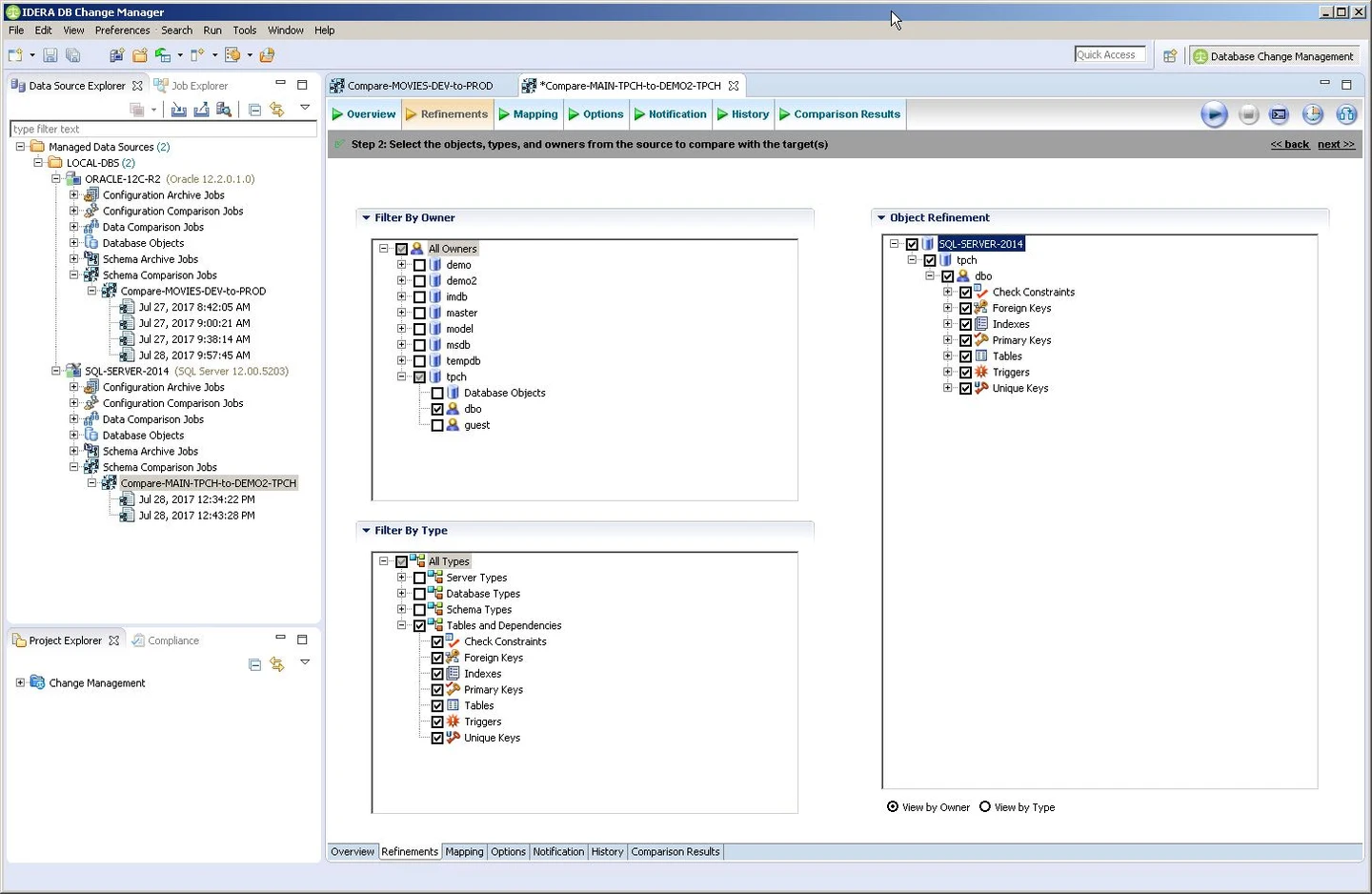
IDERA DB Change Manager can capture a database schema into a baseline or archive and later compare it with another state. It also covers configuration comparisons in its documented workflow. This fits operational teams that need to investigate what changed on a database over time.
The useful distinction is having a historical reference available even after the original live state changes. A baseline is only as suitable as its date and scope. The team still needs to decide whether a difference is expected, to update the reference when appropriate and to verify script support for the chosen engine.
Capture a baseline of the SQL Server objects the team wants to protect, then introduce the controlled schema change. Inspect how the product reports differences against the retained snapshot and how the report is shared.
Rehearse a reviewed remedial change in a disposable environment. Compare what the saved snapshot contains with what the product now sees, then verify SQL Server results independently. Record object and platform coverage for the actual configuration.
- Compatibility
- DB Change Manager with a supported SQL Server target and accessible archive or comparison sources.
- License and trial
- Commercial IDERA tooling.
DBeaver Enterprise and Ultimate
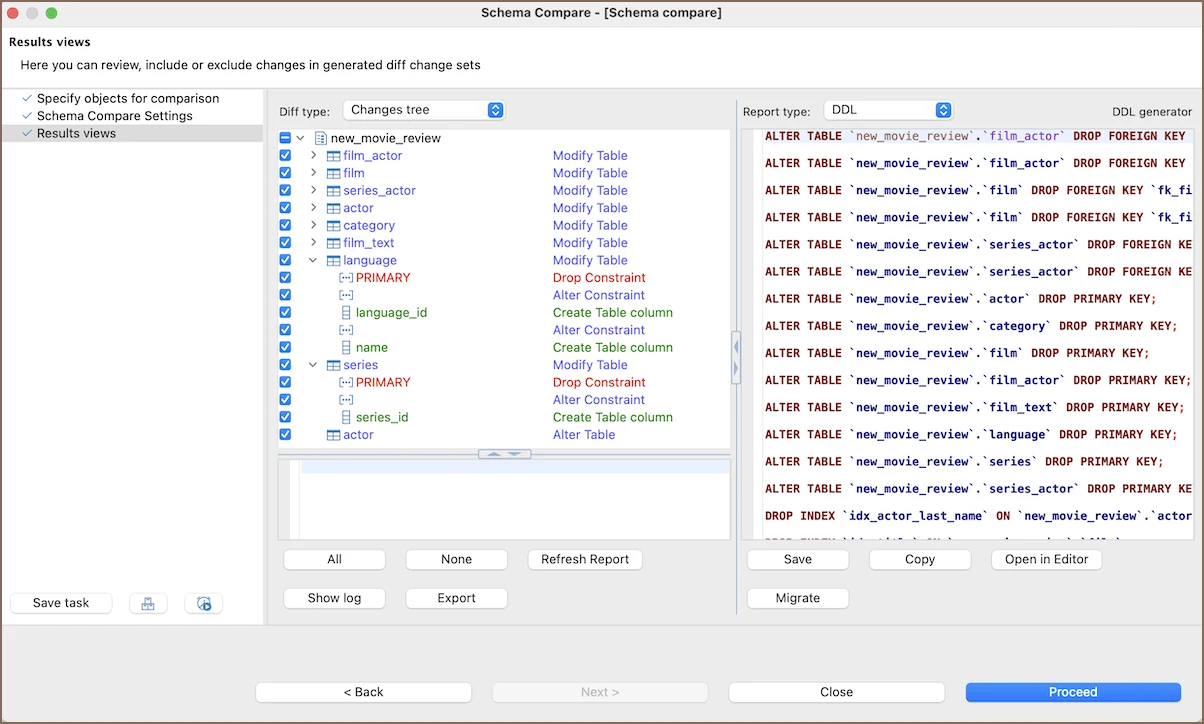
DBeaver Enterprise and Ultimate provide a full schema comparison workflow based on Liquibase. Developers can select the objects to compare, inspect the differences and review a generated migration. It is useful when a team wants a common database workspace and compares SQL Server alongside other JDBC targets.
The result is influenced by the driver and metadata exposed for the selected objects. DBeaver documents that comparison coverage can vary across databases, and a supplemental Liquibase license can affect some capabilities. A SQL Server-specific comparison still deserves review when a release uses engine-specific objects.
Use the documented full Schema Compare feature with the appropriate DBeaver edition. Run the same directional compare with the Microsoft SQL Server driver and inspect syntax and object definitions in the generated output.
Use a separate apply identity from the comparison account when the workflow requires it. Check whether table and procedure differences are both visible. Verify the result of the intended change against the same fixture under the same SQL Server release.
- Compatibility
- Supported DBeaver desktop edition with SQL Server JDBC connectivity.
- License and trial
- Full desktop schema comparison is documented for Enterprise and Ultimate.
SQLTreeo Compare
SQLTreeo Compare can compare schemas, selected server configuration and data across SQL Server environments. It also provides a command-line workflow. That makes it useful when a team repeatedly wants to see environment drift across more than one source and target pair.
It is a good candidate for repeatable comparisons that go beyond definitions in a single database. Different comparison types produce different evidence, and permissions affect which server properties can be seen. A report or sync script still needs to be evaluated against the intended environment.
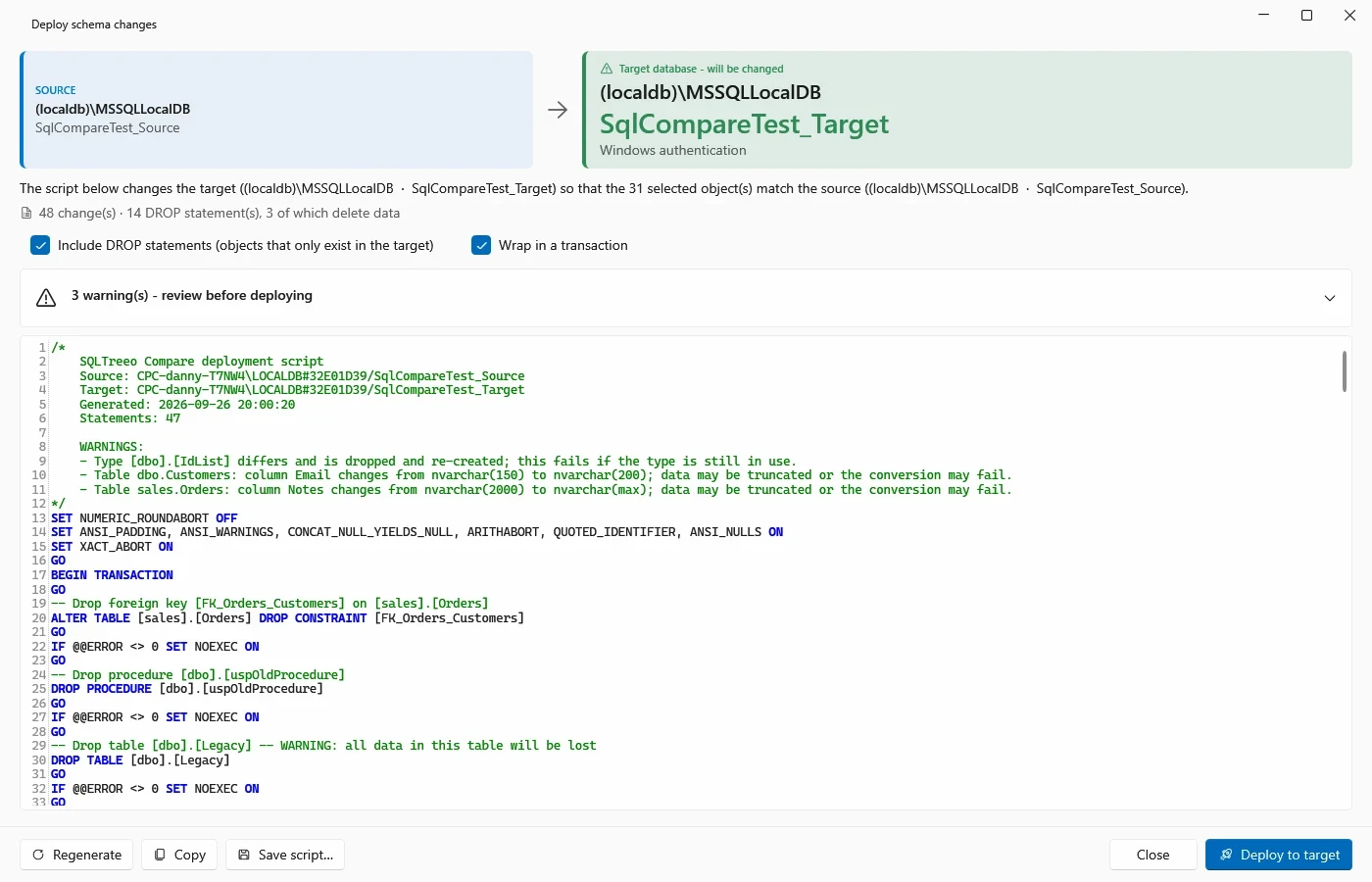
Record the SQL Server databases and compare options used in the product. Start with one known changed table and verify the output in the intended object scope. Inspect whether differently named objects are paired by the chosen settings.
Export the proposed change before applying it and hold onto both the report and eventual destination values. A target-only object forces a useful review of exclusions. Compare what is actually synchronized with the saved plan.
- Compatibility
- SQLTreeo Compare with supported SQL Server connections and permissions for the chosen comparison mode.
- License and trial
- Commercial. Desktop and CLI automation follow applicable SQLTreeo terms.
Redgate SQL Compare and dbForge Schema Compare features
| Feature | Redgate SQL Compare | dbForge Schema Compare for SQL Server |
|---|---|---|
| Comparison inputs | Live databases and schema snapshots. Redgate lists comparing supported backups and scripts folders under Pro. | Live databases and schema snapshots. Devart lists native backup, script folder and source-control revision comparison under Professional. |
| Table and column mapping | Map differently named tables or columns. Redgate documents sp_rename for a mapped table rename. Review any auto-mapping and inspect the deployment script. | Devart documents explicit table and column mapping and other mapping options. Check the generated script and test data preservation on an isolated copy. |
| Script review | Review the differences, warnings and generated SQL from the deployment wizard. Test which dependent objects the selected options include. | Review the action plan and data-loss or permission warnings before saving or applying the synchronization script. |
| Command-line licensing | Pro enables the CLI. Redgate documents separate entitlement for automated change delivery through Flyway Enterprise, Redgate Deploy or SQL Toolbelt. | Professional includes the standalone CLI. Verify build-agent activation and agreed CI use for the license you buy. |
| Backup comparison | Pro reads supported full or differential backups. Redgate’s requirements exclude natively compressed and encrypted backups and list limits for some object types. | Professional reads native full or differential backups. For a differential, include its associated full backup. |
SQL Server schema comparison tools by task
| What you need | Tools to shortlist | What to verify |
|---|---|---|
| Review a renamed table or column | Map the old and new names, generate the script, and verify existing rows after a test deployment. | |
| Compare a .sqlproj or DACPAC with a database | Compare the intended source and target with compatible target settings. Save the script and review what would change. | |
| Reuse comparisons across different SQL Server targets | Sample multiple targets and verify which objects and settings the selected edition sees. | |
| Check schema drift and save a reviewable SQL file | Run a saved filter against a known difference. Verify the script and how the tool reports that a difference exists. |
Choose the comparison by input and release workflow
A drift review, an intentional rename and a repeatable pipeline require different evidence. Choose the licensed feature for the input you actually have, then save approved DDL or a deployment report.
See how a SQL Server database drifted
Compare the live target with a versioned baseline
Use a supported snapshot, backup, database or project and inspect exclusions.
Rename a populated table and change a dependent module
Review mapping and generated DDL
Check whether the proposed script preserves existing values and updates references.
Produce an unattended change report
Check CLI support and licensing separately
Verify runner activation, report and exit status under the applicable terms.
- Redgate SQL Compare edition and workflow
- Redgate SQL Compare CLI and pipeline licensing
- Redgate table and column mapping
- Devart standalone Schema Compare edition matrix
- Devart table and column mapping
- Devart Schema Compare backup sources
- Devart automated schema comparison and script output
- Microsoft SQL Database Projects schema comparison
- Quest Toad edition matrix
- SQL Delta SQL Server compare
- IDERA DB Change Manager
- DBeaver Schema Compare
- SQLTreeo Compare
Compare a rename with and without a mapping
An unmapped compare may show two different table names as separate objects. Review whether the script adds a new table and removes the old one. A mapped or handwritten rename can preserve the object's rows, but inspect the actual SQL and referenced modules.
Use the example SQL shapes as review prompts. They are not generated tool output. Save each tool's output and apply only one reviewed result at a time to independent copies of the baseline.
| Step | Example SQL or action | Pass condition |
|---|---|---|
| Unmapped diff | Potential CREATE TABLE for the desired name and DROP TABLE for the old name | Reviewer detects data-loss risk before any execution |
| Mapped diff | Review where an EXEC sys.sp_rename or a safe data-copy plan appears | Existing primary keys and 64.50 total survive |
| Dependent procedure | ALTER PROCEDURE to read the resulting table | Both stored rows reach the new query result |
| Index and exclusions | Check IX_CompareTrialLedger_Amount and the target-only marker | Intended index is added and reviewed exclusions remain |
| Repeat compare | Re-run same direction and object filters | Expected changes clear and deliberate exclusions stay visible |
How to compare these tools
Compare the same database pair and a saved baseline. Inspect rename handling, excluded objects and dependencies, then test the exact generated script on a disposable copy. Sources checked .
Compare a rename, a dependent object and a target-only difference
Use empty CompareTrialDesired and CompareTrialCurrent databases. Create the requested objects in each and rehearse comparing the desired source with the current target. The fixture does not perform a synchronization.
Create a schema comparison pair with a populated rename
T-SQL · 30 lines
- Run the setup in each named lab database. In the current database, record the two row keys, amount total, dependent procedure and target-only marker table.
- With mapping off, generate a reviewable script and mark any drop/create pair for the source name change. Add or configure explicit mapping where supported, then compare the next generated script.
- Apply only the approved change in a disposable copy. Run the procedure and inspect row values, the new index and the target-only exclusion. Save the generated SQL from each tool next to the fixture and compare scope.
Conclusion
Select the tool that produces the right change for the schema you run. Try the same rename and dependent view in both tools, and check the script and the remaining data on a test copy. For recurring jobs, compare input formats, report behavior and the license required on your runner.
Frequently asked questions
Is Redgate SQL Compare or dbForge Schema Compare better for SQL Server?
Both compare and synchronize SQL Server schemas. Choose by input format, object mapping, how the deployment script can be reviewed, and the license required for the actual CLI or CI workflow.
Does Redgate SQL Compare Pro include CI/CD use?
Redgate documents Professional for the local command line and a separate entitlement for automated change delivery. Its command-line documentation lists Flyway Enterprise, Redgate Deploy and SQL Toolbelt for that use.
Which dbForge Schema Compare edition supports the command line?
Devart lists command-line support in Professional for the standalone dbForge Schema Compare product. That edition also includes native backup and scripts-folder comparisons. Check the license for your build runner before approving a purchase.
Will table mapping preserve SQL Server rows after a rename?
Explicit mapping helps a schema compare tool recognize two names as the same table. Review the generated SQL and test it on a disposable copy. More complex splits, type changes and data moves can require an explicit migration.
Can I compare a SQL Server schema from a backup file?
Both vendors document backup sources in their advanced editions. Check the exact full or differential backup set, version, compression and encryption support before depending on it.
Why compare a mapped rename on a populated SQL Server target?
A schema difference can be resolved by several SQL sequences. Reviewing the script and checking existing row values on a populated target confirms whether a selected mapping preserved the data.