

A SQL Server schema can go into Git as a buildable definition, a folder of scripted objects, or an ordered record of migrations. A database project describes the state the target should reach. A folder of object definitions is easy to read and review. Migrations record the sequence that changes a deployed database, including data moves that a schema snapshot cannot represent on its own.
The right tool depends on which artifact the team will maintain and how a developer starts a new change. An SSMS add-in can capture an edit made on a development database. A database project can build changes authored offline. Flyway or Liquibase can keep the steps that will run at release time, while a scripted export is useful for inventory or an initial baseline. Each leaves different work for deployment and reconciliation.
SQL Server schema version control tools at a glance
Ask precisely what belongs in the repository. A snapshot of object definitions, a DACPAC project and an ordered changelog require different ways to review and rebuild.
| Tool | Git artifact | How to review it | Deploy or license boundary |
|---|---|---|---|
| SSMS with SQL Database Projects | `.sqlproj` and SQL object definitions | Review object diff and build a DACPAC against the right target | Publish or generate a deploy report separately with SqlPackage |
| Redgate SQL Source Control | Object definition files and supported repository layout | Link a development database, commit and review in Git | Commercial SSMS add-in. Verify the deployment method separately. |
| dbForge Source Control | Versioned SQL Server objects and repository folders | Review mapped object changes and selected Git strategy | Commercial. Check supported setup, change scope and separate release workflow. |
| Redgate Flyway Desktop | Schema model and, where configured, versioned migration files | Inspect object changes and migration order as distinct review evidence | Check Flyway edition for SQL Server model and generation features |
| Quest Toad for SQL Server | Selected object scripts and linked version-control workspace | Check support for the desired repository and object types | Commercial. Use a separately verified deployment workflow. |
| dbatools Export-DbaScript | Scripted SQL Server objects | Review scripted output and order it for a clean rebuild | Open source. Build and deployment are maintained in PowerShell or CI. |
| Ariga Atlas | Desired schema or versioned migration directory | Inspect input, generated migration and checksum policy | Atlas documents SQL Server under Pro |
| Liquibase Secure | Changelog and ordered changesets | Review generated baseline and versioned changesets in Git | Check current Secure entitlement for generation and governance workflows |
Microsoft SSMS with SQL Database Projects
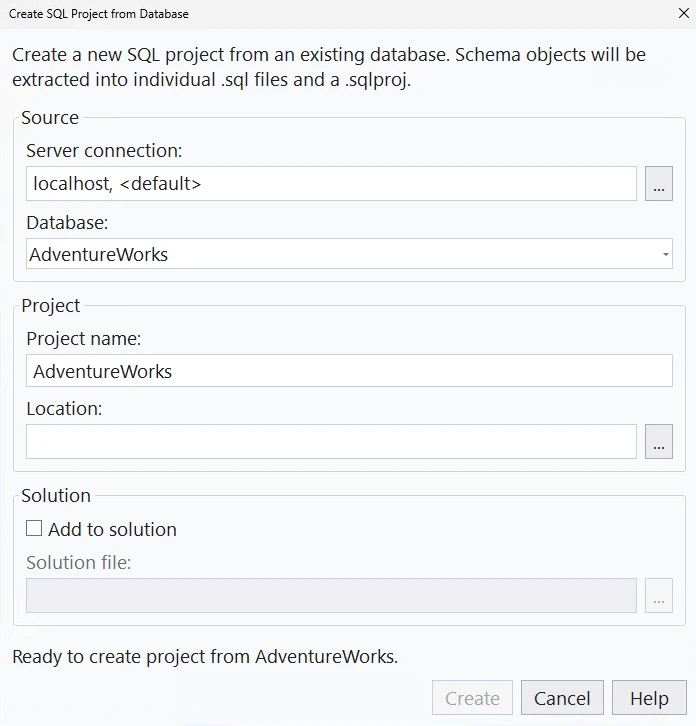
Microsoft’s SQL Database Projects workflow in SSMS keeps SQL Server object definitions as source files, builds the project into a DACPAC and can start from an existing database. It is useful when reviewers need a representation that can be built and validated as well as compared in Git.
It fits a team that wants to maintain the desired database state. References and target-platform settings are part of that model. Changes that depend on data already present, such as splitting a column and backfilling existing rows, need explicit deployment design as well as new definitions.
Start with a SQL project imported from a trusted database state or with existing object scripts. Review the target platform, schema references and behavior of permissions. The SQL project and its object definitions are what developers merge in Git.
Build from a clean checkout and retain the resulting DACPAC. Compare it with a disposable database or generate a DeployReport before publishing to the approved target. Use DriftReport where the database was registered and that evidence is needed.
- Compatibility
- Supported Windows SSMS with its SQL Database Projects capability. Other DacFx project tools can participate in the build workflow.
- License and trial
- Free Microsoft tools. SQL Server and build infrastructure have separate requirements.
Redgate SQL Source Control
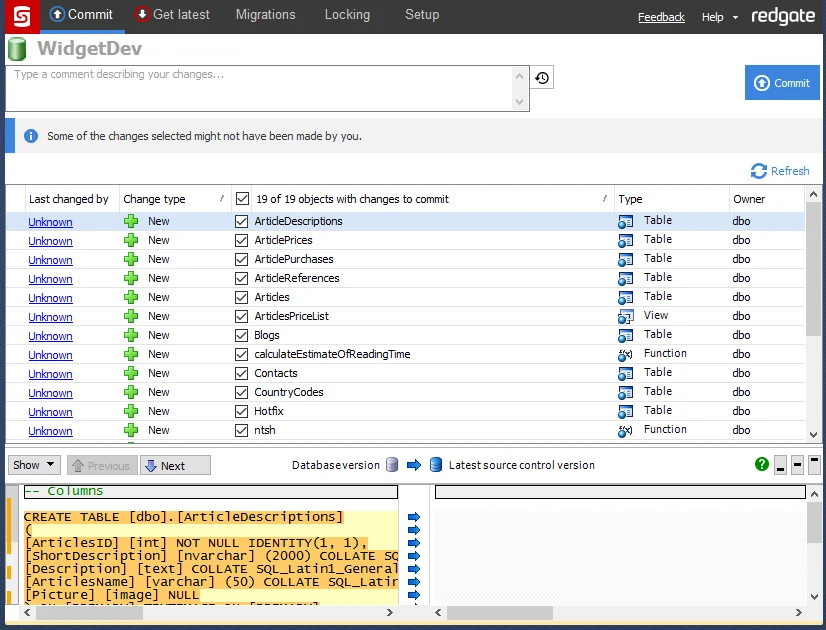
Redgate SQL Source Control links a development database in SSMS to a source control repository. It shows differences that can be committed as object changes, and supported workflows can retrieve changes from the repository. This is useful for a DBA or developer who already makes edits through a connected development database.
Its value is making database changes visible in Git with fewer manual scripting steps. Dedicated development databases make ownership of a change easier to trace. Shared development and production deployment have separate decisions about who can change objects and how reviewed revisions actually reach a target.
Link a disposable development database and inspect what changed for a single procedure and its dependent table. Choose how developers work in parallel before they begin committing live definition changes. Keep the initial schema and reviewed Git history identifiable.
Run a clean rebuild using the team's chosen deployment mechanism. A Git commit records the object change and its review. The release process must still apply the intended change and verify permissions and dependencies on the destination.
- Compatibility
- Windows SSMS and SQL Source Control with supported engine and Git client versions.
- License and trial
- Commercial Redgate licensing. Deployment automation may require additional tools.
dbForge Source Control for SQL Server
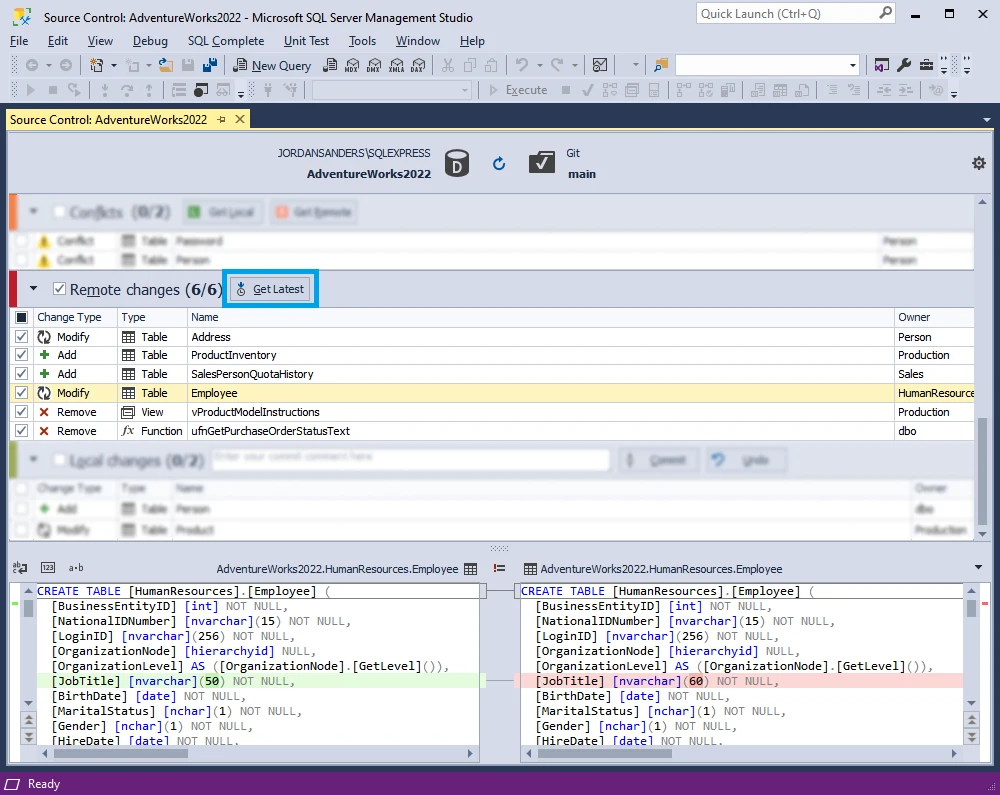
dbForge Source Control for SQL Server links a database in SSMS to Git and can commit or apply object changes through the add-in. Its documented get-latest workflow shows changes that can be applied to the connected database. It fits teams whose developers work mainly in SSMS and need a reviewable record of definition changes.
The workflow is useful when a team is willing to treat a development database and its repository as paired sources of change. Conflicts can arise when both change. A successful commit records definitions, while access, approval and release sequencing remain responsibilities of the deployment process.
Use the documented Git setup to connect the team's development database. Check repository layout, object selection and how users refresh their working state. Make one procedure change and review both table and procedure diffs.
Rebuild on a separately named target and compare the final schema with the repository. If the tool supports more than one development strategy, test the one the team will adopt. Record what happens when two teammates touch the same object.
- Compatibility
- Windows SSMS add-in with an accessible Git repository and supported SQL Server deployment.
- License and trial
- Commercial Devart tooling. Availability depends on the standalone or bundled license.
Redgate Flyway Desktop
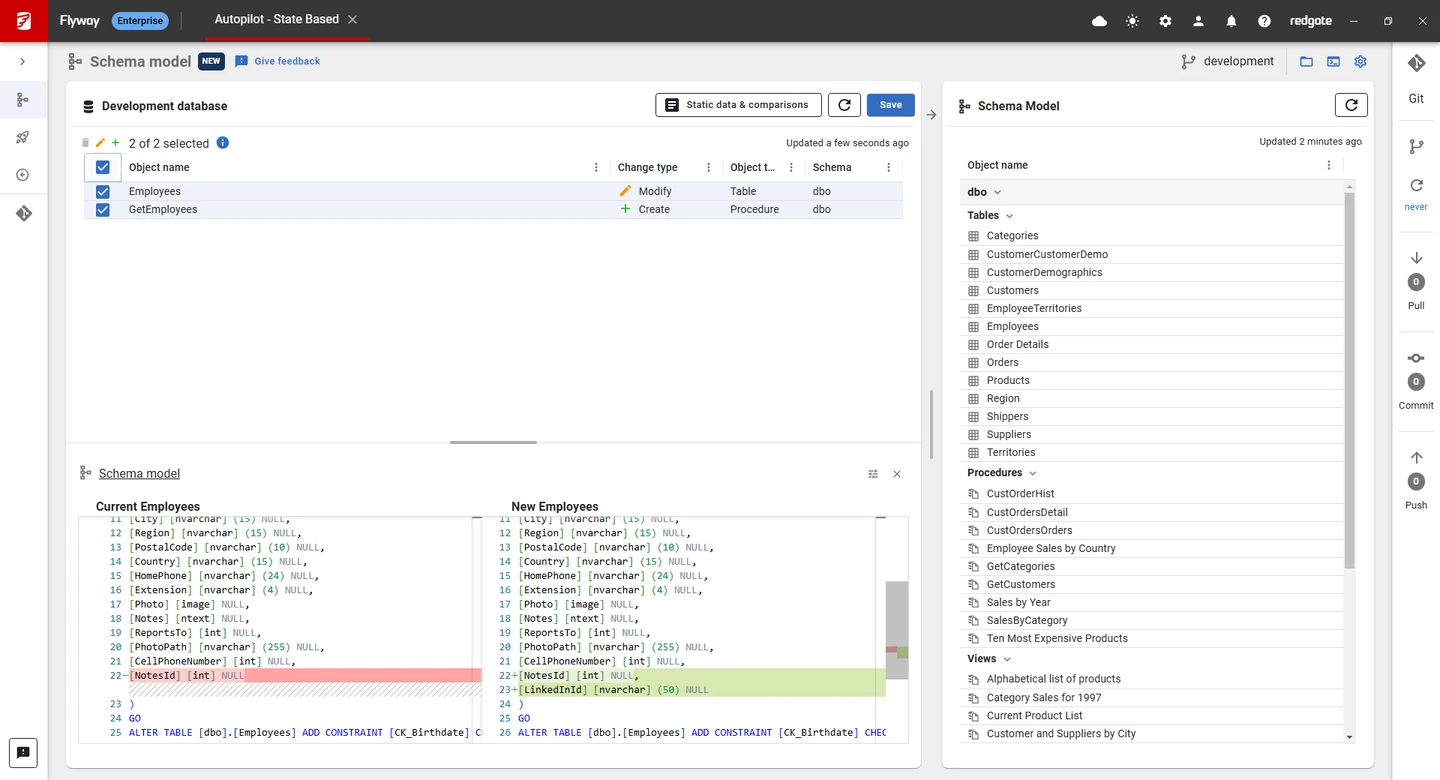
Redgate Flyway Desktop can capture a development database into a schema model with an object-per-file layout. In the supported workflow it can also generate migrations from changes. This gives a team reviewable definitions in Git alongside SQL scripts that record how a target changes.
It is useful when the team wants both an object history and a migration path for releases. The two artifacts need to agree, and generated scripts still require review for renamed objects and data transformations. Model and generation features depend on the Flyway edition.
Open an example where a procedure and a column change together. Compare the schema model that explains desired object state with the migration that expresses how a deployed database gets there. Review both artifacts where your workflow uses both.
Pin the applicable Flyway version and confirm the chosen edition. Rehearse on a clean database and then on a populated baseline. Verify that the generated or handwritten migration retains existing values and the schema history reflects the intended order.
- Compatibility
- Supported Flyway Desktop release, SQL Server development database and local version control workspace.
- License and trial
- Flyway offers free and commercial plans. Schema model and generation entitlements depend on the plan.
Quest Toad for SQL Server
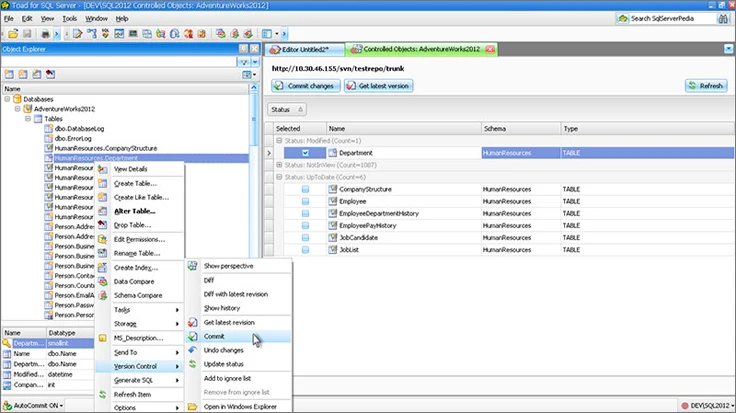
Quest Toad for SQL Server offers source control integration for supported files and database objects. It is useful when the development team already works in Toad and wants to put changes it makes in that client under version control.
The benefit is integrating the activity with the desktop development workflow. Supported object types and version-control providers depend on the installed Toad release. Once exported, the files still need a team convention for paths, reviews and the release mechanism that will apply the changes.
Test version control for the object types you maintain and the exact Toad release. Map an isolated database into the working tree and inspect how the change is represented. Repeat with a second developer to validate the process around concurrent edits.
Review the checked-in SQL independently of any account's editing rights. Pick the release tool or native SQL runner that will deploy it. Verify the object and permission behavior on the separate target after that step.
- Compatibility
- Windows Toad for SQL Server with a version-control provider supported by that release.
- License and trial
- Commercial. Source-control support depends on the release and edition.
dbatools Export-DbaScript
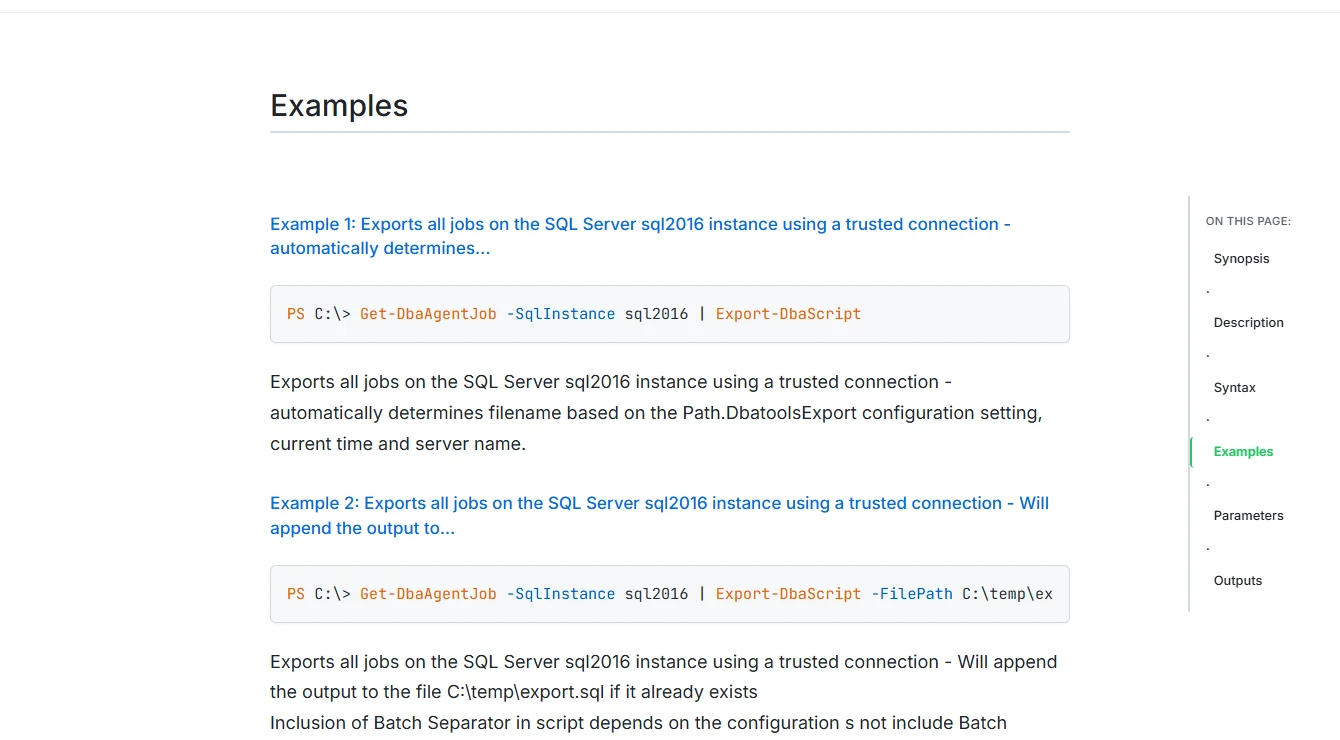
dbatools Export-DbaScript can export SQL Server objects through PowerShell with explicit scripting options. A recurring export can capture definitions into files the team can diff or commit. It is practical for documenting an estate or taking a first snapshot before adopting a fuller database development workflow.
It fits teams that prefer to own the automation and file layout. Options such as output paths and scripting dependencies determine what the files represent. A clean Git diff records what was scripted, while reproducing the schema on another target requires a broader dependency and deployment plan.
Use a scoped export and choose which SQL Server objects belong in the repository. Save the command, options and tool version. Include objects referenced by the procedure or capture explicit deployment requirements for dependencies that come from outside the database.
Write a rebuild sequence so the baseline tables, procedures and grants can be applied in dependency order. Compare scripted output after a known drift change. Settle formatting and output naming so Git highlights schema changes people need to review.
- Compatibility
- PowerShell with dbatools and suitable SQL Server access. Scripting behavior follows its SQL Server management objects and configuration.
- License and trial
- Free and open source. The team owns the snapshot and deployment conventions.
Ariga Atlas
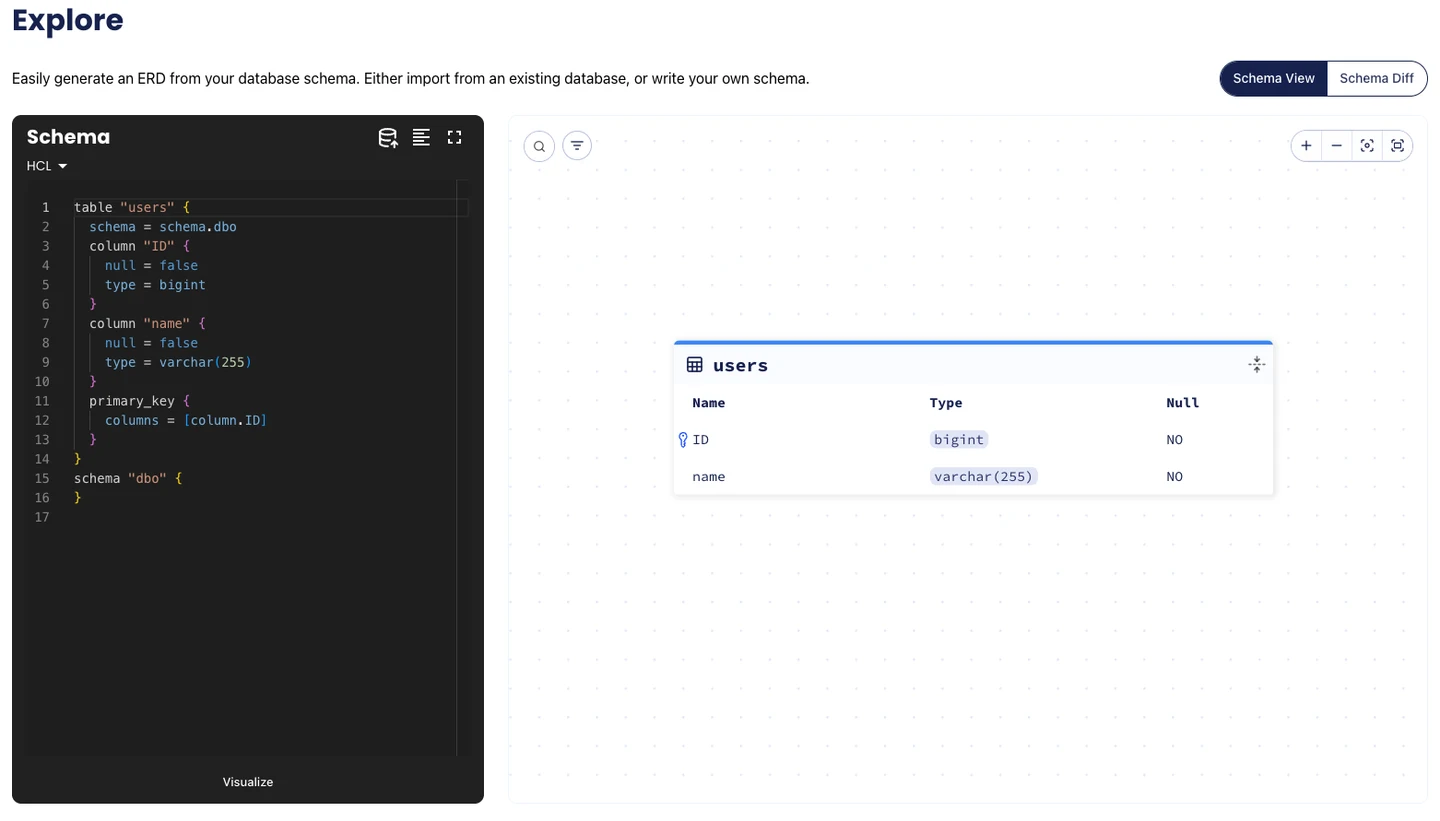
Atlas can inspect a supported SQL Server schema and keep a schema representation or migration files in Git. Its state-based workflow compares a desired definition with a target, while its versioned approach tracks reviewed migration files. That is useful for organizations that want a common schema workflow across engines.
It suits teams that can choose which artifact is canonical and use the same planning workflow in CI. An inspected model is limited to supported schema features. SQL Server support and features such as linting belong to the relevant proprietary plan, so the team should account for them during adoption.
Atlas documents its SQL Server driver for Pro. For the experiment, choose whether reviewed code represents desired object state or versioned migrations. Keep the exact engine target and the before and after schema visible during diff generation.
Inspect the generated migration for the existing column rename and dependent procedure. Apply it to a populated lab and verify rows before and after. Check the supported object coverage and any SQL Server dependencies handled outside the schema model.
- Compatibility
- Atlas with supported SQL Server connectivity and its SQL Server driver.
- License and trial
- Open-core product. SQL Server support uses Atlas Pro.
Liquibase Secure
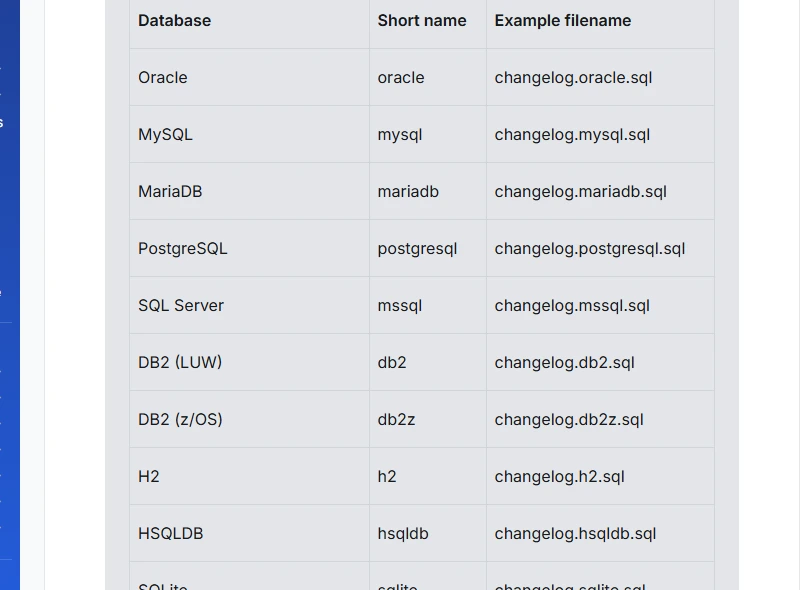
Liquibase Secure can generate a changelog describing the current state of a SQL Server database. The changelog can become a versioned baseline, followed by committed changesets for later work. This is useful when an existing database needs to join a migration process without starting from an empty schema.
The generated baseline needs review for supported objects and any order dependencies. An existing target also needs a deliberate choice about how to mark the baseline as applied. A snapshot that can recreate a schema can still omit data and operational requirements needed by an application.
Use the documented generate-changelog workflow for an initial inventory when the applicable license includes it. Review the resulting changesets rather than keeping a generated baseline with unknown omissions. Verify objects, dependencies and grants against the original.
Add the schema revision as an ordered, reviewed change. Rehearse running it on both a fresh target and a baseline with existing data. Verify checksums and history under the configured workflow before the team relies on the clean rebuild.
- Compatibility
- Liquibase with SQL Server connection and supported changelog format. Capture detail depends on object and edition support.
- License and trial
- Commercial Liquibase Secure features apply to the cited enhanced baseline workflow.
SQL Server source control tools by workflow
| What you need | Tools to shortlist | What to verify |
|---|---|---|
| Link a database to Git from SSMS | Commit a changed procedure from a development database, push it and inspect the SQL file on the remote branch. | |
| Build a database from committed object definitions | Check the project or schema files into Git. Recreate a disposable database from the intended commit and check object coverage. | |
| Capture selected objects from an existing server | Script a table and a stored procedure. Verify the file names, dependencies and ownership that go into Git. | |
| Keep a baseline and ordered migrations | Identify which files record object state and which scripts drive deployment. Run the baseline and a new change on an empty target. |
Choose the Git artifact and the release path
Write down what the Git commit represents. A database-first capture, an object project and a history of ordered migrations can all be useful, but they create different review and deployment steps.
The current object definitions and dependencies
Use an object project and build it
Review state differences and generate an explicit release plan.
A sequence of changes that works with existing data
Keep ordered migrations
Rehearse the recorded changes on a populated baseline.
A trusted baseline from an existing database
Capture and review the schema first
Verify a clean rebuild before treating that Git commit as authoritative.
- Microsoft database DevOps in SSMS
- Microsoft SQL Database Projects overview
- Redgate SQL Source Control requirements
- Devart link SQL Server databases to Git
- Redgate Flyway schema model workflow
- Quest Toad 2026 R2 version control setup
- dbatools SQL Server object script export
- Atlas edition and SQL Server feature compatibility
- Liquibase Secure generate-changelog
Rebuild a clean database and detect an out-of-band change
Move a column rename and procedure update together through Git. Review how the tool proposes preserving old values. A state comparison may show differences that still need a reviewed rename mapping, explicit migration or refactor log.
A SqlPackage DeployReport shows what a publish would change. DriftReport instead compares a registered database to its registration point. For an unregistered target, compare it against the committed artifact or schema and preserve the difference report.
| Step | Artifact to keep | Pass condition |
|---|---|---|
| Baseline | Reviewed project, object scripts or initial changelog | Two independently built examples return 50.00 across two payments |
| Revision | Table rename and dependent procedure change in one review | Existing values remain and the query returns the same result |
| Clean rebuild | Fresh checkout, explicit target and CI log | GrossAmount exists and Amount does not |
| Drift test | A controlled extra column on the live lab copy only | Compare report exposes OperatorNote; no deployment runs automatically |
| Access and release | Reviewed grants, generated plan and applied release ID | Users can run the expected action at the expected schema version |
How to compare these tools
Change a table and a dependent procedure on a test server. Commit the change, rebuild or deploy from Git, and check whether the result matches the intended schema without private connection details. Sources checked .
Commit a schema change and reproduce it from a clean clone
Use isolated GitSchemaTrialLive and GitSchemaTrialRebuilt databases. The SQL models a baseline, a reviewed rename and a deliberate drift change. Run each phase by changing @Phase, and use Git and the product's actual deploy and compare workflow to establish what the tool itself handles.
Follow a schema rename and a direct change outside Git
T-SQL · 44 lines
- Create the baseline in the live lab and save the reviewed schema or ordered changes in Git. Start a clean rebuild and check the amount and procedure. Keep target-specific secrets and logins separate.
- Review how the object or migration change preserves existing values before applying the revision. Rebuild again from a clean checkout. Compare the two lab database results.
- Use the drift phase only in GitSchemaTrialLive, without committing that change. Compare with the Git artifact and confirm the report exposes OperatorNote before doing anything with the report.
Conclusion
For a database-first SSMS workflow, a source-control add-in can shorten the path from an object change to a Git diff. For a project-first workflow, build a SQL project from Git and verify the deployment script. Use migration tools when the sequence of changes matters for existing data. Choose the workflow a second developer can reproduce.
Frequently asked questions
Can SSMS put a SQL Server database schema in Git?
Yes. SSMS has Git integration for repository files. With the Database DevOps workload you can create or open a SQL database project, commit the .sqlproj and object files, and build the project from a clone. Add-ins can capture changes directly from a linked database.
Does committing SQL Server schema files deploy the database?
A Git commit records files. A separate build, migration or publish step updates the target database. Review the script and confirm the deployment result against the intended commit.
Should we version object definitions or migration scripts?
Object definitions show the desired schema and make individual objects easy to review. Migrations record how changes should happen in order. A project can keep both when each has a clear use and source of truth.
Can SQL Server reference data go into source control?
Some products can version selected static data. Limit that to approved reference rows, verify how inserts and deletes are generated, and keep application records, secrets and sensitive data out of the repository.
Can two developers share one database with source control?
Tools such as dbForge support a shared development model. Both developers can already see each other’s changes on the database. Try conflicting edits in a sandbox and use dedicated copies if each person needs an isolated database state.
How can I prove a SQL Server schema can be rebuilt from Git?
Use a clean checkout and an empty disposable database. Apply the versioned build or migrations, then verify dependent objects, representative queries and applicable permissions. Compare the result with the approved live schema.