

dbForge Studio and Toad for SQL Server both combine editing, schema tools and administration in a commercial Windows client. dbForge is strong when the same person needs to compare environments, tune T-SQL and prepare a restore. Toad combines SQL work with task automation and job management. Its automation scripts and SQL Server Agent jobs have distinct schedules, execution identities and logs.
A database team may also need jobs to run without anyone signed in to a desktop. SSMS can administer native Agent jobs, while dbatools can encode a restore or job migration in a PowerShell workflow. Other desktop clients fit teams that work across engines. The practical comparison starts with the jobs people do most often and where evidence of a successful run will live.
dbForge Studio vs Toad at a glance
Match each task to a client, its edition and the actual SQL Server target. Evaluate the restored database and the generated SQL before treating a wizard or report as sufficient.
| Tool | Best starting point | Action to compare | Edition or deployment condition |
|---|---|---|---|
| dbForge Studio for SQL Server | SQL Server database development and schema review | Compare schema, inspect a plan or restore a backup | Studio edition controls comparison and CLI. CrossOver is documented separately. |
| Quest Toad for SQL Server | SQL Server workflows with job history and calendar | Inspect jobs, review a schema comparison and check optimization tools | Windows. Quest lists tolerant SQL Server 2025 support for 2026 R2. |
| SQL Server Management Studio | Native SQL Server tasks and recovery | Read job history, capture an actual plan, restore to another name | Supported Windows client and authorized SQL Server account |
| IDERA DBArtisan | Commercial estate administration | Verify SQL Server operations in a mixed-engine team | Check DBArtisan release and licensed SQL Server coverage |
| Aqua Data Studio | SQL and plans in a mixed-engine client | Compare SQL Server diagnostic evidence and query editing | Check the selected plan and edition features |
| Navicat for SQL Server | GUI-driven SQL Server database work | Inspect backup and restore controls for the target | Check documented supports and connection requirements |
| dbatools | Reproducible PowerShell administration | Run a database restore test in a disposable instance | Open source. Runner and target permissions are your team's responsibility. |
| DBeaver | General SQL Server querying across engines | Check JDBC connectivity and data export | Some compare or team features depend on edition. |
dbForge Studio for SQL Server
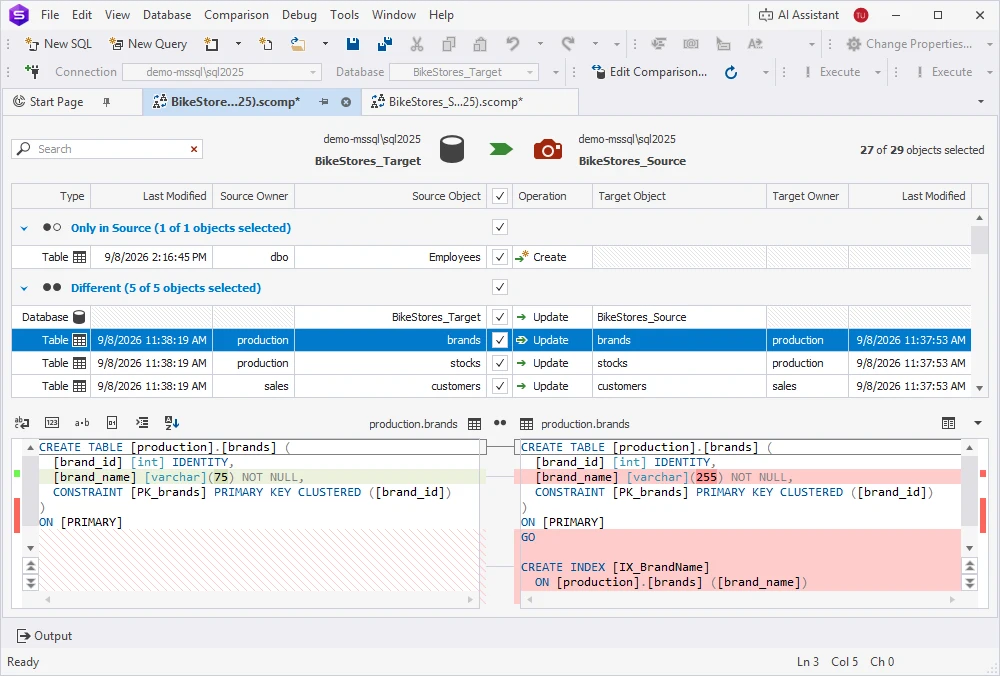
dbForge Studio for SQL Server includes SQL editing, a Query Profiler, schema comparison and graphical database restore workflows. Its restore documentation covers full, differential and transaction log backups. That makes it useful when a SQL Server specialist moves between routine development and database maintenance on the same workstation.
It fits a team that wants comparison and SQL Server administration together. The chosen edition defines which of those tools are included. A restore still depends on access to the media and a compatible backup chain, and a generated schema change deserves the same deployment review as hand-written T-SQL.
For schema review, choose the desired database as source and the disposable baseline as target. Generate proposed SQL and confirm it adds the expected nullable column and index. Review any extra operations or object filters before applying it.
Devart documents both the Query Profiler and a restore wizard. Run a query with known result rows and check what plan or statistics are available. For recovery, test the real backup media, naming, paths and final database state on another instance.
- Compatibility
- Windows client with Devart’s supported SQL Server versions. The vendor documents CrossOver for other hosts.
- License and trial
- Free Express and commercial editions with different feature entitlements.
Quest Toad for SQL Server
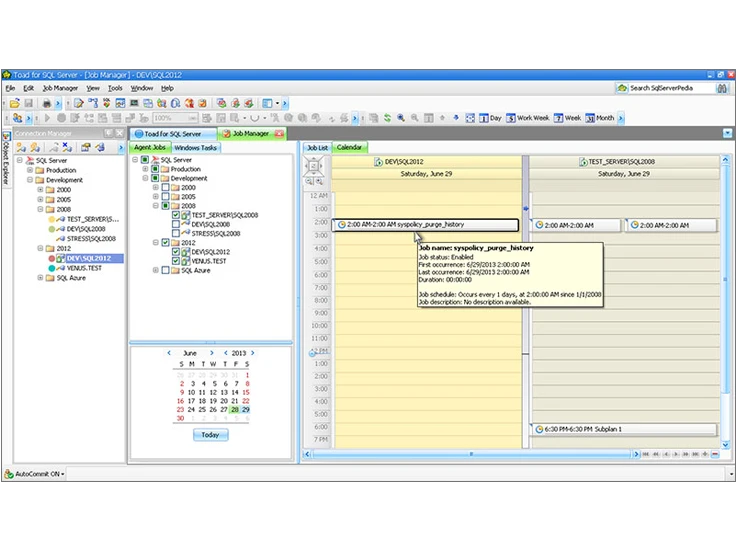
Quest Toad for SQL Server combines query and schema work with administration features. Its documentation distinguishes SQL Server Job Manager from Toad Automation scripts. The latter can automate work such as recurring queries or outputs, which is useful for a team that has to reproduce a process outside an editor session.
It suits a group that already uses Toad and needs a graphical path for recurring work. A Toad script and an Agent job run through different mechanisms, so their logs and credentials matter during a failure. Edition and release changes can also affect features on which an existing routine depends.
Use the installed edition to check schema compare scope. Quest distinguishes one-to-one and one-to-many workflows and lists SQL Server version support by release. Keep the run artifact and record which edition generates or previews a change before it runs.
Open job history and check that the failed step and whole-job status are distinguishable. Test it under the assigned operations role. If backup recovery will be done through SSMS or reviewed T-SQL, state the handoff in the trial steps and run it end to end.
- Compatibility
- Windows Toad client for supported SQL Server versions. Scheduler identity and paths matter for automation.
- License and trial
- Commercial. Features depend on the application edition and release.
SQL Server Management Studio
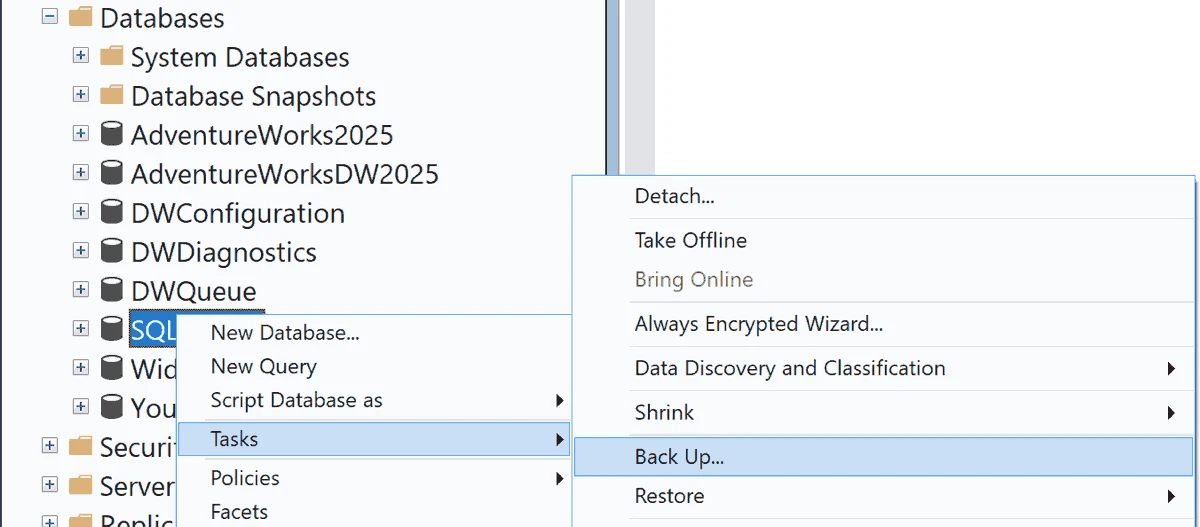
SSMS provides Microsoft’s native Windows interface for SQL Server Agent jobs, database backup and restore, and object scripting. It is useful when the operator wants to see the actual instance configuration and use familiar SQL Server dialogs for routine work or incident response.
The main advantage is direct alignment with engine capabilities and permissions. Restore actions can target a new database or file path when the chain supports it. Repeatable work across several environments can benefit from reviewed T-SQL or PowerShell scripts in addition to the graphical administration workflow.
Use SSMS to capture the control results. Read SQL Agent history, save an actual plan from a permitted query, and script a restore to a separate database. Record the engine release and operator's actual permissions rather than relying on an admin login.
Review the destination files and database name before the restore. Check SQL Server's final state and an application query afterward. Add a recovery verification even if a development tool already generates the correct schema change.
- Compatibility
- Windows SSMS with applicable SQL Server or Azure permissions. Available operations vary by deployment.
- License and trial
- Free Microsoft client.
IDERA DBArtisan
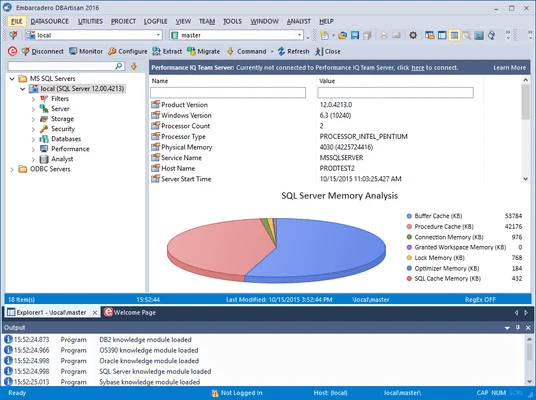
IDERA DBArtisan provides a common administrative client for several database engines including SQL Server. Its documented SQL Server views cover database and storage properties such as filegroups, data files and log files. It fits a DBA team that regularly switches platforms while maintaining similar operational tasks.
The value is one administrative workspace for several engines. The server and platform still determine what changes are possible and which information is visible. IDERA also sells adjacent tools, so a capability documented for another product should be evaluated under that product’s own license.
Choose the SQL Server edition and verify the server operation that drives the purchase. Run a simple query under a restricted user first, then have an authorized operator try the administrative function you need.
Capture the actual SQL or administrative output when the product can show it. Reopen the target through a separate account to check its resulting state. Keep the engine-specific recovery steps explicit in a mixed-platform deployment.

- Compatibility
- Desktop administration client with a supported SQL Server connection. Engine-specific functionality varies.
- License and trial
- Commercial DBArtisan or eligible DB PowerStudio licensing.
Aqua Data Studio
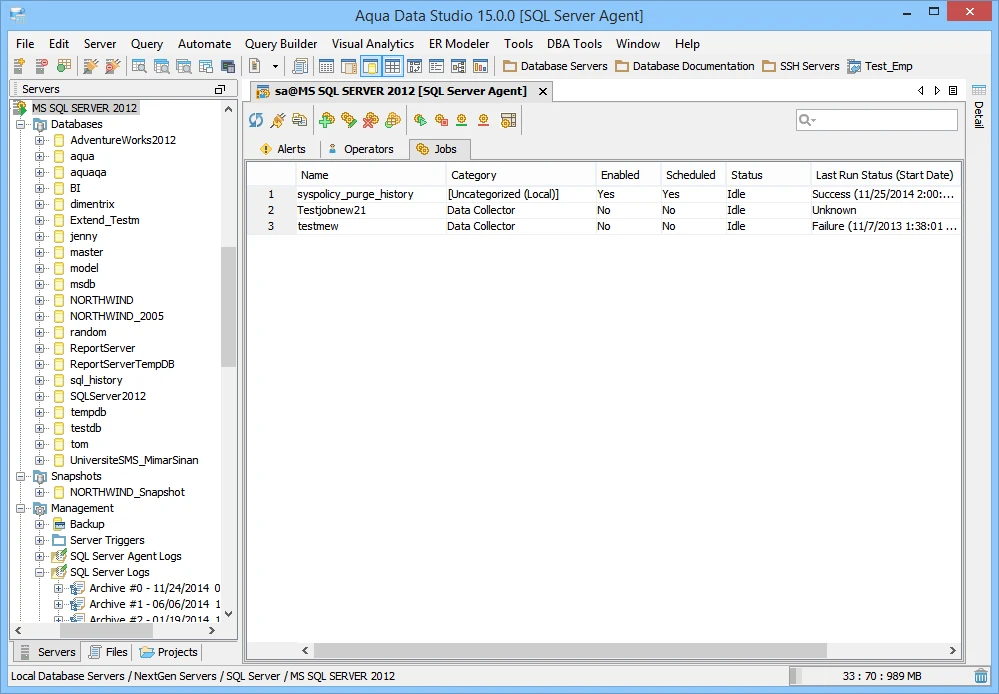
Aqua Data Studio provides SQL Server object management and documents database operations such as backup, restore and DBCC alongside a cross-platform query environment. It is a candidate when a team administers more than one database engine and does part of the job on macOS or Linux.
The useful part is keeping common object and query work in one interface. Administrative operations still call through to the connected engine and need the right privileges. The range of actions available for one engine may differ from the range available to the same account on another.
Use one reproducible SQL Server query and match parameters, schema and rights to the same query in the native client. Inspect which operations show execution plans or statistics for your SQL Server release.
If the team uses Aqua to author SQL, test a handoff to the job or recovery owner. Record the shared format for query and schema evidence, including the connection context the operator will need.
- Compatibility
- Windows, macOS and Linux desktop client with supported SQL Server connectivity.
- License and trial
- Commercial Aqua Data Studio license.
Navicat for SQL Server
Navicat for SQL Server combines object and data management with documented backup and restore options. Its automation feature can schedule supported tasks through Windows Task Scheduler. That makes it useful when a small team wants a graphical way to repeat exports or other supported client jobs.
It fits recurring jobs a team can safely operate from a managed workstation or server. The Windows account running the task needs its own paths, permissions and access to the required credentials. This is a different failure mode from a job that runs inside SQL Server Agent.
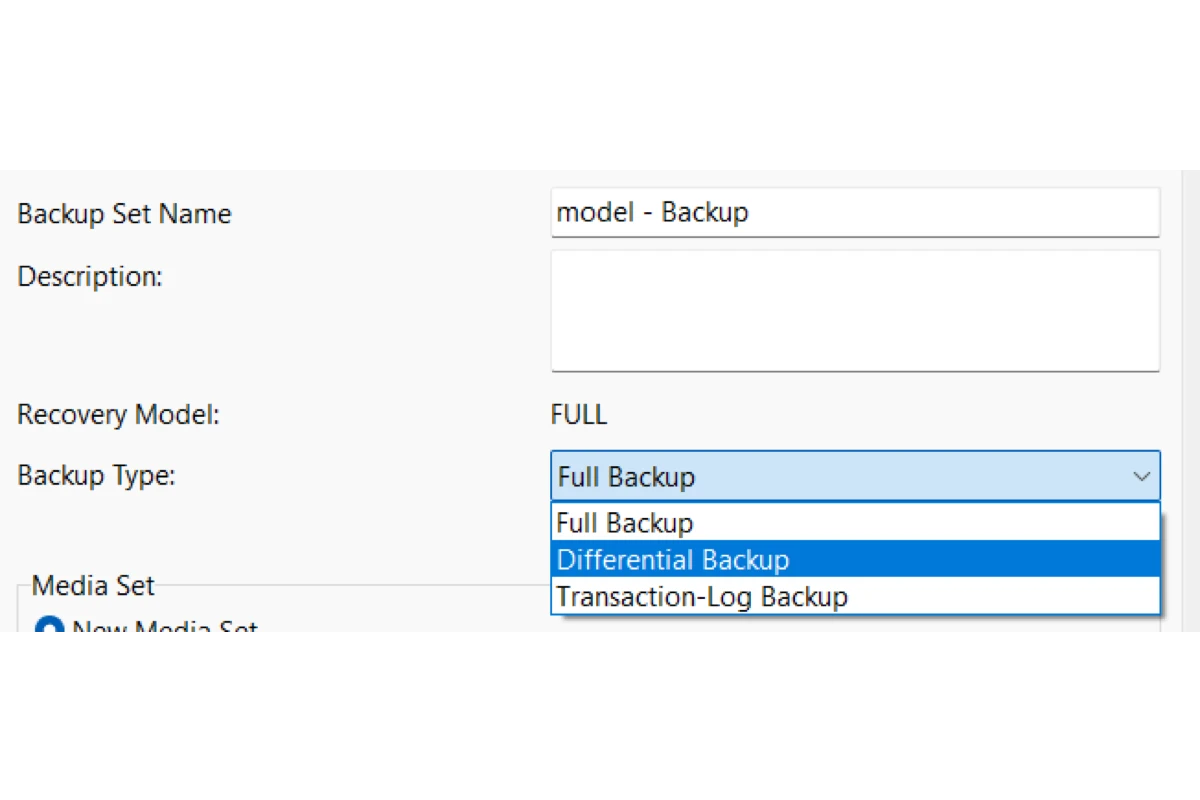
Try the documented SQL Server backup and restore workflow on approved sample media. Confirm how the client exposes target name, physical file paths and options for additional logs. Validate a series of backup files rather than just a lone backup if your recovery requires them.
Run the same SQL query before and after the test restore. Record which steps are guided by the client and which require native SQL Server statements or separate validation. Check that neither the source nor an existing target was modified.
- Compatibility
- Desktop SQL Server client. The cited scheduling workflow uses Windows Task Scheduler.
- License and trial
- Commercial. Automation is limited to eligible editions.
dbatools
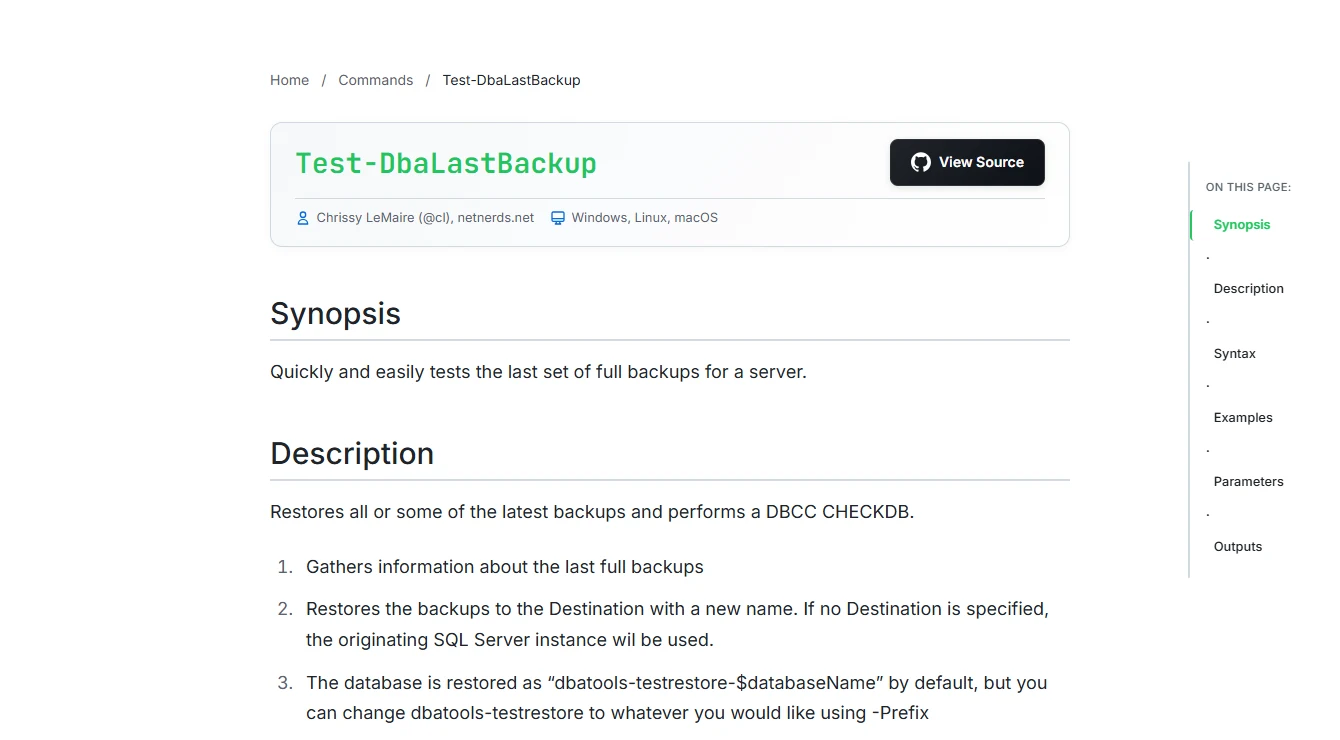
dbatools is a PowerShell module for repeatable SQL Server administration. Copy-DbaAgentJob checks dependencies before a move, and Test-DbaLastBackup restores a selected full backup and runs DBCC CHECKDB. These commands fit an estate where operators need the same checks across several targets.
The result can be reviewed and run again under automation. It depends on database rights, access to backup media and a suitable restore destination. A successful full-backup test verifies an important recovery path, while verifying a separate log chain or proving an application recovery time needs its own exercise.
Use Test-DbaLastBackup for an authorized restore rehearsal with a dedicated target and compatible backups. Its PowerShell output can be kept next to a recovery log. Test database and path selection with the same operator or automation identity you expect to use.
The target needs access to the backup files and permission to write the restored files. Check the result and capture a domain query alongside native consistency results. Compare the retained evidence with a manual restore.
- Compatibility
- PowerShell with supported SQL Server connectivity and the required engine and file access.
- License and trial
- Free, open-source module. The team owns the runner, secrets and logs.
DBeaver
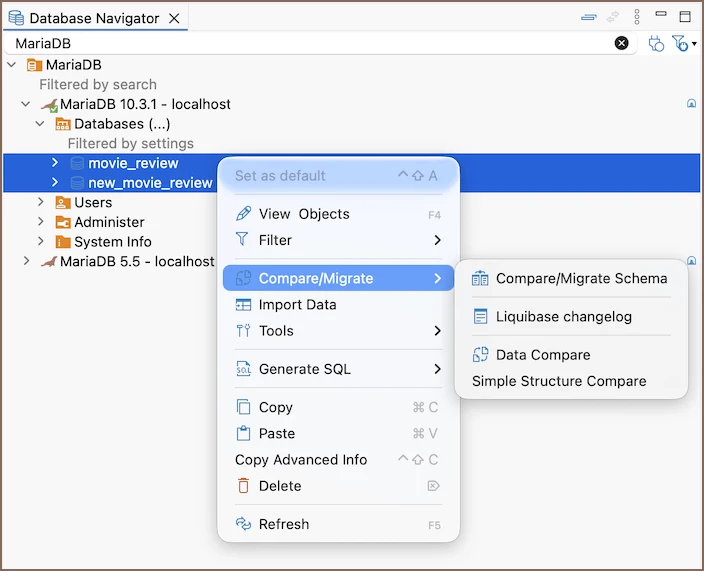
DBeaver gives teams a familiar database editor across SQL Server and other engines. Commercial editions include fuller schema comparison workflows for examining selected objects and preparing changes. It suits developers whose main use is querying, inspecting objects and comparing environments.
It is a sensible desktop client when the team already handles backups and job scheduling through other tools. SQL Server restore and Agent are specialized responsibilities, even though the SQL editor can run authorized T-SQL. Edition and permissions determine how much of the comparison can be done through the interface.
Use the SQL Server driver to run the same query and inspect the actual connection context. If developers primarily need query and export, check that profile under their restricted account.
Compare the edition-specific change tooling separately. Hand work outside the purchased workflow to a SQL Server-native tool and verify the handoff from a reviewed SQL file or an exported plan.
- Compatibility
- Cross-platform DBeaver desktop client with a supported SQL Server driver.
- License and trial
- Free Community and commercial editions. Full schema compare requires an eligible edition.
dbForge Studio and Toad administration features
| Feature | dbForge Studio for SQL Server | Quest Toad for SQL Server |
|---|---|---|
| SQL Server platform | Devart lists SQL Server 2025. The Windows application also has a documented CrossOver setup for supported macOS and Linux hosts. | Toad runs on Windows. The 2026 R2 installation guide lists tolerant support for SQL Server 2025. Validate the required features on that version. |
| Schema compare and script review | Devart lists Schema Compare and its CLI in Professional and Enterprise. Review which sources and objects the target edition can compare. | Quest lists one-to-one schema comparison for Pro, Xpert and Dev. One-to-many comparison is listed for Xpert and Dev. |
| Backup and restore | Devart documents a backup and restore wizard. Test the actual backup chain, target paths and recovery state you need. | Use your SQL Server restore procedure as the baseline. Verify the backup media, destination paths and recovery options with the installed Toad edition. |
| Jobs and automation | Devart documents command-line schema comparison and other task automation by edition. Verify which Agent operations require your native workflow. | Toad's Job Manager shows jobs from multiple SQL Server instances in a calendar. Check the ability to inspect history and change a schedule under the intended role. |
| Query diagnostics | The T-SQL Query Profiler is listed in Standard, Professional and Enterprise. It can display execution plans and statistics. | Quest documents basic performance monitoring and lists SQL Optimizer in the Xpert and Dev columns of its edition matrix. Check the current bundle and which metrics you can save. |
SQL Server administration tools by daily task
| What you need | Tools to shortlist | What to verify |
|---|---|---|
| Review schema changes and save a deployment script | Compare one table and one procedure. Save the script and review data impact and dependencies. | |
| Inspect SQL Agent jobs and schedules | Find the same failed job step and verify job permissions or dependency checks. | |
| Restore a database to an isolated target | Confirm the input backup chain, destination paths, recovery state and post-restore checks. | |
| Inspect health and SQL Server storage | Locate file usage and session data, then confirm the intended edition includes the required diagnostics. |
Choose by the SQL Server tasks the license must cover
Use the host, SQL Server release and actual licensed edition for the comparison. Check the authentication path, supported runtime and whether a task requires a companion SQL Server tool.
Create and review SQL Server schema changes
Trial dbForge Studio's schema workflow
Check the Studio edition, diff direction and whether the command line runs as planned.
Operate Agent jobs across several instances
Trial Toad's job workflow
Compare calendar scope, history, permissions and job recovery in the installed edition.
Recover a database after an incident
Use a verified native restore workflow
Review the backup chain, alternate name, file paths and resulting SQL Server state.
- Devart Studio platform and SQL Server support
- Devart Studio edition matrix
- Devart Studio schema comparison sources
- Quest Toad 2026 R2 release notes
- Quest Toad 2026 R2 installation and supported databases
- Quest Toad for SQL Server edition matrix
- Quest Toad Job Manager options
- Microsoft restore to a different database and file location
Trial schema review, Agent history and restore separately
Check that each tool exposes enough evidence for another operator to repeat the task. A restore is accepted when the isolated database is online and usable at the expected point. A job is investigated using its native step or summary evidence.
| Task | dbForge Studio check | Quest Toad check | Expected evidence |
|---|---|---|---|
| Schema compare | Professional or Enterprise compare and applicable CLI | Check one-to-one edition entitlement and generated script | Only add the review flag and supporting index |
| Job history | Verify available view or use native Agent tooling | Verify Job Manager history and actual role access | Find the failing step and unsuccessful summary |
| Plan | Verify profiler and actual execution information | Check relevant plan or SQL Optimizer capability in edition | Both test queries return the known result |
| Restore | Review native SQL Server restore options exposed by the wizard | Confirm installed restore path or use native restore workflow | Separate target and original row total of 50.00 |
| Automation | Verify supported Studio CLI and runner | Test the automation and scheduled identity for this release | Record exact version, roles, script and result |
How to compare these tools
Run a schema comparison, inspect the same Agent job and restore an isolated copy. Check the exact editions and what the same account can do in each client. Sources checked .
Run a schema review, an Agent check and a restore drill
Build a baseline and desired schema on a lab instance. The candidate comparison should expose one new column and one index. Then compare the lab's Agent failure evidence and restore one backup into a database with a new name.
Set up the desired schema and confirm the restored sample
T-SQL · 25 lines
- Use empty SqlOpsTrialBaseline and SqlOpsTrialDesired databases. Run the setup in each one. Compare desired to baseline and review the candidate script before applying it.
- Use an authorized reader to locate the failed step of a disposable SQL Agent job and its failed summary. Record how the tool found them and which action would require elevated rights.
- Back up the disposable baseline and restore it under a different name with separate files. Use the native workflow when necessary. Run the final query and compare the row count, total and expected schema.
Conclusion
Buy against the job list and the server versions you run. dbForge Studio combines schema and query tooling with a recovery wizard. Toad offers a multi-instance Agent calendar and its own compare and automation features. Keep a tested restore procedure and verify each license on the server build it will manage.
Frequently asked questions
Is dbForge Studio or Toad better for SQL Server administration?
Choose dbForge Studio for an integrated schema review, query profiler and backup and restore workflow. Choose Toad when the Job Manager, compare workflow or automation meets your needs. Compare the actual edition and server support on a test instance.
Does Toad for SQL Server support SQL Server 2025?
The Toad for SQL Server 2026 R2 installation guide lists tolerant support. Test the specific tools you need on SQL Server 2025 and check current vendor support before standardizing.
Which dbForge Studio edition includes Schema Compare?
Devart lists Schema Compare and its command-line interface in Professional and Enterprise. The matrix also lists distinct support for backups, snapshots and script folders. Verify your source types.
Can either tool replace SSMS?
Both can cover many administration and development tasks. Keep SSMS for work that depends on its native dialogs, features or support procedures. Compare the installed editions on your restore, Agent and diagnosis workflows.
How do I confirm the restore wizard can recover my database?
Restore your expected backup chain to an isolated target at a new location. Verify recovery state, file paths, database integrity and an application-level check before accepting the result.
Is a restore wizard result enough to verify SQL Server recovery?
Check the destination database state, paths and recovery point. Run a representative query against the isolated database and verify its results against the expected state.