

Data comparison starts by deciding when two rows represent the same record. A primary key is often enough. Loads and migrations can assign different identity values, so an application key or a combination of columns may make more sense. The tool then compares selected values and reports missing, extra or changed rows. That result depends on the key, the filters and whether the sources were stable while the tool read them.
Redgate, Devart and xSQL offer SQL Server-specific mapping and synchronization. SSDT and tablediff cover more focused Microsoft workflows, while DBeaver, SQL Delta and SQLTreeo can fit a wider set of comparison jobs. Finding differences is useful on its own. Generating corrective SQL introduces decisions about direction, deletes, dependencies and how to handle rows that change between the comparison and execution.
SQL Data Compare vs dbForge Data Compare at a glance
Evaluate a read-only comparison and a reviewed synchronization separately. Start by confirming uniqueness and what target records must stay.
| Tool | Good fit | Data comparison check | Edition or execution condition |
|---|---|---|---|
| Redgate SQL Data Compare | Compare SQL Server rows and export a controlled deploy script | Compare under a unique key and inspect WHERE filters on each live side | Pro for applicable extra inputs or CLI. Verify pipeline terms separately. |
| dbForge Data Compare | Compare rows or custom query results and prepare supported changes | Check custom keys, filters and table versus query synchronization behavior | Professional for CLI or additional sources, subject to edition matrix |
| xSQL Data Compare | SQL Server row comparison and planned synchronization | Check the selected key, filtering and proposed SQL | Confirm version and automation license |
| SQL Delta for SQL Server | Repeat data comparisons with saved settings | Verify chosen keys, object scope and table output | Commercial. Confirm product and runner requirements. |
| SQL Server Data Tools Data Compare | Compare supported native SQL Server objects in SSDT | Check matching unique indexes or keys and write script | Verify supported connections and compatible SSDT feature |
| Microsoft tablediff | Inspect differences in compatible SQL Server tables | Check key requirements and generated difference output | Native utility with documented inputs; review each proposed fix |
| DBeaver Enterprise and Ultimate | Compare rows or result sets in the database client | Check fresh query versus already loaded data and export script | DBeaver lists full Data Compare in Enterprise and Ultimate |
| SQLTreeo Compare | Review SQL Server table data in a team workspace | Verify row mapping and target-only changes in the exact feature | Check product entitlement and output options |
Redgate SQL Data Compare
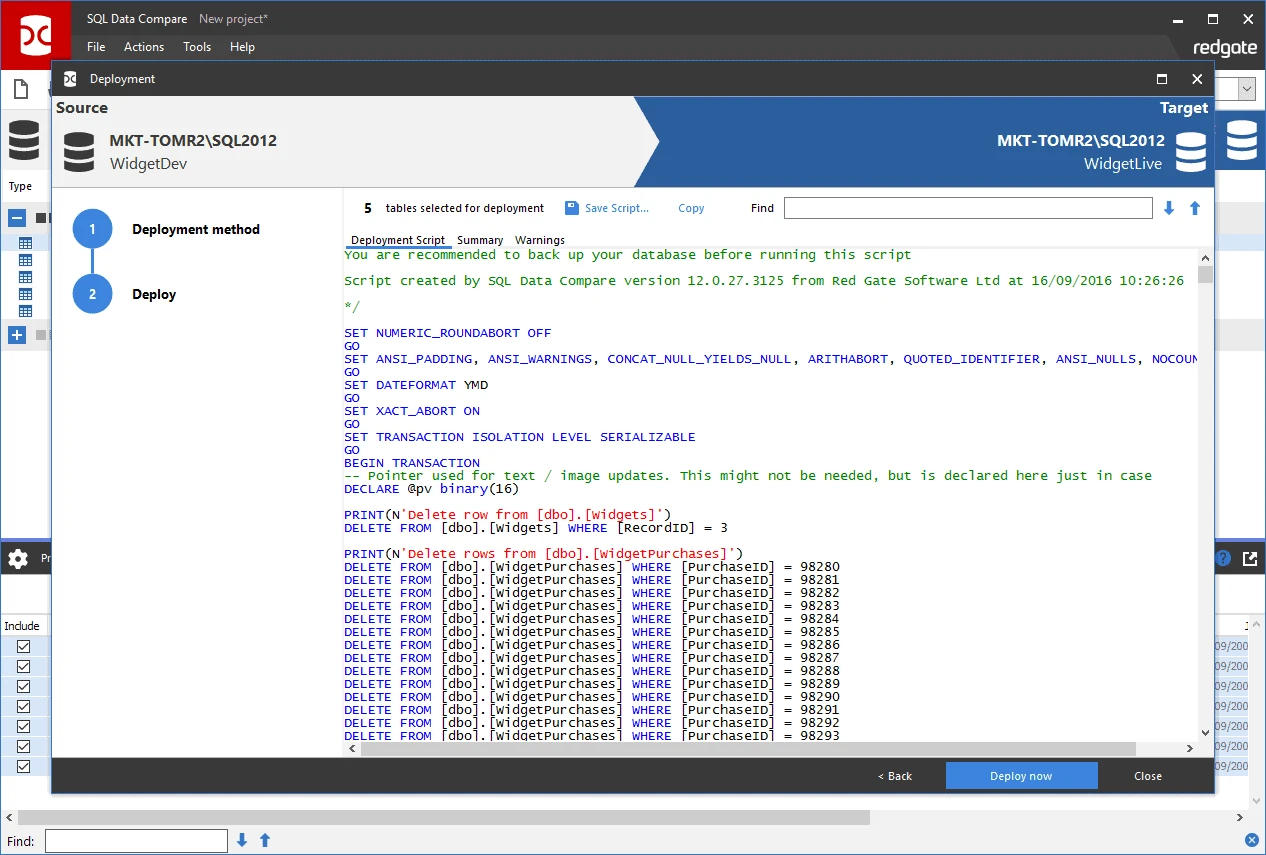
Redgate SQL Data Compare matches rows across SQL Server sources and classifies records as missing, extra or different. The GUI can show changes at the column level and produce a synchronization script for selected differences. This is useful when a developer or DBA needs to reconcile reference data after a release.
It fits comparisons where the team needs to review the output and control which changes reach the target. The comparison key determines identity, and views or tables without a usable key need particular attention. A correct diff can still produce inappropriate deletes if the chosen source or target direction is wrong.
Filter both live inputs to the same business scope and confirm the selected matching key uniquely identifies rows. In the trial, include TenantId along with PriceId. Compare the WHERE editor's behavior with any backup or script-folder input you plan to use.
Export the generated SQL before execution and inspect UPDATE predicates, inserted identity values when relevant and excluded target-only rows. Confirm that automation licensing fits the selected CI route, including any license requirements beyond Pro CLI access.
- Compatibility
- Windows SQL Data Compare with supported SQL Server sources. Applicable versions also support selected non-live sources.
- License and trial
- Commercial. Command-line and advanced features depend on license.
dbForge Data Compare for SQL Server
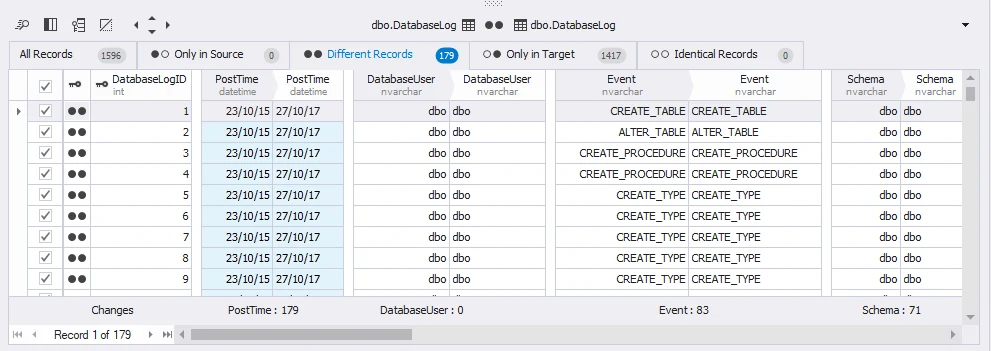
dbForge Data Compare for SQL Server compares selected tables, views and columns and produces a synchronization script. Its mapping rules let a team adjust which objects and columns participate. That is useful when an application upgrade leaves some fields intentionally different or when only a subset of a database should match.
It suits repeatable comparisons with saved settings and a reviewable SQL script. The edition affects automation options, and the selection rules need to match the job. A filter that excludes archived rows may be sensible for a report and inappropriate for a complete data reconciliation.
Try the same live table comparison first and decide whether query comparison is needed for a separate read-only view. Check custom mapping and compare results with nullable values. Use a unique pair of key columns even if a source record comes from a custom query.
For synchronization, select the approved row differences and inspect the resulting statements. Devart documents options that can check previous target values in generated predicates. Test that behavior on a disposable target whose data changes after comparison.
- Compatibility
- Windows comparison tool for supported SQL Server and Azure sources.
- License and trial
- Commercial editions. Command-line and additional features follow the edition matrix.
xSQL Data Compare for SQL Server
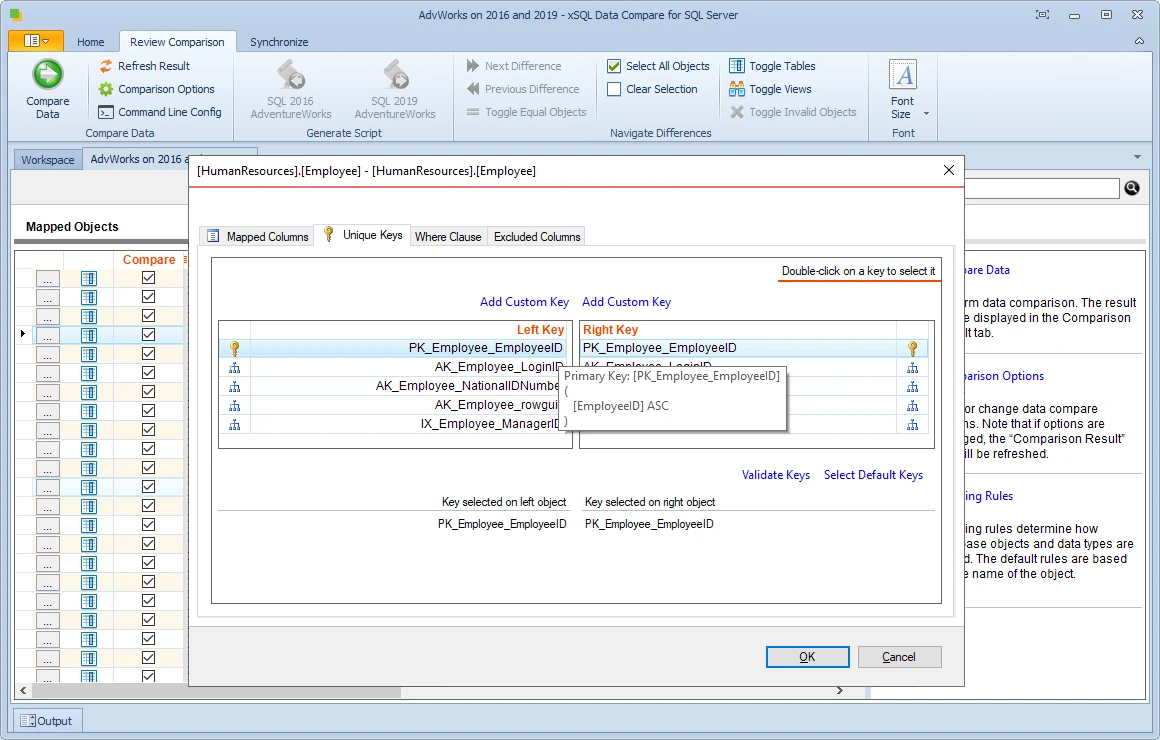
xSQL Data Compare matches rows using keys, unique indexes or custom comparison keys. It can map tables and views and generate synchronization SQL, including batch and transaction options. That is useful when the logical record is identified by a business key that differs from the physical key on one side.
Its strongest case is a focused SQL Server comparison with an explicit mapping and execution plan. A custom key must still identify a record uniquely. The publisher’s version and edition limits matter when buying for a newer instance or relying on unattended comparisons.
Use the documented settings for the exact SQL Server releases and set the comparison direction explicitly. Check how the tool chooses a key when both tables expose multiple candidate columns. Compare results with the known source and destination rows.
Review the proposed update and insert for tenant 7. Keep a copy of the original target values before application, then verify that the chosen row filters still apply in any automated rerun. Save the run settings as evidence.
- Compatibility
- Windows tool. The publisher lists on-premises SQL Server through 2022 and Azure database support.
- License and trial
- Commercial subscription and restricted Lite use after evaluation.
SQL Delta for SQL Server
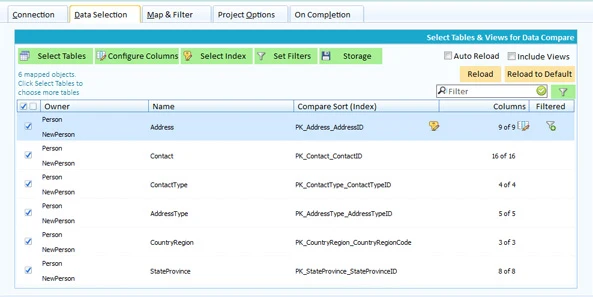
SQL Delta has a Data Compare project that detects candidate tables and columns and shows row-level differences. It can generate synchronization SQL for the selected result. That suits an operator who already uses SQL Delta for schema comparisons and wants data verification in the same workspace.
Keeping a named project helps preserve repeatable options. Automatic matches are convenient when schemas line up, while structural or naming changes need deliberate mapping. The recorded differences reflect the selected source, target and filters at the time of the comparison.
Save a project using a composite key and filter through both data sources. Verify what the report does with a nullable changed field. Check how row matching or formatting behaves when the inputs use different SQL Server setup or collation.
Try the supported export or synchronization workflow on a separate database. Check that no target-only delete is selected and verify the row state independently afterward. Keep the settings used for any scheduled process.
- Compatibility
- SQL Delta desktop client for supported SQL Server versions.
- License and trial
- Commercial desktop product. Automation follows the applicable license and project options.
Microsoft SQL Server Data Tools Data Compare
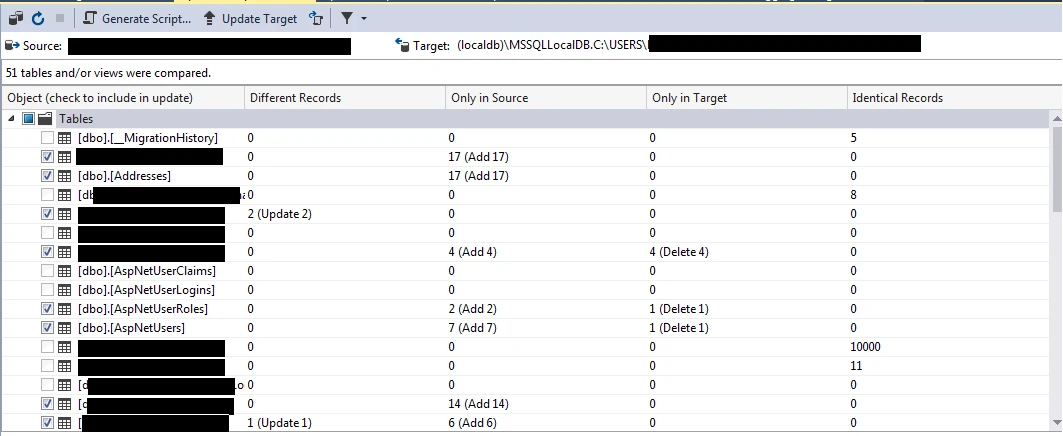
SQL Server Data Tools Data Compare provides a Microsoft workflow in Visual Studio for comparing and synchronizing data in supported databases. It shows matching and differing records for compatible tables or views, with an option to generate an update script. It is useful for developers who already maintain the database in Visual Studio.
The comparison is practical for reference values and focused post-deployment checks. Matching depends on compatible structures and reliable row keys. A team comparing renamed columns or using different identity values might need explicit business-key mapping through another workflow.
Use the documented SSDT data comparison workflow to identify data differences between tables compatible with the selected tooling. Verify that the unique target key is the key the comparison reads. Inspect source-only and target-only results.
Generate a script before any write path. After applying the selected lab changes, compare again and note the intentionally retained rows. Keep the native workflow as a control when testing third-party connection or backup sources.
- Compatibility
- Visual Studio with the supported SQL Server Data Tools Data Compare feature.
- License and trial
- Microsoft tooling. The applicable Visual Studio license depends on use.
Microsoft tablediff
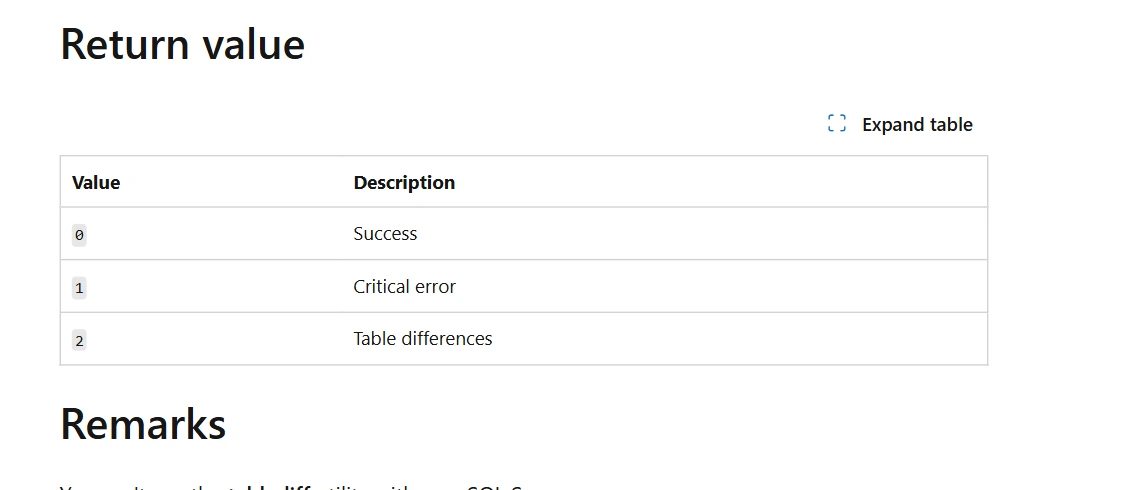
Microsoft tablediff compares one pair of source and destination tables and can produce a T-SQL script to bring the destination into line. Microsoft documents it for replication troubleshooting. It is useful when a DBA needs a narrow command-line check on one pair of tables.
It fits small, targeted checks where the schema and key requirements hold. The utility has limits for types and script generation, and the source and destination must be assigned carefully. Checking an estate still requires orchestration and a deliberate plan for any corrective script.
Use the utility for a compatible table pair that meets its documented key and schema requirements. Start with read-only difference output. Keep the exact source, target and utility options with the result.
Check what a generated fix would do to extra target rows before any apply. If the case needs bidirectional scenarios or detailed filtering, confirm which operations fit the native tool and which need a reviewed script or another workflow.
- Compatibility
- Microsoft command-line utility for supported SQL Server tables and compatible schemas.
- License and trial
- Included with applicable SQL Server tooling.
DBeaver Enterprise and Ultimate
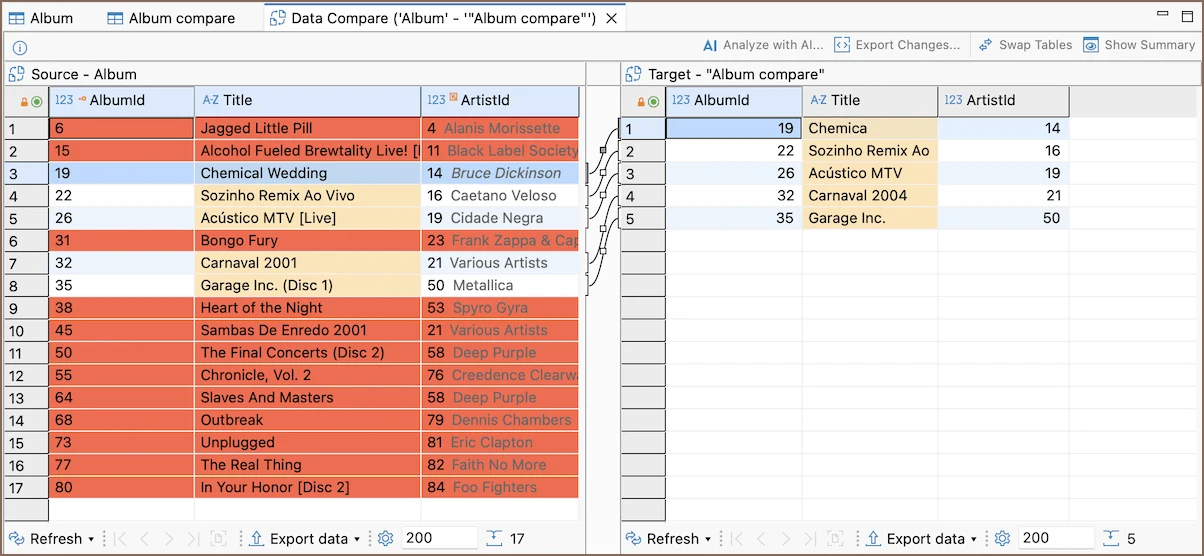
DBeaver’s documented Data Compare workflow selects tables, compares rows and presents the differences with synchronization options on supported databases. It is useful when developers need to compare SQL Server data from the same desktop client they use for other database work.
Its advantage is a common workspace for teams that support several engines. Driver and object support influence what comparison can see, and row matching depends on the proper keys. A generated change still needs inspection for SQL Server-specific constraints and target effects.
Choose the documented Enterprise or Ultimate feature and record whether you compare a live table, freshly run query or loaded result. A saved comparison may rerun the query even when the original view used a loaded result.
Use the same tenant filter and composite key as the other tools. Preview the proposed DDL or DML as applicable and inspect result counts. Test which target data actions are possible using the restricted handoff role.
- Compatibility
- DBeaver with supported SQL Server JDBC connectivity and edition.
- License and trial
- Commercial. The full desktop Data Compare feature is documented for Enterprise and Ultimate.
SQLTreeo Compare
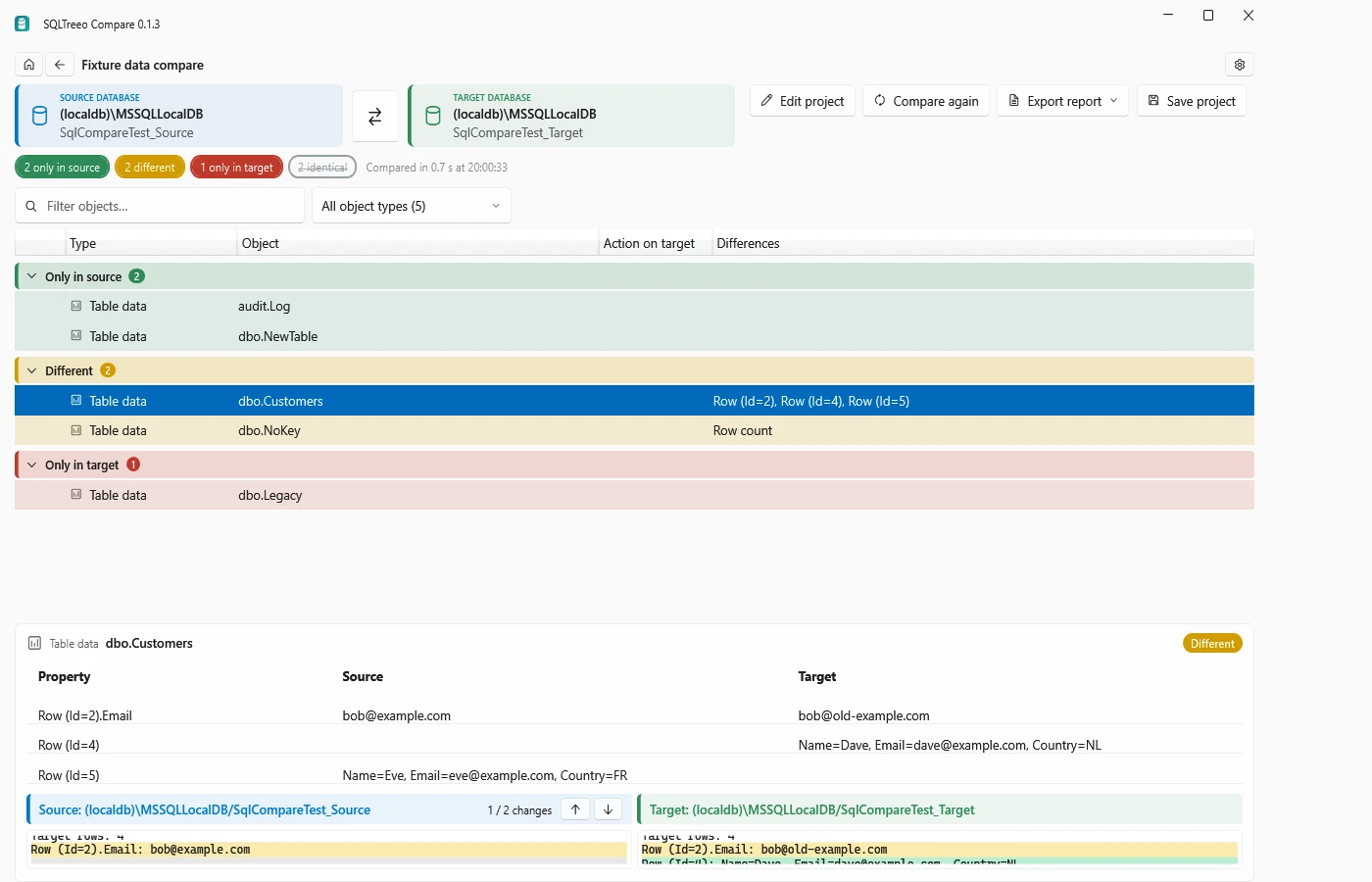
SQLTreeo Compare reports missing, extra and changed rows between SQL Server databases and supports comparisons from its desktop client or CLI. It is useful when a DBA needs to repeat the same data check across environments and keep it close to schema or server comparisons.
The appeal is repeatable environment checks over more than one table. Separate data, schema and server checks answer different questions. The configured comparison scope and keys still determine which differences are meaningful, and writing a synchronization script requires its own permission and review decision.
Verify the SQL Server connections and compare settings for the exact product environment. Use the same source and destination filters and inspect how the difference view represents a record present only on the target.
Save review evidence before any SQL is applied. Run the same probe afterward to confirm the status of the changed, new and deliberately retained rows. Record which source and target options the user needs to reproduce it.
- Compatibility
- SQLTreeo Compare with supported SQL Server sources and read privileges.
- License and trial
- Commercial. Desktop use and automation follow the applicable license.
Redgate SQL Data Compare and dbForge Data Compare features
| Feature | Redgate SQL Data Compare | dbForge Data Compare for SQL Server |
|---|---|---|
| Match rows | Auto-select a supported matching key. For live tables, select a custom combination of columns when a suitable key is missing. Backup input limits custom keys. | Auto-select a matching key or map custom key columns. Confirm there is at most one row per chosen key on each side. |
| Scope the comparison | Apply separate WHERE clauses to live source and target tables. Backups and scripts folders lack the WHERE editor. | Set row filters or compare two custom query result sets. Custom query comparison is read-only. Use supported tables or views to generate a synchronization script. |
| Review synchronization | Select intended differences and produce a deployment script. Inspect target-only deletes, identity handling and predicates before applying it. | Save a synchronization script and choose the intended row changes. Check for concurrency updates can include earlier target values in UPDATE and DELETE predicates. |
| Read a backup | Pro lists backups as a comparison source. Check the backup reader’s compression and encryption limits and test the actual file. | Professional lists native SQL Server backups for row-level recovery. Verify the file format, available row key and generated changes against a test target. |
| Schedule or run in CI | Pro exposes the command line. Redgate documents separate rights for automated change delivery through Flyway Enterprise, Redgate Deploy or SQL Toolbelt. | Professional includes the CLI. Verify the licensed agent and that the same filters, row choices and options carry over to the job. |
SQL Server data comparison tools by task
| What you need | Tools to shortlist | What to verify |
|---|---|---|
| Review a targeted data correction | Use a composite key, filter the tenant, save the script and verify which target-only rows stay. | |
| Inspect query results or compare selected columns | Separate columns that should trigger a difference from columns the synchronization may write. | |
| Reconcile tables in an existing Microsoft workflow | Check the supported key, data types, report and script options before standardizing the job. | |
| Report differences for a scheduled audit | Verify that row-level comparison actually ran and that the job distinguishes differences from execution errors. |
Choose a comparison or a reviewed data sync
Measure the comparison on compatible inputs under a stable data snapshot. The matching key decides which rows are considered the same. A read-only output and a data synchronization script can have different supported sources and permissions.
Find row differences without updating a database
Compare rows or supported query results
Check unique keys, filters, null interpretation and whether the source can be rerun.
Apply only an intended change for one tenant
Review a synchronization script
Keep target-only rows, verify predicates and export the original data.
Repeat the operation from a runner
Verify the licensed CLI or scripted workflow
Check input format, persisted settings, exit code and released credentials.
- Redgate SQL Data Compare capabilities
- Redgate SQL Data Compare WHERE filters
- Redgate pipeline command-line licensing
- Devart standalone Data Compare edition matrix
- Devart Data Compare matching key
- Devart Data Compare custom queries
- Devart Data Compare synchronization options
- Devart Data Compare backup input
- Microsoft SSDT compare and synchronize table data
- Microsoft tablediff requirements
- DBeaver Data Compare and query results
Compare tenant 7 without touching tenant 8
Use `(TenantId, PriceId)` and filter both live tables to TenantId = 7. Source tenant 8 has the same PriceId as a tenant 7 row. A key or predicate that drops TenantId can affect the wrong record.
Save the original target values and selected DML. If the destination changes after comparison, check which predicates prevent a stale write. After apply, repeat the comparison with the same scope and record the deliberately excluded target-only row.
| Key | Starting difference | Approved action | Expected target |
|---|---|---|---|
| 7 / 101 | Amount 20.00 versus 23.50 and changed note | UPDATE scoped to both key columns | 23.50 and NULL note |
| 7 / 102 | Source only | INSERT using the intended key | 12.00 and new note |
| 7 / 103 | Target only | Exclude from DELETE | 8.00 and local note |
| 8 / 101 | Different amount outside the comparison scope | Exclude through bilateral tenant filter | 125.00, unchanged |
| Repeat compare | Two source rows agree after the approved changes | Inspect scope and exclusions | No pending selected changes. Retained target-only row remains visible. |
How to compare these tools
Match by the same key and exclude the same columns. Include a duplicate and a target-only row, then inspect the SQL before you synchronize the databases. Sources checked .
Try a tenant-scoped correction that leaves other rows alone
Create empty DataCompareTrialSource and DataCompareTrialTarget databases. Run the fixture in each one and inspect rows before comparing TenantId = 7. The fixture never generates or applies vendor synchronization SQL.
Create isolated SQL Server source and target rows for the tenant trial
T-SQL · 26 lines
- Set source and target explicitly, select the two-column key, and filter both sides to tenant 7. Keep a copy of the destination before any changes.
- Inspect the generated script for the update and insert. Exclude target-only PriceId 103. Check predicates and whether another transaction updating a target row is detected.
- Apply only the reviewed changes on the disposable target. Both source rows should match on the next comparison. The retained target row and tenant 8's existing value should stay unchanged.
Conclusion
Choose the product that matches rows correctly and gives the team a script it can review and rerun. Use a report-only comparison for verification. When synchronizing, keep both the selected row set and the exact SQL with the change record.
Frequently asked questions
Which is better for SQL Server, Redgate SQL Data Compare or dbForge Data Compare?
Both can match rows and produce synchronization SQL. Redgate fits an existing SQL Data Compare workflow. dbForge also offers custom query result comparisons and a documented concurrency check for generated DML. Compare the same scoped correction before buying.
Can these tools compare tables without a primary key?
Both support custom comparison keys for live data. Choose one or more columns that uniquely identify the same row on both sides. Redgate documents extra restrictions for custom keys when a backup is the input.
Can I preserve rows that exist only in the target?
Yes. Exclude target-only rows from the deployment selection, review the generated DELETE statements, and verify the expected rows after applying the script in a test database.
Can dbForge synchronize two custom query result sets?
The standalone dbForge documentation describes comparing custom query results as read-only. Use supported tables or updatable views to generate synchronization SQL for the underlying rows.
Does an equal row count mean the SQL Server tables match?
No. Two tables can have the same number of rows and different keys or values. Use a keyed comparison for row equality and check which columns or data types the tool skipped.
Why can a second SQL data comparison still show differences after a successful sync?
Check intentionally excluded target-only rows, filters and selected changes first. A synchronization can complete correctly while a retained row still differs. Compare the same scope under a stable snapshot.