

A SQL Server change feed can produce events for applications to consume or keep tables in a warehouse current. Those are different jobs. A Kafka connector can publish the facts of an insert, update or delete, with a separate consumer deciding how to apply them. A managed warehouse connector can take responsibility for both capture and destination writes.
Debezium fits an event pipeline a team operates itself. Airbyte, Fivetran, Estuary and Hevo are candidates when the goal is a maintained warehouse table. Qlik and Striim fit installations that need more control over readers and replication tasks, while Datastream and AWS DMS have documented paths into their cloud data platforms. Across all of them, source retention determines whether a stopped reader can catch up, and the destination’s write mode determines what a delete means for a report.
SQL Server CDC tools at a glance
Treat capture and destination behavior as separate contracts. Verify the exact source edition, destination connector, table key, write mode and replay rules during a trial.
| Tool | SQL Server capture | Destination decision | Useful trial check |
|---|---|---|---|
| Debezium | SQL Server CDC tables, connector snapshots and Kafka Connect offsets | Keyed Kafka events with a configurable tombstone; warehouse sink is separate | Verify delete envelope, tombstone, offset recovery and sink result |
| Airbyte | SQL Server CDC and primary key for incremental CDC synchronization | Selected destination's configured synchronization and deduplication mode | Check composite keys, repeated events and destination deletion behavior |
| Fivetran | Connector-specific SQL Server methods including CDC or Change Tracking where eligible | Default soft deletes for new CDC tables; configure supported history as needed | Confirm delete flag or history through a pause and re-sync |
| Qlik Replicate | Selected SQL Server or MS-CDC source endpoint | Endpoint and task determine apply-changes or change storage | Verify task selection, table keys and recoverable positions |
| Google Cloud Datastream | Supported SQL Server change-table or transaction-log collection | BigQuery merge for keyed tables or append-only events | Compare merge output, append history and LOB limitations |
| Striim | MS SQL Reader or MSJet, depending on platform and log path | Reader feeds a chosen target writer and its configured behavior | Test permissions, eligible logs and checkpoint recovery for that reader |
| Estuary Flow | Selected SQL Server capture connector and its configured backfill | Capture collection materialized with destination-specific semantics | Check a backfill plus delivery to the expected warehouse key |
| Hevo Edge | SQL Server log-based capture for documented sources and versions | Destination and pipeline configuration determine final deletes | Test captured deletes and resync a disposable object |
| AWS Database Migration Service | Documented replication or CDC based on source deployment | Full load and eligible CDC into a supported destination such as Redshift | Verify source prerequisites, full load, apply and resume for that pair |
Debezium SQL Server Connector
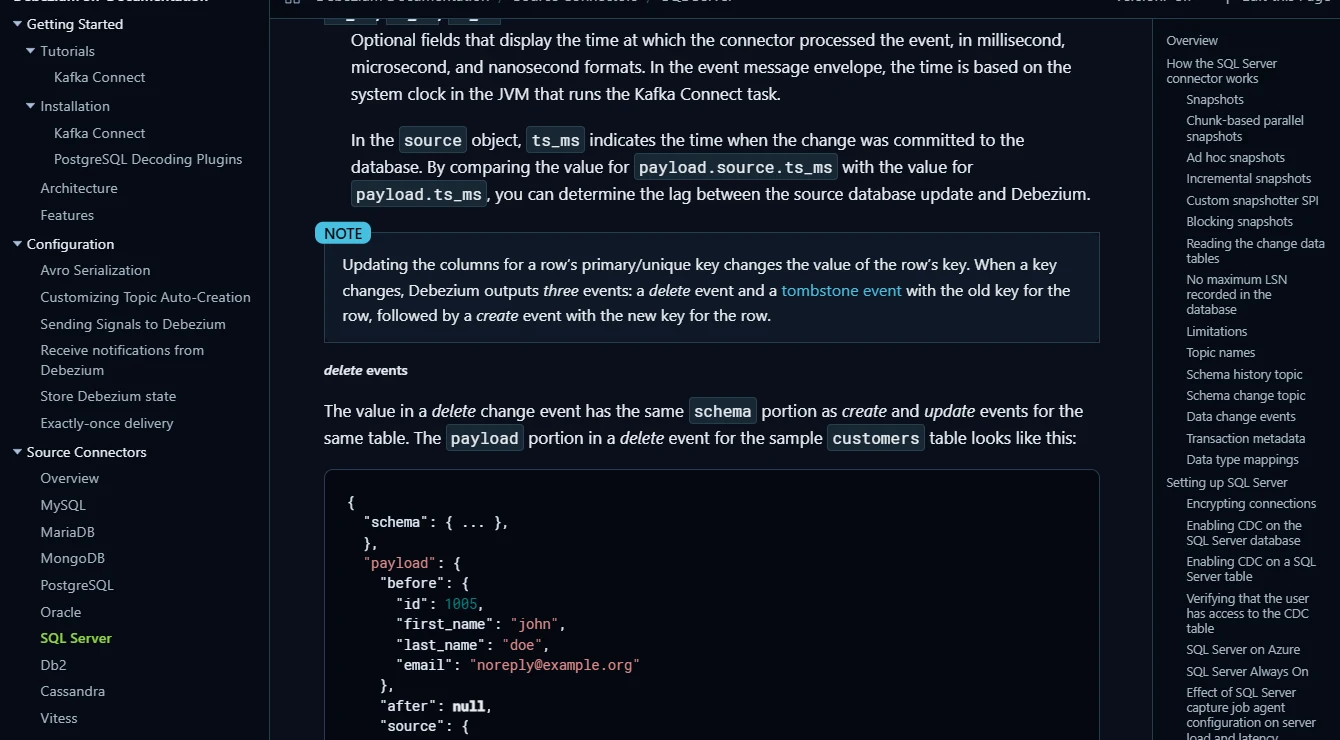
The Debezium SQL Server connector can take an initial snapshot and then read the database’s CDC change tables. It publishes change events through a supported runtime and records its progress using log sequence numbers. This gives an existing Kafka pipeline a source of row-level events without making every consumer query SQL Server.
Its appeal is the ability to use the same events for several consumers and control how the warehouse sink applies them. A delete event and its tombstone have different roles in Kafka. Delivery and recovery depend on the sink’s behavior and on keeping offsets, schema history and source CDC retention compatible.
Inspect the Kafka message key and the change envelope for a deleted row. Debezium documents a delete event and, with tombstones enabled, a follow-up record with a null value. Topic compaction and a warehouse sink use those messages independently, so verify both behaviors.
Run the initial snapshot and record the connector offset before stopping it. Restart inside retained SQL Server changes first, then rehearse the documented snapshot workflow for a gap in a disposable connector. Confirm available history in the destination separately from what survives compaction.
- Compatibility
- Requires SQL Server CDC on the source databases and tables and a supported Debezium runtime.
- License and trial
- Open-source connector. Runtime, Kafka and destination operations are separate responsibilities.
Airbyte Microsoft SQL Server Connector
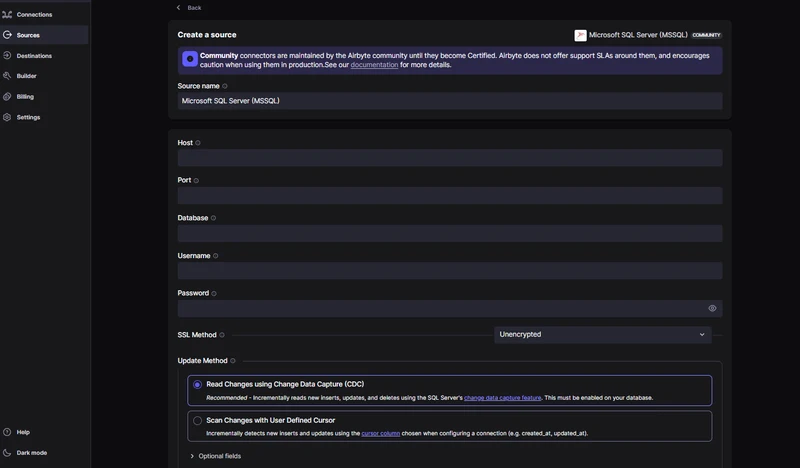
Airbyte’s Microsoft SQL Server connector can read inserts, updates and deletes through CDC. The same connector can send them to a supported destination under an Airbyte sync mode. That suits a data team already using Airbyte to manage source and destination configurations.
The distinction is what the destination does with the changes. The documented at-least-once delivery can expose duplicate records, while destination sync and deduplication settings determine how consumers see them. The incremental CDC path requires a primary key, which matters when older SQL Server tables have no stable identifier.
Airbyte documents primary keys for incremental SQL Server CDC and at-least-once delivery. Include a composite key in the source pilot and replay part of the stream intentionally. Check whether the destination's current-state tables contain duplicates or stale values after retry.
Choose a destination and synchronization mode before interpreting the delete test. Check the raw result and the table queried by analytics. Document which connector state and destination artifacts an operator needs to preserve if one stream must be refreshed.
- Compatibility
- Airbyte documents SQL Server CDC and a primary-key requirement for incremental CDC sync. Destination and version support vary.
- License and trial
- Self-managed and commercial options. Availability depends on the source, destination and selected plan.
Fivetran SQL Server Connector
Fivetran’s SQL Server connector provides managed syncs through several documented methods, including Change Tracking, CDC, Binary Log Reader and Teleport Sync. A company that wants the provider to run the connector can select the method that works with its SQL Server deployment and warehouse.
The capture method changes the setup and operating cost. The Binary Log Reader, for example, involves transaction-log access and supplemental logging. At the warehouse, soft-delete and history options can make the same source delete look different to a report. A re-sync can also add time and usage that a steady-state trial would miss.
Take a newly added SQL Server CDC table and examine its configured sync mode. Fivetran documents soft deletion by default for that case, which retains the row with a delete marker. Run the same change on a trial table configured for supported history to compare the reader-facing shapes.
The capture choice matters when comparing history with Change Tracking, which has different source details from CDC. Use a brief outage to confirm source retention and expected re-sync behavior, then reconcile the destination's current state and separately count versions or deleted rows.
- Compatibility
- Supported methods depend on SQL Server deployment, operating system and selected connector configuration.
- License and trial
- Commercial managed connector. Billing depends on usage and applicable re-sync behavior.
Qlik Replicate
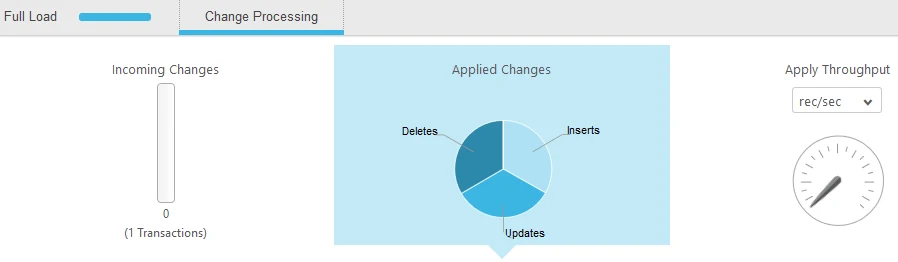
Qlik Replicate uses configured source and target endpoints to move SQL Server data and apply ongoing changes. Operators can see both incoming and applied change activity. That is useful during a backlog because a reader that has caught up with SQL Server and a target that has applied the queue are two different milestones.
It suits a company already operating Replicate or one that wants the endpoint and task controls in its own replication workflow. The SQL Server and MS-CDC endpoints have distinct requirements. For MS-CDC, permissions and limitations on DDL such as renames can affect how a schema change is handled.
Qlik documents a distinct Microsoft SQL Server MS-CDC endpoint. Apply the limitations for the precise source endpoint instead of reusing permissions and assumptions from a generic SQL Server task. Start with a table that has the production key and the data types your pipeline needs.
Record the task mode and the checkpoint an operator can use for recovery. Exercise a delete and two nearby updates and inspect the selected target. If the team wants a separate change store and an up-to-date target table, verify both modes in the trial's actual endpoint combination.
- Compatibility
- Qlik documents SQL Server and MS-CDC source endpoints. Required permissions and target features depend on the endpoint.
- License and trial
- Commercial. Source and target licenses depend on the deployed configuration.
Google Cloud Datastream
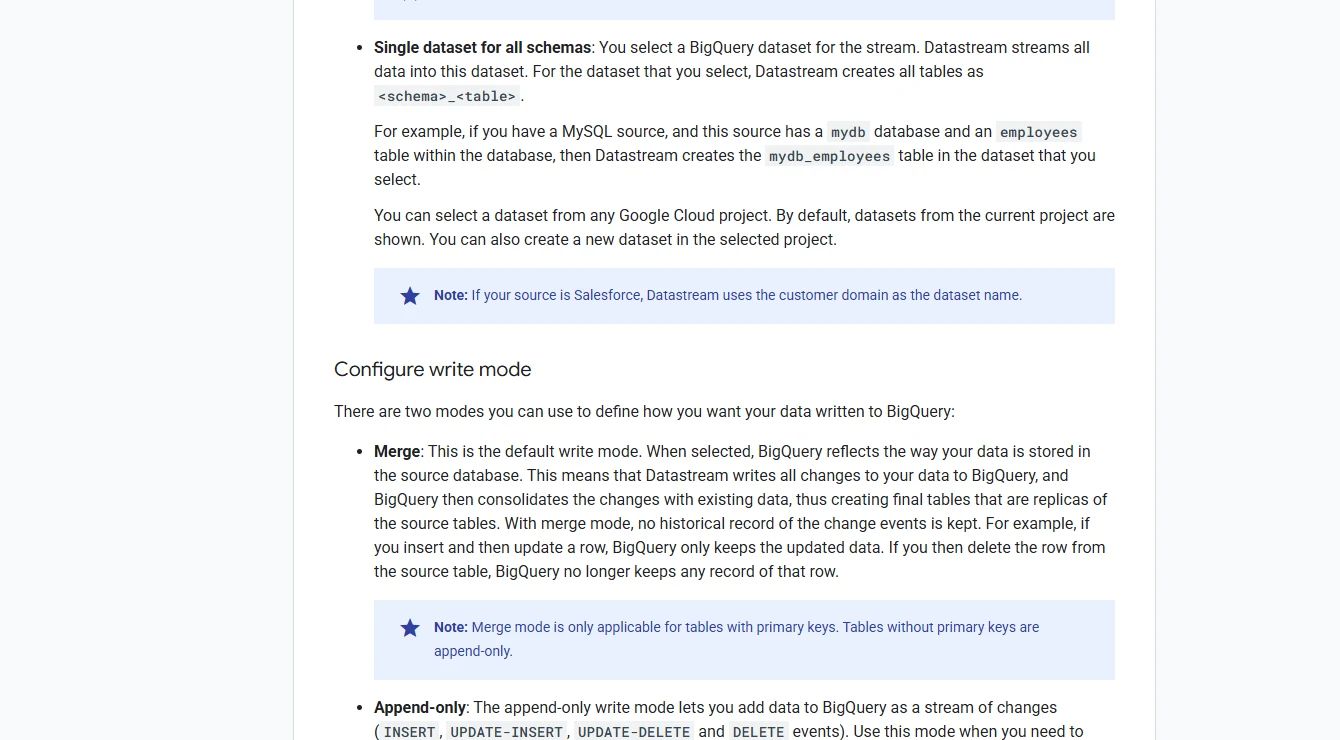
Google Cloud Datastream can capture changes from supported SQL Server deployments using change tables or transaction logs. It is particularly relevant for BigQuery. A destination can maintain the current state of keyed tables in merge mode or retain change events in append-only mode.
The choice is useful when the warehouse team already works in BigQuery and needs a native managed ingestion path. Merge mode needs a primary key, so keyless tables remain append-only. Source method and destination mode also affect the consequences of adding columns or loading large values that need supplementation.
BigQuery's merge mode applies changes to current rows for tables with a primary key. Append-only mode keeps event records. Compare the two with the same committed changes and account for the documented intermediate-change limitations for some large object fields.
Make the source method part of the result by recording whether you capture from change tables or transaction logs. Test a controlled late batch, wait for the chosen staleness bound and verify whether a deleted key still appears in the exact table your reporting queries.
- Compatibility
- SQL Server change-table and transaction-log paths have separate support limits. BigQuery merge mode requires keyed tables.
- License and trial
- Usage-based Google Cloud service. BigQuery storage and processing are additional cost factors.
Striim
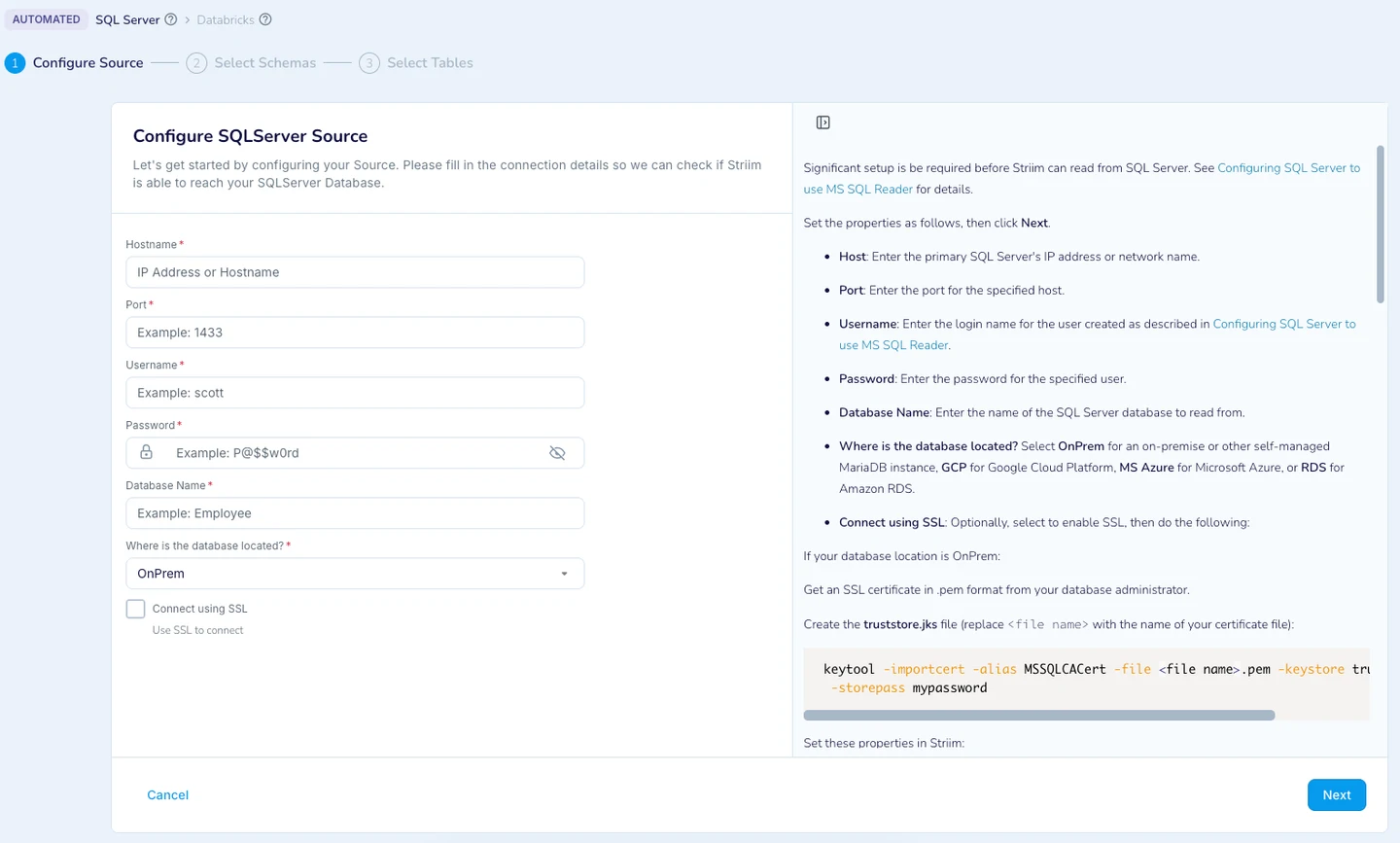
Striim offers two documented SQL Server readers for continuous replication. Microsoft SQL Reader can consume SQL Server CDC change tables, while MSJet has a different transaction-log and backup support matrix. That choice matters for a team with several SQL Server versions or source topologies.
It is a candidate when the reader and initial-load handoff need deliberate configuration. The reader that works for one server may have different prerequisites on another deployment. The handoff and target settings also affect which order of changes the warehouse can see during catch-up.
The MS SQL Reader and MSJet paths cover different versions, deployments and log handling. Check the comparison for the source under test and record where it reads changes. Plan the connection and archive or change-table dependencies before enabling a production task.
Test recovery at the reader and the selected writer. Compare an ordering field or source checkpoint from the captured event against the row that actually appears in the destination. Ensure the same state can be recovered when a network outage interrupts destination writes.
- Compatibility
- SQL Server source and target support depend on the Microsoft SQL Reader or MSJet path and deployment.
- License and trial
- Commercial platform. Reader availability and deployment terms depend on the plan.
Estuary Flow
Estuary Flow captures SQL Server changes into a collection and materializes that collection to destinations such as Snowflake. Separating capture and delivery makes it possible to keep the captured stream as a reusable input. A configured materialization determines how a source delete is represented in the warehouse.
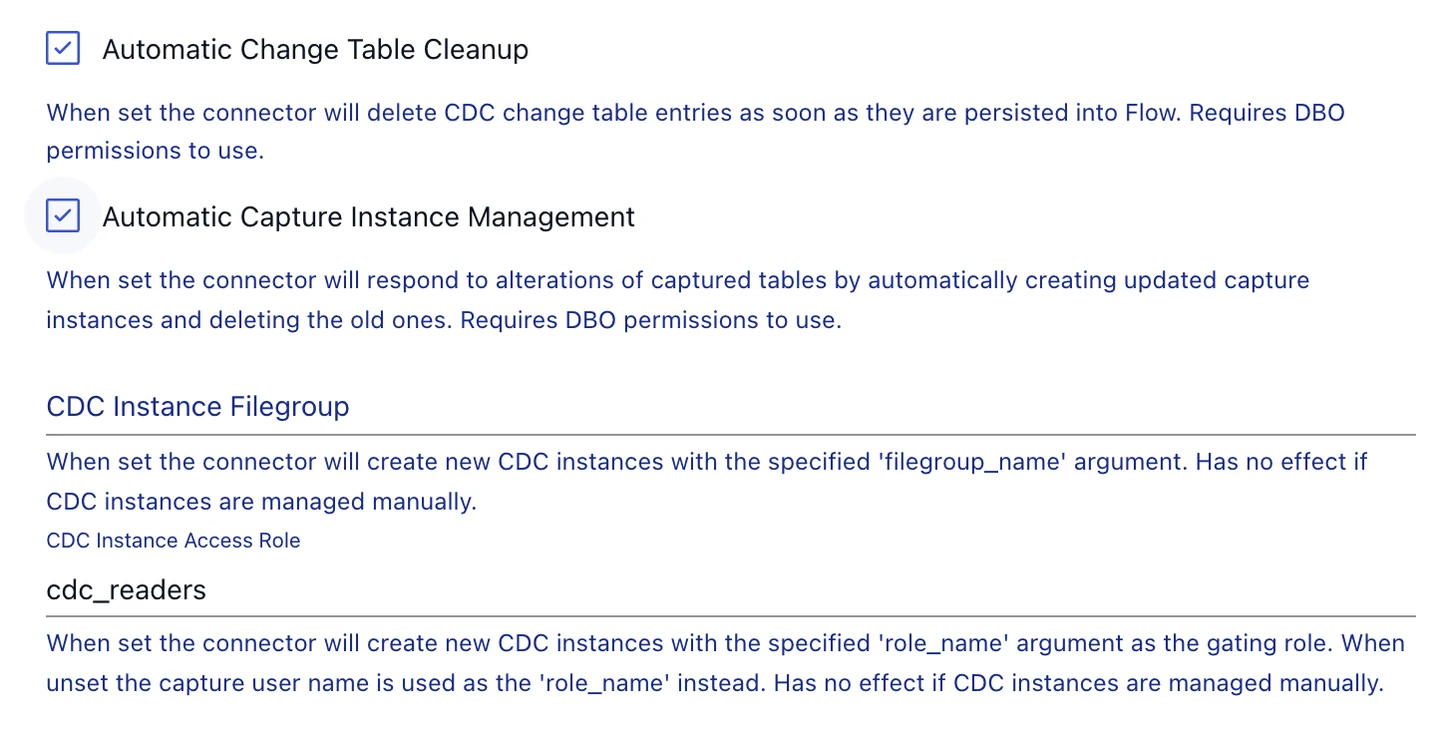
The strength is a durable stage between SQL Server and the destination. SQL Server change-table retention and collection retention are separate, so either one can shape how long a recovery can wait. Automatic cleanup or capture-instance management also matters if other consumers depend on the same source CDC data.
Estuary documents backfill controls for its SQL Server capture and bindings. Choose a binding with a known key, record how historical rows enter the collection, and compare its first few captured changes with the later destination output.
A collection can serve multiple downstream materializations. Test the one warehouse and mode you need by replaying a deleted key and reading both audit data and current rows. Record whether the documented re-backfill or a destination rebuild changes previously retained history.
- Compatibility
- The SQL Server CDC connector has deployment-specific variants. A separate Change Tracking connector is documented.
- License and trial
- Commercial managed service. Capture, collection and materialization terms depend on usage and plan.
Hevo Data Edge
Hevo Data Edge provides a managed pipeline for documented SQL Server deployments and destinations. Its generic SQL Server workflow can use CDC or Change Tracking. That makes it a candidate when a warehouse team wants a managed sync with visible scheduling and deleted-row handling.
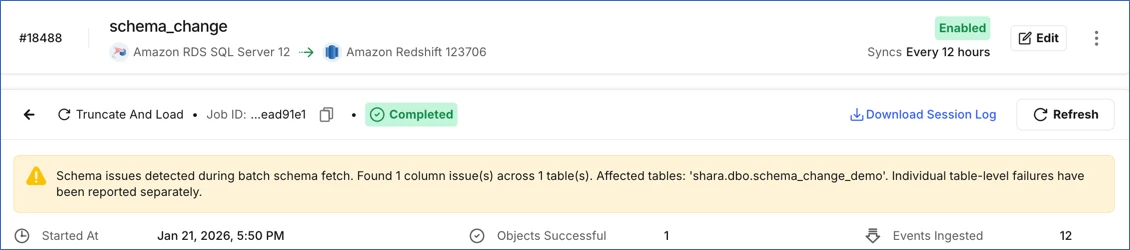
One limitation is especially relevant during schema changes. Hevo’s Edge workflow expects one CDC capture instance per table. A change that replaces the capture instance can remove old history, so how the pipeline reconciles the interval affects whether a downstream table can be trusted after the change.
Use the SQL Server Edge guide for the source version and deployment you plan to run. It lists delete capture and resync as supported features. Compare their actual result under the chosen warehouse mapping and verify which role supplies access to the SQL Server source.
Run an object-level resync in a disposable pipeline after a sequence of updates and a delete. Compare how the destination indicates the deleted key before and after reloading, then confirm what source position and configuration an operator needs to start again.
- Compatibility
- Hevo documents generic SQL Server support through SQL Server 2022 in the cited guide. Source and destination coverage depend on the Edge setup.
- License and trial
- Commercial managed pipeline. Edge availability and destination terms depend on the plan.
AWS Database Migration Service
AWS Database Migration Service can load and replicate supported SQL Server sources to targets such as Amazon Redshift. Capture prerequisites vary with the source and whether tables have keys. This is useful when an AWS-based team wants an initial load and a period of ongoing replication under one managed task.
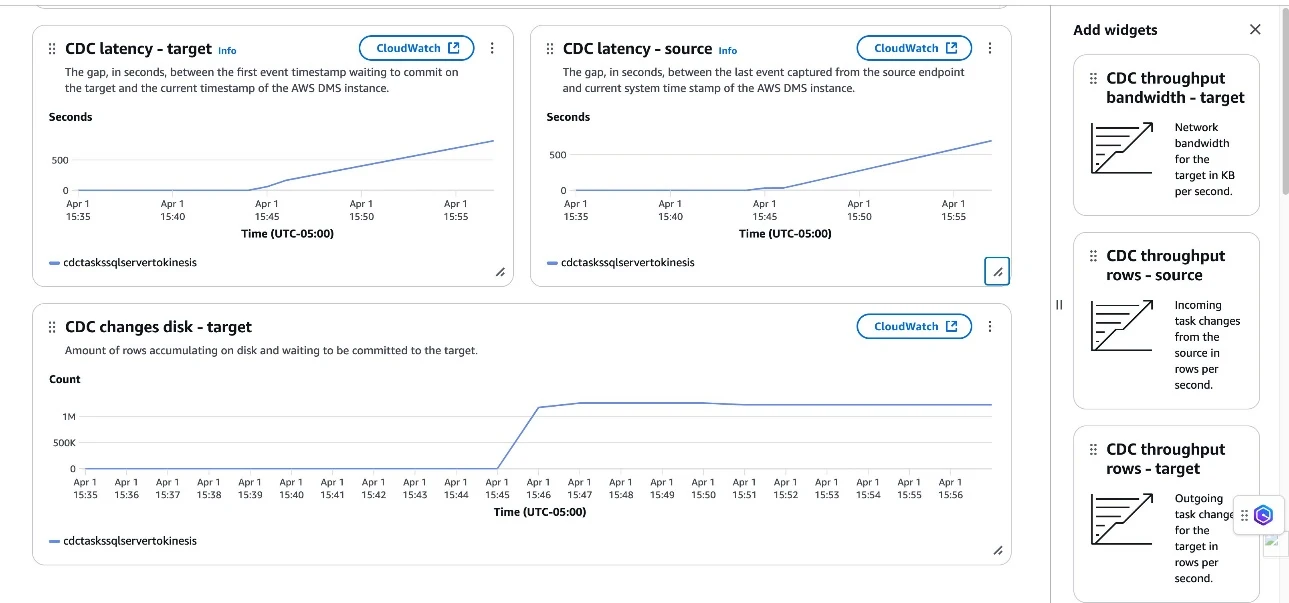
The important distinction is source capture progress versus destination apply behavior. AWS documents that resuming a Redshift task can replay changes, which can produce duplicates where keys are unenforced. A migration plan needs a way to reconcile the warehouse at the selected cutover position even when the task reports healthy.
Determine whether the SQL Server source is managed or self-managed before preparing the task. AWS documents different capture prerequisites for each path. Verify the necessary SQL Server features, source privileges and available change history before attempting a full-load-plus-CDC run.
Start a rehearsal with a known target already configured and record the task's behavior after full load. Generate a committed insert and delete, then compare changes applied to the target and the task state. Retain point-in-time data separately if your application needs to recover a lost event.
- Compatibility
- AWS documents different SQL Server prerequisites for managed and self-managed sources. Redshift is a supported target option.
- License and trial
- Usage-based service. Replication capacity and target resources affect cost.
SQL Server CDC tools by target and operating model
| What you need | Tools to shortlist | What to verify |
|---|---|---|
| Send SQL Server changes to a Kafka pipeline | Confirm who owns Kafka, ordering, offset recovery and the downstream consumer. | |
| Load an existing warehouse with a managed connector | Verify capture mode, destination delete behavior, schema changes and whether replay adds duplicate rows. | |
| Use a client-managed replication server | Monitor the source and target separately, and verify DBA permissions and baseline recovery. | |
| Replicate into a warehouse on AWS or Google Cloud | Check the supported source deployment, exact warehouse write mode and recovery after a retention gap. |
Choose what the destination keeps after a delete
Write down the destination contract before picking a connector. A single deleted source row can leave a flag, an event or no current row. Verify that behavior on the table analysts will query, and test a separate history consumer when the project needs one.
Operational queries need the current record
Use a keyed current-state table
Check whether deletes remove the row or whether every reader must filter a flag.
Auditors need previous amounts
Keep a versioned change history
Confirm history is captured at the required granularity and retained through resync.
An event stream drives several consumers
Preserve ordered, keyed events
Check delete events, null-value tombstones, compaction and each sink's contract.
- Debezium SQL Server snapshots and change events
- Airbyte SQL Server capture and primary keys
- Fivetran SQL Server connector
- Fivetran SQL Server CDC table sync mode
- Qlik SQL Server MS-CDC source limitations
- Google Datastream SQL Server capture
- Google Datastream BigQuery write modes
- Striim SQL Server CDC reader comparison
- Estuary SQL Server capture and backfill
- Hevo SQL Server Edge capture and resync
- AWS DMS SQL Server CDC setup
Check that you can recover from an expired checkpoint
Record the initial snapshot boundary and the consumer's next unread source position. SQL Server exposes the lower valid LSN for each capture instance through sys.fn_cdc_get_min_lsn. A connector may store other offset fields alongside an LSN, so use its documented recovery procedure if the saved state falls outside retained changes.
A new snapshot rebuilds current state for an eligible connector. It cannot reconstruct intermediate events already aged out of both the source and the destination. Include a separate backup, event history or explicit gap decision if the reporting requirement depends on those events.
| View of the source changes | Expected for Order 101 | What to verify in a product |
|---|---|---|
| Current-state replica | No active Order 101 | A delete is applied, or downstream readers filter an explicit flag |
| Soft delete | One marked-deleted record | Reader excludes that record, and its stored amount follows the configured mode |
| Append history | Four conceptual changes, from insert to delete | Actual event count can also include before images, snapshots, duplicates or tombstones |
| Keyed Kafka topic | Delete event and optional tombstone | With Debezium tombstones enabled, observe the null value for the same key |
| Lagged consumer | The sample's next expected version is no longer available | State gap is explicit; recovery reconciles current rows and documents lost history |
How to compare these tools
Update and delete rows, stop the connector and repeat after it resumes. Then test what happens after the SQL Server changes it needs expire. Verify the destination state after both runs. Sources checked .
Replay a delete and recover a missing checkpoint
Use a disposable SQL Server source and target for a connector trial. Apply one insert, two updates and a delete for key 101, with key 102 as a retained row. The SQL below models expected states and an expired checkpoint using portable integer versions. The actual connector will report its own log or offset positions.
Model current rows, optional history and an expired checkpoint
T-SQL · 29 lines
- Finish the initial snapshot, then commit the five events in the fixture's order using the source table. Pause the test consumer after the first event and observe the checkpoint.
- Resume while changes are still retained. Check the absent or marked-deleted key 101, the active key 102 and any history or tombstone output configured for the test.
- Rehearse a resume after retention in a disposable instance, without reducing the production retention window. Use the vendor's recovery workflow and reconcile current rows. Record which intermediate changes are still available.
Conclusion
Choose a SQL Server CDC tool for the destination behavior you actually need and the failure you can recover from. A fresh baseline can rebuild current rows after a retention gap, and those rows give you no record of the intermediate changes. If the warehouse must preserve them, size retention, alert on lag and test the replay path.
Frequently asked questions
Is SQL Server Change Tracking the same as change data capture?
Change Tracking identifies changed keys, operations and versions so a reader can query the latest row state. SQL Server CDC captures row values from the transaction log into change tables. Which method fits depends on whether the consumer needs current values or the sequence of changes.
How do SQL Server CDC tools handle deletes in a data warehouse?
The target can apply a delete, record a deleted flag or append a delete event. Verify the exact connector and write mode on the target you use, including what happens if a row with the same key is inserted again.
Can a SQL Server CDC connector resume after an outage?
Yes, when its saved position is still available and valid. If needed changes have been cleaned up or truncated, a fresh snapshot or backfill can restore current state. The missing intermediate history requires another retained source.
Will adding a SQL Server column immediately appear in a CDC pipeline?
A SQL Server CDC capture instance reads the columns registered for it. A connector may need a new capture instance and a destination schema change. Follow its supported handoff and check for a gap around the DDL.
Does a SQL Server CDC pipeline need a primary key?
SQL Server Change Tracking requires a primary key. CDC can capture some tables without one, but the tool and destination need a reliable row identity to apply updates or deletes. Verify how keyless tables are handled in your connector.
Can a CDC resnapshot recover history that expired at the source?
A new snapshot can establish current table contents. Intermediate changes need a retained event stream, backup or another historical store. Record the gap after resnapshot if those events can no longer be recovered.
Related guides
- Compare live data virtualization tools for SQL Server
- Compare SQL Server CDC connectors for Kafka
- Compare SQL Server to Microsoft Fabric replication tools
- Compare SQL Server to Snowflake replication tools
- Compare Airbyte and Fivetran for SQL Server CDC
- Compare Qlik Replicate and Fivetran HVR for SQL Server CDC
- Compare SQL Server migration tools for a cross-engine cutover
- Inspect transaction log activity for a SQL Server incident
- Diagnose a SQL Server transaction log that cannot truncate