

SQL Server-to-Snowflake replication starts with an initial load and continues with change capture. Snowflake Openflow can keep both within a Snowflake-managed integration. Other tools capture from SQL Server and load Snowflake through their own runtime, staging or warehouse process. A Kafka or lake pipeline can separate capture and loading if the same changes need to feed more than one destination.
The important distinction is what happens to a changed row. A connector may merge updates into a current table, append change records or preserve both forms where supported. Source CDC retention, keys and Snowflake load compute can all affect the result. Compare using a table with updates, deletes and a schema change as well as a straightforward initial load.
SQL Server to Snowflake replication tools at a glance
Confirm the exact Snowflake delivery and SQL Server capture modes for each candidate. Compare raw target data and the current-state view separately.
| Tool | SQL Server collection | Snowflake path to verify | Trial evidence |
|---|---|---|---|
| Snowflake Openflow Connector for SQL Server (CDC) | Documented native Openflow CDC connector | Configured Openflow runtime and destination tables | Current keys, soft-delete flag and supported source |
| Fivetran SQL Server Connector | Supported incremental SQL capture | Managed Snowflake destination and selected sync mode | Freshness, deletes and warehouse activity |
| Airbyte SQL Server Connector | Supported SQL Server CDC mode | Snowflake destination and actual sync setup | Loaded values, raw state and repeated sync |
| Estuary Flow | SQL capture into collections | Snowflake materialization and collection keys | Destination state and materialization delay |
| Hevo | Supported SQL Server source configuration | Hevo Snowflake destination and apply behavior | Delete and update behavior in target |
| Qlik Replicate | Configured SQL Server endpoint capture | Supported Snowflake target task | Full-load and change-apply evidence |
| Fivetran HVR | HVR-supported SQL Server capture | HVR Snowflake integrate method | Reconciliation and observed change latency |
| Striim | SQL Server source pipeline adapter | Supported Snowflake delivery configuration | Checkpoint, landed rows and target freshness |
| BryteFlow Ingest | Documented SQL Server ingestion | Supported Snowflake pipeline and storage | Initial load, exact data and operations logs |
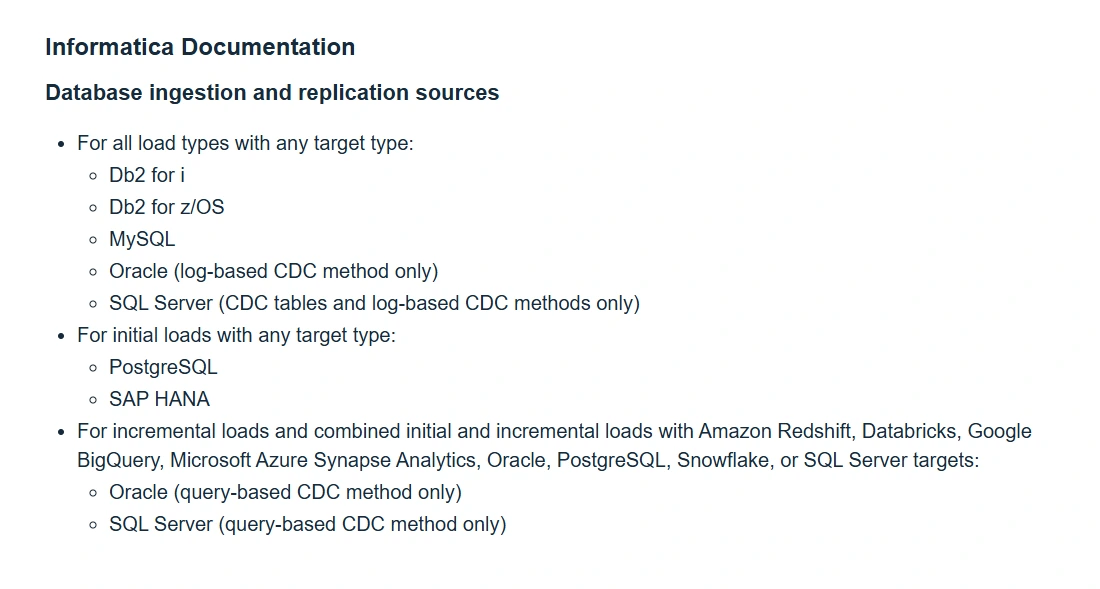
| Informatica Database Ingestion and Replication | Supported SQL workload ingestion | Connector pair and target mode supported by release | Replication job and validated Snowflake rows |
Snowflake Openflow Connector for SQL Server (CDC)
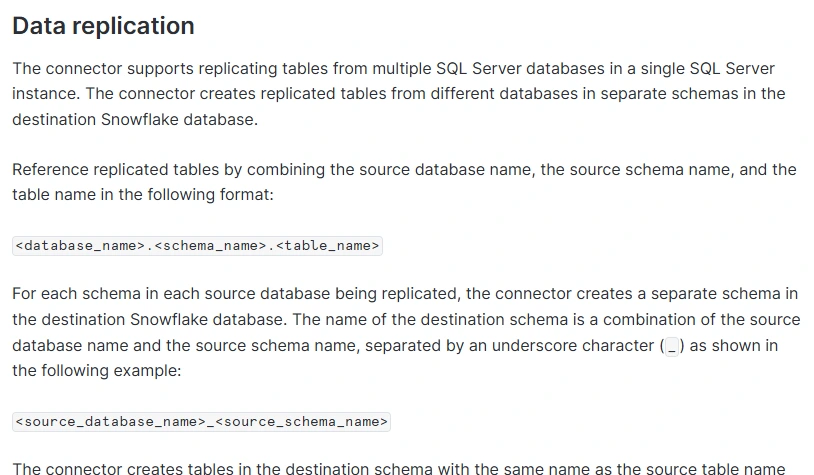
Snowflake Openflow Connector for SQL Server (CDC) uses SQL Server change data capture to replicate supported tables into Snowflake. It is useful when a team already operates in Snowflake and wants the connector runtime and target integration managed through Openflow.
Its fit depends on the documented source and runtime requirements. Snowflake provides distinct CDC and Change Tracking connectors, with different behavior for history and table changes. The selected connector, table keys and source permissions determine the data that can be loaded.
Check the documented Openflow runtime and SQL Server source requirements. Snowflake documents separate CDC and Change Tracking connectors. Choose based on the kind of history and current projection required.
Openflow's CDC destination uses a documented deletion marker. Query both the raw target and the approved active view after deleting the fixture key, and inspect the connector and warehouse workload.
- Compatibility
- Supported Snowflake Openflow runtime and SQL Server CDC configuration.
- License and trial
- Snowflake and applicable Openflow usage charges.
Fivetran SQL Server Connector
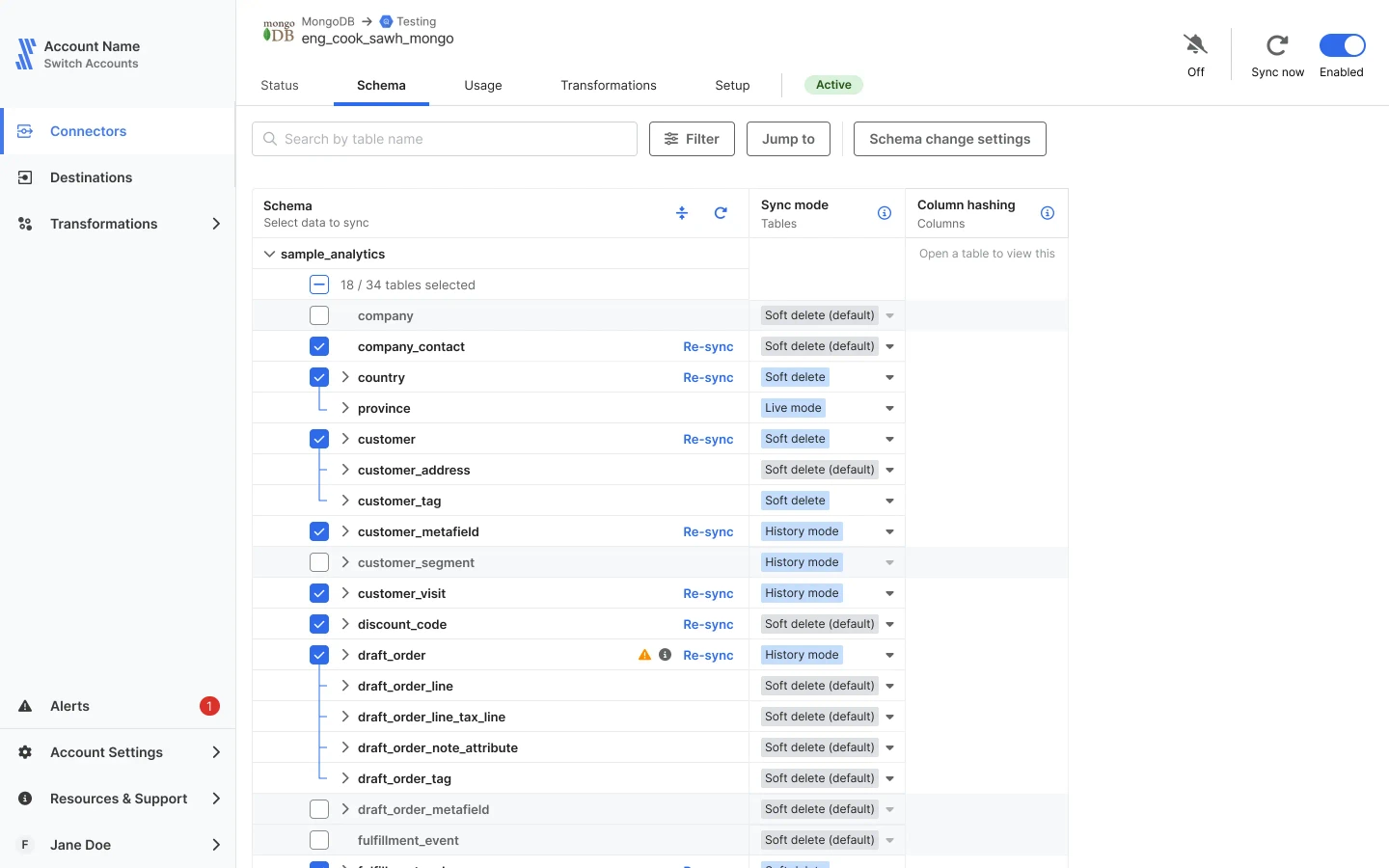
Fivetran can connect to SQL Server through supported incremental methods and deliver to a configured Snowflake destination. It is useful when the team wants managed schema handling and a standard integration for a large set of database tables.
Its SQL Server source mode governs which changes are visible, and Snowflake settings determine where they are written. Delete flags, historical tables and sync frequency depend on the configured features. Warehouse compute and resync scope matter for operating cost.
Select the supported SQL Server incremental method and Snowflake destination mode. Record SQL source permissions and log handling and confirm the expected effect of the chosen cadence.
Measure source commit to expected Snowflake projection and query the actual deleted key state. Keep connector usage and Snowflake compute or storage observations separate.
- Compatibility
- Fivetran with a supported SQL Server source, Snowflake permissions and eligible sync mode.
- License and trial
- Commercial Fivetran service and Snowflake charges.
Airbyte SQL Server Connector
Airbyte supports SQL Server CDC and a separate Snowflake destination connector. This is useful when a team wants to choose where the runtime runs and define the sync independently of its Snowflake account or deployment. Supported modes can materialize the captured data into destination tables.
The useful boundaries are the source CDC settings and the destination’s current sync mode. The configured key and history behavior affect updates and deletes. The team also needs a way to handle schema changes or reloading the selected tables when offsets become unavailable.
Check the deployed SQL Server source and Snowflake destination versions. Select the test's intended sync mode and record which operational team monitors state or runs a controlled resync.
Compare raw and current projections after the known changes and measure queue, processing and destination time. Verify how a no-change sync or repeated run treats the same key.

- Compatibility
- Compatible Airbyte SQL Server source and Snowflake destination connectors.
- License and trial
- Open-source and commercial Airbyte options plus Snowflake charges.
Estuary Flow
Estuary Flow can capture changes from supported SQL Server sources into collections and use a Snowflake materialization. It is useful when a team wants reusable source streams and a separate Snowflake delivery workflow. The same capture can be useful outside the warehouse.
Its strength is separating capture from each materialization. Collection keys and the available update modes affect whether the final table represents the latest row or additional change events. The configured source retention and target processing determine how a backlog or resync is handled.
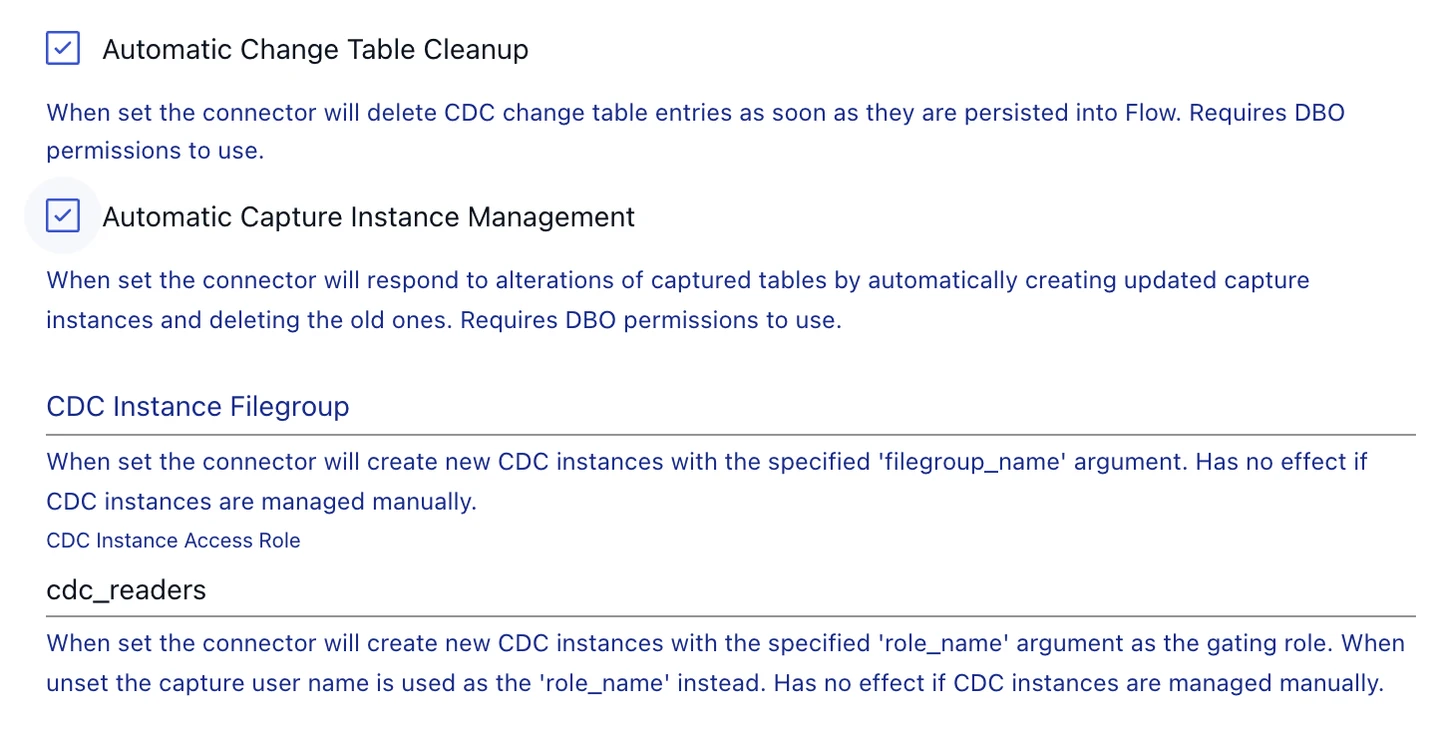
Configure the SQL capture and the supported Snowflake materialization for the selected collection. Record the key and which fields are stored by the target adapter.
Verify each fixture row after applying changes. Compare collection progress, materialization delay and warehouse work so a stalled sink can be identified separately.
- Compatibility
- Estuary Flow with SQL Server capture and a supported Snowflake materialization.
- License and trial
- Estuary and Snowflake service terms apply.
Hevo
Hevo’s SQL Server source and Snowflake destination provide a managed pipeline that can move initial rows and later changes in supported configurations. It is useful when the team wants a guided source-to-warehouse setup and can use the ingestion and destination options available for its deployment.
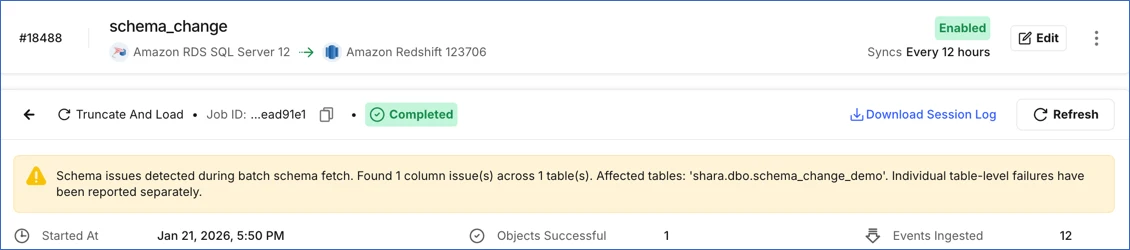
The mode controls how source changes are collected and applied. Tables with different keys, update patterns or supported types may need separate treatment. Snowflake credentials and compute, resync behavior and how deletes are represented all affect the finished analytical tables.
Verify source options for the actual Hevo service and SQL environment and confirm Snowflake role and schema support. Record the chosen handling for source changes and target fields.
Run the synthetic load and update and delete a known key through the pilot. Compare target rows and freshness rather than relying solely on the running pipeline status.
- Compatibility
- Supported Hevo SQL Server ingestion setup and Snowflake destination.
- License and trial
- Commercial Hevo and Snowflake charges.
Qlik Replicate
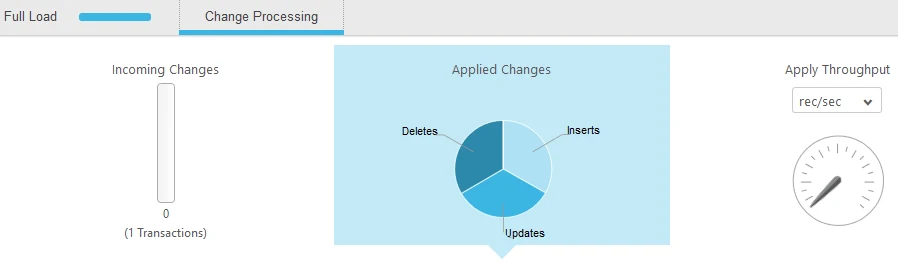
Qlik Replicate can run full load and change processing from an eligible SQL Server source into Snowflake. It is useful when an operator needs task visibility and control over a larger replication rollout. Microsoft CDC is one documented source option.
Its benefit is task-level control over loading, monitoring and restarting. The selected endpoints determine prerequisites such as staging and Snowflake privileges. The configured apply mode and retained SQL Server changes determine what can be rebuilt following an interruption.
Select the documented SQL Server source endpoint and supported Snowflake target. Keep task configuration and expected apply mode with the pilot data, including required destination roles.
Compare base-load and CDC evidence across all fixture keys. Inspect the target after an update and delete, and verify how job retries are visible to a warehouse operator.
- Compatibility
- Qlik Replicate with supported SQL Server and Snowflake endpoints and required staging.
- License and trial
- Commercial Qlik Replicate and Snowflake costs.
Fivetran HVR
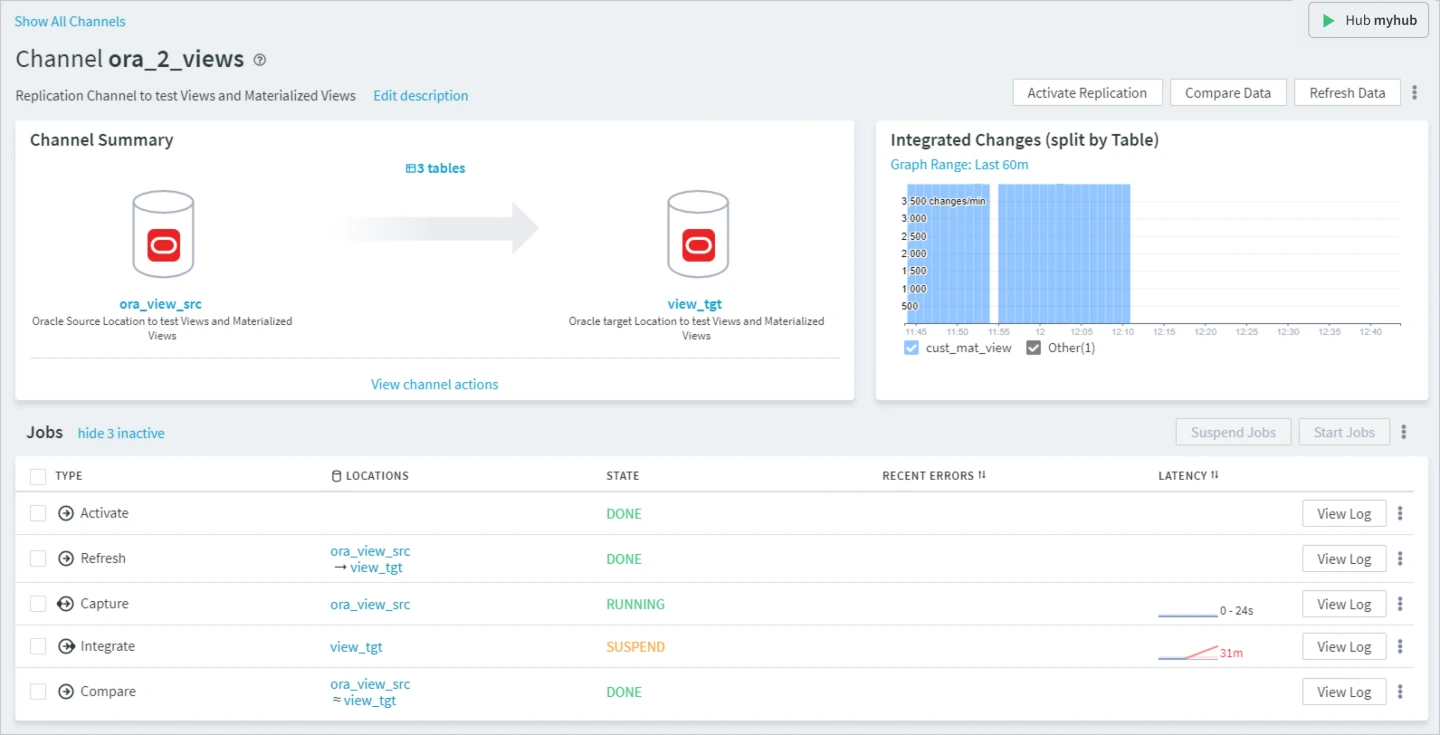
Fivetran HVR can capture supported SQL Server changes and integrate them into Snowflake through an HVR channel. Refresh and compare workflows help establish and reconcile the baseline. This is useful for teams that need more direct control of replication infrastructure and data movement.
Its strength is operating visibility around capture, staging and integration. Source support differs by topology, and Fivetran limits log-based capture for some SQL Server deployments such as Amazon RDS. Snowflake permissions, staged data and the chosen apply behavior matter at the destination.
Check the exact HVR capture and Snowflake integration options for your installed version and deployment. Record the node and permissions involved in each leg of the channel.
Run a supported compare after loading and reapplying a change. Record type mappings, final target state and what active or history data the Snowflake query is meant to return.
- Compatibility
- Fivetran HVR with an eligible SQL Server source and Snowflake integration configuration.
- License and trial
- Commercial Fivetran HVR and Snowflake charges.
Striim
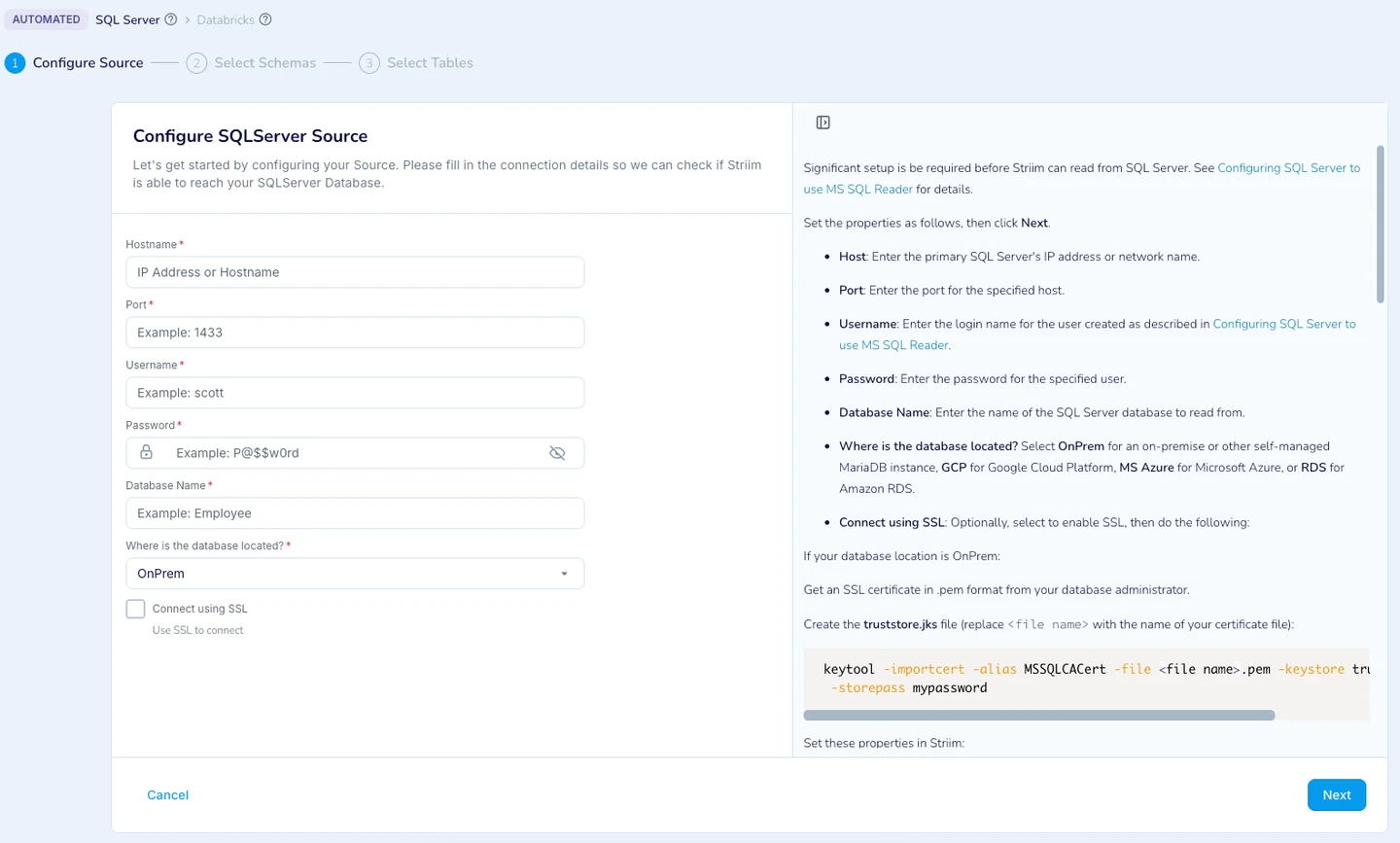
Striim can read SQL Server changes through a supported reader and send them through a pipeline to its Snowflake writer. It is useful when the team needs in-flight mapping or transformation along with a continuous database-to-warehouse feed.
Its value depends on the reader and writer modes. Capture permissions and source logging are only one part of the design. The mapping and Snowflake writer decide how updates, deletes, checkpoints and replay appear to downstream readers.
Use the SQL Server pipeline requirements and the current supported Snowflake delivery behavior. Confirm where queues, transformations and target writes happen before latency measurement.
Compare source commit, target processing and end-user visibility timestamps. Verify current keys after the fixture changes and save any failures under the planned restart policy.
- Compatibility
- Supported Striim SQL Server reader and Snowflake writer deployment.
- License and trial
- Commercial Striim license and Snowflake usage costs.
BryteFlow Ingest
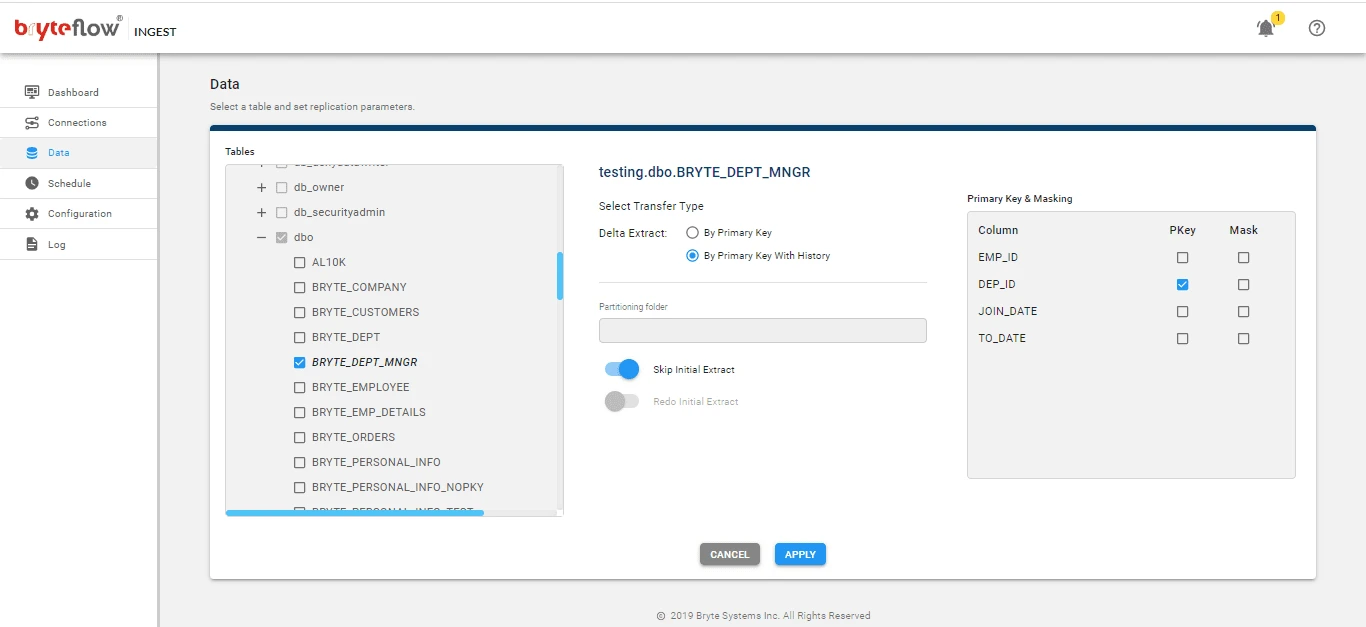
BryteFlow Ingest offers a SQL Server-to-Snowflake replication path built around data ingestion and continuous changes. It is useful when an organization wants a vendor-supported relatively direct warehouse pipeline and needs to monitor the initial data load before ongoing processing begins.
The fit depends on the particular SQL Server topology, permissions and downstream load configuration. Initial load throughput and sustained CDC lag are separate measurements. The Snowflake staging and table history choices influence what the analytical consumer ultimately sees.
Use the documented SQL Server-to-Snowflake setup and confirm actual delivery and staging requirements for the edition. Record data volume and outline which components remain in the source estate.
Run the same two-key initial load and compare the final data after a controlled delete and change. Keep actual Snowflake-side state and connector activity together.
- Compatibility
- Supported BryteFlow SQL Server source and Snowflake target configuration.
- License and trial
- Commercial BryteFlow and Snowflake terms.
Informatica Database Ingestion and Replication
Informatica Database Ingestion and Replication can move data through supported database source and target workflows, including SQL Server and Snowflake combinations. It is useful when replication needs to fit an existing Informatica deployment and governed operations process.
Its main value is working within the vendor’s wider ingestion and monitoring platform. The exact combination of source, target and replication mode determines coverage. Agent placement, data-type handling and changes that occur during resync should be evaluated before a production rollout.
Check the supported SQL Server and Snowflake connector combination, and release requirements for the intended initial and incremental loads. Record transforms, mapping and task authorization.
Verify final target data and report any filtered or unsupported items independently. Compare target handling of deletes and the documented recovery path for a failed load.
- Compatibility
- Supported Informatica ingestion and replication configuration for SQL Server and Snowflake.
- License and trial
- Commercial Informatica service and Snowflake charges.
Which SQL Server to Snowflake setup fits?
| What you need | Tools to shortlist | What to verify |
|---|---|---|
| Snowflake-managed or connector-based ingestion | Verify source access, initial load mode and the final Snowflake table shape. | |
| Dedicated replication tasks and operational controls | Measure source backlog, Snowflake apply time and what a restart or schema change requires. | |
| Capture and apply with matching point-in-time boundaries | Record the source position at the snapshot boundary and reconcile the exact keys after catch-up. |
Compare SQL Server capture and Snowflake destination behavior
Identify the Snowflake tables and roles the actual analytics query uses. A raw stream, a soft-delete table and a current-state view can all differ. Agree on an active-row projection and what history must be retained before you compare the products.
Snowflake documents that its Openflow SQL Server CDC connector marks deletions in _SNOWFLAKE_DELETED. For other tools or modes, use the destination's documented semantics. Track initial load, post-commit delay and warehouse processing with the same workload.
A native Snowflake-managed path
Trial the supported Openflow connector
Check source mode, runtime, table mapping and soft-delete filtering.
A shared integration platform across many sources
Trial a supported connector and Snowflake destination
Check operating responsibility and actual target apply behavior.
Analytics needs history and a current state
Verify both Snowflake queries
Check change fields, delete behavior and the active projection.
Verify the current Snowflake rows and their CDC evidence
Seed a disposable SnowflakeCdcTrial source with keys 1 and 2. Run Change after the initial load. In the active projection, only key 1 should remain and its amount should be 175. The raw Openflow table should retain the documented soft-delete state for key 2.
The Snowflake query uses an example table name and the Openflow deletion field. Adjust schema and identifiers to the actual generated table. For other tools, adapt the projection to their approved delete handling rather than guessing the metadata column.
| Step | Record | Expected observation |
|---|---|---|
| Initial load | Start, completion and target table names | Original keys 1 and 2 visible |
| After SQL commit | Source commit observation and first correct destination query | Key 1 amount 175 and key 2 removed from current results |
| Raw target | Configured history and delete retention | Deleted state as documented for the tested mode |
| Resources | SQL load, connector activity and Snowflake compute or storage | Comparable usage under the same pilot conditions |
SELECT item_id, amount, _snowflake_deleted
FROM trial_db.trial_schema.snowflake_cdc_rows
WHERE item_id IN (1, 2)
ORDER BY item_id;How to compare these tools
Test the initial load, key updates, deletes and restart on the same source table. Check when the Snowflake query can see each change and which role can intervene after an error. Sources checked .
Test load catch-up and SQL Server data types in Snowflake
Use the disposable SnowflakeCdcTrial database and a dedicated target schema. Run Setup before initial load, map the two fields through the chosen connector and run Change after verifying the initial target state.
Generate a known SQL Server update and delete for Snowflake
T-SQL · 29 lines
- Configure the documented SQL Server and Snowflake pair and capture the first full load. Verify both initial rows with the actual business projection.
- Run the controlled update and delete. Verify key 1 and the status of key 2 in the raw and active views. Measure time until the expected query is correct.
- Compare source and destination resources and try a supported repeat or retry in the disposable scope. Confirm current keys remain correct under the configured mode.
Conclusion
Shortlist the tools that support your source topology and the Snowflake table shape you need. Run the same initial load and catch-up check on each. Keep the exact match results, time to parity, required grants, and cost for the backfill and steady sync. Use those results to choose which connector is worth a larger pilot.
Frequently asked questions
What do I need to replicate SQL Server to Snowflake?
You need a supported SQL Server source, permissions for the chosen change method, network access from the replication runtime, and a Snowflake destination role. Run an initial load unless you have a verified existing target and a documented incremental starting point.
How do I verify SQL Server to Snowflake CDC after the initial load?
Commit an update, delete and insert during the load. Once the connector is caught up, compare the exact keys, values and record counts visible through the target reporting query. Check unsupported types and skipped rows in the task logs.
Can SQL Server bigint and decimal be copied to Snowflake without rounding?
Snowflake fixed-point NUMBER can represent the fixture values exactly. The connector's source mapping, interchange format, target type and query client all matter. Inspect the target types and compare values without converting them to floating-point first.
What happens when a new source column is added?
Schema-change behavior varies by product, source capture method and destination settings. Check the documented workflow for adding a nullable column. Verify that the target column and a subsequent change to its value arrive, and record whether a table refresh is needed.
How do I estimate Snowflake compute for SQL Server replication?
Measure the initial load and the normal change workload separately. Use the relevant Snowflake warehouse or serverless ingestion usage views and include staging, transformations and the vendor's own charges when they apply.
Does a deleted SQL Server row always disappear from Snowflake?
Use the documented representation for the connector and sync mode. For example, Openflow's SQL Server CDC documentation describes a soft-delete marker. Verify the active view separately.
When is a SQL Server change considered available in Snowflake?
Choose the query that users depend on and measure when it returns the expected state. Capture connector and warehouse timestamps to diagnose any differences.
Related guides
- Compare SQL Server to Microsoft Fabric replication tools
- Compare Airbyte and Fivetran SQL Server CDC to Snowflake
- Compare Qlik Replicate and Fivetran HVR task recovery
- Compare source and target data after a migration
- Compare SQL Server CDC tools for other destinations
- Read the SQL Server migration checklist