

SQL Server change data capture can feed a migration, a SQL Server replica or a downstream data pipeline. Qlik Replicate can run initial load and change processing as a managed task and offers more than one SQL Server source mode. Fivetran HVR organizes supported capture, integration, refresh and compare work in channels. The endpoint and log access available on the source are important differences.
A successful initial load gives the target a baseline, and the change reader must continue from the correct position afterward. SQL Server log or CDC cleanup, large transactions and schema changes can disrupt that sequence. The useful comparison is which source capture method is supported, how the target applies updates and deletes, and how an operator reconciles the result after a pause.
Qlik Replicate vs Fivetran HVR for SQL Server CDC at a glance
Start with exact source and target eligibility. Then compare restart behavior, source retention and target reconciliation under the installed product's settings.
| Tool | Capture or delivery model | Prerequisite to verify | Interrupted trial evidence |
|---|---|---|---|
| Qlik Replicate | SQL Server endpoint capture for supported task | Endpoint type, permissions and source version | Task resume checkpoint and applied changes |
| Fivetran HVR | HVR-supported SQL Server capture and integration channel | Chosen access method, source permissions and integration mode | Channel checkpoint and Compare results |
| AWS Database Migration Service | Full load and supported SQL Server CDC | Source edition and target task support | Task restart state and verified row changes |
| Striim | Configured SQL Server pipeline | Supported source capture and target adapter | Checkpoint and caught-up SQL or sink evidence |
| Oracle GoldenGate | Supported source instantiation and capture | SQL Server logging, capture and target support | Apply sequence and recovered target |
| IBM Data Replication CDC for SQL Server | Supported CDC subscription | Source/target compatibility and deployed log access | Subscription recovery state and row check |
| Debezium SQL Server Connector | SQL Server CDC events through supported broker pipeline | CDC capture, offsets and downstream sink | Event keys, kinds and sink deduplication |
| Airbyte Microsoft SQL Server Connector | CDC mode in supported source workflow | Connector version and target behavior | Sync state and final loaded rows |
Qlik Replicate
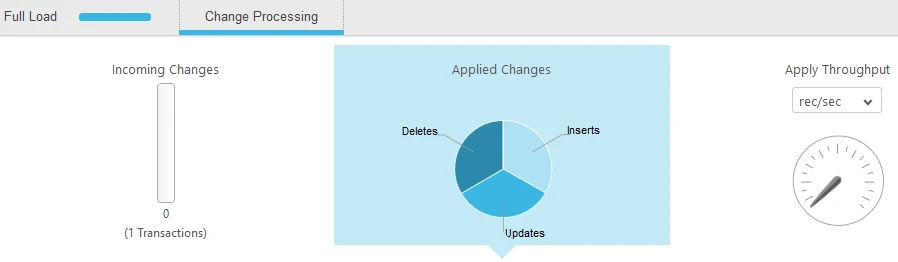
Qlik Replicate supports initial load and change processing from eligible Microsoft SQL Server endpoints. Its SQL Server source options include a Microsoft CDC mode. It is useful when an operator wants a task interface for tracking the load, table state and ongoing replication latency.
The chosen SQL Server source endpoint determines requirements for log access, SQL Server Agent, permissions and supported changes. The MS-CDC option documents an Amazon RDS for SQL Server path. The selected endpoint and target define which operations the task can preserve.
Select the documented SQL Server endpoint type for the tested environment. Qlik documents a specific MS-CDC endpoint alongside SQL Server source configuration. Confirm required source permissions and available recovery options for the selected task.
Interrupt only the disposable target connection after full load. Capture task recovery and any replayed work as the connection returns. Inspect the final rows and record each delete or key rule used.
- Compatibility
- Supported Qlik Replicate SQL Server source mode and compatible target.
- License and trial
- Commercial Qlik Replicate licensing.
Fivetran HVR
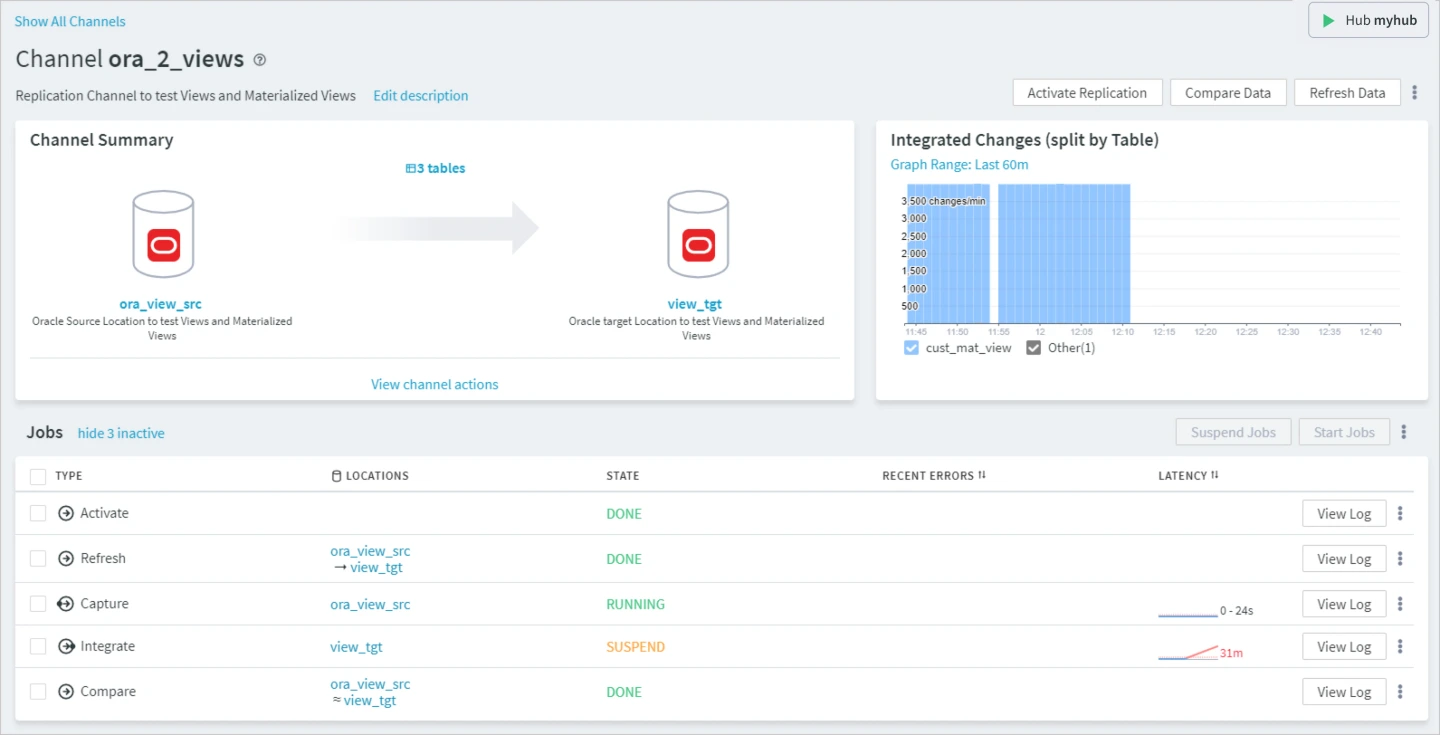
Fivetran HVR uses channels and locations for change capture and integration. Its SQL Server documentation covers direct log access and other supported configurations, and it has refresh and compare workflows. It is useful when a team wants to operate baseline, replication and reconciliation together.
The hub and capture method affect deployment, privileges and latency. Fivetran documents unsupported log-based source capture from Amazon RDS for SQL Server, although other RDS roles are available. The chosen source and target must be checked before estimating schema and transaction coverage.
HVR documents selectable capture methods with different platform requirements. Check which one is eligible, what log or backup access it needs and where the HVR channel's state is kept.
Use the supported compare workflow to validate the interrupted target after restart. Save channel checkpoint, selected comparison mode and verified updates, inserts and deletes.
- Compatibility
- Supported HVR architecture and eligible SQL Server source and target roles.
- License and trial
- Commercial Fivetran HVR licensing.
AWS Database Migration Service
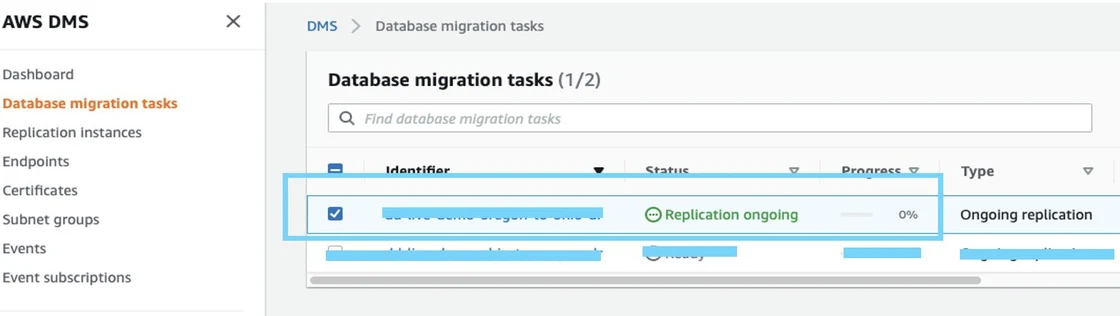
AWS Database Migration Service can apply full load and ongoing changes for supported SQL Server endpoints. It is useful for AWS-centered migrations and selected ongoing replication workloads where the team wants a managed task and visibility into data movement.
The exact SQL Server source determines CDC or replication prerequisites and grants. Appropriate log retention is needed through pauses or outages. The target and task settings also determine which schema operations, tables and data values can be applied consistently.
Match the DMS SQL Server CDC configuration to the source and target and verify what happens if the target becomes unreachable. Record the full-load and CDC task states separately.
After resuming, run the target fixture query and compare exact rows. Review DMS task errors, lag and validation only after the product has had time to finish applying.
- Compatibility
- Supported AWS DMS SQL Server endpoints, replication resources and permissions.
- License and trial
- AWS service, storage and related infrastructure charges apply.
Striim
Striim can use supported SQL Server CDC readers and write changes into a downstream database or other destination. It is useful when a team needs a continuous pipeline that can also map or process the data before it arrives at the target.
Its strength is the combination of capture, processing and target writing. Supported SQL Server reader modes have different prerequisites. The pipeline needs to define what happens with updates, deletes, schema changes or retries at the chosen destination.
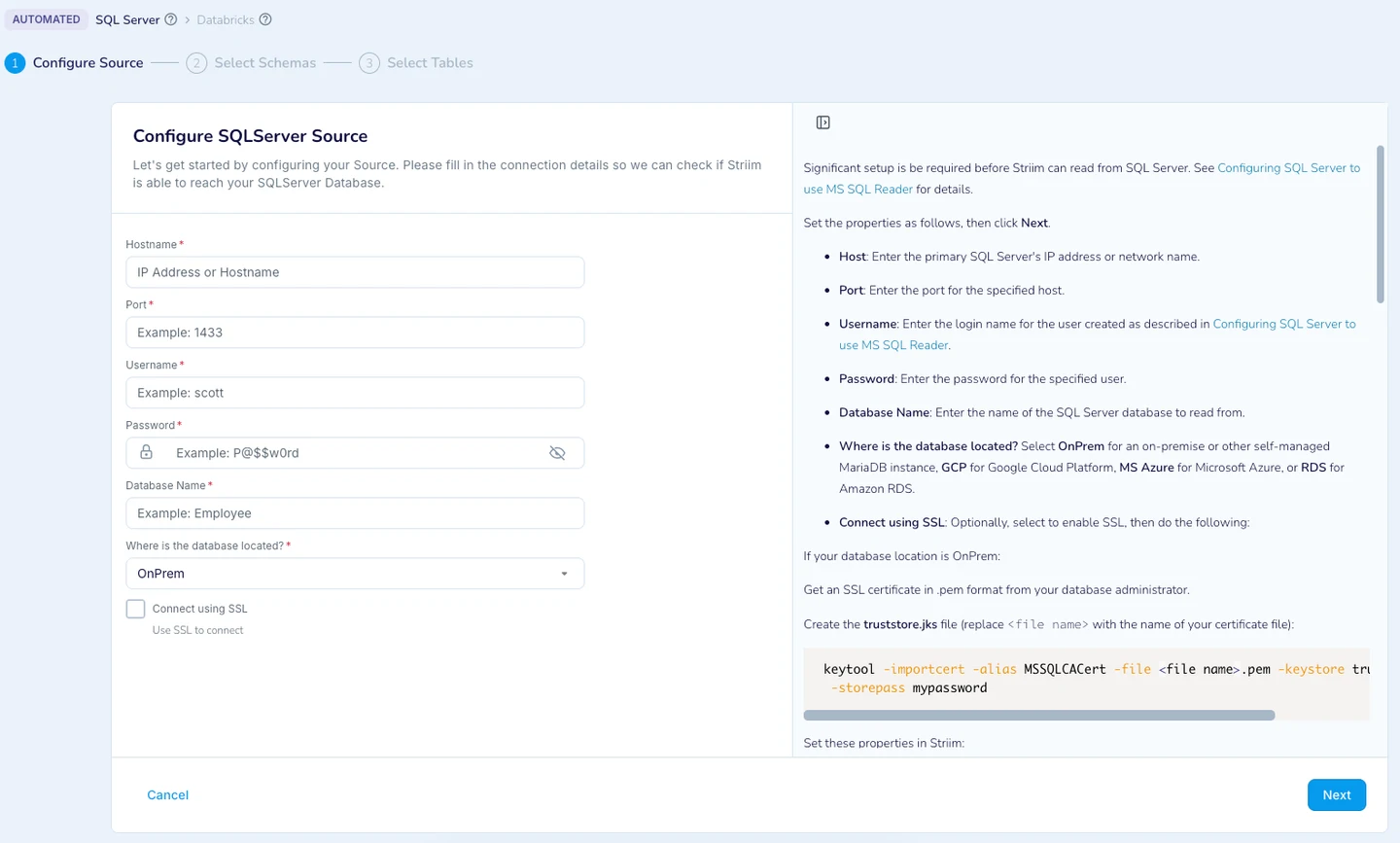
Check the available pipeline adapter, logging and target semantics under the tested version. Record the saved checkpoint and permissions for reading source changes.
Run an update, insert and delete while the target is unavailable, then restore connectivity. Compare output events if available, applied records and visible retry or drop behavior.
- Compatibility
- Supported Striim SQL Server reader and an eligible target writer.
- License and trial
- Commercial Striim terms.
Oracle GoldenGate
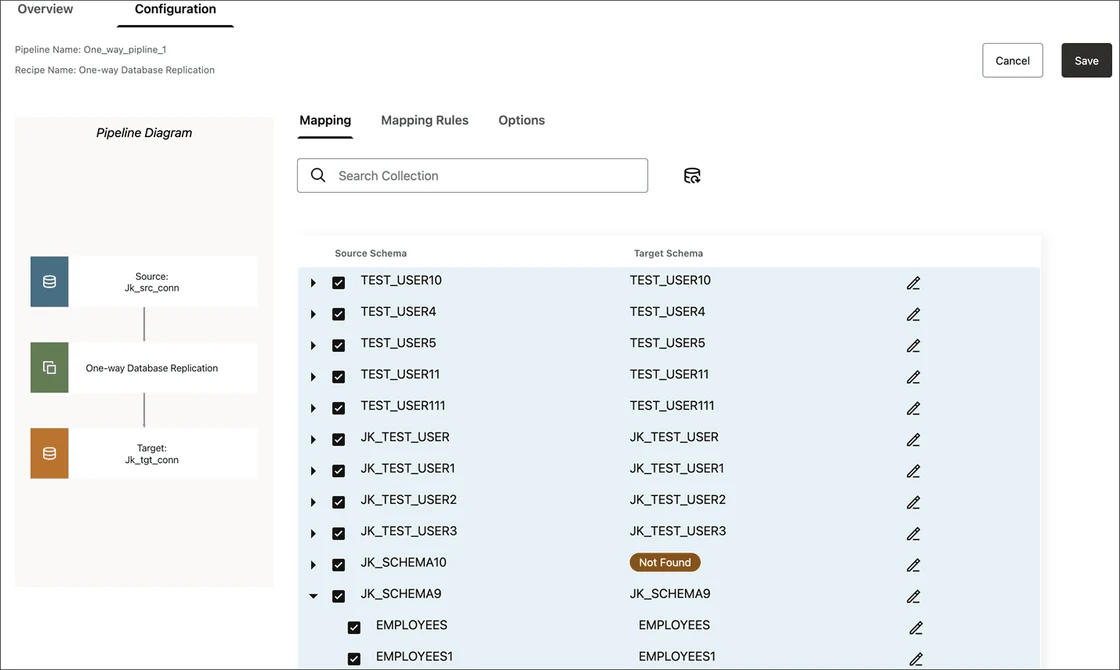
Oracle GoldenGate supports eligible SQL Server capture and documented initial load instantiation using a log position. It is useful when a team already operates GoldenGate and wants explicit control over how the initial state and later transactions are managed.
The supported SQL Server objects, data types and operations determine the scope. Capture and apply also depend on the chosen architecture and permissions. A correctly recorded starting position is crucial so rows from the initial copy and the following stream agree.
Use documented GoldenGate SQL Server instantiation and verify which source and target capture behavior the environment supports. Record key, log and access requirements for both sides.
Collect apply status after a short controlled pause. Compare the known resulting rows and check whether any intermediate events were duplicated or handled differently after the restart.
- Compatibility
- Supported Oracle GoldenGate and SQL Server endpoint configuration.
- License and trial
- Commercial Oracle licensing.
IBM Data Replication CDC for SQL Server
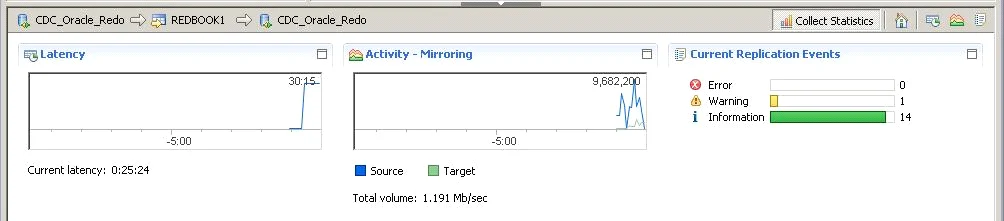
IBM Data Replication CDC can use SQL Server online logs and supported transaction log backups to mirror changes. Its replication subscriptions and latency view are useful when teams already use IBM CDC across several business databases and need to monitor the delay of a selected subscription.
Its main fit is a managed, long-running replication workload with appropriate log retention. Source or target limits, a long transaction or a backlog can affect catch-up. A retention and restart test helps establish whether a delayed subscriber can continue from the required position.
Confirm the source and target pairing supported by the installed CDC engines and plan the lab subscription. Define how evidence is collected when a target connection fails.
Compare the initial and final record sets through a pause and retry. Use the verified row result alongside subscription health and record which rules control exception handling.
- Compatibility
- IBM CDC Replication engine with compatible SQL Server setup and target.
- License and trial
- Commercial IBM Data Replication licensing.
Debezium SQL Server Connector
Debezium’s Microsoft SQL Server connector snapshots selected tables and emits change events from SQL Server CDC into Kafka Connect or another supported runtime. It is useful when teams want an event stream other services can consume or apply using an independently configured sink.
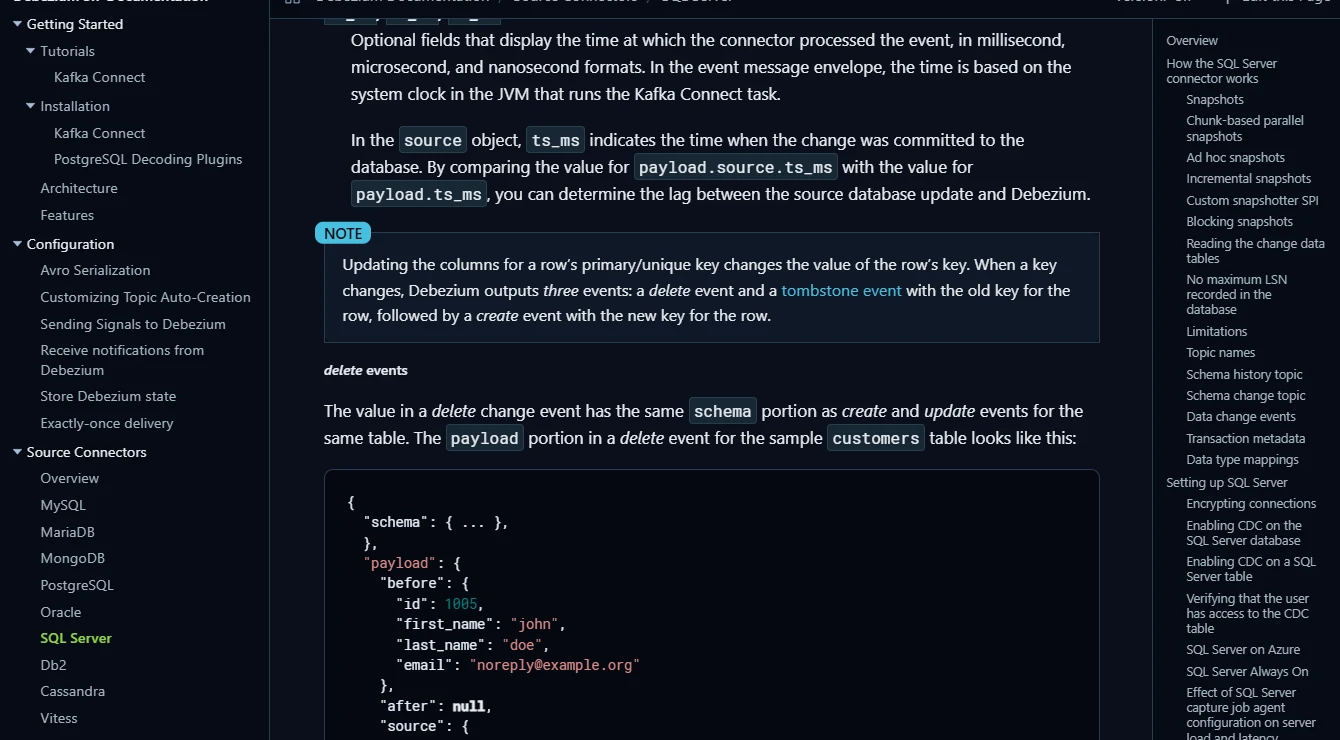
The connector produces events, and the target writer determines how to apply them. SQL Server CDC configuration and retention, offsets and delete handling define restart behavior. A SQL-to-SQL replica requires a compatible sink and a policy for updates, ordering and schema changes.
Check the SQL Server CDC setup and Kafka Connect offset behavior for the deployed connector version. Review the change envelope and delete or tombstone events before connecting a target writer.
Use a test topic and known key pattern, then check event order and actual sink records. If duplicate emissions are possible during restart, verify the sink's handling separately.
- Compatibility
- Debezium and a supported event platform or runtime, plus SQL Server CDC setup.
- License and trial
- Free, open-source components. Infrastructure costs are separate.
Airbyte Microsoft SQL Server Connector
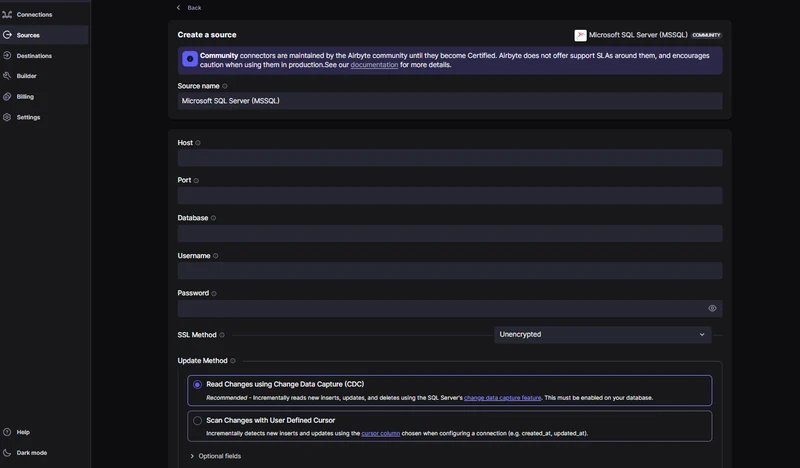
Airbyte provides a SQL Server source connector with a CDC mode and a separate SQL Server destination connector. It is useful when a data team wants scheduled or managed movement from SQL Server to an analytics or integration target through a tool it already operates.
CDC source and destination behavior are separate capabilities. Source settings determine which changes Airbyte can read, while sync mode and destination behavior determine how records are written. The combination needs validation for deletes and type precision before it is used as a replacement database.
Select a supported CDC sync configuration for the installed SQL Server connector and destination. Verify the table selection, permissions and expected sync cadence.
Compare sync history and final state after resuming. Record what the destination does with deletions and replayed changes rather than inferring it from the source sync status.
- Compatibility
- Supported Airbyte SQL Server connectors and source CDC configuration where applicable.
- License and trial
- Open-source deployment and commercial Airbyte plans.
Qlik Replicate vs Fivetran HVR at a glance
| Feature | Qlik Replicate | Fivetran HVR |
|---|---|---|
| SQL Server source access | Choose the Microsoft SQL Server or SQL Server (MS-CDC) source endpoint. The endpoint determines the log or CDC setup and grants. | Choose Direct Transaction Log Access, Archive Only or SQL Access for a supported topology. Match the grants to that method and HVR release. |
| Initial load and change apply | Configure Full Load and Apply Changes on the task and review the target table preparation option. | Define the channel, locations and tables. Use the documented activation and Refresh sequence for Capture and Integrate. |
| Resume after a pause | Stop the task and use Resume Processing to continue from its saved position. Review the reload rule if schema or filters changed during the stop. | Suspend the Capture job and wait for the suspension to finish. Unsuspend it from the channel Jobs pane and monitor Integrate. |
| Check the backlog | Watch incoming and applied changes, apply throughput and Apply Latency per task. | Inspect Capture and Integrate job state, errors and latency at the channel. Check both jobs while the target catches up. |
| Handle schema changes | Read the endpoint-specific DDL support. The MS-CDC endpoint has special requirements and limits for DDL capture. | Review AdaptDDL support and configuration on the source and destination. Rehearse the actual DDL with the same integration mode. |
| Verify the target rows | Query the target using the table key after changes have applied. Retain the result with the task logs. | Use HVR Compare for the selected table once the target catches up, and record the exact target rows as well. |
Which SQL Server replication setup fits?
| What you need | Tools to shortlist | What to verify |
|---|---|---|
| SQL Server source and target under the same replication task | Get the required source and target grants approved and test restart from the saved position. | |
| An existing managed or enterprise replication platform | Check both endpoints, the exact SQL Server release and target write behavior. | |
| CDC events or a connector-based sync | Check the destination's key mapping, delete behavior and retry semantics. |
Compare capture methods and how each tool resumes
The chosen Qlik endpoint and HVR capture method affect where logs are read, permissions required and what retained history can be replayed. Verify the exact versions and deployment requirements. Record where the product stores its progress checkpoint.
Run the same three SQL operations through each product after a base load, with a controlled target interruption. Record product state and observed target contents. For append-only destinations or an event stream, check the captured events and downstream apply behavior separately.
The source team restricts log or table privileges
Compare eligible capture methods first
Check precise source mode, version and minimum privileges.
A target interruption must be recoverable
Measure restart and backlog handling
Verify retained history and the final records after catch-up.
The target must match a projection or feed
Check deletes, keys and reconciliation
Review target mode and event replay or deduplication.
Prove one update, insert and delete after a target interruption
Use a disposable CdcResumeTrial source. Seed keys 1 and 3, complete the initial load, then pause or disconnect the pilot target through the supported test control. Run Change once on the source and resume. The current-state target should show key 1 with value 91, key 2 with value 25 and no key 3.
Keep the starting and recovered product checkpoints and note any available events. If the destination is an append-only ledger, evaluate the equivalent latest state and delete action without assuming the record is physically removed. Check intermediate event duplication where the downstream contract requires it.
| Key | Before source change | After target catches up |
|---|---|---|
| 1 | 10 | 91 |
| 2 | Absent | 25 |
| 3 | 30 | Deleted or represented by an approved delete event |
How to compare these tools
Stop capture and commit a known insert, update and delete. Resume from the saved position, check the target rows, and compare the time it took to catch up. Sources checked .
Test the initial load and resume from a saved position
Create the fixture in an empty disposable CdcResumeTrial source. After Setup, load it into the test destination. Run Change during the approved interruption, resume the selected connector and verify the destination using its query interface.
Create deterministic update, insert and delete events for a restart test
T-SQL · 29 lines
- Record source and target versions, capture method and initial checkpoint. Confirm keys 1 and 3 reached the target before the interruption.
- Apply Change during the interruption and resume the product. Compare the final expected rows, explicit delete behavior and actual catch-up interval.
- Inspect the reported restart and compare record or event evidence. Verify that the supported retention and retry policy covers the interruption you observed.
Conclusion
Choose Qlik Replicate if its task, endpoint and permissions fit the way your DBA team runs replication. Choose HVR if the channel and job controls fit your team and you want the built-in compare workflow. Before selecting either, reproduce one interruption with your actual source topology, then price the source, target and operational support you need.
Frequently asked questions
What is the main difference between Qlik Replicate and Fivetran HVR for SQL Server?
Qlik configures replication through a task with its chosen source and target endpoints. HVR configures it through a channel with roles such as Capture and Integrate and jobs such as Refresh and Compare. The endpoint and capture method determine the setup required at SQL Server.
Do both tools require SQL Server native CDC?
The Qlik MS-CDC source endpoint uses native SQL Server CDC. Qlik also has a separate SQL Server source endpoint. HVR documents direct transaction log, archive-only and SQL access methods. Review the specific topology, grants and SQL Server configuration for the method you select.
Can Qlik Replicate and Fivetran HVR copy SQL Server deletes?
Both can apply captured deletes on supported SQL Server paths. Validate the configured table key and apply settings. During the trial, confirm that the deleted key disappears from the target after the job catches up.
What happens if a SQL Server CDC capture position is too old?
Recovery depends on whether the selected capture method can still read from the recorded point. Check the available log or CDC history and the product's recovery procedure. A reload or reseed may be required before continuous apply can resume.
Is Fivetran HVR the same as Fivetran's managed SQL Server connector?
Fivetran HVR is the channel-based product used here. The managed SQL Server connector has its own source setup, destinations and operating model. Verify the documentation for the product you plan to deploy.
Does an apparently current CDC checkpoint prove that all target rows match?
Use the checkpoint with a content comparison. Check changed values, missing or extra keys and the handling of deletes in the configured target mode.
Can a CDC tool emit duplicate events after a restart?
Delivery depends on the connector and target configuration. Test restart behavior and verify any deduplication or idempotent apply that the downstream service needs.