

A low-downtime SQL Server migration normally moves the initial data while the source is still serving users, then catches up changes before cutover. SQL Server log shipping replays transaction log backups into another SQL Server database. Change data capture tools instead apply selected table changes and can sometimes move them to another database engine.
The longest part of the migration can happen before downtime begins. The final outage depends on how much lag remains, when source writes stop and what validation the team requires before redirecting clients. Compare products by the source and target they support, how they establish the initial load boundary and how they show that all changes through the cutover point have arrived.
Low-downtime SQL Server migration tools at a glance
Choose the movement model and supported target first. Then test how the deployed workflow proves it has caught up before moving the application.
| Tool | Movement model | Main scope check | Final proof |
|---|---|---|---|
| SQL Server log shipping | Seed with backup and restore, then apply log files | Compatible SQL Server target and final log sequence | Recovered final SQL transaction on the target |
| Azure Database Migration Service | Supported online SQL Server migration service | Exact Azure target and documented cutover workflow | Migration job, final log state and accepted SQL query |
| AWS Database Migration Service | Full load plus SQL Server CDC on supported paths | Source edition, target type and CDC requirements | Task progress, final marker and reconciliation |
| Qlik Replicate | Supported full load and change processing | Selected endpoint, table and change handling | Applied changes and independent target proof |
| Fivetran HVR | Supported SQL Server capture and integration | Privileges, logging, integration mode and target | Channel checkpoint and content comparison |
| Oracle GoldenGate | Capture and apply for supported SQL Server topology | Instantiation, logs and supported data types | Applied changes at the expected point |
| Striim | SQL Server change capture and pipeline | Supported endpoints, permissions and checkpointing | Verified final records after the last source commit |
| IBM Data Replication CDC for SQL Server | Supported CDC and subscription workflow | Exact SQL Server, destination and settings | Subscription state and matching data |
SQL Server log shipping
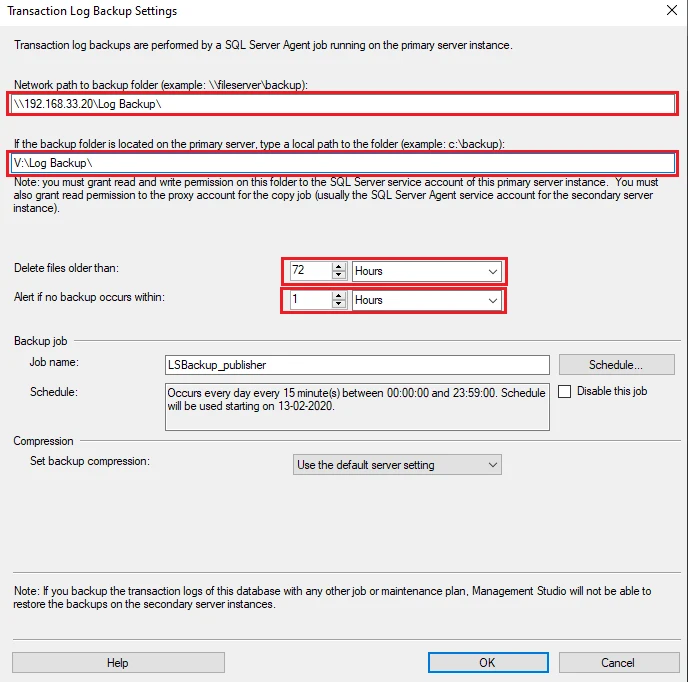
SQL Server log shipping copies regular transaction log backups to a compatible secondary and restores them in order. It is useful for SQL Server-to-SQL Server moves where the team can pre-stage the database and manage the final log and application switch itself.
Its strength is using the SQL Server recovery chain directly. The last copied log and last restored log can be different, and final recovery normally involves deliberate steps. Version compatibility, login and job migration, and application redirection still need their own plan.
Pre-seed the compatible SQL Server target and apply the planned log sequence while the source continues serving. Decide how the last approved log segment reaches the target and document the destination recovery step.
Rehearse the cutover with the planned producer stopped at the agreed checkpoint. Validate the marker and app identity before changing traffic. Preserve a clear fallback plan before the first accepted target write.
- Compatibility
- Compatible SQL Server instances, recovery model, Agent jobs and secure backup share.
- License and trial
- Built into supported SQL Server deployments. Infrastructure and licensing apply.
Azure Database Migration Service
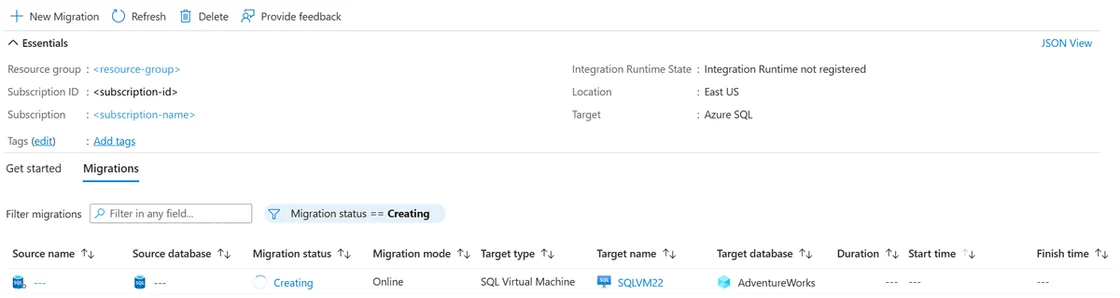
Azure Database Migration Service provides guided migration workflows for supported Azure SQL destinations, including a documented online SQL Server-to-Azure VM scenario. It is useful when a team needs to stage backups or synchronize data into a supported Azure target before its final cutover.
The destination determines which migration modes and tooling are available. A SQL Server VM and a managed database service have different prerequisites. The staged recovery point and remaining lag should be checked along with application compatibility and network readiness.
Verify the documented Azure DMS online path for your source and destination. Save the backup and migration configuration and use the online cutover instructions for the final freeze and promotion.
Record when downtime actually starts, when Azure completes cutover and when the first accepted application query succeeds. Verify the desired instance objects outside the selected database transfer when applicable.
- Compatibility
- Supported Azure DMS source, target and online migration scenario, with required connectivity and permissions.
- License and trial
- Azure Database Migration Service and related Azure infrastructure terms apply.
AWS Database Migration Service
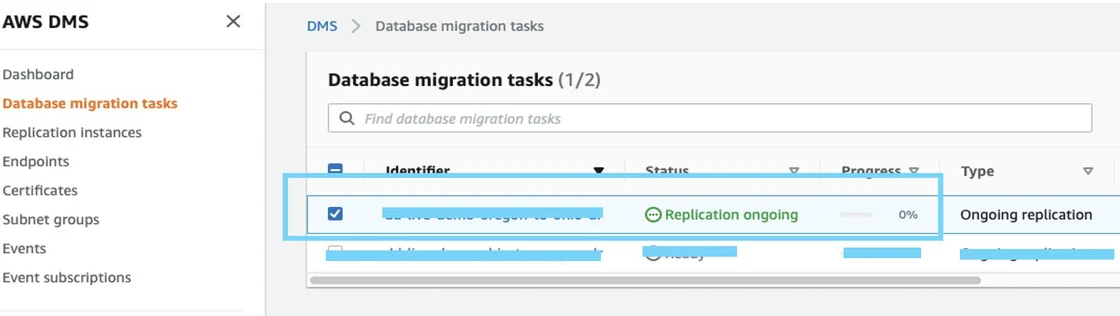
AWS Database Migration Service can perform full load and change replication for supported SQL Server endpoints. Ongoing replication can keep a target close to the source until the application is ready to switch. It is useful when the move already targets a supported AWS database environment.
Its strength is managing the copy and CDC task together. The exact source requires supported log access and CDC or replication settings. Schema conversion, target indexes and checks for skipped or delayed tables remain part of trialing the cutover.
Use the AWS DMS SQL Server CDC requirements for the installed source and chosen target. Check which tables and data types can use the intended full-load and ongoing change handling.
Wait for the target to contain the exact marker and related order row before switching. Keep task lag and errors as supporting measurements and reconcile any incomplete target table.
- Compatibility
- Supported AWS DMS SQL Server endpoint, replication resources and SQL permissions.
- License and trial
- AWS service and infrastructure charges apply.
Qlik Replicate
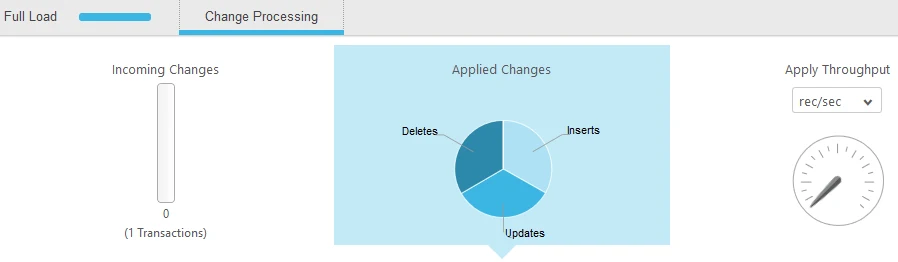
Qlik Replicate supports initial load and change processing from qualified SQL Server sources. It is useful when a team needs a managed replication task with visibility into throughput, latency and table status and may be moving data across database platforms.
Its value is combining the initial load and change apply under one task. Qlik offers different SQL Server source options, and the chosen option determines log, CDC and privilege prerequisites. Table types, DDL handling and target compatibility affect how closely the target can match the source.
Define the task, supported SQL Server source and target and important table coverage. Test inserts, updates and deletes in the same schema before estimating the effect of pausing production writes.
Reconcile the final committed transaction across both fixture tables. Check product logs and explain any ordering or retry behavior observed under the selected apply settings.
- Compatibility
- Qlik Replicate with supported SQL Server source and compatible target endpoints.
- License and trial
- Commercial Qlik Replicate licensing.
Fivetran HVR
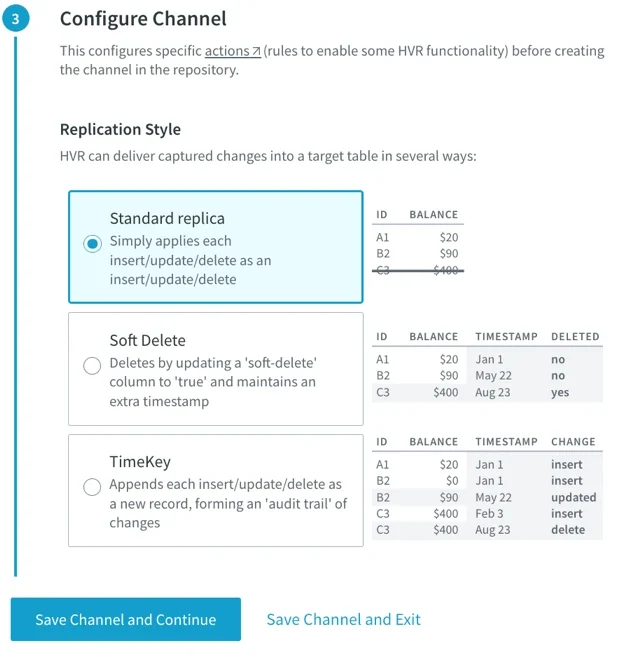
Fivetran HVR can set up channels that capture and integrate changes for supported SQL Server deployments. Refresh and comparison workflows are useful when a team wants to establish a baseline and then follow changes to a supported target before cutover.
Its strongest fit is a supported log-based source and a topology the team can operate through the HVR hub and agents. The vendor’s matrix distinguishes SQL Server deployments. Amazon RDS for SQL Server can serve some HVR roles, while log-based source capture requires a different supported source.
Review the HVR capture and integrate prerequisites for the particular SQL Server version and permissions. Determine how channel lag and exceptions are recorded, then test them with a short planned cutover.
Verify that both test tables on the destination agree with the final source commit. Keep the channel's documented checkpoint as supporting evidence and compare the actual target contents.
- Compatibility
- Fivetran HVR with supported SQL Server capture or target roles and a configured channel.
- License and trial
- Commercial Fivetran HVR terms.
Oracle GoldenGate
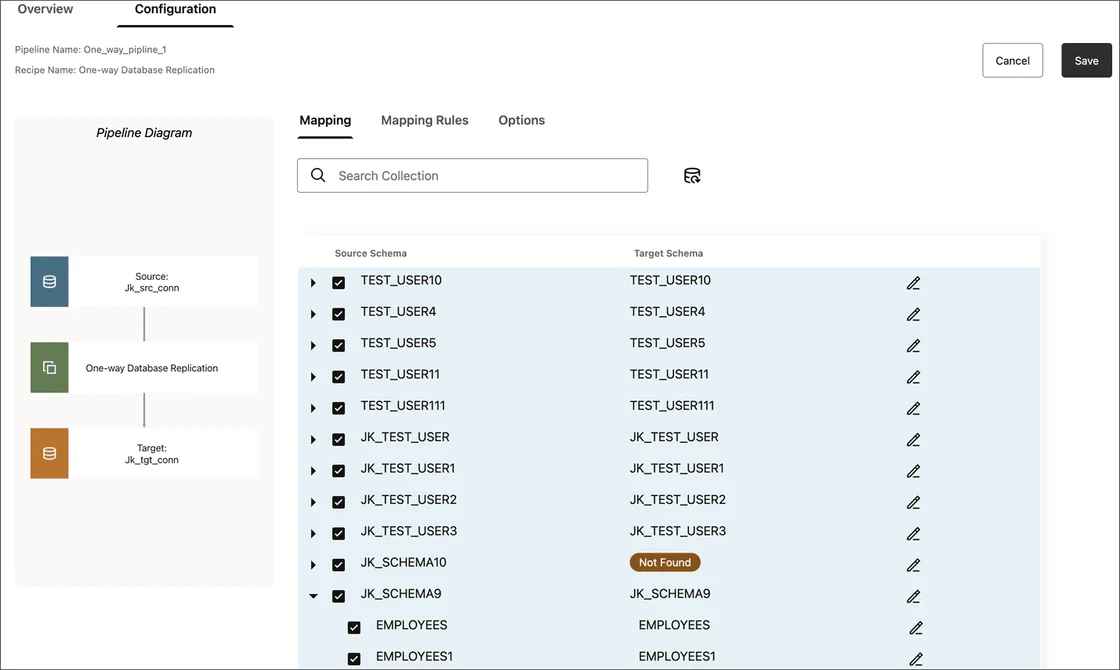
Oracle GoldenGate can capture SQL Server changes and documents precise instantiation for joining initial load with a change stream. It is useful for enterprise migrations where the team needs explicit control over the starting log position and how captured transactions reach a supported destination.
The strength is control of capture, trails and apply. The SQL Server version, GoldenGate release, table types and target determine coverage. The team must keep the initial load boundary and the subsequent replication position aligned to avoid missing or replaying the wrong changes.
Use the documented instantiation procedure for the source and capture approach. Confirm the migration pairing, required permissions and log behavior in the actual release.
Rehearse initial load through change apply and record the remaining work at freeze. Validate the known committed marker and data on the target before the application moves.
- Compatibility
- Supported GoldenGate deployment and SQL Server source or target with required permissions.
- License and trial
- Commercial Oracle GoldenGate licensing.
Striim
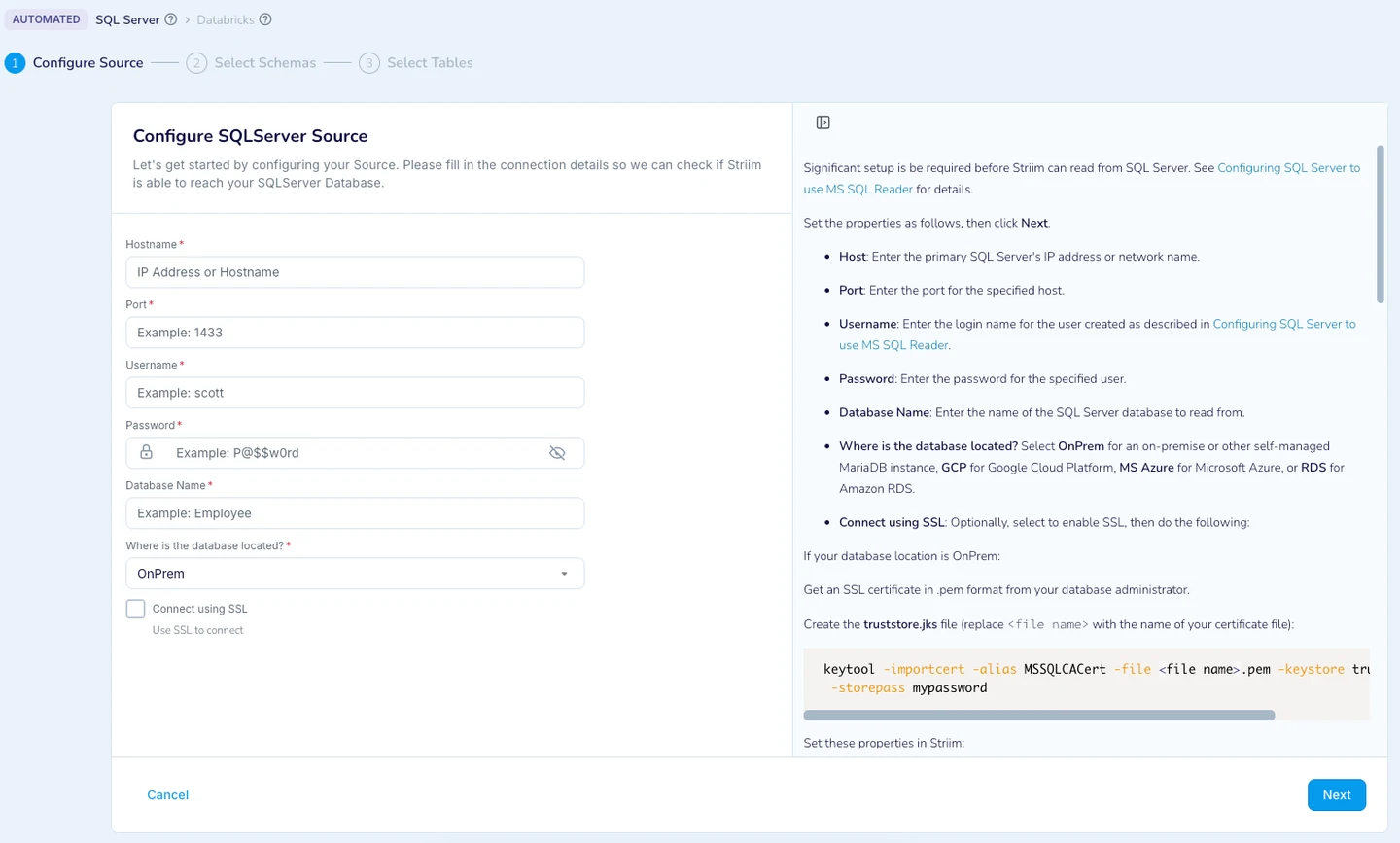
Striim can build pipelines from SQL Server using supported CDC readers or other incremental reading models. It is useful when a team needs to move selected data while the source stays active and also wants mapping or processing as part of the pipeline.
The useful distinction is the selected reader. Continuous CDC and a batch reader have different latency and completeness properties. The target writer, data types and checkpoint or restart behavior matter when the same pipeline supports the cutover.
Use the SQL Server pipeline requirements and document selected keys, source capture and destination handling. Test what happens if a change retries or the target becomes temporarily unavailable.
Measure catch-up time after the source writer is stopped. Verify the final data from the chosen application route and preserve the exact product checkpoint and SQL result.
- Compatibility
- Supported Striim SQL Server reader and destination writer configuration.
- License and trial
- Commercial Striim terms.
IBM Data Replication CDC for SQL Server
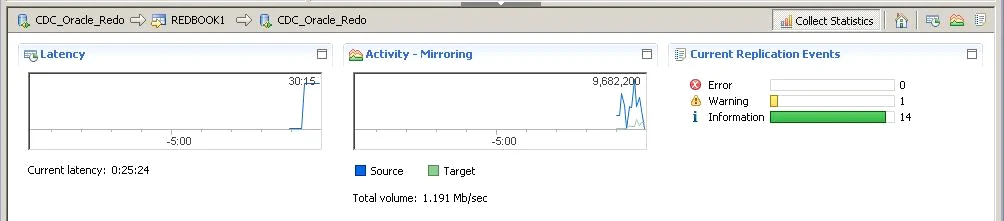
IBM Data Replication CDC for SQL Server captures supported changes and applies them through a configured replication subscription. It is useful for enterprises that already operate IBM replication and want to stage a target while retaining an operational view of ongoing changes.
Its fit depends on compatible SQL Server and target engines, supported log capture and the subscriptions included in the move. Replication latency alone is insufficient for cutover. Source write control, data validation and the behavior of unsupported objects still need documented decisions.
Check IBM's documented SQL Server source and target compatibility for the specific replication engine. Use the same scope in the pilot and record the exact subscriber configuration.
After the initial copy, capture and verify a final transaction that changes both the order and marker tables. Distinguish applied-data verification from an apparently healthy subscription.
- Compatibility
- IBM CDC Replication with supported SQL Server source and compatible target.
- License and trial
- Commercial IBM Data Replication licensing.
Which tools fit a short cutover window?
| What you need | Tools to shortlist | What to verify |
|---|---|---|
| Move the whole database between eligible SQL Server instances | Compare the last backup applied or the replica synchronization state before the role change. | |
| Use a managed migration service | Check the exact SQL Server target, final sync mode and data validation process. | |
| Capture and apply changes between mapped SQL Server tables | Verify the selected keys, target schema, pending operations and applied changes before switching writers. |
Choose between a SQL log-based move and selected-table change capture
Log shipping and some managed paths prepare a recovered database from SQL backups. CDC products can move selected tables and continue applying changes to eligible targets, with separate work for schema and instance metadata. Confirm how each workflow handles writes, data types and failures during cutover.
Plan the last authorized source commit and a defined destination check. Rehearse write freeze, catch-up and app validation. Decide what happens before and after target writes are accepted, when returning traffic to source may require a new reconciliation plan.
The whole database can be restored with a log chain
Trial compatible log shipping or online backup restore
Verify the final log sequence and recovered database.
Only selected tables need to move or the target differs
Trial full load plus change capture
Check supported objects, transaction handling and verification.
The service has a strict outage target
Measure freeze to verified client response
Include lag drain, routing and validation time.
Verify the last committed order and cutover marker on the target
Create a disposable CutoverSourceTrial database and plan a compatible SQL Server target named CutoverTargetTrial. Begin pre-seeding or change capture after Setup. At cutover freeze the lab writer and run Fence as the final approved source commit. The transaction updates the synthetic order and writes a marker in the same commit.
Check both expected target values as part of the acceptance gate. Record the actual product checkpoint and execution time independently. If the destination is a different engine, port the target check to its syntax and verify data type and application behavior.
| Checkpoint | Measure | Pass condition |
|---|---|---|
| Pre-seed | Database restore or table-load completion | Intended target supports selected workflow |
| Write freeze and final commit | UTC time, writer policy and marker | No unplanned source changes after the agreed point |
| Catch-up | Last log or vendor application checkpoint | Both target values match the final source result |
| Application validation | Client route, identity and working query | Measured end of outage under the agreed definition |
How to compare these tools
Time the initial load and log catch-up separately. Stop application writes, record the final source transaction and verify it on the target before reconnecting the application. Sources checked .
Rehearse the last batch before switching SQL Server writers
Run Setup on an empty disposable CutoverSourceTrial source. Start the proposed lab migration, stop other test writes at cutover, then run Fence once. After applying the final changes, run Verify on the separately recovered or populated CutoverTargetTrial database.
Stamp and verify the final SQL Server cutover transaction
T-SQL · 38 lines
- Pre-seed data using the approved lab path and verify old target state. Define the last source commit and record the point the write freeze begins.
- After verifying the lab writer is stopped, run Fence and complete the product catch-up or final log recovery. Compare Order 17 with status Final and marker cutover-final-01.
- Run the test application over the intended target route. Record actual freeze-to-acceptance time and rehearse the authorized fallback for the stage reached.
Conclusion
Use a whole-database workflow when the source and destination can share the backup or replica path. Use mapped-table replication when you have checked the SQL Server endpoint pair and can validate the objects that travel with it. The cutover is ready when the final source changes are present, the target is writable, and the application can commit under the intended login.
Frequently asked questions
What is a low-downtime SQL Server migration?
The destination is seeded while the source remains in service. The operator then stops source writes, applies the remaining changes, checks the target and switches the application. Measure the outage through the first successful write on the new server.
How do you know that SQL Server replication is caught up before cutover?
Check the final source position or applied log and the tool’s backlog and error reports. Verify the actual target rows after the last source transaction, including a test insert, update and delete. A low lag measurement alone leaves gaps if a table was skipped or a change failed.
Can I use SQL Server log shipping for a planned migration?
Yes, if the instance and database versions support the backup and restore path. Stop writers, complete the final log backup and restore sequence, then recover the secondary and switch the app. Test the expected elapsed time and login and job dependencies.
Will a CDC tool move SQL Server logins, jobs and schema?
Coverage depends on the tool and replication mode. Check table mappings and supported schema operations. Inventory SQL Server Agent jobs, logins, permissions, credentials and other instance dependencies explicitly.
Can I point the application back at the old SQL Server after cutover?
Plan for any writes accepted on the new server. Check whether your source can accept those changes, how you would reconcile them and who owns the decision. A reverse path needs testing before the cutover.
Does low CDC lag prove the migration target is ready?
Use lag with an explicit data verification. Confirm the final marker, related records and required application behavior from the intended destination.
Can we switch back to the source after users start writing to the target?
Plan how to handle target changes and source divergence before relying on a reversal. Rehearse the approved rollback or forward recovery for both sides of the first target write.
Related guides
- Compare tools for moving SQL Server schema and data to PostgreSQL
- Compare tools for moving a SQL Server instance to a new Windows server
- Compare SQL Server CDC tools for data pipelines
- Compare SQL Server failover and high availability tools
- Read the SQL Server migration checklist
- Plan a SQL Server migration