

SQL Server CDC replication has two parts. A connector reads a baseline and changes, then a destination decides how those changes appear to consumers. Airbyte’s SQL Server connector offers a CDC mode and a choice of deployment and destination. Fivetran’s managed connector offers several incremental methods. Its CDC mode reads change tables, while methods such as Change Tracking cover different source evidence.
The SQL Server deployment and final table behavior determine which connector fits. A warehouse may only need the latest value for each key, while another team needs delete events and a history of changes. Initial load, cleanup of retained changes and what happens when a schema changes can matter more than the normal sync interval.
Airbyte vs Fivetran SQL Server CDC at a glance
Choose the source capture and destination sync configuration before comparing results. A connector's successful run and a warehouse table's current-state semantics are separate observations.
| Tool | Source mode to verify | Who owns important setup | Warehouse trial |
|---|---|---|---|
| Airbyte SQL Server Connector | Documented Airbyte CDC configuration | Hosted or self-managed deployment and source database setup | Selected sync mode and actual destination results |
| Fivetran SQL Server Connector | Supported SQL Server incremental method on chosen source | Managed connector plus source and log policy | Destination deletion state, freshness and resync behavior |
| Estuary Flow | Supported SQL Server capture into collections | Capture and materialization configuration | Collection checkpoints and final materialized state |
| Hevo | Supported SQL Server Edge ingestion path | Source, supported deployment and ingestion configuration | Selected destination and resulting delete status |
| Qlik Replicate | Configured supported SQL Server endpoint | Deployment and source logging or permissions | Target sync and audited changes |
| AWS Database Migration Service | Full load plus supported SQL Server CDC | Task, replication capacity and source configuration | Recovery state and destination row checks |
| Google Cloud Datastream | Supported SQL Server source capture path | Connection, source configuration and destination pipeline | Stream freshness and consumer materialization |
| Debezium SQL Server Connector | SQL Server CDC and broker event stream | Connector, offsets, broker and sink operations | Event semantics and current target state |
Airbyte SQL Server Connector
Airbyte’s Microsoft SQL Server source can snapshot selected data and use SQL Server CDC for incremental changes. The connector can feed supported destinations such as Snowflake. It is useful when a team wants a choice between a managed service and operating its own integration runtime.
The appeal is choosing how to deploy and route the same source. SQL Server CDC must be configured for eligible tables, and the destination sync mode matters for updates and deletes. Schema changes, offsets and resync behavior need evaluation on the actual table types and destination.
Check the deployed connector version and documented SQL Server CDC requirements, including unsupported SQL types. Record where the connector runs and who handles the SQL source setup and incident response.
Select a supported destination sync mode and inspect both the state and final tables. Measure the first-load and repeated sync results, and check the outcome for an intentionally deleted source row.

- Compatibility
- Airbyte with supported SQL Server CDC and an eligible destination connector.
- License and trial
- Open-source deployment and commercial options.
Fivetran SQL Server Connector
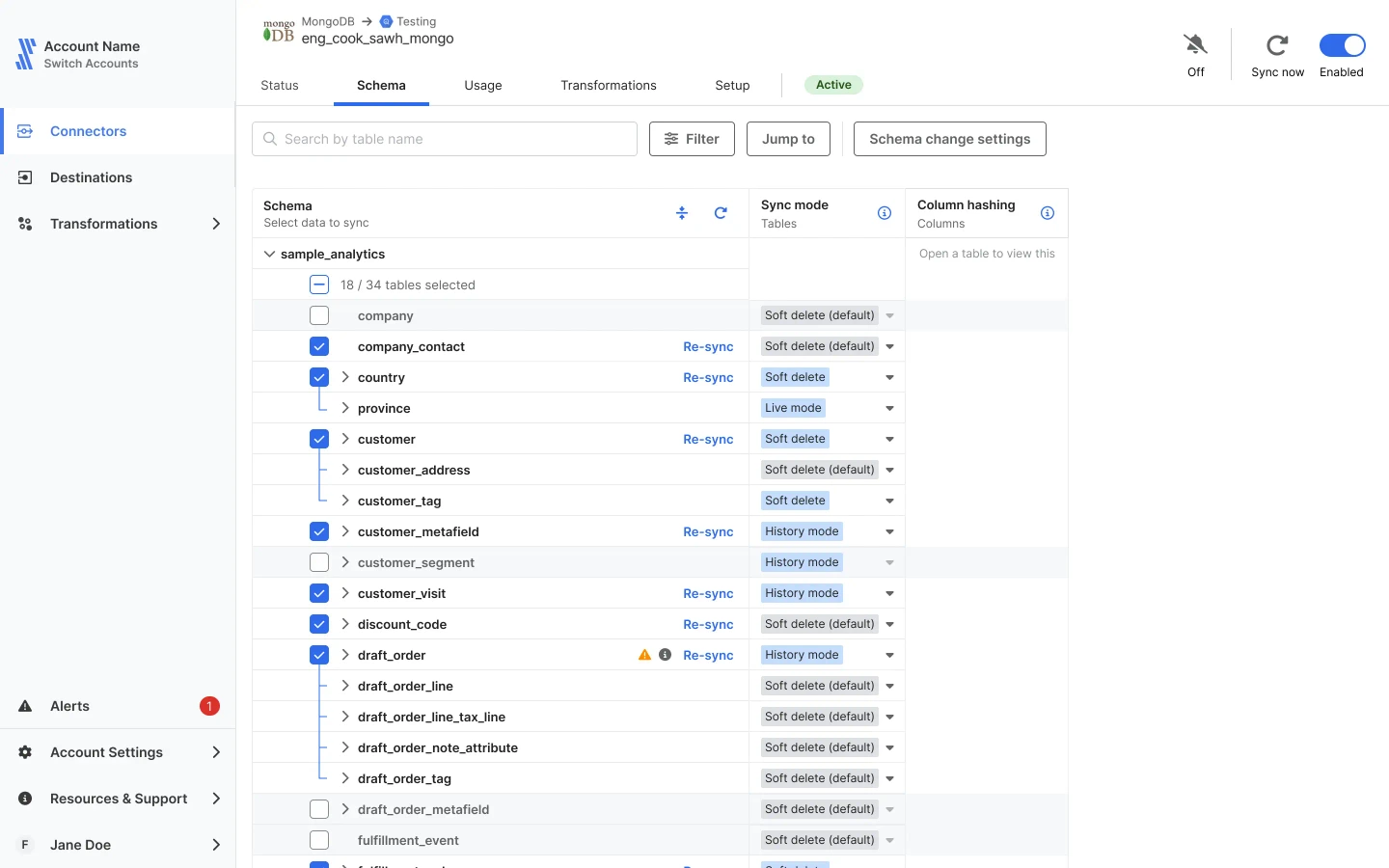
Fivetran’s SQL Server connector starts with an initial sync and can continue from SQL Server CDC, Change Tracking or other supported sync methods. It is useful when the team wants a managed connection and warehouse schema maintenance with less connector infrastructure to operate.
Its strongest case is a supported source and destination pair whose sync behavior matches the data model. CDC and Change Tracking provide different evidence about changes. The selected mode, source retention and destination table settings determine how history and deletes appear.
Choose the documented SQL Server incremental capture method for the actual source. Review the Binary Log Reader setup, permissions and truncation mode where that method is used, especially with availability groups.
Confirm what a deletion looks like in the chosen destination mode and where to inspect a connector resync. Estimate charged usage and operational impact from your test cadence and records.
- Compatibility
- Supported SQL Server deployment and Fivetran destination and sync method.
- License and trial
- Commercial Fivetran service terms.
Estuary Flow
Estuary Flow can capture SQL Server snapshots and changes into collections and materialize them into destinations such as Snowflake. It is useful when the same capture needs to feed more than one destination or when the team wants the source and delivery layers to operate separately.
Its main choice is how collections are keyed and how each materialization produces tables or events. SQL Server capture sees the source changes defined by its connector. Destination settings and restart or backfill policies determine what consumers receive.
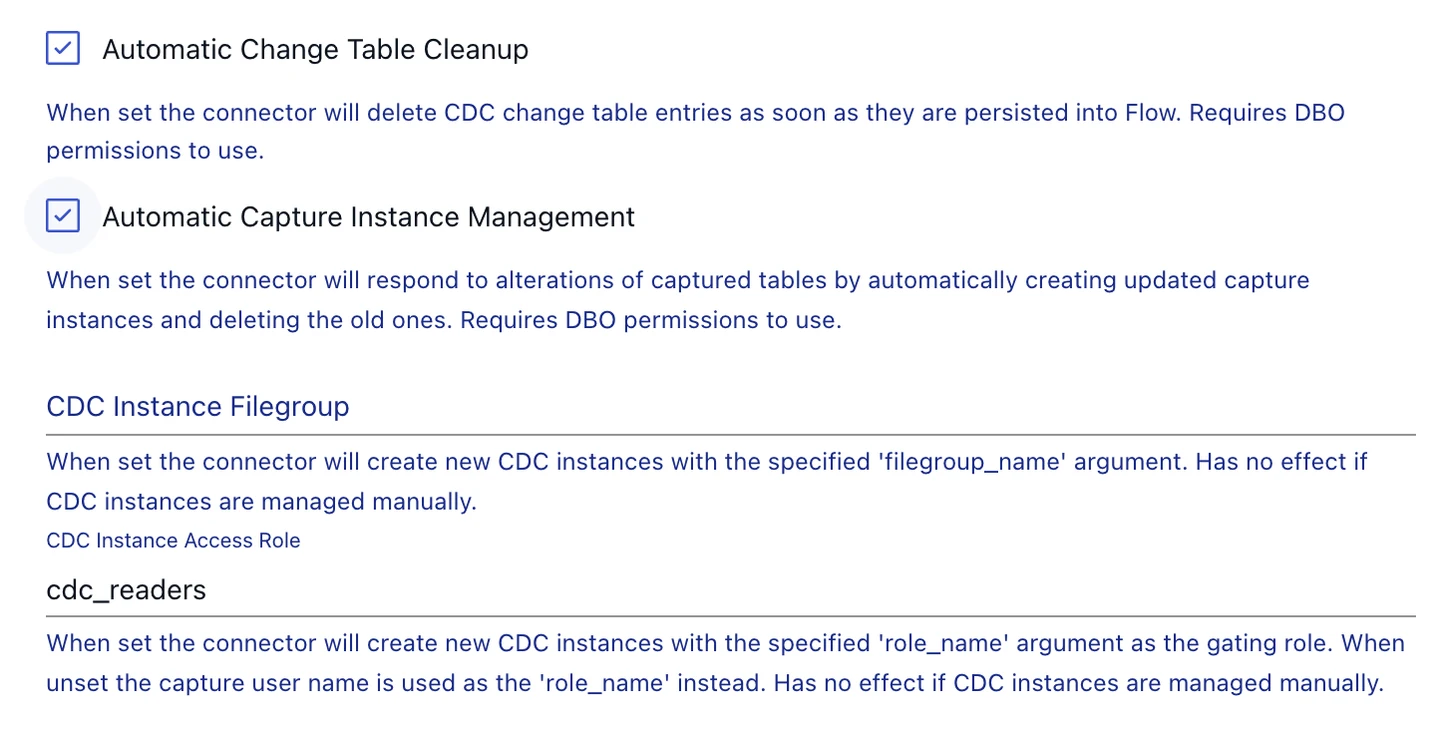
Configure the documented SQL Server capture and materialization to the intended destination. Record how the selected collection key and materialization policy determine upserts and deletions.
Compare stream checkpoint progress and the final materialized view before and after the fixture changes. Verify what an operator sees if the target becomes unavailable.
- Compatibility
- Supported Estuary SQL Server capture and chosen materialization connector.
- License and trial
- Estuary service and infrastructure terms depend on the deployment.
Hevo
Hevo provides a SQL Server source workflow and documented destinations such as Snowflake. Eligible pipelines can use log-based ingestion. It is useful for a team that wants a managed flow from a supported SQL Server into an analytical destination with a configurable load and sync workflow.
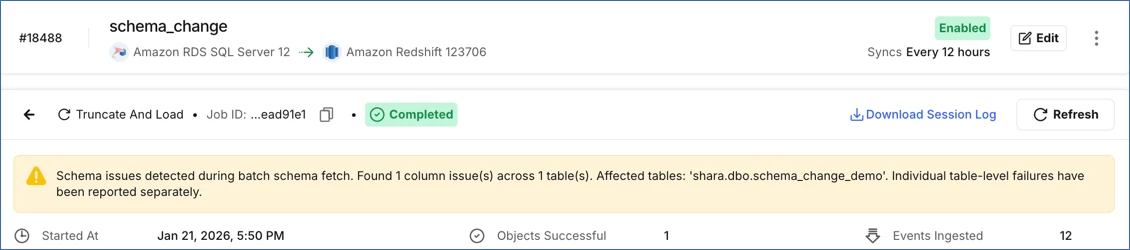
Its value depends on the selected Hevo pipeline and supported SQL Server configuration. The baseline, schema changes and deleted records need a clear destination interpretation. An eligible ingestion mode and a table’s keys or destination settings can change how well the pipeline preserves later updates.
Use the documented SQL Server source workflow for the intended Hevo product and source. Record how data is extracted and which destination options handle updates and deletes.
Check the loaded row after the new change and verify the deleted record's visible destination state. Measure cadence and confirm what can be recovered during a retry.
- Compatibility
- Hevo with a supported SQL Server source and a compatible destination.
- License and trial
- Commercial pipeline service terms.
Qlik Replicate
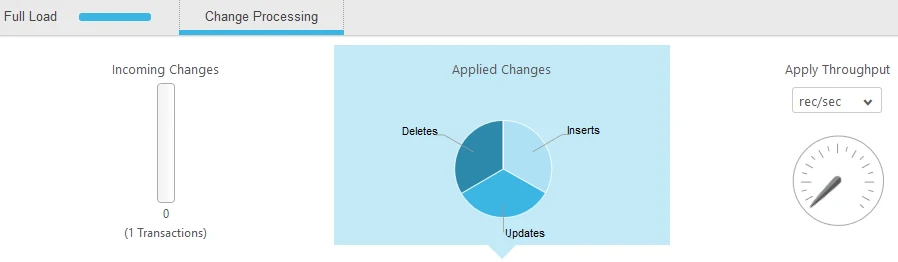
Qlik Replicate can run full load and change processing from supported SQL Server sources and deliver to eligible targets such as Snowflake. It is useful when operators need task-level controls and monitoring of tables, source latency and target delivery.
Its fit depends on the SQL Server endpoint and the target’s supported apply modes. Qlik documents separate source configurations, including Microsoft CDC. The task and destination settings determine whether a consumer sees current rows, a change table or both where supported.
Verify the source endpoint and target supported by the installed Replicate release. Configure a single SQL Server test table and keep the task's selected capture and apply options.
Measure initial load, source change and target result separately. Compare the destination's handling of deletes or historical rows with the same fixture in the managed connectors.
- Compatibility
- Supported Qlik Replicate SQL Server source configuration and target endpoint.
- License and trial
- Commercial Qlik Replicate licensing.
AWS Database Migration Service
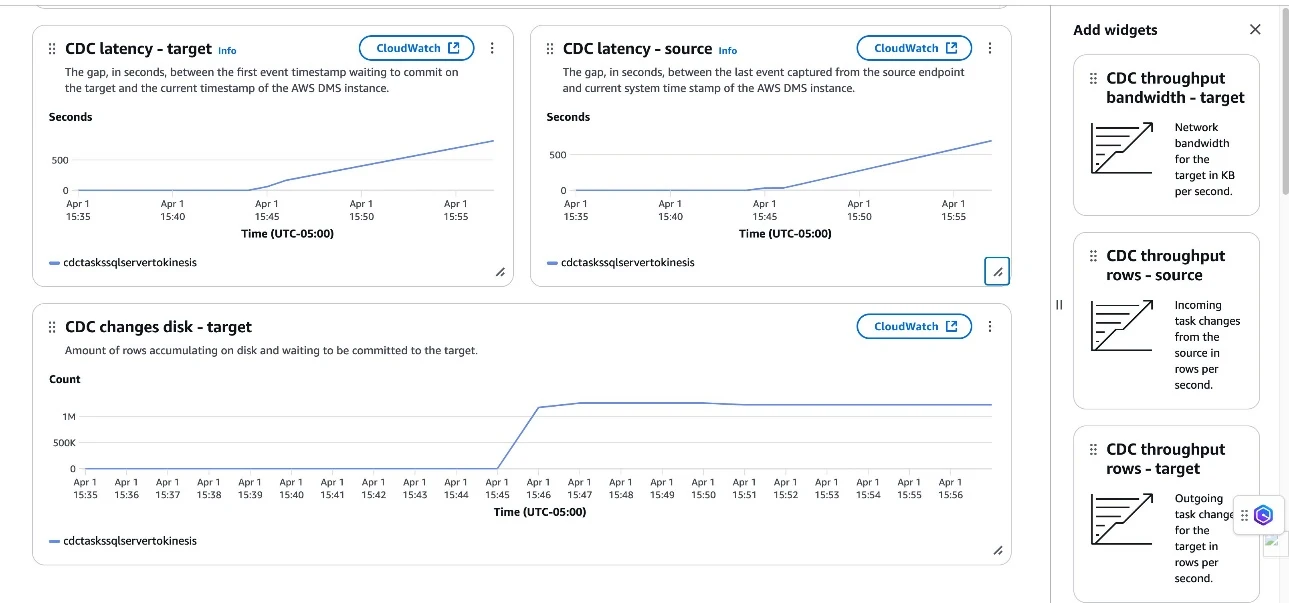
AWS Database Migration Service can start with a full load and stream later SQL Server changes to supported destinations, including an S3 landing path. It is useful when the team already uses AWS for migration or wants to land CDC data for its own downstream processing.
A file landing path and a warehouse table represent different outputs. Recognizing deletes, maintaining an up-to-date table and preserving event order depend on the target configuration and downstream design. SQL Server log access and recovery from lag also need to be considered.
Read the SQL Server source CDC requirements and check the chosen DMS target separately. Configure the task and verify which types and primary keys are needed for validation.
Use CDC and task records to measure freshness. Inspect actual target rows after the controlled delete and compare validation in the expected warehouse or database shape.
- Compatibility
- Supported AWS DMS SQL Server endpoint, replication resources and eligible destination.
- License and trial
- AWS service and infrastructure charges apply.
Google Cloud Datastream
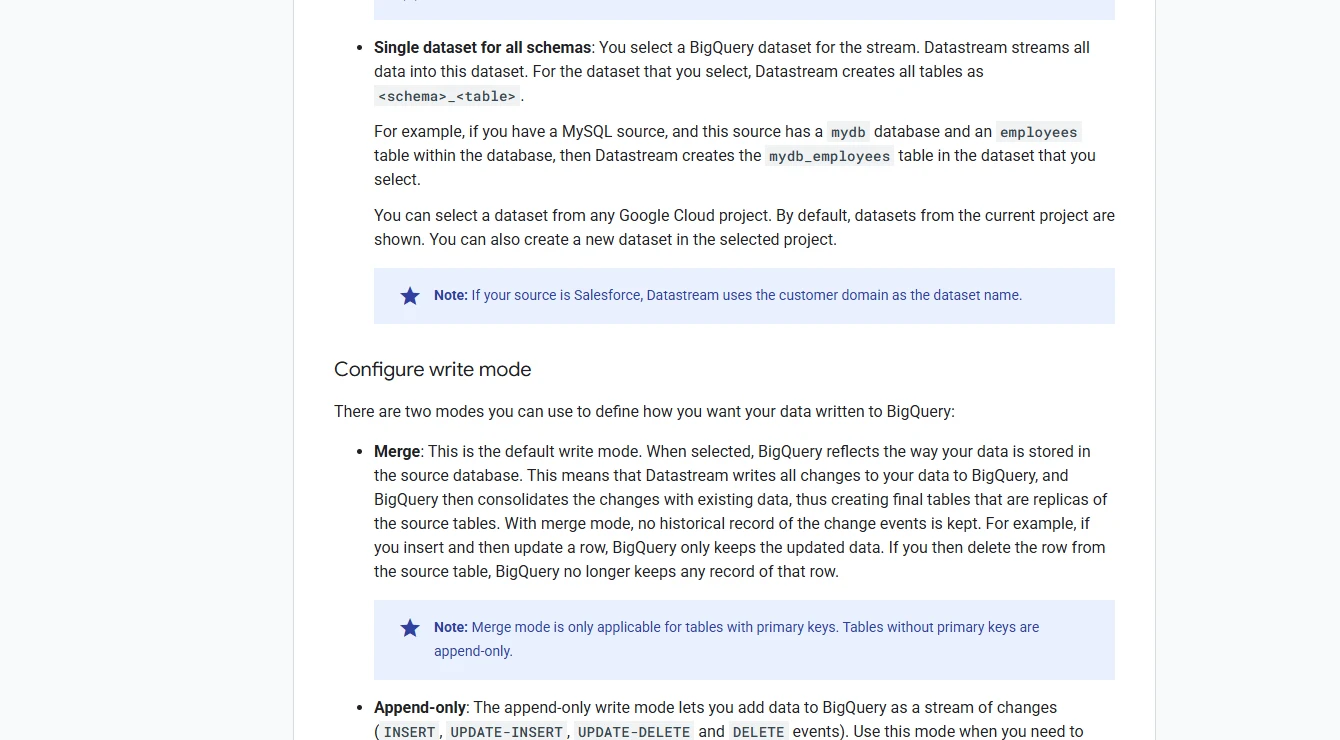
Google Cloud Datastream supports backfill and change replication from eligible SQL Server sources and offers a BigQuery destination workflow. It is useful when the destination is in the Google Cloud data stack and the team wants a managed capture path from SQL Server.
Datastream offers supported SQL Server CDC methods based on transaction logs or change tables. They impose different retention and throughput requirements. Destination write behavior and treatment of changed keys or deleted records need evaluation for the tables being loaded.
Verify the supported SQL Server source and destination as documented and record the chosen connection method. Keep the stream's processed change status alongside the consumer's configuration.
Check the consumer's actual materialization of update and delete records. Compare target freshness with the source marker and stream evidence under the intended deployment.
- Compatibility
- Supported Datastream SQL Server source and Google Cloud destination.
- License and trial
- Google Cloud usage and destination charges apply.
Debezium SQL Server Connector
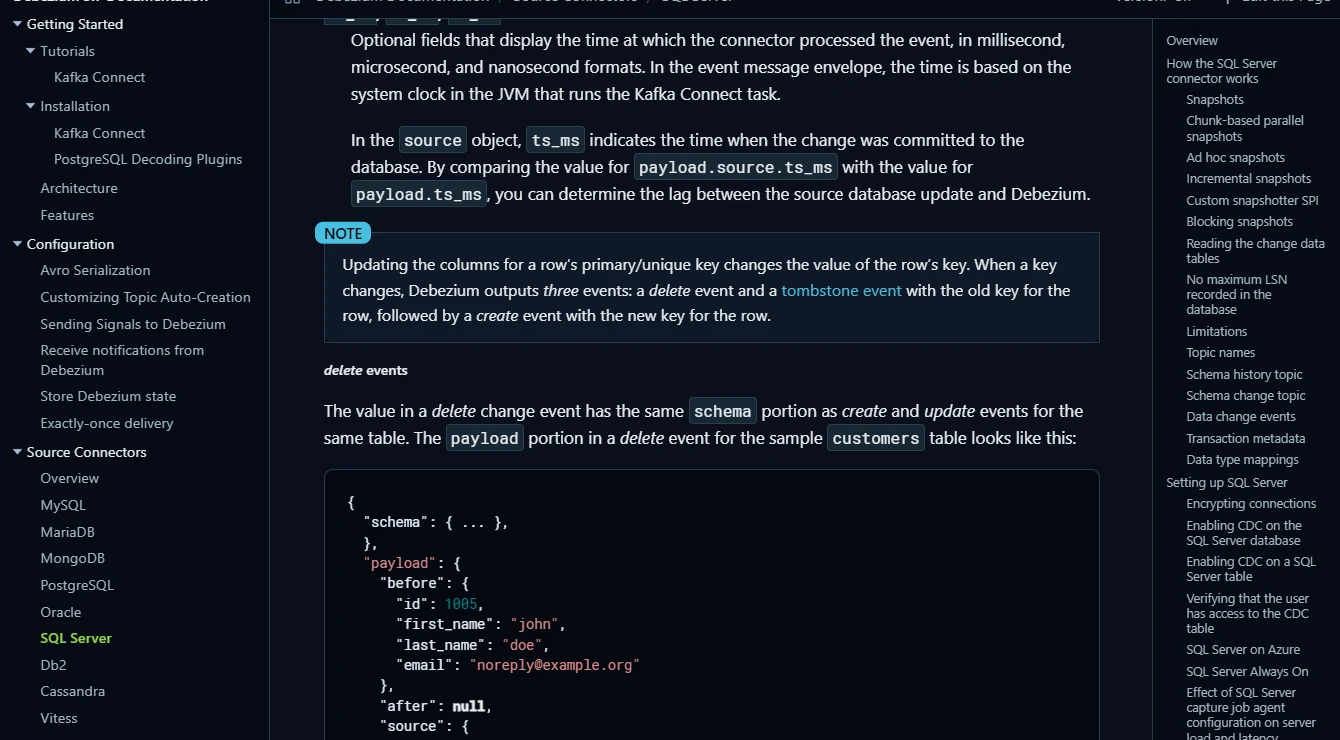
Debezium’s SQL Server connector reads eligible SQL Server CDC tables and publishes row-level events. It is useful when the team wants a stream that can feed several consumers, including a separately configured warehouse connector or Kafka-based pipeline.
The connector controls snapshot and capture, and a consumer or sink controls how those events become destination records. Key choice, deletes, offsets and schema evolution all matter after an interruption. A team that owns the event infrastructure also owns its retention and delivery policy.
Use the documented SQL Server connector and configure a dedicated topic and sink for the trial. Keep the Kafka Connect restart or offset state and the sink's key policies visible.
Inspect update and delete events and any tombstones, then query the sink. Verify how the destination removes rows or marks them and measure the actual interval until analysts see the change.
- Compatibility
- Debezium runtime with SQL Server CDC and any required broker or downstream connectors.
- License and trial
- Free, open-source tooling. Infrastructure and managed services are separate.
Airbyte vs Fivetran for SQL Server to Snowflake
| Feature | Airbyte SQL Server Connector | Fivetran SQL Server Connector |
|---|---|---|
| SQL Server capture | Enable SQL Server CDC at the database and selected table level. Check the connector’s key and permissions requirements. | Select Change Data Capture for this trial. The managed connector also documents Change Tracking, Binary Log Reader and Teleport for supported setups. |
| Initial load and catch-up | Start the first sync and check the snapshot, destination records and CDC progress for the selected stream. | Run the initial sync with only the lab table selected. Record the connection state when periodic updates begin. |
| Current rows after a delete | With CDC and Incremental Sync Append + Deduped, the documented final table excludes the key once its latest event is a delete. | In Soft Delete mode, filter to rows where _fivetran_deleted is false. The deleted row remains in the destination table with the marker set. |
| Historical records | Append mode can retain change records with CDC metadata. Check which history and deduplication rules your downstream model needs. | History mode retains record versions with validity metadata. Filter on _fivetran_active for current rows when using that mode. |
| Retry and retention | SQL Server CDC source delivery is at least once. Verify key deduplication, connection state and the resnapshot procedure if the saved offset falls outside retained changes. | Compare what arrives after a paused sync. Record the connector’s recovery action when it cannot read the stored CDC position. |
| Cost to operate | Check Airbyte plan and runtime costs, source access and Snowflake compute after the initial load and during steady sync. | Check billed connection usage under your Fivetran plan and Snowflake compute. Measure how much the initial load, re-syncs and retained histories add to destination use. |
Which SQL Server CDC pipeline fits?
| What you need | Tools to shortlist | What to verify |
|---|---|---|
| Managed or configurable SQL Server CDC into Snowflake | Run the same keyed trial with the destination mode your reporting queries will use. | |
| A CDC landing layer or event pipeline | Include the cost of ingesting events, applying them in order and maintaining a current-state table. | |
| A BigQuery destination | Compare merge or append-only behavior in BigQuery and check the supported source capture method. |
Compare capture prerequisites and operating ownership
Airbyte's SQL Server connector documents its CDC prerequisites and limitations. Fivetran documents multiple SQL Server incremental methods with separate setup and logging requirements. Compare the specific mode supported by the source and the deployed destination, including version and plan.
Record which team manages log growth or retention, database grants, failed syncs and connector schedule. Keep historical records, soft deletion and current projections distinct when you set expectations for analytics.
The team wants control over deployment and connector configuration
Trial the intended Airbyte deployment
Confirm version, support and on-call responsibility.
The team wants managed operation of a supported SQL source
Trial the selected Fivetran capture mode
Check source logging, cost and scheduled cadence.
Deletes or change history are important
Verify the actual destination projection
Test flags, historical rows and expected current results.
Verify update and delete behavior in the target warehouse
Seed two keys in CdcConnectorTrial before the initial synchronization. Run Change after initial load. Key 1 updates to amount 115, key 2 is deleted and key 3 appears with 300. In a current-state projection, expect keys 1 and 3. In a history or soft-delete destination, use the approved state flag and current projection.
Compare base-load, change-visibility and re-sync time. Record rows and modes that affect billing or warehouse compute for the actual plan. After a no-change sync or controlled resync, compare the current projection again.
| Event | Source result | Destination evidence |
|---|---|---|
| Initial sync | Keys 1 and 2 exist | Both keys in the agreed current projection |
| Update and insert | Key 1 amount becomes 115 and key 3 appears | Exact values and no stale current version |
| Delete | Key 2 disappears | Current projection excludes it or applies agreed delete state |
| Repeat sync | Source state remains the same | Expected state with no unintended duplicate current row |
How to compare these tools
Use the same SQL Server table and destination. Record each sync after an insert, update, delete and reinsert. Check the final reporting query and account for the chosen history or deduplication mode. Sources checked .
Test a SQL Server delete and reinsert in Snowflake
Use an empty disposable CdcConnectorTrial database. Run Setup once, complete the initial sync to a dedicated target and then run Change once in the source. Use destination queries for the configured representation of deleted and historical rows.
Seed and change SQL Server rows for a warehouse CDC trial
T-SQL · 30 lines
- Choose the actual SQL Server source and warehouse destination modes. Record connector version, rights, log handling and ownership, then complete the initial two-row load.
- Run the change and measure time until the target's current projection shows amount 115 for key 1 and amount 300 for key 3 only. Verify how key 2 is represented in the raw destination.
- Compare what happens on a repeated sync or approved resync. Record actual operating work, connector status and warehouse changes using the configured plan and target.
Conclusion
Use Airbyte if its deployment and deduped destination fit your team and a current-state reporting table is the main requirement. Use Fivetran if you want its managed SQL Server connector and can work with the documented soft-delete or history fields. Price the connection and warehouse together. Keep the deletion and reinsertion result with the trial notes so the reporting team can verify its view.
Frequently asked questions
Can Airbyte and Fivetran both send SQL Server CDC to Snowflake?
Both document SQL Server and Snowflake connectors. Check the source hosting type, permissions, network path and destination sync mode for your account. The paired trial selects SQL Server native CDC.
How does Airbyte handle a source delete in Snowflake?
Airbyte's CDC documentation identifies the delete event with _ab_cdc_deleted_at. With the deduped incremental mode, the documented final table excludes the key after its latest event is a delete. Check the actual Snowflake table and connector version.
How do I query active rows in Fivetran after a SQL Server delete?
In Soft Delete mode, filter on _fivetran_deleted being false. In History mode, use _fivetran_active to select current records. Check the table setting in the connection before deciding which field to use.
What if the sync stops longer than SQL Server CDC retention?
Check whether the connector can still read its saved capture position. When it cannot, follow that product's recovery or re-sync procedure. Verify the deleted and reinserted keys again afterward.
Does this comparison use Fivetran HVR?
The Fivetran entry is the managed SQL Server connector. For HVR channels, SQL Server capture methods and Capture and Integrate jobs, see the separate Qlik Replicate versus Fivetran HVR comparison.
Will Airbyte and Fivetran physically remove deleted SQL Server rows from my warehouse?
Check the documented source and destination modes and actual warehouse records. Soft-delete flags, historical rows and physical removal can give different underlying tables and equivalent current projections.
How should I measure SQL Server CDC freshness for a warehouse?
Record the source commit observation and the time the expected value appears in the query users run. Keep connector polling and load completion as separate timestamps.