

Transaction-log readers help answer questions about changes that are still present in a SQL Server log. Some expose transaction IDs and log sequence numbers for an investigation. Others decode before and after values and draft statements to reverse a change. Their usefulness starts with what you still have available, such as a live database, a backup or matching database and log files.
Devart and DBLense offer a product workflow for reading several kinds of sources. Stellar and SysTools make sense when you need to examine an LDF and can supply the associated MDF. The community tools are useful for inspecting online log records in a lab. Reversing a row change and restoring a database also have different consequences. A later valid update to the same record can matter as much as the original mistake.
SQL Server transaction log readers compared
Input and version support decide what you can investigate. An active log, an MDF and LDF pair, and a transaction log backup are different inputs.
| Tool | Input to verify | Typical output | Best use | License |
|---|---|---|---|---|
| Devart dbForge Transaction Log for SQL Server | Documented live and backup-based paths. | Decoded activity and supported replay or rollback SQL. | Investigate a set of transactions and review recovery SQL. | Commercial and trial terms. |
| DBLense Log Reader | Supported online database and applicable log or backup sources. | Before and after details, undo and redo options. | Find an operation and test a bounded correction. | Commercial product. |
| Quest ApexSQL Log | Inputs and SQL Server versions listed in the historical release guide. | Log investigation and documented recovery workflows. | Existing estates with confirmed support for the actual release. | Verify current availability and contract. |
| Stellar Log Analyzer for MS SQL | Matching MDF and LDF for a supported engine. | Read and select recovered changes under documented export modes. | Investigate copied SQL Server database and log files. | Commercial and trial terms. |
| SysTools SQL Log Analyzer | Online or matching offline database and log files. Check supported paths. | View and export compatible log results. | Inspect a compatible LDF and associated data file. | Commercial and trial terms. |
| dbatools Read-DbaTransactionLog | Online SQL Server database and documented safety limit. | PowerShell records for analysis and filtering. | Inspect a small lab or documented supported source. | Open-source dbatools module. |
| LogCarver | Supported online SQL Server log and table data. | Decoded operations under project coverage. | Investigate a focused test case with project tooling. | Use the project's license and support model. |
| MSSQLLogAnalyzer | Online input via the documented log inspection path. | Decoded records supported by the project. | Explore a controlled lab dataset. | Use the repository license and project terms. |
Devart dbForge Transaction Log for SQL Server
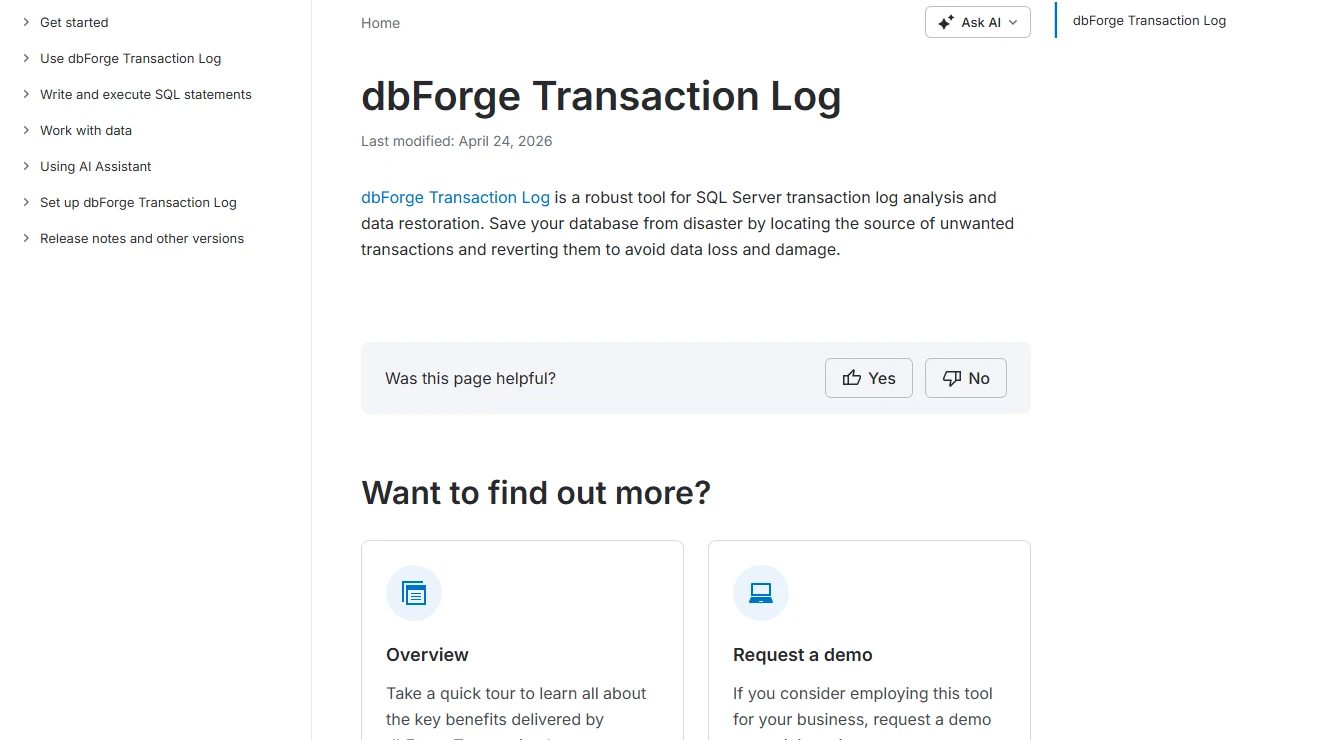
Devart dbForge Transaction Log presents SQL Server log records as transactions and data changes that an operator can review. Its documented recovery workflow can generate SQL to reverse selected operations. That helps when an incident concerns a specific update or delete and the DBA wants to see which rows would change before attempting a correction.
Generated SQL still depends on the decoded row values and the key used to identify the row. A correction based on an earlier version of a record may overwrite a valid update made later. Its strongest use is recovering a small, understood set of changes whose proposed script can be checked against a consistent copy.
Devart is useful when an operator needs to review an incident timeline, exclude unrelated events and inspect resulting SQL. Confirm how the source mode handles the exact full, differential or log inputs you have and the event kinds you need to see.
Start with a restored copy and a known row change. Inspect the generated actions by key and exact result before using them for recovery. Transaction history and the safe SQL to apply now require separate review.
- Compatibility
- Devart documents online and backup-based analysis. Compatible SQL Server versions and input formats depend on the product release.
- License and trial
- Commercial Devart product. The trial and purchased edition can have different recovery or export capabilities.
DBLense Log Reader
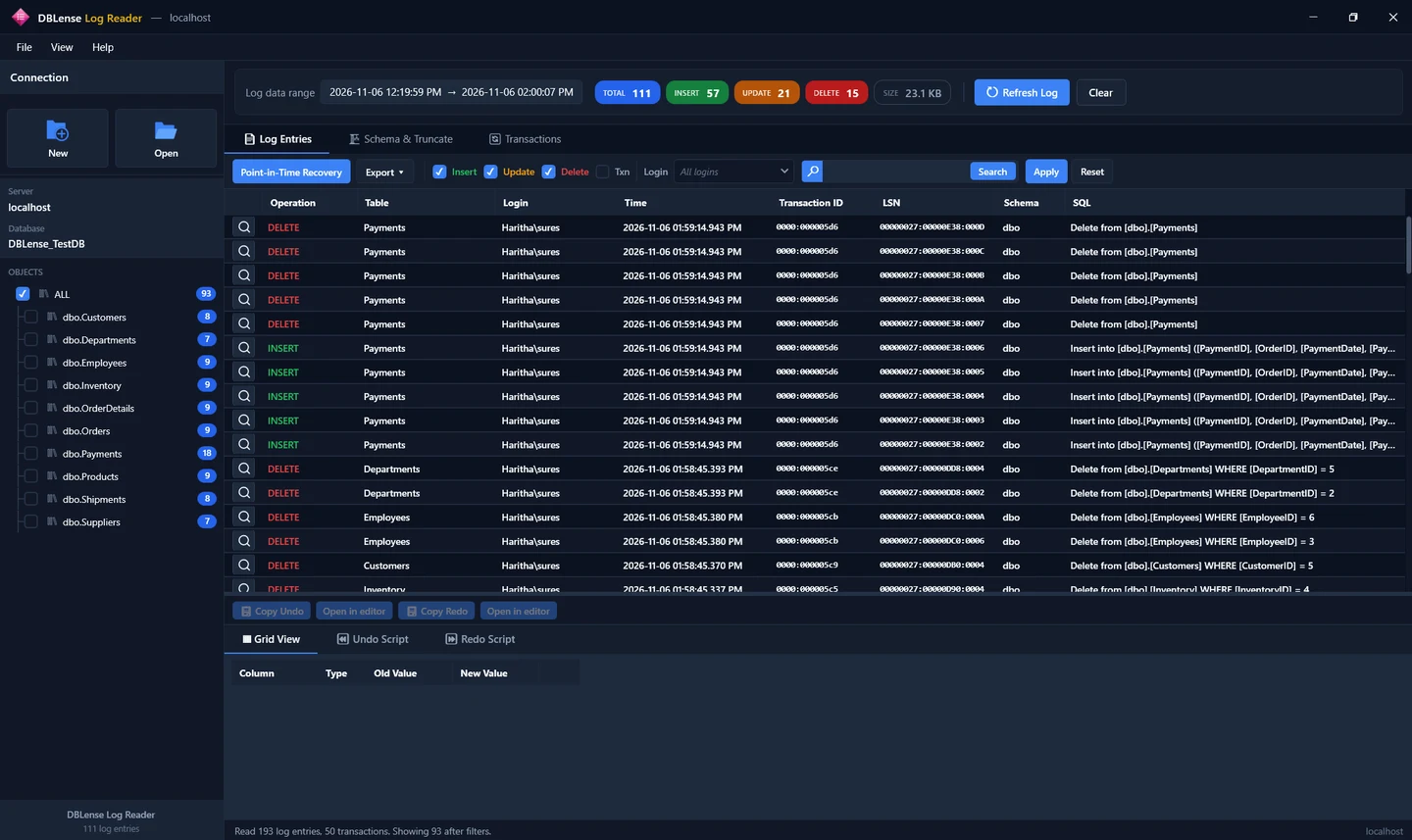
DBLense groups log entries by transaction and exposes decoded row changes, together with draft undo and redo statements. Its documentation distinguishes online reads from LDF, BAK and TRN inputs. That range is useful when the source available after the incident is a file rather than the active log.
The reader uses internal SQL Server functions and still depends on the engine and permissions used to read the source. Its draft SQL covers supported row operations within the retained log window. DROP and TRUNCATE can be seen in the documented schema activity view, but recovering their contents calls for a suitable restore path.
DBLense fits a SQL Server investigation where action, key and visible before and after values need to be reviewed together. Verify the current input path by version and platform before planning which part of the timeline to inspect.
Use filters to isolate the unwanted operation and compare the proposed recovery with later legitimate activity. Save both the observed log evidence and the tested statement from the alternate instance.
- Compatibility
- Publisher documentation lists SQL Server 2016 and later on premises and Azure SQL Managed Instance. Log-file and backup support depends on the input and connection.
- License and trial
- Commercial per-user product with evaluation terms set by the publisher.
Quest ApexSQL Log
ApexSQL Log appears in older Quest documentation as a reader for SQL Server transaction information and recovery scripts. Its value here is for shops that still have the tool and a recovery procedure built around an older supported installation and backup format.
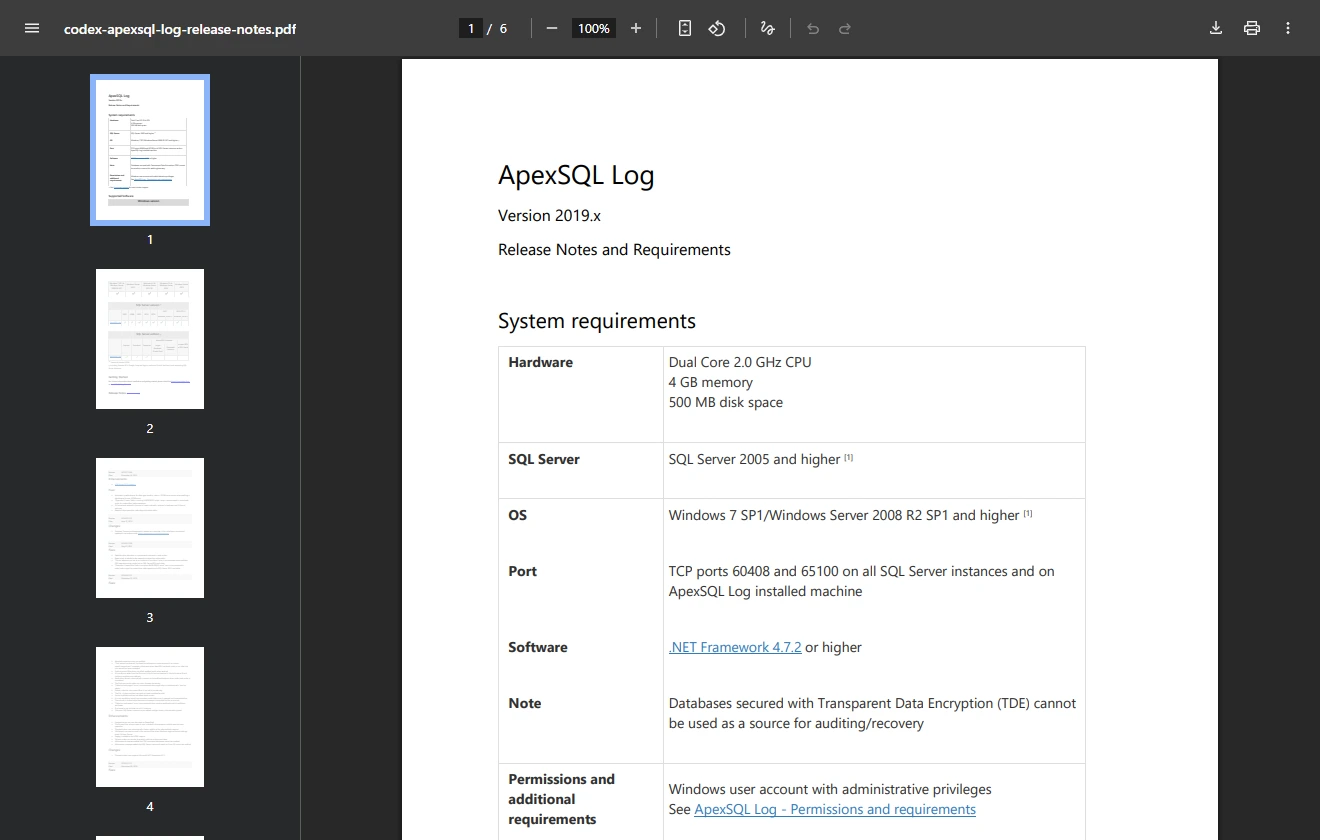
The release requirements are tied to the ApexSQL build. A tool that can read a known historical backup is useful for investigating that system. A newer SQL Server installation or backup format needs current compatibility evidence before the old procedure can be relied on.
Use the available Quest documentation to check the product version against the older SQL Server inputs in your estate. Its legacy scope makes a supported release and license an important filter before relying on the trial.
Test the path you can reproduce with nonproduction files. Keep a recent native restore plan available and compare the tool's decoded output against a known operation and prior matching image.
- Compatibility
- Quest’s referenced 2019.x release requirements describe historical engine and source support.
- License and trial
- Legacy commercial product. Usable licensing and support depend on the existing agreement and build.
Stellar Log Analyzer for MS SQL
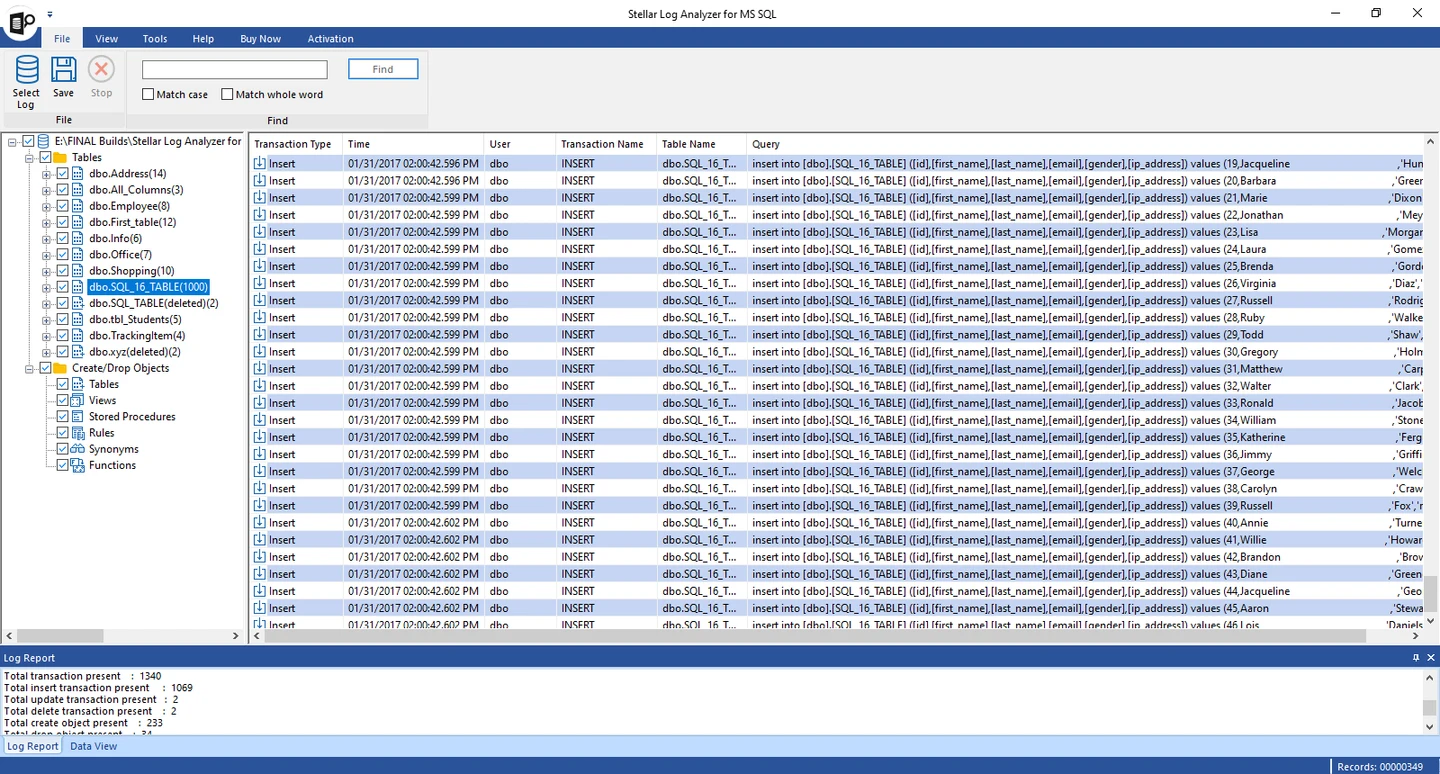
Stellar Log Analyzer is a desktop reader for transaction log files. Its workflow uses the LDF with its associated MDF, which supplies information about the database schema. The preview helps an operator locate reported activity by time or operation without opening the original production files directly.
It fits a recovery case where a safe copy of both files is available and the DBA needs a GUI to inspect or export selected data. The preview and purchased export serve different purposes. Seeing the correct transaction is useful, but the actual row values and destination format determine whether an export can support the repair.
Stellar is relevant when the investigation uses matching MDF and LDF copies. Confirm that the database and log belong together and that the source SQL Server release appears in the product documentation. Inspect one known log action before purchasing export capability.
Review the selected records and output scope. Use a disposable SQL Server copy for recovery SQL or output import, and verify both the intentionally recovered row and the rows that must remain unchanged.
- Compatibility
- Stellar lists SQL Server 2025 and earlier supported releases. The workflow uses matching MDF and LDF files.
- License and trial
- Commercial. A demo can preview results, while saving and export depend on the license.
SysTools SQL Log Analyzer
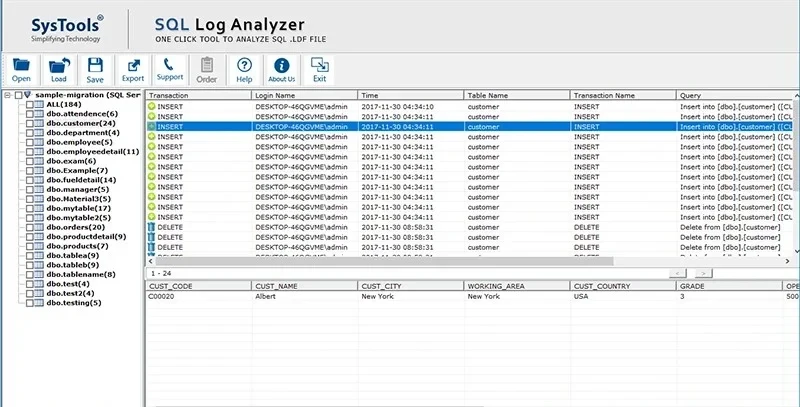
SysTools SQL Log Analyzer offers an online option and an offline LDF inspection workflow. The offline mode reads database definitions from the associated MDF. That makes it a candidate for a detached or copied database when the relevant files are available together.
The source type matters. The vendor’s FAQ excludes transaction log backup files from its LDF viewer workflow, so a standalone TRN belongs in a tool or native restore path that accepts that input. Exported data also needs enough original row detail to be useful for a correction, beyond identifying the transaction type.
SysTools offers separate online and copied-file workflows. Check the selected mode and its dependencies. The offline workflow needs the related data file. Check log-backup coverage separately against the documented offline inputs.
Test the right connection or copied files with a known operation and confirm which fields and export modes are available in the edition under review.
- Compatibility
- Online and offline SQL Server workflows. Offline reading requires the associated MDF, and the documented LDF viewer excludes TRN backups.
- License and trial
- Commercial desktop tool. Demo and paid editions differ in export capability.
dbatools Read-DbaTransactionLog
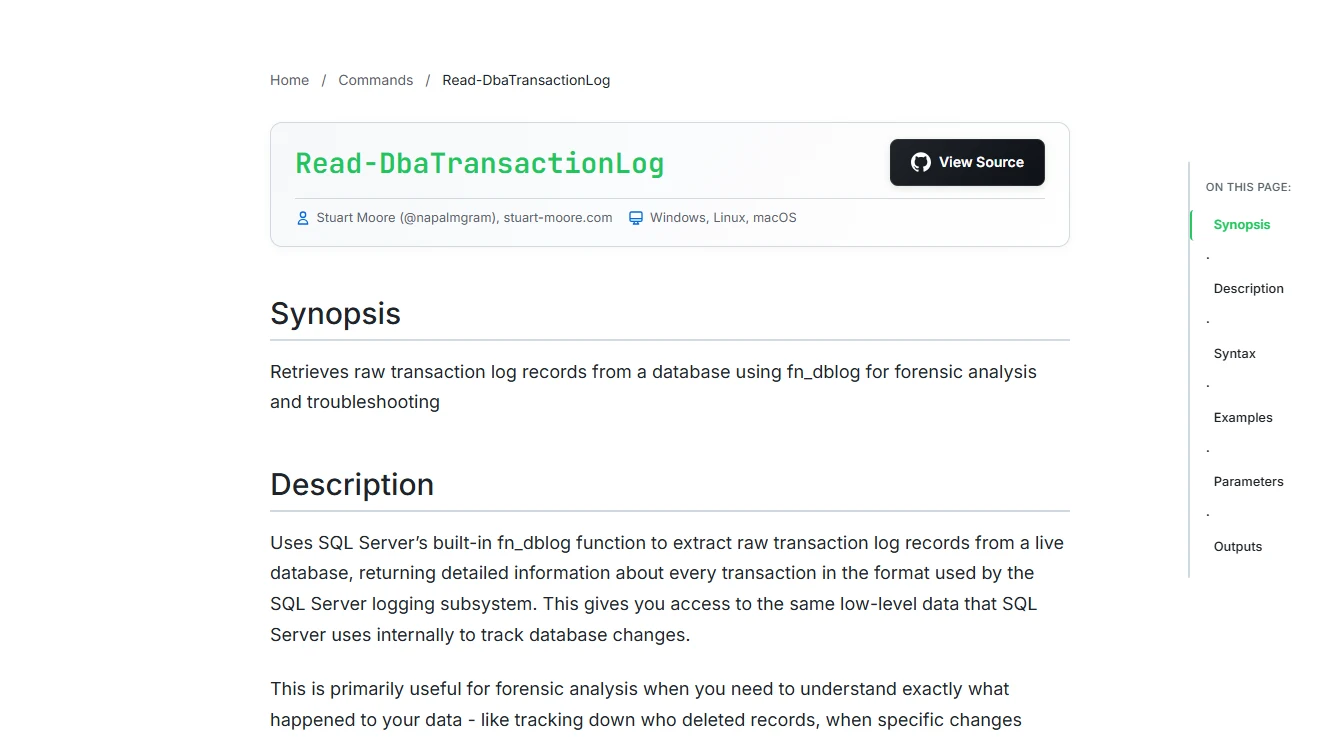
Read-DbaTransactionLog is a PowerShell command in dbatools that reads online log records through SQL Server’s internal fn_dblog function. The output can expose fields such as the operation, transaction ID and log sequence number. Those fields let an operator correlate low-level activity with a known incident timeline.
It makes sense for a DBA already working in PowerShell who needs raw records on an isolated copy. The command’s default size guard is relevant because large scans can put work on both SQL Server and the client. Interpreting the records and writing a safe correction remain separate steps.
Use the dbatools command for a focused lab or PowerShell investigation where the documented default guard is appropriate. The online log view depends on the SQL Server data it can access and the records still available.
Filter a small set of transactions by the known example and retain its output before proposing recovery. Compare the result with a fresh native restore when the operation has already aged out of the online log.
- Compatibility
- Online SQL Server database using fn_dblog. dbatools documents a default 0.5 GB safety limit.
- License and trial
- Community PowerShell tooling. Operational support depends on the installed version and team.
LogCarver
LogCarver is a community SQL Server log parser built around fn_dblog. The project reconstructs supported insert, update and delete history from online log records. A reconstruction can be easier to reason about than raw records when an investigation needs to connect a change to a particular row.
It fits a lab or investigation with a known retained log window and an engineer who can independently compare decoded results with test data. The parser’s coverage depends on the table and the way values were stored. A gap in the decoded results can reflect a type, layout or retention limit in the source.
LogCarver can help an engineer reason about supported log records and reconstruct a small history. Check the project's SQL Server and data-type coverage. The ability to decode one incident should be validated against known rows.
Keep a copy of the source dataset and run the experiment under the project's documented permissions. Compare decoded values and types with the original and changed row images.
- Compatibility
- Uses fn_dblog. Supported SQL Server versions and data layouts depend on the project’s documented coverage.
- License and trial
- Community project with licensing and maintenance information in the repository.
MSSQLLogAnalyzer
MSSQLLogAnalyzer is an open-source project for reading an online SQL Server transaction log through fn_dblog. Its examples expose the transaction identifier and log sequence number alongside reconstructed undo and redo SQL. This can give a developer a starting point for a reproducible investigation on a disposable database.
The generated statements need enough key information to identify the same row the original transaction touched. Tables with composite keys or unsupported values can expose gaps in the decoder. Its value is as a transparent project an engineer can inspect and compare with a known fixture before depending on the output.
MSSQLLogAnalyzer is most useful in a test environment where you can inspect how the project decodes records. Verify online access, supported data and required SQL Server privileges first.
Use a controlled transaction and compare reported IDs and values against the lab table. Evaluate how to preserve or export the evidence and whether the relevant operation stays available after another write.
- Compatibility
- Online SQL Server database through fn_dblog. Source privileges and decoding coverage depend on the setup.
- License and trial
- The repository lists GPL-3.0. Maintenance and support follow the community project.
SQL Server transaction log readers by source
| What you need | Tools to shortlist | What to verify |
|---|---|---|
| Read a database or supported log backup | Verify the engine and source format. Find a known transaction and compare the generated recovery SQL with a restored copy. | |
| Analyze a matching offline MDF and LDF pair | Check both files and the source version. Verify what the preview can show and what the paid edition can export. | |
| Reproduce an established legacy workflow | Confirm the installed build, licensing and support for the exact database or backup version. | |
| Inspect or decode raw online log records in a lab | Start with a restored database. Verify internal function access, scope and decoder output against known rows. |
Start with the SQL Server log input you have
SQL Server can reuse log space after transactions and other dependencies no longer require it. An active log can give you only part of the history. Backups can provide another recovery path when the backup chain and the reader's supported formats match the incident.
The database is online
Inspect the available log
Check retention, engine version, applicable SQL privileges and the earliest operation you can verify.
You have matching data and log files
Use the supported offline reader
Work on copies and confirm which version and file combinations are eligible.
You have SQL Server backups
Review supported backup types or restore
Check the log chain and product support. A native point-in-time restore gives another route to the affected rows.
Recover the row while preserving a later change
Use the fixture to mark the order of two separate commits. Identify the unintended delete, then validate a targeted recovery with later writes present. A restore to the first point is useful for retrieving data. Replacing the current database at that point would take it back before the later valid update.
| Stage | Order 102 | Order 103 |
|---|---|---|
| Prepare | Present with amount 30.00. | Present with amount 40.00. |
| Unintended delete | Missing after the first commit. | Still 40.00. |
| Later valid update | Still missing. | Now 45.00. |
| Targeted recovery | Recovered at 30.00. | Still 45.00. |
How to compare these tools
Give each reader the same known timeline, including a later legitimate change. Check whether it can find the event and whether any corrective SQL preserves the later change. Test against a copy. Sources checked .
Find a known transaction and test recovery on a restored copy
Use an empty LogReaderEvidenceLab database with a planned audit or backup approach. Run prepare, then make the separate delete and update commits. Record their UTC times and inspect the log with the documented input. Test any recovery SQL on an isolated copy.
Synthetic committed SQL Server changes for a log reader test
T-SQL · 40 lines
- Prepare the isolated fixture and record the original three rows. Configure test backup and retention according to the documented input you will use.
- Run delete and update in separate batches. Record the two observed timestamps and the final rows.
- Find the unintended delete in the supported reader and inspect the available key and value details. Obtain the missing row from a documented backup or an eligible captured row image.
- Apply only the reviewed change to a recovered test copy that includes the later valid update. Run check and confirm order 102 is restored with amount 30.00 and order 103 remains 45.00.
Conclusion
Choose for the input you have and the result you need. A log reader helps explain a known operation or draft a selective correction when usable records are still present. A restored copy provides a reference for verifying the data. Keep permissions, source-file custody and recovery validation in the runbook.
Frequently asked questions
Can I read a SQL Server LDF file without the MDF?
It depends on the tool and the metadata it can obtain from the source. Stellar and SysTools document an associated MDF workflow. Check the exact input requirements before buying or moving any recovery files.
Can a SQL Server log reader open a TRN file?
Some tools explicitly support transaction log backup files. DBLense documents TRN support. SysTools documents an MDF and LDF workflow for its analyzer. Verify the backup version, file set and feature support on a copy.
Can a log reader undo an accidental SQL Server DELETE?
It may reconstruct enough row information to draft an insert or another corrective step. Compare the result with a restored copy and check subsequent changes, keys and constraints before using any generated SQL.
Can I get the exact original SQL statement from the transaction log?
The engine records changes and transaction information it needs for recovery. Reader-generated undo or redo is reconstructed from available records. Use the applicable audit or application records for additional statement and identity context.
What happens after SQL Server reuses transaction log space?
Records may no longer be available in the online log. Look for a supported log backup that covers the interval. Keep the original backup chain intact and validate the required restore point on a separate target.
Can a transaction log reader undo one delete without rolling back other work?
Use the reader to identify the correct operation and its affected keys. A targeted correction needs the original data and a copy that contains later valid changes. Review its SQL and compare both affected and unrelated rows after applying it.