

A SQL Server CDC connector for Kafka turns database changes into events applications can consume. Some readers poll SQL Server CDC tables, while others read supported transaction logs or use managed migration services. The capture method affects privileges and retention. The output configuration affects keys, partitions, schemas and how consumers observe updates or deletes.
The main decision is who operates the source reader and messaging infrastructure. Debezium and Redpanda Connect give teams direct control. Confluent offers a managed connector, and enterprise replication tools can add a Kafka target to an existing estate. An initial snapshot, an interrupted connection and a schema change reveal whether the event stream meets a downstream consumer’s requirements.
SQL Server CDC connectors for Kafka at a glance
Start with the actual Kafka delivery path and chosen message format. Source capture and downstream stream semantics each need their own check.
| Tool | Capture and delivery path | Control to verify | Trial evidence |
|---|---|---|---|
| Debezium SQL Server Connector | Kafka Connect SQL Server source connector | CDC table setup, keys and transforms | Snapshot, update, delete and configured tombstone |
| Confluent Cloud SQL Server CDC Source V2 | Managed Debezium-based source connector | Supported connectivity, mode and transforms | Managed connector state and actual topic messages |
| Redpanda Connect SQL Server CDC | SQL Server CDC input with configured output | Checkpoint store, output and acknowledgment | Read source changes and retry evidence |
| AWS Database Migration Service | SQL Server CDC task to supported Kafka target | Endpoint, topic and DMS message settings | Actual DMS event schema and consumer behavior |
| Qlik Replicate | Documented SQL Server source and supported Kafka target | Installed endpoint support and event settings | Key and operation shape after restart |
| Striim | SQL Server stream and supported Kafka output | Source and output adapters and recovery settings | Emitted change event and consumer state |
| Oracle GoldenGate | Supported SQL Server capture and Kafka delivery workflow | Exact product, metadata and handler setup | Verified event keys and operations |
| IBM Data Replication | Supported SQL Server CDC with applicable Kafka integration | Version, connector scope and output format | Subscription state and recovered consumer |
| IBM StreamSets Data Collector | SQL Server CDC origin with configured Kafka destination | Origin state, destination and error handling | Reported progress and real event payload |
| Estuary Flow with Dekaf | SQL Server capture and Kafka-compatible reading via Dekaf | Collection keys and Dekaf supported client behavior | Record stream and application projection |
Debezium SQL Server Connector
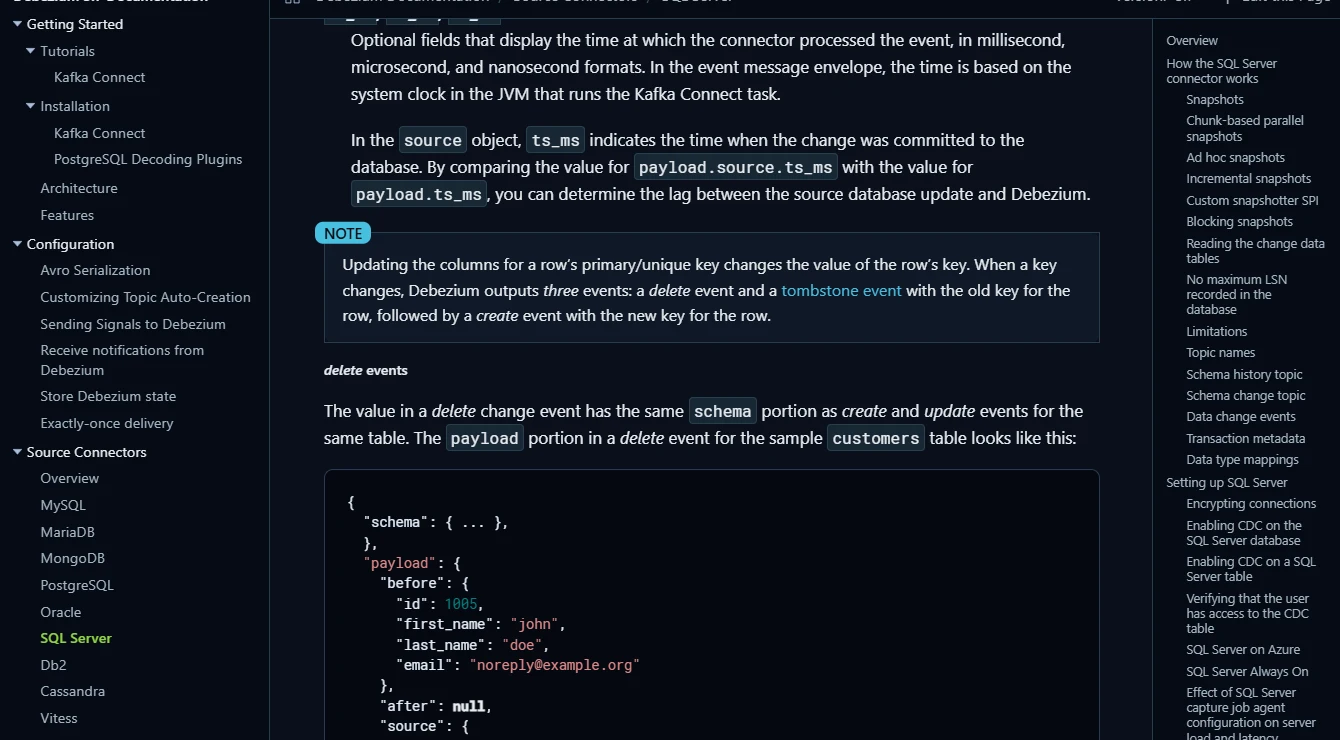
Debezium’s SQL Server connector snapshots supported tables and publishes row-level events from SQL Server CDC. It is useful when a team wants a well-documented Kafka Connect source and can control how topics, offsets, schema history and consumers operate.
Its value is a rich change event that downstream systems can interpret. Log and CDC retention, keys and connector configuration affect what happens after an outage. A consumer must account for schema changes, deletes and repeated delivery when it turns events into state.
Use the documented SQL Server CDC table configuration and the intended serialization and transformation settings. Review the default delete and tombstone behavior and choose the event envelope the consumer expects.
Run a snapshot and then update and delete the same key. Record offsets and inspect events before compaction, then see what the configured consumer produces after retry.
- Compatibility
- Debezium with a supported runtime, SQL Server CDC and Kafka infrastructure.
- License and trial
- Free, open-source software. Broker and hosting terms apply.
Confluent Cloud SQL Server CDC Source V2
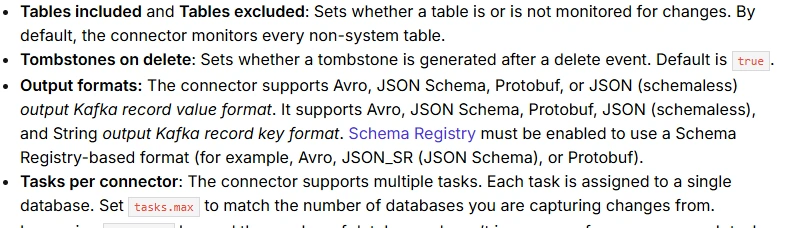
Confluent Cloud’s managed Microsoft SQL Server CDC Source V2 uses Debezium to publish SQL Server changes to Kafka. It is useful when a Confluent Cloud team wants the capture runtime managed with the broker and needs supported output and schema options.
Managed operation removes some runtime maintenance, while source networking and CDC still need configuration. Connector limits, offsets, topic layout and schema change behavior affect the result. That is particularly important when existing Kafka consumers depend on a specific key or envelope.
Verify the managed connector's specific SQL Server source requirements and connectivity. Save connector version and selected transforms or topic settings with the expected event contract.
Inspect the actual managed topic after updating and deleting the lab key. Compare observed event shape and restart behavior with the deployment's documented defaults.
- Compatibility
- Confluent Cloud and a reachable supported SQL Server CDC source.
- License and trial
- Commercial Confluent connector and Kafka usage.
Redpanda Connect SQL Server CDC
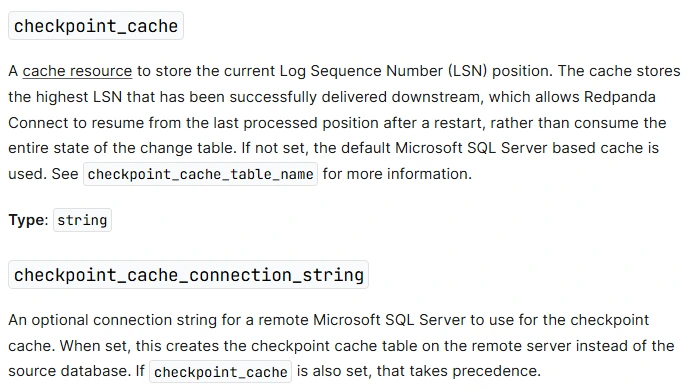
Redpanda Connect’s Microsoft SQL Server CDC input can stream the initial rows when configured and poll the SQL Server CDC change tables afterward. It can publish through a Kafka-compatible output. This is useful when an engineering team wants a configurable pipeline with explicit checkpointing and event routing.
The connector depends on SQL Server’s CDC capture job and the configured checkpoint cache. Snapshot isolation and the database’s available history affect startup and catch-up. Output keying and partitions still govern what consumers can order and replay.
Configure the documented SQL Server CDC input, checkpointing and output semantics. Record what gets acknowledged only after delivery, especially during an output or network interruption.
Run a controlled target outage and restore only the disposable connection. Verify delivered events and any duplicate work the consumer needs to recognize.
- Compatibility
- Redpanda Connect with the SQL Server CDC input and compatible Kafka output.
- License and trial
- Applicable Redpanda software and deployment terms.
AWS Database Migration Service
AWS Database Migration Service can capture changes from supported SQL Server sources and write records to an eligible Apache Kafka target. It is useful when teams already operate DMS migration tasks or need to deliver SQL Server changes into an AWS-centered streaming environment.
The Kafka target configuration determines routing and record format. DMS source permissions and retention requirements vary with the SQL Server deployment. Consumers should check the actual event envelope and metadata before assuming compatibility with Debezium-style events.
Check both SQL Server CDC source requirements and the supported Kafka target options. Confirm topic conventions and message format from the DMS documentation rather than assuming a Debezium envelope.
Inspect one update and delete from the known source and compare keys. Test an unavailable target and record how DMS and the consumer recover along the actual configured path.
- Compatibility
- AWS DMS with supported SQL Server source and Kafka target.
- License and trial
- AWS replication and messaging infrastructure charges apply.
Qlik Replicate
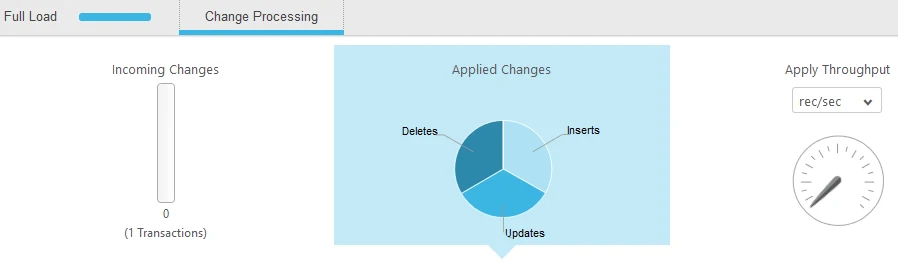
Qlik Replicate supports supported SQL Server sources and Kafka target configurations. It can initialize a task and then continue publishing changes. It is useful for teams that already use Qlik Replicate and want controlled task state and monitoring around source and delivery latency.
The selected SQL Server endpoint determines what capture requires. Kafka destination settings determine message formats and partitions. Maintaining a target table from those events remains a separate consumer responsibility, especially around schema changes and delete handling.
Check the installed SQL Server source and Kafka target capabilities and choose the exact task settings. Review how the target message encodes table, key and operation.
Restart the disposable task after changes and compare delivered messages with source rows. Record any tables or keys that behave differently under the selected target settings.
- Compatibility
- Supported Qlik Replicate SQL Server and Kafka endpoints.
- License and trial
- Commercial Qlik licensing and Kafka infrastructure costs.
Striim
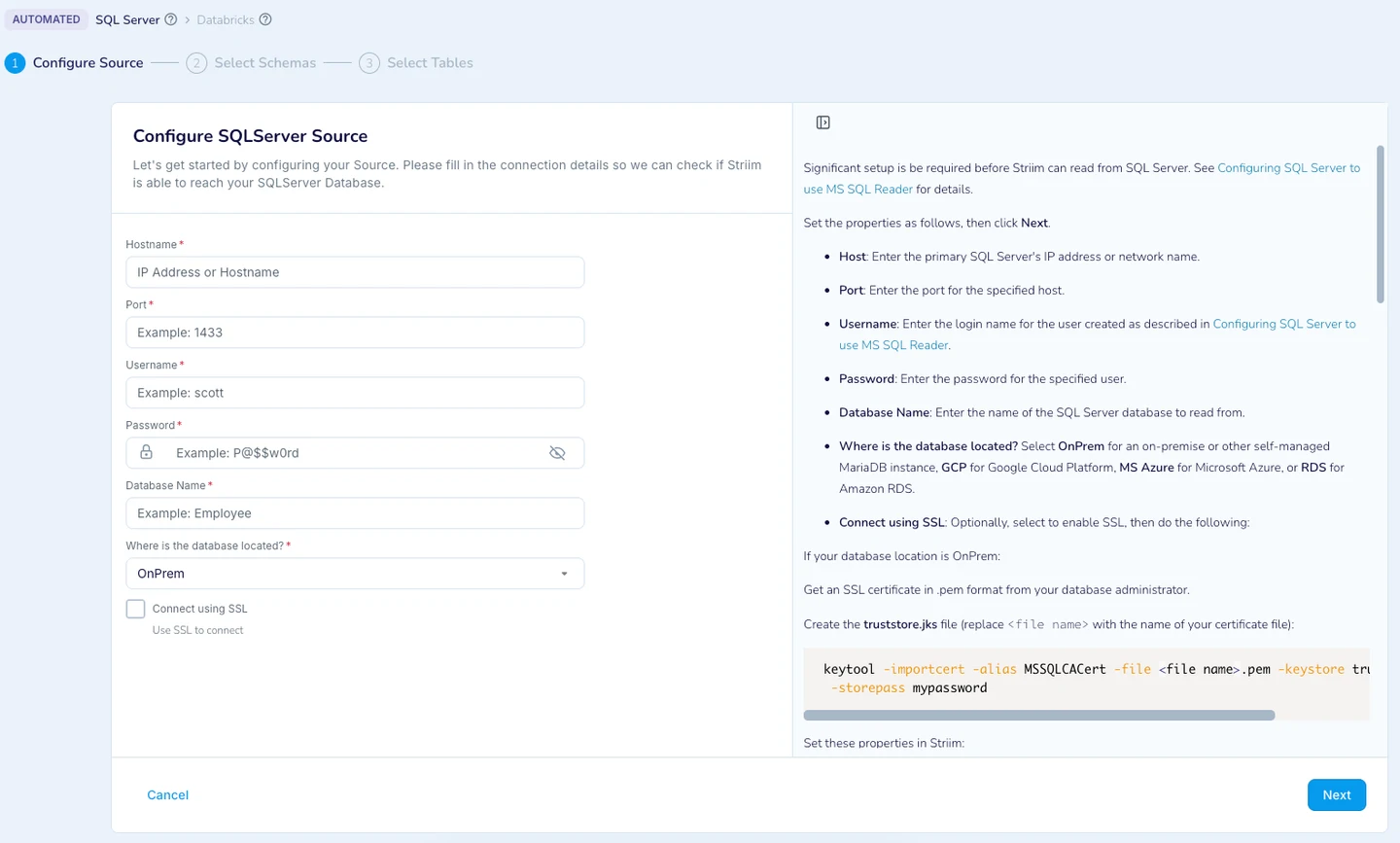
Striim can use SQL Server CDC as a data source and publish through a Kafka writer. Its pipelines can transform or route the records before publication. It is useful when an organization wants more than a straight change feed and can operate a supported Striim deployment.
The capture and Kafka writer choices shape the final event contract. Pipeline transformations can change what metadata remains, and the configured output determines delivery and retry behavior. Consumers need the resulting keys and schemas to interpret updates consistently.
Verify the SQL Server and Kafka adapters and define how the pipeline shapes records. Keep source checkpoint and output serialization settings available for review.
Run the known update and delete through an interrupted pipeline. Record each event and compare consumer behavior after a replay, including which keys the sink updates.
- Compatibility
- Supported Striim SQL Server source and Kafka writer configuration.
- License and trial
- Commercial Striim licensing and messaging infrastructure.
Oracle GoldenGate
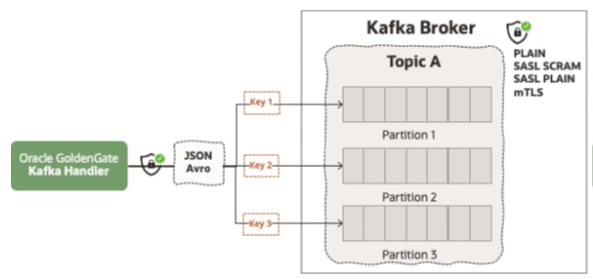
Oracle GoldenGate can capture supported SQL Server changes and use a configured Kafka delivery path through GoldenGate’s data integration components. It is useful when an enterprise already uses GoldenGate trails and wants the same operations workflow around a Kafka stream.
The capture position and trail determine which events can be delivered. The Kafka handler influences topics and payload shape. Supported SQL Server operations, target configuration and replay ability need to be tested as independent parts of the workflow.
Confirm SQL Server and Kafka delivery compatibility for the actual GoldenGate release and handler. Document how keys, source data and operation kinds are represented.
Match topic events to the fixture and confirm how a consumer handles duplicates. Record source capture position and producer outcomes under the supported retry path.
- Compatibility
- Eligible GoldenGate deployment, Microsoft SQL Server source and compatible Kafka handler.
- License and trial
- Commercial Oracle licensing and Kafka costs.
IBM Data Replication
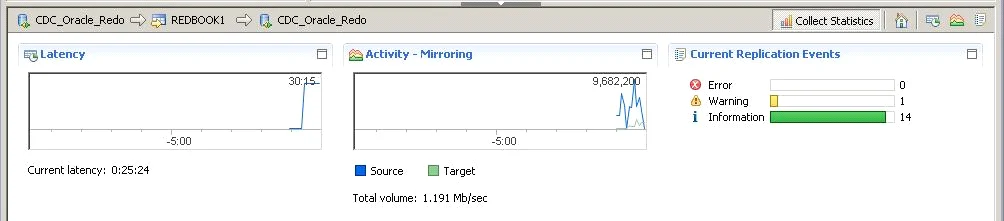
IBM Data Replication can use eligible SQL Server capture and a supported Kafka target engine. It is useful when an organization already operates IBM CDC Replication and needs source subscriptions and delivery monitoring in the same environment as other replicated databases.
The useful comparison is which source engine, target engine and event format are supported in the installed version. SQL Server log retention and topic layout affect catch-up and consumer behavior. The pipeline needs a documented recovery position if either side is unavailable.
Review the exact IBM SQL Server and Kafka integration pairing and select the documented subscription or adapter. Record the correct broker and payload requirements.
Test the consumer against the actual event keys and operation after resuming. Record the subscription and broker state separately so a partial retry is visible.
- Compatibility
- Compatible IBM source and Kafka target engines with a supported SQL Server deployment.
- License and trial
- Commercial IBM licensing and messaging infrastructure.
IBM StreamSets Data Collector
IBM StreamSets Data Collector offers a SQL Server CDC Client origin and a Kafka Producer destination in supported pipelines. It is useful when a team needs a graphical dataflow and wants to map, route or validate events before sending them to Kafka.
The origin establishes what SQL Server changes can be read, and the pipeline can deliberately change their shape. Kafka topic configuration, offsets and error records need to be preserved for review. The deployed connector versions determine which source and broker settings work.
Use the documented SQL Server CDC origin and configured Kafka destination. Choose a supported record format and record how offsets, errors and retries are reported.
Collect a known event after the source update and delete and verify the resulting consumer state. Confirm the isolated retry scenario exposes the evidence the operator will need.
- Compatibility
- StreamSets with the SQL Server CDC Client stage and Kafka Producer setup.
- License and trial
- Commercial IBM StreamSets terms and Kafka costs.
Estuary Flow with Dekaf
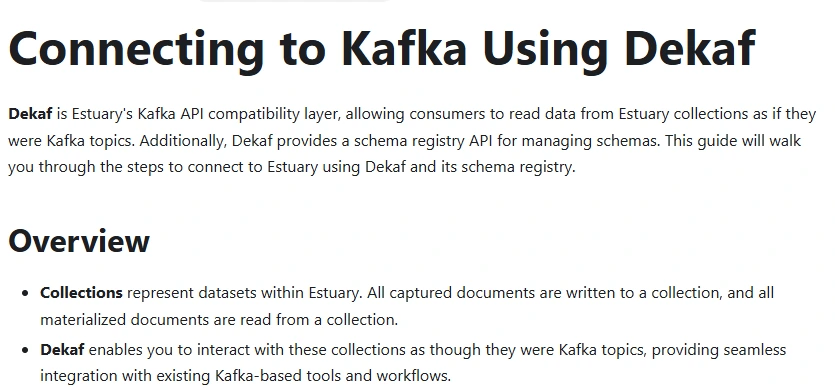
Estuary Flow can capture SQL Server changes into collections and expose those collections to Kafka-compatible clients using Dekaf. It is useful when downstream services expect Kafka APIs but the team wants Estuary to manage capture and its collection history.
The main distinction is that Dekaf serves access to Estuary collections. A consumer can read those events through the compatible interface, while a separately owned Kafka cluster and topic layout would be another deployment choice. Collection keys and retained data still determine replay.
Check the supported SQL Server capture and the documented Dekaf Kafka-compatible reading path. A Flow collection can be read through this interface with its own schema and keys.
Compare the actual consumer and character of the emitted records before establishing a contract. Validate the documented event or deletion handling with the same source fixture and a consumer restart.
- Compatibility
- Estuary SQL Server capture, appropriate collection and Dekaf configuration.
- License and trial
- Estuary service and any related client infrastructure terms.
Which SQL Server to Kafka setup fits?
| What you need | Tools to shortlist | What to verify |
|---|---|---|
| Managed or self-managed CDC connector | Confirm the SQL Server version, partition key, output format and recovery position. | |
| An existing replication or data pipeline runtime | Check how its Kafka target formats, keys and publishes an update or delete. | |
| Kafka clients reading an existing Estuary collection | Use the Dekaf endpoint and verify consumer offset, schema and latest-state behavior. |
Choose the SQL Server CDC message contract before running the connector
Record topic selection, serialized key, operation field, schema, delete handling and the checkpoint or offset. A consumer interpreting Debezium's defaults may not be compatible with another connector's envelope. Verify those values on real generated test records.
For Debezium SQL Server, the documented default emits a tombstone after the delete event. Optional transforms and target modes can change this. Inspect before compaction when verifying every event and test the consumer after a restart.
Build current state from table events
Validate a stable key and deletion semantics
Confirm the sink removes or marks the key correctly.
Retain every individual change for audit or replay
Verify topic retention, ordering and event shape
Record payloads and compaction behavior for the selected policy.
Restart without corrupting state
Exercise offset recovery and duplicate handling
Capture replay evidence and verify the idempotent consumer.
Verify Kafka update, delete and replay behavior for one key
Use the disposable KafkaCdcTrial database and a dedicated test topic. Run Setup, then complete the initial snapshot. Run Update and Delete separately, waiting for the intended consumer or topic observation between them. The same business key should be identifiable across the event sequence.
Save topic, partition, message offset, key and operation for each observed record. If a connector emits duplicates or tombstones, check the consuming service's documented behavior. Restart the lab consumer, then confirm the current-state projection has no remaining active key 11.
| Stage | SQL Server fact | Consumer verification |
|---|---|---|
| Snapshot or first load | Key 11 amount 20 | Initial current record is visible |
| Update | Key 11 amount 25 | Update reaches the same logical key |
| Delete | Key 11 removed | Delete event and additional tombstone where configured |
| Consumer restart | Source remains unchanged | No active key 11 and any repeat deliveries handled |
How to compare these tools
Insert, update and delete a row with a known key. Inspect topic payloads, ordering for the key and the consumer result, then restart from a saved position. Sources checked .
Read the Kafka delete and replay the topic
Run the script in an empty disposable KafkaCdcTrial database. Capture the committed Setup, Update and Delete steps separately through the connector and consumer. Save original topic messages before applying any disposable compaction or retention checks.
Produce a known SQL Server event sequence for Kafka CDC
T-SQL · 31 lines
- Select documented capture and delivery modes with a fresh topic and test consumer. Record the seed state and capture the first message or loaded row.
- Run Update, observe the event and then run Delete. Record key, partition, offset and operation and verify the expected consumer state.
- Run an approved connector or consumer restart and compare duplicate handling and current data. Record any effect of tombstone or topic compaction policy on reviewed events.
Conclusion
Start with the connectors that fit your SQL Server version and Kafka operating model. Require a captured example of each operation and a replay that ends with the correct rows. Keep the snapshot configuration, source checkpoint, Kafka offsets, and last consumer result together. That gives you a recovery check you can repeat.
Frequently asked questions
How do I get SQL Server CDC events into Kafka?
Configure a supported SQL Server source and capture method, then select the connector’s Kafka target or managed topic. Establish an initial-load point and test inserts, updates and deletes in the format your consumer uses.
What is a Kafka tombstone in a SQL Server CDC stream?
A tombstone is a Kafka record with a key and a null value. A connector may send it after a delete envelope so log compaction can remove older records for that key. Check which records your connector and transforms produce.
Does Kafka preserve the order of SQL Server changes?
Kafka preserves record order within a partition. Check the connector's key and partition routing for the same business key. Use transaction metadata and a consumer designed for cross-partition ordering if you need to act on a whole source transaction.
What is the difference between a CDC checkpoint and a Kafka consumer offset?
The CDC checkpoint is where source capture resumes in SQL Server or the connector's saved state. A Kafka consumer offset tracks where a consumer reads within a topic partition. Verify both when rehearsing capture recovery and replay.
Does replay create duplicate SQL Server rows at the Kafka consumer?
Replay re-delivers records to the consumer. Use the business key, operation, and the appropriate source or event position to make apply repeatable. Check the final rows and any downstream side effects in the lab.
Is a Kafka tombstone the same as the SQL Server delete event?
Check the connector and transform. In the documented default Debezium behavior, the tombstone is a separate record after a delete event that can be used by Kafka compaction.
Which identifier should the consumer use to reconcile SQL Server event records?
Confirm the configured message key and its relationship to the business key. Use documented event identity and offsets for replay analysis, and test what happens across retries.