

A SQL Server diagram can explain an existing relationship, show an intended design, or help create a database change. These uses are easy to confuse because the lines can look the same. A virtual foreign key can document a join the application relies on. A real foreign key is a database object that SQL Server can enforce.
SSMS, DBeaver and DataGrip are useful when an engineer starts with an existing database. DbSchema, SqlDBM and Navicat Data Modeler are worth considering when the model needs its own review or a path to deployment SQL. dbForge combines diagramming with a connected SQL Server workflow, while erwin and ER/Studio fit larger modeling programs. The main questions are where each relationship is stored, who can share or edit it, and whether saving the design changes the database.
SQL Server ER diagram tools at a glance
Distinguish live inspection from editing a design model. Check the exact edition before counting on offline DDL import, collaborative review or synchronization.
| Tool | Start from | Relationships and diagram | DDL workflow |
|---|---|---|---|
| SQL Server Management Studio | Connected database with diagram support configured | Inspect physical keys and save the diagram in SQL Server | Changes in the physical designer target the database. Review a script separately. |
| DbSchema | Connected schema or saved design model | Store virtual foreign keys with model diagrams | Review physical changes generated from the model |
| SqlDBM | Supported DDL import or direct connection where available | Browser-based physical models and editable diagram views | Generate SQL with forward engineering and review it |
| Navicat Data Modeler | Existing database or new logical or physical model | Use a model file and share diagram exports | Generate SQL or compare and synchronize supported physical models |
| dbForge Studio for SQL Server | Connected SQL Server database | Work with a database diagram and connected objects | Review physical object changes and separate them from display changes |
| DBeaver | Connected schema or custom diagram | Add virtual keys in the client and export the view | Physical edit workflow has separate prerequisites and scope |
| DataGrip | Introspected SQL Server objects | Diagram selected objects including client-defined foreign keys | Use the database and SQL tools for reviewed physical changes |
| erwin Data Modeler | Reverse-engineered source or physical model | Model logical and physical structures with platform settings | Select SQL Server object types for generated DDL |
| ER/Studio Data Architect | Existing database or platform-specific design | Build logical and physical model views | Review generated database definitions against the target release |
SSMS Database Diagram Designer
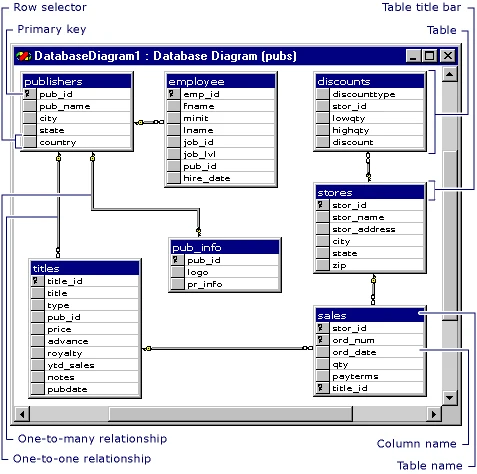
The SSMS Database Diagram Designer draws tables and keys from a connected SQL Server database. An existing application can be divided into smaller views around a feature or group of tables. Column display options make it easier to expose the keys needed for an investigation without filling the diagram with every field.
It is a useful built-in choice when the database already has working diagram support and the audience uses SSMS. The initial setup requires a db_owner member, and saved diagrams live in database support objects. Saving table or relationship edits can change the database, so inspecting a diagram and designing a change are different permissions and review questions.
Use Diagram Designer to inspect the known SQL Server database once its support objects are configured. The initial setup requires a member of db_owner according to Microsoft. Confirm that the intended reader can open the existing diagram, and test what the user can discover independently through catalog views.
Add the parent and child tables and inspect both columns of the composite relationship. A diagram saved in the database has a database-level lifecycle. If the audience needs a stable handoff, record the schema version and keep a separate export or approved description alongside the release.
- Compatibility
- SSMS on Windows against a SQL Server database with Database Diagram Designer support configured.
- License and trial
- Included with SQL Server Management Studio. Database permissions govern setup and access.
DbSchema
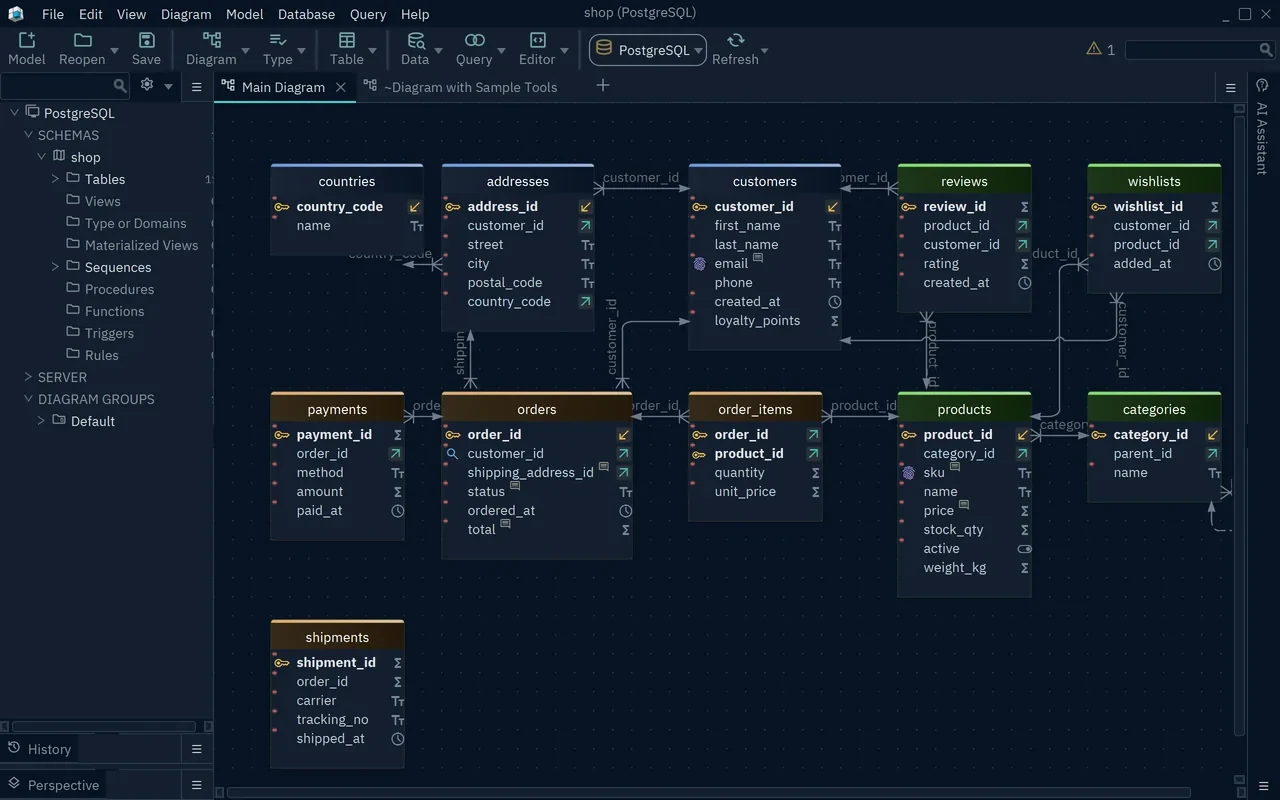
DbSchema reverse-engineers SQL Server into a model that can hold physical definitions and virtual relationships. This separation is useful for a legacy database where the application joins two fields that have no foreign key constraint. The model can show that relationship without adding an enforced constraint to the server.
The product is a good fit when design work needs an offline project and schema changes have to be reviewed before deployment. Pro can compare the model with a target and generate synchronization SQL. Model-only relationships can help explain the application, while physical constraints and their generated SQL need their own approval.
DbSchema distinguishes physical foreign keys in the database from virtual foreign keys kept in the model. Use a virtual relationship to explain a deliberate logical join where the legacy source has no constraint. Put the designation beside the relationship so readers can tell why unmatched source rows are possible.
Work through a live refresh using a composite key rather than a single numeric ID. Confirm that both columns and their order survive. If you generate a schema change from the model, review the script for physical constraints and compare that output against the relationships you intended to enforce.
- Compatibility
- Windows, macOS and Linux desktop client with documented SQL Server and Azure SQL connections.
- License and trial
- Free Community and commercial Pro editions. Model saving and schema synchronization are listed under Pro.
SqlDBM
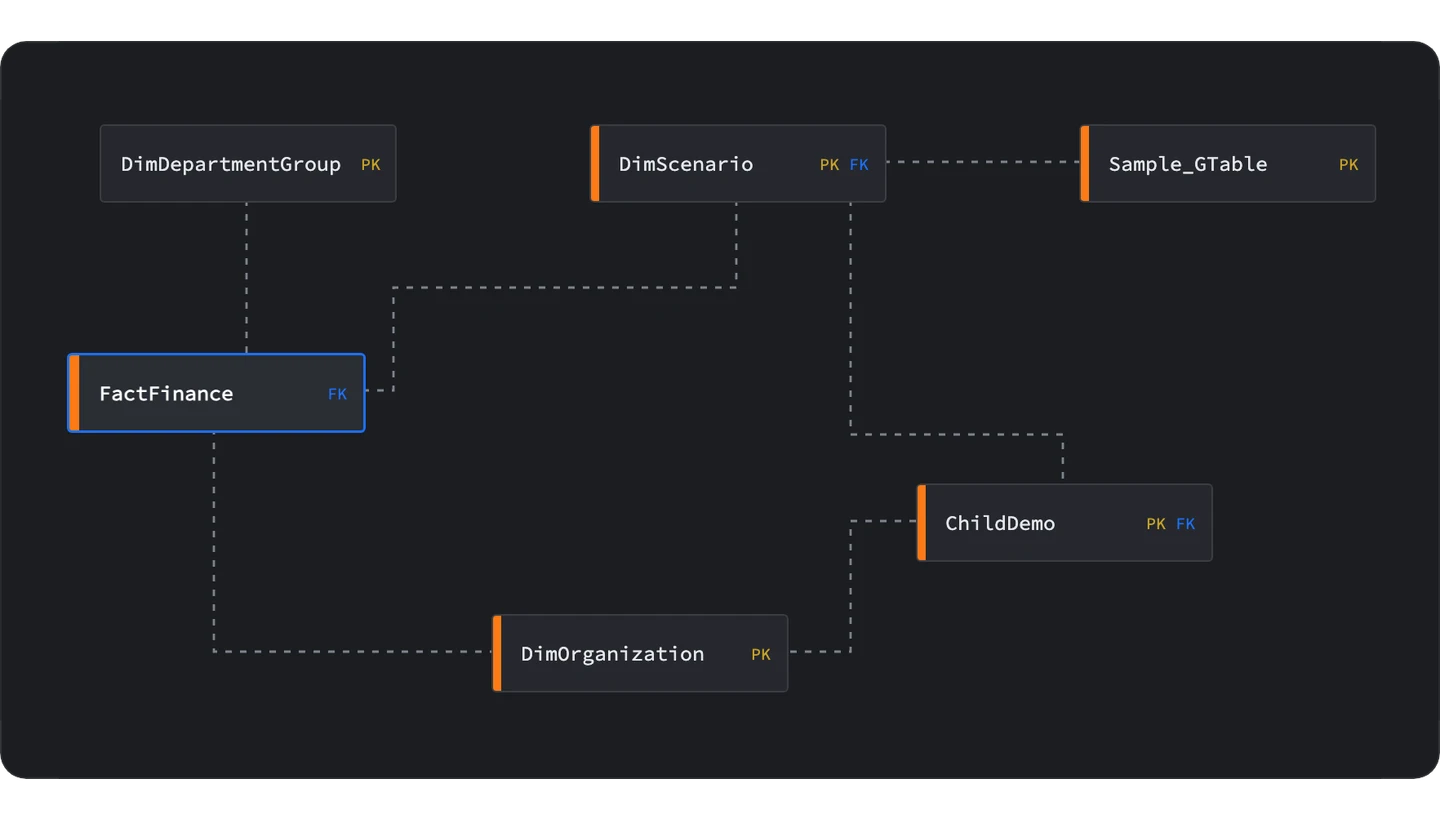
SqlDBM provides browser-based database modeling, including physical SQL Server work and schema import from DDL. A shared project lets reviewers discuss the logical design and inspect the physical columns and keys. That can be useful when the application team is distributed and its database stays on a private network.
It makes more sense as a collaborative design workspace than as a quick desktop diagram of one table. Direct connectivity depends on the environment and plan, so DDL import can be the practical route. The schema itself may contain sensitive names or notes, which makes the project’s access and upload policy part of the decision.
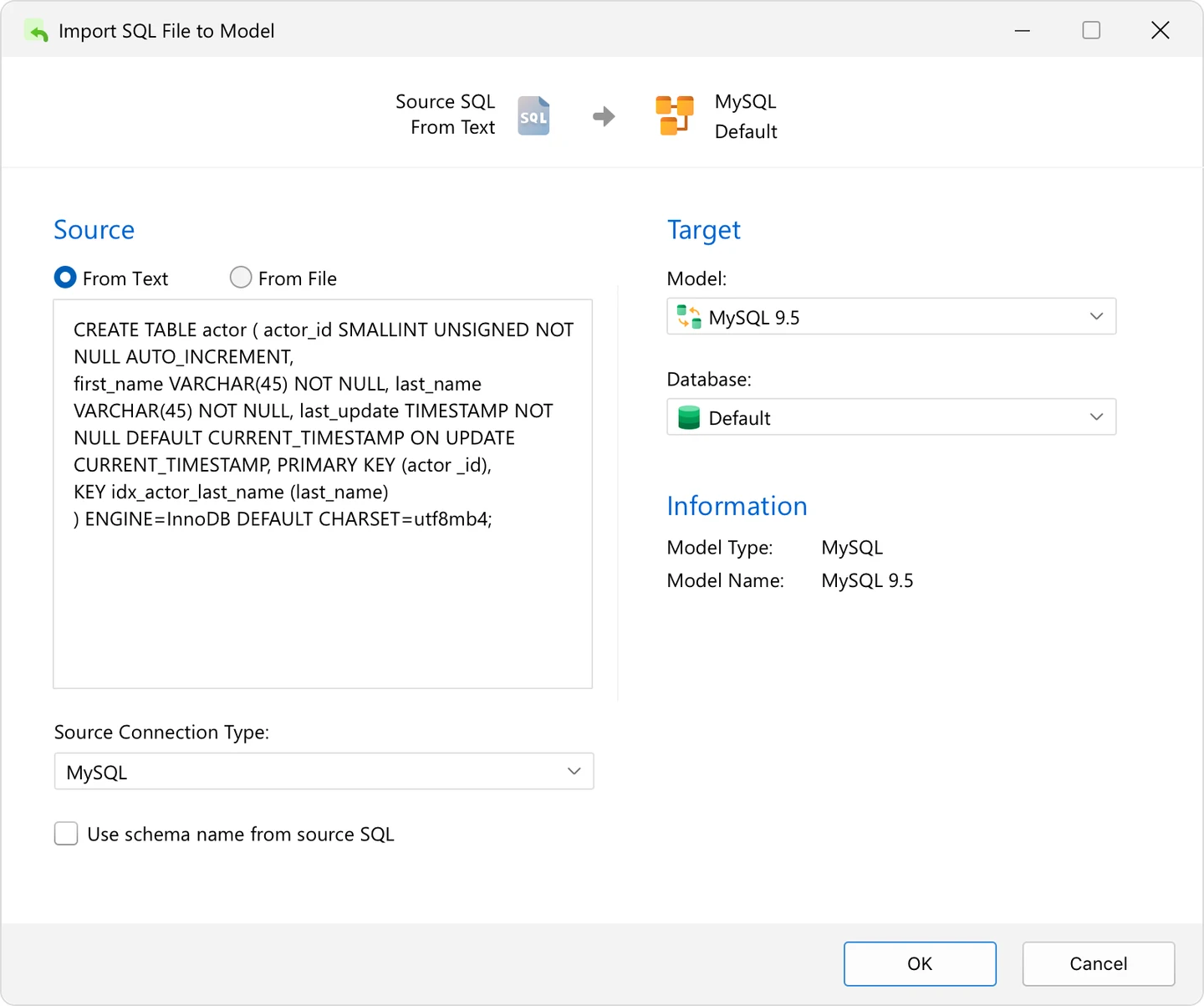
An offline DDL import is useful when a shared modeler cannot reach the database. Remove sensitive implementation details as appropriate, import the target dialect and compare a selected set of tables against source SQL. Capture which details the imported model adds or omits before relying on it for changes.
Use forward engineering from the physical model to obtain a script and inspect the selected objects. Check names, referenced schemas and both sides of the composite key. Run an orphan check before applying a new physical constraint to a populated table in the lab.
- Compatibility
- Browser-based SQL Server modeling with DDL import. Direct Connect availability depends on the setup and plan.
- License and trial
- Commercial plans. Editor, reviewer and connector terms vary.
Navicat Data Modeler
Navicat Data Modeler provides conceptual, logical and physical modeling workflows, including SQL Server as a physical target. It can derive a model from an existing database in supported editions. That gives a designer a way to discuss the business structure first and map the resulting entities to actual tables and keys later.
It fits a team that wants one desktop modeler for designs that eventually turn into database definitions. Schema synchronization and reverse engineering are edition-sensitive. The chosen direction matters because building a model from a live schema is a different operation from applying the model back to a target.
Navicat's modeling flow includes visual design and a database synchronization path where supported. Keep the diagram or model file associated with the source version. Before generating changes, confirm that the model type and database target are the ones that contain the physical constraints.
Compare the generated SQL with the existing database using a test addition to a populated schema. Look for unrelated changes caused by default expression formatting or platform options. Review the staged statements and the resulting constraint metadata after applying only the approved changes.
- Compatibility
- Windows, macOS and Linux desktop support. SQL Server modeling and import or synchronization paths are documented by version.
- License and trial
- Commercial editions. The feature matrix lists reverse engineering and synchronization entitlements.
dbForge Studio for SQL Server
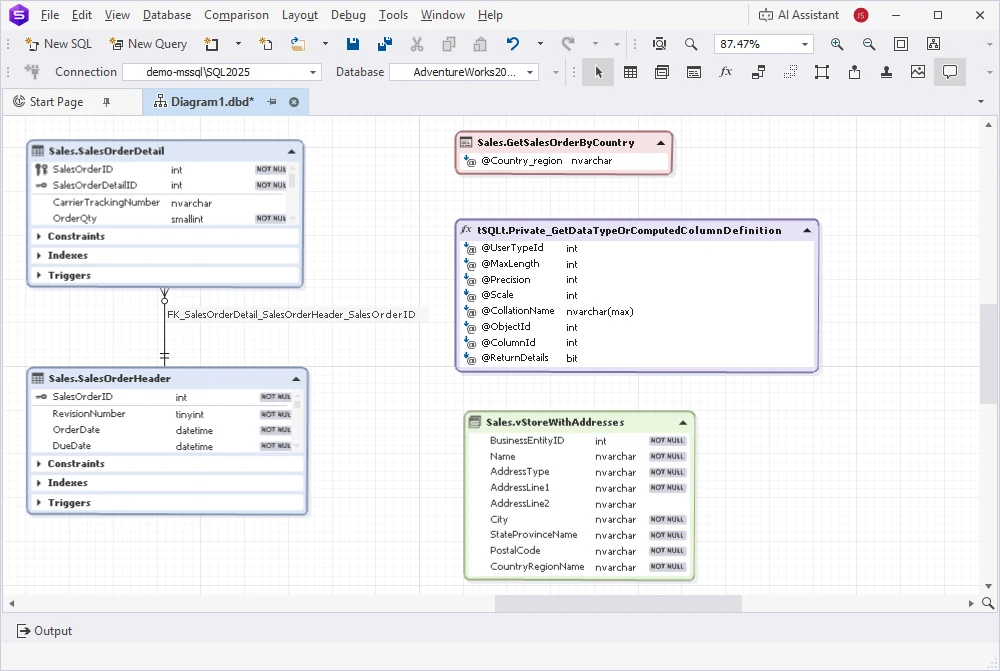
The database diagram in dbForge Studio for SQL Server is a connected workspace. It can show database objects, diagram annotations and relationships, including virtual lines for application relationships. That is practical when the same developer uses Studio to inspect and edit the database.
The connected design makes it useful for active development and limits what the saved diagram file alone can convey. Reopening it needs access to the associated database. A physical relationship can become an actual SQL Server constraint, while a virtual connection remains a design note. An image export is often the better handoff for a reader without database access.
Start with a small connected database diagram in dbForge Studio and include the parent, child and one table that has no physical constraint. Confirm how the diagram distinguishes stored relationships, visual layout and proposed database edits. This gives reviewers a concrete basis for explaining a connection.
Before making a physical design change, inspect the SQL path for that operation and use a disposable database. Adding a relationship to an existing table may require reviewing rows already present. Compare the database's constraint afterward with the saved diagram.
- Compatibility
- SQL Server database diagram in dbForge Studio. The saved diagram references the associated database.
- License and trial
- Commercial editions and trial. Designer capabilities depend on the selected edition.
DBeaver ER Diagrams
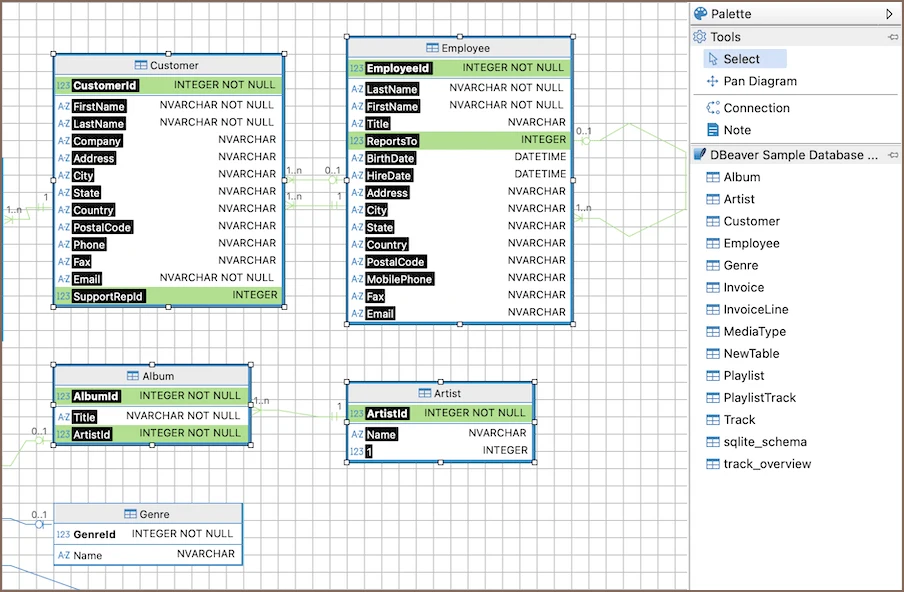
DBeaver can show ER diagrams for SQL Server schemas or tables and can maintain custom diagrams with virtual relationships. A DBA can use it to trace dependencies or give someone a scoped view of how a few tables connect. The tool also fits environments where the same engineer regularly works across several engines.
The main distinction is between reading a diagram, adding a virtual relationship in a custom diagram and editing a physical schema. DBeaver documents SQL generation from Edit mode in supported paid editions for applicable diagrams. A custom virtual relationship can explain an application join without becoming SQL Server DDL.
DBeaver allows client-defined virtual keys and has a separate mode for physical diagram editing. Use a virtual key to document a repeated join when no constraint exists. The application and other database clients rely on the physical database rules, so include the designation in any exported diagram.
Test the edition you intend to deploy. Verify whether the required action is drawing a virtual relationship, exporting the diagram, or preparing edits in a physical mode. Treat a generated script as a change to review, and use a fresh diagram after the database change to confirm the result.
- Compatibility
- DBeaver desktop with the SQL Server connection. Custom diagrams and physical Edit mode have distinct behavior.
- License and trial
- Free Community and commercial desktop editions. Edit mode is documented for Enterprise and Ultimate.
JetBrains DataGrip Diagrams
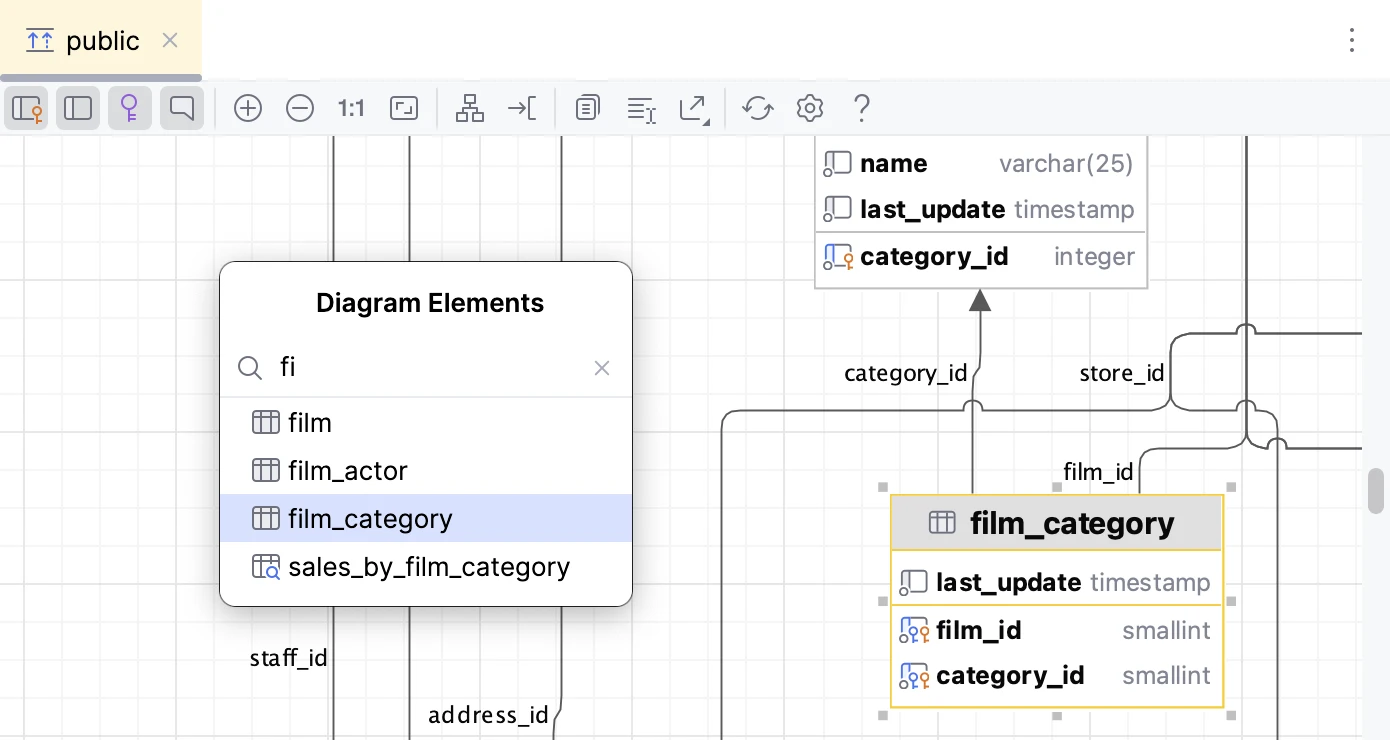
DataGrip can draw a diagram from SQL Server metadata using the bundled Diagrams plugin. Its virtual foreign keys let a developer describe an application relationship in the IDE even when the database defines none. The diagram can then show that extra information beside detected constraints.
It is particularly practical for developers already working in DataGrip who need a quick dependency view or diagram export. Virtual keys are stored with data source metadata outside SQL Server. That is convenient for navigation, with database constraints still governed through the database’s own deployment process.
Use DataGrip's diagram on the part of the SQL Server data source that has been introspected. Check the schema selection if objects or foreign keys appear missing. Add the relevant objects together and verify the imported relationship by looking at its underlying properties or SQL Server metadata.
DataGrip distinguishes foreign keys defined by the database from virtual relationships configured in the IDE. Add a virtual relationship for the import inbox in the trial and check that the exported diagram explains it. Try an unmatched insert in the disposable schema to verify what remains possible.
- Compatibility
- DataGrip with a SQL Server source and the bundled Diagrams plugin enabled.
- License and trial
- Commercial subscription, noncommercial license and trial options.
Quest erwin Data Modeler
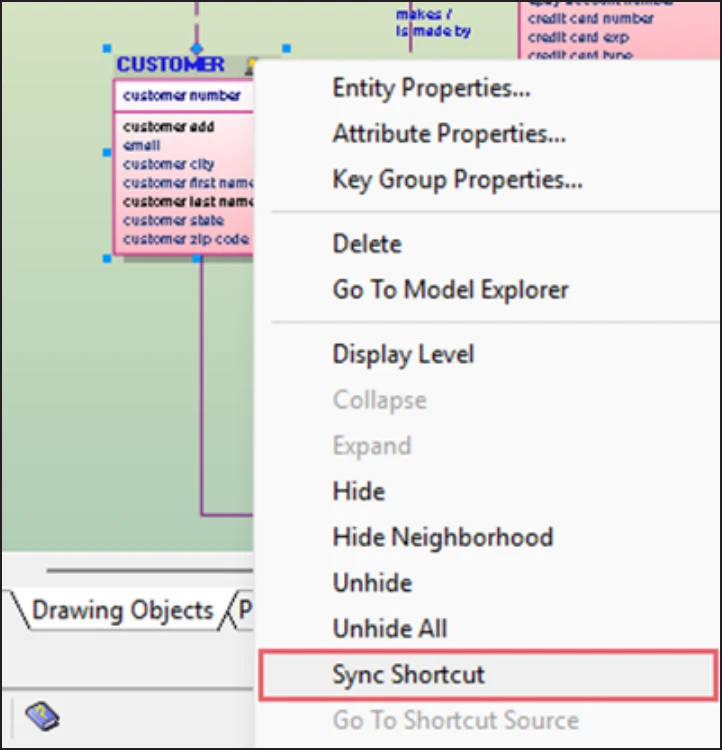
Quest erwin Data Modeler provides logical and physical modeling and documents SQL Server reverse engineering. A large schema can be represented through focused views while still retaining a model of the underlying definitions. This helps a design group review one domain without losing its place in the wider database.
It is strongest when modeling is part of how the organization approves and maintains its database design. Repository collaboration is edition-specific and requires ownership beyond individual diagram exports. The SQL Server object support and generation options determine how much of the model can turn directly into implementation scripts.
Reverse-engineer a SQL Server schema into the physical model for the target release. Scope the object types to the parts of the database you intend to document. Compare constraints alongside the diagram because SQL Server-specific indexes or other objects can matter in the physical design.
The SQL Server forward-engineering options let the modeler choose which features appear in generated SQL. Generate a narrow change and inspect the foreign key column order and existing-row validation. Keep the reviewed SQL with the model release so people can trace the design back to a deployment.
- Compatibility
- Desktop modeling with published SQL Server reverse-engineering support. Version and object coverage are edition-dependent.
- License and trial
- Commercial. Shared model repository features depend on the erwin edition.
IDERA ER/Studio Data Architect
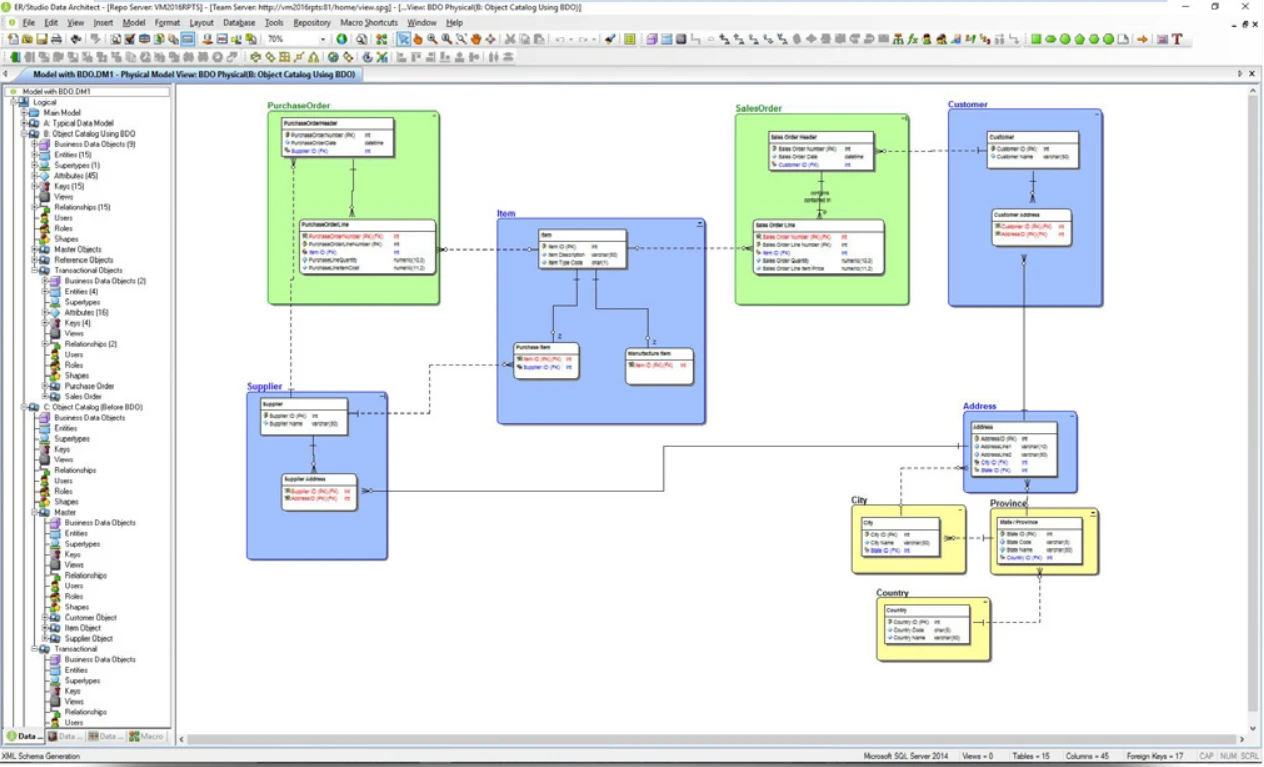
IDERA ER/Studio Data Architect can reverse-engineer SQL Server into a physical model and maintain reusable model definitions in its data dictionary. Compare and merge provides a way to see differences between designs and prepare change scripts. This can be valuable when database teams need standard definitions across several applications.
It fits a modeling program that needs more than a one-time relationship image. The local model is useful alone, while repository collaboration has its own setup and edition requirements. How project definitions are shared and reviewed often matters more to the purchase than the basic ability to draw tables.
ER/Studio's logical and physical model views help when application owners need a simpler diagram than the SQL Server deployment view. Link the handoff to the physical model version that will generate the DDL. Confirm the target version and edition before assuming a database feature imports cleanly.
Use the same SQL Server fixture for reverse and forward engineering. Compare a saved diagram, generated DDL and a snapshot of the actual destination metadata. Inspect physical constraints and indexes as well as display names so readers can trace a relationship across all three.
- Compatibility
- Windows desktop modeler. ER/Studio 21.1 added SQL Server 2025 support.
- License and trial
- Commercial. Local modeling and repository collaboration depend on the edition.
SQL Server ER diagram tools by workflow
| What you need | Tools to shortlist | What to verify |
|---|---|---|
| Inspect tables and existing keys | Import a few related tables and follow a composite key down to its ordered column pairs. | |
| Draw a legacy schema with missing constraints | Draw a virtual relationship and confirm you can tell it apart from a real SQL Server foreign key. | |
| Model a SQL Server change and review its T-SQL | Change a nullable column, save the model and review the output for your exact SQL Server target. | |
| Maintain logical and physical models across a team | Review the same model with another person. Verify repository access, change history and what a reader can see. |
Choose between a live diagram and an editable design
Begin with a connected diagram when the job is discovering the current schema. A model file helps document intended relationships and draft changes. Check what will change in SQL Server before using a physical edit or forward-engineering workflow.
Inspect an existing SQL Server database
Reverse-engineer visible objects
Compare imported keys with SQL Server catalog metadata.
Explain a join that has no constraint
Label a virtual relationship
Keep the note or virtual edge with the diagram and verify that it stays outside the database.
Enforce the relationship in SQL Server
Generate and review a physical change
Check both key columns in order and reconcile existing unmatched rows before adding the constraint.
- Microsoft Database Diagram Designer setup
- DbSchema physical and virtual foreign keys
- SqlDBM forward engineering
- Navicat Data Modeler features
- Devart database diagram overview
- DBeaver virtual keys
- DBeaver physical diagram edit mode
- JetBrains DataGrip diagrams
- erwin forward engineering options for SQL Server
- ER/Studio Data Architect Standard
Follow the two warehouse relationships in the lab
Bin records use a composite foreign key to Warehouse. The import inbox uses the same two fields for an intended join, and the diagram can document that join as virtual. The test data includes the same WarehouseId under two different tenants so a missing TenantId mapping changes the result.
Read the generated SQL before applying a physical key. The sample WITH CHECK change will fail while the inbox contains tenant 30 and warehouse 1, because that pair is absent from the parent table.
| Relationship | Diagram label | SQL Server check | Expected result |
|---|---|---|---|
| Bin → Warehouse | Physical foreign key on TenantId and WarehouseId | sys.foreign_key_columns ordered by constraint_column_id | Two lines for the key, with TenantId first |
| Import inbox → Warehouse | Virtual relationship on the same two columns | Join on both columns and inspect sys.foreign_keys | The unmatched pair (30,1) remains in the inbox |
| Import inbox → Warehouse after proposed DDL | Physical foreign key on both columns | Apply WITH CHECK in the disposable database | SQL Server rejects the change until the unmatched row is reconciled |
How to compare these tools
Check what the diagram infers from actual constraints, where manually drawn relationships are saved, and whether exporting or synchronizing them changes the database. Sources checked .
Model a composite key and review a schema change
Create this schema in a disposable SQL Server database. Import it into the modeler, add the virtual inbox relationship, and compare the diagram with the catalog output and the sample constraint statement.
Compare a composite foreign key with a virtual diagram edge
T-SQL · 52 lines
- Reverse-engineer the three tables. Verify the Bin relationship uses both key columns, and make sure the two tenant records with WarehouseId 1 remain separate.
- Use the modeler to draw the inbox relationship and label it virtual. Recheck SQL Server. The physical key still belongs only to Bin and the unmatched inbox row remains.
- Compare the tool's physical DDL, if it generates one, with the commented sample. Try the reviewed statement by itself in the disposable database. The WITH CHECK change should fail while the unmatched row exists.
Conclusion
Make the tool fit the artifact you expect to keep. A diagram export is enough for a design discussion. A schema model earns its keep if the team can refresh it, review proposed changes and reproduce the expected SQL Server schema from the reviewed output.
Frequently asked questions
How do I generate an ER diagram from an existing SQL Server database?
In SSMS, open Database Diagrams and add the relevant tables once diagramming is set up. DBeaver and DataGrip also generate views from a connection. When you need an editable model, reverse-engineer the database or import its schema script into a modeler.
Can I create a SQL Server database diagram without db_owner?
SSMS requires a db_owner member for the first setup. After setup, a user with database access can create a diagram, and access to a saved diagram is limited to its creator and db_owner members. Other tools can draw a diagram from metadata visible to the connection.
Does a virtual foreign key enforce referential integrity?
A virtual key records the relationship in the tool. SQL Server enforces an enabled database constraint. Check the physical constraint, its column mappings and its trust state in the system catalog.
Can an ER diagram generate a SQL Server migration script?
Dedicated modelers can generate DDL and often a change script from a model comparison. Review the generated statements and run them on a representative test copy before deployment. Confirm that your edition supports the model and comparison workflow you need.
What is the difference between logical and physical data modeling?
A logical model describes the entities, attributes and business relationships. A physical SQL Server model identifies the concrete schemas, tables, types, indexes and constraints used for implementation.
How do I check the column order in a composite foreign key?
Query sys.foreign_key_columns for the constraint and order by constraint_column_id. Compare the child and parent names for both positions to the diagram or generated SQL.