

Running a SQL script on several servers can mean one DBA executing a query from an interactive client, a PowerShell or command-line loop, or a managed job with its own history. Interactive tools make it easy to choose targets and compare results. A script gives the team a repeatable definition of those targets. A scheduled job adds identities, scheduling and oversight.
The critical difference appears when some targets succeed and others fail. Each instance runs in its own connection and can be in a different starting state. A useful tool exposes results for every target and supports a deliberate retry. The script’s behavior when it runs a second time still determines whether the operation can recover safely.
Multi-instance SQL script tools at a glance
Start with the operator and where targets are defined. Rehearse partial failure before you use any method for a change.
| Tool | Target source | Execution model | Evidence to keep |
|---|---|---|---|
| Redgate SQL Multi Script | Saved distribution lists | Interactive multi-server script runner | Targeted servers, per-target errors and exported output |
| SSMS Central Management Servers | Registered CMS group | Interactive multi-server query window | Requested and connected counts plus server identity |
| dbatools Invoke-DbaQuery | Explicit instances or inventory objects | PowerShell query runner | Input list, results and terminating error handling |
| Microsoft sqlcmd | One connection per invocation | CLI plus wrapper or scheduler | Separate exit status and output per target |
| SQL Server PowerShell Invoke-Sqlcmd | One connection per call | PowerShell cmdlet plus target loop | Per-target error and structured query output |
| SQL Server Agent multiserver administration | Enrolled target-server jobs | Master server and target SQL Agent jobs | Delivery, run history and target execution identity |
| Azure SQL Elastic Jobs | Azure SQL Database target groups | Managed job steps and schedule | Per-database job executions and retry state |
| Octopus Deploy Runbooks | Environments and configured targets | Runbook with structured execution history | Run ID, approvals where configured and target log |
| Rundeck | Nodes selected by workflow filters | Job workflow with SQL connection step | Node or step outcome and error handler path |
Redgate SQL Multi Script
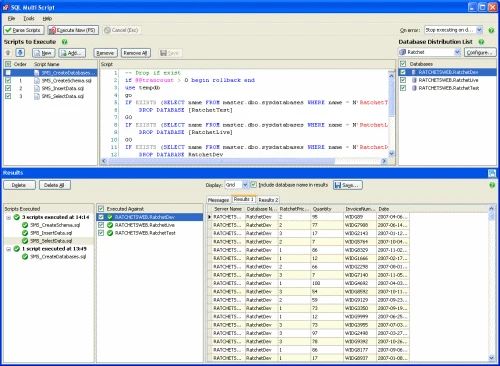
Redgate SQL Multi Script can run one or more SQL scripts against a selected collection of SQL Server connections from a desktop interface. It shows execution output and errors by target. This is useful for a DBA who needs to distribute a reviewed change or collect evidence across several instances.
Its value is a visible target list, shared script selection and per-target results in one run. Each SQL Server still executes independently. A partial failure needs a decision about which targets to retry and whether their database state already changed before the error.
Use a distribution list containing only the three test endpoints. Save the list or a reviewed snapshot of it beside the deployed script, then export the successful results and the row identifying the failed connection.
Compare whether the selected edition and workflow can reopen results by target and rerun an explicitly rebuilt failed-target list. For a write, keep the SQL change's own idempotency or state guard in the script.
- Compatibility
- Windows Redgate SQL Multi Script with supported SQL Server connectivity.
- License and trial
- Commercial Redgate licensing.
SSMS Central Management Servers
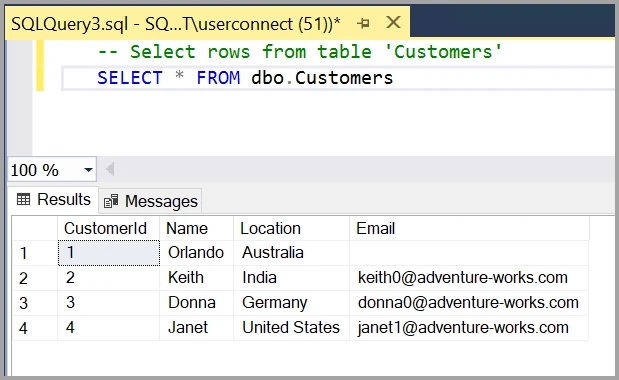
SSMS can run a query against a server group defined on a Central Management Server and show results with the originating server identified. This is useful for a DBA checking versions, settings or state across a centrally maintained inventory without writing an execution loop.
It suits interactive operations where the DBA can review the group and result immediately. The connection information and access rights govern which targets can participate. A successful result on some servers and a connection failure on another still represents a partial run, even if the results are merged.
Check the query-window connection status against the original CMS group size. Keep the result column for server identity visible or include a server marker in the query, so data from two identically named databases stays attributable.
Use a narrow CMS subgroup for the failed-target retry. Capture the Messages tab and compare the intended targets with returned identities, because successful rows can still appear when another server in the group failed to connect.
- Compatibility
- Windows SSMS, registered servers and applicable CMS and target authentication.
- License and trial
- Free Microsoft client. The CMS and SQL Server instances have normal infrastructure requirements.
dbatools Invoke-DbaQuery
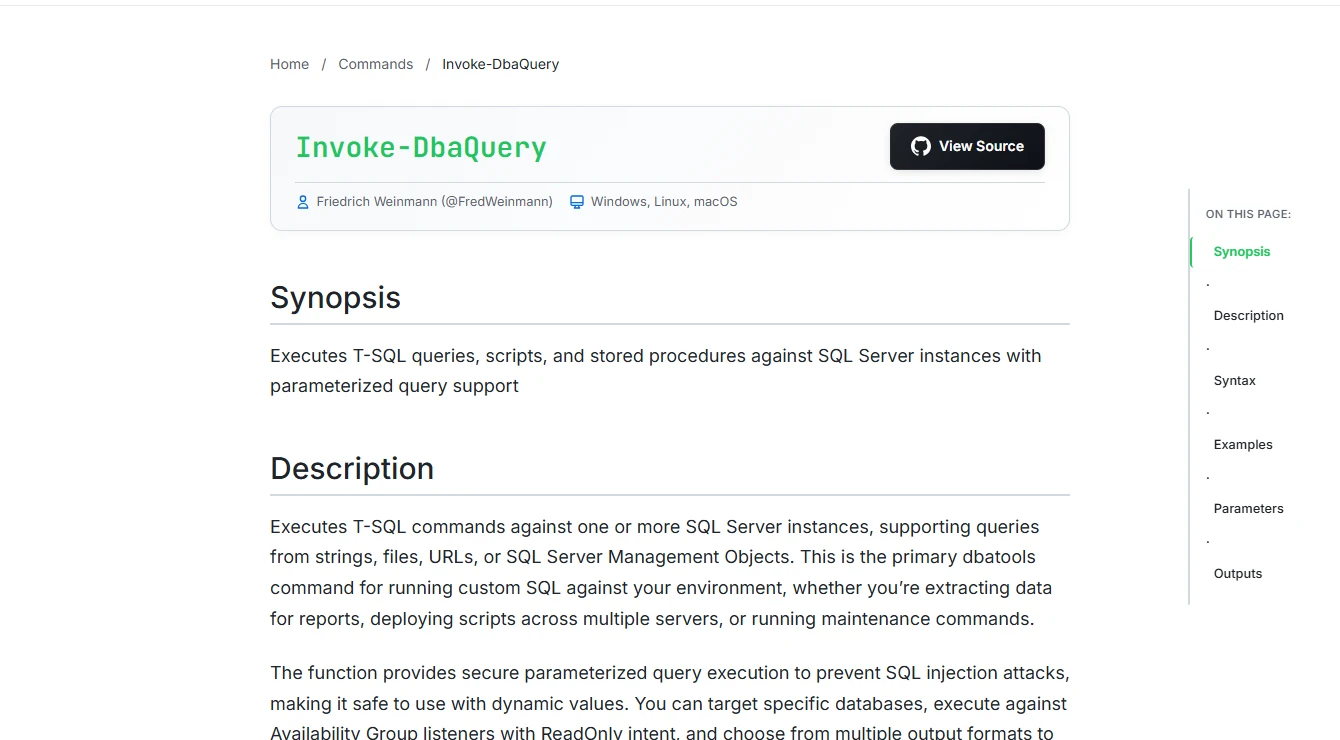
dbatools Invoke-DbaQuery runs SQL against supported instances from PowerShell and can take an explicit list of targets. The list can come from a registered inventory and can be filtered before execution. This fits teams that want the same read or change to be repeatable from source-controlled automation.
The benefit is making selection, parameters and output handling part of the script. The team chooses how errors affect later targets and what evidence gets logged. For a change that can finish only on some hosts, a retry must select the right instances and handle already applied work.
Build an inventory of explicit SQL endpoints and use the target variable for each result or caught exception. When results have the same schema, add an instance identifier so combining them does not lose the source.
Test error handling with EnableException and preserve per-target context outside the cmdlet. Compare how the fleet operation records authentication failure, a thrown SQL error and returned rows that fail validation.
- Compatibility
- PowerShell, dbatools, access to the target list and appropriate SQL Server permissions.
- License and trial
- Free, open-source module.
Microsoft sqlcmd
Microsoft sqlcmd runs T-SQL files and commands from a process that connects to a SQL Server target. It is useful in simple CI or administrative scripts because a team can supply the query, database and connection settings explicitly. An external loop can run it for a list of servers.
It fits an operation where the team can own the inventory, logging and retry logic. Exit and batch error behavior need to be configured for the correct sqlcmd variant. A loop that records per-target status gives a clearer result when one server fails or is unreachable.
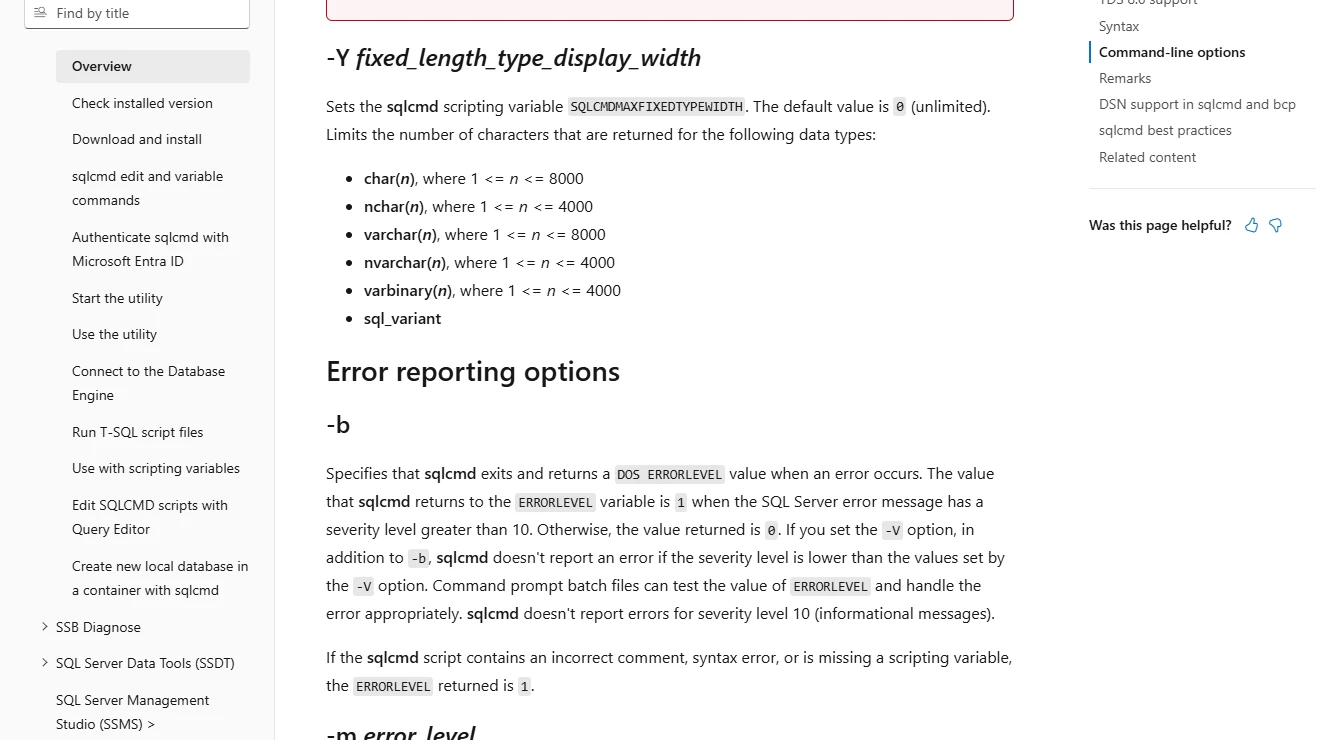
Call sqlcmd once per target with the intended login method, timeout and database argument. Use its documented error-return option and record the process exit code before the wrapper makes another call.
Compare stdout and stderr from a DNS failure and from a SQL THROW. Preserve each target's output separately and return a useful overall exit code only after the run report has been produced.
- Compatibility
- Supported Go or ODBC sqlcmd variant and accessible SQL Server targets.
- License and trial
- Free Microsoft command-line tooling.
SQL Server PowerShell Invoke-Sqlcmd
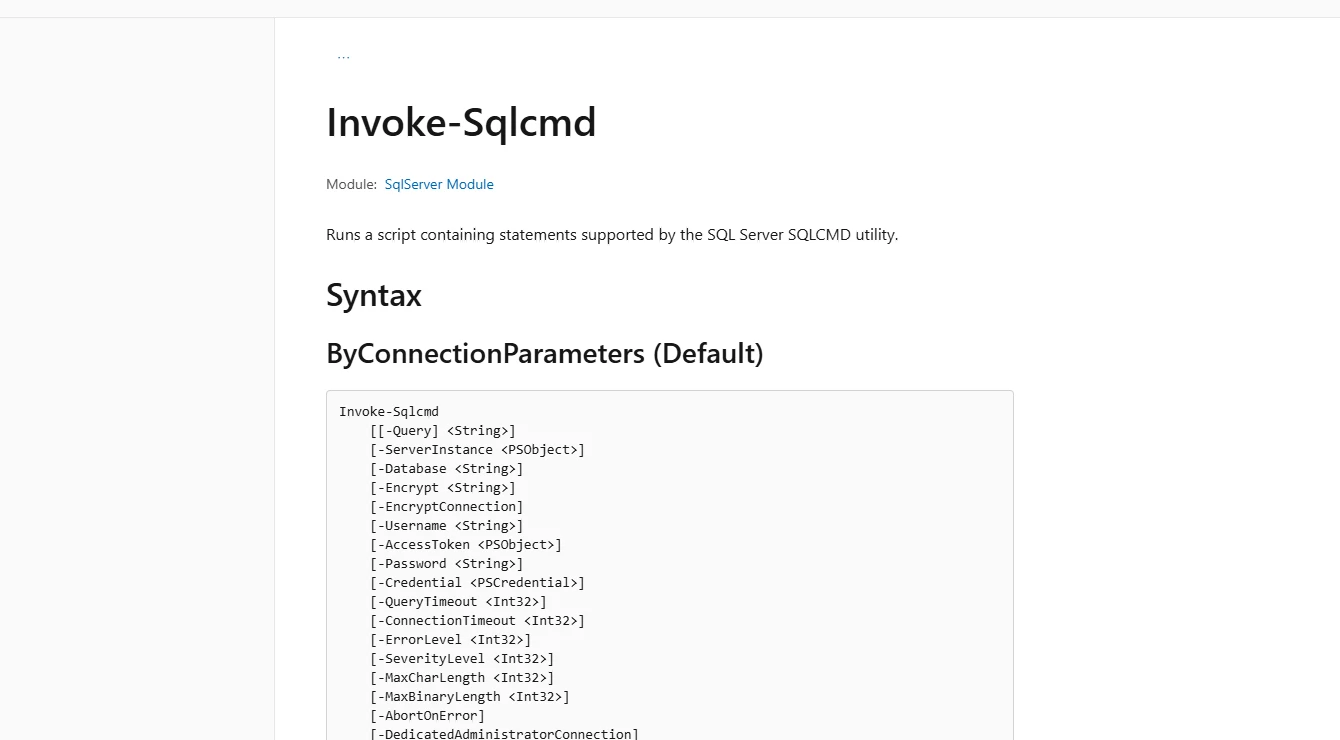
Invoke-Sqlcmd from Microsoft’s SqlServer PowerShell module can run a file or query and return the results into a PowerShell pipeline. It is useful when database execution belongs in a larger task that prepares configuration, records state or writes a report for each server.
Its strengths are explicit PowerShell control and integration with other management commands. Error and warning options influence which failures the script detects. Each connection still has its own transaction and result, so targeting and resuming a multi-server operation depend on the surrounding code.
Save each intended server endpoint beside the instance and database names the query returns. Combine the cmdlet's error handling with a result check so an empty successful response becomes a visible failure for this inventory script.
Run one bounded connection at a time for the initial trial. If the production run needs parallel work, keep all targets accounted for, set a reviewed concurrency limit and verify the aggregate exit status with one failed connection.
- Compatibility
- PowerShell and a supported SqlServer module with valid target connections.
- License and trial
- Free Microsoft PowerShell module.
SQL Server Agent Multiserver Administration
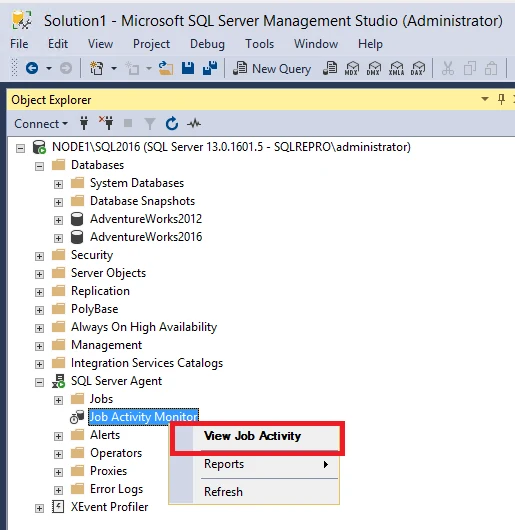
SQL Server Agent Multiserver Administration uses a master server and target servers to distribute jobs. It is useful for repeating centrally managed tasks through native Agent where the supported SQL Server estate can rely on that topology. Operators can review the target jobs through the Agent workflow.
It fits scheduled work and introduces a master-to-target service relationship. Target enrollment, connectivity and certificate validation are part of running it. For Azure SQL Managed Instance, the native Agent workflow uses instance-level jobs.
Record which target servers enrolled, which ones downloaded the job and when each agent last reported. Those stages let you distinguish a registered target from a target that actually completed the job.
Read the target-side job history and execution identity before using the master view as evidence. Confirm SQL Agent support and role boundaries for each target, including how an offline agent receives or misses the operation.
- Compatibility
- Supported SQL Server Agent deployment with a master and enrolled target servers.
- License and trial
- Built-in where available. Platform, SQL Server edition and licensing terms apply.
Azure SQL Elastic Jobs
Azure SQL Elastic Jobs can run T-SQL steps against target groups of Azure SQL databases. A target group can include a logical server whose current databases are resolved during execution. This is useful for recurring work across a changing set of application databases.
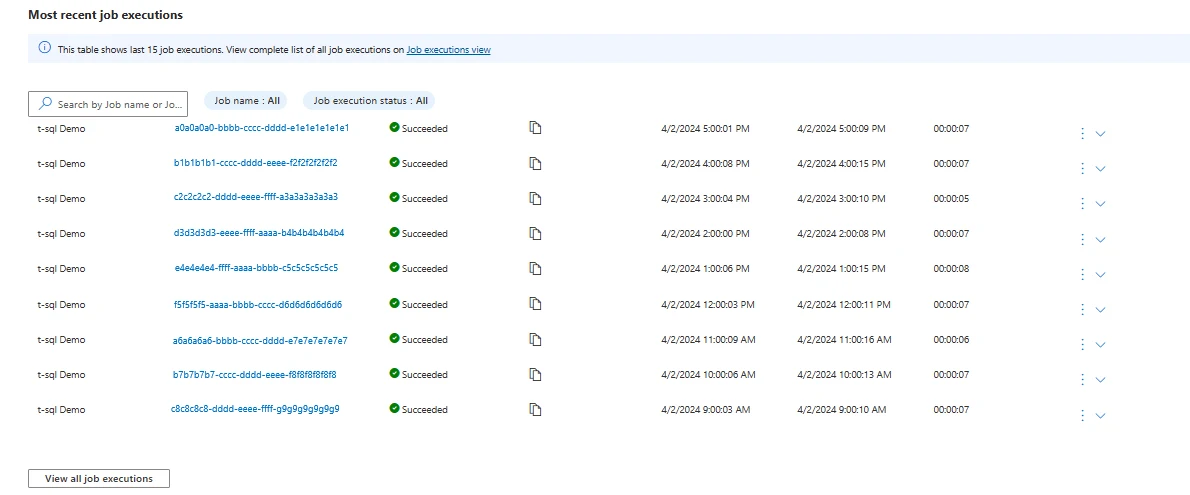
Its strength is a managed job service with explicit target groups and execution history. The membership rules and authentication define which databases the job reaches. An Azure SQL Database job agent and each target still need the appropriate permissions, and the scripts need to tolerate retries safely.
Scope a target group to the Azure SQL databases intended for the job and verify the job agent identity can access each target. Save the resolved database list for the trial alongside the job step.
Inspect the per-target execution rows for an inaccessible database and note the configured retry policy. Keep this managed Azure SQL Database path distinct from multiserver administration on traditional SQL Server instances.
- Compatibility
- Azure SQL Elastic Job agent, job database and eligible Azure SQL Database targets.
- License and trial
- Azure charges apply for the job agent and job database.
Octopus Deploy Runbooks
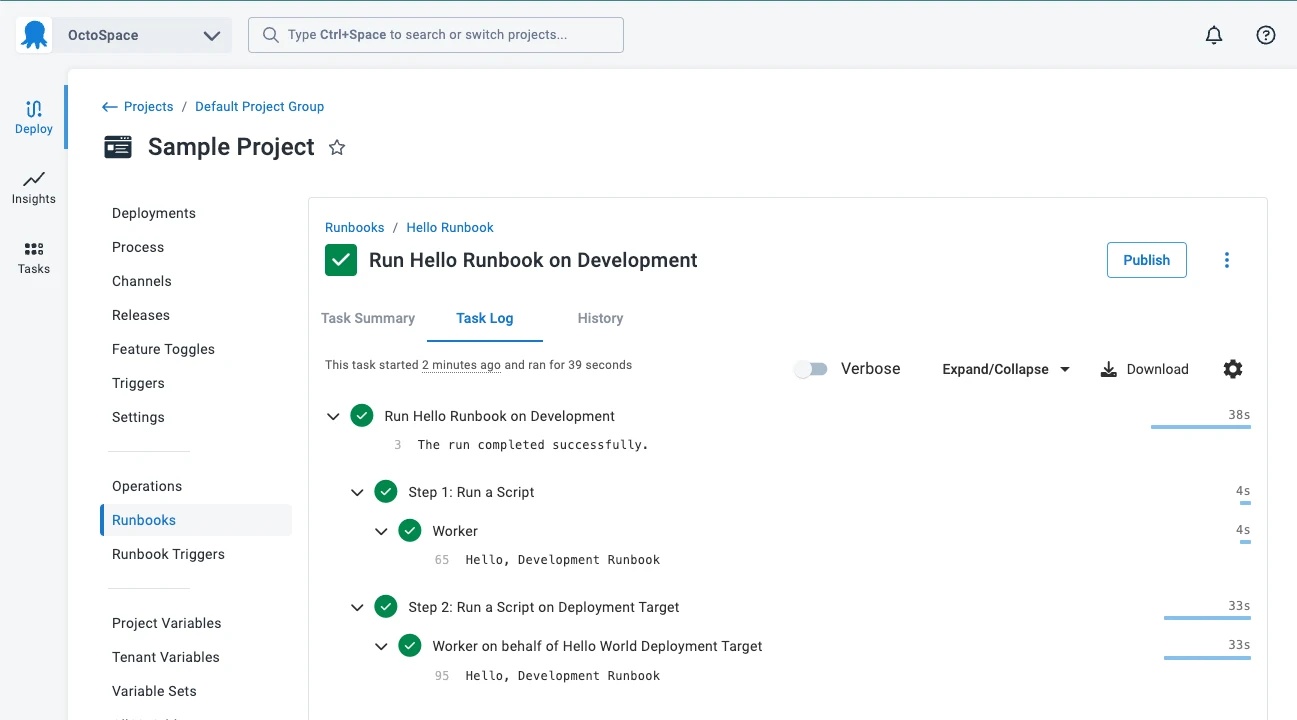
Octopus Deploy Runbooks can execute operational SQL scripts through a managed project and suitable workers. They can expose a repeatable procedure with permissions, parameters and task history. This is useful when database operations are part of the same release platform used for applications.
It fits work that benefits from operator controls and a durable run record. A worker, script or database step still handles the actual SQL connection and errors. The team owns target selection and the rules for continuing after one instance fails.
Design the runbook step to record the actual SQL endpoint chosen from environment variables and secrets. Pair the run ID and environment with one result per target so later reruns can be reviewed.
Confirm how target selection works when a connection is to a database host rather than an Octopus worker. Verify failed-target retry and permissions at the script or runbook level with an intentionally unreachable lab endpoint.
- Compatibility
- Octopus Deploy with configured runbooks, workers and SQL Server-capable tooling.
- License and trial
- Commercial Octopus terms and any database tools used by the runbook.
Rundeck
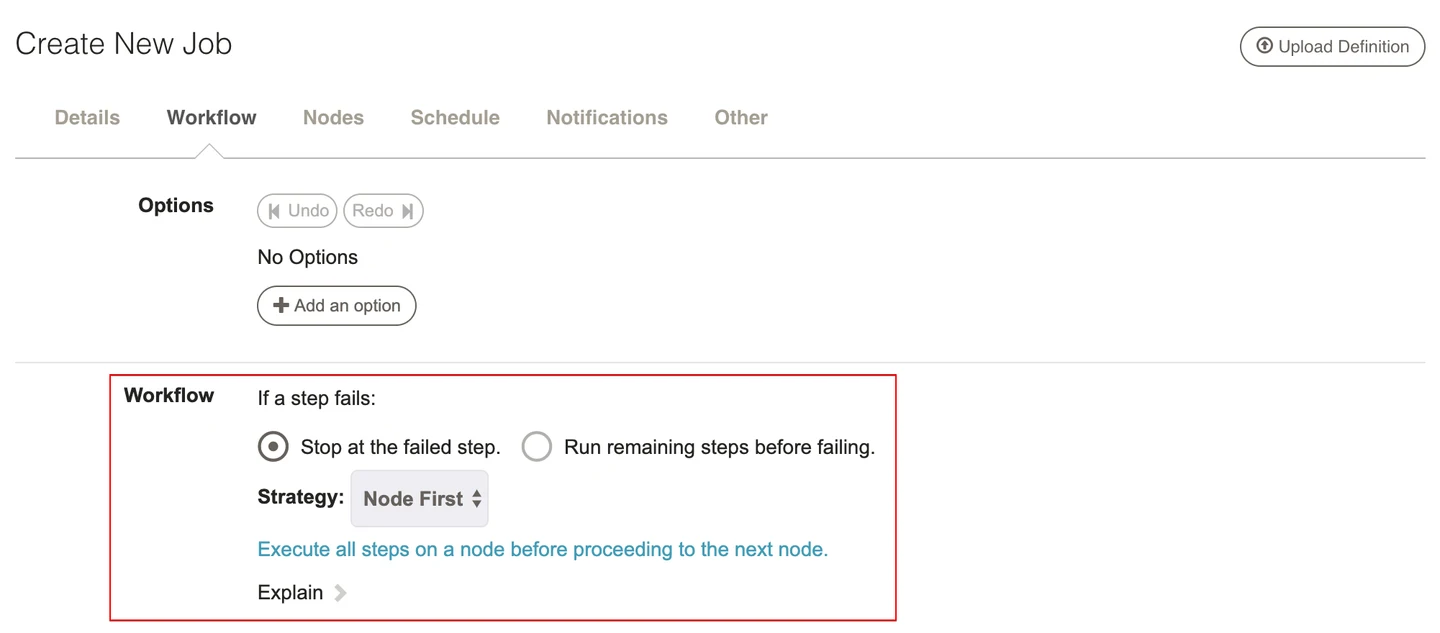
Rundeck can run a job workflow across selected nodes and invoke a SQL Server client or script as a step. It gives operators a controlled way to start repeated tasks and view execution history. This is useful when database work is one part of a larger infrastructure operation.
Its control over workflow and node strategies is useful when failures need different handling. The SQL client still determines whether a database operation succeeded, and the job must report that status explicitly. Target inventory, node concurrency and credential handling are owned by the deployment.
Distinguish nodes selected by a filter from the database endpoints inside the command. When one node acts as a central SQL runner, use the script's manifest to record each database result individually.
Review the workflow's failure and error-handler settings. Trial a failed SQL connection and verify that a successful cleanup handler cannot make the original database failure disappear from the report.
- Compatibility
- Rundeck with configured nodes, execution strategy and a working SQL Server client path.
- License and trial
- Open-source and commercial options. Advanced operations features depend on the edition.
Choose how you want to run the SQL batch
| What you need | Tools to shortlist | What to verify |
|---|---|---|
| Run a one-off statement against named groups | Preview the target list and compare it with connected targets, result rows and errors. | |
| Run a script from PowerShell or a shell runner | Check the installed client, authentication, failure propagation and captured per-target output. | |
| Schedule SQL jobs across supported targets | Check the destination platform, job identity, concurrency and usable per-target execution history. | |
| Publish a repeatable procedure that operators can run | Test scheduler and worker permissions, target input, timeouts, failure handling and log retention. |
Choose a fleet script runner by how the work is launched
Interactive editors are practical for a reviewed read-only investigation. Scheduled jobs and runbooks provide a natural place for repeated runs, per-target evidence and escalation. Check what a runner reports if some connections fail before they ever open a SQL session.
On a write rollout, use an explicit target manifest and a reviewed small group first. A transaction is scoped to its database connection. Record which targets committed and design the script so a retry after a lost response can check the actual state.
An operator needs a one-off read from known servers
Trial SQL Multi Script or an SSMS CMS group
Review connection counts, result identities and how errors export.
An inventory job needs repeatable machine-readable output
Trial dbatools, Invoke-Sqlcmd or sqlcmd
Preserve one outcome per input and return a failure status when any target fails.
A scheduled cross-database task needs controlled execution
Compare Agent jobs, Elastic Jobs and runbooks
Check supported targets, role ownership and individual retries.
Verify that a partial run produces three recorded outcomes
Use two test endpoints you administer and one deliberately unreachable endpoint. Save a manifest and use the same simple read-only statement. A healthy target should return the queried database, SQL Server identity and UTC timestamp. Keep the requested endpoint in the report too, because an alias or listener can resolve to another instance.
The PowerShell example reads the SQL below from FleetInventoryTrial.sql. Run it with the SqlServer module and an authorized integrated identity. Replace the two sample hostnames with lab values and keep certificate validation and database access appropriate to that environment.
| Trial target | Expected outcome | Rerun decision |
|---|---|---|
| Lab endpoint A | One row with its actual instance and FleetInventoryTrial | Keep its successful observation |
| Lab endpoint B | One row with its actual instance and FleetInventoryTrial | Keep its successful observation |
| Unreachable endpoint | Failure record with requested endpoint and connection error | Retry that target after restoring access |
Import-Module SqlServer -ErrorAction Stop
$targets = 'lab-sql-a.example.invalid', 'lab-sql-b.example.invalid', 'offline.example.invalid'
$query = Join-Path $PWD 'FleetInventoryTrial.sql'

$report = foreach ($target in $targets) {
    try {
        $rows = @(Invoke-Sqlcmd -ServerInstance $target -Database 'FleetInventoryTrial' `
            -InputFile $query -ConnectionTimeout 5 -QueryTimeout 10 `
            -AbortOnError -ErrorAction Stop)
        if ($rows.Count -ne 1 -or $rows[0].DatabaseName -ne 'FleetInventoryTrial') {
            throw 'The target did not return the expected lab database row.'
        }
        [pscustomobject]@{
            Target = $target
            Status = 'Succeeded'
            Instance = $rows[0].InstanceName
            ObservedUtc = $rows[0].ObservedUtc
            Error = $null
        }
    } catch {
        [pscustomobject]@{
            Target = $target
            Status = 'Failed'
            Instance = $null
            ObservedUtc = $null
            Error = $_.Exception.Message
        }
    }
}
$report | Export-Csv -Path './fleet-trial-results.csv' -NoTypeInformation
$report
if ($report.Status -contains 'Failed') { exit 1 }How to compare these tools
Run a read-only script against the same test group and make one instance unavailable. Check target names, timeouts and partial failures before trying a script that changes state. Sources checked .
Verify the target list with two successful runs and two failures
Create or select a disposable FleetInventoryTrial database on two lab instances you administer. Run this read-only file manually on each server first, then repeat it through the shortlisted runners with the unreachable target included. Use the text and server marker to validate that the reader or runner preserved each result.
Return a database and instance marker from each target
T-SQL · 7 lines
- Save all three intended endpoints before connecting. Run the read-only SQL through the chosen runner and collect its output from successful targets plus a separate failed-target record.
- Compare every requested target with the report. Validate the successful instance aliases and database names. Fix or replace the unreachable test target and rerun only that list.
- Reopen the first run, failed-target retry and final consolidated outcome. Before testing a write, add script-level safeguards and a post-change state check in the same lab.
Conclusion
Pick the tool your operators can use to identify what ran, on which instance and under which identity. Keep the intended target list with the output. Verify the runner records partial execution and forwards a useful failure status before relying on a scheduled batch.
Frequently asked questions
Can SSMS run the same SQL statement on multiple servers?
Yes. Open a query for a local server group or Central Management Server group. Compare the connected count with the registered count and include the server name in the result grid.
Will sqlcmd fail a scheduled job if one statement errors?
The documented -b option sets a nonzero exit code on SQL errors above severity 10 by default. The -V option changes the error threshold. Test the installed sqlcmd variant and make sure the wrapper preserves the exit code for every target.
Can SQL Server Agent MSX run jobs on Azure SQL Managed Instance?
MSX and TSX multiserver administration is a SQL Server feature. Managed Instance supports local SQL Agent jobs. Use an external runner when you need to schedule across several managed instances.
Can I use Azure SQL Elastic Jobs for multiple databases?
Yes. It runs against targets in Azure SQL Database. Target groups can include individual databases, logical servers and elastic pools. Server and pool targets are enumerated at run time, so review included databases and exclusions.
How do I retry a SQL script that partly completed across instances?
Read the recorded result for each endpoint. Choose the failed target, then check whether the earlier batch changed it before retrying. Use bounded retries for known transient errors and have a recovery decision for partial changes.
Why keep both requested endpoint and reported instance name?
An endpoint can be an alias, listener or routed connection. Recording both lets you confirm which server accepted the request and see why two invocations might reach the same instance.
Can I use a single transaction for all SQL Server targets?
The examples use independent connections. Treat any fleet operation as potentially partial, track each committed target, and verify state before repeating a write.