

AI SQL assistants can suggest a completion, draft a query from a prompt or explain a query that already exists. Some assistants read schema metadata or a query plan for context. Agent modes can take additional actions through a database connection. The difference matters in SQL Server because a useful draft and a statement that runs under an operator’s credentials are separate outcomes.
The best choice depends on the editor, the context the assistant can see and where that context is sent. A schema-aware assistant can use real table names, while a standalone generator can work elsewhere from supplied metadata. A draft still needs review for joins, filters and permissions. Teams evaluating agent features also need to know which connection will run a statement and what approval that execution requires.
AI SQL assistants for SQL Server at a glance
Compare the installed client, model or service, context controls and actual SQL Server permissions. Use the same prompt and fixture for each trial.
| Assistant | Host | SQL Server context | Execution or entitlement check |
|---|---|---|---|
| GitHub Copilot in SSMS | SSMS 22 or later with AI Assistance workload | SQL Server connection context and scoped metadata | Check Copilot plan, execution mode and effective SQL login |
| Redgate Assistant in SQL Prompt | Supported SQL Prompt for SSMS setup | Opt-in feature and documented metadata handling | Check release and preview status, eligible subscription and tool actions |
| dbForge AI Assistant in SQL Complete | SQL Complete in supported editors | Optional database attachment to supply schema metadata | Check activation, edition or usage and which actions are user-triggered |
| DBeaver AI Assistant | Supported DBeaver edition | Selected context and configured provider, including documented Ollama setup | Verify edition, provider budget, local configuration and SQL or agent permissions |
| JetBrains AI Assistant in DataGrip | Supported DataGrip and JetBrains AI setup | Database context and plan features in supported flows | Check IDE license, AI entitlement and run or proposal settings |
| Quest Toad Chat for SQL Server | SQL Server Toad release with the capability | Verify what context is supplied to chat | Check installed 2026 R2 feature, license and tool permissions |
| DbVisualizer AI Assistant | Supported DbVisualizer release | Configured AI setup and selected SQL editing context | Check edition, provider terms and available data context |
| SQLAI.ai | Hosted web service | Paste synthetic schema or connect with scoped SQL Server permissions | Check subscription and explicit user-run query workflow |
GitHub Copilot in SSMS
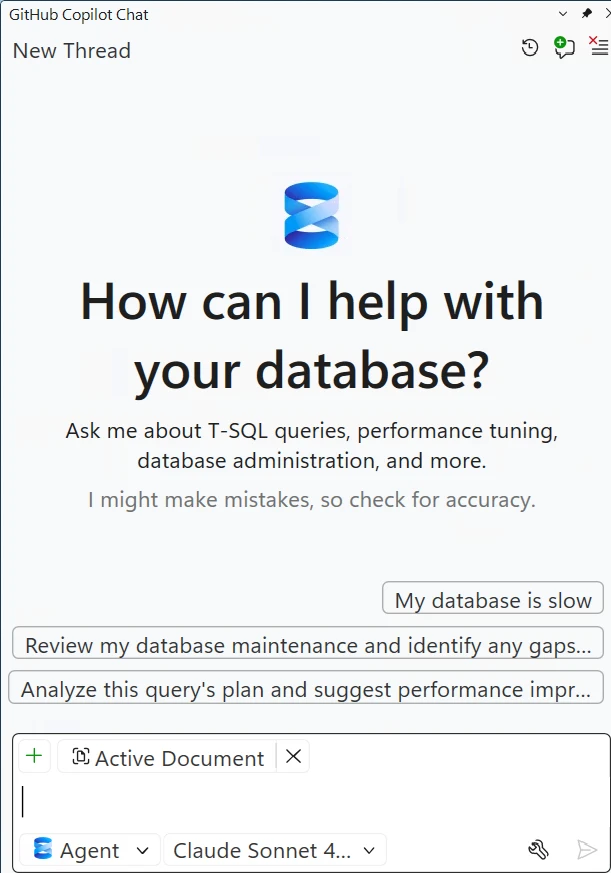
GitHub Copilot in SSMS provides a chat workflow for drafting, explaining and improving T-SQL. Its documented Agent mode can iterate through queries and commands with user approval. This makes it useful for SQL Server specialists who want assistance inside the same tool that exposes their schema and query plans.
It is strongest when the prompt benefits from the active SQL Server context. The selected database and execution credentials matter more than the wording of the answer once Agent mode is involved. Actions run under the applicable connection permissions, and the installed SSMS version and administrator policies determine availability.
Use the documented SSMS AI workload and account with Copilot access. Verify the database and execution mode before testing a query. Microsoft documents that normal execution uses the user's SQL permissions unless a separate database context is configured.
Begin with a read-only SQL login and synthetic tables. Compare ASK-mode proposal and any execution evidence with your group's settings. Check effective SQL permissions and the actual query result separately from the model's classification.
- Compatibility
- Supported Windows SSMS version with GitHub Copilot enabled and an eligible account.
- License and trial
- GitHub Copilot plan and organizational policies determine access.
Redgate Assistant in SQL Prompt
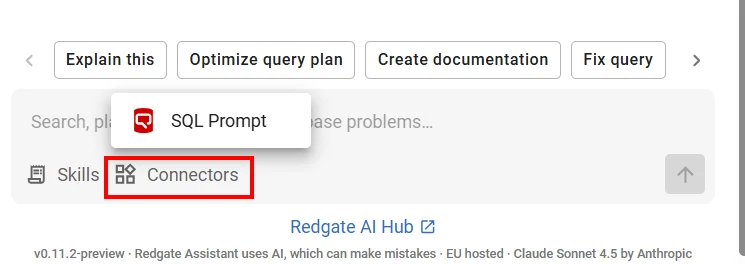
Redgate Assistant adds AI completion and help with code, errors and optimization to supported SQL Prompt versions. It can use contextual details such as the query window and relevant schema. That is useful when a team already works in SQL Prompt and wants assistance without moving the script into another editor.
The benefit is working near the query and its plan. Redgate documents that prompts, query text, errors, plans and schema information can be transmitted to provide the feature. The acceptable context and license need to be assessed for the database, and suggested SQL still needs review in its execution environment.
Enable the intended SQL Prompt feature under its current opt-in and subscription requirements. Read the data-handling settings before providing connection metadata or query history. Try the first prompt without real client schema or results.
Use one fixed SQL Server dialect and compare how the assistant proposes, explains or checks the query. Record build, feature status and exact prompt. Use an independent execution plan and deterministic result check when evaluating its optimization advice.
- Compatibility
- Supported SQL Prompt version and SSMS host with assistant access.
- License and trial
- Commercial entitlement and available hosts depend on the SQL Prompt release and plan.
dbForge AI Assistant in SQL Complete
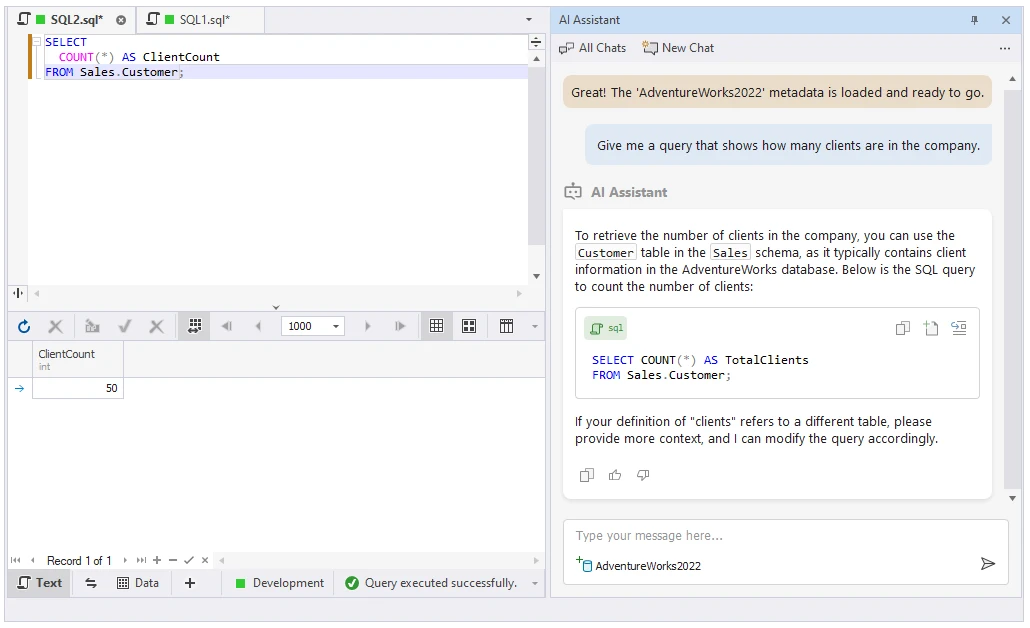
dbForge AI Assistant in SQL Complete can generate, explain and suggest fixes for SQL in the supported editor. It is useful when a developer already uses SQL Complete for ordinary completion and wants to ask about an unfamiliar statement without opening a separate application.
Its documented integration can use metadata as context. That can improve column and table suggestions, while query meaning still depends on relationships and business rules that metadata may omit. The selected version, assistant entitlement and data-handling terms are part of the comparison.
Devart documents attaching a database to the chat for schema context. Compare the same prompt with no attachment and with the approved synthetic schema. Verify what context the team can send before activating a feature.
Review the generated SQL and separate the shown text from any query you explicitly execute in the editor. Test tenant filtering, ordering and null preservation. Check AI access and request limits for the edition selected.
- Compatibility
- Supported Windows SQL Complete version and compatible SSMS or Visual Studio host.
- License and trial
- Commercial product. AI access and limits follow the applicable plan.
DBeaver AI Assistant
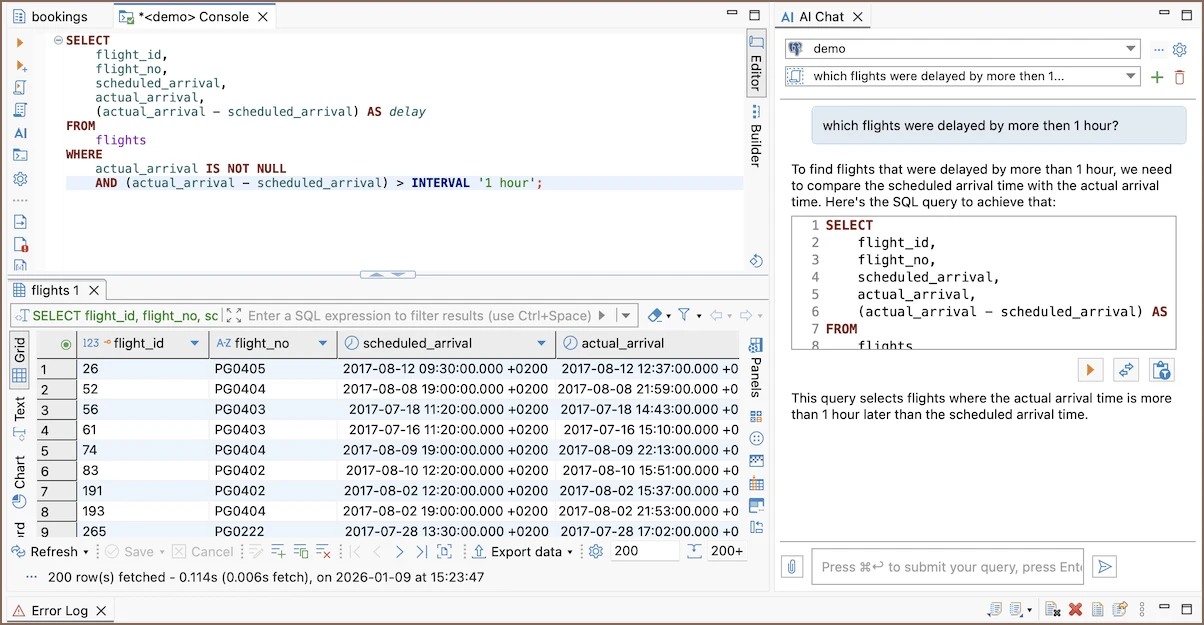
DBeaver’s AI Assistant integrates chat and SQL assistance with a multi-database editor. Its configuration can determine the provider and the context available to a request. It is useful for teams that want schema-aware suggestions for SQL Server and other engines in one client.
It fits developers who already use DBeaver and can standardize the model, settings and allowed schema context. Provider behavior and metadata selection matter when the database contains sensitive information. Generated statements still need to match SQL Server syntax and the permission level of the actual connection.
Select the provider you intend to use and record the model and DBeaver edition. DBeaver documents an Ollama integration for a local provider path. Verify the actual configured endpoint and context, especially if privacy is part of the selection.
Use a scoped account for the SQL Server comparison, and check any AI or MCP permissions separately from database permissions. Capture expected and actual rows. Review whether a task returned suggested SQL or invoked a tool.
- Compatibility
- Supported DBeaver edition and SQL Server driver. Model and connection requirements vary.
- License and trial
- AI availability and any separate provider fees depend on edition and configuration.
JetBrains AI Assistant in DataGrip
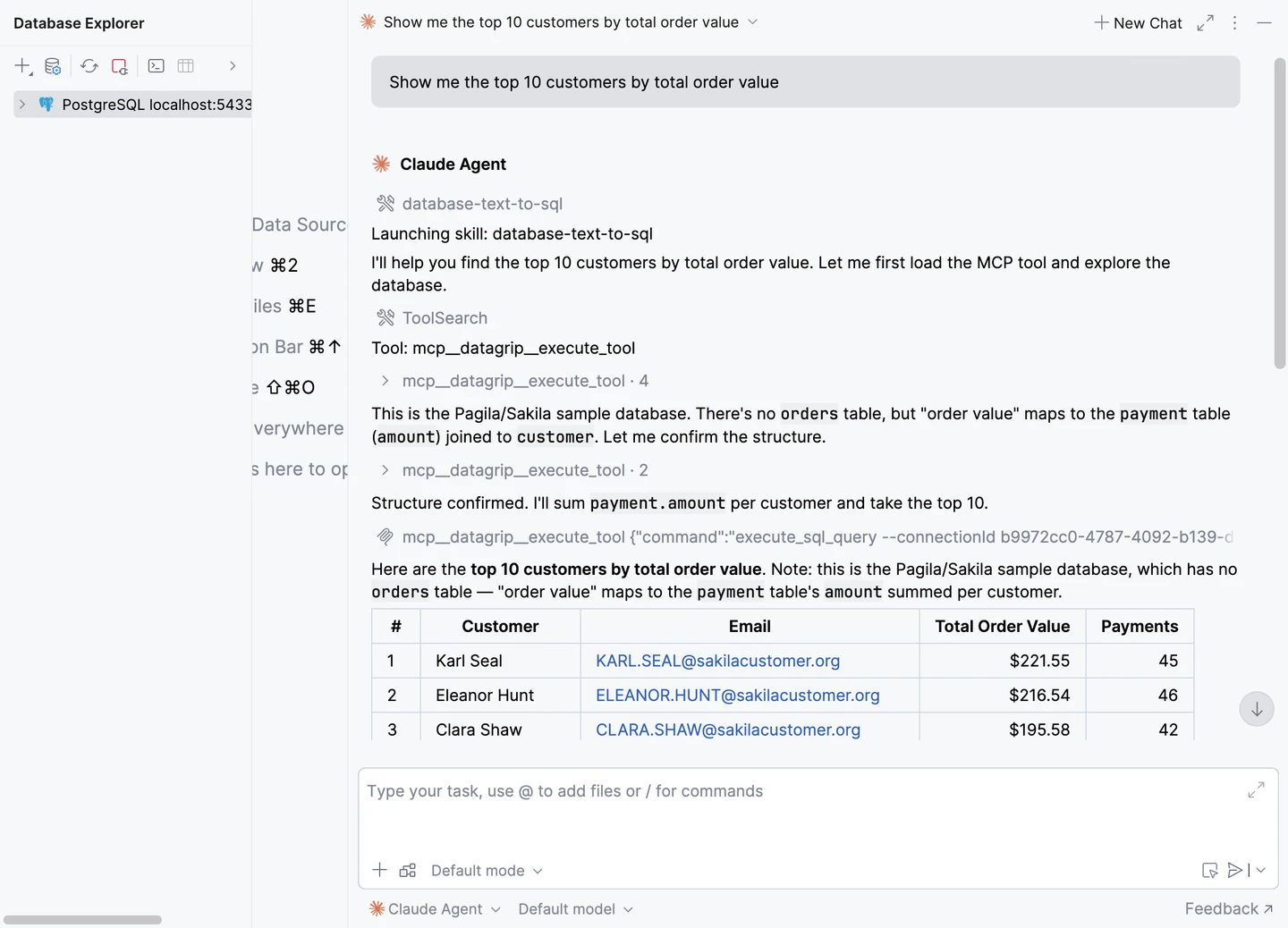
JetBrains AI Assistant can use database context in DataGrip to help explore objects and generate SQL. Its AI integration also exposes settings for access to data and schema. That is useful for developers who already keep database connections near application projects and want assistance in the same IDE.
The value is context from the chosen database and project. Data and schema access settings influence what agents can read or modify. Those settings, plus the connected account, determine how the workflow behaves when a request goes beyond drafting a query.
Use a DataGrip project containing the synthetic schema and specify SQL Server as the dialect. Test the documented database-context and explanation workflow with the exact JetBrains AI setup used by the team.
If you attach a plan, check the selected metadata and report scope before sharing it. Compare the explanation with the engine's own plan and results. Record the IDE license and which AI usage or entitlement funded the trial.
- Compatibility
- Supported JetBrains DataGrip release, AI integration and a valid SQL Server connection.
- License and trial
- DataGrip and JetBrains AI terms apply. Access may depend on the chosen subscription or provider.
Quest Toad Chat for SQL Server
Quest introduced Toad Chat in the 2026 R2 Toad for SQL Server release. The assistant appears in the client, where a user can ask for help without leaving the SQL Server workspace. It is relevant for teams that already use Toad and want an integrated chat workflow.
The advantage is having help close to the code and database tasks. A team should distinguish contextual guidance from a verified T-SQL result. Release and license availability matter, and the client’s current documentation determines the context that can be supplied to the assistant.
Choose the documented Toad for SQL Server release and verify that Toad Chat is available in the installed configuration. Review vendor guidance on the context the tool can see before supplying any non-synthetic queries.
Use the same test prompt and isolate the T-SQL it produced. Verify under a read-only role. If chat and query execution are in different features or screens, keep their observed behavior separate in the result.
- Compatibility
- Windows Toad for SQL Server in a release that includes Toad Chat.
- License and trial
- Commercial Toad product. AI availability follows current release and license terms.
DbVisualizer AI Assistant
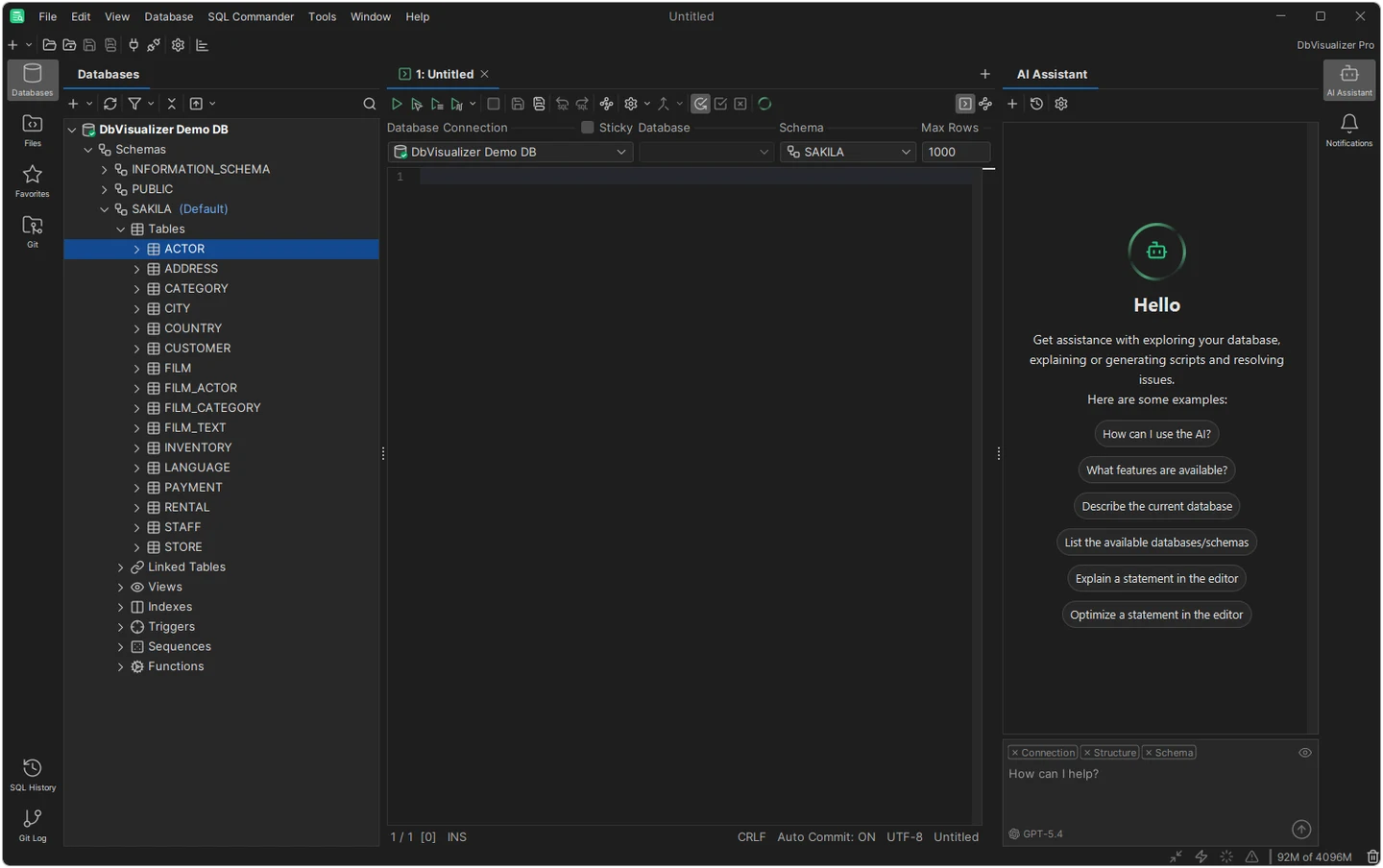
DbVisualizer has opt-in AI features for understanding schemas, generating SQL and explaining errors. It is useful when a developer already works in DbVisualizer across several database engines and wants to ask for help from the same client used for editing and inspection.
It fits the query drafting and explanation workflow. The model and shared schema context determine how well a suggestion uses real object names. Provider and edition limits also matter, and the generated query still needs to be checked against the SQL Server dialect and intended data.
Use the DbVisualizer AI guide for the installed version. Configure the intended model or service and check which parts of the query or connection context are included. Keep the tool's regular SQL Server driver permissions separate.
Record the prompt and proposed T-SQL, then compare joined output and ordering against the fixture. Evaluate rewriting or explanation with a query plan from the lab. Confirm the DbVisualizer license and any separate provider terms.
- Compatibility
- Supported DbVisualizer version, SQL Server driver and configured AI access.
- License and trial
- AI use, plan entitlements and any external provider terms vary.
SQLAI.ai
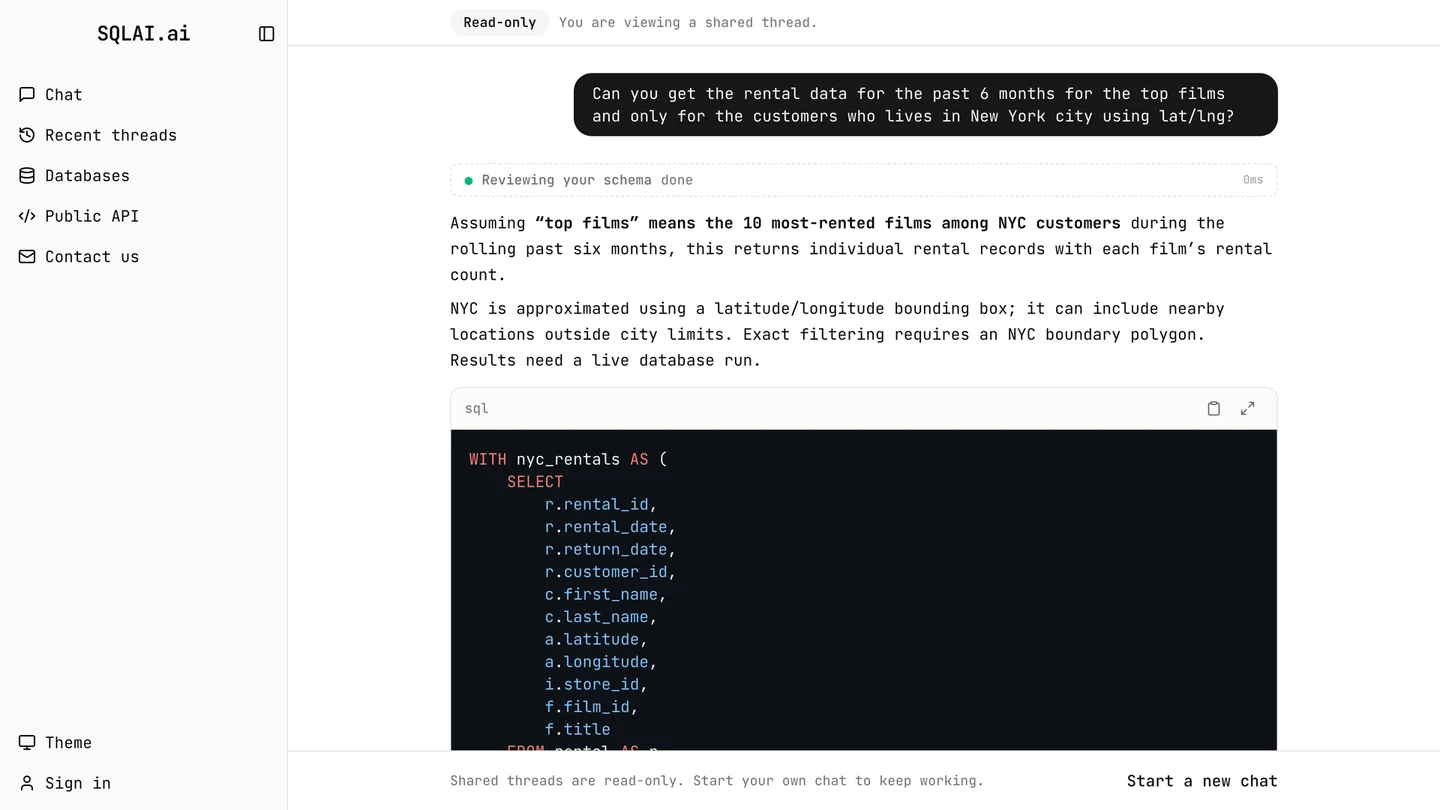
SQLAI.ai offers a browser workflow for generating, explaining and evaluating SQL. Its SQL Server option can use schema supplied by the user or imported from a supported source. This is useful when a developer needs help outside the database IDE or wants to reuse schema context across several prompts.
It fits a standalone drafting workflow. Importing a schema or connecting a live source changes what information the service receives, so the chosen method affects where the tool can be used. A service’s validation is separate from confirming behavior against the target engine and data.
Start by pasting a synthetic SQL Server schema rather than connecting to your normal database. Verify the SQL Server dialect and version in the project. If live query execution is required later, use a restricted demo connection.
The publisher documents an explicit user action to run read-only queries with a live connection. Check the chosen service terms and actual permissions in that setup. Compare query results without including real row data in the prompt.
- Compatibility
- Web service with SQL Server dialect and supported schema input or connection options.
- License and trial
- Free and paid service options. Usage and connection limits depend on the plan.
AI SQL assistants by workflow
| What you need | Tools to shortlist | What to verify |
|---|---|---|
| Write and review T-SQL inside SSMS | Check the installed version, what the assistant reads from the active database and how you review or apply an edit. | |
| Generate queries in a multi-database editor | Select your SQL Server connection and check schema scope, the model provider and which actions can run without a prompt. | |
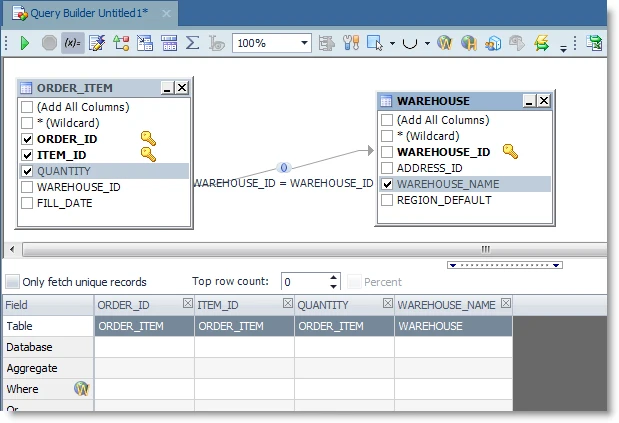
| Review an existing query in Toad | Send the selected statement to Explain, Validate or Optimize, then check the semantics of the suggested rewrite. | |
| Draft T-SQL in a browser using an imported schema | Import a sanitized schema and confirm how prompts, schemas and generated SQL are kept before sharing a workspace. |
Choose what context and permissions the assistant gets
A model can receive a pasted definition, selected client context or live schema metadata. Use the same version and scope for a fair comparison. Test query proposals with a role that can read only the necessary lab objects.
Only a synthetic schema may leave the workstation
Use a detached query proposal
Share only the approved fixture and review SQL outside the assistant.
A provider may receive scoped metadata
Attach the approved SQL Server context
Verify model, selected objects, edition and what leaves the client.
Policy requires a locally configured model
Verify a documented local provider path
Check the actual model endpoint and inspect allowed tool calls as well as SQL permissions.
- Microsoft GitHub Copilot Chat in SSMS and role context
- Redgate Assistant features
- Redgate AI data handling and controls
- Devart SQL Complete AI Assistant
- DBeaver AI Assistant configuration
- DBeaver Ollama integration
- JetBrains AI Assistant for database tools
- Quest Toad for SQL Server 2026 R2 release notes
- DbVisualizer AI Assistant guide
- SQLAI.ai SQL Server query and metadata workflow
Score the generated query against a fixed T-SQL fixture
Use this prompt with each assistant. Return every customer from tenant 7 and their latest paid order, including customers without one. Match both TenantId and CustomerId. Break ties by the highest OrderId. Return CustomerId and OrderId sorted by CustomerId. Use SQL Server syntax.
The sample compares OUTER APPLY with CROSS APPLY. The former keeps a customer with no paid order. No vendor-specific results are assumed. Save each tool's own output and compare the actual rows, rather than the confidence of its explanation.
| Check | Fixture case | Pass condition |
|---|---|---|
| SQL Server dialect | Choose one matching order | Uses valid T-SQL such as TOP (1) with deterministic ordering |
| Tenant correlation | The same customer identifier exists in tenant 8 | Tenant 8's newer OrderId 999 never appears |
| Tie-breaker | Two paid orders share an order date | Customer 101 returns OrderId 202 |
| No qualifying record | Customer 102 has only a pending order | Customer 102 remains with NULL OrderId |
| Execution permissions | Assistant uses a scoped lab account | Only authorized reads are possible |
How to compare these tools
Use the same prompt, schema and account. Check table and column names, SQL Server syntax, results and the service’s handling of source code and schema metadata. Sources checked .
Check the generated SQL against a known result
Run the fixture in a disposable SQL Server session and keep the result as the expected answer. Give each assistant the same prompt and synthetic schema, then review its output before running it.
Test tenant matching, a tie and a customer without a paid order
T-SQL · 36 lines
- Fix the product, client build, chosen model, dialect and prompt. Provide the fixture's table names and definitions. Test a proposal without granting permissions beyond authorized lab reads.
- Compare the proposed query with the expected rows. Check the two-column tenant key, SQL Server syntax and stable tie handling. Verify that CustomerId 102 remains.
- Save the exact output and mark any discrepancies before evaluating explain or optimize features. Record actual runtime observations only for the SQL and product you tested.
Conclusion
Keep the assistant that fits the editor you use and lets you verify what context is shared and which SQL runs. Test with your team’s account, provider and permissions. An exported query and a known result give reviewers a useful starting point when the suggested SQL looks plausible.
Frequently asked questions
What AI assistants can write T-SQL in SSMS?
GitHub Copilot is integrated into SSMS 22 and later with the AI Assistance workload. Redgate Assistant in SQL Prompt and dbForge AI Assistant in SQL Complete add AI features through their SSMS add-ins. Check the add-in version and license before deploying it.
Can AI generate SQL using my SQL Server schema?
Several tools can use schema context from the active database or an attached schema. SQLAI.ai also supports importing a schema without a live connection. Check which objects, query text and optional result samples are shared with the provider.
Can an AI assistant execute SQL Server queries?
It depends on the product and mode. SSMS Agent mode can invoke SQL tools with approval and execution settings. DBeaver and DataGrip also have execution controls. Test which actions request confirmation under your exact client settings and SQL Server permissions.
How do I test whether AI-generated SQL is correct?
Run the query with known data and compare the rows and totals. Include duplicate values, missing related rows and a date boundary. Check the syntax and execution plan separately if the query will run on large tables.
Can I use a local AI model for SQL writing?
DBeaver documents an Ollama provider option. Check the edition and endpoint, then verify what context is sent and where it runs in your environment.
How do I compare AI-generated T-SQL fairly?
Fix the prompt, SQL Server version, synthetic schema and expected rows. Record the model, build and enabled context. Run the reviewed SQL with limited permissions and inspect failures before comparing optional optimization advice.