

A Crystal Reports replacement can import an existing RPT file into a new report definition or give the team tools to rebuild the report. Conversion can save work on layout and simple fields. Formulas, subreports, grouping, pagination and report-specific database commands often require more attention, even when the converted report opens successfully.
The best fit depends on where the report will run. A .NET library can keep reports embedded in the application. A report server can handle access, scheduling and recurring export. Compare using a representative SQL Server-backed report and its PDF, spreadsheet or print output. A visually faithful first page can still hide differences in totals, page breaks or the way a subreport receives parameters.
Crystal Reports replacements for SQL Server at a glance
Check first whether you can convert the .rpt files or need to rebuild them. Then compare the rendered output and delivery requirements using a representative report.
| Tool | Migration approach | First check | Acceptance proof |
|---|---|---|---|
| Progress Telerik Reporting | Documented Crystal Reports converter | Supported components and conversion limitations | Compare rows, formulas, layout and exports |
| DevExpress Reporting | Documented Crystal converter in ReportsImport | Crystal runtime and unsupported function behavior | Converted expressions and render acceptance |
| MESCIUS ActiveReports.NET | Supported Crystal Reports import path | Runtime and unsupported object types | Exact totals and report layout |
| Bold Reports | Crystal-to-SSRS/RDL conversion workflow | Supported .rpt content and target RDL behavior | Converted or rebuilt subreports and correct PDF |
| Stimulsoft Reports.NET | Documented migration or conversion workflow | Exact .rpt compatibility and output settings | Generated report and known data values |
| FastReport .NET | Documented Crystal-to-FastReport import workflow | Converter and runtime prerequisites | Expression review and PDF comparison |
| combit List & Label | Migration support and replacement design path | Actual supported report reproduction workflow | Verified output and embedding or print behavior |
| Power BI Report Builder and Report Server | Build paginated RDL reports and deploy to supported server | Required features and deployment model | Rebuilt layout, data parameters and exports |
| Jaspersoft Studio and JasperReports Server | Build Jasper reports with supported SQL connections | Query, parameter and template conversion work | Rebuilt report totals and scheduled output |
Progress Telerik Reporting
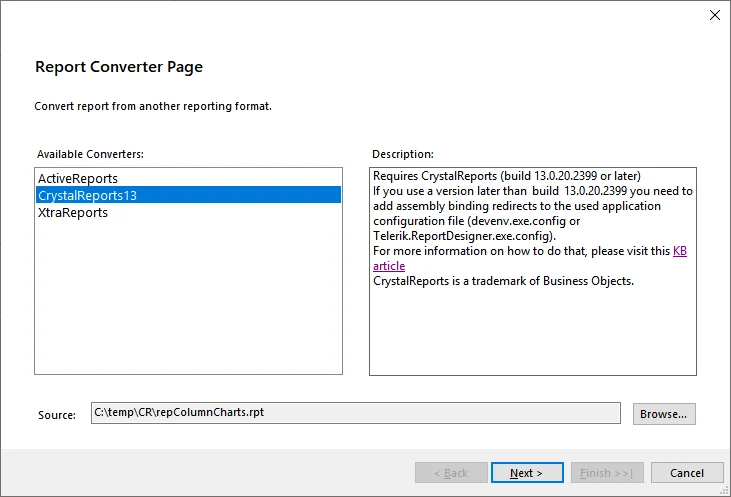
Progress Telerik Reporting provides a Crystal Reports converter for eligible RPT definitions and can host the converted definition inside a supported .NET reporting workflow. It is useful when a team wants to preserve part of a Crystal layout while moving report development into Telerik’s designers and runtime.
Telerik documents converter and Crystal runtime prerequisites, with different coverage across versions. Formulas, report items and subreports need a report-by-report review. The version of the source RPT and the engine that renders the result determine how much conversion work remains.
Use the documented converter for a small representative .rpt and preserve all conversion messages. Telerik explicitly calls for checking parameters, records, totals and pagination after conversion.
Compare a report-level rounding formula and a grouped subtotal, then export to the required format. Record any object or behavior that needs rebuilding in the designer.
- Compatibility
- Supported Telerik Reporting version, compatible Crystal definitions and required runtime.
- License and trial
- Commercial Progress Telerik licensing.
DevExpress Reporting
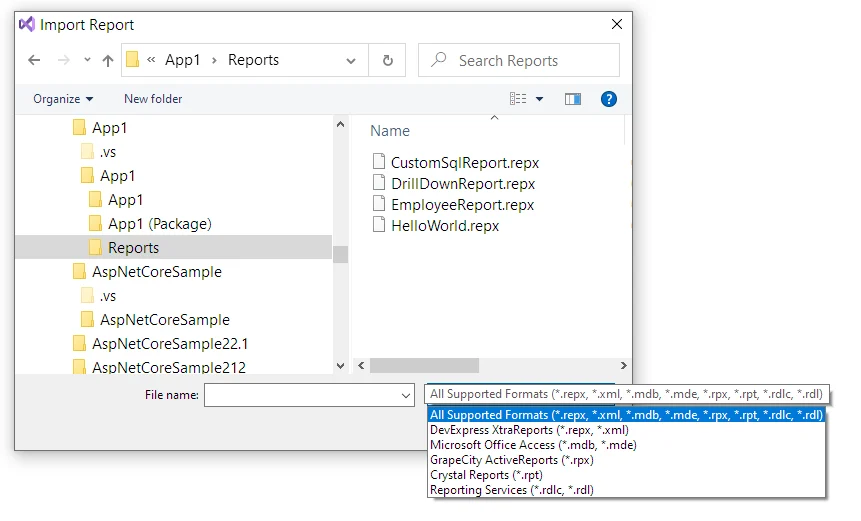
DevExpress Reporting documents Crystal conversion through its designer or conversion utility, creating a DevExpress report definition. It is useful when a .NET team wants to convert several RPT files and also needs a supported report designer, SQL Server data source and application viewer.
The generated definition is a starting point for migrating code and layout. Converting metadata and binding the resulting report to the intended SQL Server are separate tasks. Formula semantics, parameters and page rendering still need to be checked on the converted report.
Review ReportsImport and its Crystal runtime prerequisites for the conversion machine. Keep a record of unsupported formula handling and inspect any replacements the converter made.
Run the converted template against the same synthetic SQL values and compare group boundaries and totals. Verify the exported pages and report parameter behavior.
- Compatibility
- Supported DevExpress Reporting converter and runtime with compatible Crystal inputs and SQL Server connection.
- License and trial
- Commercial DevExpress licensing.
MESCIUS ActiveReports.NET
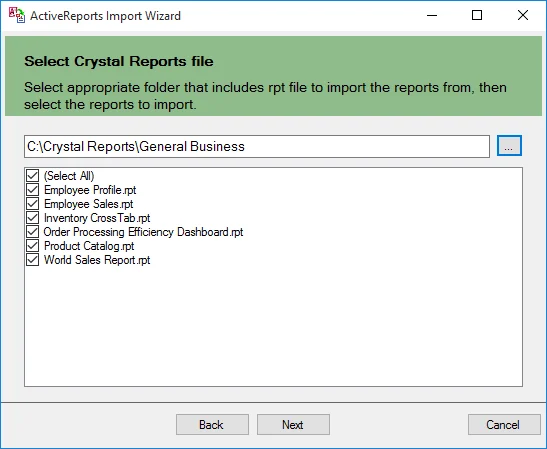
MESCIUS ActiveReports.NET offers an Import Wizard for Crystal RPT definitions and can render converted reports through supported .NET applications. It is useful when the team wants to retain an embedded report workflow and convert layouts into a report format that its developers can maintain.
Import support and resulting report capabilities depend on the version and edition. Complex formulas, section behavior and data source references can need manual correction. A useful pilot renders the old and imported reports against the same SQL Server data and parameters.
Check ActiveReports' Crystal import prerequisites and documented object limitations. Choose a report that includes the controls that account for the largest part of your inventory.
Review converted expressions and visual objects against the original. Verify the amount and tax check, and compare exported output and application code needed to load it.
- Compatibility
- Supported ActiveReports.NET edition, Crystal input and SQL Server provider.
- License and trial
- Commercial MESCIUS licensing.
Bold Reports
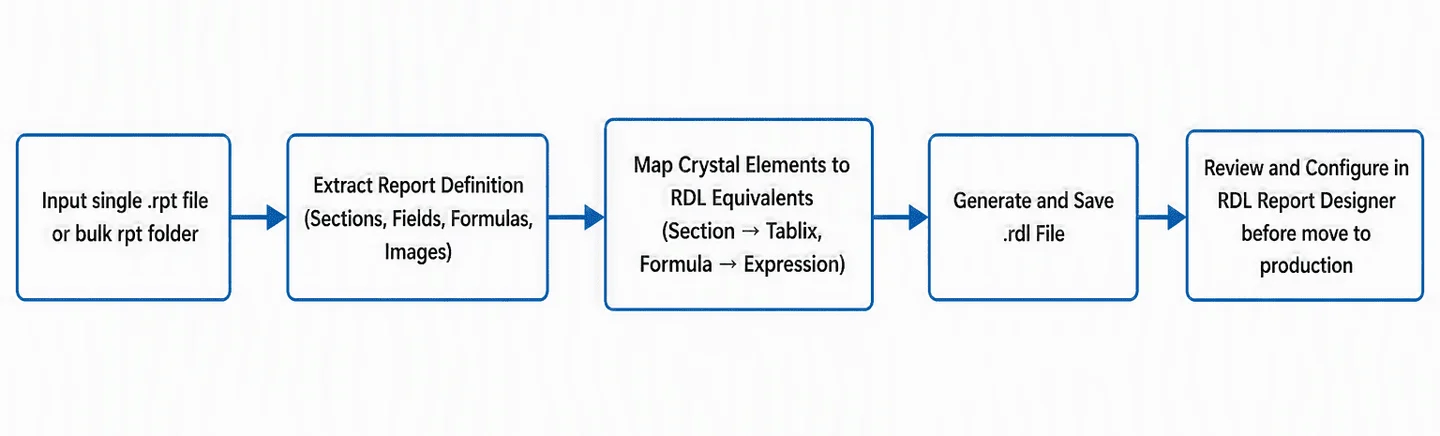
Bold Reports documents a converter from Crystal Reports to SSRS-style definitions. It is useful when the team wants to start from a supported RPT and continue in a paginated reporting workflow that can use SQL Server data and RDL-related tools.
Its benefit is producing an intermediate report format that can be reviewed and maintained. The conversion workflow and supported report elements need to match the actual source reports. Expressions, data sources and scheduling remain separate parts of getting the new report into production.
Check the Bold Reports Crystal-to-SSRS converter for the actual input and expected RDL destination. Review how the destination interprets its data and report parameters.
Compare the converted report to the captured expected result and note any manual rebuilding. Run the actual report server export rather than only checking a design preview.
- Compatibility
- Supported Bold Reports conversion utility and compatible Crystal input or RDL output workflow.
- License and trial
- Commercial Bold Reports licensing and converter terms.
Stimulsoft Reports.NET
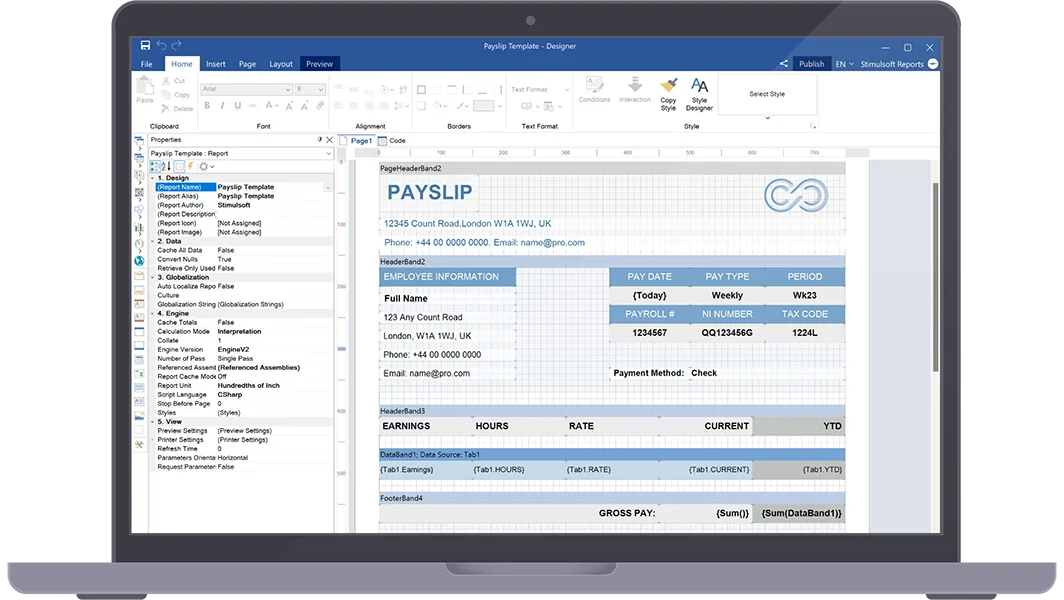
Stimulsoft Reports.NET offers a Crystal migration path with an import tool and supports building SQL Server-backed reports in its own report engine. It is useful when a .NET team wants to carry over a starting layout and then maintain the report in Stimulsoft.
The selected import tool and Crystal runtime influence supported inputs. Data connection, expressions and layout details can require review after conversion. An embedded report uses the runtime and deployment model of the application that will render it.
Review the Stimulsoft migration workflow and supported Crystal input. Preserve a test list containing one straightforward report plus a report with grouped data or special calculations.
Validate data, summary and print behavior after conversion or rebuild. Record which font, layout or runtime choices affect the generated PDF.
- Compatibility
- Supported Stimulsoft product, compatible Crystal import prerequisites and SQL Server connectivity.
- License and trial
- Commercial Stimulsoft licensing.
FastReport .NET
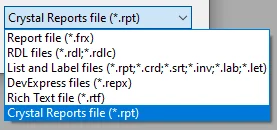
FastReport .NET documents a plug-in path for importing Crystal RPT files into FastReport’s format. It is useful when a team wants an editable report definition and can prepare a conversion environment with the required Crystal Reports assemblies.
The conversion setup is a material part of the evaluation because it depends on compatible runtime and importer components. A successful import gives a template to review. Expressions, data connections and rendered output still need checks before replacing Crystal in the application.
Use the documented FastReport workflow and confirm the converter and supported source runtime. Save warnings and inspect converted expressions with exact SQL test input.
Compare the report against the same known subtotal, grouped details and output format. Check whether scheduled or embedded rendering needs separate deployment work.
- Compatibility
- FastReport .NET with the applicable import plug-in and Crystal runtime prerequisites.
- License and trial
- Commercial FastReport licensing and applicable Crystal runtime terms.
combit List & Label
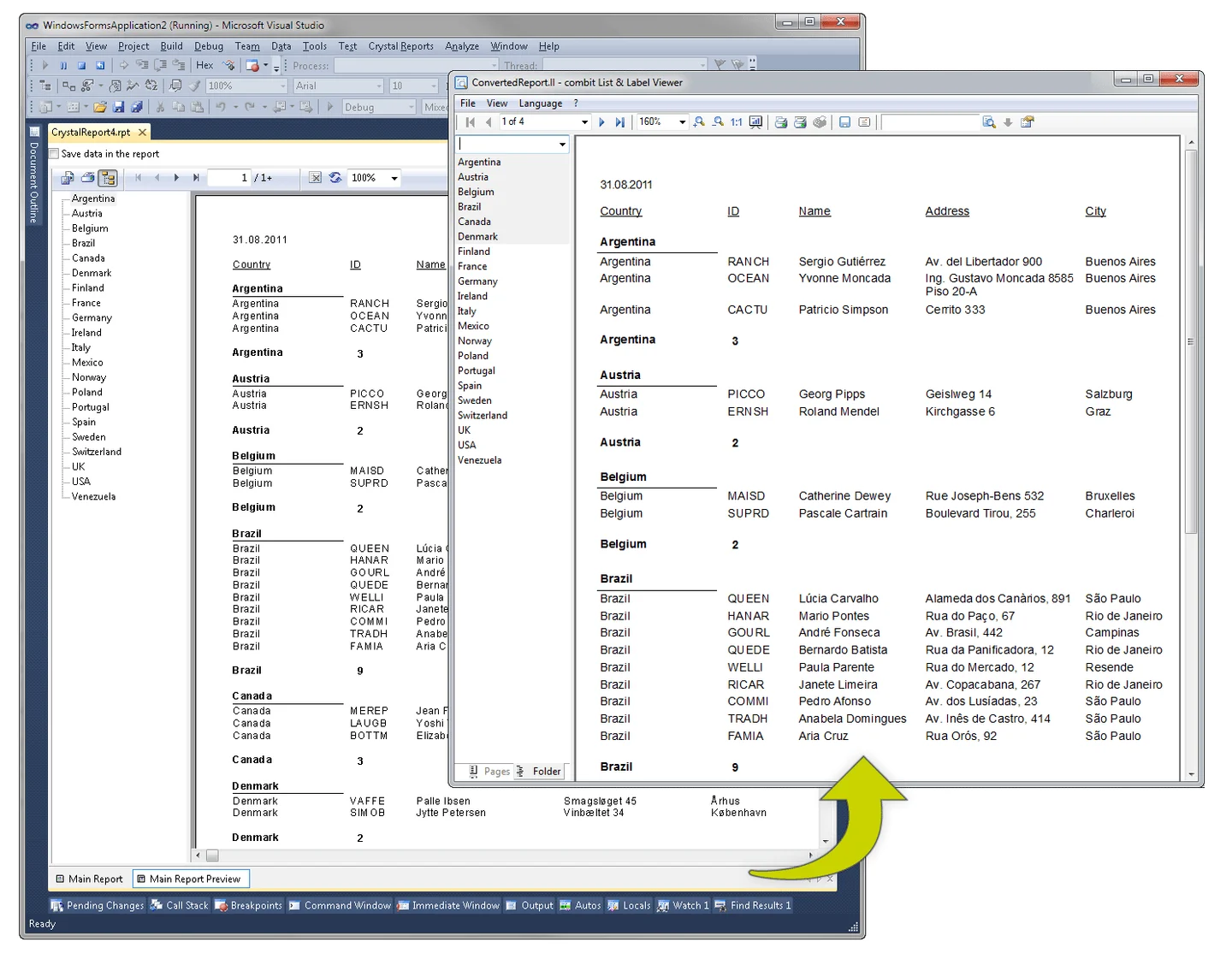
combit List & Label provides a customizable Crystal Reports converter in eligible editions as well as a reporting engine and data providers for .NET software. It is useful when the migration needs both a reusable conversion path and ongoing developer control over the report.
Its fit depends on the edition, supported object mapping and how the current software supplies SQL Server data. Customizing conversion can help with repeatable patterns. Formula and group totals, subreport inputs and print output still need validation in the new runtime.
Trial a representative report using the List & Label migration or replacement process appropriate for your application. Confirm with the current documentation which pieces you convert and which require template work.
Compare data formulas and printed results rather than only selecting a visually similar design. Save the converted or rebuilt template, SQL query and output proof.
- Compatibility
- Eligible List & Label edition and supported Crystal and SQL Server data-provider configuration.
- License and trial
- Commercial combit licensing.
Power BI Report Builder and Report Server
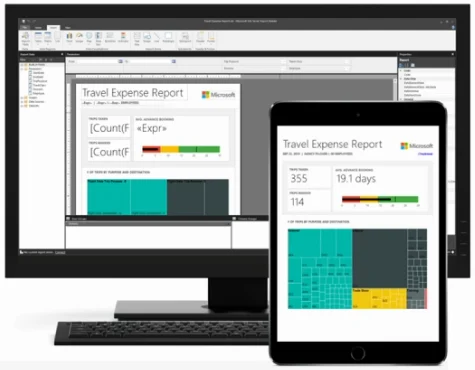
Power BI Report Builder creates paginated RDL reports that can be published to a supported Power BI Report Server. It is useful when a team plans to rebuild Crystal Reports against SQL Server and wants a Microsoft self-hosted reporting and subscription workflow.
The work is recreating the report’s data queries, expressions, parameters and layout in Report Builder. This can be a practical choice for SQL Server-backed reports with modest complexity. Schedule, permissions and render behavior need to be verified on the target Report Server.
Plan to build the needed paginated report in the supported RDL workflow. Recreate group formulas, parameters and print expectations from a known report and compare the actual server result.
Verify the report type, deployed Report Server requirements and supported export. Check all expected subtotal and page behaviors before converting a larger set.
- Compatibility
- Power BI Report Builder and supported Power BI Report Server or applicable RDL workflow.
- License and trial
- Microsoft report authoring tools and applicable Report Server licensing.
Jaspersoft Studio and JasperReports Server
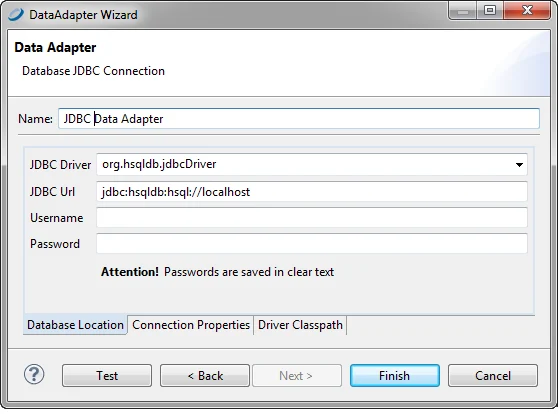
Jaspersoft Studio builds SQL Server-backed reports through JDBC and can publish them to JasperReports Server. It is useful when a team wants to recreate Crystal reports in a Java-oriented reporting environment and needs subreports, parameters and server-side distribution.
A rebuild needs decisions about datasets, SQL, expressions and nested report parameters. Matching the JDBC driver between Studio and Server helps make the deployed result predictable. Export and print behavior need comparison with the original Crystal report.
Use the documented SQL Server-compatible JDBC data adapter for the target Jasper report. Set the SQL query, report parameters and layout explicitly for a rebuilt template.
Compare a printed or exported version with the baseline for data and grouping. Verify the exact rounding rule and current deployment or scheduling requirements.
- Compatibility
- Jaspersoft Studio and eligible JasperReports Server or runtime with compatible SQL Server JDBC connectivity.
- License and trial
- Applicable Jaspersoft product and deployment terms.
Crystal Reports replacements by migration approach
| What you need | Tools to shortlist | What to verify |
|---|---|---|
| Import reports into a .NET reporting designer | Check which .rpt versions are accepted and which formulas and subreports must be repaired in the resulting template. | |
| Move reports to RDL | Convert with Bold Reports or rebuild in Report Builder. Open the resulting RDL on the exact server that will run it. | |
| Build or configure a converter for the existing catalog | Match converter dependencies and architecture on a separate conversion workstation. Record manual edits per layout. | |
| Rebuild in a Java reporting stack | Recreate the grouping and parameter-passing rules with the SQL Server JDBC source and the deployed renderer. |
Choose which Crystal Reports should be converted or rebuilt
Inventory the Crystal reports that people still use and the behavior they rely on. Include parameters, formulas, subreports, print sizes, grouped pagination, fonts, exports and delivery. Preserve a representative output and its exact data and inputs.
Run the documented conversion in a lab and review warnings, required runtimes and unsupported layouts. Prioritize high-risk reports with nontrivial formulas or printed output. Compare data and rendering as independent acceptance checks.
A large inventory of conventional .rpt files
Test vendor conversion on a representative subset
Preserve messages and count which artifacts need manual rebuilding.
A few print-critical or complex reports
Rebuild or convert under a strict acceptance check
Compare data, formulas, margins and actual exported pages.
The reporting platform and export also change
Verify the destination runtime and delivery
Test the new server, app viewer or print path separately.
Use a known SQL Server invoice to detect rounding changes
Build a synthetic invoice with two lines of 0.03 and a tax rate of ten percent. Document-level rounding gives a tax amount of 0.01 and total 0.07. If the template rounds individual lines first, those two tax values become 0.00 and total 0.06. Capture the intended original behavior before checking the replacement.
Apply the same SQL inputs and parameters in both templates. Keep the rounding policy, printed pages, exports and rendered totals from the original and candidate. Add a representative subreport or large group in a second test if your inventory requires it.
| Check | Expected fixture evidence | Review |
|---|---|---|
| Input data | Same invoice and two lines | Identical SQL, parameters and source values |
| Formula | Reported policy gives the expected tax and total | Compare group and document calculations |
| Visual output | Approved page and export format | Verify pagination, fonts and repeat headers |
| Runtime | Report runs in the intended hosted or embedded app | Check credentials and actual output path |
How to compare these tools
Convert one representative report and compare parameters, group totals, page breaks and the exported PDF. Estimate the edits in the converted report as well as the initial import time. Sources checked .
Compare a converted invoice with the Crystal Reports PDF
Run this read-only SQL in an existing disposable CrystalMigrationTrial database. Its output is the expected comparison for a synthetic invoice. Use the individual line values in the original and replacement report templates, and compare the documented rounding policy.
Make a report formula mismatch visible with two invoice lines
T-SQL · 15 lines
- Capture the original Crystal report data, parameters, rounding policy and rendered pages. Run the SQL fixture and choose which known total matches the original test policy.
- Import or rebuild the same template and run it with the same inputs. Compare formula behavior, line data, pagination and printed or exported results.
- Record what required manual changes and verify representative user workflows. Repeat with a subreport or item group that tests your remaining migration risks.
Conclusion
Choose the path with a conversion or rebuild effort you can estimate from real reports. Use an invoice with a linked subreport to price the manual edits. If totals, filters or printed output differ, fix the report definition before converting the rest of the catalog.
Frequently asked questions
Can I convert a Crystal Reports .rpt file to another reporting tool?
Several products document a Crystal Reports import path. Telerik, DevExpress, MESCIUS, Bold Reports, Stimulsoft, Fast Reports and combit each have a conversion workflow. Verify the supported Crystal version and test the report items your catalog depends on.
Can I convert Crystal Reports to RDL for SQL Server reporting?
Bold Reports documents an .rpt-to-.rdl converter. Check supported data sources, formulas, parameters and subreport arrangement. Open the resulting RDL in the intended report server and verify both page rendering and data.
Can Power BI Report Server open Crystal Reports files directly?
For a Power BI Report Server migration, use a compatible paginated RDL report. Rebuild in Power BI Report Builder or test an RDL generated by a separate converter. Verify the report on the destination server after configuring the SQL Server data source.
What should I check first after replacing Crystal Reports?
Start with the data source, parameter types, selection rules and invoice totals. Then verify the subreport receives the correct key, the output contains the correct details, and PDF pagination matches your printing requirements.
Does the Crystal Reports runtime have to stay installed after migration?
Check the converter’s prerequisites separately from the target renderer. A converter may need a compatible Crystal runtime to read .rpt files. Test the converted report on the intended production runtime and check whether the application still calls Crystal components.
Does successfully importing a Crystal .rpt prove the new report is ready?
Inspect conversion messages and compare SQL results, expressions, page behavior and actual exports from the target runtime.
Why might a converted report show a different total with the same rows?
The calculation may have moved from document-level rounding to rounding each row. Define the intended policy and test both using the same fixture.