

Embedded .NET reporting can mean a browser viewer backed by a reporting service, a desktop control, or a library that generates a document in code. A designer-based product lets people maintain a layout separately from the application. A code-first PDF library gives developers direct control over rendering and assumes the application will obtain and prepare the SQL Server data.
The best fit depends on where reports will run and who will maintain them. A Windows desktop report can rely on components and fonts that need deliberate replacement in a Linux container. Interactive filtering and exports also have different runtime needs. A useful comparison exercises the same query, layout and export on the actual application host.
Embedded .NET reporting libraries for SQL Server at a glance
Check application type and runtime first. Verify rendering, SQL roles and output on the environment that will run the report.
| Tool | Application path | Runtime check | Trial evidence |
|---|---|---|---|
| Progress Telerik Reporting | Supported web viewer and reporting engine | Runtime, rendering backend and fonts | Viewer and exported output |
| DevExpress Reporting | ASP.NET Core report viewer, designer and exports | Target OS and documented rendering dependencies | Correct parameterized report on deployed runtime |
| MESCIUS ActiveReports.NET | Supported viewer and .NET report rendering | Version, platform and report types | Rendered content and required fonts |
| Bold Reports Embedded | Embedded ASP.NET Core and supported viewer paths | Server component and deployment scope | RDL or supported report data and PDF |
| Stimulsoft Reports.WEB | Supported ASP.NET, Blazor and web reporting | SDK and target platform support | Correct tenant scope in viewer and export |
| FastReport .NET | Supported FastReport web components | Runtime, server rendering and font paths | PDF and app view with same values |
| combit List & Label Cross Platform | Supported code and designer workflow | Platform and documented SDK differences | Export and approved report assets |
| QuestPDF | Code-first document and table generation | Runtime, font setup and current license | Generated PDF with expected data and layout |
| Microsoft ReportViewer for WinForms | Windows desktop control | Report definition and local or remote mode | Desktop preview and expected export |
Progress Telerik Reporting
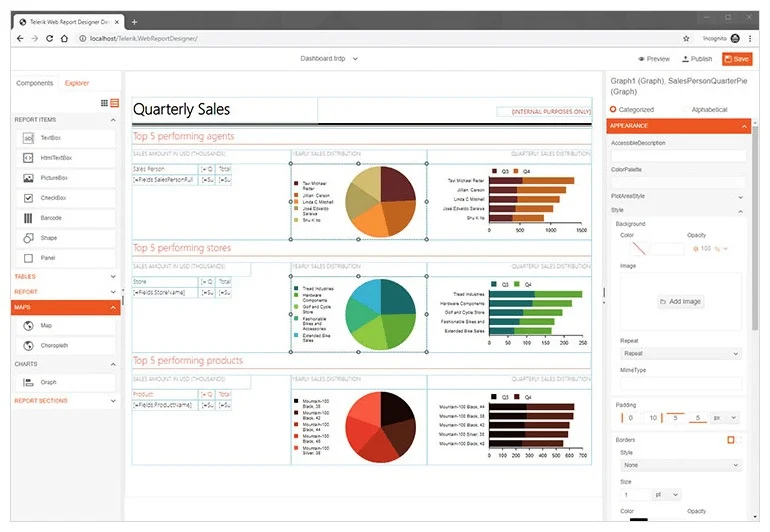
Progress Telerik Reporting offers a reporting engine, report definitions and an HTML5 viewer that can be embedded in a supported .NET application. It is useful when an application needs interactive SQL Server-backed reports and authors want to maintain the layout in a reporting designer.
The viewer, reporting service and rendering environment each have their own setup. Telerik documents separate graphics and font requirements for Linux deployments. Report definitions, viewer behavior and export formats should be tested on the intended host before choosing a runtime.
Select the documented reporting runtime and web viewer for your app's .NET version. Record the server renderer and font dependencies separately from any browser assets.
Bind the authorized dataset and compare template output in the viewer and PDF. Verify the exact target runtime and the application's data isolation after embedding.
- Compatibility
- Supported Telerik Reporting and ASP.NET Core or other application host, with compatible SQL Server provider.
- License and trial
- Commercial Progress Telerik licensing.
DevExpress Reporting
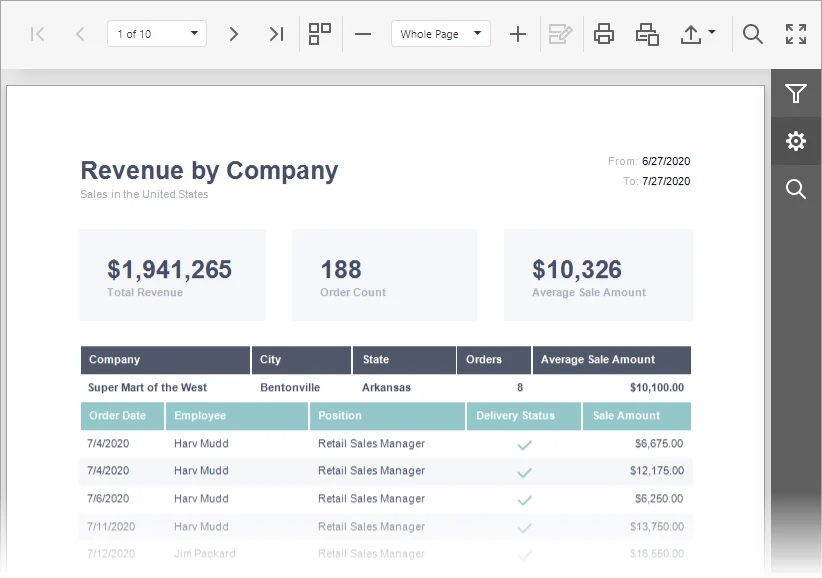
DevExpress Reporting provides designers, a report engine and a web document viewer for supported .NET applications. It can bind reports to SQL Server and render them within an ASP.NET Core deployment. This is useful when browser viewing and configurable document exports need to sit inside the application.
The rendering stack matters on non-Windows hosts. DevExpress documents its cross-platform drawing dependencies, and report fonts can change pagination. SQL connection permissions, application authorization and export behavior are responsibilities of the deployed reporting service.
Use the documented ASP.NET Core deployment and check its Linux or macOS requirements where relevant. Record how the viewer obtains data and what rendering components the server needs.
Export the same report on the actual target OS and compare fonts, rows and totals. Validate the authorized identity and returned data when a caller changes a report parameter.
- Compatibility
- Supported DevExpress Reporting, .NET runtime and SQL Server data connection.
- License and trial
- Commercial DevExpress licensing.
MESCIUS ActiveReports.NET
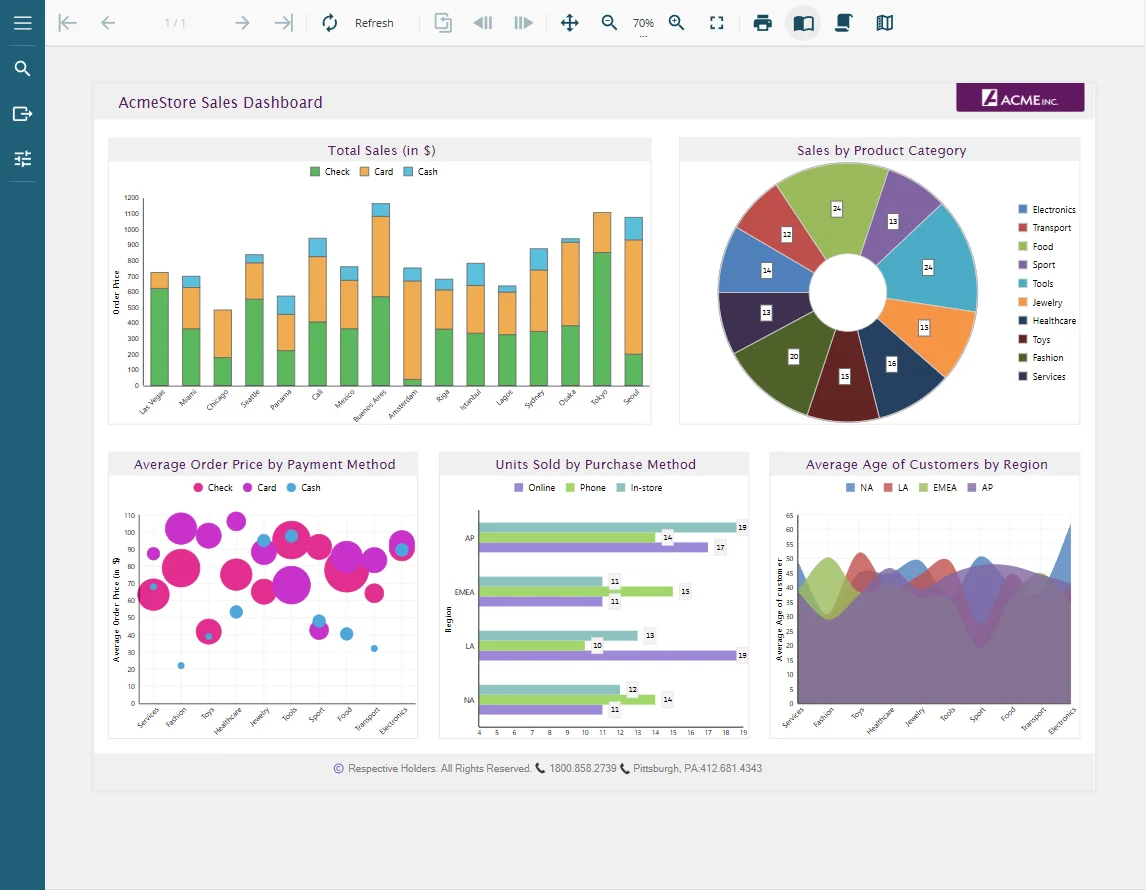
MESCIUS ActiveReports.NET offers report designers, definition formats and viewers for supported .NET applications. It is useful when a team needs reusable report layouts and wants to bind data from SQL Server directly or supply data from its application layer.
The report format, viewer controls and target runtime determine what can be deployed. MESCIUS documents host and feature requirements, including Linux rendering considerations. A desktop report can still need changes when the application moves viewer or server platforms.
Confirm the ActiveReports.NET package, report type and supported platform for the installed version. Check the actual PDF renderer and where the required fonts are deployed.
Test the filtered SQL dataset in the intended product viewer and generated output. Record any designer, pagination or runtime differences for the same fixture.
- Compatibility
- Supported ActiveReports.NET edition, .NET host and SQL Server data-access path.
- License and trial
- Commercial MESCIUS licensing.
Bold Reports Embedded
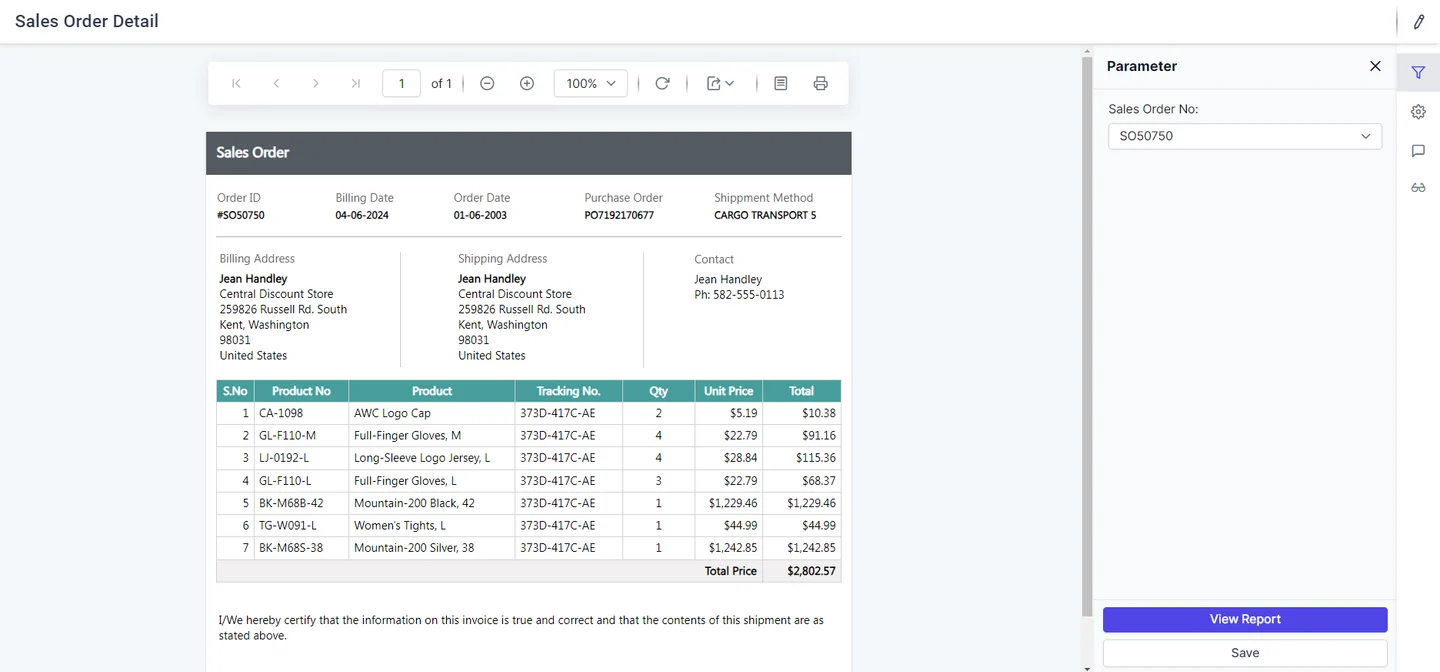
Bold Reports Embedded provides an ASP.NET Core report viewer and related reporting components for supported paginated report definitions. It is useful when a team needs to display SQL Server-backed reports inside a web application and prefers a viewer that already handles supported navigation and export.
The report service, data source credentials and viewer are distinct parts of that setup. Container images and fonts affect rendering, and the application still owns authorization for report data and parameters. Local definitions and server-hosted reports can have different integration requirements.
Use the supported Bold Reports embedded ASP.NET Core report path. Confirm its reporting service configuration, report file format and which SQL connection identity it uses.
Check the report parameter mapping and whether restrictions are enforced server-side. Compare viewer and PDF output against the known tenant totals.
- Compatibility
- Supported Bold Reports viewer and service with compatible report and SQL Server configuration.
- License and trial
- Commercial Bold Reports embedded licensing.
Stimulsoft Reports.WEB
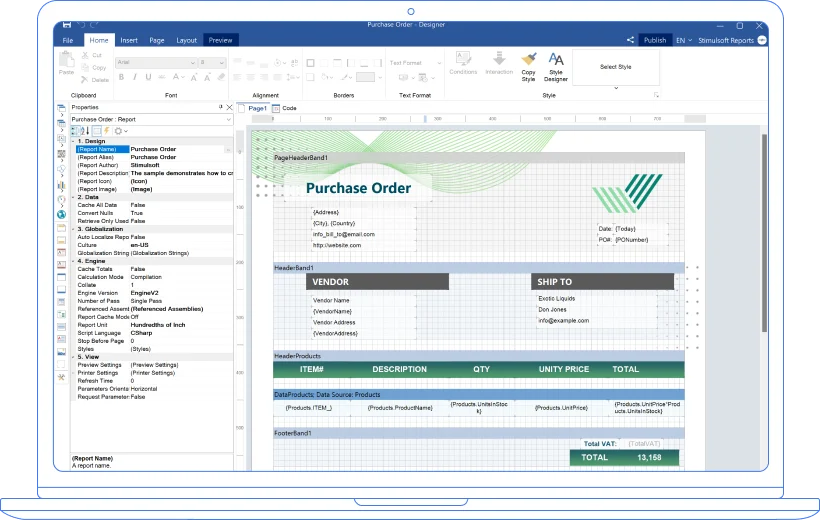
Stimulsoft Reports.WEB offers browser-based reporting and designers for supported .NET and web applications. It is useful when developers want to embed both viewing and permitted report editing with the vendor’s existing components.
Its value depends on how report data and designer access are supplied. A viewer and designer expose different capabilities to users, and the application needs to control both. Rendering and exports still depend on the runtime, fonts and supported report elements.
Verify the Reports.WEB runtime, client integration and hosting model. Keep rendering and data source permissions separate from viewer configuration and client UI.
Check that the rendered report and API-exported version show only the approved rows. Test missing fonts and parameter tampering under the same deployed service identity.
- Compatibility
- Supported Stimulsoft Reports.WEB integration and SQL Server data access.
- License and trial
- Commercial Stimulsoft licensing.
FastReport .NET
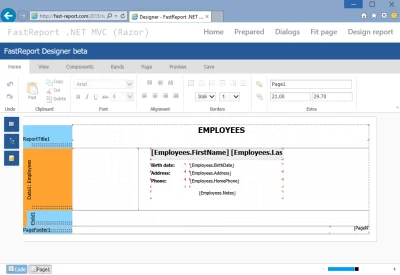
FastReport .NET offers report designers and web components for generating reports in supported .NET applications. It can use application data or configured database access. This is useful when the team wants a report definition and viewer it can integrate and customize in its own application.
The selected FastReport product determines the runtime, designer and deployment options. Fonts and graphics dependencies matter for exports, and the application still decides how to scope SQL Server queries to a user. The best fit is the component set that matches the required viewers and delivery formats.
Choose the supported FastReport web components for the app. Verify how templates and fonts are loaded and how the runtime obtains an authorized dataset.
Compare report preview, PDF output and run time on the actual target. Keep test inputs fixed and check selected values and layout after deploying the report host.
- Compatibility
- Supported FastReport .NET edition or web component and SQL Server data path.
- License and trial
- Commercial and applicable free FastReport editions.
combit List & Label Cross Platform
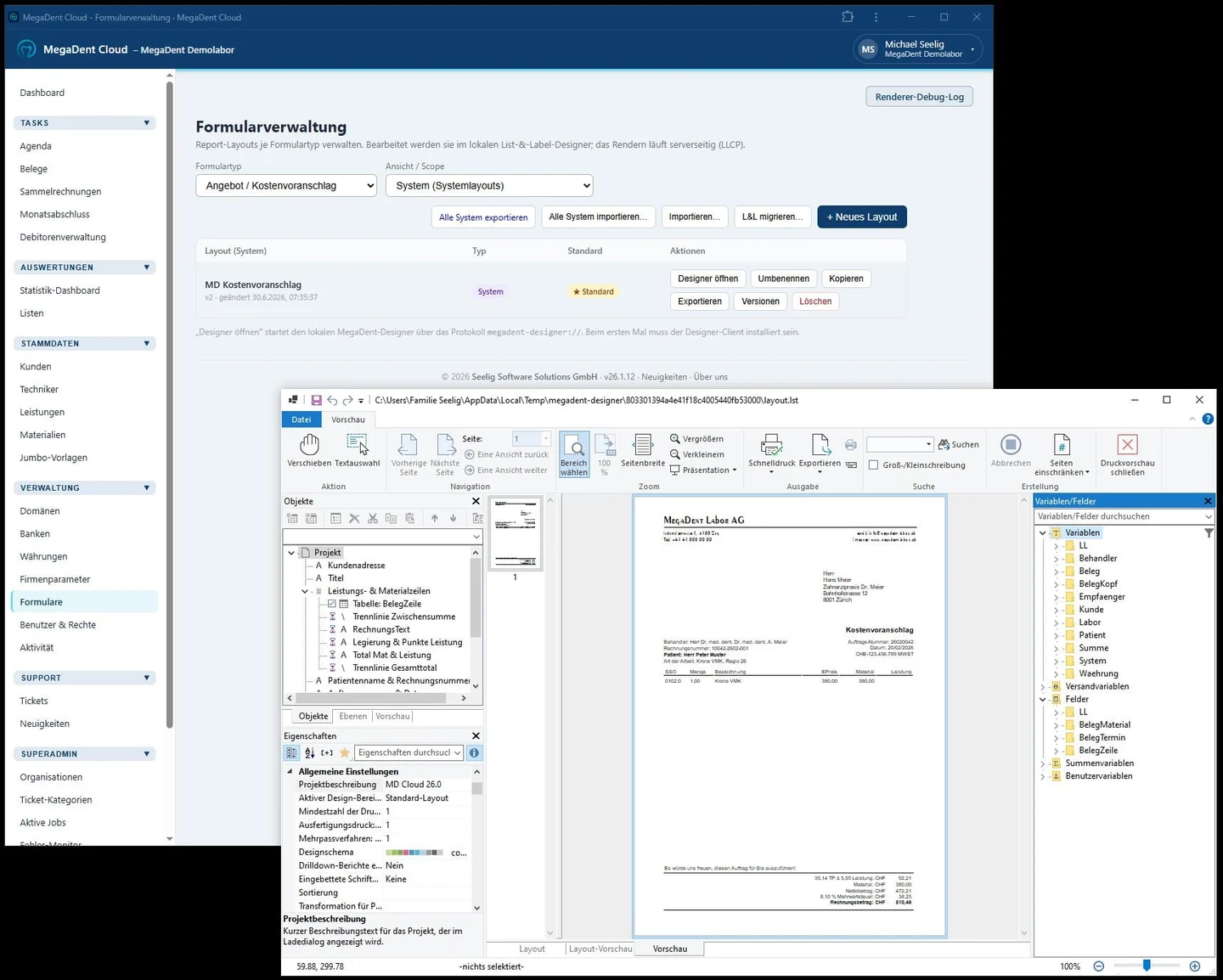
combit List & Label Cross Platform provides server-side report generation using .NET and JSON-based project files. It is useful when a team wants to render reports from its own application data on Linux or in a container through the documented cross-platform runtime.
The cross-platform product is designed around headless generation, with report designing handled separately. Runtime native assets and fonts affect output. A workflow that depends on an embedded designer, preview UI or print dialog needs an appropriate companion product or a different integration.
Review the List & Label Cross Platform documentation for the chosen SDK, designer workflow and supported features. Record platform-specific differences that affect the report.
Verify the actual deployed report and export under your .NET build. Use the agreed dataset and look for font substitutions, visible figures and storage requirements.
- Compatibility
- Supported List & Label Cross Platform runtime, native assets and application data provider.
- License and trial
- Commercial combit licensing and applicable deployment terms.
QuestPDF
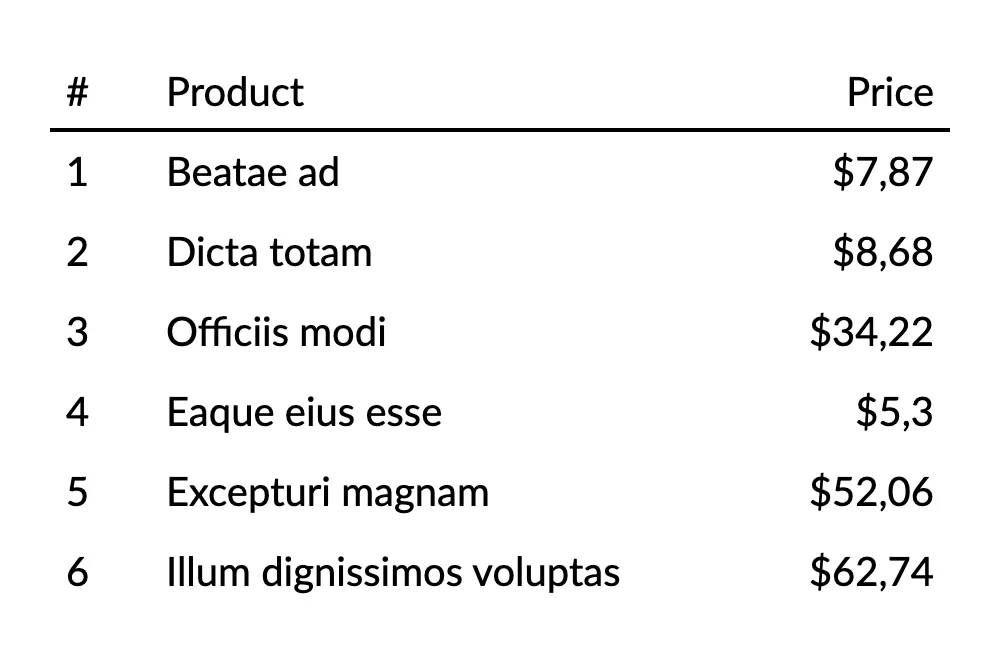
QuestPDF is a code-first .NET PDF generation library. It can render tables and layouts from data the application reads from SQL Server. It is useful for developers who need a controlled PDF document with versioned layouts and can maintain report fields and pagination in code.
Its main advantage is direct control over the document and application integration. The application supplies the query, filtering, authorization, rendering inputs and delivery path. A browser reporting designer and interactive report model require separate tools.
Use QuestPDF when the application generates a document by code, applying explicit layout to a server-authorized SQL result. Confirm runtime and licensing requirements for the app.
Render the known dataset with the desired fonts and compare totals and pagination. Include any interactive viewer or report designer requirements as separate app work.
- Compatibility
- Supported .NET runtime and fonts, with SQL Server data supplied by the application.
- License and trial
- QuestPDF community eligibility or applicable commercial license.
Microsoft ReportViewer for WinForms
Microsoft ReportViewer for WinForms can present local report definitions or run eligible reports from a Reporting Services server. It is useful for an existing Windows desktop application that already uses RDL-related reports and needs to preserve the workflow for its users.
Its strength is compatibility with the supported WinForms application and report server model. The chosen NuGet package and framework determine the supported environment. A web or Linux deployment needs a different viewer, and data binding and permissions still depend on local or remote mode.
Verify the Microsoft WinForms ReportViewer and required report processing mode on the Windows desktop app. Confirm the deployed control can use the intended report and data approach.
Check data filters, external resources and printed or exported results with the sandbox identity. Evaluate hosted browser reporting separately if the product will also serve web users.
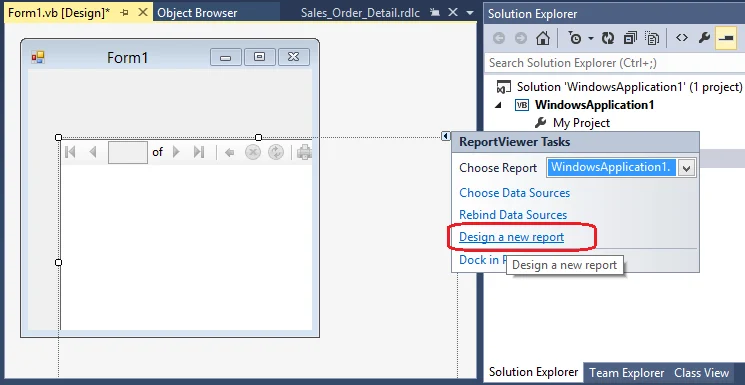
- Compatibility
- Supported Windows WinForms application and ReportViewer package with compatible report definitions.
- License and trial
- Microsoft control and any applicable report server licensing.
Embedded .NET reporting tools by application
| What you need | Tools to shortlist | What to verify |
|---|---|---|
| An ASP.NET Core report viewer or designer | Verify which package provides the viewer and whether end users can create or edit templates. Test PDF export on the intended OS. | |
| Server-side reports rendered from application data | Compare a template-based render with a C#-authored PDF. Check the report layout, supported exports and your deployment license. | |
| Local RDLC in an existing Windows desktop application | Check the supported .NET Framework and WinForms control version. Bind the application’s authorized result set. |
Choose between an interactive viewer, designer and code-first export
An embedded reporting feature might need report authoring, parameter controls, interactive preview or PDF generation. Match the library to the actual .NET runtime, OS and component needs. Check fonts and any vendor rendering dependencies inside the same host or container image.
Server-side authorization should derive allowed account or tenant scope from the application's trusted identity. Use parameterized SQL and bind only the allowed values. Verify the report and export under the same access rules.
A browser viewer or report designer
Trial the supported embedded web components
Check hosting, parameter binding, exports and client requirements.
A generated PDF with controlled layout
Compare a reporting engine or code-first document library
Verify print quality, fonts, pagination and exact SQL values.
An existing Windows desktop app
Evaluate the Windows viewer deployment
Check .NET compatibility and the needed render and export modes.
Verify tenant scope and PDF content on the actual .NET runtime
The fixture contains two allowed rows for Tenant 1 totaling 21.00 and one separate row for Tenant 2 worth 90.00. Use it as an authorized backend dataset. Both the viewer and export should render just the two eligible rows and the same total for Tenant 1.
Check accented characters and amount formatting on the actual runtime. Use the application's intended font assets and container or Windows build. Try a client-side parameter change in the sandbox and verify server-side authorization keeps the requested scope within its policy.
| Area | Expected evidence | Where to verify |
|---|---|---|
| SQL access | Authorized tenant sees two rows totaling 21.00 | App query and server-side role |
| Report viewer | Correct lines and totals | Embedded report under intended user |
| PDF export | Same approved values and visible glyphs | Actual exported PDF on target runtime |
| Access scope | No Tenant 2 data for Tenant 1 | Direct report request and export path |
How to compare these tools
Render the same SQL Server-backed report inside the target application and on its deployment host. Check the viewer, export format, fonts and license for the actual runtime. Sources checked .
Render the same statement for two test tenants
Use the read-only query in an existing disposable DotNetReportTrial database. The local parameter represents an already authorized tenant for the fixture. In the application bind that parameter to an approved value on the server. Feed the same values to the embedded rendering and export paths.
Return the authorized SQL Server fixture for embedded reporting
T-SQL · 17 lines
- Identify which viewer, designer and output functions the actual application requires. Run the SQL fixture and bind the authorized values into the shortlisted app.
- Render via the actual deployment and export a PDF. Compare the two line rows, total and accented label. Verify the app enforces access when a client changes parameters.
- Record runtime, fonts, SDK versions and performance under the intended workload. Keep failed or missing capabilities visible so the replacement can be reviewed.
Conclusion
Shortlist the tools that provide the components your application needs. Run the same statement on the deployment host with two tenant sessions before committing to a report format or license. Count the work needed to support template edits, PDF output and permissions together.
Frequently asked questions
Which embedded .NET reporting libraries can show SQL Server reports in ASP.NET Core?
Telerik Reporting, DevExpress Reporting, ActiveReports.NET, Bold Reports Embedded, Stimulsoft Reports.WEB and FastReport .NET offer web reporting paths. Check the package, viewer features and rendering requirements of the exact version you use.
How should an embedded .NET report get SQL Server data?
Use a supported SQL data source or fetch typed rows in the host application and bind them to the report. Pass typed query parameters and derive the tenant filter from the authorized session. Apply the same authorization to the export request.
Can a .NET report generate a PDF without a visual designer?
Yes. An application can fetch the SQL Server rows and pass them to a code-first document library such as QuestPDF. Define the table and page rules in C#, then test the resulting PDF on the production host.
What should I check before deploying .NET reporting on Linux?
Check the package, supported report type, drawing engine, native libraries and fonts for your deployment. Render the exact report in the intended container image and compare PDF text, currency, layout and export behavior.
Can I embed an existing RDLC report in a WinForms application?
Microsoft documents local processing with the WinForms ReportViewer control. Verify the compatible .NET Framework and control version. Give the report its named data sources and confirm the output inside your application.
Can a PDF library replace an embedded .NET report viewer?
A code-first library can generate a PDF. If the application needs interactive parameters, preview or user editing, verify how those functions will be supplied.
Why check reporting fonts inside the deployed container or server?
The available fonts and rendering dependencies can differ from a developer machine. Verify the actual output and characters on the intended deployment.