

Replacing SSRS usually means deciding how much of the existing report catalog to carry forward. Power BI Report Server and Bold Reports can both work with RDL, the format that stores the layout, expressions and parameters of an SSRS report. DevExpress can import RDL into its own format, which gives the redesign a head start and makes the converted output the thing users will actually depend on.
Telerik, Stimulsoft, Jaspersoft, Pentaho, combit and FastReport make more sense when the company can rebuild reports around a framework or server it expects to operate. For reports used in finance or operations, delivery matters as much as layout. The same SQL query may produce correct totals while the new portal uses different credentials, sends to a different list, or exports a spreadsheet people can no longer use.
On-premises SSRS replacements compared
Start with what happens to the existing report definition. Then verify how the replacement connects to SQL Server and runs the schedule after deployment.
| Report server | Existing RDL | SQL Server access | Scheduled output | Licensing |
|---|---|---|---|---|
| Power BI Report Server | Native paginated RDL and Microsoft native-mode migration path. | Windows report server with configured data sources and credentials. | Subscriptions and supported delivery extensions. Verify current rules and recipients. | Qualifying Microsoft entitlement and product key. |
| Bold Reports On-Premises | Native RDL support and documented SSRS migration tooling. | MS SQL data sources on a supported Windows, Linux or container deployment. | Server schedules and exports. Test each migrated subscription. | Commercial on-premises plan. |
| Telerik Report Server | Scope SSRS layouts as recreation in Telerik's format. | Server runtime with a configured SQL Server dataset. | Scheduled tasks and supported attachment formats. | Commercial report server. |
| DevExpress Report and Dashboard Server | Converter for supported RDL or RDLC into DevExpress reports. | Server data connection and provider on the supported host. | Scheduling, delivery and export through the server. | Separate commercial server entitlement. |
| JasperReports Server | Rebuild in JasperReports definitions. | Self-managed Java server and SQL Server JDBC data source. | Job scheduler and repository or email output per packaging. | Commercial editions and support terms. |
| Pentaho Business Analytics | Rebuild in Pentaho Report Designer. | Java server and supported SQL Server JDBC driver. | User Console schedules depend on the server edition. | Server packaging and support entitlement. |
| Stimulsoft Server | Scope conversion or recreation against the exact designer and report. | Server-side MS SQL data source. | Scheduler actions and current supported delivery routes. | Commercial server plan. |
| combit Report Server | Recreate in the combit report format. | Portal connection to SQL Server. | Server export and delivery destinations. | Verify the relevant List & Label edition. |
| FastReport Corporate Server | Build a compatible FastReport definition. Verify any importer separately. | Supported server runtime and Microsoft SQL data connection. | Server tasks and scheduling. | Commercial server and support terms. |
Microsoft Power BI Report Server
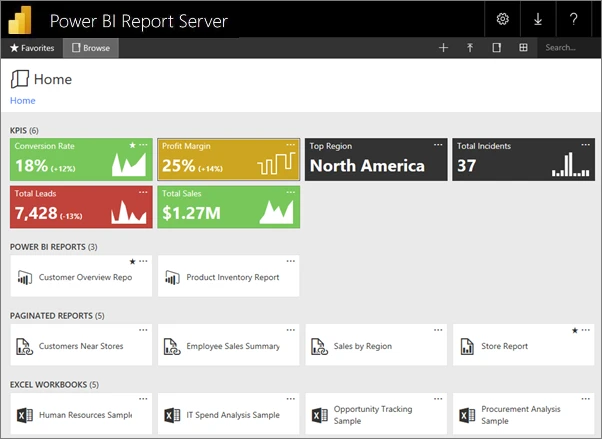
Power BI Report Server is Microsoft’s on-premises portal for paginated RDL reports and supported Power BI reports. Its documented native-mode SSRS migration can move the report server database and encryption key. That is a substantial advantage when the current reports and folder structure already serve their users.
Moving the catalog retains more of the surrounding setup than importing individual report files. Stored data source credentials depend on the encryption key, and subscriptions still depend on the new server’s service identity and delivery configuration. It fits a migration where preserving the reporting estate is more important than changing the authoring tools.
Microsoft consolidated its on-premises reporting direction under Power BI Report Server with SQL Server 2025. Its FAQ lists qualifying SQL Server 2025 Standard and Enterprise editions and explains that the pre-2025 SQL Server Enterprise route depends on qualifying core licensing and active Software Assurance. Verify the terms and product key for the server you will deploy.
The documented native-mode migration preserves the catalog path where supported. Include the report server databases and encryption key in the plan. A restored catalog still needs the site's URLs, permitted data source identities and delivery endpoints validated on the replacement. Use the same scheduled report as the baseline before switching recipients.
- Compatibility
- Microsoft documents migration from native-mode SSRS. SSRS 2022 and later require the May 2025 Power BI Report Server release or later.
- License and trial
- Production deployment requires a qualifying Microsoft entitlement and product key. Applicable terms vary by license.
Bold Reports On-Premises
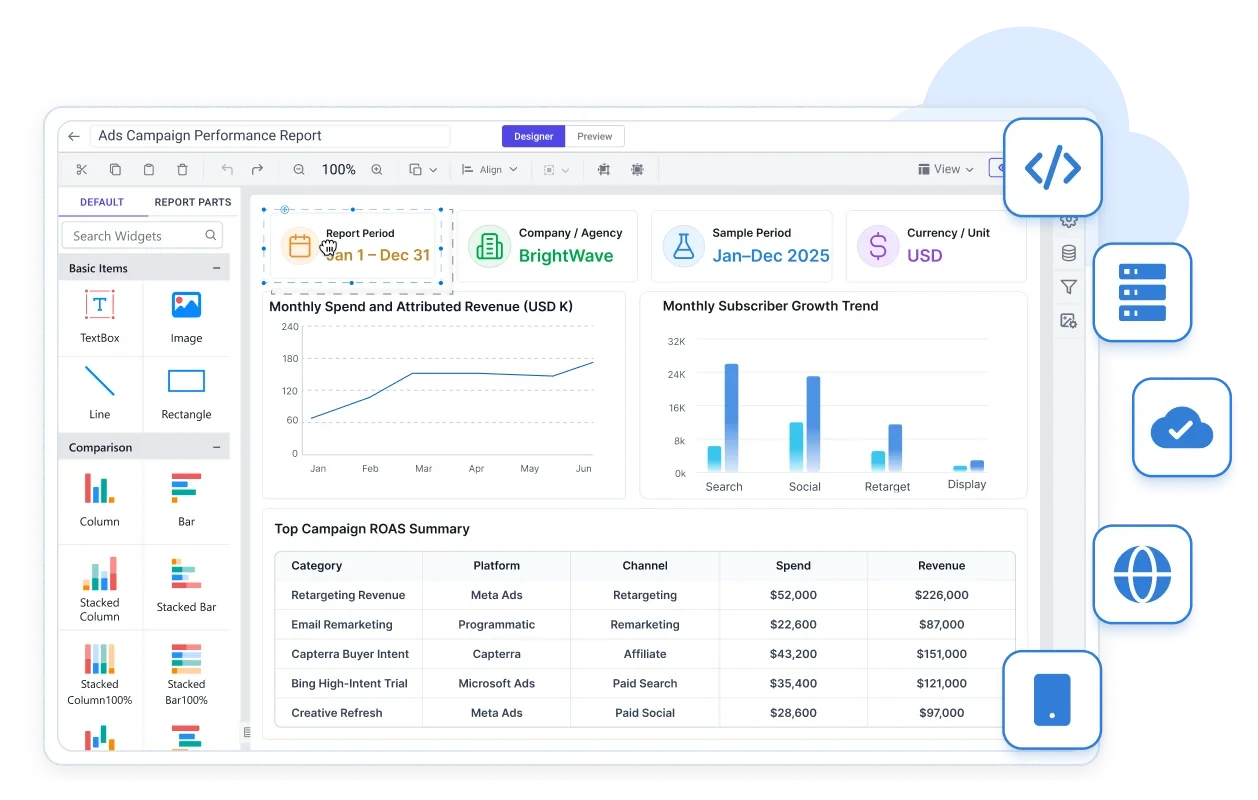
Bold Reports is Syncfusion’s on-premises reporting server. It shares the RDL model with SSRS and provides compatibility assessment and bulk migration tooling. Reports, layouts and parameters can often move as RDL, making it a useful candidate when the company wants another portal with less report redesign.
Native RDL support helps most with a large catalog of ordinary paginated reports. Shared data sources, custom expressions and subreports still affect the effort per report. A correctly rendered PDF can coexist with a failed subscription if the SMTP account or recipient parameters differ after the move.
Bold Reports is worth trying when RDL compatibility drives the selection and the new portal needs a different deployment model. Start with a report that uses shared data, a subreport and a grouping expression. Verify the report and its linked content using the same SQL Server data and report parameters.
Compare the migration tool's output with the portal's actual subscription behavior. Test a restricted viewer and the account that runs scheduled SQL Server queries. Include environment-specific mail or file permissions and the nonproduction and production license terms.
- Compatibility
- Native RDL support with documented SSRS migration tooling. Windows, Linux and container deployment options depend on the release.
- License and trial
- Commercial on-premises plan. Production and nonproduction terms depend on the contract.
Progress Telerik Report Server
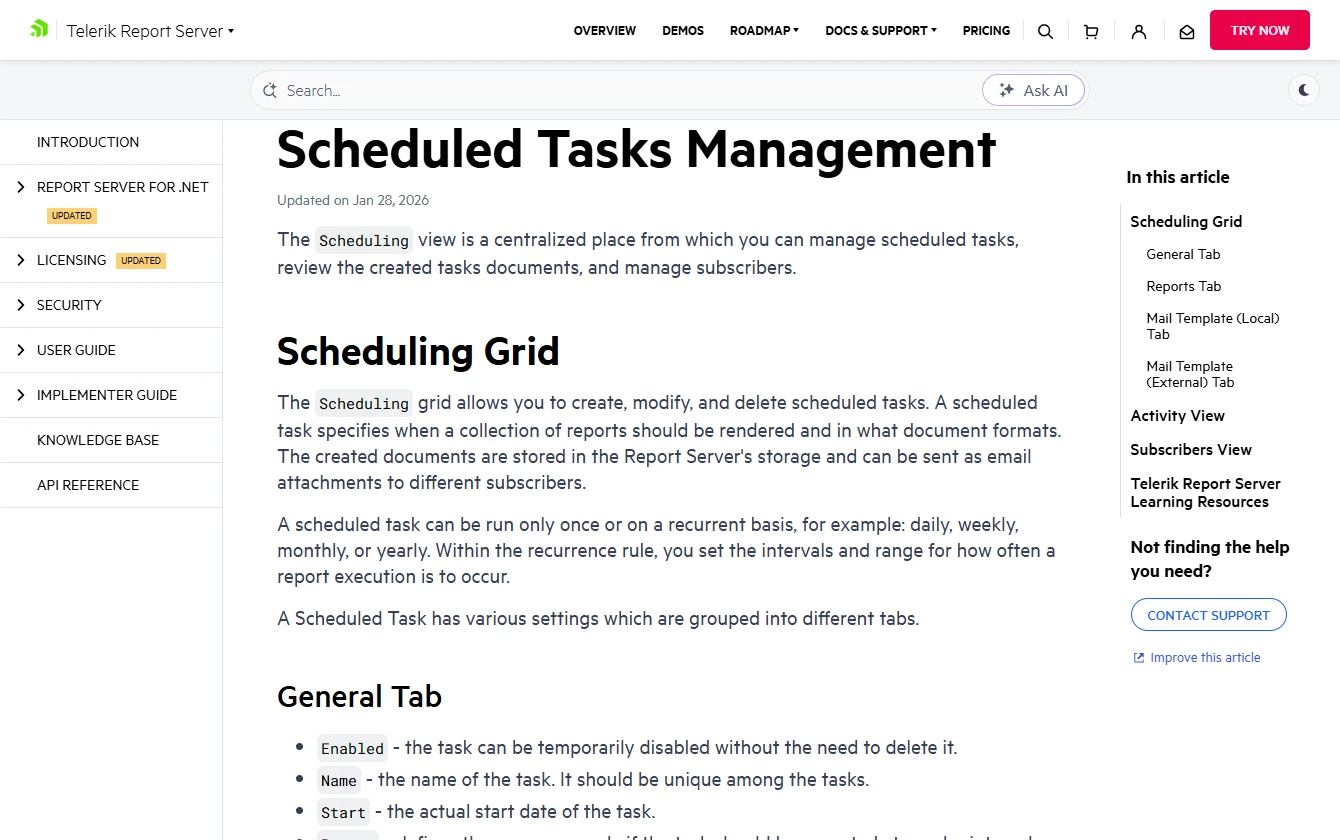
Telerik Report Server combines an on-premises report portal, authoring and scheduled delivery. Its scheduling area brings tasks, generated documents and subscribers into one place. A report written against a SQL Server dataset can be published for colleagues to run or receive on a schedule.
It makes sense for a .NET reporting team that can recreate layouts and already uses Telerik tools. Existing SQL queries and parameters may carry forward while layout and subscriptions are recreated. That makes the effort per report a bigger factor than the time needed to install the portal.
Telerik is a practical choice when report owners are moving to Telerik Reporting and can allocate layout work. Treat a representative SSRS report as a design project. Confirm the replacement captures header and footer behavior, nested grouping and any expressions that control which figures are visible.
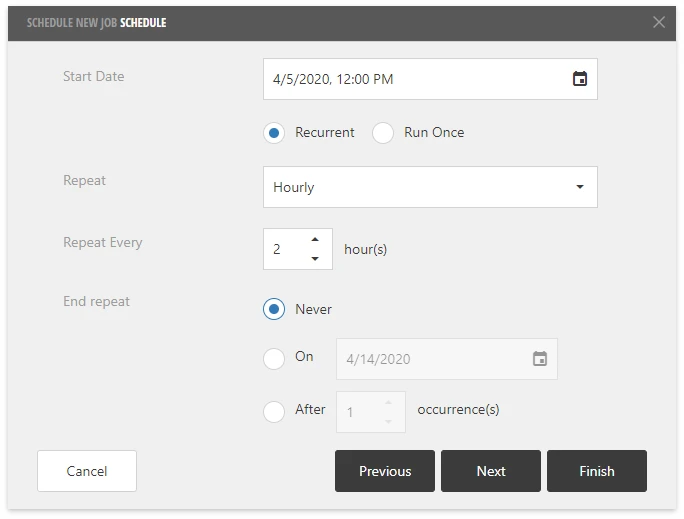
Use Report Server scheduling with the report definition and SQL Server data source that will be deployed. Test runtime credentials and file or mailbox delivery separately from the designer. The existing RDL report remains the comparison for output and query results.
- Compatibility
- Telerik documents server prerequisites and SQL Server-backed report datasets. SSRS layouts should be scoped as a recreation project.
- License and trial
- Commercial report server licensing. Portal deployment and use follow the server product’s terms.
DevExpress Report and Dashboard Server
DevExpress Report and Dashboard Server hosts reports based on the DevExpress report format. Its reporting tools can import RDL and RDLC layouts, including a command-line conversion path. An existing report can therefore give the reporting team a starting layout before it reviews the converted expressions and formatting.
The importer is a useful middle ground for a .NET team with a sizable SSRS catalog. It reduces initial design work on routine layouts. Conversion limits matter for expressions, repeated headers or nested subreports, where manual edits can determine whether a batch conversion is viable.
The DevExpress converter can reduce the work required to carry supported RDL layouts into a new format. Check the vendor's conversion notes against the properties and controls your report uses. Plan manual work for unsupported expressions, formatting or data sources.
Inspect the converted design under report server execution, including SQL parameters and export types. Check who can subscribe and how a mail job behaves after failure. The converter's development environment and the licensed report server are separate parts of the rollout.
- Compatibility
- DevExpress documents conversion from supported RDL and RDLC files. The output runs in the DevExpress report format.
- License and trial
- Commercial Report and Dashboard Server with its own entitlement and distribution terms.
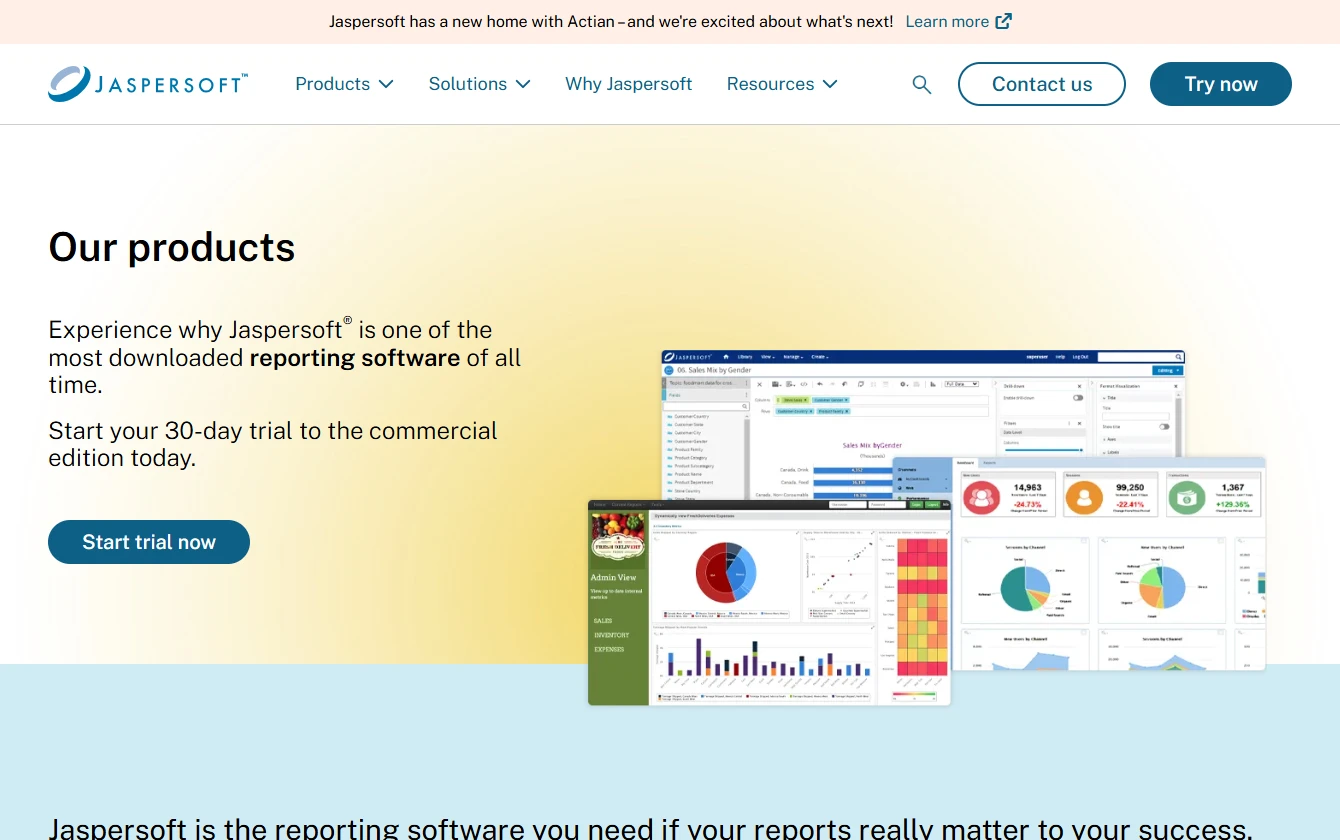
Jaspersoft JasperReports Server
JasperReports Server publishes and schedules reports from the JasperReports toolchain. It can use a server-managed JDBC data source for SQL Server. That lets an organization with a Java reporting stack deliver a parameterized report without making each consumer establish a database connection.
The case for JasperReports is strongest when the Java runtime, JDBC driver and reporting server already have an owner. Existing SSRS layouts are typically rebuilt. Deployment effort includes maintaining the SQL Server driver and configuring service-side TLS and credentials, even when a report already works in the designer.
JasperReports Server fits a reporting operation that can host Java workloads and use its repository and scheduler. The new design is a JasperReports report with its own expressions, parameters and permissions. Budget rebuild time according to layout complexity and existing developer knowledge.
The SQL Server JDBC connection and the identity in the repository both need testing. Run the report by request and as a scheduled job. Verify that two viewers with different permissions see the intended output, particularly if the portal uses shared SQL Server credentials.
- Compatibility
- Self-managed Java deployment with JDBC data sources. Supported runtime and driver combinations depend on version.
- License and trial
- Commercial editions and support are available. Scheduler and portal entitlements depend on packaging.
Pentaho Business Analytics
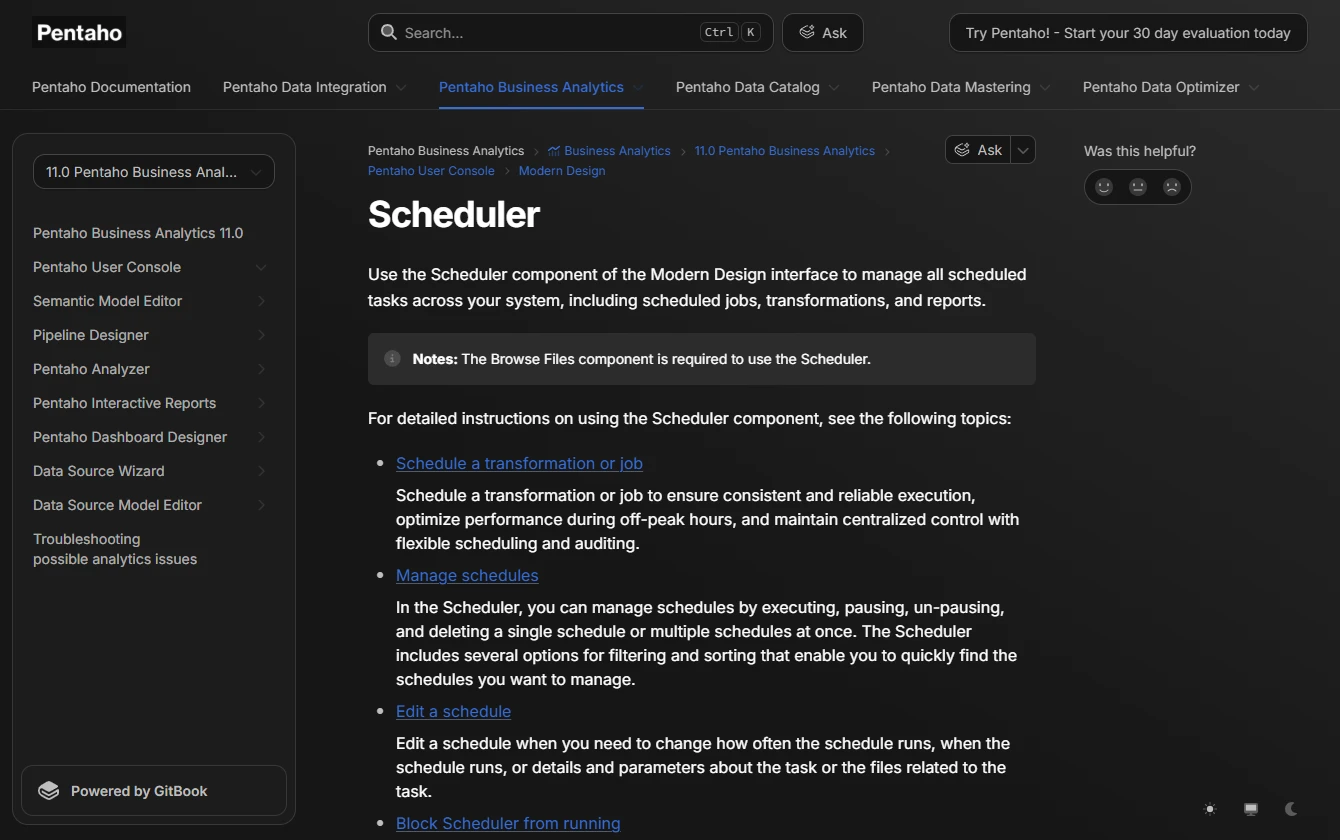
Pentaho Report Designer creates paginated reports that can be published to a Pentaho Server. The server can schedule jobs through its user console. Reports can reuse a SQL Server connection through the appropriate JDBC driver and publish alongside other Pentaho assets.
Pentaho is a practical candidate when an organization already runs the server, has a repository to publish to and knows how to manage access. An SSRS catalog still involves rebuilding layouts. Differences in spreadsheet exports or drillthrough behavior can matter to a department that uses the report as part of a recurring process.
Pentaho is relevant when reports already sit alongside data integration and analytics jobs, or when a team can run its Java reporting stack. Review layout conversion as application work and test configured SQL Server JDBC access on the deployed server.
Check that the authoring and scheduling tools belong to the edition you plan to operate. Publish one parameterized report, confirm calendar and export settings and track the output destination under the scheduled identity. Include dependency and driver maintenance in the operating estimate.
- Compatibility
- Pentaho documents Report Designer publishing and server-side scheduling. SQL Server connectivity depends on the JDBC driver in the runtime.
- License and trial
- Server packaging and edition determine the available consoles, scheduling features and support.
Stimulsoft Server
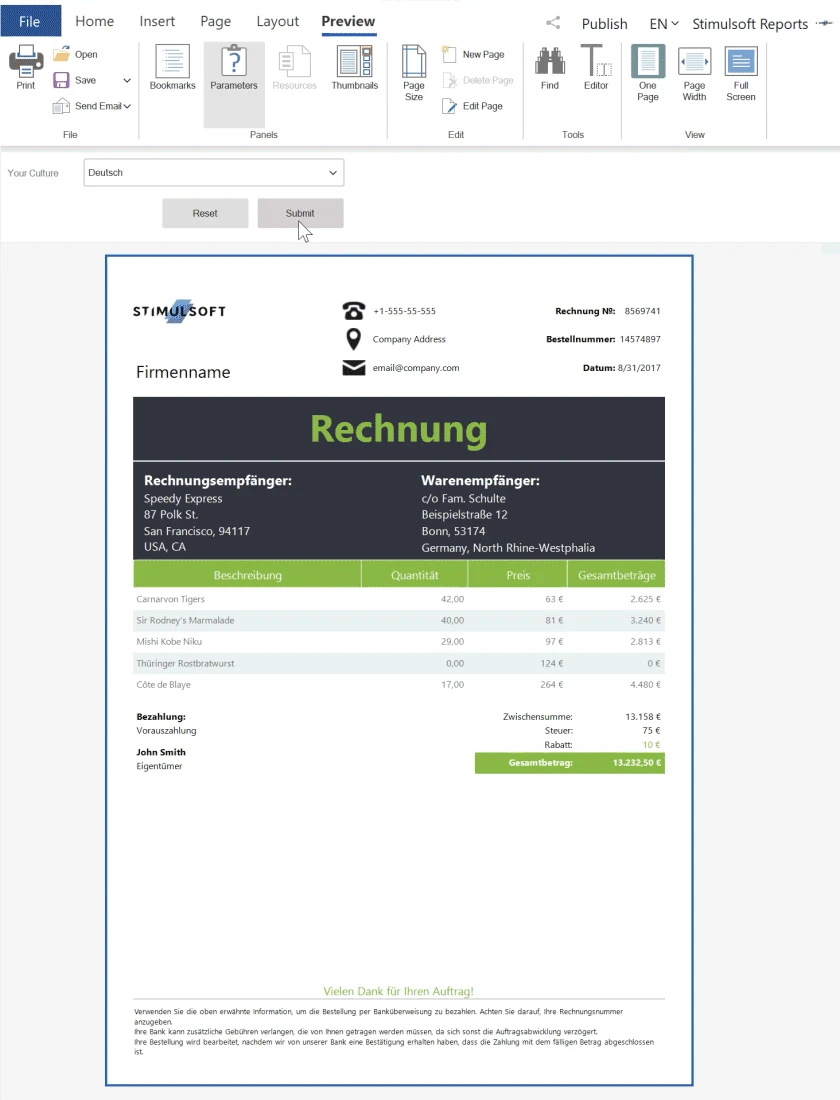
Stimulsoft Server is a self-managed reporting portal with a scheduler that can render a report, export it and send it to recipients. Its SQL Server data source can feed a report with grouping, totals and output for email delivery. The schedule belongs to the server, so the reader does not need a workstation session running at delivery time.
It fits a replacement project willing to port designs to the Stimulsoft format and consolidate delivery on its server. A report’s database credentials and the credentials used for the server’s own storage have separate purposes. For imported layouts, expressions and page breaks can still take manual work.
Stimulsoft suits a team that can use its server and report formats for on-premises distribution. If a version-specific import step is available, validate it against a representative RDL file and the vendor's current claims. Preserve the original PDF and Excel outputs for comparison.
Test the complete scheduler chain from job to parameter values, SQL Server credentials and destination. A visually correct result in the designer still needs an entitlement and service identity that work when the job runs unattended.
- Compatibility
- The server documents MS SQL report data sources and scheduling. Conversion coverage depends on the tooling and version used.
- License and trial
- Commercial server licensing. Deployment and user terms depend on the selected plan.
combit Report Server
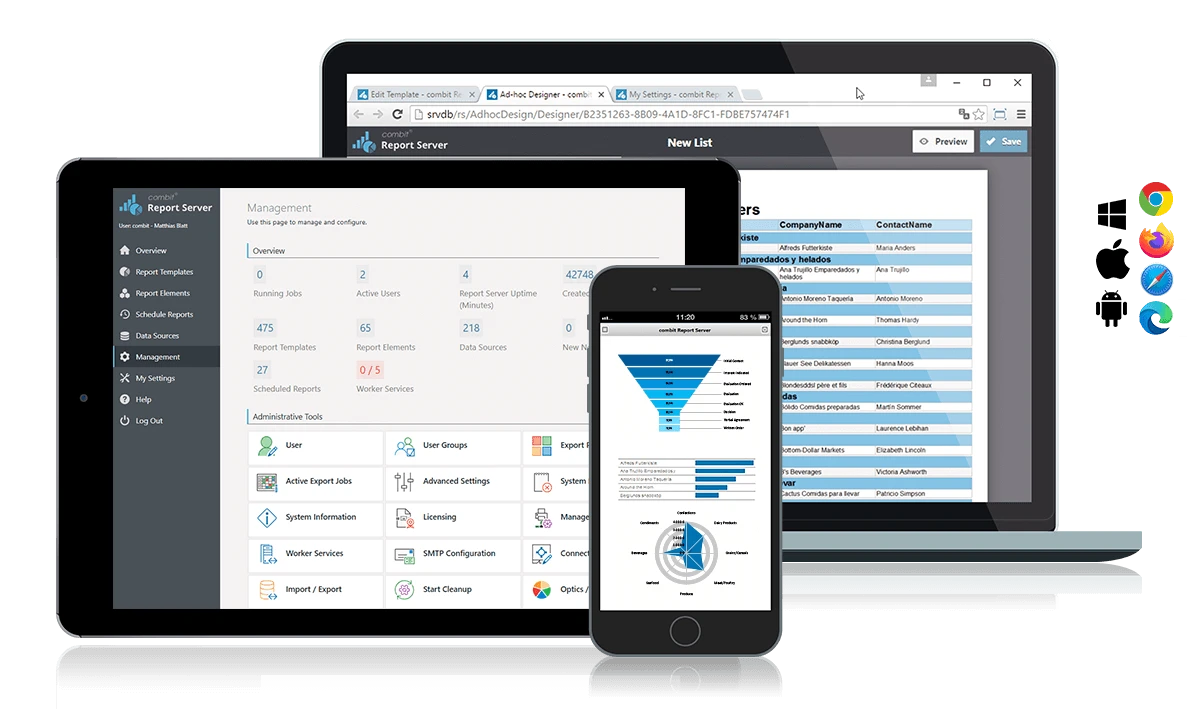
combit Report Server is a browser-based reporting portal for designing and distributing reports. A report can read from SQL Server and be exported for delivery to a supported destination, such as email or a file location. That makes it useful when the recurring document is the part users see most often.
The fit is strongest for teams that can rebuild SSRS layouts and need a defined recipient or file workflow. The SQL Server connection needs access to the report data. The export destination has its own permissions, which matter when the resulting workbook or PDF lands outside the portal.
combit fits an existing List & Label estate or a team willing to rebuild reports for its browser portal. The characteristic task is recurring document output from structured SQL Server data. Check where source metadata, credentials and report selection settings are maintained.
The relevant cost is the edition that grants the report server and destination capability you need. Schedule an actual PDF and Excel export and compare each output with the SSRS version. Include any field-type or layout differences that affect downstream processing.
- Compatibility
- Browser-based portal with SQL Server data sources and multiple export destinations. SSRS layouts involve a rebuild.
- License and trial
- The Report Server entitlement depends on the applicable List & Label edition.
FastReport Corporate Server
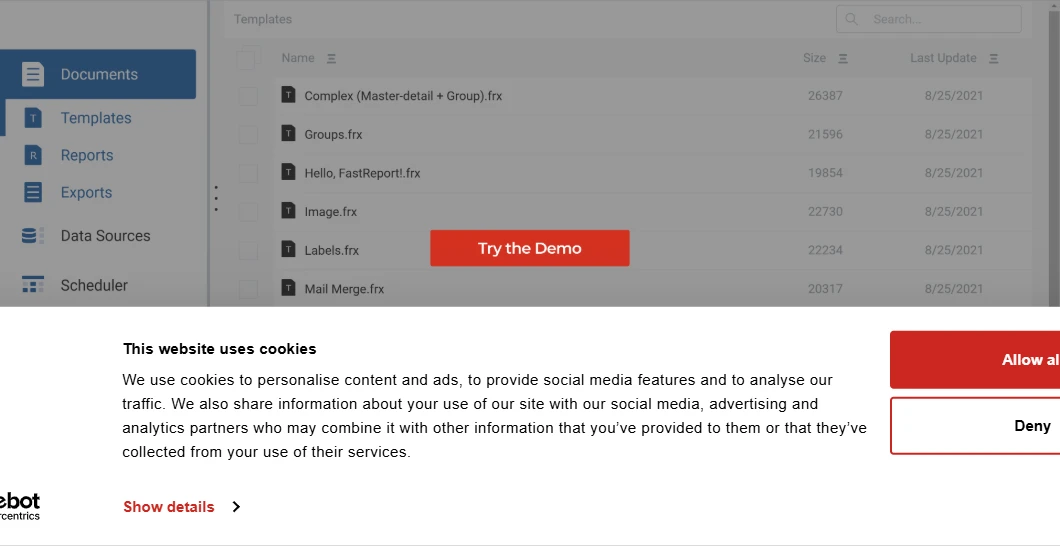
FastReport Corporate Server generates and distributes reports from templates hosted on its own infrastructure. A template can query SQL Server, receive a parameter and render a document such as a PDF. Operators can manage generation from a central server instead of running the report designer on a workstation.
It suits a document generation workload that can be expressed in FastReport templates. Recreating SSRS formulas, grouping and page formatting remains part of the migration. Document generation and delivery have separate failure modes, so the available output history and retry behavior matter for recurring distribution.
FastReport Corporate Server is a candidate for teams that can deploy the server and design in its reporting format. Compare support for the specific platform and SQL driver and document how any imported or regenerated designer assets will be stored.
Test a report with reused data and a scheduled attachment. Identify who starts the job, what identity connects to SQL Server and where failed delivery appears. Judge the approved runtime and server license with the full schedule load in mind.
- Compatibility
- FastReport documents Corporate Server installation and Microsoft SQL data connections. Hosting and formats depend on the server release.
- License and trial
- Commercial server product. License and support terms vary by deployment.
SSRS replacement shortlist by migration effort
| What you need | Tools to shortlist | What to verify |
|---|---|---|
| Keep existing RDL reports | Run a report that uses a shared data source, subreport and subscription. Check the catalog migration or import path separately. | |
| Convert RDL and review the new layout | Compare the converted report against the SSRS PDF. Record changes to expressions, controls and pagination. | |
| Rebuild reports for a .NET reporting team | Publish a rebuilt report, configure its SQL data source on the server and schedule a recurring PDF. | |
| Run reports from a Java analytics stack | Use the deployed JDBC driver and service account. Check the job output and its permissions from the report portal. | |
| Prioritize document generation and distribution | Verify which file, storage and email destinations the product supports and how operators can retry a failed delivery. |
Choose how to move the RDL catalog
Count reports by complexity. Group simple layouts separately from shared data sources, subreports, custom code and data-driven subscriptions. A project can preserve most layouts and still require more work on delivery and security.
Once the draft catalog is migrated, use test mailboxes and a nonproduction endpoint before enabling scheduled delivery. Match the runtime credentials and viewer rights to the intended access model.
Keep the RDL layout
Test an RDL-capable server
Start with Power BI Report Server or Bold Reports. Check shared sources, report parameters and scheduled outputs.
Keep the layout with some edits
Try a supported converter
Measure how much work remains on expressions, nested reports and exports before quoting the project.
Redesign the reports
Select a new report format
Choose the designer and runtime your team can maintain, then recreate the highest-value scheduled outputs first.
Check report and subscription parity
Use a paginated report and a scheduled subscription as two acceptance cases. The report should preserve what users see. The subscription adds separate checks for delivery, permissions and scheduled failures.
| Evidence | Baseline to record | Replacement result |
|---|---|---|
| Report definition | RDL, parameters, shared data source, any subreports and custom code. | An inventory of items retained, converted or rebuilt. |
| PDF layout | Group totals, page count, page breaks and fonts. | A comparable PDF with the same filtered results. |
| Excel output | Numeric and date cell types, headers and sheets. | An output that works in existing downstream spreadsheets. |
| Subscription | Effective time zone, recipients, filters and output location. | The same intended recipients, parameters and delivery time. |
| Portal access | Reader, publisher, administrator and denied account. | Each role can perform only its expected actions. |
| Failed delivery | Run history and retry handling with a disabled target. | The failed run is traceable and replay resolves the intended output. |
How to compare these tools
Bring one awkward RDL report with its parameters, subreports and schedule. Document which reports run as-is, which need conversion, and how much work the rebuilt ones take. Run the scheduled export on the replacement server. Sources checked .
Run the same report and subscription in every trial
Use a test copy of a representative paginated report. The synthetic dataset gives North two rows totaling 32.00 and South two rows totaling 100.00. Start with the current SSRS exports and use test recipients for both regions.
Synthetic SQL Server dataset for checking paginated reports
T-SQL · 13 lines
- Choose a report with two parameters, an expression, grouping, a page break and a scheduled export. Add a shared data source, subreport or custom font if your catalog relies on one. Record which items have to be changed or rebuilt.
- Compare totals and page layout against the original PDF. Open the Excel export and check the cell types and worksheet layout that downstream users depend on.
- Run a scheduled delivery to a test mailbox or folder. If production selects recipients using data, test two distinct recipients and verify that each output contains only the intended rows.
- Sign in as a reader, publisher and unauthorized user. Check portal access, report links and who can publish or change a schedule. Verify that the server can connect to SQL Server using the intended least-privilege identity.
- Disable the test delivery target and rerun the job. Record where the failure shows up, how you retry it and what prevents duplicate deliveries during cutover.
Conclusion
Preserve RDL when it saves meaningful rebuild work and the pilot passes the delivery checks. Price conversion effort separately when moving to a different report format. Buy after you can reproduce the report, the schedule, the credentials and the access rules in a test environment. If your reports already fit the Microsoft stack, keep Power BI Report Server in the comparison so you can measure what another product adds.
Frequently asked questions
What is the closest on-premises replacement for SSRS?
Power BI Report Server is Microsoft’s on-premises continuation for native-mode SSRS migrations. It supports paginated RDL reports. Bold Reports is a third-party option with native RDL support and a documented SSRS migration workflow. Verify version and licensing requirements for each.
Do all SSRS alternatives run existing RDL reports?
Power BI Report Server and Bold Reports support RDL. DevExpress documents conversion into its own layout format. For a rebuild, budget for reimplementing report expressions, parameters, subreports and the scheduling setup.
Can SSRS subscriptions move to a replacement server?
It depends on the destination and subscription type. For a PBIRS migration, follow the catalog and encryption-key procedure. For another server, plan to validate or recreate subscriptions, stored credentials, recipients and output permissions using a test mailbox first.
Can I replace SSRS and keep SQL Server as the data source?
Yes. The products in this comparison document SQL Server connectivity or a compatible SQL Server driver route. Test the connection from the report server under the identity it will use to render scheduled reports.
Do I have to replace an existing SSRS server when adopting SQL Server 2025?
Microsoft consolidated new on-premises reporting under Power BI Report Server starting with SQL Server 2025. An existing SSRS release follows its own support lifecycle. Check the SSRS version, catalog database compatibility and your licensing before scheduling an upgrade.
Does SQL Server 2025 include Power BI Report Server?
Microsoft lists qualifying SQL Server 2025 Standard and Enterprise licenses. Earlier SQL Server use rights follow different terms. Verify the particular licensing agreement and product key before production deployment.
Can a converter move an entire SSRS catalog automatically?
A supported converter can carry parts of a report definition into another format. Inventory shared data sources, expressions, schedules, delivery paths and permissions separately, then compare the rendered and scheduled outputs.
Related guides
- Compare embedded .NET reporting libraries for SQL Server
- Compare Crystal Reports replacement tools for SQL Server
- Compare Telerik and DevExpress scheduled SQL Server reports
- Check standalone SSRS releases and support information
- Check Power BI Report Server versions and downloads
- Plan an SSRS to Power BI Report Server catalog migration
- Request remote SQL Server upgrade support