

A SQL Server availability group can offload some backup work to a secondary replica. The backup preference describes where eligible backups should run, and the jobs or product must honor it. SQL Server version also matters. Older releases allow copy-only full and regular log backups on a secondary, while SQL Server 2025 adds secondary support for regular full and differential backups.
The backup chain belongs to the database, while jobs and backup software run on particular replicas. After a failover, the next backup still needs to run under the correct policy and produce accessible media. Compare how each tool selects the backup replica, records the chain across nodes and restores the database to a separate target.
SQL Server Always On backup tools at a glance
Check which replica prepares each backup type and how a role change affects scheduling. Confirm the SQL Server version and each vendor's documented support.
| Tool | Backup control path | Replica check | Recovery evidence |
|---|---|---|---|
| Native SQL Server Agent and BACKUP | Scheduled native SQL background jobs | Version and explicit preferred-replica logic | Local history, media manifest and restore result |
| Ola Hallengren SQL Server Maintenance Solution | DatabaseBackup with documented AG rules | Actual routine version and backup type | CommandLog and complete restore chain |
| Veeam Plug-In for Microsoft SQL Server | Plug-in with supported availability group configuration | Backup ownership, failover and supported topology | Job results, media and target database |
| Commvault SQL Server Agent | Configured Always On SQL policy | Supported preferred and actual backup source | Job and log evidence after failover |
| Redgate SQL Backup Pro | Product AG-aware backup workflow | Jobs and supported backup types by replica | Actual media and separate restore proof |
| Druva Data Protection for Microsoft SQL Server | Registered SQL instance or availability group | Supported nodes, jobs and follow-up behavior | Job provenance and restored SQL marker |
| Rubrik Security Cloud for Microsoft SQL Server | Supported AG protection and recovery workflow | Applicable sign-in and replica conditions | Protected point before and after role change |
| Microsoft System Center Data Protection Manager | Supported AG-aware SQL protection | SQL, AG and DPM version eligibility | Protection job and independent verification |
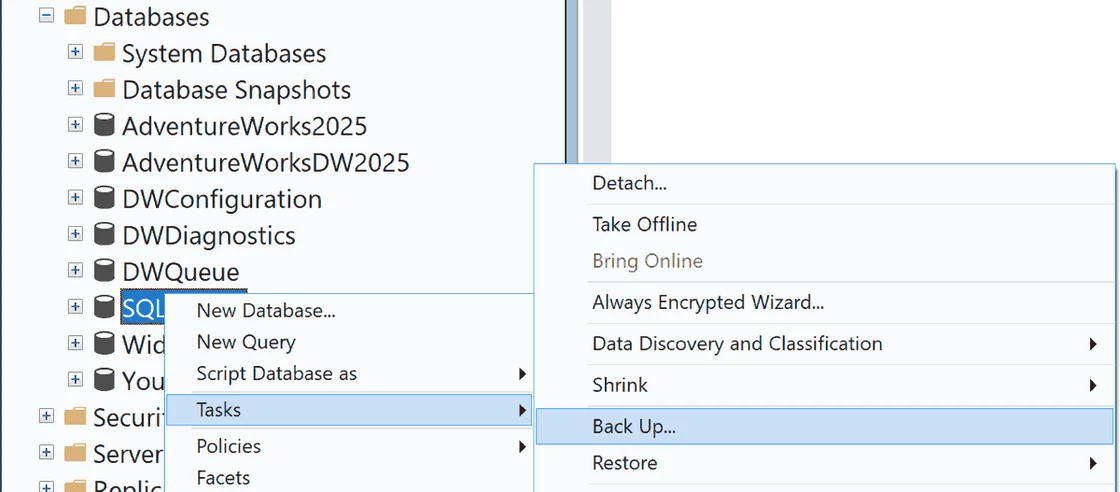
Native SQL Server Agent and BACKUP
Native SQL Server BACKUP and Agent jobs can protect an availability database on eligible replicas. A job can check the preferred backup replica before running. This is useful when a DBA wants full control over how each node schedules backups and which storage receives them.
The preference is a policy the job has to observe. The engine version determines which backup types a secondary can produce. Job deployment, media access and history collection across nodes affect whether the next scheduled run and a cross-replica restore both work after failover.
Install equivalent supported SQL Agent jobs on the required replica instances and check both requested backup type and the preferred backup replica function before starting a scheduled action.
Test skip behavior as well as a successful run. Save which replica produced each file before and after failover. Restore the intended chain on an independent SQL Server.
- Compatibility
- SQL Server availability group with appropriately scheduled Agent jobs and accessible backup storage.
- License and trial
- Built-in SQL Server tooling. Applicable edition and storage charges remain.
Ola Hallengren SQL Server Maintenance Solution
Ola Hallengren’s SQL Server Maintenance Solution supports availability group databases and can choose backup actions according to configured preferences and SQL Server version. It is useful when the same DBA policy should run across replicas and protect standalone databases in the same estate.
Its advantage is having a common T-SQL policy and command logging available for inspection. The installed script version, engine capabilities and job setup matter. Backups made on different replicas still need to be reachable and consistently recorded for recovery.
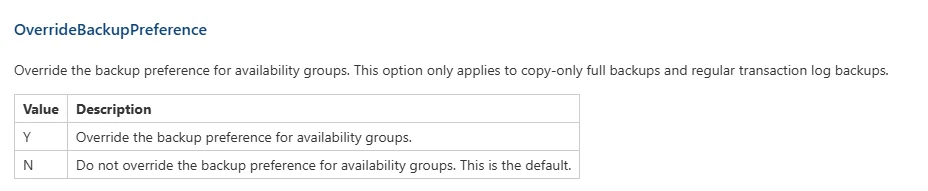
Check the installed DatabaseBackup version and documented support for the actual SQL Server build. Backup type and replica can depend on engine release, parameters and the current AG state.
Record CommandLog and skip messages from both replicas through a planned role change. Compare their actual media and recover a log-backed lab point to verify the chain.
- Compatibility
- Supported SQL Server availability group, compatible Maintenance Solution release and deployed jobs.
- License and trial
- Free, open-source maintenance scripts.
Veeam Plug-In for Microsoft SQL Server
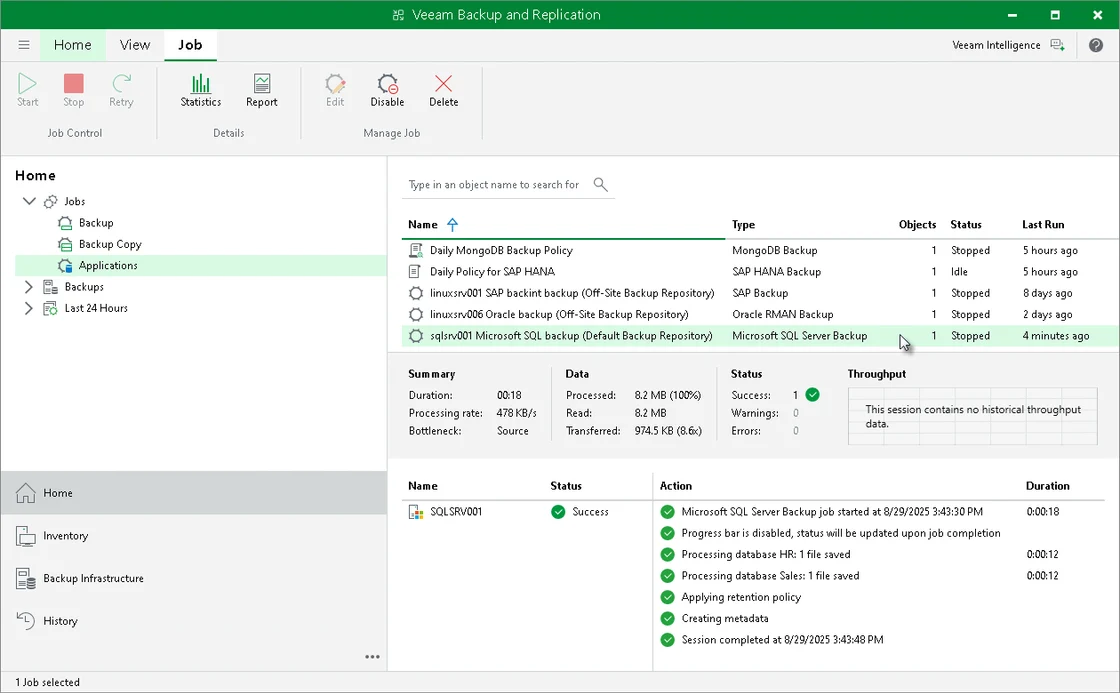
Veeam Plug-In for Microsoft SQL Server documents support for eligible availability groups. It can send the SQL backups to configured repositories. This is useful when SQL Server workload protection should remain in Veeam and a team needs coverage across the replicas that can run the backup.
Its fit depends on the plug-in installation and support rules for the availability group. Backup preference, database registration and repository access affect what happens after a role change. The chosen restore workflow must be able to use all media for the intended recovery time.
Use the document covering SQL Server plug-in availability groups and verify the exact topology and backup policy. Record where the backup objects live and who controls an independent restore.
Run a successful log backup before and after planned failover. Confirm the protected replica and job type, and identify the expected next run if the original replica is unavailable.
- Compatibility
- Supported Veeam SQL Server plug-in, availability group setup and repository.
- License and trial
- Commercial Veeam licensing.
Commvault SQL Server Agent
Commvault SQL Server Agent supports eligible Always On availability groups and documents database restore to a different location. It is useful when a centralized backup team wants to govern replicas and present a recovery workflow through one CommCell or cloud policy.
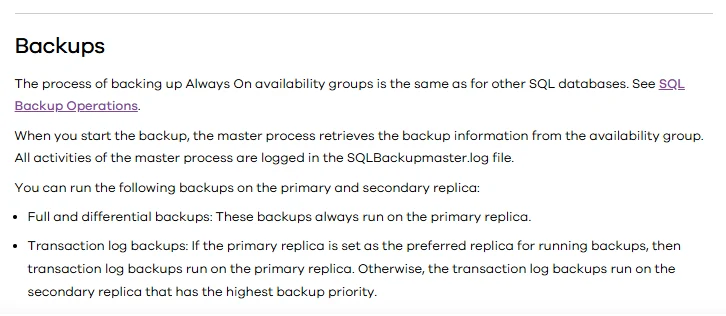
The configuration governs which replica can run each backup and how the database is discovered and tracked. The media, backup type and destination need to remain compatible after failover. Restoring the database to another instance and adding it back to an availability group are separate jobs.
Verify the documented Commvault Always On configuration and current SQL Server Agent role selection. Collect replica, backup type and vendor job identity for the test workload.
Run the same protection before and after a planned switch. Review duplicate or skipped operations and test the selected restore point from surviving media on the authorized target.
- Compatibility
- Commvault SQL Server Agent and supported availability group and backup policy.
- License and trial
- Commercial Commvault licensing.
Redgate SQL Backup Pro
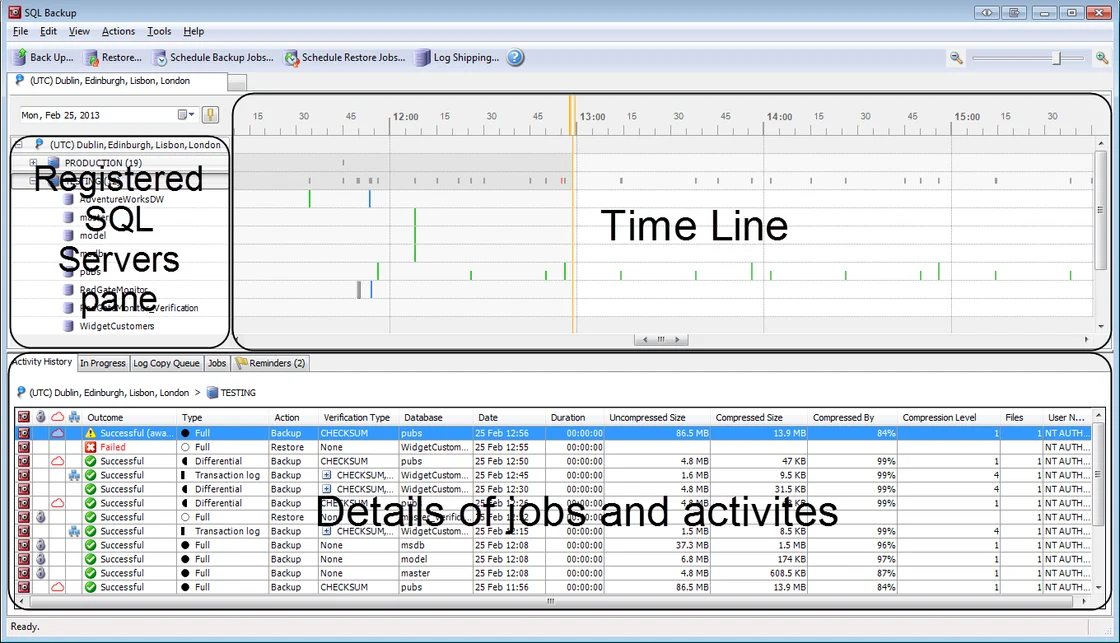
Redgate SQL Backup Pro documents backups for SQL Server Always On availability groups. Its workflow can use the backup preference to choose where eligible jobs run. It is useful when the DBA already manages SQL Backup Pro media and wants predictable policy after a role switch.
The backup type and replica support depend on the product and engine version. The product’s handling of older secondary restrictions should be evaluated against the installed release. Restore still needs an intact backup chain and the required SQL Backup Pro tools or documented conversion path.
Review the SQL Backup Pro availability group instructions for the deployed edition, version and job placement. Check that the currently active backup rules match your preferred replica policy.
Collect the SQL Backup outputs and local media records after planned failover. Verify where full and log artifacts are stored and whether an independent instance can restore the selected target.
- Compatibility
- SQL Backup Pro and a supported SQL Server availability group configuration.
- License and trial
- Commercial Redgate licensing.
Druva Data Protection for Microsoft SQL Server
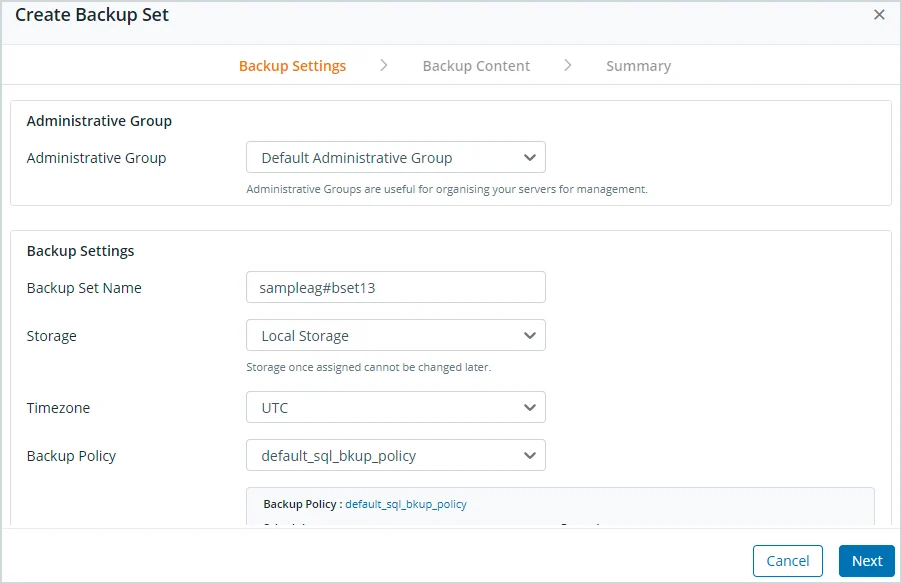
Druva documents protecting SQL Server availability groups through its SQL workload setup. It is useful when database backups should remain associated with the availability group in a wider Druva estate and the team wants log-based recovery from supported backup copies.
Its useful scope depends on the configured group, agent deployment and supported backup preferences. Backup ownership and failover behavior should be verified on the available replicas. Retained logs and the recovery target determine the actual time and location of a restore.
Register the documented availability group or SQL instance and verify that each required node is eligible. Record policies, identities and actual collection behavior through a planned role change.
Use the product's restore path to recover an independently readable lab database. Keep the protection timing and recovered marker with the stated supported replica mode.
- Compatibility
- Supported Druva SQL Server availability group protection and agent configuration.
- License and trial
- Commercial Druva subscription.
Rubrik Security Cloud for Microsoft SQL Server
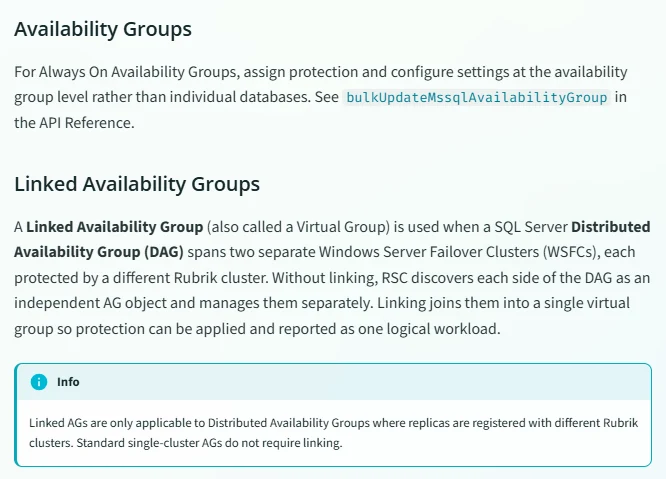
Rubrik Security Cloud recognizes supported SQL Server availability groups in its protection model. It can apply a policy around supported database data and log copies. This is useful when a team already uses Rubrik and wants database protection to follow the availability group’s operational setup.
The protection policy and eligible replica settings define which recoverable data is retained. Coverage through failover depends on the policy and the replicas that can run each backup. The team still needs to confirm which replica ran the next backup and prove that a compatible alternate target can use the selected recovery point.
Verify the documented AG discovery and protection policy for the exact SQL Server topology. Save which configured group and node supplied each protected point.
Choose an available point after the planned role change and recover to the supported lab target. Compare actual data with the pre-failover backup and expected journal or log availability.
- Compatibility
- Supported Rubrik SQL Server availability group configuration and policy.
- License and trial
- Commercial Rubrik licensing.
Microsoft System Center Data Protection Manager
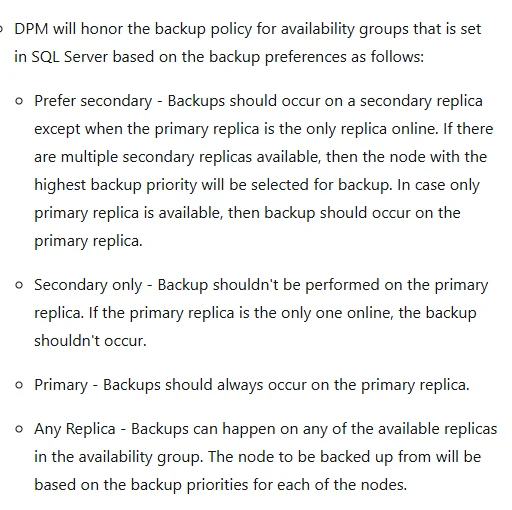
Microsoft System Center Data Protection Manager documents SQL Server workloads and support requirements for Always On availability groups. It is useful when an organization already uses DPM and wants group-aware SQL protection alongside its other Microsoft infrastructure backups.
Its fit depends on the documented DPM and SQL Server topology, supported backup preference and agent placement. Failover can change which node is available to the protection job. The retention and restore workflow needs to cover the intended recovery time and destination.
Check supported DPM and SQL Server versions, AG topology and required protection relationships. Record how the DPM grouping and protected node selection relate to the preferred backup replica.
Observe protection status ahead of and after the test failover. Verify a selected point on an independent instance and confirm the next scheduled run is attached to an eligible source.
- Compatibility
- Supported DPM version, SQL Server availability group and eligible protection agents.
- License and trial
- System Center and applicable SQL Server and storage licensing.
Which Always On backup tool should you try first?
| What you need | Tools to shortlist | What to verify |
|---|---|---|
| Own the backup schedule in SQL Server Agent | Use the same deliberate job policy on each eligible instance and verify exactly one expected backup per cycle. | |
| Extend an existing enterprise backup platform | Compare agent coverage, job modes, replica selection and the job evidence available after a failover. | |
| Run SQL-specific backup jobs with a dedicated GUI | Verify primary full and differential jobs and find the log job on its selected replica after roles change. | |
| Manage availability groups centrally | Check whether policy follows the group, then test the fallback behavior and alternate restore destination. |
Match availability group backup preference to the engine and job
An AG backup preference guides the eligible jobs. The database engine does not enforce it for ordinary backups. Use the preference-aware function where the scheduled workflow should honor it, and record the actual executing replica for each operation.
Check version and backup type together. SQL Server 2022 and earlier limit native secondary full backups to copy-only and require differential backups on the primary. SQL Server 2025 expands secondary support to ordinary full and differential backups. Verify exact applicable behavior and vendor support before enabling any job.
A normal full or differential backup on an older SQL Server
Apply the older engine's primary-replica scope
Verify job role checks and record why the other instance skipped.
A supported backup type can run on the preferred node
Check eligibility and the configured preference
Confirm which connection executes the backup before and after failover.
The SQL feature is supported but vendor coverage varies
Verify the deployed product workflow
Check actual media and execute an independent restore.
- Microsoft availability group backup preferences
- Microsoft backup support on secondary availability replicas
- Microsoft preferred backup replica function
- Ola Hallengren backup rules for availability groups
- Veeam SQL Server plug-in availability group support
- Commvault SQL Server Always On support
- Redgate SQL Backup Pro availability groups
Verify backup continuity across a planned availability group failover
Use the disposable AgBackupTrial database on a lab availability group. Query master on each replica directly before and after an approved planned failover. That path also works when the secondary database is not configured for read access. Record role, preference, local backup history and the product's job record.
Match the full and log media produced through the role switch. Local msdb describes the current replica's recorded jobs. Collect relevant histories from both replicas and validate an independent restore. Include explicit skip handling and measured interruption.
| Step | What to observe | Evidence |
|---|---|---|
| Before failover | Actual role, preferred node and supported backup type | Replica job and corresponding media |
| After failover | Changed roles and correct routing or skip behavior | Second replica job and execution record |
| Restore chain | Required full or differential and subsequent logs | Intact restore inputs for the chosen point |
| Verification | Restored database and expected data marker | Independent successful recovery |
How to compare these tools
Trigger a planned failover on a lab availability group. Confirm which replica backs up the database, then restore the full base and log backups to a separate SQL Server. Sources checked .
- Microsoft on secondary replica backup types
- Microsoft on configuring AG backup preference
- Microsoft on checking the preferred backup replica
- Microsoft on restoring to a point in time
- Microsoft on copy-only backups
- Microsoft on reading replica synchronization state
- Microsoft on backupset and differential base metadata
Run a backup and restore across a planned failover
Run the following read-only SQL in master on both replicas for the existing AG lab database. Collect the results before and after an approved planned failover, using direct connections so each result has a known local source. Use expected product job evidence if the local SQL history lacks a corresponding vendor operation.
Record local AG role, preferred replica and backup history
T-SQL · 20 lines
- Record SQL Server version and each tool's documented support and policy. Collect direct replica evidence and schedule the intended backup types.
- Perform a planned lab failover and record which job completes, skips or errors for each backup type. Gather the actual files or protected points from both sides.
- Recover an independently specified point using the surviving history and media. Verify a known marker on the target and record the actual elapsed time and any coverage gaps.
Conclusion
For a DBA-owned environment, prove the restore with native jobs or Ola first. That gives you a useful baseline for comparing any paid platform’s retention, reporting and restore workflow. If you already run Veeam or Commvault, test its AG-aware workflow with the exact product mode you plan to buy. Compare Redgate for a SQL-focused deployment, Druva or Rubrik for centralized data protection, and DPM where System Center is already operational. Make the alternate-instance restore and the first scheduled log backup after failover part of the purchase decision.
Frequently asked questions
Can SQL Server back up an Always On secondary replica?
Yes. Before SQL Server 2025, secondary replicas support copy-only full and regular log backups. SQL Server 2025 adds conventional full and differential backups on eligible secondaries. Backup software can impose narrower limits, so check the exact agent, backup mode and engine release.
Will Prefer Secondary automatically move my backup job after a failover?
SQL Server treats the AG backup preference as advisory. A scheduled job or backup product must evaluate it or implement its own routing. Check scheduled and manual paths separately and inspect the instance that actually took the backup.
Can I restore log backups taken on different availability replicas?
SQL Server keeps a consistent log chain across replicas. Recover from the correct base and apply all required logs in sequence. If you use a managed vendor catalog, confirm that its recovery workflow can find the backups from both sides of failover.
Can a copy-only full backup be the base for a differential?
A copy-only full leaves the conventional differential base in place. Restore a differential over the conventional full on which it depends. A suitable copy-only full can still serve as a full starting point for restoring the matching logs.
How do I prove my AG backups work after failover?
Record a marker before failover and a second marker on the new primary. Wait for the post-failover log cycle. Restore to a separate instance to a point covered by that cycle and query both markers within your recovery time objective.
Does the AG backup preference prevent a manual backup on another eligible replica?
Microsoft documents backup preference as logic for jobs and workflows to follow. Confirm the type's engine support and check which replica the actual job selected.
Where can I find backups performed before an availability group failover?
Check the local history and tool records across the replicas. Collect and match the actual media needed for the intended restore.