

SQL Server ransomware recovery combines two jobs. The database needs a usable full, differential and transaction log chain for the chosen recovery point. Copies of that chain also need to survive a compromised server or backup account. A locked repository, object store or vault can help protect a copy while the team prepares a clean destination.
Backup products differ in which copy they can lock, who controls the lock and which restore points remain available. An immutable copy can still contain data from after an incident began. An isolated restore and validation help establish whether the selected database is usable. The comparison should cover the full SQL recovery chain and the identities needed to restore it.
SQL Server ransomware recovery tools at a glance
Identify the protected copy and the role that controls it. Verify that protection includes every backup dependency used in the selected restore.
| Tool | Protected copy or control | SQL recovery input | Critical question |
|---|---|---|---|
| Veeam Backup & Replication | Hardened repository immutability or supported isolated copy | Application-aware SQL backup and any required log backup path | Is the point-in-time chain available after production isolation? |
| Rubrik Security Cloud | Retention controls for applicable Rubrik protection and copies | SQL Server protection and recoverable log history | Can the recovery role reach the SQL copy without the source identity? |
| Commvault Cloud | WORM storage lock and applicable retention controls | Commvault SQL Server backup and log chain | Can the scoped backup admin shorten retention on this test copy? |
| Cohesity DataProtect | Protection policy and deployed isolation or lock controls | Protected SQL data and logs for the intended workflow | Which policy protects the required log chain after isolation? |
| Dell PowerProtect Data Manager | Supported PowerProtect storage and retention design | SQL Server application protection and supported restore path | Can an isolated clean instance use the retained backup? |
| SQL Server Backup to URL with immutable Azure Blob Storage | Azure immutable storage with supported SQL Server release | Native full and log backups plus SQL restore procedure | Do storage policy, SQL credentials and backup files survive together? |
| Druva Data Security Cloud | Druva Data Lock for qualifying recovery points | Supported SQL Server recovery points and available logs | Which protected objects and recovery roles are covered? |
| Azure Backup for SQL Server on Azure VMs | Recovery Services vault protection and security controls | Workload-aware SQL backups and retained log recovery | Do rights and vault settings allow an alternate-location restore? |
Veeam Backup & Replication
Veeam Backup & Replication can store supported backup workloads on an immutable hardened repository. Its SQL Server-aware workflow can also preserve transaction logs for point-in-time recovery where configured. This is useful when a team needs workload recovery and wants a repository with independently managed protection.
The value depends on which backup and log files actually reach the protected repository and which immutability settings cover them. Protected VM snapshots and SQL transaction logs serve different recovery targets. The team needs an available restore path that can use the required credentials and media after an incident.
Record how the hardened repository's immutability applies to the actual backup chain in the lab. Separately identify where the SQL application-aware backup and required transaction log backups are created and retained.
Recover to a clean supported target while the original host is out of the lab workflow. Test the restore operator's access, recovered cutoff and scope of the repository retention policy.
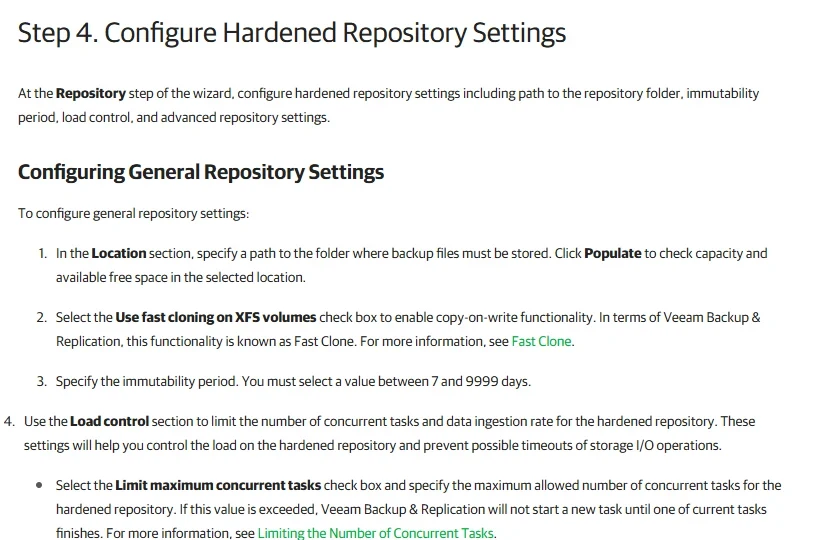
- Compatibility
- Veeam with supported SQL Server protection, an eligible repository and configured log processing where needed.
- License and trial
- Commercial Veeam licensing and repository infrastructure.
Rubrik Security Cloud
Rubrik Security Cloud protects supported SQL Server databases through policy-based snapshots and transaction log backups. The policy and protected copies determine the recovery range. This is useful when SQL Server protection needs to sit inside an established platform for centralized recovery and backup governance.
The key comparison is which policies protect the data copies and how the SQL recovery range survives a deletion attempt or a compromised account. Retention protection depends on the configured Rubrik deployment. The chosen recovery point still needs to be accessible and appropriate for rebuilding the application.
Register one SQL Server lab workload with a deliberately small protection policy and record which copy should survive the incident. Check whether the relevant retention controls apply to both the database recoverable point and its log history.
Use an authorized recovery role that does not depend on the test SQL host. Confirm the stored restore point and actual contents after alternate-host recovery, and compare the evidence with the policy.
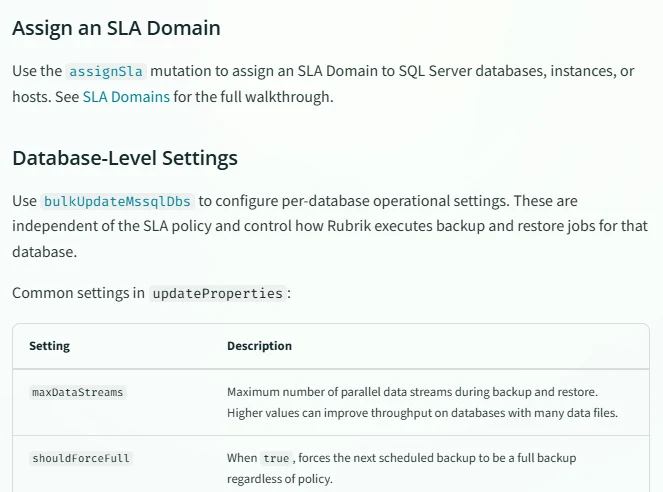
- Compatibility
- Supported Rubrik SQL Server protection and applicable policy and recovery configuration.
- License and trial
- Commercial Rubrik licensing.
Commvault Cloud
Commvault Cloud provides SQL Server protection and can put eligible storage policy copies under WORM Storage Lock. Its SQL Server agent can use protected backup and log data for a supported point-in-time restore. This is useful when central backup policy has to cover SQL Server and other protected workloads.
WORM behavior is tied to the selected copy, storage platform and retention policy. Those settings determine which jobs are protected and when the lock expires. Recovering a database also needs the relevant media, metadata, restore permissions and a clean SQL Server target.
Check SQL backup and log protection against the current Commvault WORM configuration. Record the applicable copy, policy and roles rather than reading a broad coverage claim for every configured destination.
Have the ordinary lab backup operator attempt a retention change on a disposable protected copy only. Capture the actual denial or permitted change and recover the database with the designated isolated operator.
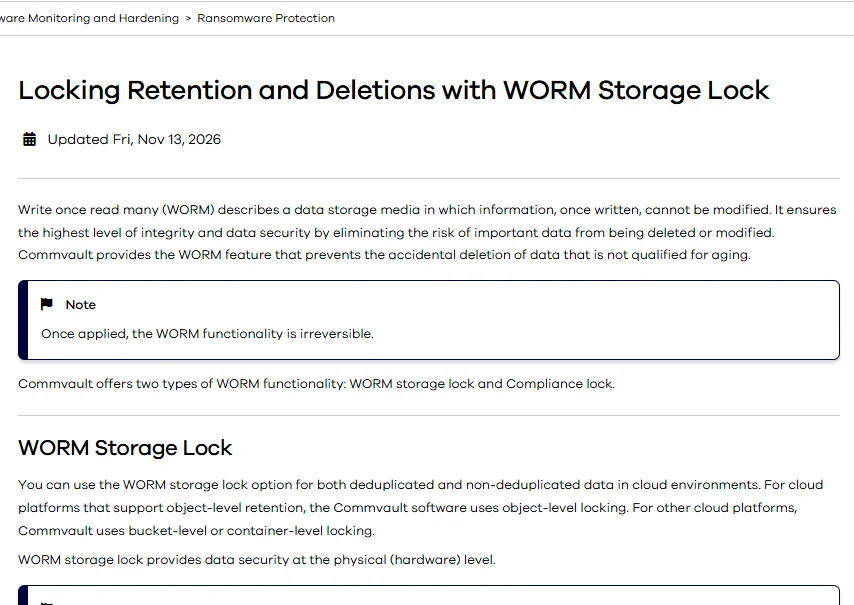
- Compatibility
- Commvault SQL Server protection with supported WORM storage and policy configuration.
- License and trial
- Commercial Commvault licensing and storage terms.
Cohesity DataProtect
Cohesity DataProtect can apply policies to supported SQL Server workloads and manage protected copies centrally. An eligible deployment can use its documented protection and retention controls. It is useful for teams that already centralize recovery and want a governed policy for SQL Server snapshots and related recovery points.
The useful boundary is the policy and storage path that protect the selected copy. Database-level restore needs the required backups and logs, while VM recovery deals with the larger machine. SQL Server support, policy entitlements and secondary-copy behavior need to fit the deployment.
Review the documented protection policy and SQL Server workload support in the exact deployment. Keep a record of which operational and storage roles can manage the SQL backups and any copied recovery points.
Test that the selected SQL backup and lower-latency log points remain usable from an isolated target. Record the oldest available point and repeat the test using the alternate network and reviewer roles.
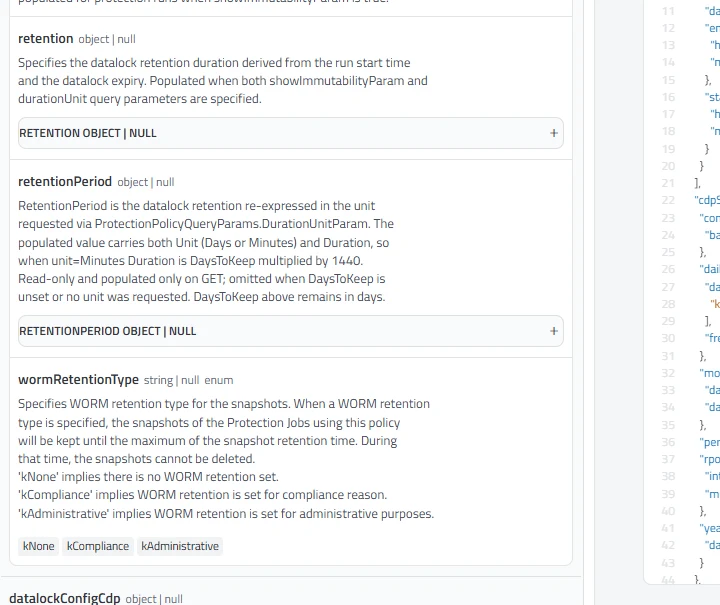
- Compatibility
- Supported Cohesity DataProtect deployment with SQL Server source registration and policy configuration.
- License and trial
- Commercial Cohesity licensing.
Dell PowerProtect Data Manager
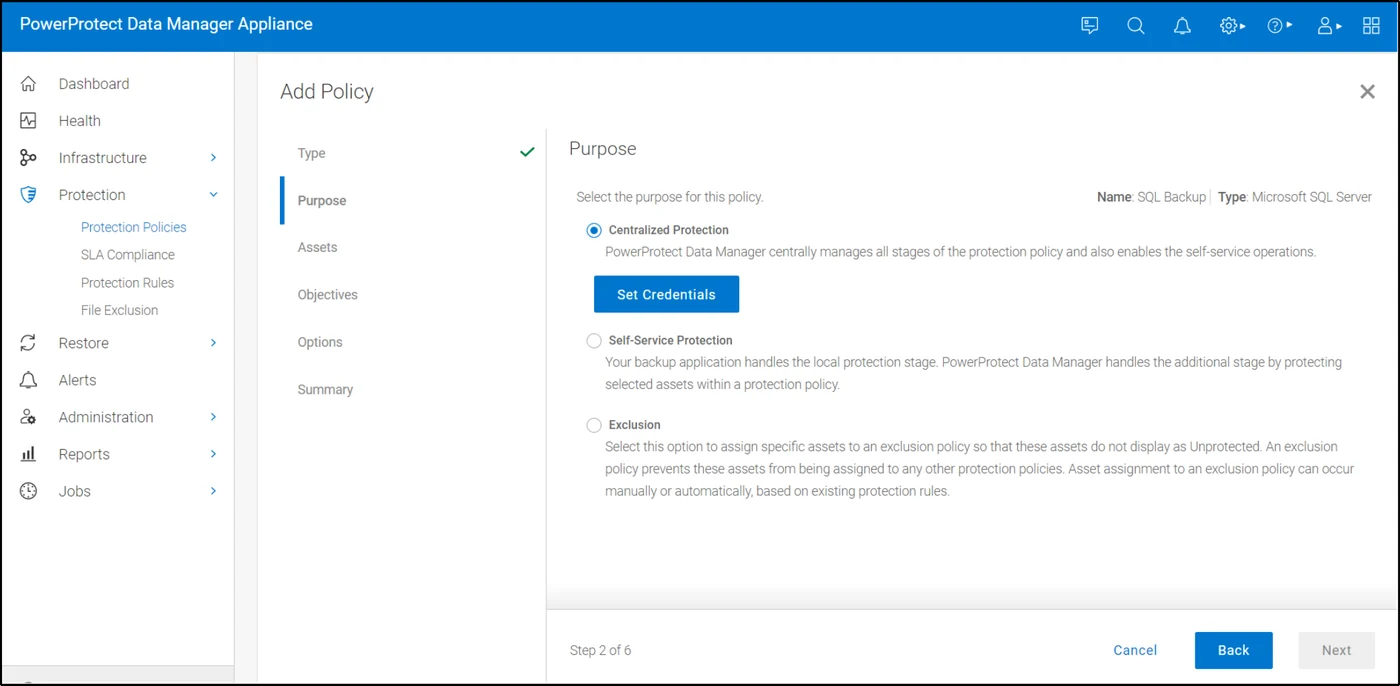
Dell PowerProtect Data Manager can protect SQL Server through its Microsoft agent and supported PowerProtect storage. Dell documents protection-policy retention lock behavior and separate workflows for self-service or VM application-aware backups. It is useful when SQL Server is already part of a PowerProtect estate.
The important detail is which protection policy owns retention for the copies, including logs. Dell’s documented behavior can differ for existing backups and backup copies created under the policy. A restore test needs to use the protected storage path and the target SQL Server intended for recovery.
Identify the PowerProtect storage target and SQL Server asset protection method used in the pilot. Confirm any retention lock, version and licensing requirements separately for the tested copy.
Review the material that a clean named SQL instance needs to read the backup, including host identity and keys. Save the task execution history and actual recovered marker outcome.
- Compatibility
- PowerProtect Data Manager, supported SQL Server protection and eligible storage with the applicable retention lock.
- License and trial
- Commercial Dell software and storage licensing.
SQL Server Backup to URL with immutable Azure Blob Storage
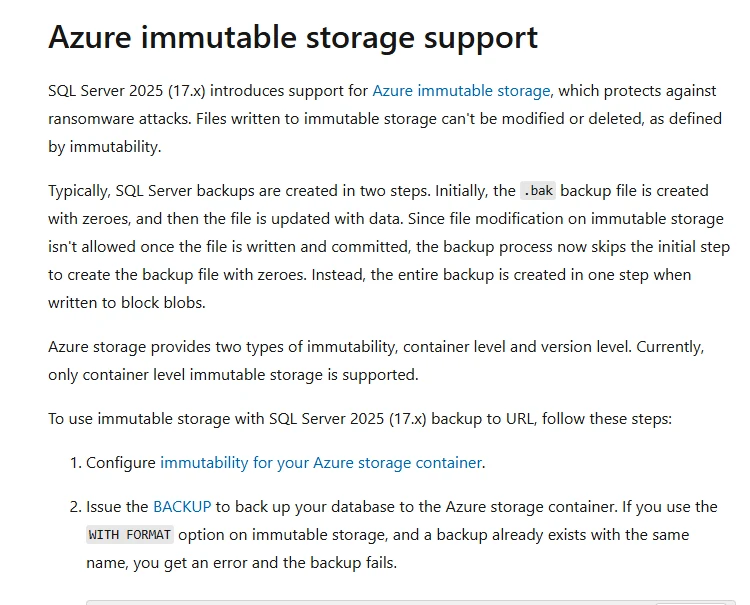
SQL Server 2025 can write native backups directly to supported container-level immutable Azure Blob Storage. That gives teams a way to use native backup and restore with a storage policy that protects the written objects. It is useful when the team already manages SQL jobs and recovery scripts itself.
The SQL Server version and storage policy are important because this direct support starts in SQL Server 2025 and is limited to the documented immutability level. The team owns backup naming, credential access, monitoring and the complete log chain. Retention also needs to cover all objects required for a restore.
Microsoft documents native Backup to URL support for Azure immutable storage beginning with SQL Server 2025. Check the exact syntax, storage policy and workload build before using this method in a trial.
Inventory the full and subsequent log files needed by the SQL restore, plus credentials and any backup encryption material. Verify access from the recovery host without using the original server or its operator identity.
- Compatibility
- SQL Server 2025 or later for the documented direct immutable Azure Blob workflow.
- License and trial
- Azure Storage and applicable SQL Server licensing and usage terms.
Druva Data Security Cloud
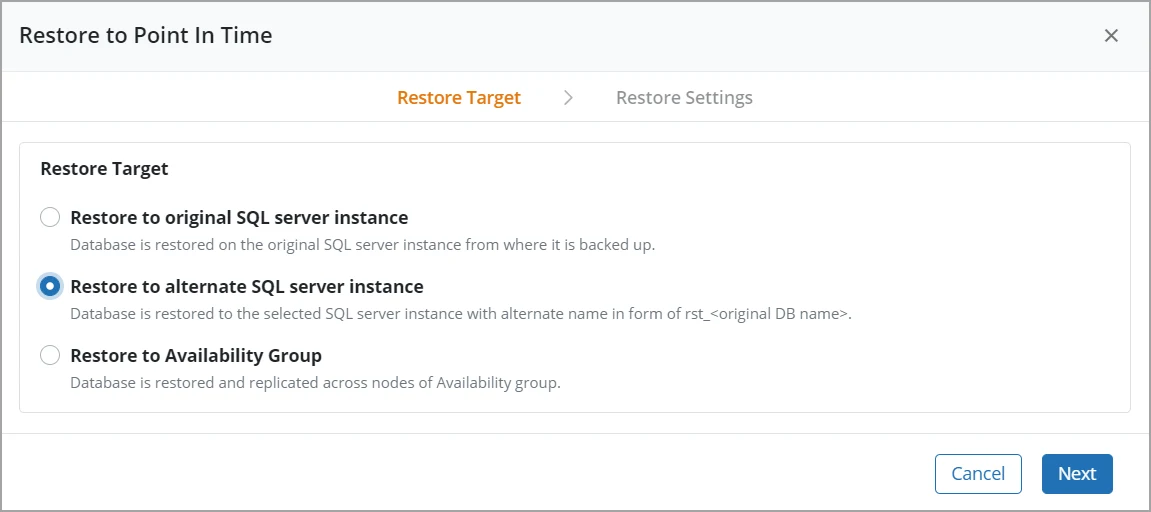
Druva Data Security Cloud can protect SQL Server workloads and restore a database using available transaction logs. Its Data Lock controls can help protect recovery points for supported enterprise workloads. It is useful when the team wants backup operations and selected recovery protections managed through a separate service.
The value depends on which protected datasets and recovery points the configured lock covers. Lock duration, tenant administration and available transaction logs determine what can be recovered. The destination still has to meet the SQL Server restore requirements.
Confirm how Data Lock applies to the particular enterprise recovery points used by the SQL workload. Scope the trial to approved small retention and identify which roles can modify the protection setting.
Check retention behavior from the backup operator role and compare the position of the selected SQL recovery point. Restore to an approved destination and record the exact observed transaction boundary.
- Compatibility
- Supported Druva SQL Server workload protection and applicable Data Lock configuration.
- License and trial
- Commercial Druva licensing.
Azure Backup for SQL Server on Azure VMs
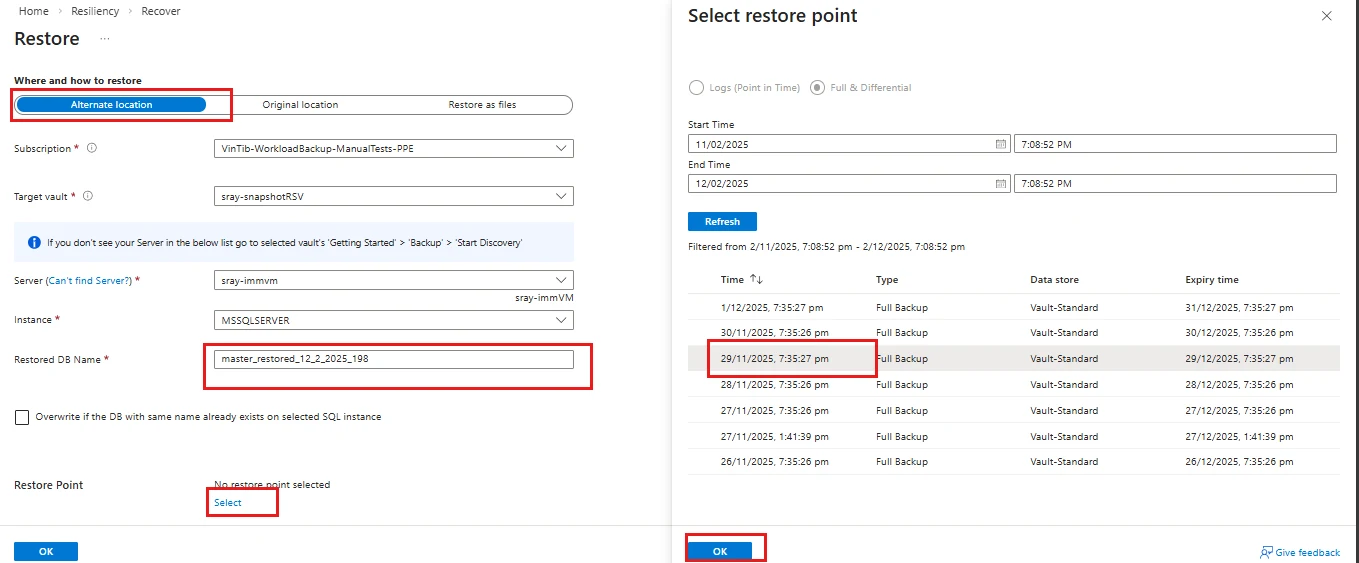
Azure Backup can protect SQL Server databases running on Azure VMs. A supported Recovery Services vault can add immutability, and locking the setting gives documented WORM protection. This is useful for an Azure estate that wants native database restore with a separately governed backup vault.
Vault immutability has distinct enabled and locked states. The policy needs to match the backup and log recovery period, and access to restore should remain available when production credentials are compromised. Alternate restore depends on the supported Azure and SQL Server target configuration.
Use the SQL Server workload backup path for Azure VMs. Record the Recovery Services vault settings, immutability state and any multi-user authorization configured for operations on that vault.
Use the documented alternate recovery destination supported by the deployed setup. Test the role with the expected target permissions and confirm whether the desired log point is available without source access.
- Compatibility
- Azure Backup for SQL Server in Azure VMs with an eligible Recovery Services vault and policy.
- License and trial
- Azure Backup, storage and restore infrastructure charges apply.
Choose a protected copy the recovery team can restore
| What you need | Tools to shortlist | What to verify |
|---|---|---|
| Use managed retention policies and SQL workload recovery | Verify the supported SQL Server platform, retention lock, operator identity and alternate-restore options. | |
| Lock copies at a repository or storage target you manage | Check which copy has the lock and who can change the retention. Restore a time that needs several log backups. | |
| Recover using an established DataProtect deployment | Verify policy and retention lock on the restore copy, then test the separate host and log-backup workflow. |
Identify the SQL backup copy and the identity that can still control it
A retained backup is only part of a recovery plan. The source SQL host, backup controller, storage, encryption-key authority and recovery host can have different administrative boundaries. Draw those connections for the actual product and compare which original credentials the clean restore still needs.
Apply the access checks to an isolated disposable copy. Under an ordinary backup operator, try the specifically approved retention or deletion control. Record which product control blocks it and whether the separate storage or security administrator can change the policy. Verify where available log backups and keys live.
The production host is lost
Restore to a separate supported SQL Server
Verify backup readability, target permissions and recovered contents.
A backup administrator account is compromised
Verify an independently controlled protected copy
Test retention scope, deletion rights and recovery identity on a disposable object.
The recovery point requires transaction logs
Verify the required full and log chain
Confirm protected media, timestamps and applicable encryption keys.
Verify two transaction markers around the recovery cutoff
Set up a small synthetic database in the supported recovery model and run Setup. Take the approved protected full backup. Run Cutoff to record source-local time, UTC offset and UTC. Wait a few seconds and run Later. Capture the log backups needed for the supported point-in-time restore, including the interval containing the cutoff.
Use the tool's documented time interpretation. Some interfaces ask for UTC or convert to it. Preserve offset and the actual requested time to avoid relying on formatting. Recover independently to a disposable RansomwareRestoredLab database. The earlier marker should be available and the later marker should be absent.
| Checkpoint | Observe | Required evidence |
|---|---|---|
| Protected source copy | Full backup, required log chain, retention and encryption material | Inventory of surviving restore inputs |
| Admin boundary | Approved attempt to shorten retention on the disposable copy | Actual control outcome and policy owner |
| Clean restore | Recovery point and elapsed time at alternate SQL host | Recovery task and source time interpretation |
| Recovered database | Marker 1 present, marker 2 absent | Database accessible at the intended transaction cutoff |
How to compare these tools
Attempt to delete or shorten retention on the protected copy using a compromised lab role. Then restore the SQL Server database from an isolated account and verify where in the log chain it recovered. Sources checked .
Restore a protected copy between two known changes
Use RansomwareRestoreLab as the disposable source and RansomwareRestoredLab as the alternate restored database. Run Setup, Cutoff and Later as separate executions with the backup steps above, then Check from the recovered target. Take and restore backups through the documented tool workflow.
Verify the cutoff using two committed SQL Server markers
T-SQL · 36 lines
- Record the protection policy, source version and test identities. Take the protected backup and subsequent log coverage for the two marker events. Verify which backups and keys the test recovery operator can access.
- Test the agreed retention control using only the designated disposable backup copy and collect its outcome. Keep an independent restore path available for the trial.
- Recover the required point to the clean authorized host. Confirm marker 1 is present and marker 2 is absent, measure elapsed time and preserve the recovery task and policy evidence.
Conclusion
Choose the route that preserves a complete SQL Server restore chain under the access model you operate. Test recovery with the source unavailable. Record which protected copy, catalog, encryption material and identities were needed to recover the marker at the chosen time.
Frequently asked questions
What makes a SQL Server backup suitable for ransomware recovery?
Keep a usable full backup and the log chain needed for recovery in a location the affected account cannot alter within the retention window. Verify access to the storage, backup catalog and encryption material from the recovery environment.
Can immutable SQL Server backups still miss the requested restore time?
Yes. The requested time may lie beyond the last valid log backup or after a gap in the chain. Restore from a full backup and the logs that cover the chosen point, then check a known application or database result.
How do you verify a backup retention lock?
Identify the exact copy, lock mode, retention period and roles that can make changes. Attempt deletion or a shorter retention period only on a dedicated lab copy and record which identity is rejected.
Does the original SQL Server need to be online for recovery?
That depends on the product and restore mode. Use the documented alternate-host or export workflow. Test the backup, catalog, credentials and encryption material with the source unavailable.
What does a TDE-encrypted SQL Server backup need on the recovery instance?
The recovery instance needs the certificate with its private key or access to the original external protector, depending on how TDE was configured. Verify the recovery copy and its encryption material together.
Can SQL Server back up directly to immutable Azure Blob Storage?
SQL Server 2025 and later support direct Backup to URL writes to block blobs under container-level immutability. Use unique names and verify that the full backup and required log backups land under the intended policy.
Does an immutable SQL full backup guarantee point-in-time recovery?
Check the whole restore chain. A point after the full backup may require subsequent transaction logs and the material to decrypt applicable backup media or TDE-protected data.
Does a retention lock prove the SQL Server backup can restore?
Run a clean-host restore with the actual recovery credentials. Validate the restored marker and record which backup files and keys the recovery used.