

DBeaver and DataGrip both let developers work on SQL Server and other databases from the same application. DBeaver gives an individual a free desktop client and gives organizations separate products for shared connections and access control. DataGrip treats consoles, schemas and files as parts of an IDE project. That can be a better fit when most of the SQL is maintained beside an application.
The choice changes when several people need a connection, query or schema comparison. A developer’s saved connection helps one person get back to work. A team connection needs rules for who can see it, how credentials are supplied and who can change it. Navicat, DbGate and Beekeeper add sharing workflows, while TablePlus and DbVisualizer can fit teams that manage connections outside the client.
DBeaver vs DataGrip at a glance
Use the license and the exact driver as part of the comparison. A connection preset makes setup repeatable, while each developer still needs the authorized login and certificate trust.
| Tool | Best fit | Edition or setup | First thing to verify |
|---|---|---|---|
| DBeaver | Query, edit and export across SQL Server and PostgreSQL | Community desktop, paid desktop editions, and a separate Team Edition | Full Schema Compare entitlement, target driver and team connection controls |
| JetBrains DataGrip | Versioned database work in an IDE project | Eligible non-commercial license or paid commercial use | Dialect scopes, shared data source settings and reviewable schema SQL |
| Navicat Premium | Graphical workflows for several engines | Commercial multi-engine suite | Check both target engines, data results and the purchased edition's comparison features |
| DbGate | Client with desktop or deployment options | Compare open-source and paid options | Where connections and secrets are stored in the chosen mode |
| Beekeeper Studio | Query and edit from a simpler desktop app | Verify Community or paid feature limits | SQL Server auth, data export and schema workflow |
| TablePlus | Lightweight visual database browsing and editing | Check workstation and license terms | SQL Server driver methods and the policies around saved connections |
| DbVisualizer | Cross-engine JDBC workflows | Check Free versus Pro features | Driver trust, export format and plan information |
| Aqua Data Studio | Multi-engine SQL development and query investigation | Commercial desktop suite | Confirm database-specific plan and comparison features |
DBeaver
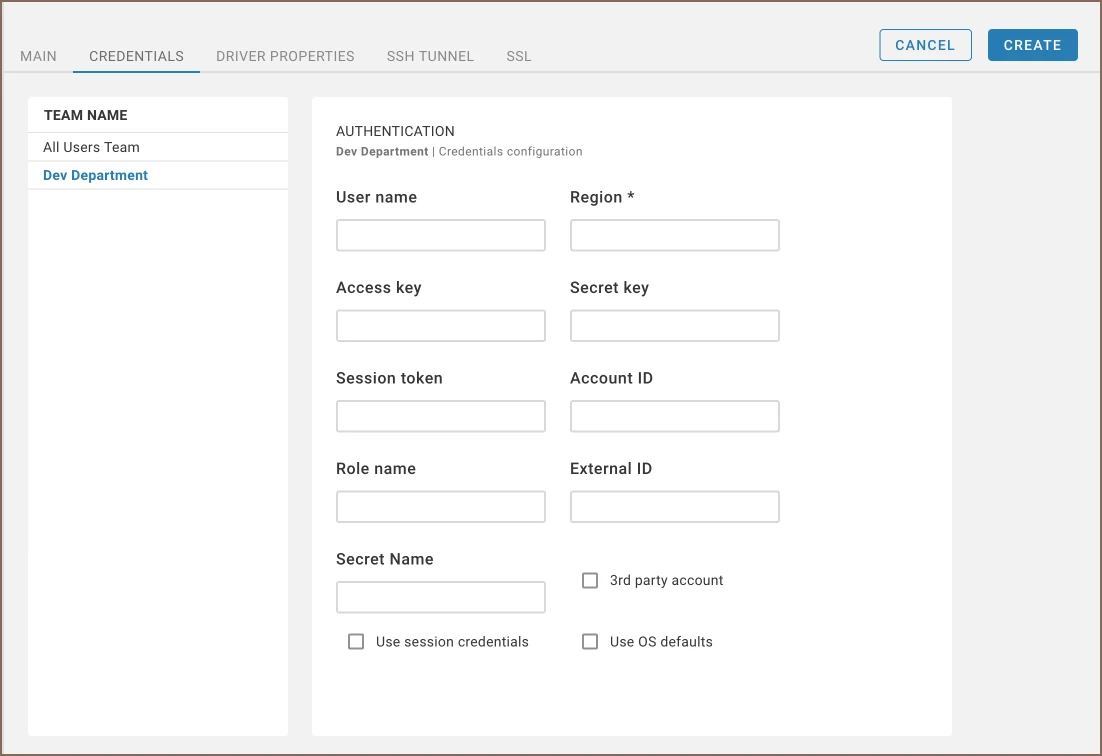
DBeaver puts SQL Server and PostgreSQL, among other engines, in a shared desktop navigation and query workflow. Community covers connection and editing basics. Commercial plans add features such as full schema comparison, and Team Edition has separate managed connections and roles for its users.
It fits a team that can start with individual clients and decide later whether it needs centralized access. A driver and a saved connection are enough for one workspace. In Team Edition, effective access also depends on project assignment, connection restrictions and the user’s role.
DBeaver documents basic structure comparison separately from full Schema Compare. Its Schema Compare guide identifies Enterprise and Ultimate editions. Trial the actual feature on the same SQL Server pair and save the generated change, then compare it with a simple object structure result.
Team Edition has its own connection-management and project-access workflows. Test them with a second user if central administration drives the purchase. For desktop use, share a reviewed setup containing host and driver settings and have the second user sign in with their own permissions.
- Compatibility
- Windows, macOS and Linux desktop clients. Drivers and enabled features depend on the connected engine and edition.
- License and trial
- Free Community and commercial desktop or Team editions.
JetBrains DataGrip
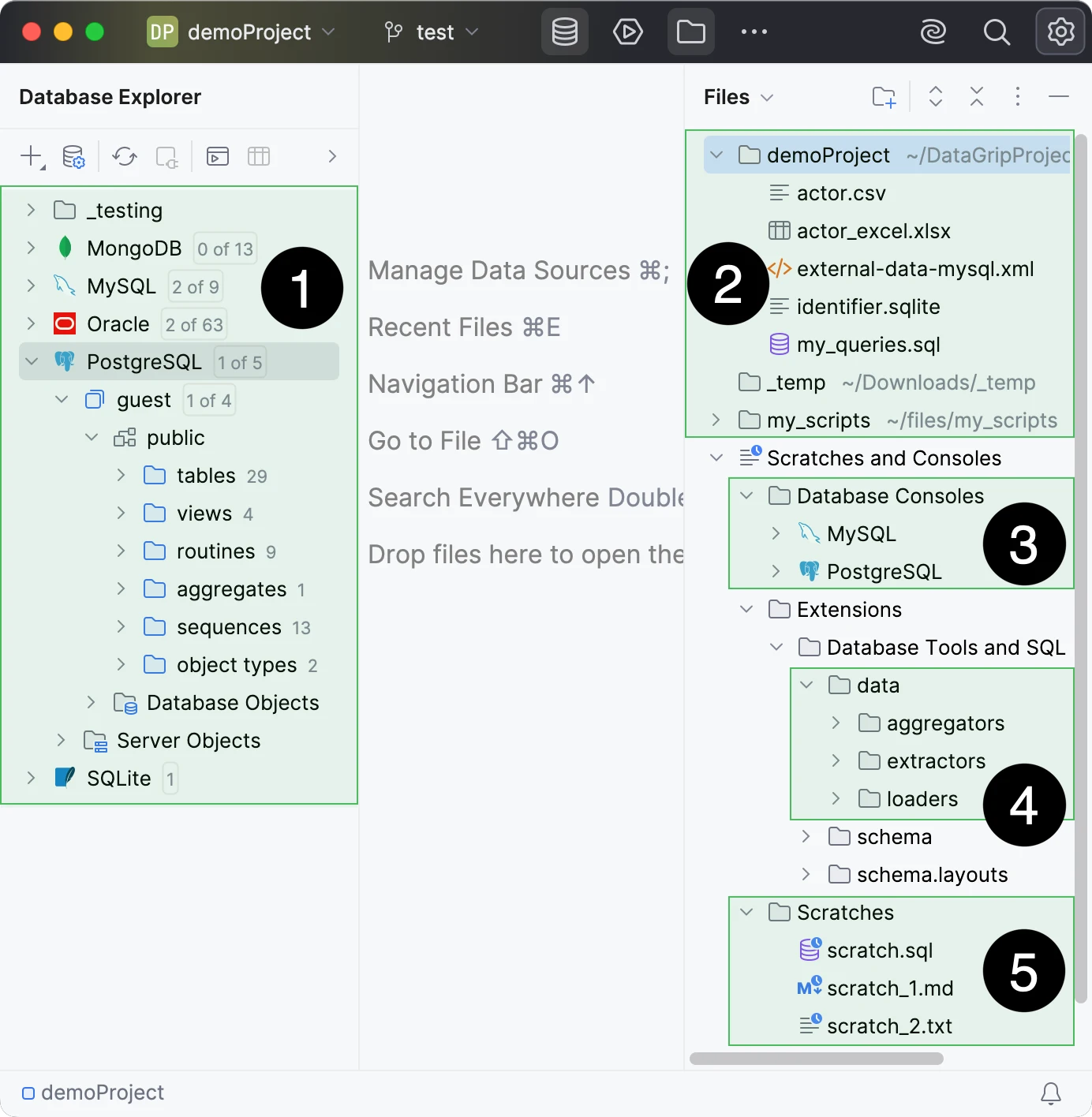
DataGrip organizes data sources, SQL files and query consoles into projects. The IDE can resolve a file against selected database objects and show schema differences with a migration script. That suits application developers who want SQL browsing and editing to follow repository and project boundaries.
The strength is project-based authoring across engines, where completion and navigation follow the configured dialect and schema. Project files or exported settings help teammates use a similar layout. Database credentials, drivers and access still need their own arrangement on each workstation.
Set SQL dialects at the appropriate project, folder or file scope. Use SQL Server and PostgreSQL files in the same checkout and confirm the inspection and completion context for each. Choose JetBrains' license for the intended use of the project.
Use the documented data source transfer procedure and review the files before sharing. On the second workstation, connect under that developer's own account, then preview a schema comparison on a disposable paired database. Check whether the IDE presents the exact objects and differences you expect.
- Compatibility
- Windows, macOS and Linux. SQL Server and PostgreSQL use their documented driver and authentication paths.
- License and trial
- Free for eligible non-commercial use. Commercial development needs an eligible license.
Navicat Premium
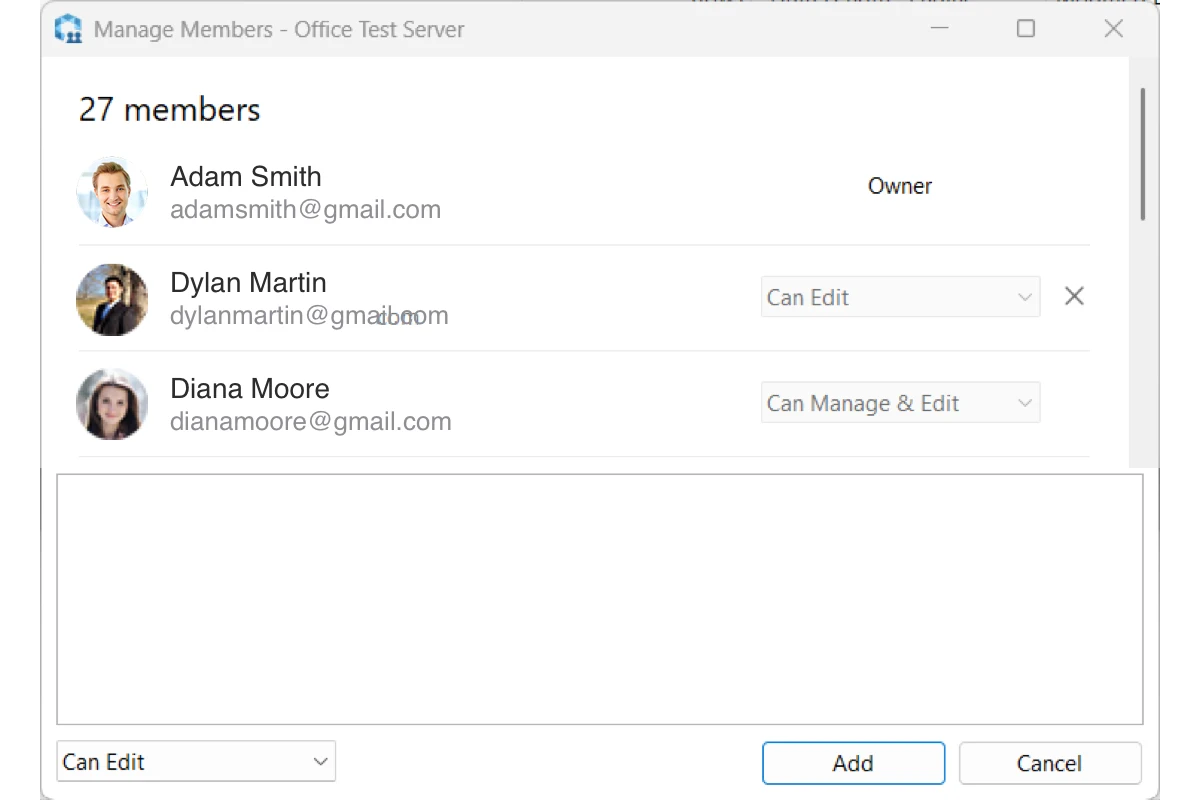
Navicat Premium combines clients for several database engines and offers commercial data, schema and design workflows. Its cloud collaboration can synchronize saved connection settings, queries, snippets and other supported artifacts across devices. That is useful when a team wants its SQL assets available beyond one workstation.
It suits groups that want a graphical client with an associated sharing product. A synchronized connection definition and authorization on the database are different things. The feature matrix and collaboration terms determine which objects can be shared and which schema operations the selected client provides.
Start with one data source for each engine and rehearse query, export and simple changes. The edition and product family matter when teams expect the same comparison tools on both systems. Use the same parent-child schema when evaluating each engine.
Save the settings that can travel between workstations and keep authentication separate. Verify how export quotes nulls, dates and decimals before relying on it for fixtures. Review any generated database change in a disposable target before applying it.
- Compatibility
- Supported desktop platforms and database engines. Edition and cloud configuration determine collaboration features.
- License and trial
- Commercial. Navicat Premium and applicable collaboration services have separate terms.
DbGate
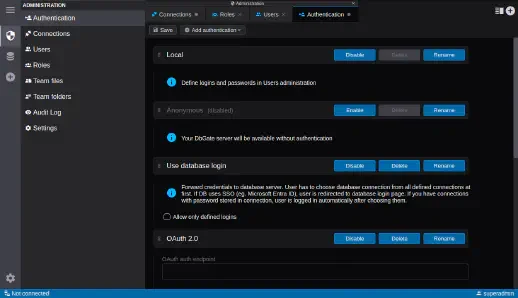
DbGate provides a desktop and self-hosted web database client with a community option. Team Premium adds a management interface for users, roles, connections and permissions. It is useful when an organization prefers to run a common database workspace and administer access from its own deployment.
The team edition changes the operating model because a service now holds connection definitions and manages who can use them. That can simplify onboarding. Upgrades, backups, network access and credential management become part of the service the team has to maintain.
Select the intended mode first. A desktop setup and a centrally deployed service introduce different locations for settings and access control. Test whether the restricted SQL Server and PostgreSQL identities remain distinct.
Open the saved connection and compare the same table and result export. Verify what a teammate receives when you share a configuration, along with what must be provided separately. Test one expected failure with restricted permissions.
- Compatibility
- Desktop or self-hosted web depending on edition. SQL Server requires supported connectivity.
- License and trial
- Free Community. Premium and Team Premium are commercial editions.
Beekeeper Studio
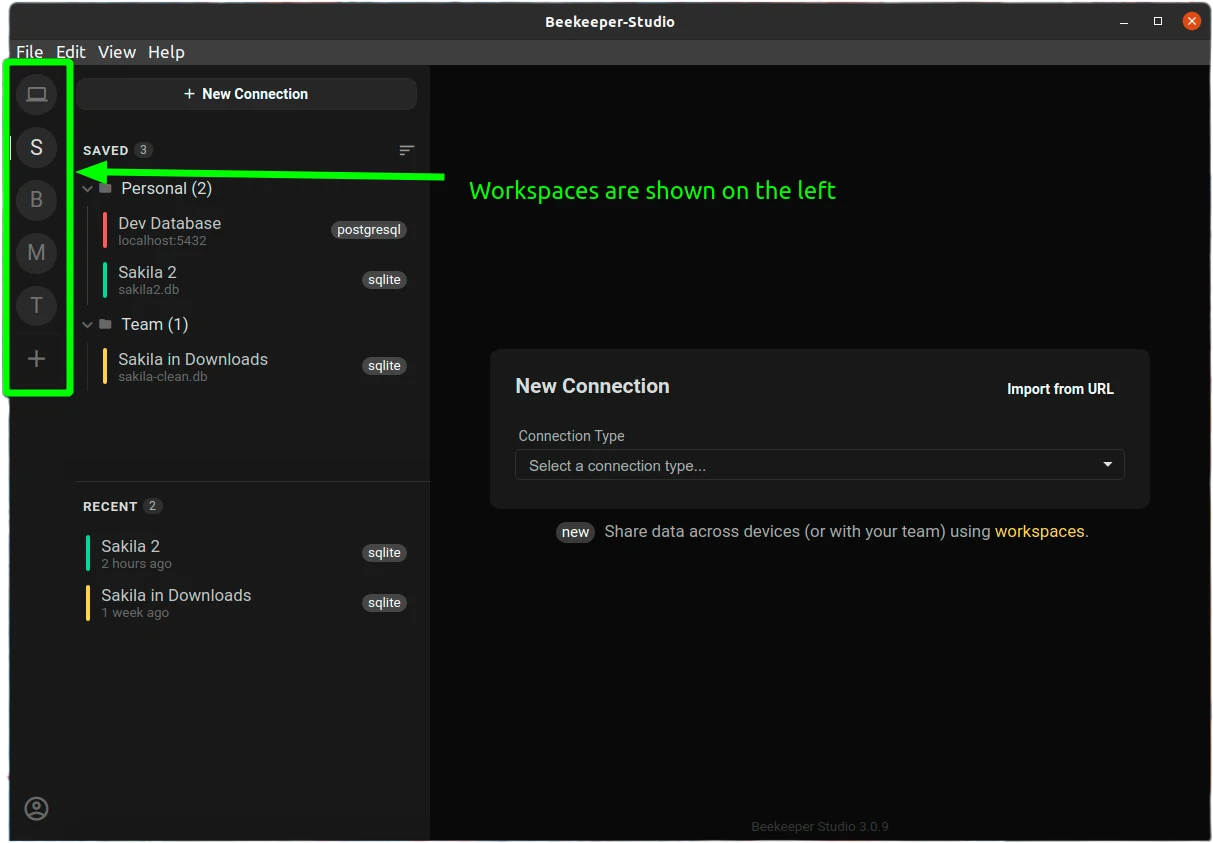
Beekeeper Studio provides a database editor with saved queries and a results grid. Its documented cloud workspaces can share particular queries, connections and folders with separate permissions. That can help a small team collaborate without using one shared connection file or granting every member the same workspace access.
It fits a team that wants a straightforward query workspace and explicitly scoped shares. The server still controls database rights, regardless of what the workspace allows. SQL Server support and the options for sharing connections depend on the edition and plan.
Use the required edition on the second workstation, connect with that user's credentials and run the two-engine fixture. Check whether query history and data export are accessible and relevant to the current desktop release.
Perform one permitted field edit in the disposable database and compare it with a denied attempt using the restricted account. The user should be able to tell an authorization failure from a disconnected session and see which engine is active.
- Compatibility
- Desktop client on supported platforms. SQL Server access and workspace features depend on plan.
- License and trial
- Community and commercial options. SQL Server and cloud workspace coverage follow the current plan.
TablePlus
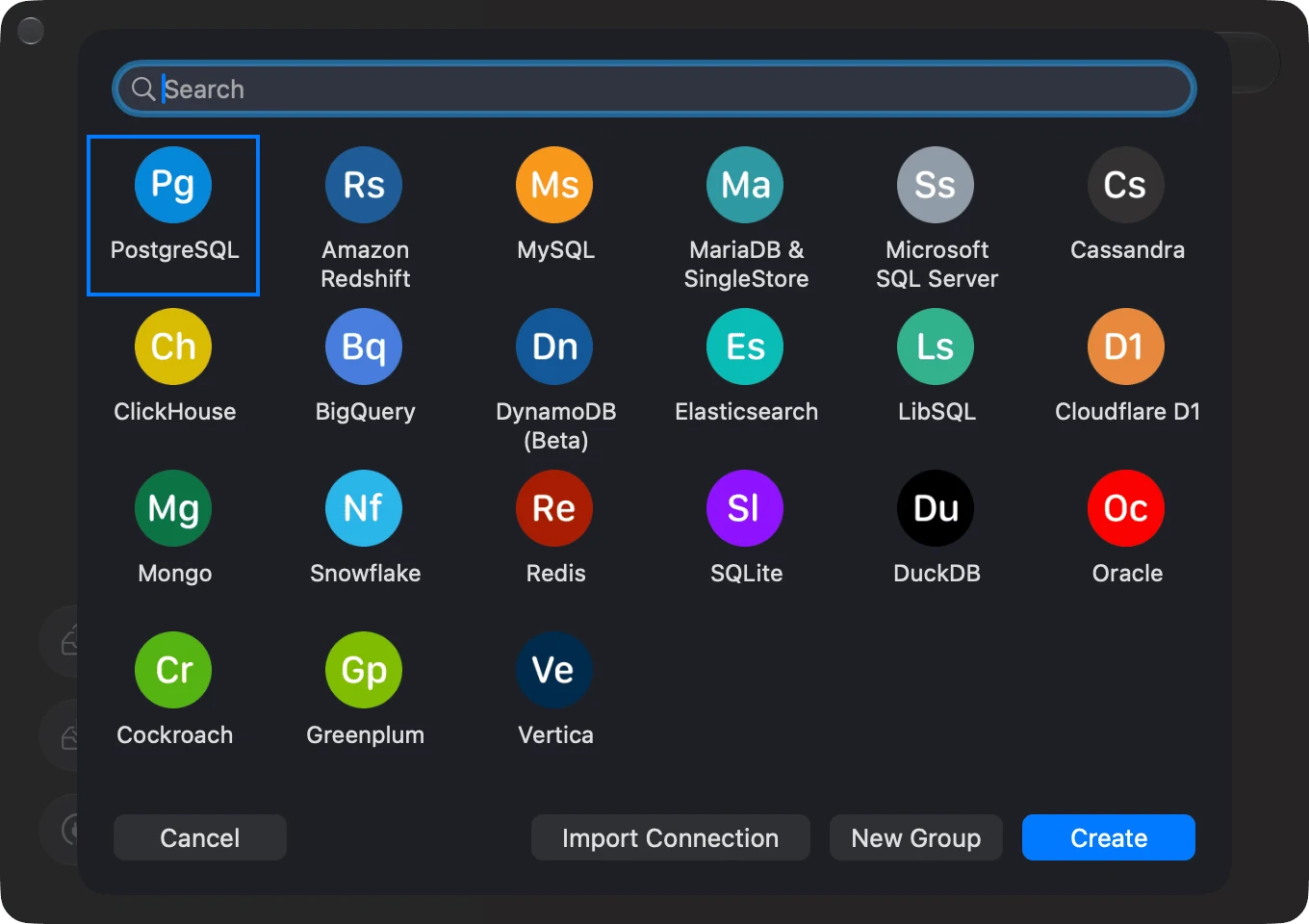
TablePlus is a desktop database client oriented around saved connections, a query editor and a direct table and data view. It supports SQL Server and PostgreSQL in its supported clients. That makes it useful for people who want to open a connection and inspect data without maintaining a wider IDE project.
The lightweight workflow fits users who can manage local connection definitions and share query files through an existing repository. Equivalent operating-system builds and the chosen license can have different limits. For coordinated access, the team still needs its own way to provision credentials and roles.
Try the same restricted accounts and compare how each connection is represented in the desktop app. Check whether the default UI makes it clear which engine and database a SQL tab will use before the statement runs.
Export a small dataset with Unicode text and a null field, then inspect the file. Confirm the desired security settings and license on the actual workstation. Treat SQL Server diagnosis or administration as a separate workflow when needed.
- Compatibility
- SQL Server support depends on the selected Windows, macOS or Linux client build.
- License and trial
- Free usage with limits and paid desktop licenses.
DbVisualizer
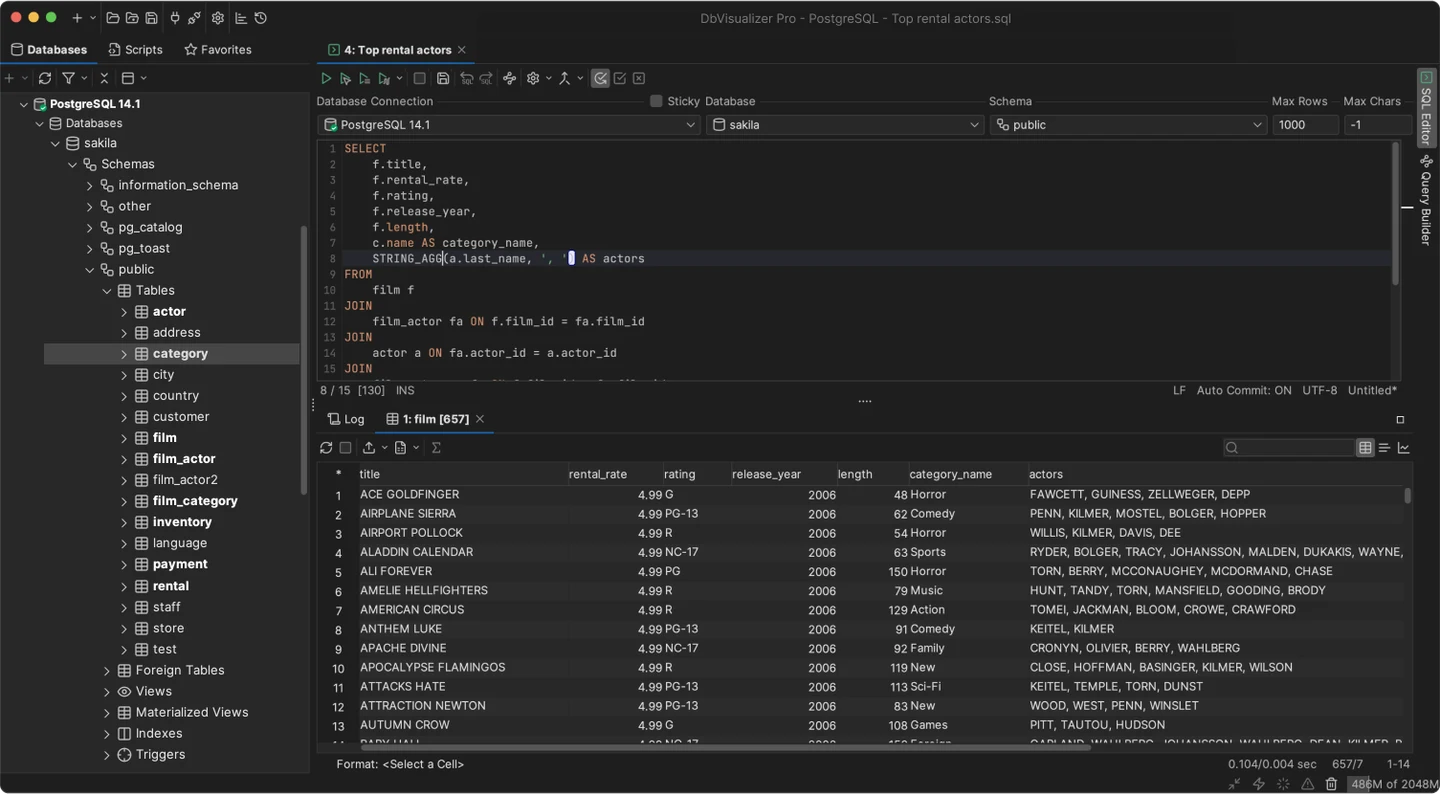
DbVisualizer offers SQL editing, metadata browsing and results over JDBC for SQL Server, PostgreSQL and other engines. The same desktop application can support a mixed estate without retraining users for each database client. Its Pro features add capabilities such as graphical plan analysis on supported targets.
It fits individuals and teams whose central need is a consistent JDBC workstation. The rights available in the client follow the connected account and engine. If the buyer needs shared connection administration or collaborative query publishing, those workflows still need an explicit home.
Use matching JDBC settings when comparing the SQL Server and PostgreSQL connection setup. Confirm the intended driver version and trust path, particularly when several JVMs or managed certificates are involved.
Check query display, plan access and data export under the exact Free or Pro edition. Keep the plan artifact and note whether it represents estimated or executed information. A readable tree and reusable evidence can be different acceptance tests.
- Compatibility
- Windows, macOS and Linux. Supported connections depend on JDBC driver and engine.
- License and trial
- Free and Pro desktop editions.
Aqua Data Studio
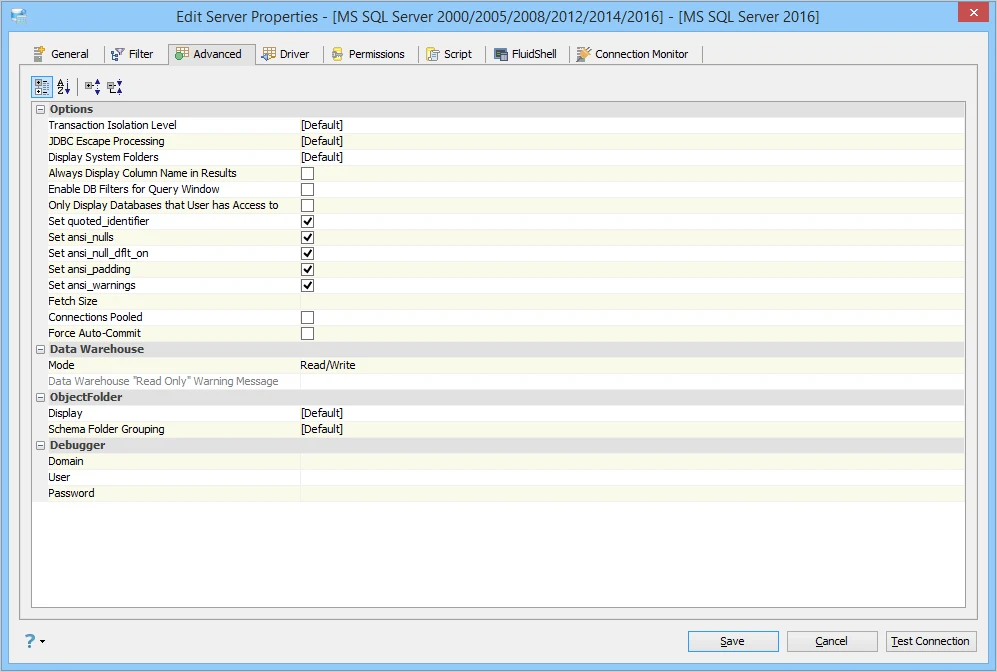
Aqua Data Studio brings database browsing, query analysis and schema comparison into a commercial multi-engine IDE. Its compare workflow can inspect differences in definitions and report them for review. That is useful when a developer often compares environments while writing queries against more than one engine.
The option makes sense if comparison and query analysis are frequent parts of the same role. Which object types and operations the comparison can show depends on the engines. A report can be shared for review, while database credentials and deployment approvals still belong in their own workflows.
Run the same result query on both engine connections and verify the selected schema. Use the SQL Server plan workflow with an authorized account, and test the format that needs to be shared with another engineer.
If generated database changes matter, ask the trial to produce a proposed change that can be reviewed independently. Check how the client maps terminology between engines and verify the apply direction against a disposable target.
- Compatibility
- Desktop client for supported Windows, macOS and Linux platforms and database targets.
- License and trial
- Commercial. Check the vendor’s product and feature entitlements.
DBeaver and DataGrip team workflow comparison
| Feature | DBeaver | JetBrains DataGrip |
|---|---|---|
| Connection provisioning | DBeaver desktop connects to both engines. Team Edition adds a central server and shared projects for connections and other resources. | DataGrip uses project or global data sources. Share approved settings using the project dataSources.xml file, clipboard export or a global settings export. |
| Access and credentials | Team Edition documents project grants, individual or shared credentials, plus supported session credential providers. Test the database identity after sign-in. | Use each developer's database login. Inspect the XML export because a JDBC URL can embed a password. Use approved credential storage for the imported connection. |
| SQL dialect and execution | Choose the right database connection for the editor and verify the driver, transaction mode and batch behavior for both engines. | Attach the file to the intended data source or set the dialect. Check object resolution, completion and the actual connection before running the SQL. |
| Schema comparison | The publisher documents full Schema Compare for Enterprise and Ultimate desktop and in Team Edition desktop. Verify object coverage on each engine. | DataGrip generates a migration view for compatible objects. Use it to inspect proposed changes on each engine and review the generated SQL. |
| Purchase and setup | Community, paid desktop and Team Edition are separate choices. Team Edition needs a central deployment and a team license. | JetBrains lists a free non-commercial license and a paid commercial subscription. Setup uses the desktop IDE and the selected drivers. |
SQL Server and PostgreSQL clients by team workflow
| What you need | Tools to shortlist | What to verify |
|---|---|---|
| Grant access to shared connection definitions centrally | Create a second user, share a development profile and confirm that a restricted project remains unavailable. | |
| Review shared SQL files and define data sources per project | Open the same repository on a clean workstation and verify dialect and schema resolution for both engines. | |
| Set up local desktop clients from approved profiles | Import a sanitized profile and verify that the second developer supplies their own credentials. | |
| Use a visual editor with additional collaboration or schema tools | Try the appropriate edition and test who can view or edit a query and how generated scripts are reviewed. |
Choose between a desktop client, project IDE and shared service
A local connection file and a server-managed project solve different onboarding problems. Start with the smallest deployment that lets a teammate connect securely and reproduce the intended development tasks.
Use a local multi-engine client
Trial DBeaver Community
Validate JDBC options, data exports and the SQL Server plan workflow.
Open a repo with engine-specific SQL
Trial DataGrip project settings
Check dialect scopes, per-user credentials and compared schema SQL.
A team needs managed projects and access
Evaluate DBeaver Team Edition separately
Check role grants, shared connections and how users authenticate to the databases.
- DBeaver SQL Server driver settings
- DBeaver edition comparison
- DBeaver SSH configuration
- DBeaver Team Edition connection management
- JetBrains Microsoft SQL Server data source
- JetBrains DataGrip licensing
- JetBrains SQL dialect scopes
- JetBrains data source transfer
- JetBrains SSH and SSL configuration
- Microsoft JDBC connection encryption
Reproduce one SQL Server and PostgreSQL setup
Provide server and database names, engine and driver versions, the authentication method, certificate requirements and approved SSH details. Keep passwords, private keys and tokens outside project exports. Review a fresh import with an empty local profile.
Database grants determine metadata visibility and write access. Run the same queries using restricted logins, and compare plans and DDL only where the accounts have the required permissions.
| Check | DBeaver | DataGrip | What to retain |
|---|---|---|---|
| Driver and connectivity | Check Microsoft SQL Server driver, auth and SSH settings | Check Microsoft SQL Server data source and SSL/SSH settings | Successful trust and authentication with the intended principal |
| Dialect | Check active connection and T-SQL or PostgreSQL syntax | Verify project, directory and file SQL dialects | Both dialects run the intended script |
| Data and export | Verify format and permissions in actual edition | Verify data editor, selected rows and export format | Two grouped totals and consistent decimal handling |
| Plan | Verify SQL Server plan feature for the selected edition and source | Try the SQL Server plan using intended permissions | Plan type, raw output and relevant runtime or estimated fields |
| Change preview | Distinguish basic comparison from paid Schema Compare | Review migration SQL between supported like-engine schemas | Proposed DDL and source and destination direction |
How to compare these tools
Use each person’s own account on both engines. Try sharing a connection definition and a SQL project without sharing stored passwords, and verify where each dialect is selected. Sources checked .
Onboard a second developer to both engines
Open the same SQL Server and PostgreSQL scratch connections from clean client profiles. The query below runs in both engines and produces two known grouped totals. Use engine-specific catalog and plan features after checking the connection context.
Run the same grouped query on SQL Server and PostgreSQL
T-SQL · 18 lines
- Give each developer a restricted login for each scratch database. Transfer only connection metadata allowed by the team. Check hostname and certificate trust and confirm the actual user and database.
- Run the portable query on both engines in both clients. Compare the results, then try one engine-specific syntax example. Save the query plan where authorized and record whether it is estimated or executed.
- Compare two versions of the same SQL Server schema on disposable targets and review any generated DDL. Record which edition supplies the feature and whether sharing a project affects the underlying credentials.
Conclusion
Choose the onboarding model first. DBeaver Team Edition fits central project grants and shared connections. DataGrip fits developers who work from approved project definitions and Git. The winner is the setup where a new developer reaches both databases with the right account, certificate checks and script context.
Frequently asked questions
Is DBeaver or DataGrip better for a SQL Server and PostgreSQL team?
Both support both engines. DBeaver Team Edition fits a managed workspace with centrally shared connections. DataGrip fits a desktop workflow where developers share reviewed project data-source settings and maintain SQL in a repository.
Can DBeaver Community share Team Edition project access?
Shared projects with centralized grants are part of Team Edition and its server. Community can connect to SQL Server and PostgreSQL as a desktop client. Confirm the target edition before trialing a team workflow.
Can DataGrip share a connection without its password?
JetBrains documents sharing data-source settings through XML or clipboard import. Password fields are omitted from the XML in the usual workflow. A password embedded in a URL-only JDBC connection can be exported, so inspect the file before sharing it.
Can these tools compare a SQL Server schema directly with PostgreSQL?
Check the edition and object support for cross-engine comparison. Review type, sequence and default mappings explicitly. For the team trial, run a schema diff within each engine and use a dedicated migration plan for moving between engines.
Does sharing a connection grant database permissions?
A project grant controls which connection settings a user can access. The database identity and its grants determine SQL access. Check both layers with the actual second user.
Is the full DBeaver Schema Compare feature available in Community?
DBeaver documents a basic structure comparison separately. Its current full Schema Compare documentation names Enterprise and Ultimate. Check the edition and installed release for the workflow you need.