
DBeaver vs SSMS at a glance
SSMS integrates SQL Server administration and plan analysis on Windows. DBeaver provides a common query interface for several database engines and desktop platforms. A deployment may use DBeaver for development alongside SSMS for administration.
SQL Server Management Studio (SSMS) is Microsoft's client for developing, configuring and administering its SQL platform. DBeaver is a database client with support for SQL Server, PostgreSQL, MySQL and other engines. Neither tool is the SQL Server Database Engine, and installing either client does not install a database server.
| Feature | DBeaver Community | DBeaver PRO | SSMS |
|---|---|---|---|
| Client cost | Free, open source | Paid editions; features vary | Free for personal and enterprise use |
| Desktop platforms | Windows, macOS, Linux | Windows, macOS, Linux | Windows |
| Database scope | Multiple engines, including SQL Server | Multiple engines; edition-specific additions | Microsoft SQL platform |
| T-SQL and result grids | Yes | Yes | Yes |
| SQL Server graphical plans | Not included in the documented plan viewer | Documented PRO feature | Estimated and actual plan workflows |
| Backup, restore and Agent jobs | SQL and supported object tools; check the operation | Check the operation and edition | Integrated SQL Server administration |
| Query Store analysis | Query its catalog views with permissions | Check edition-specific interfaces | Built-in Query Store reports |
| AI assistance | Chat; feature/provider limits apply | Additional documented AI features | GitHub Copilot in SSMS 22, optional setup |
The table compares documented capabilities, checked on 10 October 2026. It is not a speed benchmark or a hands-on test of every edition. The relevant references are the SSMS overview, DBeaver Community overview and DBeaver edition comparison.
DBeaver Community vs SSMS pricing and platform support
DBeaver Community and SSMS are both free. DBeaver Community is open source under Apache 2.0. Microsoft says SSMS is free for personal and enterprise use; it does not require a Visual Studio subscription. Paid SQL Server licensing is a separate question from the client's price. See the DBeaver repository and Microsoft SSMS FAQ.
DBeaver PRO includes paid Lite, Enterprise and Ultimate editions with different feature sets. The pricing and edition information lists license terms, features and renewal costs.
Both clients run on Windows. DBeaver also runs natively on macOS and Linux, where it can connect to a remote SQL Server. Client platform support is separate from engine hosting. See DBeaver downloads and the SSMS system requirements.
Mac users requiring SSMS use a Windows workstation, virtual desktop or jump host. Microsoft's cross-platform development option is described in SQL Server on Mac with VS Code and MSSQL.
SQL editors, result grids and data export
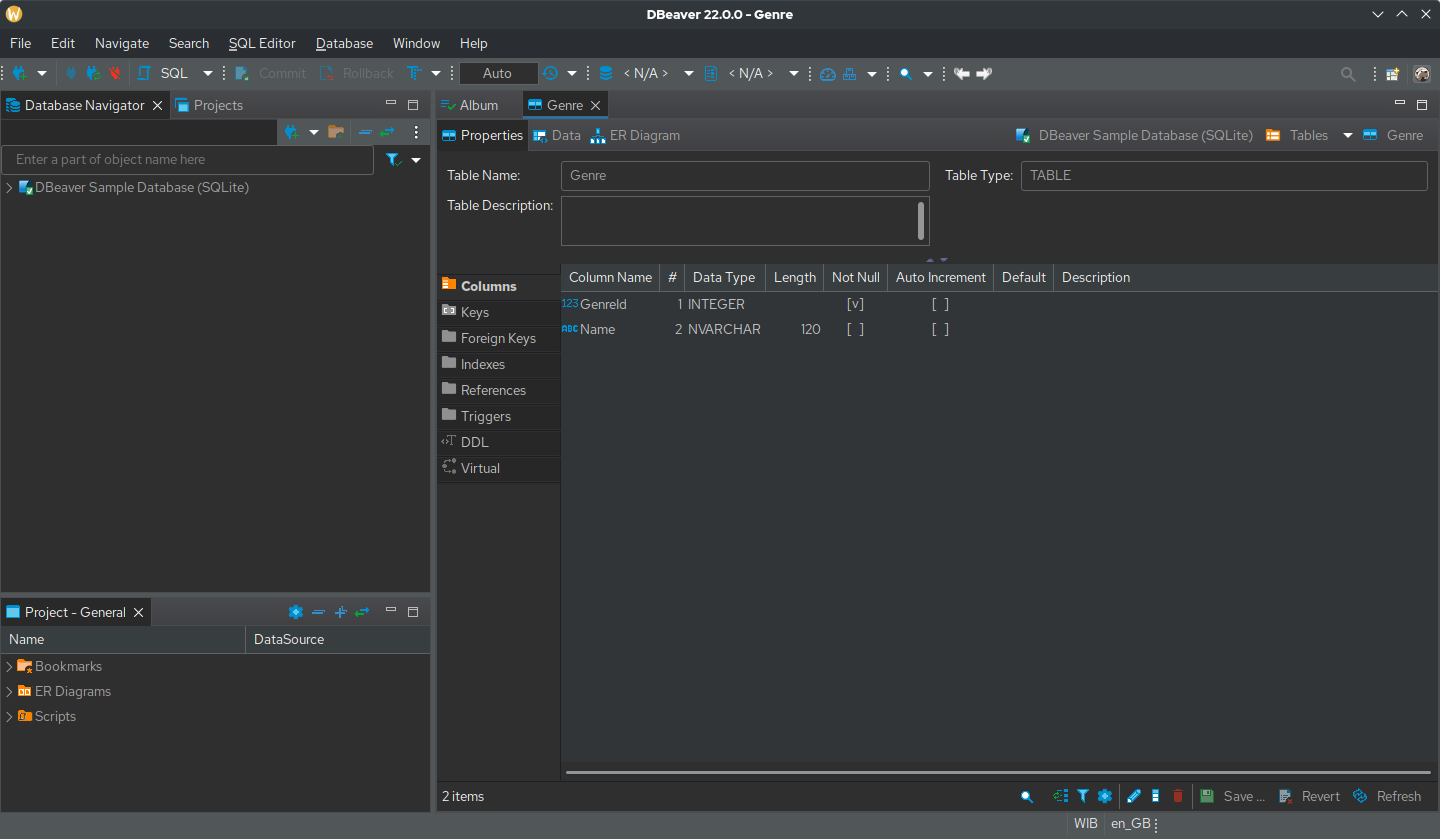
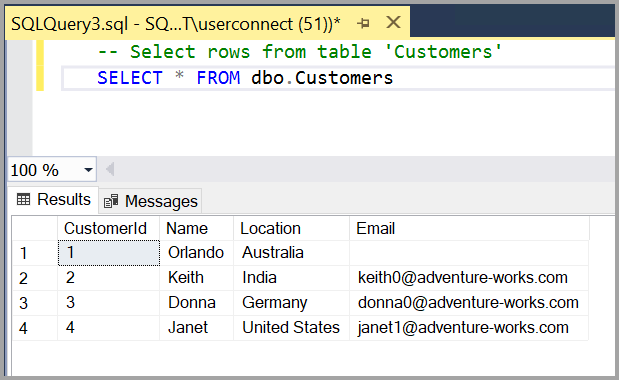
Both clients can run T-SQL, browse database objects and show query results. SSMS keeps that work close to SQL Server's administration tools. DBeaver gives a developer a shared interface across different engines, with a navigator, SQL editor, data editor and export workflow.
Running a statement versus running a script
DBeaver's default Windows/Linux shortcuts use Ctrl + Enter for the current statement or selection and Alt + X for a script. SSMS uses F5 for the selection or, with none selected, the query window. Execution scope and the active connection therefore require checking when changing editors. See DBeaver SQL execution, platform shortcuts and the SSMS Query Editor reference.

Result export formats and validation
DBeaver exports from result grids or queries through its export wizard. SSMS supports results to grid, text or file. File-delivery tests should check headers, delimiters, encoding, NULL values and dates with the intended consumer.
Shared scripts belong in source control. Editor migration tests include batch separators, client commands, multiple result sets and procedure parameters, while retaining the configured deployment procedure.
SQL Server execution plans and DBA tools
SSMS includes graphical estimated and actual SQL Server plan interfaces without a paid client license. DBeaver's plan-viewer documentation identifies SQL Server as a PRO feature; Community support varies by database engine.
Plan visualization and server permissions are separate requirements. Estimated plans describe the compiled strategy; actual plans execute the statement and add runtime information. Microsoft documents estimated plans and actual plans. Actual-plan capture must account for the statement's execution impact.
SSMS includes integrated backup, restore, Agent and instance-configuration interfaces. DBeaver's SQL Server documentation also describes procedures, logins and Agent objects. Administration compatibility is assessed per operation, edition and server permission.
SSMS provides Query Store reports. Both clients can query supported catalog views with the required permissions, although this differs from report-based analysis. The Query Store guide describes retained plans and statistics.
Connecting DBeaver and SSMS to SQL Server
Compare clients using the same endpoint, database and user. Different accounts may have different access regardless of client functionality.
- In DBeaver, create a database connection and select SQL Server. Review the selected JDBC driver before accepting a driver download.
- Enter the configured server hostname, port and database.
- Choose the approved authentication method and encryption settings. Test that method on your intended operating system and DBeaver edition.
- Test the connection, then open a SQL editor and run the read-only session check below.
- In SSMS, connect to the same Database Engine and database, open New Query, and compare the session identity.
The full connection controls are in the DBeaver SQL Server connection reference and Microsoft SSMS quickstart. Windows integrated authentication, Kerberos and Microsoft Entra sign-in depend on the relevant driver, runtime and configuration; check any edition-specific requirements.
Verify the SQL Server connection and current session
T-SQL · 6 lines
DBeaver normally connects to SQL Server through JDBC. Installing an ODBC driver does not update the JDBC JAR used by that connection. Java certificate trust can also differ from a Windows client's trust configuration; see Microsoft JDBC encryption guidance.
If SSMS connects and DBeaver fails, compare endpoint, driver, authentication and certificate validation before changing security options. Preserve the original error. The SQL Server connection-error guide and certificate-chain diagnosis help separate those failure stages.
Transactions and production data edits
DBeaver provides auto-commit, manual commit and smart commit controls. Auto-commit normally commits statements as they execute; manual mode retains a transaction until commit or rollback. Connection type and initialization settings affect the active mode. See the DBeaver transaction documentation.
In SSMS, an explicit BEGIN TRANSACTION remains open until completed. SET IMPLICIT_TRANSACTIONS changes session behavior, independently of editor appearance. Microsoft documents the implicit transaction setting.
The session query reports @@TRANCOUNT for the connection executing it. Other tabs, metadata connections or pending grid edits may use separate sessions. Commit, rollback, cancellation and reconnection tests require disposable data.
Production edits require reviewed predicates and affected-row checks. Cancelling a request does not reverse a change already committed. Profile names and colors aid identification, while server permissions control access.
Is DBeaver faster than SSMS?
SQL Server executes the statement; the client adds connection, fetching, rendering and background work. Query speed therefore cannot be ranked universally by client. Different result limits can also produce different apparent completion times.
A comparison uses the same SQL, parameters, database and comparable session settings. Record server execution metrics, returned row counts and fetch time separately. Include representative result sizes and multiple result sets, checking whether each client fetched all rows.
Session settings can affect plan selection even with identical query text. Microsoft's query processing guide describes server-side factors. No measured startup, memory or execution-time comparison is included here.
AI assistants in DBeaver and SSMS
Both products now have AI options. DBeaver documents AI chat and provider integrations, with several query and object features marked PRO-only. Availability depends on the edition, configured provider and provider access. A paid chatbot subscription does not automatically include API access for another application. Check the DBeaver AI Assistant documentation.
SSMS 22 offers GitHub Copilot through an optional component and GitHub sign-in, including a limited Free plan. Microsoft describes installation and status and Copilot Free in SSMS. Eligibility, usage limits and organization policy determine availability.
AI integrations require assessment of shared context and data policy. Generated SQL needs the same result, permission, transaction and execution-plan checks as other SQL before execution.
Client selection by workflow
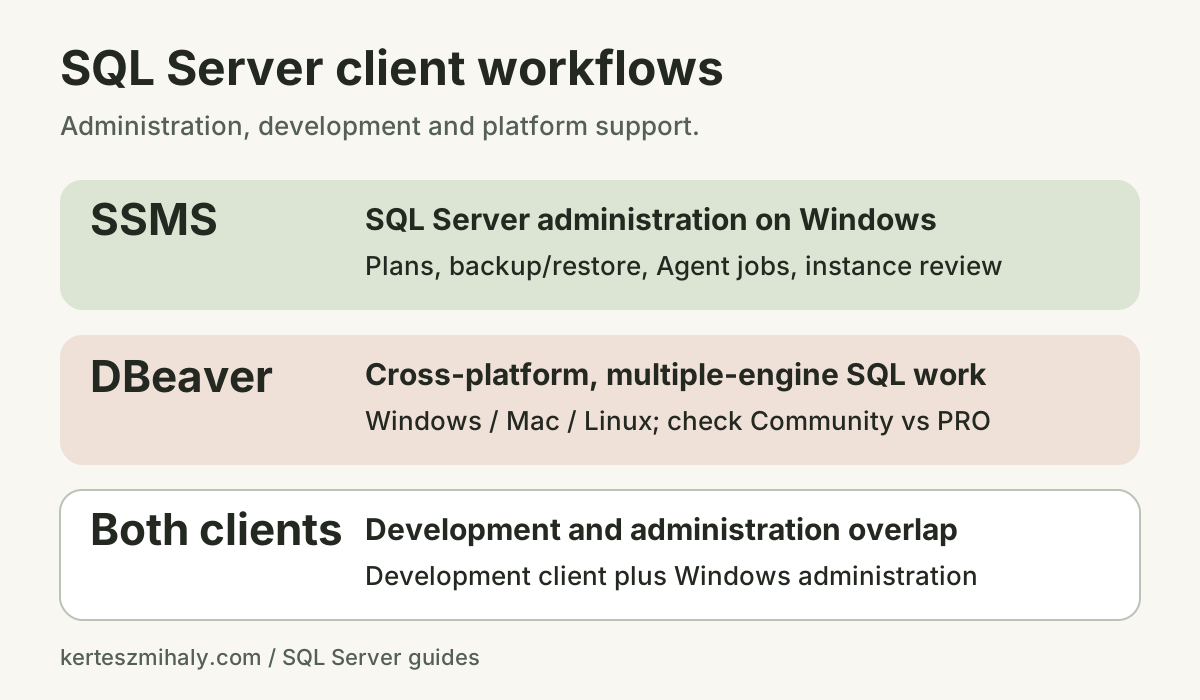
- SSMS: Windows-based SQL Server plan analysis, recovery, Agent jobs and instance administration.
- DBeaver Community: free cross-platform querying for several database engines. The documented SQL Server graphical plan viewer is not included.
- DBeaver PRO: additional cross-platform features, with SQL Server functionality dependent on the selected edition.
- Combined use: DBeaver development alongside administration procedures using SSMS.
A migration test includes the user's authentication, representative queries and procedures, required plans and Query Store access, result exports, and commit/rollback behavior in a test database. Record the version, edition and results for each operation. Existing administration access remains available while compatibility is checked.
For a broader shortlist, read the best SSMS alternatives by platform and price. For Microsoft installation files and release history, use the SSMS downloads reference.
DBeaver vs SSMS FAQ
Can DBeaver replace SSMS for SQL Server?
DBeaver supports many SQL Server query-development and data-browsing tasks. Administration compatibility depends on the required plan, Agent, backup, restore and diagnostic workflows. SSMS remains relevant where those procedures use its interfaces.
Is DBeaver Community free, and is SSMS free?
Yes. Community is DBeaver's free, open-source edition; PRO editions are paid products. SSMS is free for personal and enterprise use. Client pricing does not include any separate SQL Server or AI-provider license.
Does DBeaver work with Microsoft SQL Server?
Yes. DBeaver supports SQL Server connections, T-SQL queries and object browsing through its SQL Server driver. Connection requirements include the endpoint, authentication and encryption configured for the environment.
Can I use SSMS on a Mac or Linux?
SSMS runs on Windows. DBeaver and VS Code with MSSQL provide macOS and Linux client options. Procedures requiring SSMS use a supported Windows environment.
Does DBeaver Community show SQL Server graphical execution plans?
DBeaver's current plan-viewer documentation marks SQL Server support as PRO-only. SSMS provides SQL Server graphical plan workflows without a paid client license. Server-side permissions remain a separate requirement.
Can DBeaver and SSMS connect to the same database?
Yes. Both clients can connect to the same SQL Server database. Each connection has separate session settings, transaction state and authentication configuration.