

Flyway and Liquibase both keep a record of database changes already applied. They organize those changes differently. Flyway commonly uses ordered SQL files and repeatable scripts. Liquibase groups changes into changesets and supports SQL and structured changelog formats. Either can run SQL Server-specific DDL. The real choice is how the team will author, review and identify the exact change that reached each database.
SqlPackage starts from a desired database model and calculates a target-specific script. DbUp and EF Core are useful if a .NET team owns the migration workflow. Atlas can work from a model or a versioned directory, and Bytebase and dbForge address other parts of release management. When deciding among them, a team needs to know what its ledger records, which changes can be transactional, and how it will recover a failed rollout.
Flyway vs Liquibase for SQL Server at a glance
Compare the artifact that reaches the repository, what the runner records, and the evidence it exposes when a migration is edited or fails.
| Tool | Primary Git artifact | Evidence to keep | Edition or execution condition |
|---|---|---|---|
| Redgate Flyway | Versioned SQL migrations and optional repeatables | Schema history, validate output and licensed change or dry-run reports | Community, Teams and Enterprise features differ |
| Liquibase Community and Secure | Changelog with ordered changesets and identifiers | DATABASECHANGELOG, update-sql and configured policy results | Verify current Community license and Secure feature requirements |
| Microsoft SqlPackage | DACPAC model and deployment configuration | Deploy report, script and target inspection | State-based DacFx deployment plus reviewer-owned options |
| DbUp | Ordered scripts run from an application or CI harness | Applied script journal and runner output | Verify SQL Server provider, transaction strategy and packaging |
| EF Core Migrations | Model migrations and application snapshots | Migration history and reviewed SQL bundle or script | Choose matching SQL Server provider and application release |
| Atlas Pro | Desired schema or versioned migrations | Reviewed diff, migration and checksum history | Confirm SQL Server feature compatibility under Pro |
| Bytebase | Reviewed change request or connected migration source | Review decisions and applied SQL Server changes | Check SQL Server migration route and workflow options |
| dbForge DevOps Automation | Generated schema scripts and CI artifacts | Diff, generated SQL and deployment result | Commercial. Verify chosen Devart tooling and runner license |
Redgate Flyway
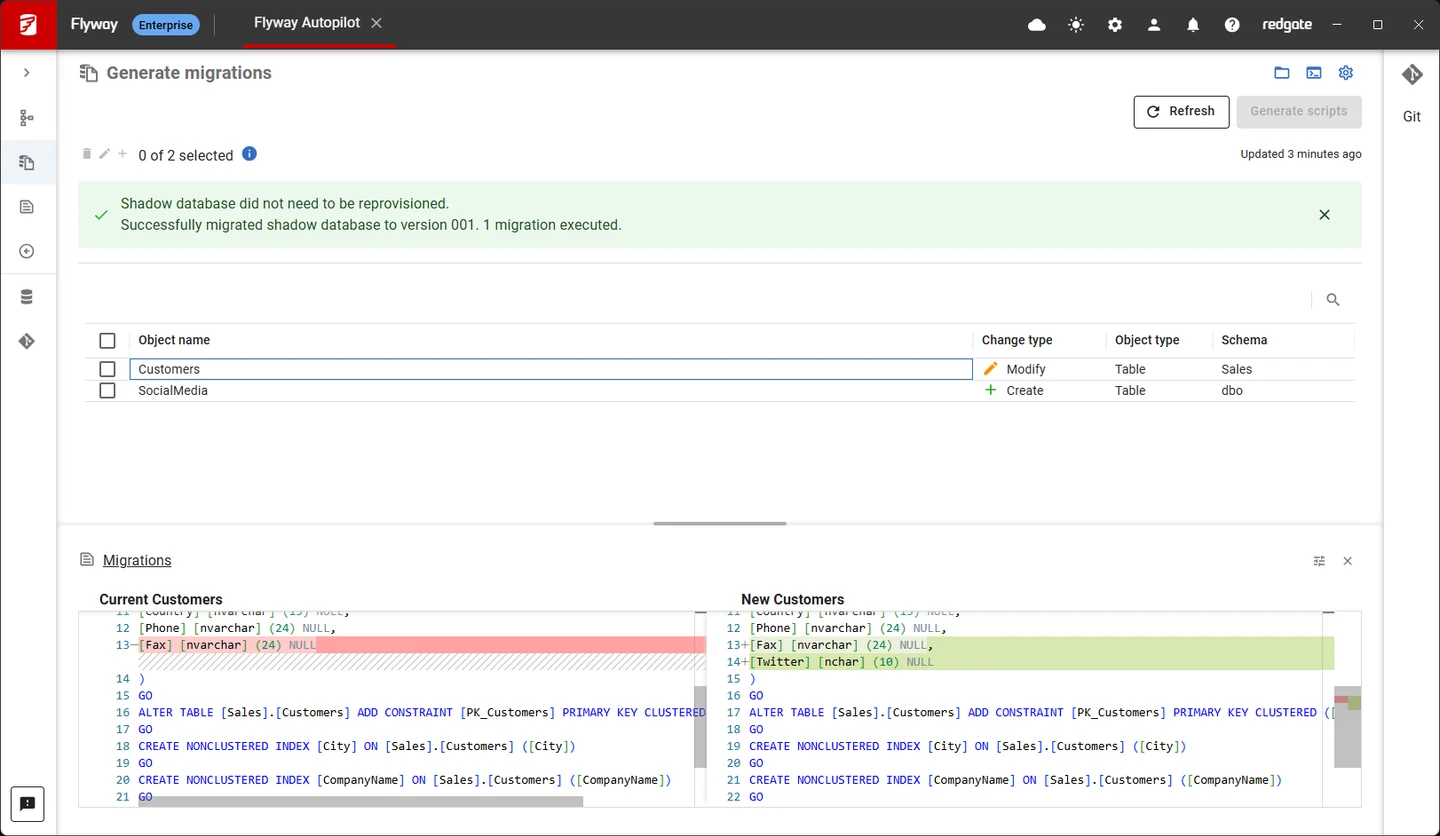
Redgate Flyway applies versioned migrations and can rerun repeatable migrations after their checksums change. Its schema history and validation let a team see differences between applied migrations and available files. This fits SQL Server groups that want reviewed T-SQL files to remain the main release artifact.
It works especially well when migrations are kept stable after release. SQL Server support uses the documented driver or module, and transaction behavior still depends on the statements involved. An applied checksum helps identify changes to the files. It is separate from detecting all changes made directly on the database.
Keep the versioned SQL migrations immutable after release and check the chosen name and ordering rules. Use Flyway's documented SQL Server driver. Save the schema-history entry and validate output when the fixture deliberately changes one applied file.
Review what repair will change in history and inspect any leftover SQL Server objects first. Use a new migration for a forward fix when appropriate. Flyway documents edition differences for dry-run, drift and undo, so test the exact purchase and runner.
- Compatibility
- CLI or integrations with the supported Flyway SQL Server driver and target connection.
- License and trial
- Community and commercial editions. Advanced planning, drift and governance features vary by edition.
Liquibase Community and Secure
Liquibase records changesets from XML, YAML, JSON or formatted SQL in its database changelog table. Teams can use SQL Server-specific statements and attach explicit rollback to formatted SQL changesets. That suits organizations that want one changelog workflow around changes written by different teams.
It is useful when preconditions, author and ID tracking, or rollback descriptions are important to review. Rollback of formatted SQL relies on what the author supplies. Liquibase Community 5 also separates drivers and extensions from the base distribution, so CI needs to install the required packages explicitly.
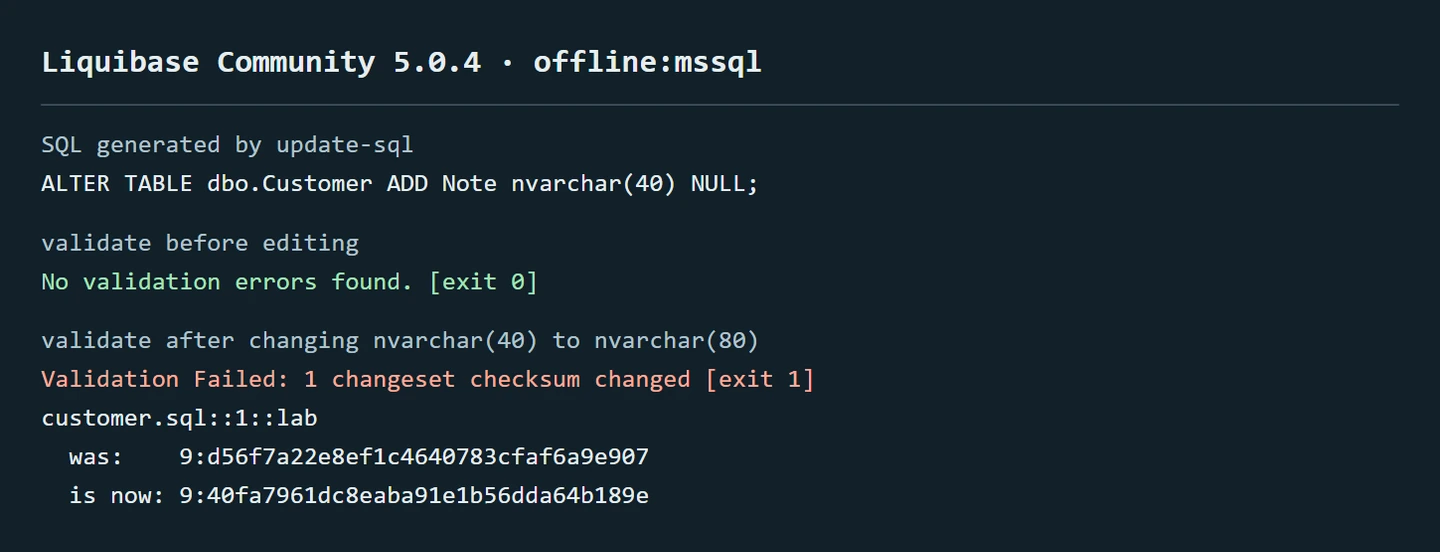
Use stable author, ID and file definitions for the changesets. The order of entry in the changelog and inclusion rules determines what runs. Save the DATABASECHANGELOG row and update-sql preview for the trial.
Changeset checksums and rollback have separate responsibilities. A checksum change is evidence that needs review. Check the behavior of clear-checksums and any explicit rollback SQL. Review the license of the exact Community release and any Secure features you need.
- Compatibility
- Liquibase Community or Secure with supported SQL Server JDBC connectivity and package dependencies.
- License and trial
- Open-source Community and commercial Secure. Advanced controls are plan-specific.
Microsoft SqlPackage (DacFx)
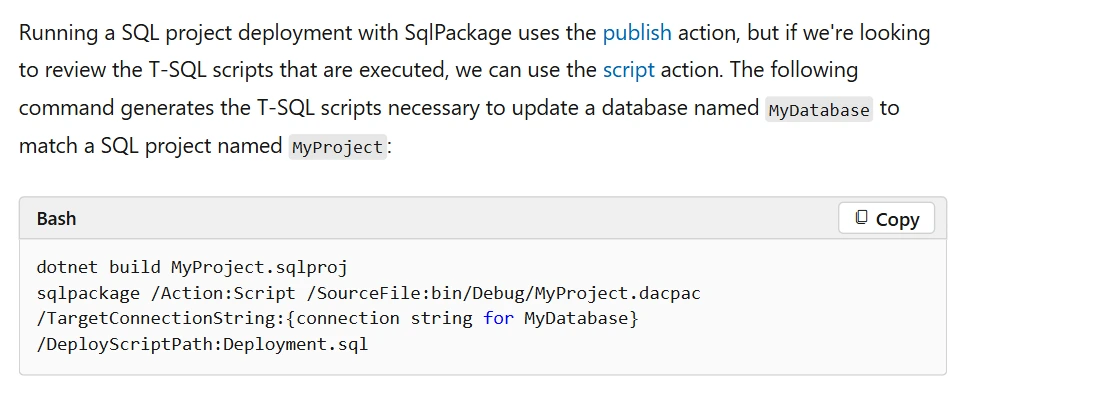
SqlPackage uses DacFx to read a DACPAC model or other supported source and generate a script to bring a SQL Server target to the desired schema. The Script action is useful when a team wants to inspect the actual incremental T-SQL before publishing.
It fits a project-based workflow where the model is the versioned artifact. The generated plan depends on the target’s existing definitions and publish options. Migration work such as multi-step data transformations still needs explicit scripts and a tested path between deployed versions.
Build an approved project artifact and generate the appropriate report or script for the exact SQL Server target. Compare the model and configuration with the planned DDL. This makes a useful control for understanding a required state change.
When a hotfix is made directly on the target, compare the approved model with the actual database. Check where the repair or alignment decision is recorded. A state report does not provide the same history as an ordered, reviewed migration log.
- Compatibility
- Cross-platform SqlPackage CLI with a compatible DacFx model and SQL Server target.
- License and trial
- Free Microsoft CLI. Build and database infrastructure remain separate.
DbUp
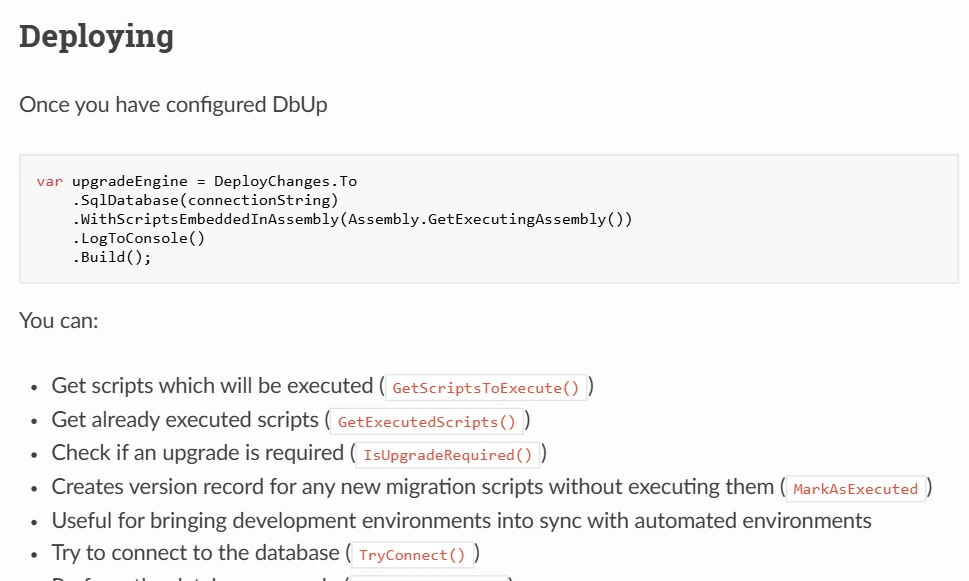
DbUp is a .NET library for running SQL Server change scripts. It records which scripts have run and can apply pending scripts from a directory or embedded resources. It is useful when a development team wants a small runner it can include in the application’s build and release process.
The benefit is a straightforward script model that the team can extend in code. The application owns how it invokes the runner, uses credentials and handles a failed migration. The team still has to define rollback, permission boundaries and any reconciliation needed if a deployment stops partway.
Use the same Git revision and test database to exercise the .NET runner. Check how it decides which script is pending and where it stores applied names. Record the configured transaction handling and any repeatable script path.
Deliberately fail an unapplied migration and inspect SQL Server and the journal separately. Also edit a previously applied file in a disposable branch. See which validation the chosen runner or surrounding CI workflow supplies.
- Compatibility
- .NET application or runner with the DbUp SQL Server provider and supported connection.
- License and trial
- Free, open-source library. Operational tooling and governance are owned by the project.
Microsoft EF Core Migrations
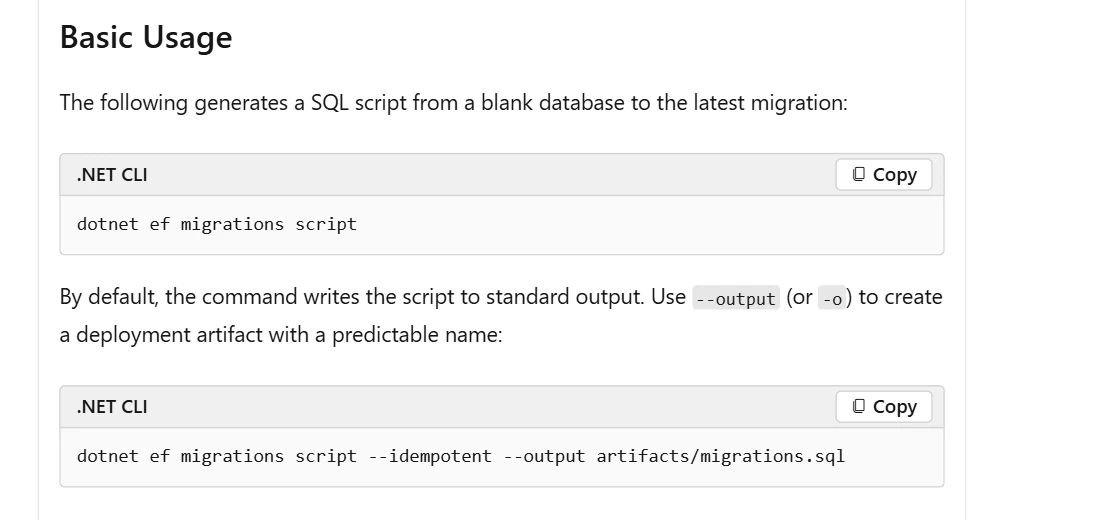
Entity Framework Core generates migrations from changes to a .NET application’s model. Its SQL Server provider turns those changes into SQL Server operations. EF can produce scripts, including idempotent scripts based on migration history, or a migration bundle for release.
It fits applications whose schema changes are mainly owned by the same .NET project. Hand-written SQL, procedures and other objects outside the model need deliberate handling. A generated idempotent script can help across known migration states, while database drift and data safety still require review against the target.
Inspect the generated EF Core SQL Server migration and the related model snapshot in source control. Use the command path the application team will actually deploy. Review any generated DDL for data dependencies outside the modeled entities.
Execute both an upgrade of a populated baseline and a rebuild from empty. Check the migration history table, original data and application reads. Test how the deployment handles partial success and which forward fix is appropriate.
- Compatibility
- Supported .NET and EF Core versions with the Microsoft SQL Server provider.
- License and trial
- Free, open-source framework.
Atlas Pro
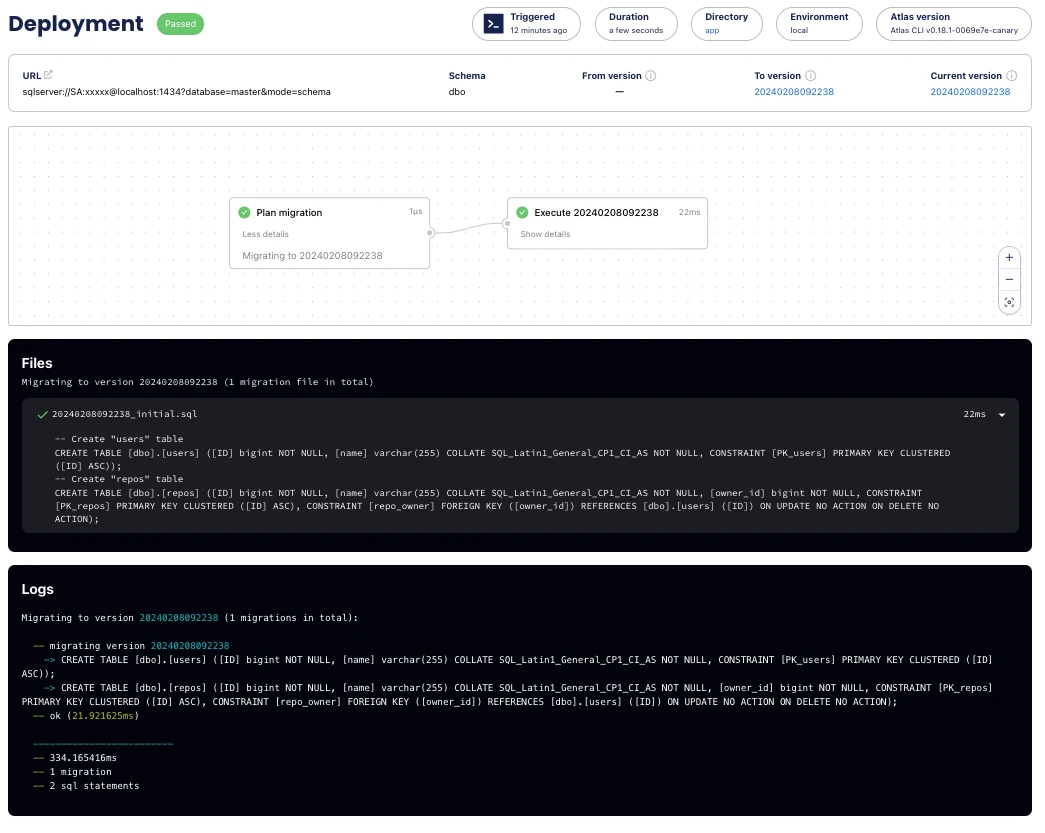
Atlas supports versioned SQL migrations and declarative SQL Server schema planning. A team can keep a desired definition or versioned migration files in source control and compare the planned change before applying it. This is useful for teams that want a common planning workflow across database engines.
The strongest fit is a team that can standardize how its desired schema and migrations are generated and approved. SQL Server features depend on the driver’s modeled object coverage. Migration linting and SQL Server support are commercially licensed features, which affects a team comparing it with an open-source runner.
Verify SQL Server support for the chosen Atlas plan, then prepare a small versioned migration directory. Capture the change SQL and checksum metadata with a Git commit. Test one planned diff between controlled development states.
Apply the result with the intended driver and inspect transaction and ordering behavior on SQL Server. Check a direct change after deployment through the selected compare or drift workflow. Save the actual findings so reviewers know the coverage.
- Compatibility
- Atlas with the supported SQL Server driver and connectivity. Applicable model and CI features vary.
- License and trial
- Open-core Atlas. SQL Server uses Atlas Pro.
Bytebase
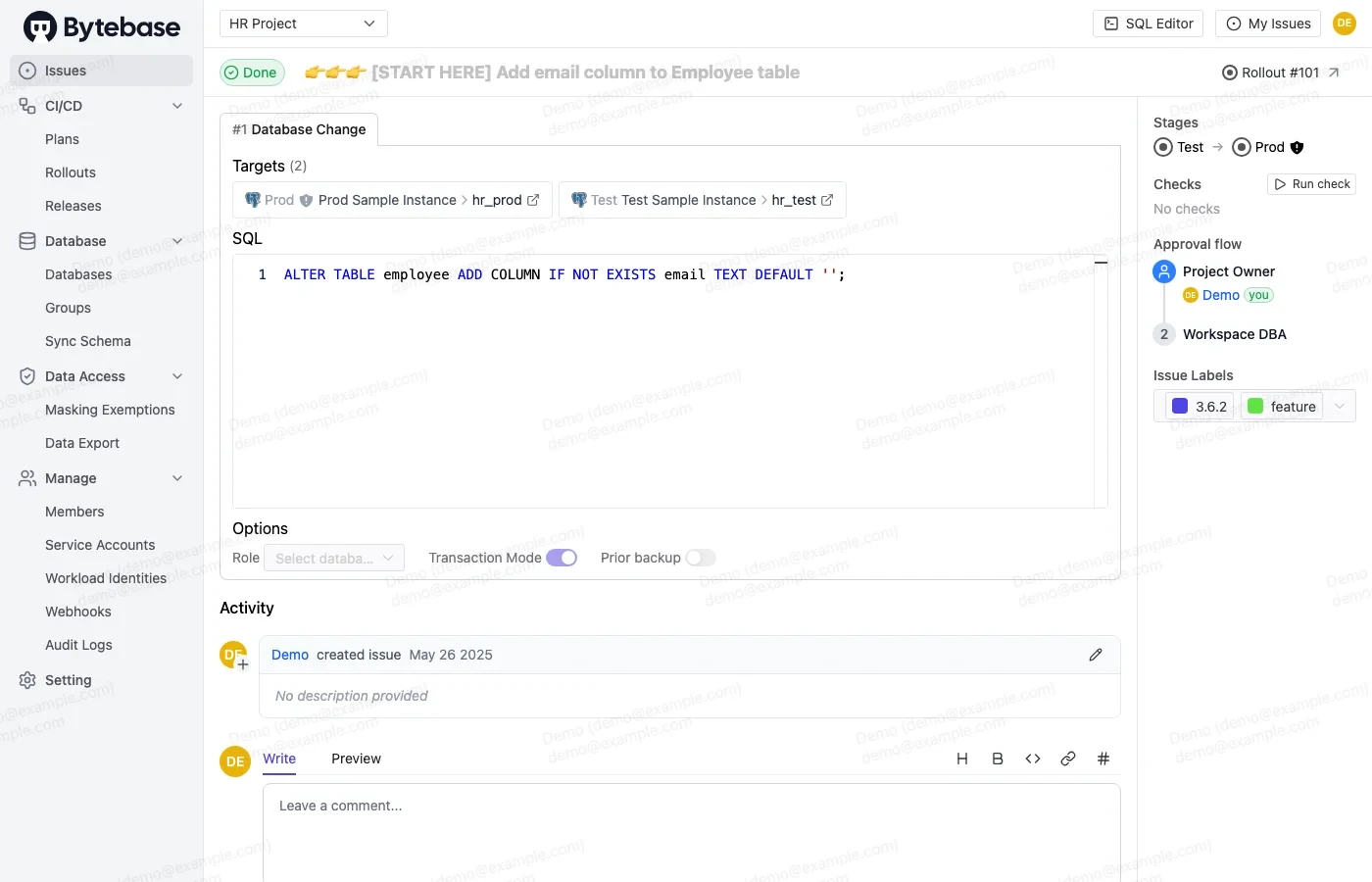
Bytebase connects SQL Server migrations to a centralized review and rollout workflow. A change can start in its interface or through Git, and it can pass checks and approvals before reaching the target. That gives application teams and DBAs a shared record around the proposed SQL.
It is useful when the organization needs policy, approval and visibility across several environments. An existing Flyway or Liquibase deployment already owns a migration ledger. Introducing Bytebase requires an explicit decision about which service executes changes, how histories agree, and what happens when someone deploys directly.
Submit a small SQL Server migration through the team's intended Bytebase path. Check how review policy and execution roles relate to the artifact and destination. Record the exact SQL associated with an approved change.
Try the same migration on a controlled SQL Server target where one object exists already. Save the execution result and confirm how an operator sees failure and retries. Reconcile the schema against the approved source when necessary.
- Compatibility
- Bytebase with supported SQL Server connectivity and a configured deployment workflow.
- License and trial
- Free and paid plans. Governance and environment limits depend on plan.
dbForge DevOps Automation for SQL Server
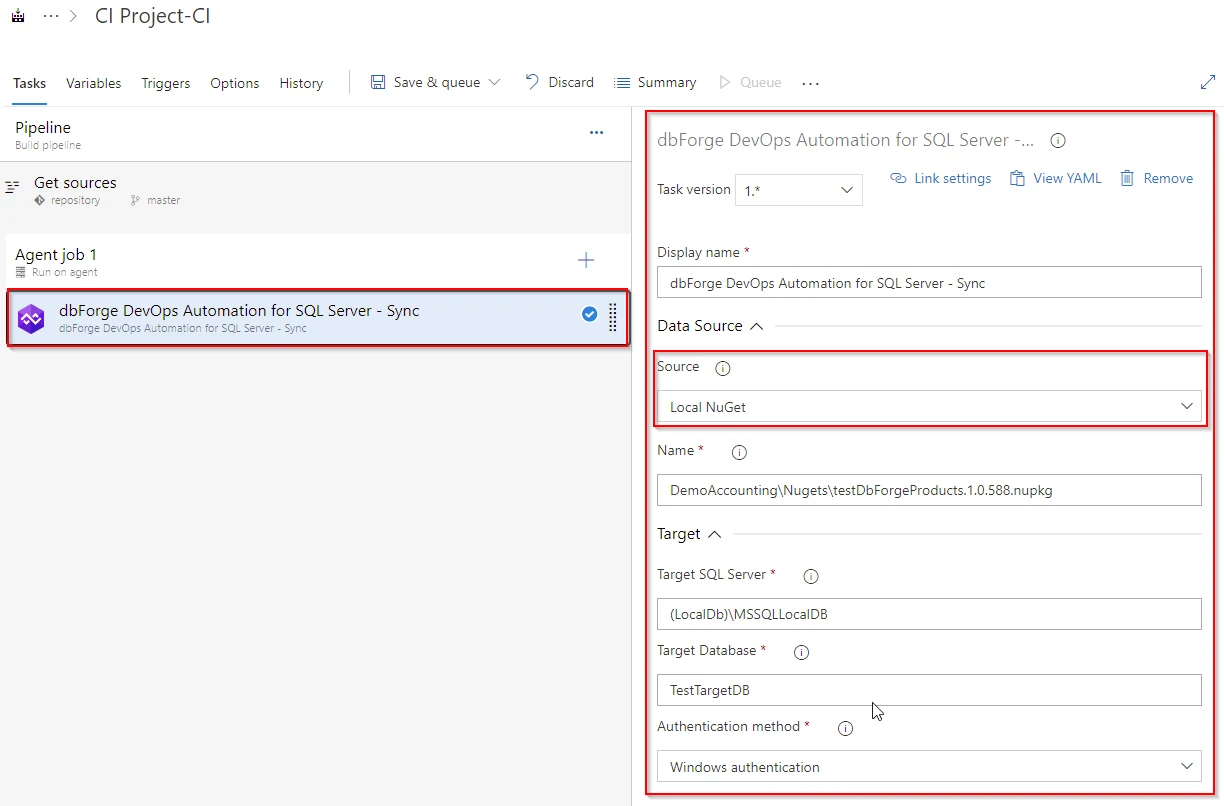
dbForge DevOps Automation combines SQL Server build, test and deployment steps from Devart’s toolchain. The documented workflows can build from source and use schema synchronization for a target. That is useful for a team that already maintains its database with dbForge tools and wants a repeatable pipeline.
Its strength is the integrated build-and-compare approach. The agents and underlying dbForge components must satisfy the documented Windows and licensing requirements. A schema synchronization can produce a different script for each target, so review depends on when the script is generated and which state it represents.
Use the SQL Server pipeline product with a small version-controlled database project or script set. Identify where the compare, generated deployment SQL and apply steps run. Keep the generated artifact with the CI release evidence.
Rehearse a clean deployment and an update of a target with one intentional drift change. Inspect which conditions block, warn or produce altered DDL. Verify how the installed tools and build worker are licensed.
- Compatibility
- Supported Windows agents with the applicable dbForge components and SQL Server connectivity.
- License and trial
- Commercial. The documented setup requires an eligible dbForge Studio or SQL Tools installation.
Flyway and Liquibase for SQL Server side by side
| Feature | Redgate Flyway | Liquibase Community and Secure |
|---|---|---|
| What goes in Git | Versioned SQL files such as V2__add_customer_note.sql. Repeatable migrations are available for objects you want to rerun when their checksum changes. | A changelog with changesets in formatted SQL, XML, YAML, or JSON. Liquibase identifies an applied changeset by its ID, author and path. |
| Edited migration history | Validate compares the current migration and the checksum recorded in flyway_schema_history. Expect an edited applied versioned SQL file to trigger validation. | Validate can detect a changeset checksum mismatch against DATABASECHANGELOG. Configure runOnChange only for changesets you intend to run again when their contents change. |
| Preview before deployment | Read the versioned SQL in Git. Redgate documents the generated Check DryRun output under Teams and higher entitlement. | Use update-sql to preview the SQL for the selected changelog and target. Retain the emitted file with the release. |
| SQL Server batches and transactions | Redgate documents GO parsing. Flyway normally runs each migration in a transaction where supported. Check the handling of any non-transactional statement and script settings. | Liquibase normally runs a changeset in a transaction when possible. JDBC execution can require explicit splitting or delimiter settings. Native sqlcmd execution requires Secure. |
| Rollback after deployment | Undo uses a corresponding undo migration and requires Teams or higher according to the command reference. Test the undo script on data written after the deploy. | Modeled changes can have generated rollback SQL. Provide explicit rollback SQL for formatted SQL changesets. Test what happens to existing and newly written data. |
SQL Server migration tools by release workflow
| What you need | Tools to shortlist | What to verify |
|---|---|---|
| Run ordered T-SQL files from Git | Version the scripts with the application, then confirm what the tool records when one statement fails. | |
| Review SQL and check target preconditions | Create a target missing an expected object and see whether the tool stops, skips or generates a SQL file. | |
| Build the desired schema as a release artifact | Promote the same package through test and staging, and compare the generated script against each target. | |
| Deploy an EF Core model change | Generate idempotent SQL for two database versions and review the effect of every pending migration. | |
| Route database changes through approval | Check the SQL Server review rules, stage controls and approval plan using a deliberately rejected change. |
Choose the migration artifact and recovery workflow
Match each comparison to the SQL Server driver, authentication method and runtime you intend to use. Use an approved Git revision and a separate lab database per product so the recorded results are independent.
A simple ordered set of SQL files
Use versioned Flyway SQL migrations
Inspect validate, schema history and licensed dry-run or drift evidence.
Individually identified changes in a changelog
Use Liquibase changesets
Inspect changeset IDs, checksum records and explicit rollback where applicable.
The live target must match a reviewed model
Add an explicit drift or schema check
Migration history and actual SQL Server state provide different evidence.
- Flyway SQL Server driver support
- Liquibase Microsoft SQL Server setup
- Liquibase Community 5 license changes
- Flyway validate command
- Flyway repair command
- Flyway check and edition scope
- Flyway undo command
- Flyway schema history table
- Liquibase formatted SQL changelog
- Liquibase changeset checksums
- Liquibase update-sql preview
- Liquibase runInTransaction
Rehearse edited history, partial failure and an out-of-band change
Use the same SQL statements to create an equivalent Flyway file and Liquibase formatted changeset. An applied file or changeset should remain stable under the normal workflow. Record the history and the actual SQL Server objects before any repair.
Keep regular DDL in the runner's intended transaction mode and test an expected error. A SQL Server operation or tool configuration can change transaction behavior. Inspect actual objects and rows before retrying. Reconcile a direct hotfix separately from history checks.
| Scenario | Flyway evidence | Liquibase evidence | What to inspect |
|---|---|---|---|
| Baseline | V1__baseline.sql and flyway_schema_history | Formatted SQL lab:001 and DATABASECHANGELOG | One object and one expected row |
| Edit applied SQL | Flyway validate reports a checksum issue for a meaningful edit | Compare validation and the changeset checksum | Restore immutable source or review why history would be aligned |
| Mid-migration error | Migrate result and history plus objects and rows | Changeset result, transaction mode and objects and rows | Check whether inserted data survived before retrying |
| Review next SQL | Licensed dry-run output where available | update-sql preview | Review actual target, config, output and engine permissions |
| Direct hotfix | State or drift report when available | Independent state comparison or licensed check | Document and review drift before reconciling |
| History repair | Record Flyway repair changes and clean up partial objects separately | Clear-checksums scope includes all saved checksums; inspect before using | Keep previous reports and use the least disruptive approved change |
How to compare these tools
Run both migration tools against the same target. Check the release history, changed database state and resolution steps after a migration fails. Confirm which drift and policy features require a paid edition. Sources checked .
Rehearse an edited migration, a partial failure and a hotfix
Use two empty SQL Server databases configured as migration labs. Save the sample as V1__baseline.sql on one side and as a Liquibase formatted SQL changelog on the other side. Both routes should apply the same table and row.
Use the same SQL Server baseline in Flyway and Liquibase
T-SQL · 8 lines
- Apply the baseline, save the history rows, and verify the inserted row. Preview all subsequent migration SQL where the chosen edition provides it.
- In disposable copies, change the applied INSERT amount in the source and test the checksum behavior. Restore the original revision. Add a separate pending change that inserts a new ID and then attempts the same primary key, and inspect SQL Server and both tools' results.
- Make one intentional direct schema change on a restored lab copy. Compare state and migration history separately. Decide whether a forward migration, state reconciliation or documented history repair is appropriate.
Conclusion
Choose Flyway for a workflow built around versioned T-SQL files. Choose Liquibase when the changelog’s change identity, preconditions and SQL preview fit your review process. Keep the migration history and live drift checks separate, and test at least one failure and one recovery on a database with representative data.
Frequently asked questions
Is Flyway or Liquibase better for SQL Server?
Flyway fits teams that already use ordered T-SQL migration files. Liquibase fits teams that want a changelog, per-changeset preconditions, and update-sql output. Choose using the exact SQL Server target, license and failure behavior you need.
Can Flyway and Liquibase detect an edited migration?
Both can detect changes to recorded migrations using checksums. Flyway validates applied versioned migrations. Liquibase checks changesets by ID, author and path. Repeatable Flyway migrations and Liquibase runOnChange changesets have separate replay rules.
Does migration validation detect SQL Server schema drift?
Migration validation checks file and history consistency. Detect changes applied directly to the live database with a separate live schema comparison or drift feature.
Can I preview SQL before using Flyway or Liquibase?
Liquibase provides update-sql for reviewing generated SQL. Redgate documents Check DryRun under Teams and higher entitlement. The original versioned SQL files can also be reviewed in Git.
Does a failed SQL Server migration roll back automatically?
The outcome depends on the statements and the transaction boundary the runner uses. Test the exact migration on a disposable copy, inspect its history and actual database state, and verify the recovery procedure.
Should I clear checksums or repair after editing a SQL Server migration?
Restore the approved applied file first if it changed accidentally. Inspect the live schema and change history before using either command. A deliberate forward correction normally belongs in a new reviewed migration.