

An Oracle-to-SQL Server migration needs an assessment of schema objects, conversion of Oracle-specific code and a safe way to copy the data. Tools such as Microsoft SSMA, Ispirer and SQLines help with conversion. A loader can move selected tables efficiently, while a change replication product can keep the SQL Server target current during a longer migration.
Oracle packages, sequences, date and number handling, and the difference between an empty string and a null can affect the application after the data arrives. The comparison should start with the objects and queries that matter most. A useful plan matches each product to conversion, initial loading or ongoing changes and tests what SQL Server does with the resulting data and code.
Oracle to SQL Server migration tools at a glance
Check schema and code conversion independently from data copy and write cutover. Use the same fixture to compare the final SQL Server data.
| Tool | Main role | Scope to verify | Trial evidence |
|---|---|---|---|
| Microsoft SQL Server Migration Assistant for Oracle | Assessment, schema conversion and supported data migration | Oracle type mappings and unresolved objects | Converted schema, action items and exact target values |
| Ispirer SQLWays | Supported schema and Oracle code conversion | Procedural conversion scope and destination support | Reviewed generated code and target results |
| SQLines Data and SQL Converter | Data transfer and code conversion components | Separate schema or data paths and destination setup | Migrated rows and regenerated application behavior |
| DBConvert for Oracle and SQL Server | Supported database transfer and synchronization | Precise source selection and schema mappings | Expected time, numeric scale and null state |
| Spectral Core Full Convert | Database structure and data transfer | Supported object conversion and target version | Mapped schema and row-level comparison |
| AWS Database Migration Service | Oracle source data load and supported CDC | Oracle logs, capture mode and SQL Server target requirements | Applied data and separate schema compatibility review |
| Oracle GoldenGate | Supported capture and apply replication | Oracle source and SQL Server target support | Final target state and selected replicated scope |
| Azure Data Factory Copy Activity | Oracle connector and supported copy pipeline | Integration runtime, typed mappings and sink | Repeatable load result with compatible schema |
Microsoft SQL Server Migration Assistant for Oracle
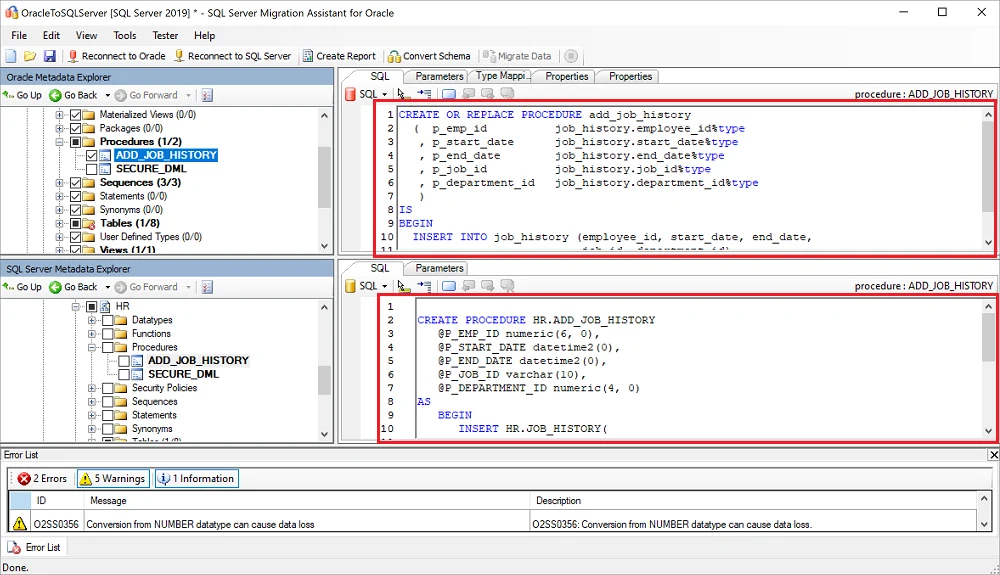
Microsoft SQL Server Migration Assistant for Oracle can assess an Oracle schema, convert supported objects and migrate data to a SQL Server target. Its assessment highlights conversion issues and estimated work. It is useful as the Microsoft-supported starting point for a team migrating an Oracle application.
The generated SQL Server schema gives the team concrete code to review. Objects with partial conversion and differences in Oracle packages or PL/SQL can need manual redesign. Copying data successfully still leaves test work around types, defaults and application behavior.
Use Microsoft's documented Oracle type mappings and project settings. Review each conversion warning for tables, sequences, packages and procedures before attaching the target to an application.
Inspect the exact SQL Server definition produced for Oracle DATE and NUMBER. Compare Oracle source and converted tables with the local fixture before moving to application testing.
- Compatibility
- SSMA for Oracle and compatible Oracle and SQL Server versions and software prerequisites.
- License and trial
- Free Microsoft migration tooling.
Ispirer SQLWays
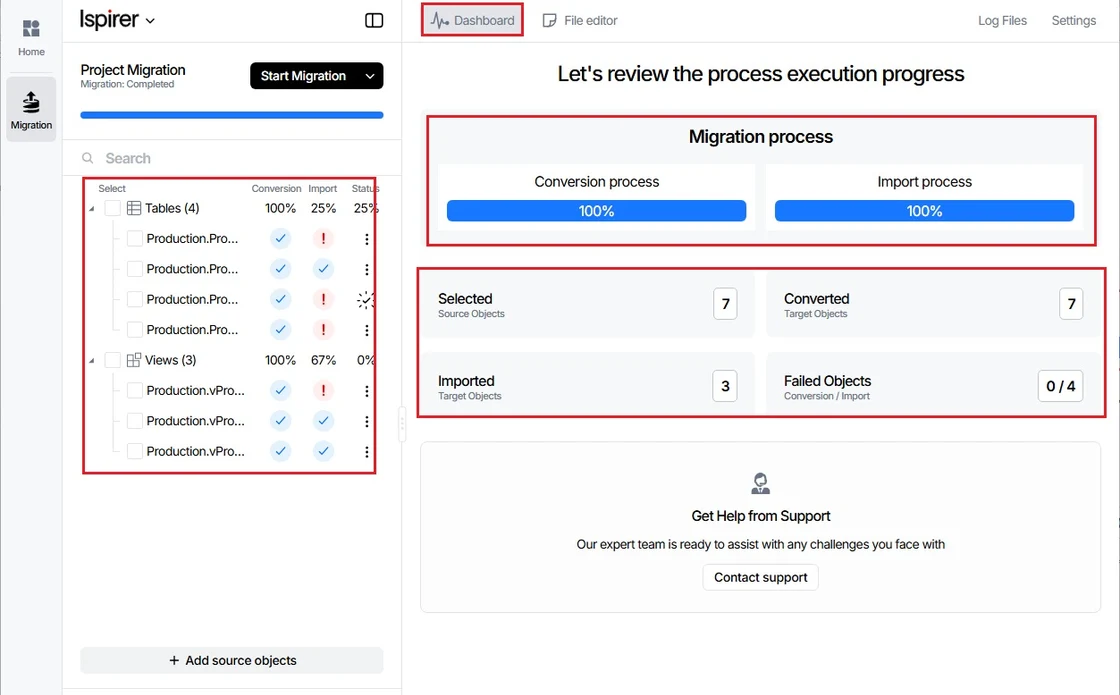
Ispirer SQLWays supports Oracle-to-SQL Server migration with schema, code and data conversion options. It is useful when the source has substantial Oracle-specific code and the team wants to review repeated conversions or have the vendor help adapt them.
Its fit depends on how closely the generated T-SQL matches the original behavior, especially in packages, error handling and transactions. Automated conversion can reduce repetitive work, while application-critical routines still need direct functional tests and possibly manual changes.
Record whether the migration project includes tables, data and procedural code. Review the conversion report for Oracle packages, functions and platform-specific features rather than treating all schema as one unit.
Test the resulting SQL Server definitions and execution with representative inputs. Compare date-with-time, numeric precision and null handling to the approved test results.
- Compatibility
- Supported Ispirer toolkit and Oracle and Microsoft SQL Server deployments.
- License and trial
- Commercial Ispirer licensing and optional migration services.
SQLines Data and SQL Converter
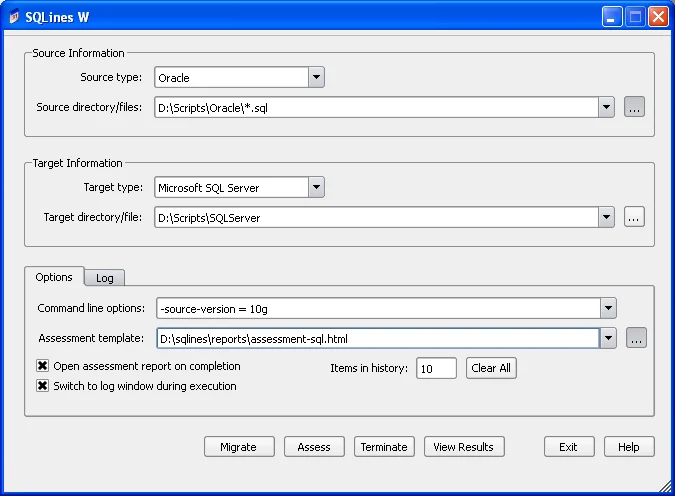
SQLines provides tools for converting Oracle SQL and PL/SQL and a separate SQLines Data workflow for transferring data to SQL Server. It is useful for teams that want the code conversion and data load as inspectable operations they can rerun independently.
The benefit is being able to tune and review the steps separately. Data types, Oracle-specific functions and packages still require review in the generated code. A data load also needs validation of key values, precision and the constraints that exist on the destination.
Choose the supported SQLines utilities for SQL and data migration. Keep each conversion artifact with the source and target version so another engineer can rebuild the result.
Use exact source fixtures to confirm numeric precision and empty-string behavior. Review converted SQL routines and document any differences that the application must address.
- Compatibility
- Supported SQLines components and Oracle and SQL Server connectivity.
- License and trial
- Applicable SQLines product and component terms.
DBConvert for Oracle and SQL Server
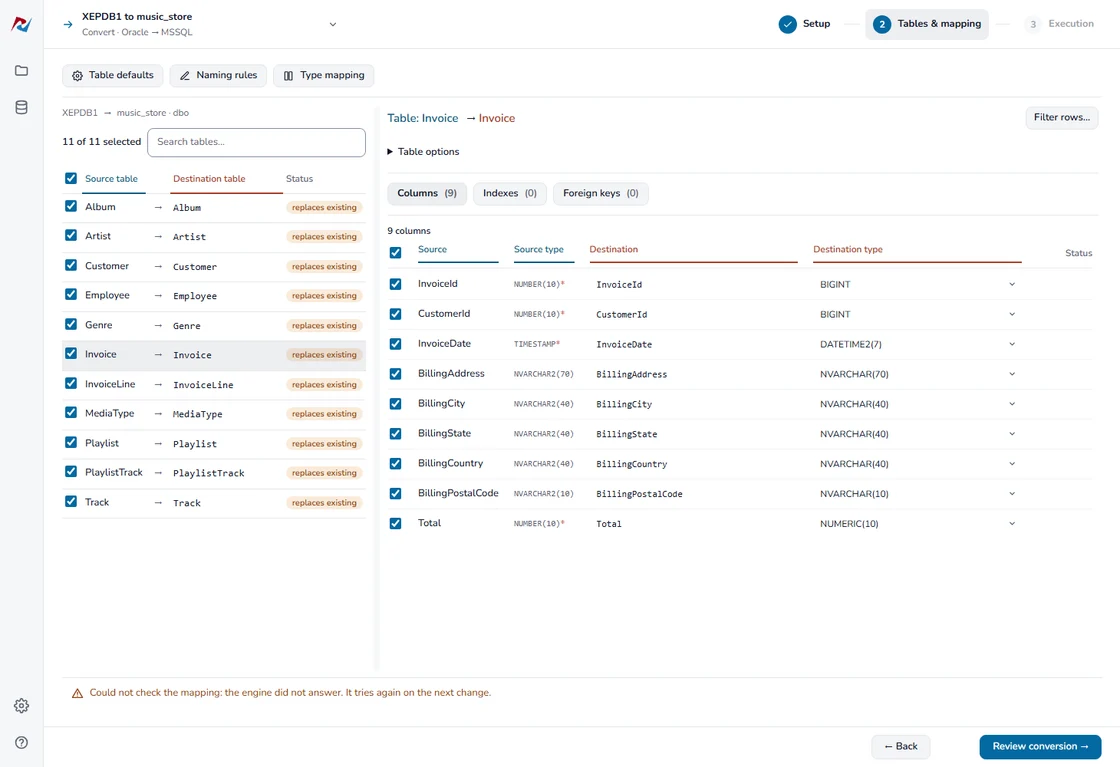
DBConvert for Oracle and SQL Server connects to both databases and can map and move supported tables and data. It is useful when the primary task is a guided initial conversion and the operator wants to control which records and structures are copied.
Its strength is a straightforward database-to-database workflow. Column mappings affect how Oracle values arrive in SQL Server, and any ongoing synchronization has different requirements. Complex Oracle schema objects and stored code need to be assessed independently.
Select the Oracle source and SQL Server target and review the available table and type mapping rules. Confirm which transfer and synchronization scope the installed edition supports.
Compare values row by row after the trial and examine the target type's datetime precision and blank-string state. Run the approved client query against the converted target.
- Compatibility
- Windows DBConvert product or applicable Studio configuration with source and target access.
- License and trial
- Commercial DBConvert licensing.
Spectral Core Full Convert
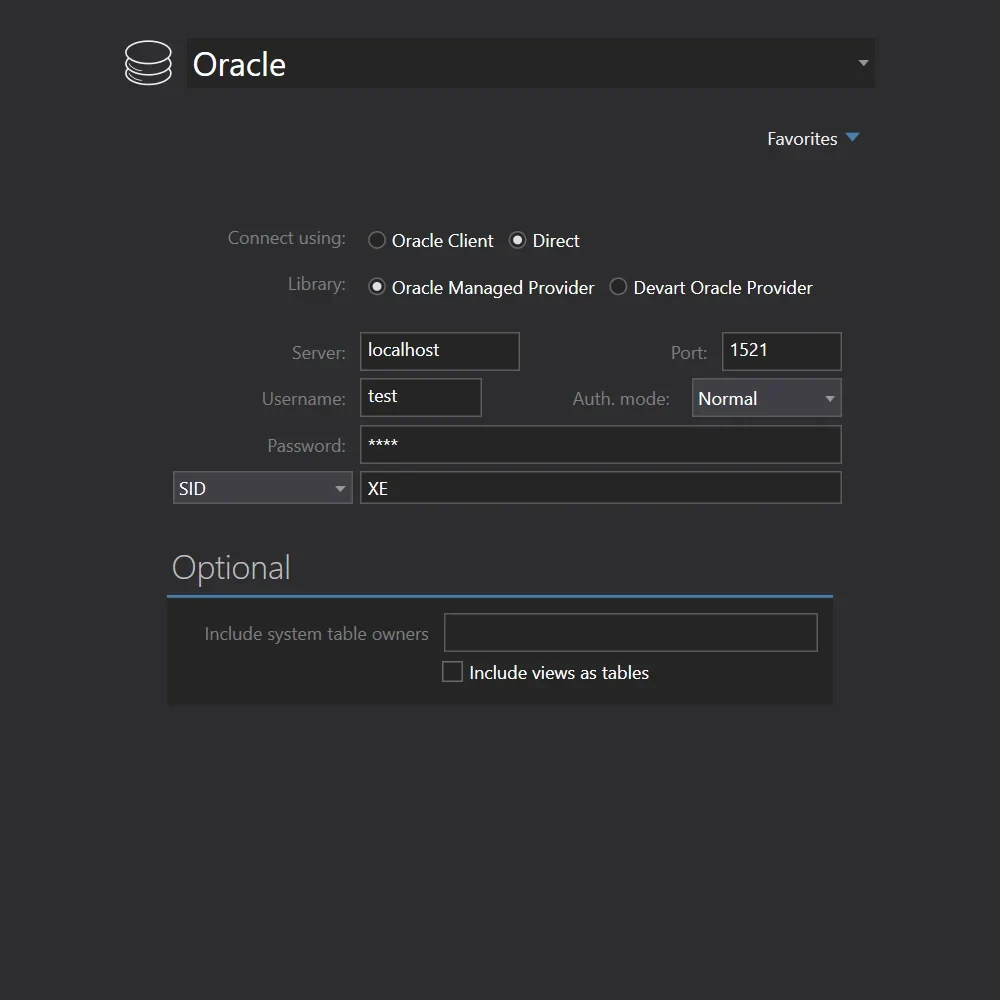
Spectral Core Full Convert can read an Oracle source and write supported tables to SQL Server with adjustable mappings. That is useful when an engineer needs to stage data or repeat a table conversion without building a new export and load pipeline.
It fits a migration where table and data movement are the main tasks assigned to the tool. Mapping rules influence numeric and date results. Oracle program logic, target indexes and application query changes need their own migration and validation steps.
Use the documented Oracle to SQL Server transfer path and verify decisions for schema creation, keys and types. Apply conversions only to a separate lab schema before reviewing them.
Check the Oracle DATE value including time components and exact decimal values. Compare the generated target definitions and the product's migrated-data report with an independent query.
- Compatibility
- Full Convert with compatible Oracle and SQL Server connections.
- License and trial
- Commercial Spectral Core license.
AWS Database Migration Service
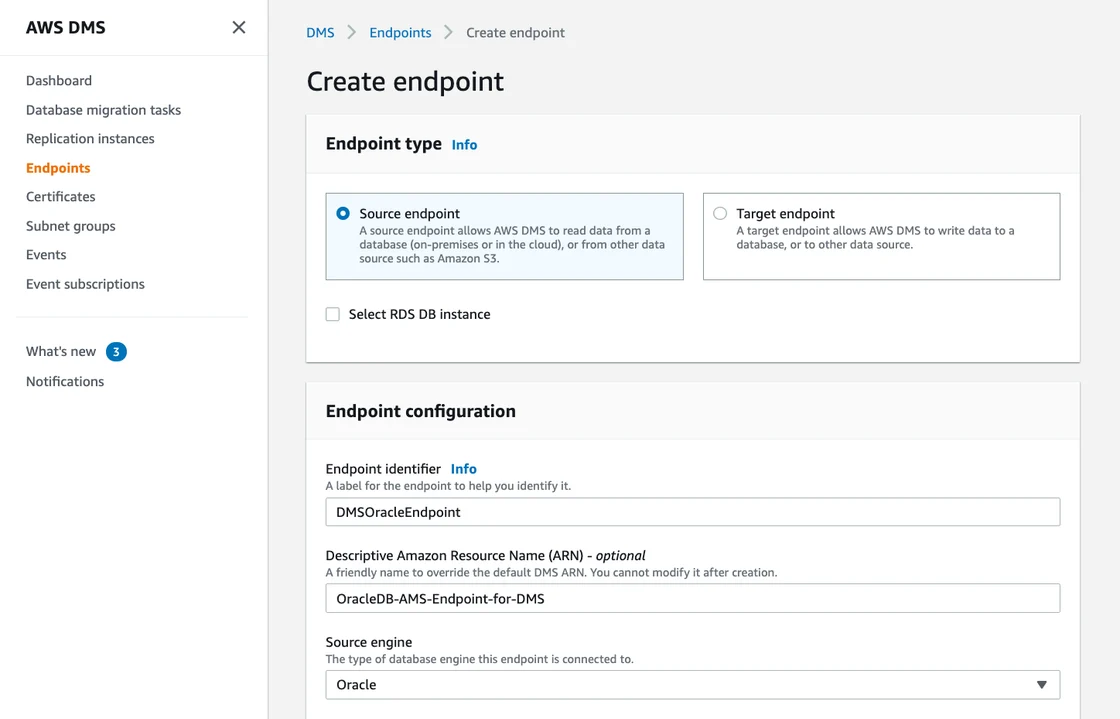
AWS Database Migration Service supports eligible Oracle sources and SQL Server targets for data migration and change replication. It is useful when the SQL Server target is in a supported AWS environment and a team wants to catch up changes before cutover.
The data task depends on source log access, table features and target capabilities. Schema and code conversion for the exact Oracle-to-SQL Server pair must be checked as a separate workflow. The team also needs to validate target keys, object support and any changes ignored by replication.
Verify AWS DMS Oracle source requirements for the selected capture mode and separate SQL Server target support. Document Oracle logging, the migration task's object filters and target mapping.
Test a full load and one controlled source change when CDC is required. Compare actual data, type semantics and any incompatible object or application work outside the data task.
- Compatibility
- Supported AWS DMS Oracle source and Microsoft SQL Server target configuration.
- License and trial
- AWS service and infrastructure charges apply.
Oracle GoldenGate
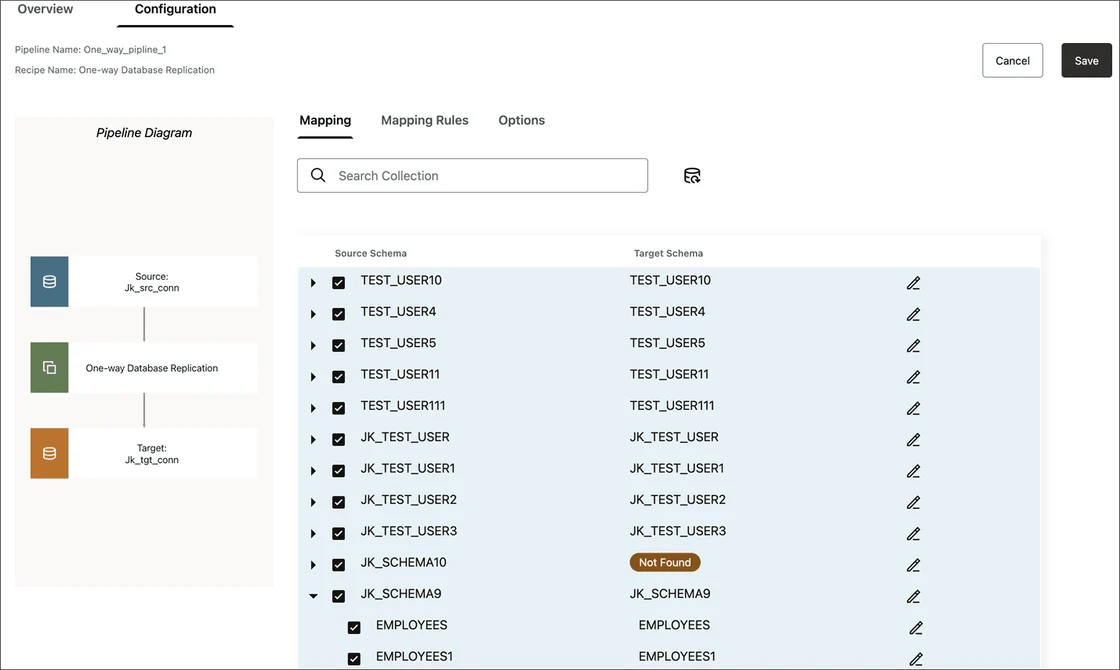
Oracle GoldenGate can capture supported Oracle changes and apply them to an eligible SQL Server target. It is useful when the organization already operates GoldenGate and wants a SQL Server database to catch up before a planned cutover while the source remains available for the initial load.
Its strength is coordinating the change stream with a supported initial baseline. The delivered schema and data-type mappings still need to fit SQL Server. Trail configuration, apply behavior and the available SQL Server target are part of proving the target is ready.
Check the exact Oracle and SQL Server release pairing against GoldenGate's capture and apply support. Keep the supported table definition, key and datatype limitations with the test plan.
Compare the source and target around the final approved change. Include SQL Server compatibility and application validation independently of successful replication.
- Compatibility
- Supported GoldenGate capture and SQL Server delivery configuration.
- License and trial
- Commercial Oracle licensing.
Azure Data Factory Copy Activity
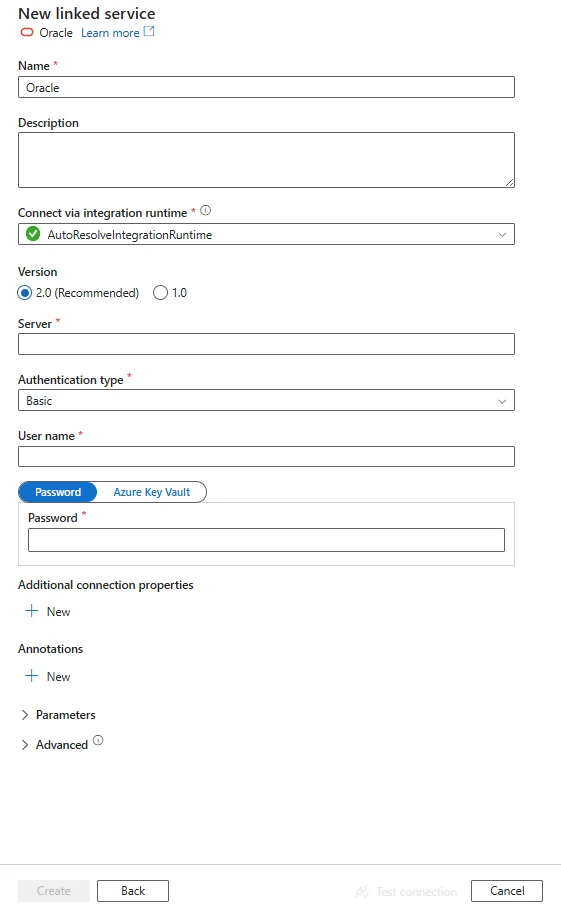
Azure Data Factory Copy Activity can read Oracle and write supported data to SQL Server through its connectors. It is useful when a team already runs Azure data pipelines and needs a repeatable bulk or incremental copy with explicit orchestration and network access.
The Copy Activity moves rows according to its query, mapping and pipeline configuration. Schema conversion, application code and log-based replication are separate requirements. Incremental copies need a reliable rule for identifying changes, including how deletes should be handled if they matter to the migration.
Use the documented Oracle source connector and the selected integration runtime. Define explicit mappings and staging when needed, including Oracle DATE fields and SQL Server decimal targets.
Save the pipeline and verify its failure or conversion behavior against the expected fixture. Treat procedural conversion and changes at cutover as separate requirements unless the tested workflow supplies them.
- Compatibility
- Azure Data Factory with supported Oracle and SQL Server connectors and integration runtime.
- License and trial
- Azure Data Factory and infrastructure charges apply.
What needs to move from Oracle to SQL Server?
| What you need | Tools to shortlist | What to verify |
|---|---|---|
| Assess the whole Oracle schema with Microsoft’s migration tooling | Review conversion errors, type mappings and compatibility objects before loading. | |
| Convert SQL scripts and PL/SQL routines | Test one package call, including its parameters, result set, NULL handling and ordering. | |
| Copy tables and data when the schema is planned | Verify the resulting SQL Server types and compare Oracle DATE values that include a time. | |
| Load tables and keep source changes moving during cutover | Confirm exact source and target support, then validate rows and the last applied change. |
Choose which Oracle behavior the SQL Server migration must preserve
Inventory table types, procedure and package behavior, identity or sequence options, constraints and application queries. A copy task can move supported data into a prepared schema. Review code and default value behavior through separate conversion and application tests.
Oracle DATE includes a time of day. Oracle treats a zero-length character value as null. Decide how the destination should represent those values and map each NUMBER column to a type that preserves the required precision and scale.
Oracle packages and code objects are in use
Trial a conversion workflow with an assessment report
Review generated T-SQL and run application-level tests.
The target schema is ready and writes must continue
Trial a supported load and capture pipeline
Verify target mappings, log access and the last accepted change.
Data semantics risk is unclear
Test DATE, NUMBER and null handling first
Compare source and target result rows as well as type definitions.
Compare the Oracle source and SQL Server target for the same fixture
The Oracle setup creates two synthetic rows in the authorized disposable schema. The first uses an empty input string that Oracle stores as null. Use an explicit datetime2(0) mapping for the DATE column if approved, preserving the wall-clock value. Label any separate time-zone conversion required by the application.
The SQL Server example assumes dbo.OracleTypeTrial and the approved target field names. Verify the exact amount and null states after transfer. The second, populated note helps identify a mapping that lost all string values or handled them inconsistently.
| Case | Oracle source | SQL Server acceptance check |
|---|---|---|
| DATE | 2026-05-19 13:02:04 on row 1 | Same date and time under the agreed mapping |
| NUMBER | 125.4321 on row 1 | Exact decimal value and required scale |
| Empty character input | Null on row 1 | Null under the intended compatibility policy |
| Populated character input | present on row 2 | Expected populated note |
CREATE TABLE Ora_Type_Trial (
    Trial_Id NUMBER(10) PRIMARY KEY,
    Order_At DATE NOT NULL,
    Amount NUMBER(18,4) NOT NULL,
    Note_Value VARCHAR2(40)
);

INSERT INTO Ora_Type_Trial VALUES
    (1, TO_DATE('2026-05-19 13:02:04', 'YYYY-MM-DD HH24:MI:SS'), 125.4321, '');
INSERT INTO Ora_Type_Trial VALUES
    (2, TO_DATE('2026-05-20 07:05:06', 'YYYY-MM-DD HH24:MI:SS'), 20.1500, 'present');
COMMIT;How to compare these tools
Run an assessment first. Convert one routine and representative Oracle DATE and NUMBER values, then compare execution results and precision after loading SQL Server. Sources checked .
Move one Oracle table and one package routine
Create the Oracle fixture only in a disposable source schema and use the approved mappings for the test migration. Run the SQL Server check in the existing OracleToSqlTrial target. Adapt generated object names when needed.
Verify the converted Oracle date, decimal and note values in SQL Server
T-SQL · 12 lines
- Record target SQL Server version and agreed mappings. Run the Oracle fixture and document which migration scopes cover schema, data and application code.
- Compare both destination rows and inspect the target types for their time and numeric behavior. Run a representative query and check that the source empty value matches the agreed null policy.
- If the migration uses CDC, apply a controlled update after loading. Compare target data and code behavior before the application switch and track manual conversion items.
Conclusion
Start with the route that covers the Oracle objects your application uses. Run an SSMA assessment as a baseline for comparing conversion tools. For a table-focused move, pick a loader or a supported replication path, then carry the routine rewrite as a separate task. Test the actual routine and types on SQL Server before estimating the cutover.
Frequently asked questions
Can SQL Server Migration Assistant convert Oracle PL/SQL packages?
SSMA for Oracle assesses and converts supported Oracle objects. Check the generated routines and any compatibility objects it uses. Confirm that parameters, package state and results meet the application’s expectations.
What SQL Server type should hold an Oracle DATE?
Oracle DATE includes hours, minutes and seconds. Choose a time-preserving SQL Server type when the application uses the clock time, for example an appropriate datetime2 type. Test a non-midnight value in the migrated data.
How do I handle Oracle empty strings in SQL Server?
Oracle treats zero-length character values as NULL. Compare the imported rows and decide how the SQL Server application should handle future empty-string inputs. Check filters, defaults and routine output that depend on this behavior.
Does an Oracle-to-SQL Server data copy translate packages?
Data loaders and replication tools usually focus on tables and rows. Plan code conversion separately for routines, triggers or other objects the chosen product does not cover. Test the results before cutover.
How can I validate an Oracle-to-SQL Server migration?
Compare row counts, keys, numeric precision, clock times and NULL behavior. Execute a representative Oracle package call and its SQL Server equivalent through their actual clients. Check ordering, values and parameters.
Should Oracle DATE map to SQL Server date?
Oracle DATE can contain time fields. Choose a SQL Server type that preserves the time when required, then verify a sample whose source time is outside midnight.
How should an Oracle empty character input appear after migration?
Oracle treats a zero-length character value as null. Select the destination policy explicitly and verify both an originally empty value and a nonempty string.