

Teleport and StrongDM can put a controlled connection path between a user and SQL Server. The difference is how each path authenticates to the database and what the database sees as the login. Teleport documents Active Directory and Kerberos paths for supported scenarios. StrongDM offers separate SQL password, Kerberos and Azure Entra connection types. That distinction affects which clients, roles and identities can be retained.
Other products address parts of the same job. A session broker can open a controlled path, a secrets system can launch a client with a managed account, and an access platform can change permissions in SQL Server. A comparison needs to trace one approved request through the actual login, the permissions SQL Server enforces, the evidence it records and the behavior when access expires.
Teleport vs StrongDM for SQL Server at a glance
The broker identity and database identity are separate. Choose the supported enrollment or resource type before comparing session and audit records.
| Tool | Connection model to trial | Identity boundary | Evidence to verify |
|---|---|---|---|
| Teleport Database Access | Database Service with supported Teleport enrollment | PKINIT enrollment connects through AD and Kerberos | Requester, database identity, auth scheme and event history |
| StrongDM | Gateway, relay or proxy cluster for the selected resource | Separate SQL-auth, Kerberos and Azure AD resource types | Resource type, portal principal and SQL login mapping |
| BeyondTrust Privileged Remote Access | Configured access proxy or jump workflow | Supported SQL connection and credential policy | Who requests the connection and what SQL Server sees |
| Delinea Secret Server | Supported SQL launcher and managed secret | Secret ownership and SQL authentication are separate | Launcher path, actual SQL identity and audit history |
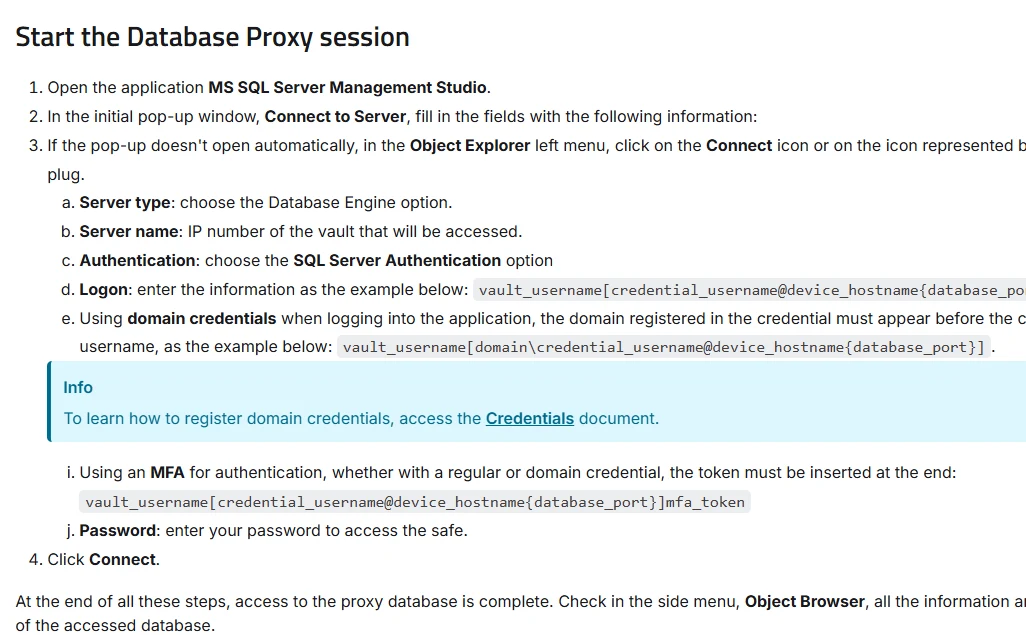
| Segura Database Proxy | Documented Microsoft SQL Server SSMS proxy | Proxy user and configured SQL database account | SSMS connection and database record correlation |
| Apono | Connector-managed SQL permission or access workflow | Temporary grants through the supported SQL integration | Requester, connector change and SQL-side privilege |
| Tailscale PAM | SQL Server access using supported Tailscale PAM flow | Network and SQL access policies must match the design | Actual SQL identity and control-plane audit evidence |
| HashiCorp Boundary | Boundary target and credential workflow | Check supported target type and injection mode | Brokered route, SQL credential and event detail |
Teleport Database Access
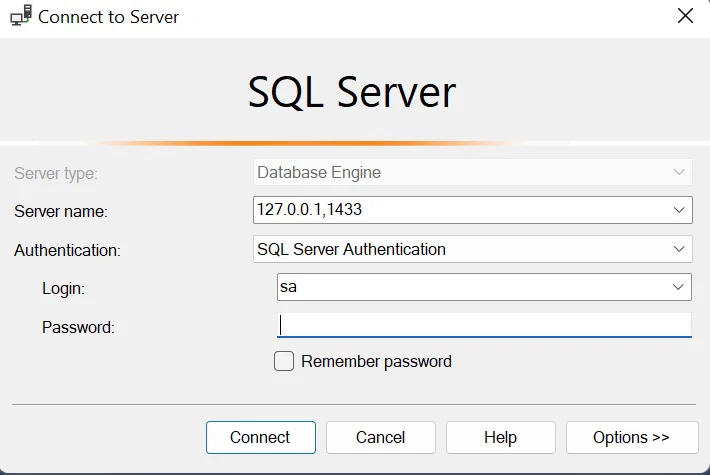
Teleport Database Access brokers SQL Server sessions through its Database Service. Its documentation covers Microsoft SQL Server authentication using a dedicated Active Directory and Kerberos PKINIT path, as well as client setup for SSMS. It is useful when SQL Server access should follow Teleport’s existing identity, role and request workflow.
The strongest case is a deployment whose database authentication already matches a supported Teleport path. Directory configuration and the rights of the database login determine what the session can do. Access requests and audit events add a record around the connection, and the applicable engine and client still determine the available detail.
For the documented self-hosted PKINIT path, verify AD trust, service principals and which account SQL Server will authorize. Compare the supported client and resource configuration for any other target type required by the estate.
Use SSMS or your supported client to record the query's actual auth scheme, SQL login and database user. Match the result to the Teleport request and verify whether the claimant receives their own mapped identity or a configured role.
- Compatibility
- Teleport Database Service, supported SQL Server authentication and access configuration.
- License and trial
- Governance capabilities and deployment terms depend on the Teleport edition.
StrongDM
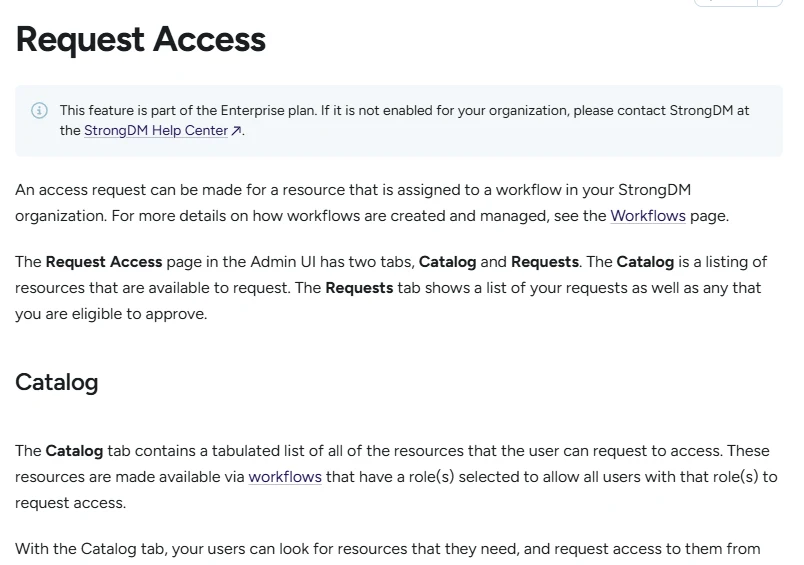
StrongDM proxies SQL Server access through a gateway or relay and offers separate resource configurations for SQL credentials, Kerberos and Azure Entra authentication. It is useful when an organization wants users to keep familiar SQL clients while access decisions and credential handling move into a central service.
Its strength is matching the registered resource to the actual SQL Server authentication path. The database identity used for the connection still defines permissions and affects how activity is attributed in SQL Server. The account model and any direct access routes matter when evaluating the broker’s control.
Pick the resource type explicitly. The standard Microsoft SQL Server resource uses SQL authentication. StrongDM documents separate Kerberos and Azure AD variants, with different identity and configuration requirements.
Compare portal identity and SQL identity in the same session. Include a temporary request and fresh connection after expiry, then test the on-call workflow for backend proxy or credential failures.
- Compatibility
- StrongDM nodes with a supported SQL Server datasource and network access.
- License and trial
- Commercial StrongDM licensing.
BeyondTrust Privileged Remote Access
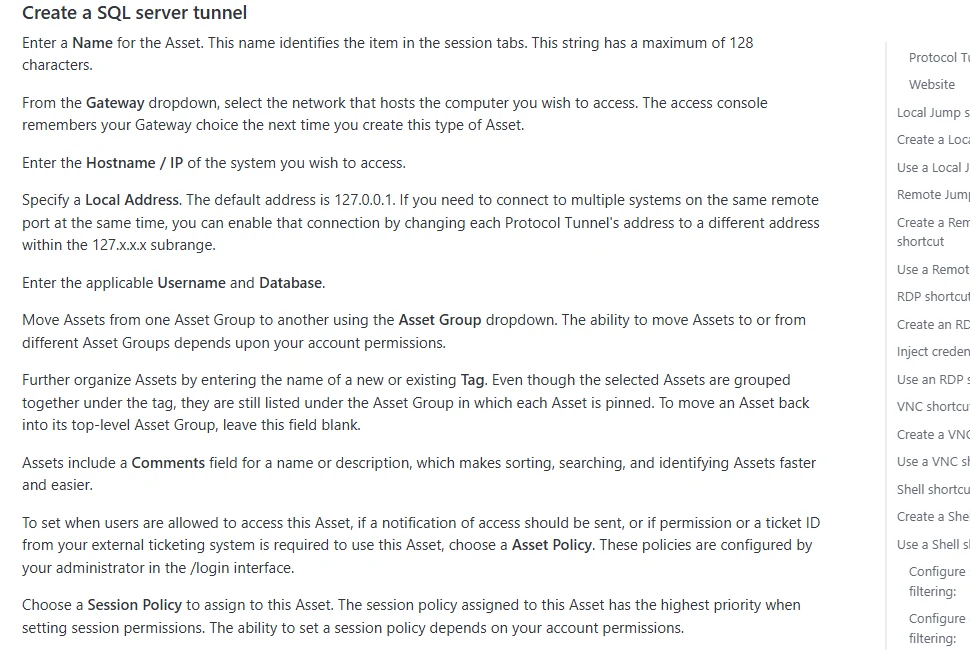
BeyondTrust Privileged Remote Access can give operators access to systems through Jump items and configured connection workflows. It is useful when a DBA needs a controlled route to a remote host or a tool on that host and the organization already governs privileged sessions through BeyondTrust.
The value is controlling and recording the route an operator takes. A Jump connection and a native SQL login operate at different layers. SQL permissions and the level of query evidence available depend on the actual Jump method and what the database or related audit system captures.
Verify that the jump or application access type supports the client, protocol and session evidence you need for SQL Server. Record the worker's authenticated identity and the account that the target accepts.
Test approval, route restrictions and connection expiry on the planned access path. Confirm whether native SQL Server Audit and the privileged-access record can be joined for the exact statement.
- Compatibility
- BeyondTrust PRA with a supported Jump or access configuration and an appropriate SQL client path.
- License and trial
- Commercial BeyondTrust licensing.
Delinea Secret Server
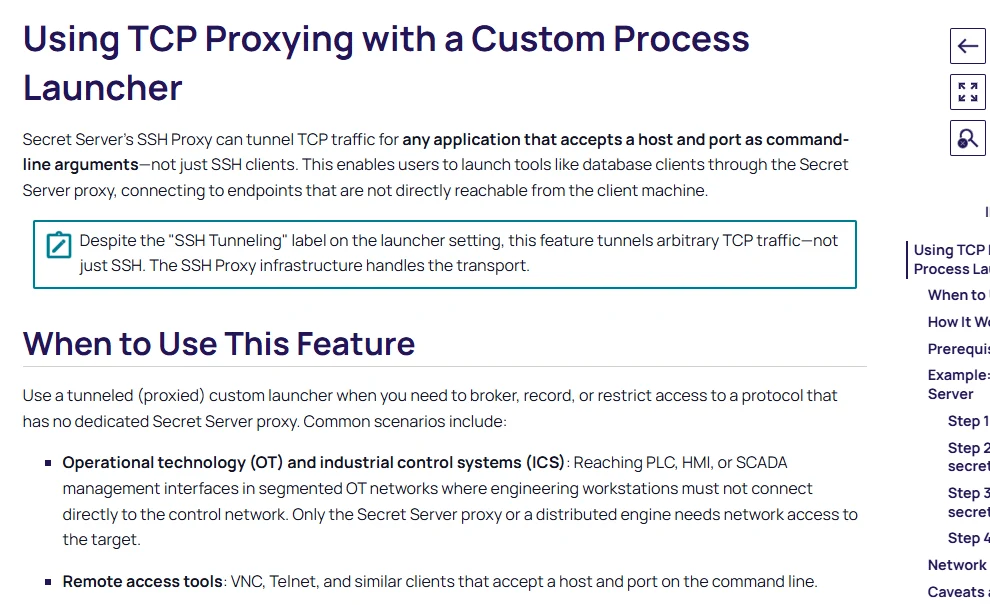
Delinea Secret Server supports launchers and a TCP proxy process launcher for connecting tools to a remote service. A team can use a supported launcher workflow around a managed SQL Server credential. It is useful when the account is already governed through Secret Server and should be used from its approval or checkout workflow.
The benefit is keeping the saved credential and the launch path together. An application launcher and the SQL Server permissions of the resulting session are separate parts of the design. Client behavior, credential visibility and the evidence kept for the session depend on the launcher configuration.
Check the supported SQL launcher, version and workstation setup before the lab. Record whether the user runs with a credential passed by the launcher, a disclosed secret or another approved connection method.
Open the diagnostic query under the test login and compare it to the launcher activity. Verify whether the credential can still be used directly after the approved window and how that matches policy.
- Compatibility
- Secret Server with a compatible SQL client launcher and required server access.
- License and trial
- Commercial Delinea licensing.
Segura Database Proxy
Segura Database Proxy documents Microsoft SQL Server sessions through SQL Server Management Studio. It can put supported native database sessions behind its privileged access workflow. This is useful when DBAs need to keep a familiar client and security staff want a managed connection path.
Its fit depends on the applicable SQL Server authentication and session configuration. A supported client connection proves the broker can carry that SQL traffic. The team still needs to establish which login runs the query and which session details the configured product records.
Use the documented SQL Server proxy workflow with supported SSMS settings. Check the endpoint, authentication syntax and SQL Server account relationship on an authorized lab target.
Compare proxy request, SQL authentication and audit attributes across one approved session and one denied connection. Check what incident evidence remains after the SSMS window is closed.
- Compatibility
- Segura PAM Database Proxy and a compatible SQL Server and SSMS configuration.
- License and trial
- Commercial Segura product and feature terms.
Apono
Apono provisions SQL Server access according to configured request and duration rules. It is useful when an organization needs time-limited permissions on the SQL Server itself and already uses an approval workflow across other environments. The connector carries out the change represented by the approval.
Its advantage is building the grant and its cleanup into a central workflow. The SQL Server account used by the connector has elevated rights, making its scope important. The granted role, access lifetime and behavior of an existing connection should match the intended SQL permissions.
Model the connector-managed route as a temporary access grant and check the other infrastructure controls that allow connections to SQL Server. Document connector privileges and what the request changes inside the engine.
Record the SQL-side permission before and after expiry and correlate it with the product's request. If the architecture requires a network proxy, validate that separate enforcement path in the same lab.
- Compatibility
- Apono SQL Server integration with its supported connector identity and database access.
- License and trial
- Commercial Apono license.
Tailscale PAM
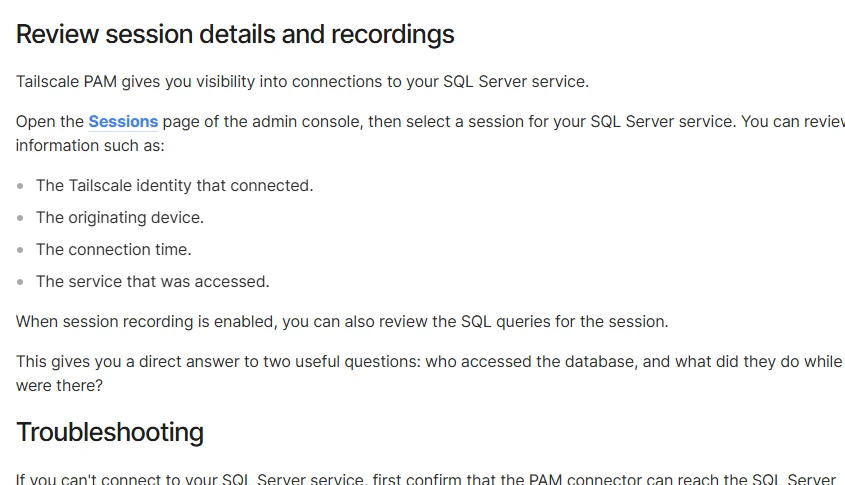
Tailscale PAM can expose a Microsoft SQL Server service to authorized users through a connector. Users connect with their Tailscale identity, while the connector uses a configured SQL Server credential or Kerberos upstream. It is useful when an organization already uses a tailnet and wants a managed SQL connection instead of sharing credentials.
Its strength is putting authorization and session visibility near the chosen network path. For Microsoft SQL Server, the upstream identity’s SQL grants determine permitted database operations. Any alternate routes need their own controls.
Follow the Microsoft SQL Server PAM guide for the exact connection type. Identify how Tailscale authorizes the route and how the user authenticates at SQL Server before comparing approvals and session history.
Run the scope check from the intended Tailscale client and from an alternate lab route. Confirm which request record can identify the SQL account and how revoked access blocks new attempts.
- Compatibility
- Tailscale PAM with a connector that can reach the SQL Server endpoint.
- License and trial
- PAM availability and service terms depend on the plan.
HashiCorp Boundary
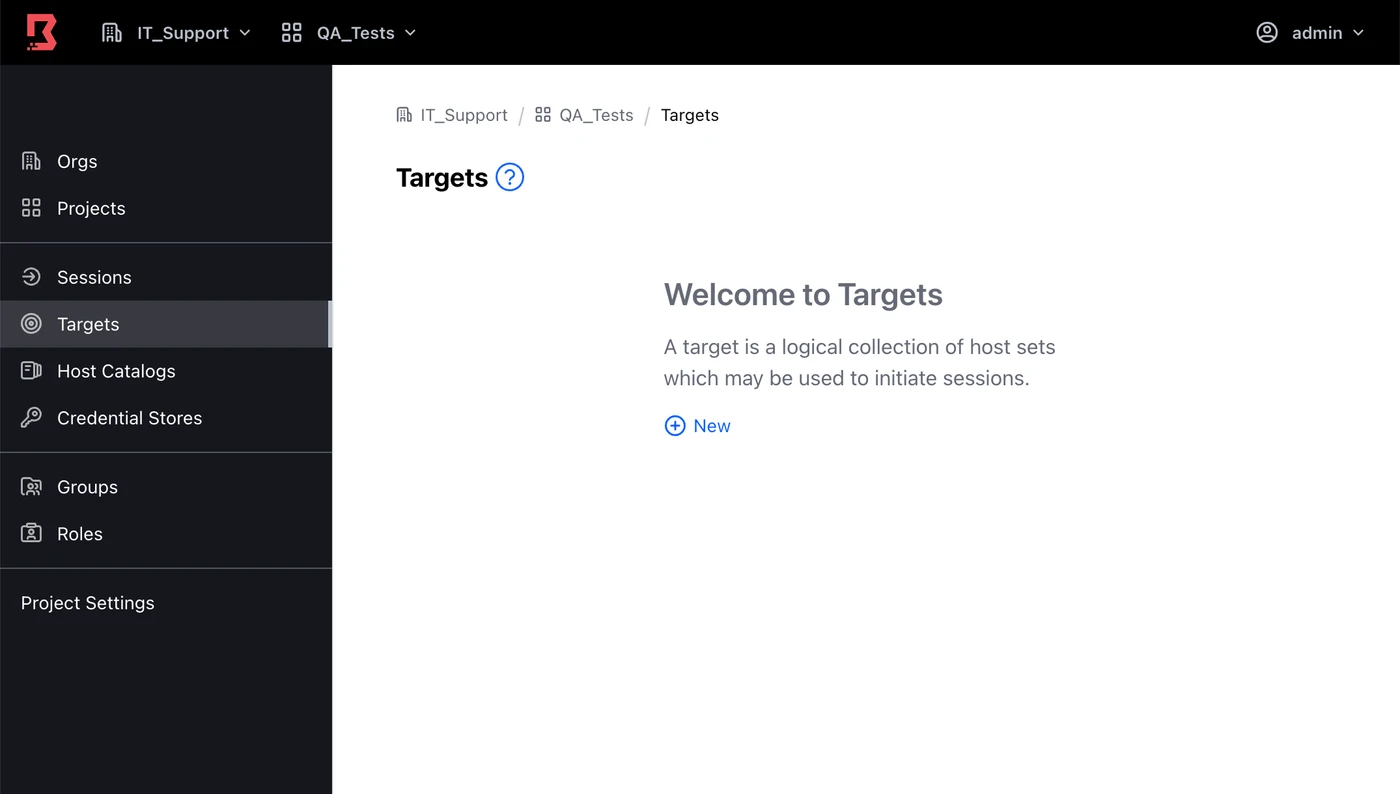
HashiCorp Boundary can open a managed TCP session to a selected SQL Server endpoint. Its target and session model is useful when the team wants authorization for a private network connection and can keep database authentication with the individual SQL clients or a separate credential workflow.
The TCP target provides a connection path. Boundary’s documented credential injection applies to SSH and RDP targets, so the SQL Server client still needs a valid database authentication method. SQL query auditing is a separate layer from the Boundary session record.
Choose the supported target type and credential workflow from Boundary's documentation. A generic TCP target addresses a network path, while SQL authentication and statement evidence depend on the remaining supported configuration.
Verify the session endpoint and SQL login using the same read-only probe. Compare access approval, audit depth and the separate SQL audit needed by a reviewer with the permissions intended for operations.
- Compatibility
- Boundary workers with network access to SQL Server and a supported TCP target.
- License and trial
- Boundary edition and deployment terms vary by feature.
How Teleport and StrongDM handle a contractor session
| Feature | Teleport Database Access | StrongDM |
|---|---|---|
| SQL Server authentication | Teleport documents PKINIT and Kerberos for a self-hosted Active Directory target. Its SSMS example connects through a local Teleport proxy. | Use the resource type for SQL authentication, Kerberos or Microsoft Entra ID. The Microsoft SQL Server resource using SQL authentication documents credential-based access through a StrongDM node. |
| Approving access | Configure access requests for the needed role or resource, with reviewers and a maximum request duration appropriate to the maintenance window. | Configure an Access Workflow for the resource. Users can request a start and end time up to the administrator’s limit, subject to the configured workflow. |
| Server and database permissions | Teleport’s enrollment guide lists database-name enforcement for PostgreSQL, MongoDB and Cloud Spanner. Use SQL Server permissions to restrict the mapped principal’s databases and objects. | Check the permissions of the upstream identity configured for the resource type. Restrict the SQL account to the databases and commands covered by the request. |
| Attribution and query logs | Teleport documents database session and query audit events. Verify the event fields and retained statement detail from the SQL Server session you actually ran. | StrongDM’s SQL Server connection test checks separate query and connection logs. Verify the contractor identity, upstream SQL login and exported statement detail. |
| When the window closes | Check the request and certificate deadlines on the lab connection. Try a new connection and issue a second query from the existing SSMS window. | Check the Access Workflow expiry and repeat the two tests on the configured resource. Record how to terminate the session if it stays open. |
Choose an access path the DBA can use
| What you need | Tools to shortlist | What to verify |
|---|---|---|
| Use a database proxy to approve a contractor session | Test SSMS with the actual database authentication mode. Match the audit record to the request and the SQL Server login. | |
| Use a managed SQL Server client or database connection | Confirm the launcher or client path, session duration and whether the export includes the statement or a recording. | |
| Grant access through an existing authorization or connection broker | Document the SQL permission changes and where the query audit lives. Try an existing session after revocation. |
Compare the supported SQL authentication paths before opening a request
Teleport's documented self-hosted PKINIT workflow uses Active Directory trust and Kerberos for SQL Server. The StrongDM Microsoft SQL Server resource uses SQL authentication, with separate StrongDM resource types documented for Kerberos and Azure AD. Verify the exact topology and selected resource before comparing user attribution.
Record both network origin and authentication path. A broker's individual requester record can coexist with a shared SQL login. Confirm how those facts need to be correlated for the security or DBA reviewer.
Self-hosted AD authentication is required
Compare Teleport PKINIT with StrongDM's Kerberos resource
Verify domain trust, SQL role mapping, SPNs and the reported authentication scheme.
The current app or operator already uses SQL authentication
Check the supported broker resource and account model
Confirm SQL login mapping, secret handling and fallback access.
Network access and SQL privileges are managed separately
Trial both layers with the same requester
Test direct routing, actual SQL identity and correlation with audit events.
Verify SQL identity, direct-path denial and session history
Use one disposable database and an approved low-privilege role. Run the same SQL from a supported client via each broker. The query reports the current connection's transport and authentication scheme, SQL instance, session and identities. Save the request ID and network route separately.
From a dedicated lab client, test the intended brokered route, the direct route and a fresh connection after expiry. Keep one approved connection open to test how the product handles a live session. Check what a reviewer can reopen under the authorized role.
| Case | Capture | Outcome to verify |
|---|---|---|
| Approved broker session | Request ID, backend SQL login, auth scheme and session ID | Connection reaches the intended service with the expected rights |
| Direct path from same test client | Endpoint and rejection or prior-approved fallback | Network policy matches the intended access architecture |
| Fresh client after expiry | New request state and connectivity or SQL result | Access expires when the policy says it should |
| Retained session and review | Live-session action and stored event history | Behavior and available evidence match the approved policy |
How to compare these tools
Approve a scoped test request, start a session and let the approval expire. Check new logins, any session already in progress, and the events an administrator can retrieve. Sources checked .
Test the contractor session at the expiry boundary
Connect through the authorized broker to an existing disposable AccessBrokerTrial database. Use the same probe through each shortlisted workflow and record actual outcomes separately for approved access, fresh post-expiry connection and retained session.
Read the current SQL Server connection's identity and auth scheme
T-SQL · 10 lines
- Use the product's supported client and correct enrolled SQL Server resource. Record the approved requester and expected auth method, then run the query and compare the actual SQL identity.
- Check the intentionally controlled direct route and attempt a fresh connection after approval expires. Compare a retained session separately and save any errors with timestamps.
- Reopen the broker and SQL evidence with a designated reviewer. Verify how the request maps to the session and whether the role can retrieve the records needed for incident review.
Conclusion
Start with Teleport if its Active Directory enrollment fits the SQL Server environment. Trial StrongDM when its defined SQL authentication, Kerberos or Entra resource fits better. Approve the access path only after you know which principal SQL Server sees, who can review query activity and what happens to open sessions when access expires.
Frequently asked questions
Can an external DBA use SSMS through Teleport or StrongDM?
Yes. Teleport documents an SSMS connection to a local database proxy. StrongDM lists SSMS for its SQL authentication resource. Test the exact SSMS version, TLS settings and SQL Server authentication mode used in the trial.
What is the SQL Server authentication difference between Teleport and StrongDM?
Teleport documents a self-hosted Active Directory route using Kerberos and PKINIT. StrongDM defines separate Microsoft SQL Server resources for SQL authentication, Kerberos and Microsoft Entra ID. Check the SQL Server versions listed for the selected integration.
Does access expiry immediately disconnect an open SQL Server session?
It depends on the product, policy and connection path. Test reconnecting and issuing a new query from the open session after expiry. If you require a hard session limit, verify it and record the manual termination procedure.
Can the audit log identify a contractor behind a shared SQL login?
It can when the access tool records the named user and session and the audit export links them to the SQL activity. Save the contractor identity, request reference, UTC time, upstream login and the statement or session record.
How do you limit the contractor to one SQL Server database?
Grant the mapped database principal the required SQL permissions and select the target at the access layer. Test access to another database and a disallowed operation with the contractor identity before approving the workflow.
Does a broker show up as the same user in the portal and SQL Server?
The requester and SQL login can differ. Record both and verify how the broker's route, resource type and account mapping correlate to SQL-side events.
Can the standard StrongDM Microsoft SQL Server resource be assumed to use Kerberos?
StrongDM documents separate resource types. Choose the Kerberos resource when required by the supported deployment and confirm the reported scheme from an actual connection.