

A temporary SQL Server database in CI can start from an empty container or from a managed copy of an existing database. A container is useful when migrations and fixtures should build the starting state in code. A clone is useful when a test needs an existing layout or data volume that would take too long to rebuild. Each choice changes what the pipeline has to provision and clean up.
Testcontainers lets the test suite own startup and teardown. Compose and hosted CI services put lifecycle around a project or job. Redgate Clone, Windocks and Delphix can give CI a writable copy from a managed source. The comparison depends on startup time, isolation between runs and how close the test environment needs to be to a particular SQL Server release or dataset.
Temporary SQL Server databases in CI at a glance
Choose what workers share. A container isolates engine state, a database isolates application objects on a shared instance, and a clone can reuse a prepared dataset.
| Tool | Unit of isolation | Readiness or seed check | Runner and cost |
|---|---|---|---|
| Testcontainers .NET SQL Server module | Container per test scope or worker | Verify readiness, migration and disposal behavior | Docker-compatible runner and approved image; library is open source |
| Docker Compose with SQL Server | Compose project or controlled service container | Unique project name plus a SQL probe and seed | Docker daemon access and runner capacity |
| GitHub Actions service containers | Service container for eligible Linux jobs | Use job-network DNS or mapped ports and verify SQL is ready | Runner service support, image resources and CI plan |
| Azure Pipelines service containers | CI job service or supported runner topology | Match connection path to the job host and check SQL | Check agent and service constraints; use approved secret storage |
| GitLab CI services | Service on an eligible Docker executor | Verify service alias, assigned network and actual SQL startup | Check executor, runner resources and cleanup behavior |
| Redgate Clone | Provisioned development or test clone | Approved image, first successful application connection and reset | Commercial platform; check infrastructure and compatible engine versions |
| LangGrant Windocks Enterprise | Supported SQL Server copies from a prepared image | Image version, new worker endpoint and cleanup test | Commercial Windows and compatible storage or host setup |
| Perforce Delphix Continuous Data | Provisioned virtual SQL Server database | Selected recovery point, isolated target and refresh workflow | Commercial, with supported SQL Server target and provision roles |
Testcontainers for .NET SQL Server module
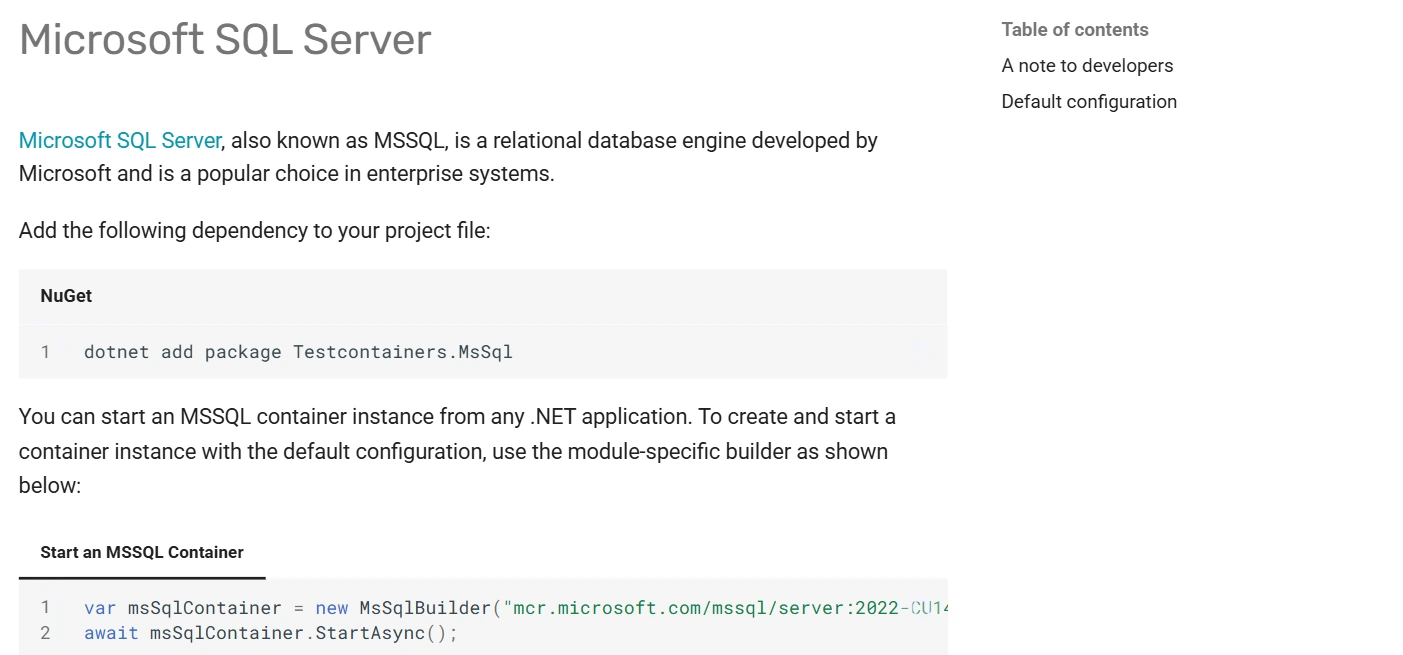
Testcontainers for .NET starts a SQL Server container for the test suite and makes the connection available to the test code. The Resource Reaper can help clean up Docker resources after a run. It is useful when an integration test needs its own SQL Server and should run similarly from local development and CI.
It fits test suites whose code can own readiness, database creation and fixtures. A new instance gives the suite isolation, while the image and data it seeds determine production fidelity. SQL Server’s supported Linux container architecture and startup resource requirements still apply.
Pin a SQL Server image and select a container lifespan that matches the tests. Use a module or readiness check to wait for a real SQL response before applying migrations. Give parallel workers independent connections and log their test databases.
Force an assertion to fail and verify resource disposal and logs. Compare container-per-suite with any reuse policy so the next job starts from an intentional seed. Check host privileges and supported architecture before adopting it in CI.
- Compatibility
- .NET test code, a compatible Docker runtime and a supported SQL Server Linux image host.
- License and trial
- Free, open-source test infrastructure. SQL Server edition and image terms apply.
Docker Compose with Microsoft SQL Server
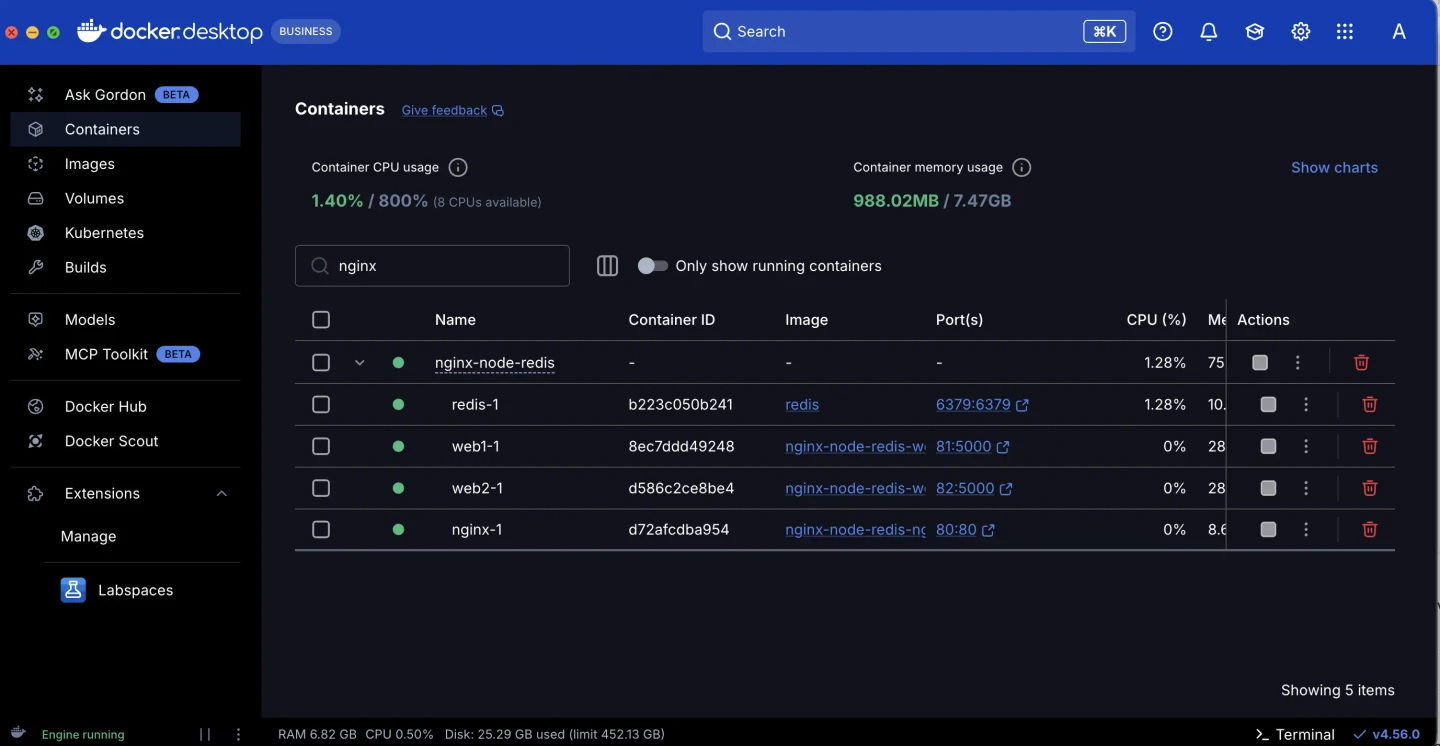
Docker Compose can run the SQL Server image alongside an application and other test dependencies. Named projects separate container and network names between runs. Health checks let the project describe when related services can proceed. This fits teams that share a local environment definition with CI.
Compose gives an integration stack one reusable definition. The database still needs credentials, a successful readiness check and schema setup. Persisted volumes can help developers retain data locally and can also leave old state behind when a pipeline is expected to start from a clean fixture.
Set a distinct Compose project name for each run or worker and avoid fixed host ports shared by parallel jobs. Add a SQL readiness probe that checks login and executes a statement. Keep the approved image and seed under version control metadata.
Run cleanup for both successes and failures using the same project identity. Inspect named volumes and any retained logs separately. Validate that aborting one disposable worker leaves the other worker's service intact.
- Compatibility
- Docker Compose on a host that supports the Microsoft SQL Server Linux image.
- License and trial
- Compose is open-source tooling. Docker product and SQL Server edition terms apply to the deployment.
GitHub Actions service containers
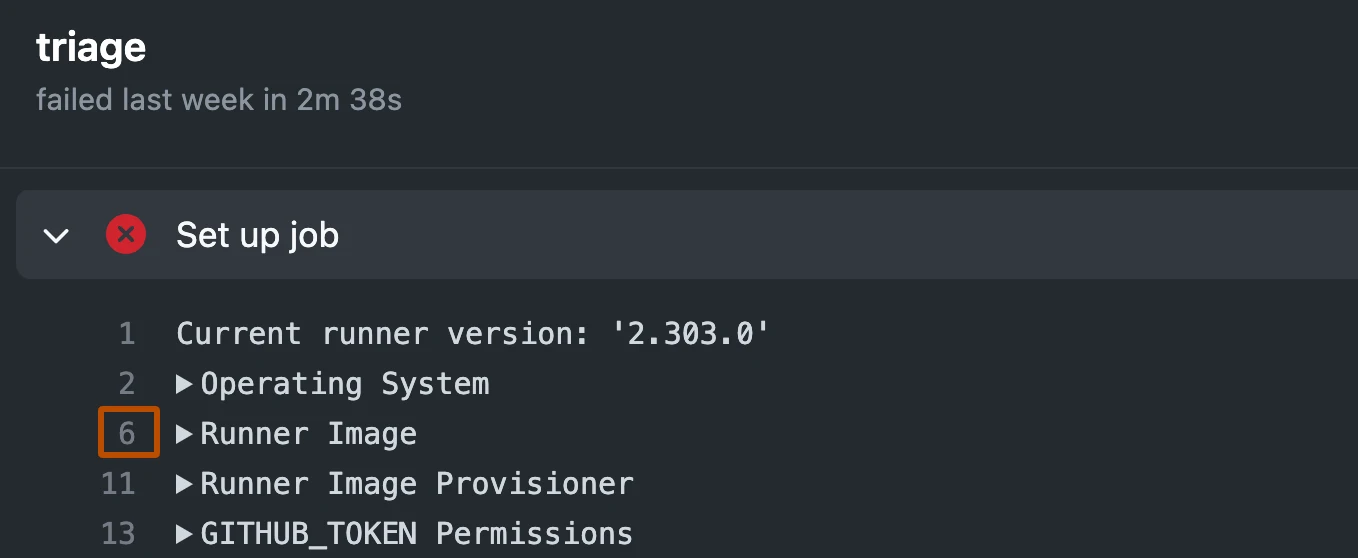
GitHub Actions service containers can run a SQL Server image for a workflow job. A containerized job can connect to the service by its label, while a job running on the host uses the mapped port. This is useful when a test database only needs to live for the duration of one CI job.
The built-in lifecycle fits pipelines that already use GitHub Actions. SQL Server still needs compatible Linux runner architecture, credentials and readiness before schema setup. The regular job boundary provides isolation, while test data and logs need a separate decision about what to preserve.
Use a supported Linux runner for service containers and follow the networking mode in the GitHub documentation. Container-hosted jobs can address a service by label. For jobs running directly on the host, configure the required port mapping and read the resulting port.
Verify SQL readiness and credentials before migrations. Test two jobs started together and record their service identities. Capture logs on failure and check automatic removal for the chosen runner before relying on it.
- Compatibility
- Linux GitHub Actions runner with Docker support and an eligible SQL Server image.
- License and trial
- GitHub Actions runner and account terms apply. SQL Server image terms are separate.
Azure Pipelines service containers
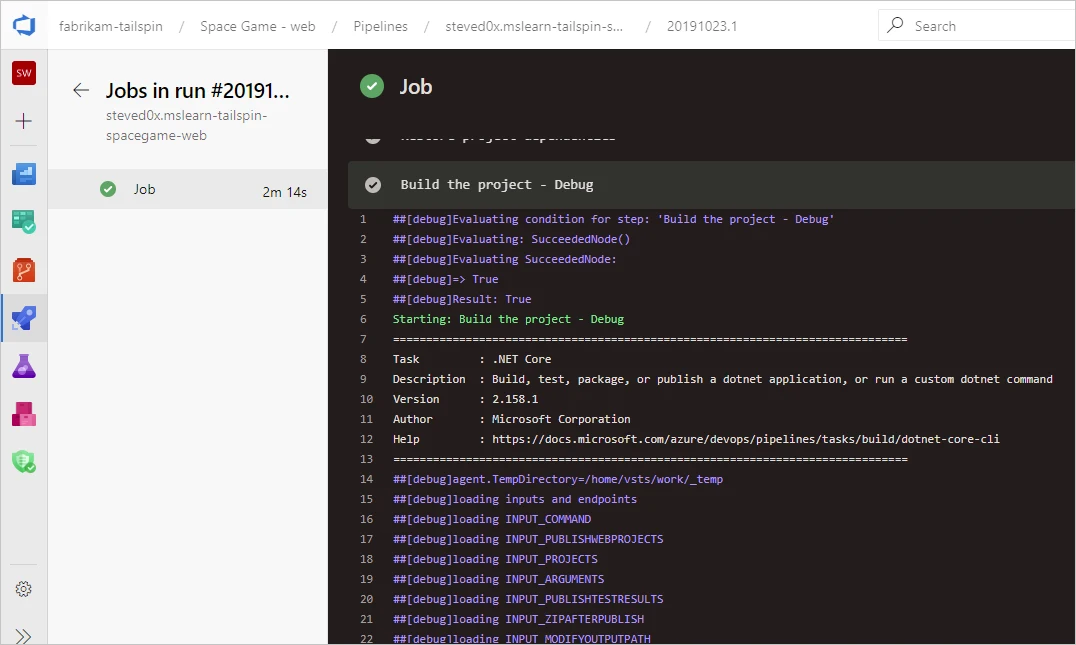
Azure Pipelines can attach a service container to a job and make it available to the job’s test steps. That allows a team to include SQL Server in an existing pipeline without pointing all branches at a permanent shared instance. The job can build the schema and run integration tests against that single service.
It fits Azure DevOps workflows whose agents can run the required image. Agent operating system, port mappings and container health determine how the test connects. A service started by the pipeline still needs its database and fixtures created in the expected order.
Start from the service container setup used by your approved Azure Pipelines agent. Define the endpoint expected from the job host or job container. Wait for SQL itself before the first migration.
Use a distinct worker or database name and keep username and password in the CI secret path. Rehearse a failed job and verify what the service container and any separately provisioned SQL database do afterward.
- Compatibility
- Azure Pipelines agent and Docker setup compatible with the chosen SQL Server image.
- License and trial
- Azure DevOps and compute terms apply. SQL Server edition licensing is separate.
GitLab CI services with the Docker executor
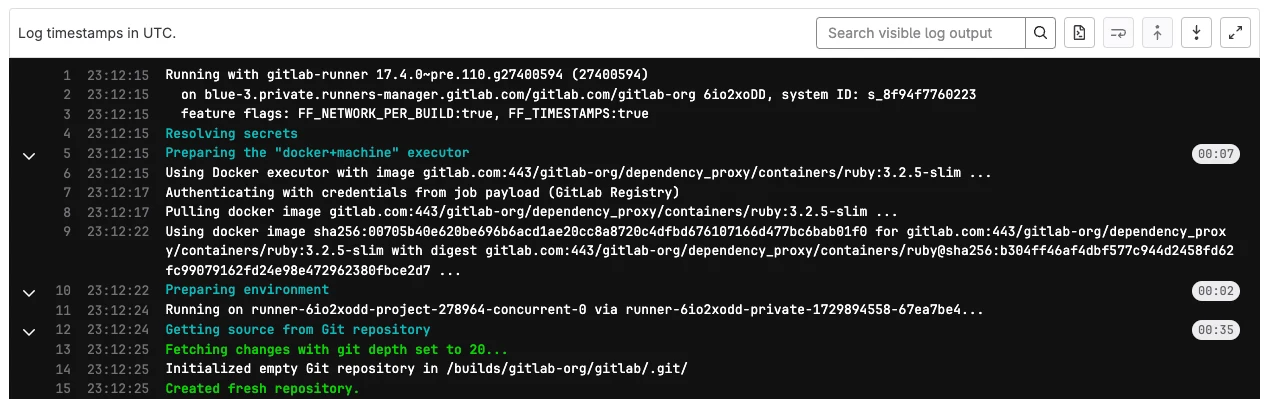
GitLab CI services can launch a SQL Server image beside a job running on a Docker executor. The job can reach the service by its configured network alias and use the same runner to deploy test schema and execute tests. This is useful for teams already standardizing their CI through GitLab runners.
The model isolates work at the job level with suitable runner configuration. A reachable service port and successful database login are different steps. Container configuration, secrets and readiness need to work consistently when several jobs run at once.
Confirm the service alias, environment-variable behavior and Docker executor settings. A TCP health check is useful for startup but a SQL query can check that the engine and login are usable. Record resource requirements and image build.
Put the seed and migrations in the job steps after readiness. Verify test isolation when jobs run concurrently. Keep database output or error logs on failures, and check how disposal works on your own runner configuration.
- Compatibility
- GitLab Runner with a compatible Docker executor and supported SQL Server image host.
- License and trial
- GitLab and runner terms apply. SQL Server image and edition terms are separate.
Redgate Clone
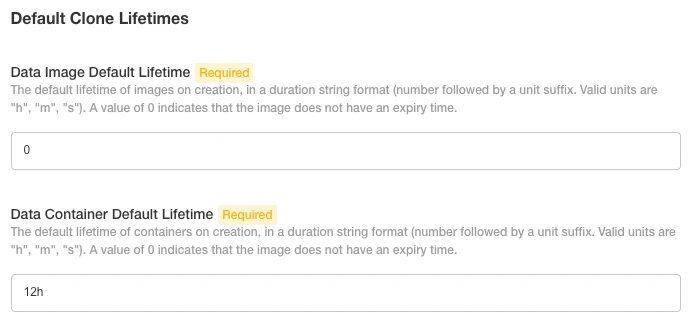
Redgate Clone creates disposable data containers from managed data images, including images of supported SQL Server instances. It is useful when automated tests need a prebuilt source with enough data to exercise a migration or realistic query without reloading the whole database each time.
Its value is provisioning a writable test copy from an established baseline. The data image determines what the tests inherit, and the Clone service has to remain available to CI. Masking, image freshness, lifecycle and cleanup still need to be managed for the test workflow.
Use a published image prepared for SQL Server test data and record the engine version and baseline date. Start a distinct clone for each worker and measure provisioning separately from when a test connection is actually usable.
Test expiry and cleanup after a failed run, including what happens to the shared baseline and other clones. Verify storage and licensing under the planned concurrency, and compare actual time with a clean seed.
- Compatibility
- Redgate Clone service with a supported SQL Server data image and CI access.
- License and trial
- Commercial. Available deployments and integration terms depend on the license.
LangGrant Windocks Enterprise
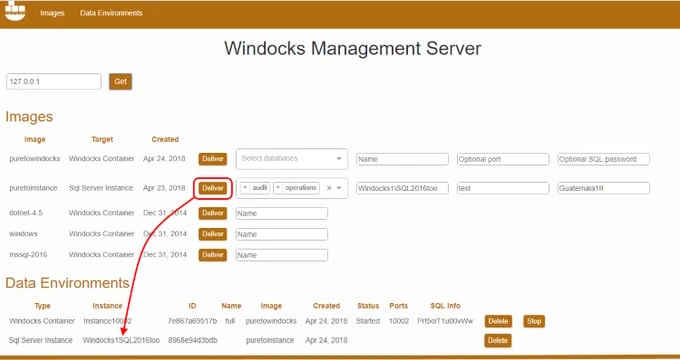
LangGrant Windocks Enterprise can deliver Windows SQL Server containers and writable database clones. Its workflow can use prepared datasets such as masked, subsetted or synthetic copies. This is useful when an automated test needs an existing SQL Server setup that an empty Linux image would take time to reproduce.
Its strongest case is a repeatable Windows SQL Server test environment or reusable data copy. Host requirements, supported SQL Server versions and source preparation are part of the deployment. CI also needs to allocate distinct copies or targets and retire them when jobs finish.
Create the image from approved inputs and verify the supported Windows deployment and target SQL Server version. Use an independent name for each worker and confirm the runtime connection points to that copy.
Force one worker to fail after it adds a test marker. Confirm that a separate worker remains unaffected and the first copy can be retired. Inspect who can recreate it and what images or storage remain afterward.
- Compatibility
- Supported Windows Windocks infrastructure, SQL Server installation or source and CI access.
- License and trial
- Commercial Enterprise licensing. Windows and SQL Server terms also apply.
Perforce Delphix Continuous Data
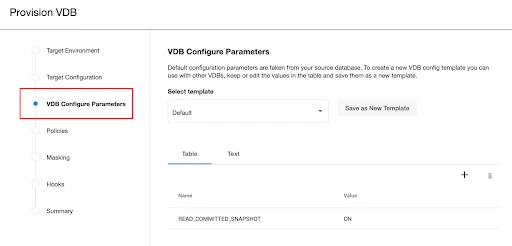
Perforce Delphix Continuous Data can provision a SQL Server virtual database from a linked source at an eligible point in time. It is useful when a large test dataset takes too long to restore or many test environments need independent writable copies of the same source.
Its advantage is managing the data lifecycle centrally, including refresh and replacement. A virtual database depends on the Delphix deployment and configured SQL Server targets. Masking, access policy and the choice of snapshot determine whether that copy is appropriate for an automated test.
Choose a prepared recovery point and compatible target for each SQL Server virtual database. The Delphix provisioning guide documents target requirements and configuration details. Keep the versioned baseline and account that requested the copy.
Run two workers against separately provisioned databases and check refresh or purge behavior for the failing worker. Test that cleanup follows database ownership and that another job keeps access to its own copy.
- Compatibility
- Continuous Data with a supported SQL Server connector, staging or target setup and access for CI.
- License and trial
- Commercial platform. Masking and related features follow the applicable product terms.
Pick a SQL Server test database by how the job runs
| What you need | Tools to shortlist | What to verify |
|---|---|---|
| Start SQL Server from the test suite | Start each test fixture with a unique mapped port and see when it returns a usable connection string. | |
| Run the same database and app stack locally and in CI | Use a different project name for each job. Confirm SQL Server health and clean up named test volumes. | |
| Use the CI runner's service container | Confirm the runner can start Microsoft’s image. Use a service alias inside the job network or a dynamically bound host port where supported. | |
| Start from an approved copy of a large dataset | Pin the image or snapshot. Track which resources and credentials belong to the job, then verify teardown and expiry. |
Choose the isolation boundary for each CI worker
A single disposable database on a shared SQL Server can be enough for schema and data tests. Use a separate engine when the test depends on instance settings, jobs or permissions that would otherwise leak across workers.
Engine state or SQL Server configuration
Provision a container per worker
Use a supported architecture, unique endpoint, approved secret and real SQL readiness check.
Only test schema and input rows
Allocate a uniquely named database per worker
Use constrained permissions and an explicit cleanup path on the shared host.
A large, approved data seed
Trial a prepared snapshot or clone
Measure usable connection time and verify independent writes, expiry and failed-run cleanup.
- Testcontainers .NET SQL Server module
- Docker Compose project isolation and naming
- GitHub Actions service-container networking
- Azure Pipelines service-container configuration
- GitLab CI service containers
- Redgate Clone provisioning
- LangGrant Windocks guide
- Perforce Delphix SQL Server virtual database provisioning
- Microsoft SQL Server Linux containers, supported hosts and tools
Run two independent workers and force one to fail
This Bash example starts a SQL Server 2022 Developer container on a supported Linux x86-64 Docker host. It waits for a real sqlcmd query, creates one database inside the container and removes that container on normal exit or a handled signal. It exposes no host port.
Supply MSSQL_SA_PASSWORD through the runner's secret store. The example uses the bundled sqlcmd and accepts the disposable container's certificate for its internal connection. Pin an approved image build when reproducibility matters. Repeat with FAIL_AFTER_CHECK=1 on one worker and verify the other job's result and container lifecycle.
| Milestone | Record | Expected result |
|---|---|---|
| Start both workers | Per-job container ID or database name | Distinct isolation resources |
| Ready | Authenticated SQL query and elapsed time | Both jobs connect before tests or migrations run |
| Worker data | Database identity and one worker-specific canary | Each job sees only its own changes |
| One failure | Fail flag or test exit code and logs | Failure is reported; the other job continues |
| Cleanup | Remaining containers, database names and storage | Each disposable resource is removed or expires under its policy |
#!/usr/bin/env bash
set -euo pipefail
: "${MSSQL_SA_PASSWORD:?Set a CI secret with a strong test password}"
export MSSQL_SA_PASSWORD
container_id=''
cleanup() {
  if [[ -n "$container_id" ]]; then
    docker rm -f "$container_id" >/dev/null
  fi
}
trap cleanup EXIT
trap 'exit 130' INT
trap 'exit 143' TERM

container_id=$(docker run --detach \
  --label purpose=sql-server-ci-trial \
  --env ACCEPT_EULA=Y --env MSSQL_PID=Developer --env MSSQL_SA_PASSWORD \
  mcr.microsoft.com/mssql/server:2022-latest)

sql() {
  docker exec "$container_id" sh -c \
    'SQLCMDPASSWORD="$MSSQL_SA_PASSWORD" /opt/mssql-tools18/bin/sqlcmd -S localhost,1433 -U sa -C -b "$@"' sqlcmd "$@"
}

for ((attempt=1; attempt<=60; attempt++)); do
  if sql -Q "SET NOCOUNT ON; SELECT 1;" >/dev/null 2>&1; then
    sql -Q "CREATE DATABASE CiWorkerTrial;"
    sql -d CiWorkerTrial -Q "SET NOCOUNT ON; SELECT DB_NAME() AS DatabaseName;"
    [[ "${FAIL_AFTER_CHECK:-0}" != 1 ]]
    exit 0
  fi
  sleep 2
done
docker logs "$container_id" >&2
exit 1How to compare these tools
Measure the time until the test can log in, seed or mount the same data, and check cleanup after a failed build. Record who can reach the container or reusable database. Sources checked .
Test parallel jobs against the same seed
Use the Bash example for an isolated engine or the SQL control below for two disposable databases on the same instance. Run the jobs at the same time and compare both result rows and cleanup.
Verify database identity and a per-worker canary
T-SQL · 13 lines
- For containers, run the Bash sample in two separate jobs. For a shared instance, provision CiTrialWorker1 and CiTrialWorker2 with scoped access. Run the SQL fixture independently in each database.
- Record the worker database and canary value. Make only one job exit early, and check whether the other job can still read its own value without observing any changes from the first job.
- Inspect resource cleanup on the runner and server. A worker killed before its normal teardown may require a separate expiry or cleanup job. Restrict any cleanup to resources with known job ownership.
Conclusion
Use a job container for a small schema and quick seed. Use a prepared clone when restoring or loading the baseline dominates the run. Keep the seed revision, connection details and cleanup path predictable. Verify those on the same runner and SQL Server edition you expect to use in CI.
Frequently asked questions
What is the easiest way to run SQL Server in CI?
Use the CI runner’s service container feature if the job owns the database. Use the SQL Server module for Testcontainers if a .NET test fixture should own the lifecycle. Both approaches need a compatible container runtime and a SQL Server readiness check.
How do I know that SQL Server is ready in a CI job?
Run an authenticated query against the target database. Check that the expected schema and seed are present before starting application tests. A running process or open TCP port only confirms one part of startup.
How do I prevent parallel SQL Server integration tests from sharing data?
Give each job its own SQL Server endpoint or a uniquely named database with restricted credentials. Add a write-and-read isolation check. Avoid shared named test volumes unless your isolation design accounts for them.
When is cloning faster than seeding a fresh SQL Server container?
Consider a clone when applying migrations, restoring a backup or loading data takes most of the job. Measure image preparation and storage separately from per-job provisioning. Try a failed run as well as a successful one.
Can I use the Linux SQL Server image to test a Windows deployment?
It can cover SQL Server engine tests where the required features exist on Linux. Verify the platform and edition requirements for authentication and components that must match production. Run those tests on a supported target that provides the required features.
Why should a SQL Server CI readiness check run a query?
An open port alone does not establish that SQL Server has finished startup or that the test login works. Check authentication and a simple SQL statement before seeding or starting tests.