

An SSIS replacement has to do more than move the good rows. A typical package validates values, looks up keys, decides whether to insert or update, routes rejects and reports whether the load can be rerun. Start with one production package and its expected result. Its connections, Script Tasks and transaction behavior tell you how much work the move will take.
The quickest split is between keeping existing .dtsx packages, rebuilding them as visual flows or code, and moving data with a narrower copy or CDC tool. Deployment is a separate choice. A cloud front end can still depend on a worker beside a private SQL Server. Compare the path your data and credentials take as well as the designer.
The 10 best SSIS alternatives compared
All ten can connect to SQL Server through documented paths. Compare the source and write mode for the specific runtime you will use. SQL Server as a source is a different requirement from inserting or updating an operational SQL Server table.
| Tool | SQL Server reads and writes | Execution | Package work | Pricing model |
|---|---|---|---|---|
| Azure Data Factory | Copy Activity can read and write SQL Server, including an upsert sink. | Azure integration runtime or a supported private connection path. | Run supported packages on Azure-SSIS IR, or rebuild as pipelines. | Billed by the activities and runtimes you use. |
| Informatica Cloud Data Integration | SQL Server connector for sources and targets. | Managed service with a supported runtime such as Secure Agent. | Rebuild mappings and tasks. | Contracted IDMC usage in Informatica Processing Units. |
| Qlik Talend Studio | SQL Server input and output components, including insert-or-update. | Managed or remote Talend execution engine, as licensed. | Rebuild as visual jobs. | Commercial plan and engine entitlements. |
| Pentaho Data Integration | JDBC input with insert, update or staging workflows. | Desktop authoring, operator-managed job host or server. | Rebuild as transformations and jobs. | Edition, scheduler and support terms. |
| Apache Hop | JDBC source and target with a documented Insert / Update transform. | Self-managed runtime and scheduler. | Rebuild visual pipelines and workflows. | Open source, plus hosting and operations. |
| AWS Glue | JDBC input and output. Design the SQL Server apply step explicitly. | Managed AWS Spark runtime using the configured network path. | Rebuild or convert package logic into Glue jobs. | DPU-hours for Spark ETL and other service charges. |
| Alteryx Designer and Server | SQL Server connection and write modes. Check target rules for each workflow. | Designer desktop with a licensed scheduling or Server runtime. | Rebuild visual workflows. Stage complex SQL writes. | Commercial authoring and scheduling entitlements. |
| Apache NiFi | JDBC input and record-based SQL Server write processors. | Self-managed running flow. | Rebuild as processors and routing rules. | Open source, plus hosting and operations. |
| KNIME Analytics Platform | SQL Server connector and database writer, updater and merger nodes. | Local execution or separately licensed managed execution. | Rebuild a workflow from data and database nodes. | Free desktop platform with paid managed execution options. |
| Integrate.io ETL | SQL Server source and destination with database merge-style writes. | Hosted ETL runtime with an approved connection route. | Rebuild visual pipelines or evaluate migration service. | Published platform fee, with plan and support terms. |
Azure Data Factory
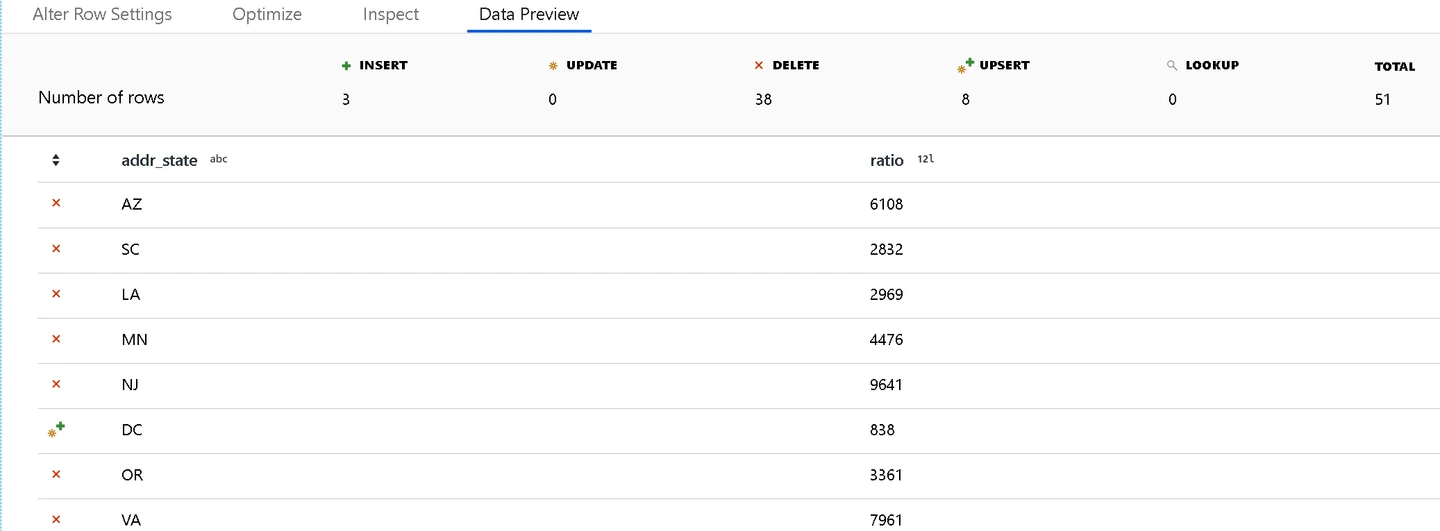
Azure Data Factory gives an SSIS estate two practical paths. Azure-SSIS Integration Runtime executes supported existing packages. A rebuilt ADF pipeline can instead use Copy Activity to move data or Mapping Data Flow for row transformations. That distinction matters when the project has years of tested package logic and a short deadline to move the runtime.
In a rebuilt pipeline, a Copy Activity can upsert into SQL Server using match keys, or load a staging table and call a stored procedure to apply changes. A Mapping Data Flow can handle transformations and row actions when the connector and runtime support that route. An activity failure and a bad business row need different handling. Route invalid amounts and missing lookups explicitly.
Private SQL Server access starts with the linked service and runtime. A self-hosted integration runtime can bridge supported copy workloads into a private network. Azure-SSIS and Mapping Data Flow have their own network requirements. The migration plan needs the same connection identity, file access and external components the existing package expects.
ADF is a strong first option for companies that want to keep supported packages while moving work to Azure in stages. Orchestration, execution and data movement can meter differently. A lift-and-shift estimate should include Azure-SSIS runtime hours and any catalog or data stores, while a rebuild estimate should include the activities and runtime that replace it.
- Compatibility
- Azure Data Factory with the required runtime and supported SQL Server connectivity.
- License and trial
- Azure usage charges vary by activity, data movement and runtime. Include Azure-SSIS runtime hours when moving existing packages.
Informatica Cloud Data Integration
Informatica Cloud Data Integration uses mappings and tasks to move and transform data. Its Microsoft SQL Server connector provides sources and targets for mappings on a supported runtime. This makes it a candidate for an enterprise that already uses Informatica to manage many mappings, service identities and schedules.
The package is rebuilt as a mapping. SQL Server lookups and row rules belong in explicit transformations and routing. Where the target supports insert and updated-row operations for the selected configuration, set the matching keys deliberately. For a load that must apply valid rows and rejects together, a SQL Server staging procedure is another useful boundary.
The runtime location matters as much as the visual mapping. A Secure Agent placed on the right network can reach a private SQL Server when the setup and connector support it, while orchestration remains in the service. Task and session logs should identify the mapping run, target output and errors well enough for an operator to decide what to replay.
Cloud Data Integration fits organizations that value centrally managed deployment, operating roles and existing connector investment. The bill depends on the contracted IDMC consumption and the services used. Request a quote using comparable execution volumes and retention requirements. A cloud mapping also has its own deployment and support responsibilities after the SSIS job is retired.
- Compatibility
- Informatica Cloud Data Integration and eligible SQL Server connection and runtime.
- License and trial
- Informatica IDMC consumption-based licensing uses Informatica Processing Units under the selected contract.
Qlik Talend Studio
Qlik Talend Studio is a visual job designer for rebuilding SSIS-style flows with database and transformation components. A job can read from SQL Server, bring the input and lookup together in tMap and send approved and rejected rows down different connections. Existing SSIS packages become Talend jobs with explicit component and connection choices.
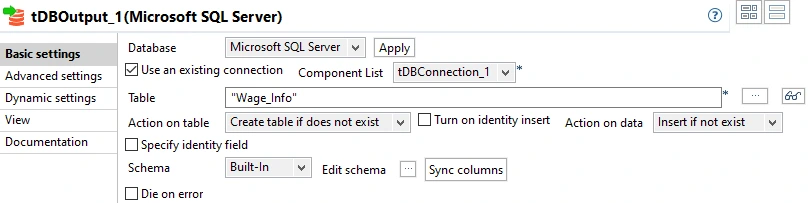
The SQL Server output component documents matching and insert-or-update actions. Its batch and commit settings control when writes reach the database. A job that stops after committing the first batch can leave part of the destination changed. Keys and a recovery procedure matter alongside throughput.
The editor can use stored connection definitions and contexts. A production job then needs an eligible execution engine, installed JDBC modules and network access to SQL Server. Qlik distinguishes the available Talend Cloud execution engines and plan entitlements. Check the deployed engine's logs rather than relying on a successful run inside Studio.
Talend fits shops that want a visual integration suite with job-level control over database actions and rejects, particularly if they already operate Qlik Talend. Budget for the Studio and cloud or remote execution entitlements appropriate to the contract. Verify the exact JDBC provider and batching behavior with your fixture.
- Compatibility
- Supported Talend Studio edition, SQL Server components and deployment runtime.
- License and trial
- Commercial Qlik Talend plan. Confirm Studio access, the execution engine and consumption terms in the proposed plan.
Pentaho Data Integration
Pentaho Data Integration separates row transformations from jobs that start and coordinate them. In the visual designer a transformation can read SQL Server, look up a customer, branch on validation and write a target table. A job can sequence that work with other steps such as a source file check, alert or reconciliation.
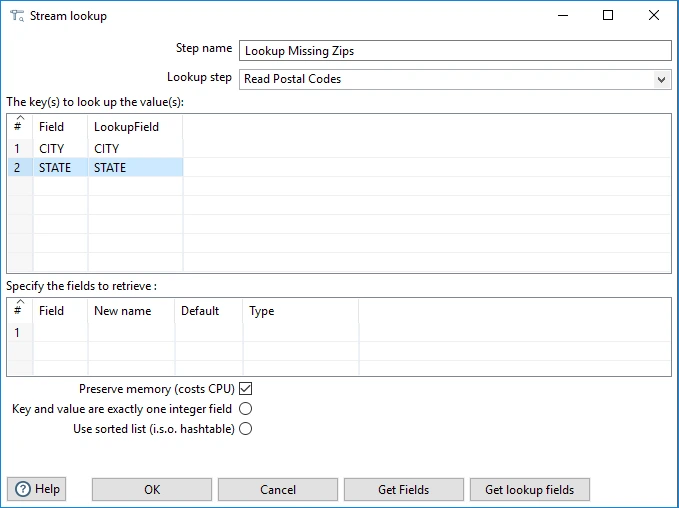
Use the SQL Server output step suited to the action. Table Output handles inserts. A lookup or insert-and-update step can match existing target keys, and staging plus a SQL procedure is useful when the destination applies business rules or writes several tables. The choice affects how many statements run against the server and which commits survive an error.
The designer and the scheduled runtime are separate deployment concerns. A job needs the JDBC driver, connection definitions, credentials, file paths and any plug-ins on the machine running it. Pentaho's documented scheduling path depends on the deployment. File and repository artifacts also need a recoverable release process.
Pentaho fits a company that wants to rebuild Windows-based package logic as visual batch flows it can operate within its own environment. Clarify licensed distribution, server scheduling, support and runtime entitlements before pricing the replacement. Use the same throughput and restart requirements for the quote as for the other candidates.
- Compatibility
- Pentaho Data Integration with supported drivers and SQL Server access.
- License and trial
- Pentaho distribution, server scheduling and support terms depend on the edition and deployment.
Apache Hop
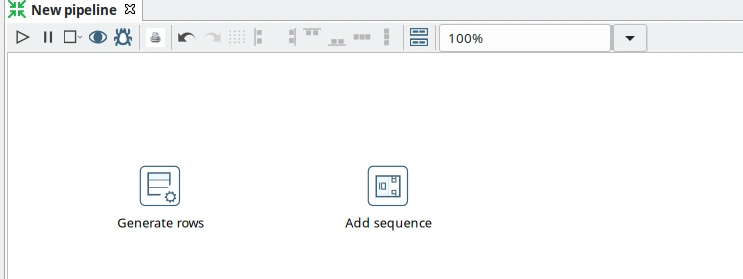
Apache Hop defines visual pipelines for row processing and workflows for execution control. A pipeline can read from SQL Server over JDBC, perform a lookup and validate values before writing. Projects and environments let the same pipeline resolve different connections and variables for development and the deployed job.
The Insert / Update transform matches a row by the configured keys. Enabled transform error handling can route records that fail supported steps to another flow. A package migration still needs a separate business rejection path for an unmatched customer or value that cannot be converted. A retained batch and deterministic keys make the flow repeatable.
Hop Run can run a pipeline or workflow outside the graphical designer, and the documented scheduling paths can be used with an external scheduler. The deployment needs a Java runtime, SQL Server JDBC driver and network path. A team must retain run logs, project artifacts and the configuration a support engineer needs to reproduce the failure.
Hop fits a team that wants an open-source visual replacement on its own infrastructure and can operate its scheduler and runtime. It avoids a commercial software license for the project itself. Estimate the administration, production support and release work around it.
- Compatibility
- Apache Hop and a compatible SQL Server JDBC connection.
- License and trial
- Open-source Apache project. Runtime, scheduling and support are operated separately.
AWS Glue
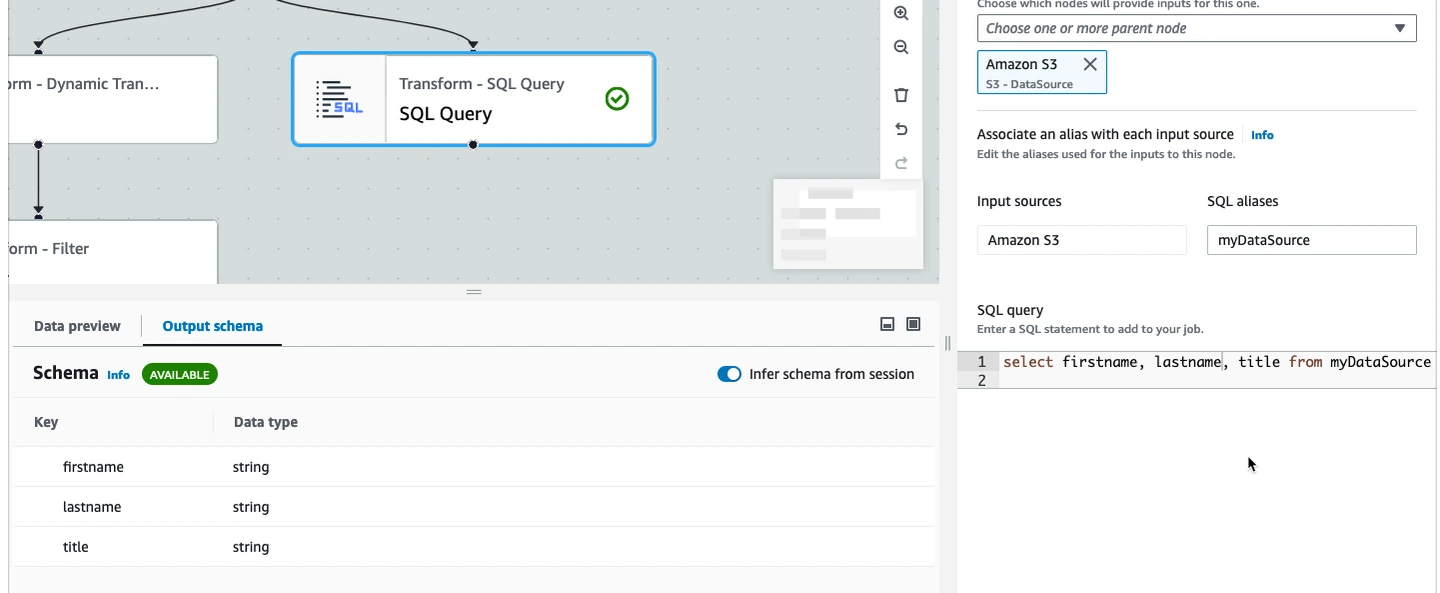
AWS Glue is a managed ETL runtime for jobs that already belong near AWS data or compute. Glue supports SQL Server through JDBC connections. A Spark job can read a SQL Server table into the job and transform it, then write through an eligible JDBC destination. An SSIS package is redesigned as job logic and connections.
Job bookmarks track processed input for supported sources and settings. Rewinding or resetting a bookmark changes the source position. Previously written target rows have to be reconciled separately. For a repeatable SQL Server load, stage rows under a batch key and define a target-side apply procedure with explicit match and reject rules.
Network placement is a real part of the design. The Glue job must reach its SQL Server host through the configured AWS network and security controls. Managed job logs and run status help diagnose failed stages. Decide whether a failure in the JDBC write or an input rule needs a job retry, an isolated row or a manual recovery step.
Glue fits workloads already using AWS and a team comfortable supporting managed Spark jobs. For a modest, frequently scheduled SQL-to-SQL batch, price startup and execution time as well as DPU-hours and other applicable services. Verify type conversion and SQL Server writes on the selected job type before retiring the package.
- Compatibility
- AWS Glue with compatible SQL Server JDBC connection and an appropriate network route.
- License and trial
- AWS usage-based billing. Spark ETL job charges use DPU-hours under the applicable job and region terms.
Alteryx Designer and Server
Alteryx Designer is a visual workspace for preparing and joining data. It fits SSIS packages that mainly clean spreadsheets, combine tables and publish analysis-ready data to SQL Server. The workflow becomes an Alteryx design that connects to SQL Server using the documented data source and driver options.
Some work can run inside the database through In-DB tools. Current Write Data In-DB documentation lists SQL Server connection paths and specific write modes. Its Merge In-DB option is documented for Databricks Unity Catalog. A SQL Server upsert that needs that behavior should use a verified target action or stage rows and apply them in SQL Server.
Unmatched lookups and invalid numeric values can go down separate outputs from the accepted rows. Designer establishes the local workflow. Production scheduling needs the corresponding Alteryx Server or eligible scheduling setup, plus a deployed credential and any required data drivers on the worker.
Alteryx fits companies with an existing Designer and Server rollout or analysts who own well-defined data preparation jobs. Compare the license and scheduler entitlements with the support needed for continuously operated integration. Test large SQL outputs and error recovery with the same connection and write mode the scheduled job will use.
- Compatibility
- Supported Alteryx Designer or Server setup and SQL Server connectors.
- License and trial
- Commercial Alteryx plan. Confirm author, scheduler and Server entitlements.
Apache NiFi
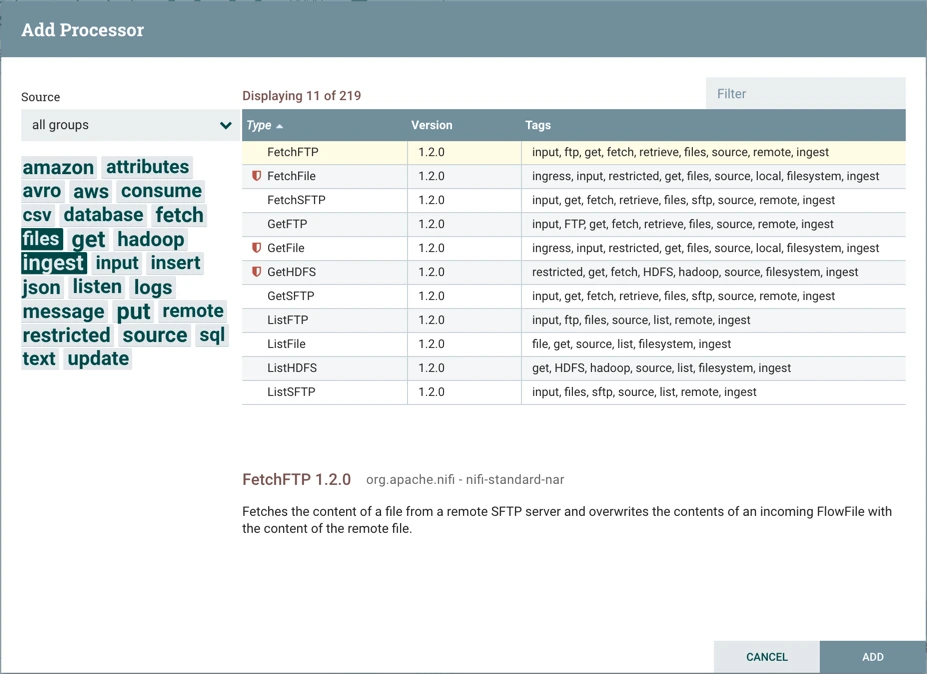
Apache NiFi connects processors into a running data flow. For SQL Server, a record-oriented processor can query source rows over JDBC, and LookupRecord can enrich or route data using a configured lookup service. PutDatabaseRecord writes records using a defined statement type and database connection.
PutDatabaseRecord documents update, insert and upsert statement choices and routes permanent failures separately from retryable outcomes. One FlowFile can contain several records. A retry decision at that level should consider what the destination already accepted. Record keys and a clear reject destination are essential when resuming a flow.
Queues, back pressure and provenance help explain where data stopped and which record groups are still waiting. The administrator owns connection pool configuration, service identities, TLS, queue durability and access to history. A SQL Server package with multiple dependent tasks may still need coordination outside a continuously running NiFi flow.
NiFi fits teams that need to route several feeds continuously and inspect what arrived, failed or retried. It is open source, with deployment and operational costs around it. Its strongest comparison is managed flow behavior and recovery. Price that operating model alongside a scheduled visual batch tool.
- Compatibility
- Apache NiFi with a SQL Server JDBC connection pool and appropriate processors.
- License and trial
- Open-source Apache project. Compare infrastructure, operations and optional commercial support separately.
KNIME Analytics Platform
KNIME Analytics Platform connects workflow nodes to a SQL Server database connection. It can prepare, join and validate data and write the result through database nodes. It is a practical choice for existing analytic workflows where analysts need to understand and maintain the transformation.
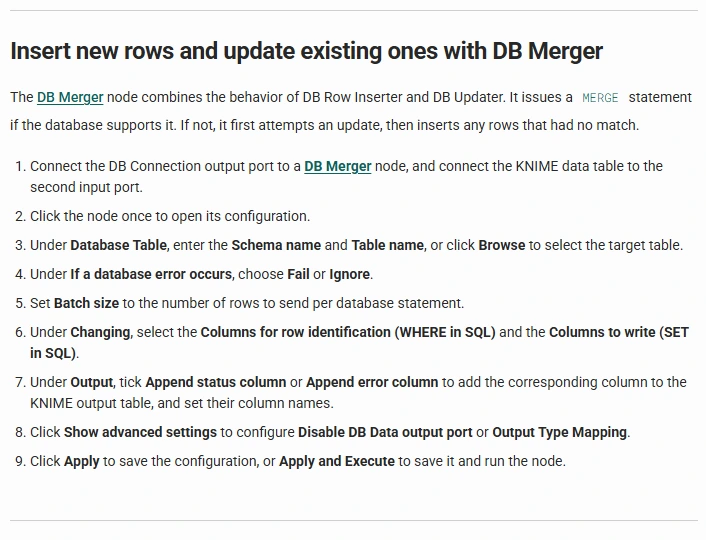
The database writer, updater and merger nodes have distinct behaviors and use explicit matching columns. DB Merger uses a database MERGE where supported, with an update-then-insert path otherwise. Reject handling is a workflow design decision. A SQL Server procedure can enforce a shared transaction when valid and rejected records must be applied together.
A workflow can mix transformations inside the database with steps that bring data into the execution process. That choice affects temporary memory, network transfer and which SQL identity reaches the table. Verify where the deployed workflow runs and how its scheduled service sees connections, credentials and logs.
KNIME suits teams that want an accessible visual workflow for extraction and preparation and can build their own operational boundaries. KNIME Analytics Platform is available separately from managed collaboration and scheduling offerings. Include the tier that actually runs the job in the estimate.
- Compatibility
- KNIME with appropriate database extensions and SQL Server access.
- License and trial
- KNIME Analytics Platform is available at no charge. Hosted or business workflow execution has separate plan terms.
Integrate.io ETL
Integrate.io ETL provides a hosted visual pipeline that can connect to SQL Server as a source or destination. A pipeline can use a database lookup and transform the incoming rows before writing. It fits companies considering a managed runtime and another team owning the infrastructure behind the job.
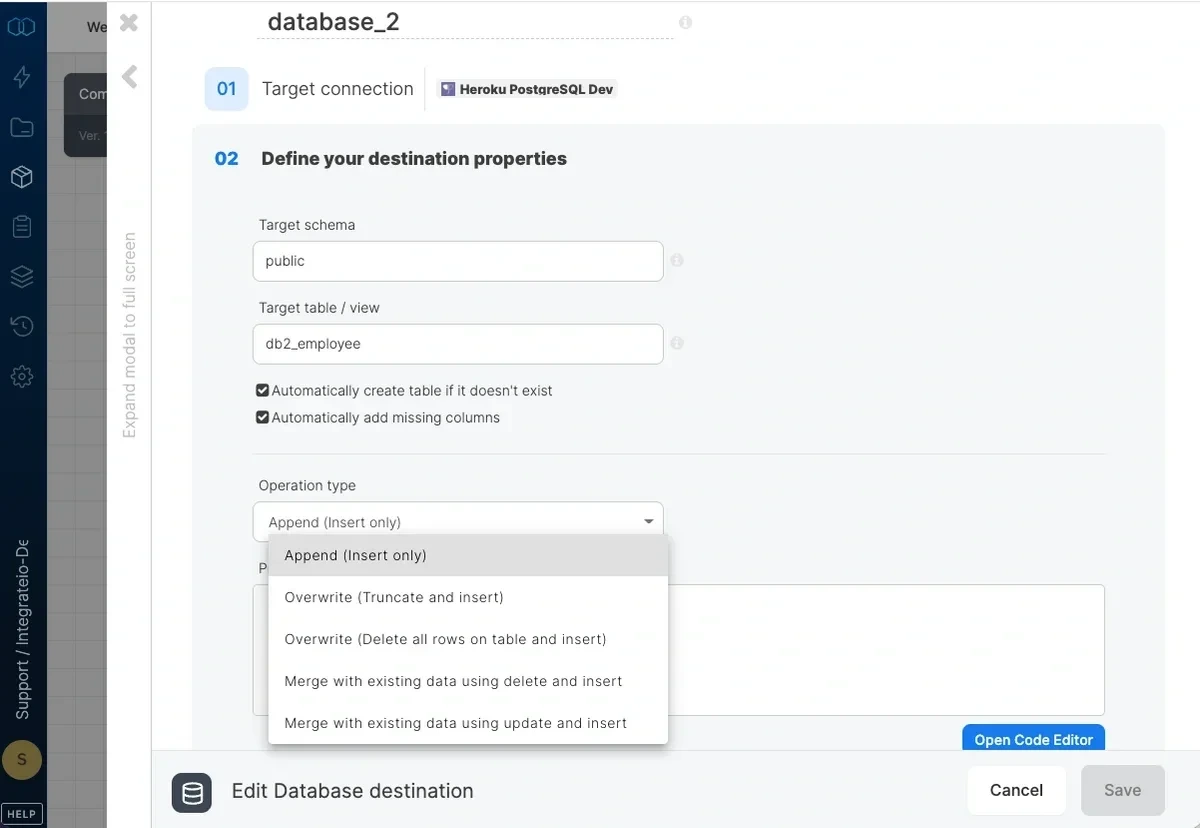
The database destination documents append and merge-style write modes using matching keys, including an update-and-insert path for existing records. Match-key selection affects which SQL Server rows change. Staging and write steps may occur in separate transactions, so test exactly where a failed run can stop and which output state persists.
SQL Server connectivity is an early prerequisite. The vendor's SQL Server connection guide covers firewall and connection setup. For a private destination, verify the actual route, credential ownership and TLS conditions before estimating the move. Validate one rejected record and one partial target write in the hosted run history.
Integrate.io offers an SSIS migration service. Conversion and a production-ready package are separate milestones in a migration plan. Validate custom Script Tasks, external files, cross-step transactions and SQL Server results before retiring the original. The published platform fee can simplify a comparison at a known workload, with plan and support terms checked separately.
- Compatibility
- Integrate.io ETL with supported SQL Server connection and target settings.
- License and trial
- The published platform price was $1,999 per month when checked. Confirm the plan scope, extra usage and support terms with the vendor.
Which SSIS replacement fits your SQL Server workload?
| What you need | Tools to shortlist | What to verify |
|---|---|---|
| Managed pipelines with SQL Server sources and targets | Check the runtime and network path. Confirm which write mode and reject handling work with your SQL Server connection. | |
| Visual data flows for development and operations | Run the lookup and error branch in the designer, then rerun the deployed job under its service credentials. | |
| A job runtime or record flow you can extend | Document what the runtime handles and where the SQL Server apply or reject logic runs. |
Keep your SSIS packages or rebuild them?
SQL Server 2025 includes Integration Services. Microsoft deprecated the legacy Integration Services Service and 32-bit runtime mode in that release. Some components, including the Microsoft Connector for Oracle, are no longer available from SQL Server 2025. Inventory the components your packages actually use before assuming they need a full rewrite.
Azure-SSIS Integration Runtime can run supported packages in Azure. You still need to validate external assemblies, third-party components, file paths, catalog settings, environment variables and execution identity. ADF pipelines and Fabric Data Factory activities have their own execution model. Microsoft lists SQL Server connector capabilities by Fabric workload, so verify the exact source and destination activity.
The existing packages must run
Keep the SSIS runtime
Keep running compatible packages on a supported SQL Server version or test them on Azure-SSIS Integration Runtime. Validate components and private connections first.
The business rules must survive
Rebuild the ETL flow
Map each lookup, transformation, reject and destination action into a visual workflow or code. Use package outputs to verify the replacement.
Only the data needs to move
Choose copy or replication
A supported Fabric Copy Job or a SQL Server CDC connector may cover the job. Check initial load, deletes and recovery separately.
How common SSIS tasks translate
The migration estimate depends on the rules and side effects behind each step. A simple Copy Activity may replace a data transfer. A combination of lookup, conditional split and custom error handling needs more design and testing.
| SSIS step | Replacement pattern | What to verify |
|---|---|---|
| Lookup | Join a reference table by a stable, indexed key or configure an explicit lookup step. | No match and duplicate reference keys each have a defined outcome. |
| Derived Column | Use a visual expression, Spark transform or SQL staging query. | Decimal precision, NULLs and failed conversion match the package's outputs. |
| Conditional Split | Use named branches for valid rows, business rejects and runtime failures. | Each row reaches the intended output. Every outcome can be reconciled. |
| OLE DB Destination | Load SQL Server through the supported writer or stage rows and apply a keyed update and insert in T-SQL. | The transaction boundary, matching keys and commit batch are documented. |
| Script Task | Move the custom code into a supported job step or service with a defined input, output and identity. | Assemblies, file paths and secrets exist on the actual runtime. The caller can repeat the task safely. |
| SQL Server Agent job | Schedule the pipeline or keep an Agent job that starts a supported runner. | The operator can see run status, notify on failure and replay a failed batch by ID. |
What to include in the cost comparison
Count run frequency, runtime hours, data movement and scheduled environments. A service that charges by runtime can be economical for a few large loads. A small job triggered hundreds of times a day has a different profile. Compare a single representative week using the same schedule, run times and copies of the environment.
For an operator-managed tool, include a host, scheduler, drivers, monitoring, patching, support and someone to respond to a failed run. For a managed service, include private connectivity, retainable run history and connector or capacity entitlements. Add package inventory, migration and parallel-run time separately from monthly cost.
Expected results from a partial-write test
The reference SQL below commits valid orders in the failure step, then stops before writing rejects. Replay the same batch to recover. These are the expected states for the synthetic fixture. Vendor behavior depends on how you implement its writes and retries.
| Step | Accepted order IDs and amounts | Rejected input rows |
|---|---|---|
| Setup | 10 at 10.00 and 40 at 8.00. | None. |
| Controlled failure | 10 at 12.34, 20 at 9.50 and unchanged 40 at 8.00. | None. The process stopped before saving them. |
| Replay | 10 at 12.34, 20 at 9.50 and unchanged 40 at 8.00. | Row 3 for invalid_amount and row 4 for unknown_customer. |
| Replay again | The same three orders without duplicates. | The same two rejects keyed by batch and row. |
How to compare these tools
Compare one representative package with the same input, destination schema and error cases. Use the documented source, sink and runtime of each tool. Record whether a failure stops the entire batch, one transaction or an individual row. Verify connections, SQL statements and outcomes before using speed or licensing as a deciding factor. Sources checked .
Rebuild an SSIS lookup and recover a partial batch
Run this fixture in an empty, disposable SQL Server database named SsisReplacementLab. Change the step to setup once to create the tables. The fail and apply steps provide a native reference for a deliberately partial write and its replay. Use a fresh copy of the setup database for each vendor trial.
SSIS replacement and partial-write recovery fixture
T-SQL · 138 lines
- Run setup. Keep batch 42 unchanged. Confirm the target contains order 10 at 10.00 and order 40 at 8.00. The reject table should be empty.
- Run fail for the reference path. SQL Server should signal error 50002 after committing the valid rows and before writing rejects. Run check separately to inspect what remained after the error.
- Run apply twice. The first replay must write the two missing rejects and converge to the expected state. The second replay should leave the same three target orders and two reject keys.
- For each vendor run, read the same batch and build a customer lookup, decimal conversion, accepted path and reject path. Match orders by order_id and rejects by batch_id and row_no. Use a staging table if the tool writes rows in several transactions.
- Simulate an interruption after the first destination commits. Record the run ID, the last completed stage and any source checkpoint. Stop the test if it would advance the checkpoint too early. On replay, inspect both tables and compare ordered values to the reference.
- Keep the SQL Server permissions, error messages and row reconciliation with the pilot notes. The operator should be able to explain which rows were valid, why rows 3 and 4 were rejected, and how to replay batch 42 safely.
Conclusion
Azure-SSIS is the option to trial first when existing packages must move to Azure as executable packages. For a rebuild, choose a runtime your team can connect, monitor and support. A replacement earns its place on the shortlist when it delivers the expected rows and can recover the same batch after a partial write.
Frequently asked questions
What is the best SSIS alternative for SQL Server?
Start with Azure Data Factory when supported SSIS packages must keep running in Azure. Shortlist Apache Hop, Pentaho or Qlik Talend to rebuild a visual ETL job. For a small shortlist, compare how each tool looks up keys, writes SQL Server rows and reruns a failed batch.
Can Azure Data Factory run existing SSIS packages?
Yes, through Azure-SSIS Integration Runtime. Verify SQL Server and SSISDB access, 64-bit dependencies, third-party plug-ins and the deployed package's execution identity. A rebuilt native ADF pipeline uses different activities.
Is SSIS being discontinued in SQL Server 2025?
Microsoft includes Integration Services in SQL Server 2025. The legacy Integration Services Service and 32-bit mode are deprecated. Review Microsoft's release details for removed connectors and changes that affect your packages.
What are the free or open-source alternatives to SSIS?
Apache Hop fits visual batch ETL and Apache NiFi fits record routing and continuous flows. KNIME Analytics Platform is available at no charge for its desktop workflow use. Budget for the deployment, scheduling and support required to run jobs in production.
Can Fabric Data Factory replace SSIS?
Microsoft Fabric Data Factory supports SQL Server through documented workloads, including paths for copying data. To replace a package, verify how the selected workload implements its transformations, lookup, rejects and target writes. Existing packages can run through Azure-SSIS Integration Runtime when supported.
How do I migrate SSIS error outputs to another ETL tool?
Map business rejects to a named route that preserves the batch ID, input row number and reason. Transaction failures and restarts need a separate operating path. Compare one failed conversion and one unmatched lookup before deciding how operators will review errors.
How can I tell whether a scheduled ETL job can be rerun?
Run the same batch twice and inject a failure after the first partial write. Confirm the accepted and reject tables converge to the expected rows without duplicates. Make sure any recorded source checkpoint accounts for both outputs.
Can Airflow, Airbyte or Fivetran replace an SSIS package?
Airflow can schedule and coordinate logic you run in a task. Airbyte and Fivetran can cover supported ingestion or replication paths. A package with lookup, validation and SQL Server writes needs the corresponding transformation and apply logic on the chosen runtime.
Related guides
- Compare tools to sync Salesforce data to SQL Server
- Compare data quality tools for SQL Server ETL
- Compare CSV and Excel import tools for SQL Server
- Compare SSIS connectors and add-ons for existing packages
- Compare SQL Server to Microsoft Fabric replication tools
- Compare SQL Server CDC connectors for Kafka
- Compare SQL Server table data after an ETL run
- Compare tools for deploying SQL Server database changes